Cosmo 5720 - TV Stand BDI - Free user manual and instructions
Find the device manual for free Cosmo 5720 BDI in PDF.


| Product Type | TV Stand |
| Brand | BDI |
| Model | Cosmo 5720 |
| Dimensions (W x H x D) | 60" x 24" x 20" |
| Weight | 85 lbs |
| Material | Engineered wood with real wood veneer, tempered glass shelves |
| Color Options | Black, Walnut, White |
| Max TV Size | 65 inches |
| Weight Capacity (shelves) | 50 lbs per shelf |
| Weight Capacity (top) | 100 lbs |
| Adjustable Shelves | Yes, two adjustable shelves behind glass doors |
| Cable Management | Integrated cable management system with grommets and rear panel cutouts |
| Assembly Required | Yes - detailed instructions included |
| Warranty | 10 years limited warranty by BDI |
| Cleaning Instructions | Wipe with damp cloth, avoid abrasive cleaners |
| Safety Features | Anti-tip kit included, tempered glass is shatter-resistant |
| Spare Parts Availability | Contact BDI customer service for replacement shelves and hardware |
| Repairability | Modular design allows for easy repair of individual components |
| Ventilation | Open back design for proper air circulation |
| Floor Protection | Leveling feet with felt pads included |
Frequently Asked Questions - Cosmo 5720 BDI
User questions about Cosmo 5720 BDI
0 question about this device. Answer the ones you know or ask your own.
Ask a new question about this device
Download the instructions for your TV Stand in PDF format for free! Find your manual Cosmo 5720 - BDI and take your electronic device back in hand. On this page are published all the documents necessary for the use of your device. Cosmo 5720 by BDI.
USER MANUAL Cosmo 5720 BDI
Product Registration
bdiusa.com
customerservice@bdiusa.com
Registering your new BDI product allows us to send you important product updates, service information and helpful hints related to your BDI products. Register today, and you will be entered to win free a BINK table from BDI: www.bdiusa.com/register

Placement and Maintenance
Your Cosmo Bar is designed for indoor use on level floors. Clean wood, metal, and porcelain surfaces with a damp cloth.
Cosmo is engineered for easy assembly. Carefully follow this procedure to prevent any damage. Do not use power tools for assembly of this product.
Step 1
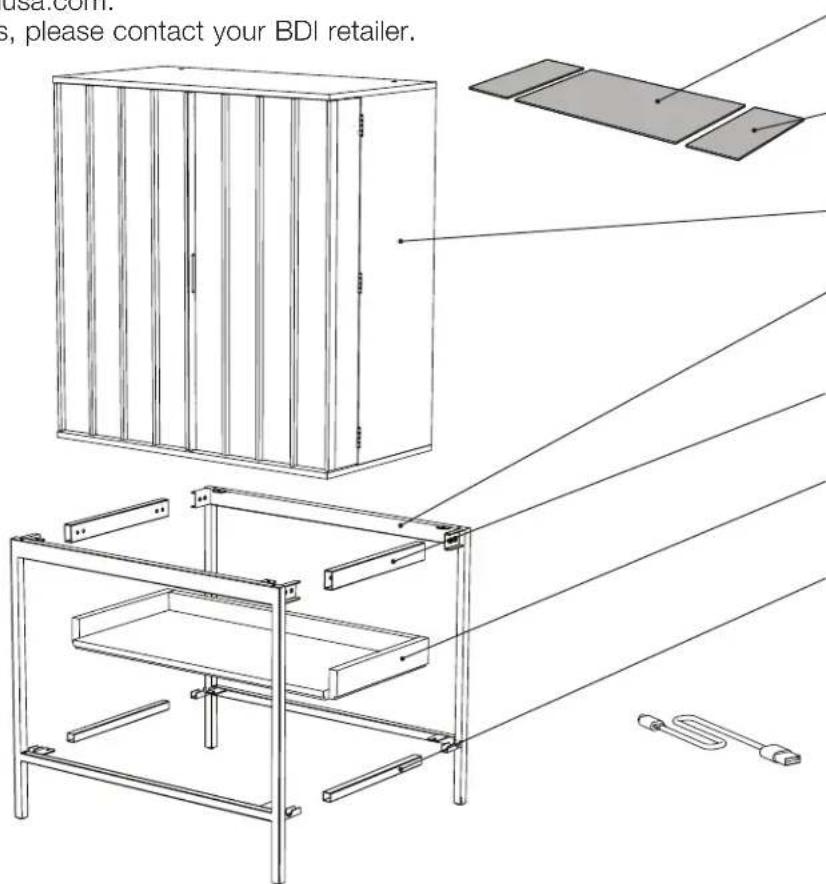
Unpack and identify the parts listed below. The assembly workspace should be a non-marring surface such as carpet. For missing hardware pieces, contact BDI Customer Service at: customerservice@bdiusa.com.
For all other concerns, please contact your BDI retailer.

T1 Hex Driver x 1
T2 Leveler Wrench x 1
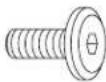
H1 M6 x 12mm Screw x 26

C5 Anti-skid Pad x 2

H3 Wall Anchor
Strap x 2

H4 Rechargeable Strip Light
text_image
usa.com. s, please contact your BDI retailer.C6 Middle Drawer Liner x 1
C7 Side Drawer Liner x 2
A1 Cabinet x 1
C1 Base Frame x 2
C2 Top Connector Tube x 2
A2 Lower Shelf x 1
C3 Bottom Connector Tube x 2
H5 Micro HDMI/USB charge cord x 1
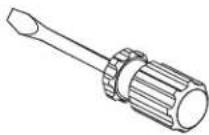
Tool Required: Slotted Screwdriver
Step 2 - Base Assembly
Position base frame C1 on the floor with tabs facing up. Slide both top connector tubes C2 onto the 2 large U shaped tabs of base frame C1 making sure the holes are facing inside. Slide both bottom connector tubes C2 onto the 2 small U shaped tabs of base frame with holes facing down. Attach connector tubes using 8 screws H1. Sleeve the other base frame C1 over the assembly as shown below and tighten all 16 screws H1 with hex wrench T1.

text_image
C2 H1 C3 H1 C3 C2 H1 T1 H1 x 16 C1
text_image
C1 H1 H1 H1 H1Step 3 - Base Attachment
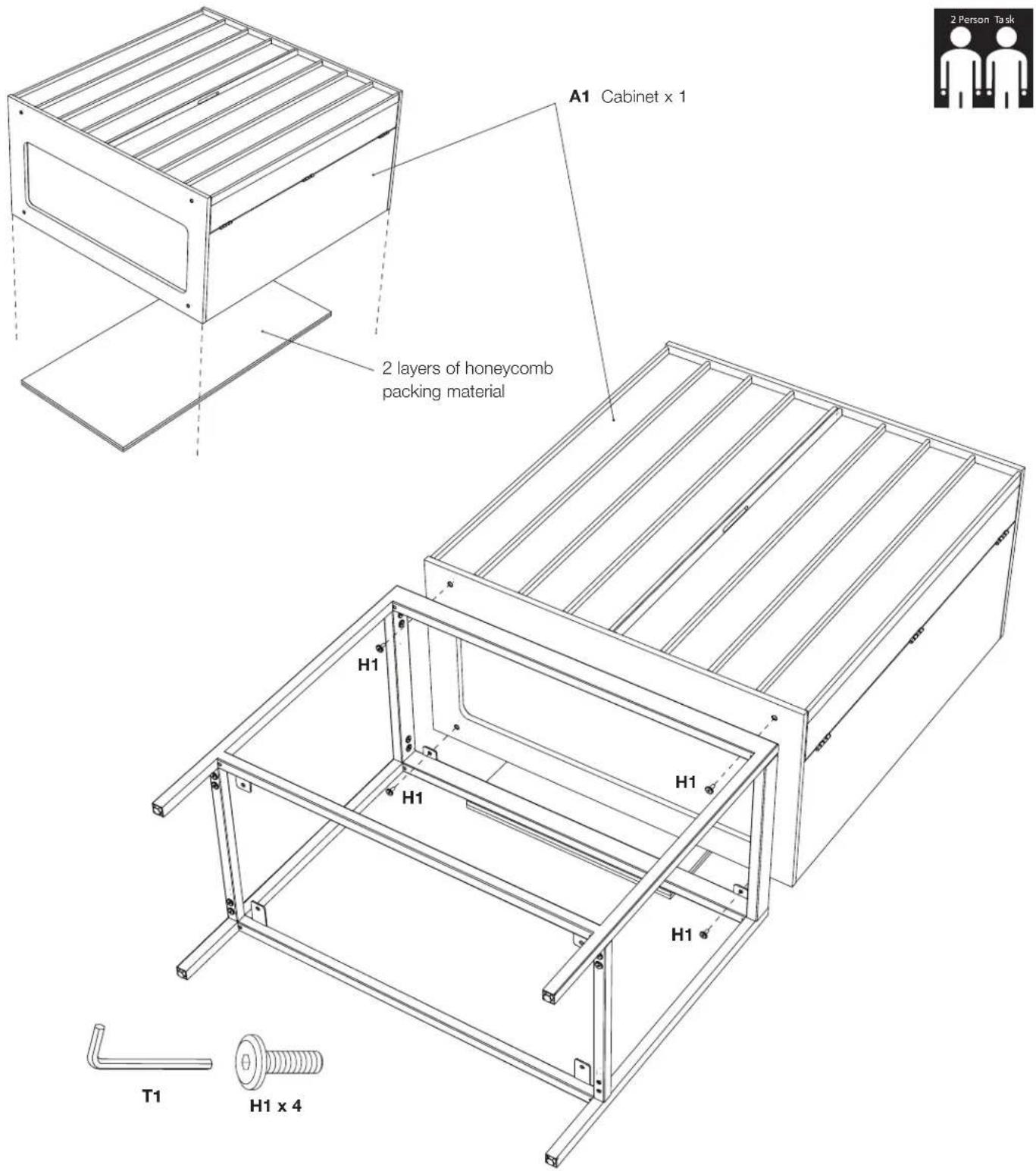
With help from another person, carefully position the cabinet A1 onto at least two layers of packing material and orient on its back as shown. Note: the packing material creates finger space to lift the cabinet after attaching the base. Position the base as shown and attach with 4 screws H1 and tighten with hex wrench T1.
text_image
A1 Cabinet x 1 2 layers of honeycomb packing material H1 H1 H1 H1 T1 H1 x 4 2 Person TaskStep 4 - Standing the Unit
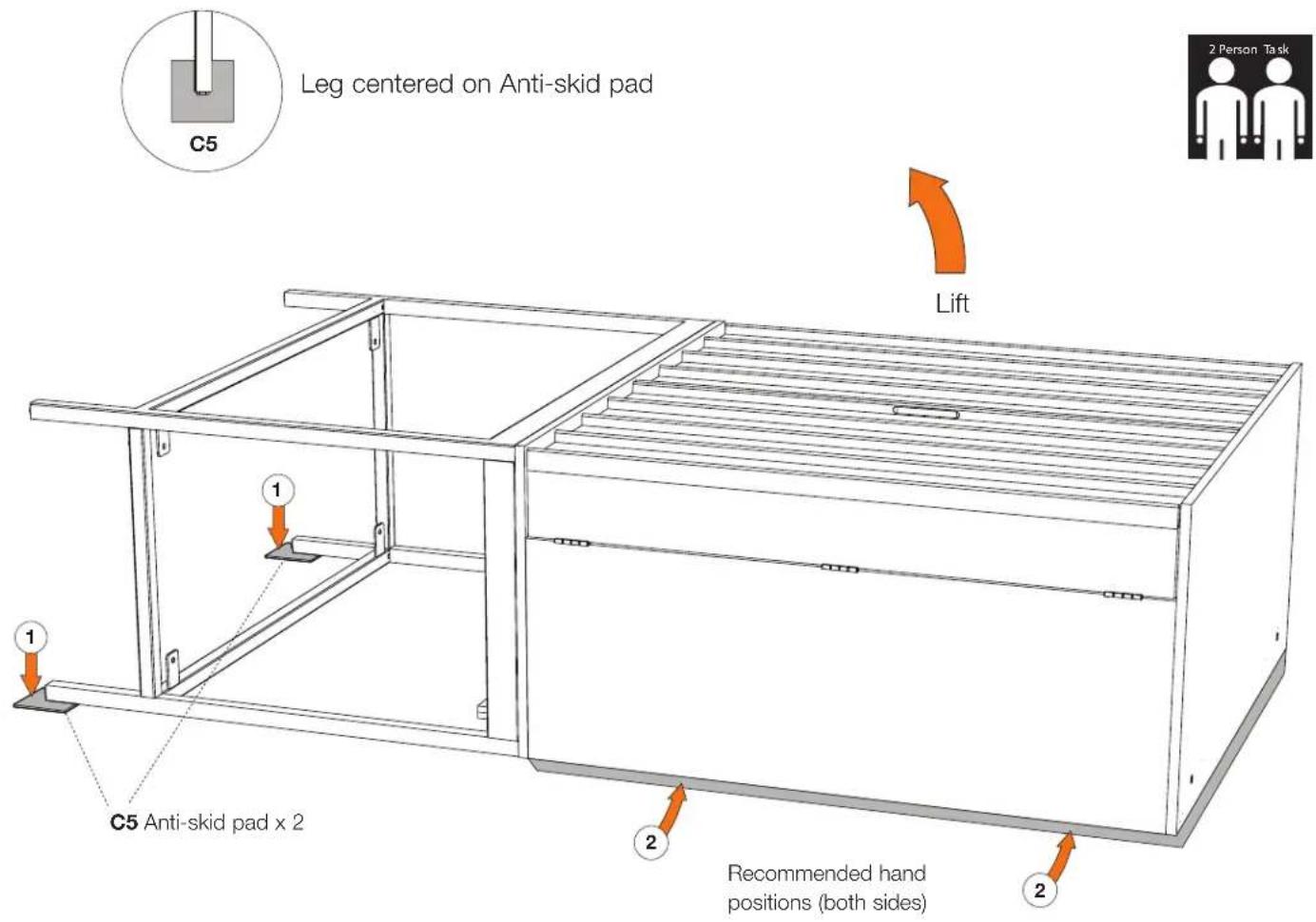
Position the anti-skid pads C5 under the back legs as indicated with arrow #1 making sure that the pads are centered on the end of the legs. With 2 people (1 person on each side) carefully and slowly lift the cabinet with hands placed along the edges of the cabinet indicated with arrow #2.
text_image
Leg centered on Anti-skid pad C5 Lift 1 1 C5 Anti-skid pad x 2 Recommended hand positions (both sides) 2 Person TaskStep 5 - Wall Preparation
CAUTION! DO NOT allow children to swing on the open doors.
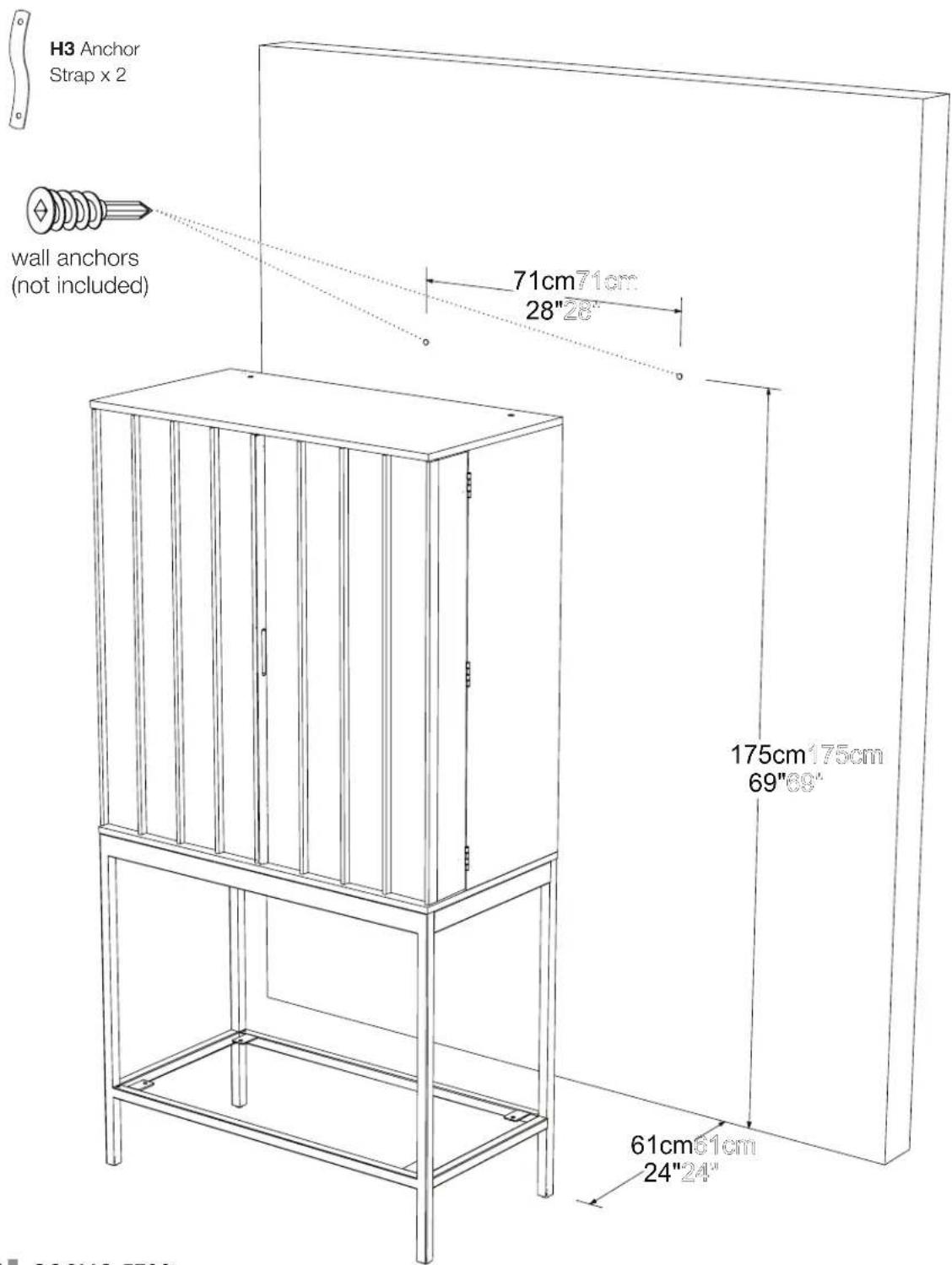
It is strongly recommended that you anchor your Cosmo Bar cabinet to the wall using two anchor straps H3 included. Determine the desired location of your Cosmo Bar and then position the bar 24" in front of the wall. Mark the wall and insert 2 wall inserts (not included) in the position indicated below.
text_image
H3 Anchor Strap x 2 wall anchors (not included) 71cm71cm 28"28" 175cm175cm 69"69" 61cm61cm 24"24" COSMO 5700Step 6 - Wall Attachment
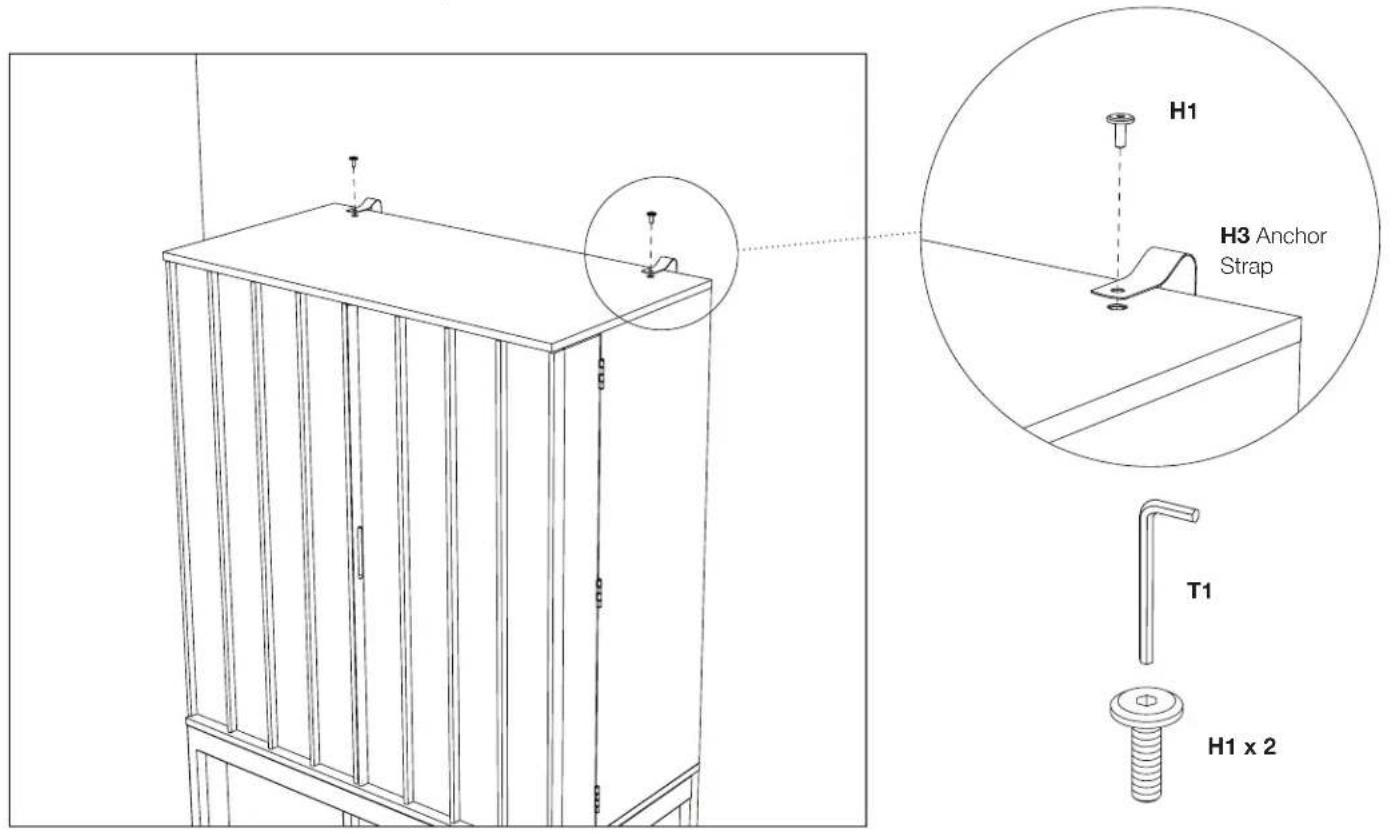
Attach 1 end of the anchor straps to the wall. Carefully move your Cosmo bar close to the wall and attach the loose end of the anchor straps to the top of the cabinet using screws H1 going into the threaded inserts as shown. Tighten with hex wrench T1.
text_image
H1 H3 Anchor Strap T1 H1 x 2Step 7 - Lower Shelf Installation
Tilt the lower shelf as shown, insert the shelf into the front opening of the base and rotate carefully down onto the lower cross bars of the frame. Attach the lower shelf with 4 screws H1 and tighten with hex wrench T1.
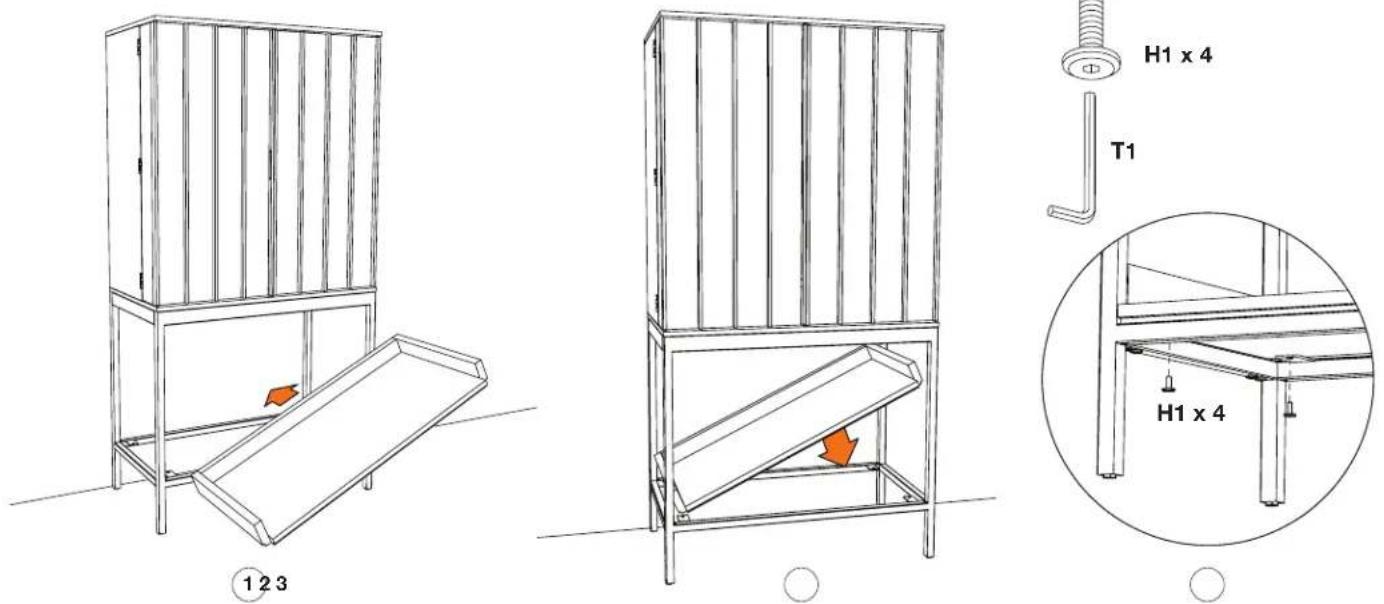
text_image
H1 x 4 T1 H1 x 4 ① 2 3Step 8 - Light Installation
Find the rechargeable strip light H4. Using the Micro HDMI/USB charge cord H5, charge the light for 6 hours. Once charged, install it onto the metal strip (it is held with magnets) located in the angled recess towards the top front of the cabinet. Make sure the proximity sensors are facing forward and the light switch is turned on. The light is designed to turn off automatically when the cabinet doors are closed.
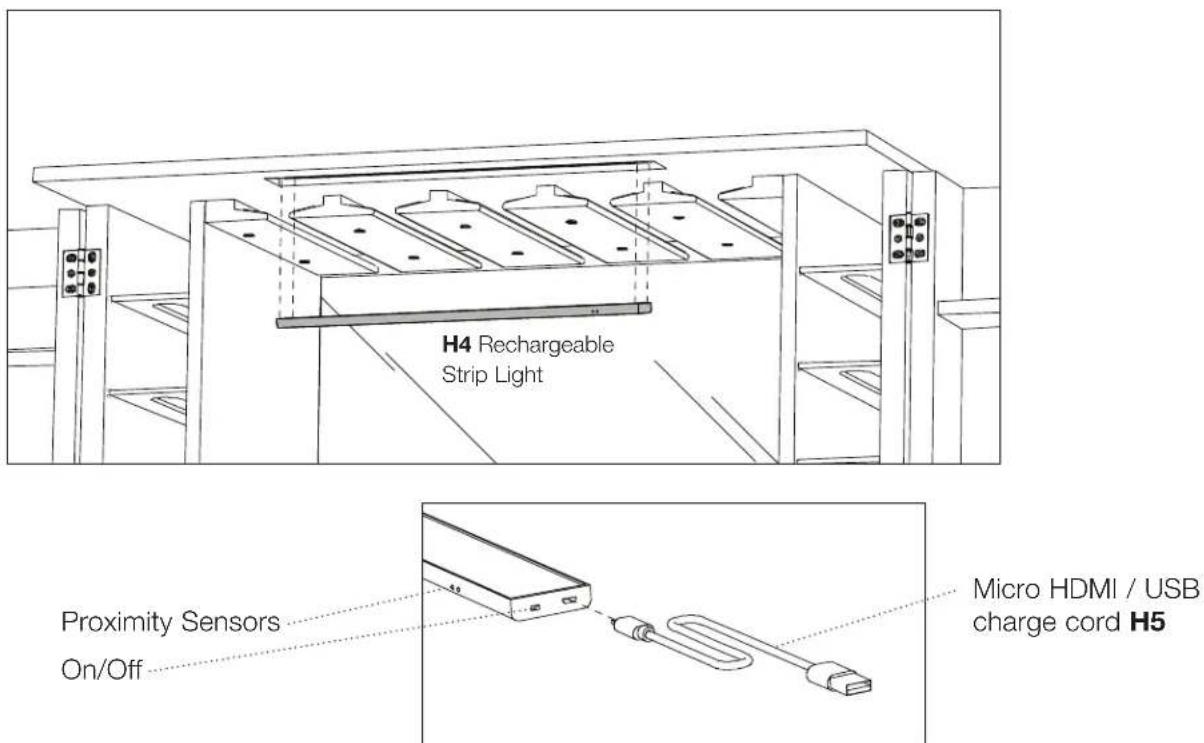
text_image
H4 Rechargeable Strip Light Proximity Sensors On/Off Micro HDMI / USB charge cord H5Step 9 - Drawer Liner Installation / Magnetic Door Catch
Open the push-open drawer and install middle drawer liner C6 and both side drawer liners C7. Using a slotted screwdriver, unscrew the magnetic door catches a few turns until they make contact with and hold the doors shut.

text_image
C7 C6 C7Step 10 - Shelf Adjustment
Adjust the height of the adjustable shelf if needed by moving the positions of the shelf pins.

text_image
Mirror Adjustable Shelf Bottles and cans Porcelain Surface Wine Bottle Storage Wine Glass Storage Reposition Shelf Pins (if needed)Step 11 - Leveling and Adjusting the Door Gaps
With both doors closed, check to see if the top corners of the doors align. If not, dial out the corresponding front leveler under the door that is sagging.
Example:
If the door on the right is low, dial out the right front leveler to raise the door back into alignment with the left door.

text_image
To move the right door up, dial the front, right leveler out. To move the left door up, dial the left, front leveler out. Dial outNote: To hold the doors in an open position, partially extend the two (2) front levelers. This action will tilt the cabinet back slightly, preventing the open doors from swinging towards their closed position.
Cleaning
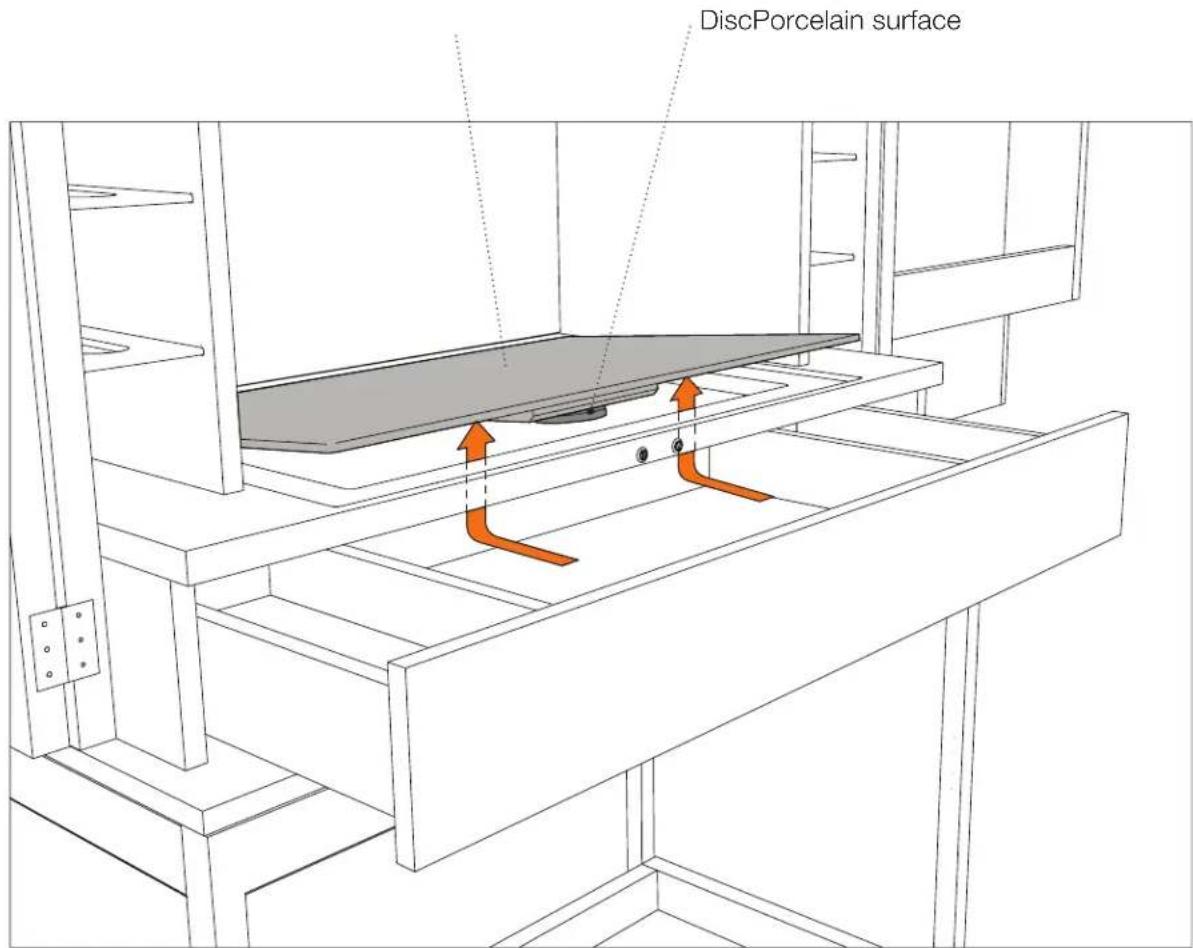
If a spill occurs, the porcelain surface on your Cosmo Bar may be removed for cleaning. To remove, open the drawer about 8", reach inside and find the 60mm disc just under the front center edge of the porcelain. Rotate the disc 180 degrees. Lift the porcelain out by pushing up from below.
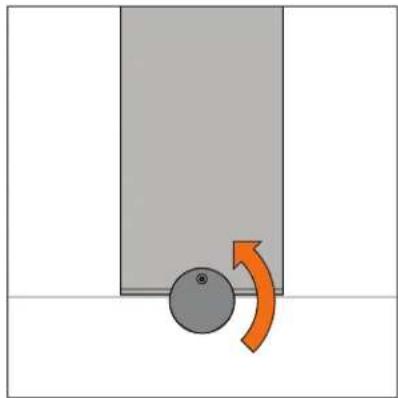
natural_image
Simple diagram showing a gray block with a circular object and an orange curved arrow indicating motion (no text or symbols)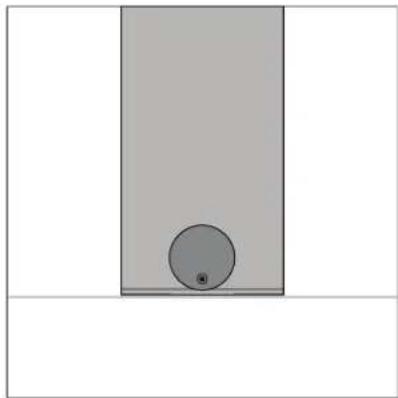
natural_image
Simple diagram showing a gray rectangle with a small circle inside, no text or symbols presentRotate Disc to Unlock Unlocked Position