VTECH

CLP99006 - Cordless phone VTECH - Free user manual and instructions

Find the device manual for free CLP99006 VTECH in PDF.

English EN Download 💬 AI Question 10 questions ⚙️ Specs
📄

Document temporarily unavailable

The manual is currently being transferred to our new server. It will be accessible again in a few hours. Thank you for your patience.

View the manual : Français FR English EN
Pick your language and provide your email: we'll send you a specifically translated version.
Product TypeCordless Phone
BrandVTECH
ModelCLP99006
Dimensions (base)Approximately 150 x 50 x 200 mm
Dimensions (handset)Approximately 50 x 30 x 180 mm
Total weight (base + handset)Approximately 350 g
Base power supply220V AC adapter
Handset power supply2 AAA rechargeable batteries (included)
Standby timeUp to 100 hours
Talk timeUp to 10 hours
Indoor rangeUp to 50 meters
Outdoor rangeUp to 300 meters
DisplayBacklit LCD display
PhonebookUp to 50 contacts
Main featuresCall, speakerphone, caller ID, voicemail, conference
Care and cleaningClean with a soft, dry cloth. Do not use abrasive products.
SafetyDo not expose to water or moisture. Use only recommended batteries.
Spare parts and repairabilityContact VTECH customer service for any repairs or parts.
General informationCompatible with analog lines. 2-year warranty.

Frequently Asked Questions - CLP99006 VTECH

How to register a new handset?
Press the MENU button on the base, select Registration and follow the on-screen instructions. The handset must be close to the base during registration.
What to do if the screen displays 'No base'?
Check that the base is plugged in and powered on. Make sure the handset is within range. If the problem persists, reset the handset by removing the batteries for 10 seconds.
How to adjust the ringer volume?
Press the MENU button, select Sound, then Ringer volume. Use the arrow keys to adjust and confirm with OK.
Can I use standard rechargeable batteries?
Yes, use AAA Ni-MH rechargeable batteries of 1.2V. Do not use non-rechargeable batteries, as they may damage the device.
How to block an unwanted number?
Go to the Call list menu, select the number to block, then choose Block. You can also manually add a number to the block list via the Security menu.
Sound quality is poor, what to do?
Check that you are within range of the base. Move the phone away from other electronic devices. If the problem persists, try changing the channel by pressing CHAN.
How to transfer a call to another handset?
During a call, press TRANSFER (or INTERCOM), then select the destination handset. The call will be placed on hold until the other handset answers.
How to check voicemail?
Press the MESSAGERIE button (or dial the code provided by your operator). Follow the voice prompts to listen to your messages.
The batteries discharge quickly, is this normal?
Rapid discharge may be due to heavy use or old batteries. Replace the batteries with new ones. If the problem persists, make sure the handset is properly placed on the base for charging.
How to reset the phone to factory settings?
In the Settings menu, select Reset (or Default). Confirm with OK. Note that this will erase all your settings and contacts.

User questions about CLP99006 VTECH

0 question about this device. Answer the ones you know or ask your own.

Ask a new question about this device

The email remains private: it is only used to notify you if someone responds to your question.

No questions yet. Be the first to ask one.

Download the instructions for your Cordless phone in PDF format for free! Find your manual CLP99006 - VTECH and take your electronic device back in hand. On this page are published all the documents necessary for the use of your device. CLP99006 by VTECH.
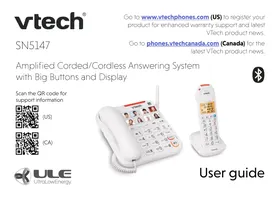

USER MANUAL CLP99006 VTECH

Manual assistant
Powered by Anthropic
Waiting for your message
Product information

Brand : VTECH

Model : CLP99006

Category : Cordless phone