CT-2361 - Tripod Oben - Free user manual and instructions
Find the device manual for free CT-2361 Oben in PDF.


User questions about CT-2361 Oben
0 question about this device. Answer the ones you know or ask your own.
Ask a new question about this device
Download the instructions for your Tripod in PDF format for free! Find your manual CT-2361 - Oben and take your electronic device back in hand. On this page are published all the documents necessary for the use of your device. CT-2361 by Oben.
USER MANUAL CT-2361 Oben
CT-2300/CT-2400 Series
Tripod

natural_image
Black tripod with three legs against a red background (no text or symbols visible)You're on steady ground™
Thank You for choosing Oben!
Congratulations on your purchase of this sturdy, multi-featured Oben CT-2300/2400 Series tripod. It will deliver lightweight, rock-solid camera support for years to come.
Adjusting the tripod's height is simple: just loosen a twist-lock by turning it three-quarters of a turn counterclockwise, and extend or close one section of each telescopic leg separately. When the leg is the desired length, turn the twist-lock clockwise to tighten it. The center column locking knob releases the center column in a split second to slide up or down for further height adjustment. The center column is grooved to prevent it from rotating accidentally.
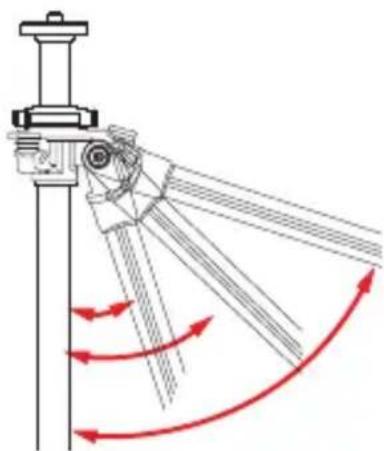
Each leg can be positioned independently at 3 locking angles ( 24^ , 55^ , or 80^ ), and a built-in bubble level helps keep the tripod aligned with the horizon — both essential when working on uneven terrain.
Please read this entire manual before using the CT-2300/2400 Series tripod.
Note: Images are for illustrative purposes only. Actual product may vary.
Key Features
Leg Length Adjustment 6
Leg Angle Adjustment 6
Center Column Adjustment 7
Low-Angle Setup
Counterweight 9
Mounting the Head 9
Retractable Spiked Feet 1
Warnings 11
text_image
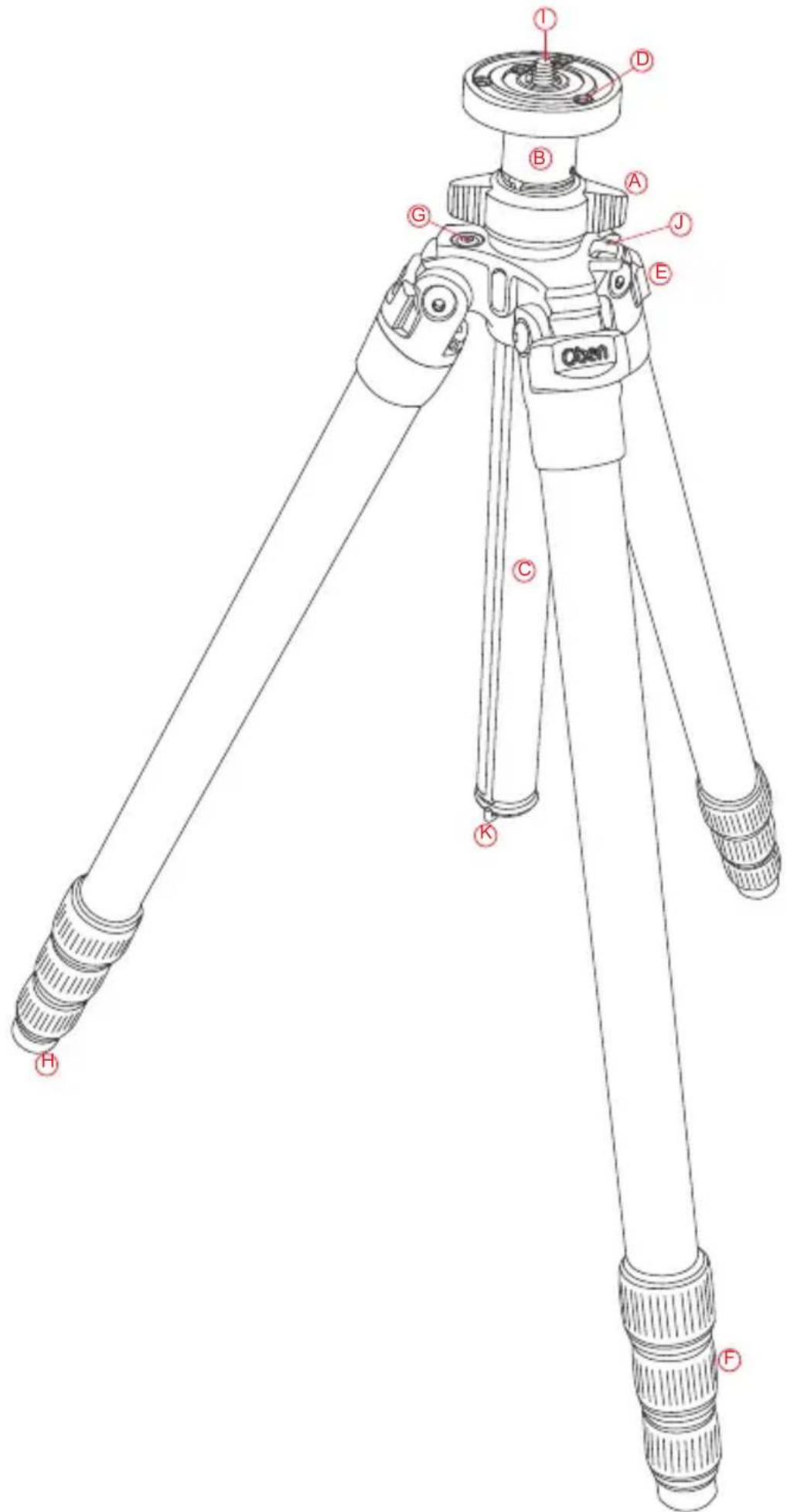
Open I D B A G J E C K H FA Center column locking knob
B Short split-column
© Grooved reversible center column
D Head locking screws
E Leg angle adjustment lock
F Twist-style leg lock levers
G Bubble level
H All-terrain feet
① Dual 3/8"-1/4"-20 head mounting screw
J Strap mount
Retractable and removable weight hook
1. Leg Length Adjustment
A twist-lock design allows you to quickly change the height of each telescopic tripod leg. To adjust the height of a leg, turn the twist-lock three-quarters of a turn counterclockwise to loosen it, position the leg at the desired height, and turn the twist-lock clockwise until the leg is securely locked in place.

natural_image
Diagram of a mechanical component with red arrows indicating motion or force direction (no text or symbols)2. Leg Angle Adjustment
For stable support when shooting on uneven terrain, each leg of your tripod can be individually set at a preset angle of 24^ , 55^ or 80^ .
To change a leg's angle, pull the adjustment lock outward and set the angle of the leg. Push the lock in to lock the leg at that angle.
natural_image
Diagram of a mechanical linkage system with red curved arrows indicating motion or force direction (no text or symbols)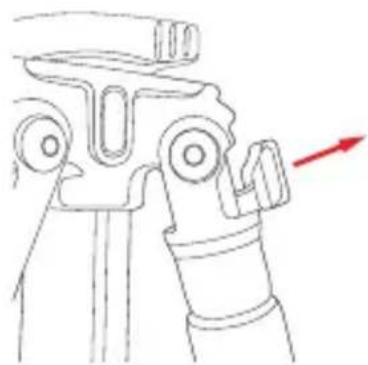
natural_image
Technical line drawing of a mechanical device with a red arrow indicating direction (no text or symbols)3. Center Column Adjustment
The sliding center column can be used to adjust the height of the camera. Fully extending the center column after the legs have been fully extended will place the camera at the highest position possible with this tripod.
ADJUST THE CENTER COLUMN
Turn the center column locking knob counterclockwise, adjust the center column to the desired height, and lock it in place by turning the center column locking knob clockwise. Ensure that the knob is secure, but do not over-tighten it to avoid damaging the tripod.
Note: Extending the center column may leave the tripod less stable.
4. Low-Angle Setup
There are two ways to adjust the tripod for low-angle shots.
REVERSE THE CENTER COLUMN
- Remove the built-in weight hook from the bottom of the column by turning it counterclockwise and pulling it out of the column.

natural_image
Three technical diagrams showing a tripod-mounted device with red directional arrows indicating rotation (no text or symbols present)4. Low-Angle Setup
- Turn the center column locking knob counterclockwise to unlock the center column. Remove the center column from the tripod.
- Reverse the center column and insert it up the bottom of the tripod top plate.
4.Slide the column into the desired position. Turn the center column locking knob clockwise to lock at the desired height. Replace the weight hook by screwing it into the center column.
SPLIT THE CENTER COLUMN
- Remove the weight hook from the bottom of the column by turning it counterclockwise and pulling it out of the column.
- Turn the center column locking knob counterclockwise to unlock the center column. Remove the center column from the tripod.
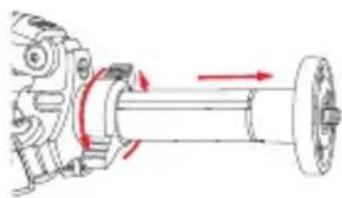
- Using the smallest included Allen wrench, loosen the Allen screw located near the top of the center column. When the Allen screw is loosened, unscrew the top part of the center column and remove it from the column.
natural_image
Mechanical assembly diagram showing a shaft and wheel with directional arrows indicating motion (no text or labels)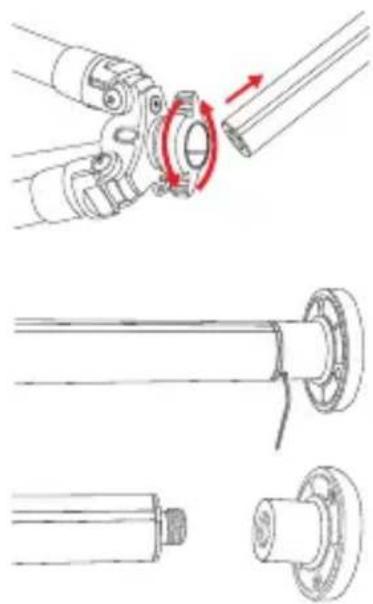
natural_image
Technical line drawings of mechanical components with no visible text or symbols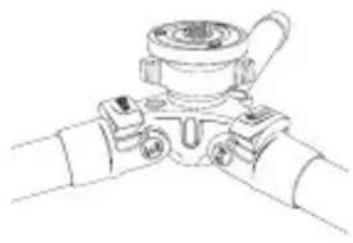
natural_image
Line drawing of a mechanical valve assembly (no text or symbols)
natural_image
Pure technical line drawing of a mechanical joint or bracket (no text or symbols)- Put the main column aside.
Tighten the Allen screw with the Allen wrench so that the screw is flush with the surface of the center column. Insert the short column into the tripod. Tighten the center column locking knob securely.
5. Counterweight
When shooting under windy conditions or when using a telephoto lens, the stability of your camera is critical. The built-in spring-loaded hook at the bottom of the center column allows you to hang a counterweight for increased stabilization, such as a (not included) sandbag or loaded equipment bag.
natural_image
Technical illustration of a mechanical assembly showing a bolt and screw assembly with red directional arrows (no text or symbols)
natural_image
Technical line drawing of a surveying instrument with rotating base and adjustment knob (no text or symbols)6. Mounting the Head
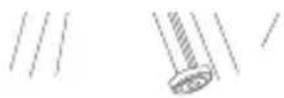
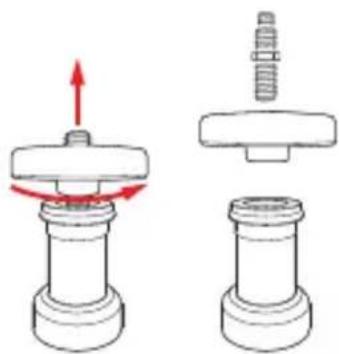
The tripod includes a mounting screw with a 1/4" screw on one end and a 3/8" screw on the other, allowing you to mount either size tripod head. To switch between the two sizes, remove the plate from the tripod by turning it counter-clockwise.
Remove the screw, and insert the opposite end back into the plate. Mount the plate back onto the tripod by turning it clockwise. To mount a head, align the bottom of the tripod mount with the tripod's mounting screw, then twist clockwise until fully secured. Do not over-tighten, as this may cause damage.
6. Mounting the Head
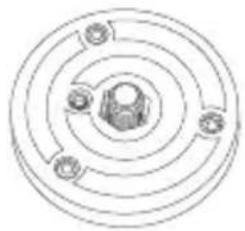
The top plate on Oben tripods is equipped with three set screws which clamp against the base of the tripod head to ensure effective and secure locking of the head to the tripod.
7. Retractable Spiked Feet\*
A spike is built into each of the tripod's rubber feet. The rubber non-skid feet are for use indoors or on flat surfaces, while the spikes are for soft ground, grass, sand, and on uneven terrain. To extend the spike, rotate the rubber pad at the bottom of the foot clockwise until the spike is fully exposed. Turn the foot counterclockwise to fully retract the spike into the rubber foot. For CT-2441, see note below.
*Models CT-2431, CT-2331 and CT-2441 feature a removable rubber cap with a spike beneath it on each tripod leg. To exchange a rubber foot for a spiked foot, simply pull the rubber cap off the leg, exposing the spike underneath. When a rubber foot is desired, replace the rubber cap over the spike.
* Model CT-2391 features interchangeable rubber feet and spiked feet. To exchange a rubber foot for a spiked foot, simply unscrew a rubber foot from its leg and replace it with a threaded spiked foot.
natural_image
Pure concentric circular diagram with no text, numbers, or symbols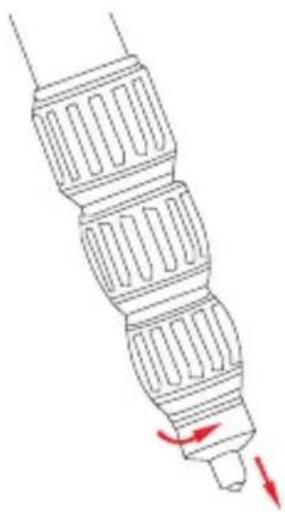
natural_image
Technical line drawing of a mechanical component with red directional arrows indicating motion (no text or symbols)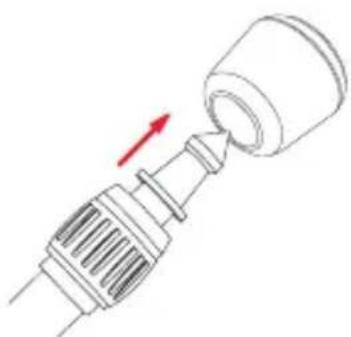
natural_image
Technical line drawing of a mechanical component with a red arrow indicating direction (no text or symbols)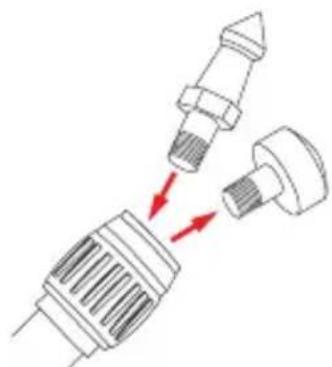
natural_image
Diagram showing mechanical components with red arrows indicating motion or force (no text or symbols)
Warnings:
- Do not exceed the tripod's maximum load capacity (see tag on tripod).
- Ensure that all appropriate locks are engaged when necessary.
- Tripod should only be used in temperatures between -22^ and 140^ Fahrenheit.
- Do not operate in salt water. Dry tripod off if it becomes wet.
- Remove the camera from the tripod during transport.
- Keep out of reach of children.
- To avoid injury, always support the top of the center column with one hand while adjusting height and locking the knob with the other hand.
OPTIONAL ACCESSORIES
- TS-110 Deluxe Padded Neoprene Tripod Strap with zippered pocket
• TS-100 Padded Neoprene Tripod Strap
Visit our website at ObenSupports.com for more Oben products.
© Copyright 2014 The Gradus Group All other trademarks are the property of their respective owners