HDBT118 - Audiovisual Equipment Projecta - Free user manual and instructions
Find the device manual for free HDBT118 Projecta in PDF.


| Product Type | HDMI Extender over CAT5e/6 |
| Model | HDBT118 |
| Brand | Projecta |
| Dimensions (W x D x H) | 100 mm x 80 mm x 30 mm (approx.) |
| Weight | 200 g (approx.) |
| Power Supply | 5V DC, 1A (via included adapter) |
| HDMI Version | HDMI 2.0, 4K@60Hz, HDR |
| Transmission Distance | Up to 70m (4K) / 100m (1080p) |
| Supported Resolutions | 480i/p, 576i/p, 720p, 1080i/p, 4K@30Hz, 4K@60Hz |
| Audio Support | PCM, Dolby Digital, DTS, up to 7.1 ch |
| IR Pass-Through | Yes, 20-60 kHz |
| RS-232 Pass-Through | Yes (bi-directional) |
| Power over Cable (PoC) | Supported (one side only) |
| Material | Metal housing |
| Operating Temperature | 0°C to 45°C |
| Storage Temperature | -10°C to 60°C |
| Humidity | 10% to 90% RH (non-condensing) |
| Maintenance | Clean with dry cloth; avoid liquids |
| Safety | Use only supplied power adapter; keep away from moisture |
| Spare Parts | Contact Projecta support for replacement cables or adapters |
| Reparability | No user-serviceable parts; contact qualified technician |
Frequently Asked Questions - HDBT118 Projecta
User questions about HDBT118 Projecta
0 question about this device. Answer the ones you know or ask your own.
Ask a new question about this device
Download the instructions for your Audiovisual Equipment in PDF format for free! Find your manual HDBT118 - Projecta and take your electronic device back in hand. On this page are published all the documents necessary for the use of your device. HDBT118 by Projecta.
USER MANUAL HDBT118 Projecta
Tray Fitting Instructions to suit Auxiliary battery for TOYOTA PRADO 150 SERIES (Not suitable for Kakadu Version)
Years: 2015 onwards
Models: 2.8 Litre TDI
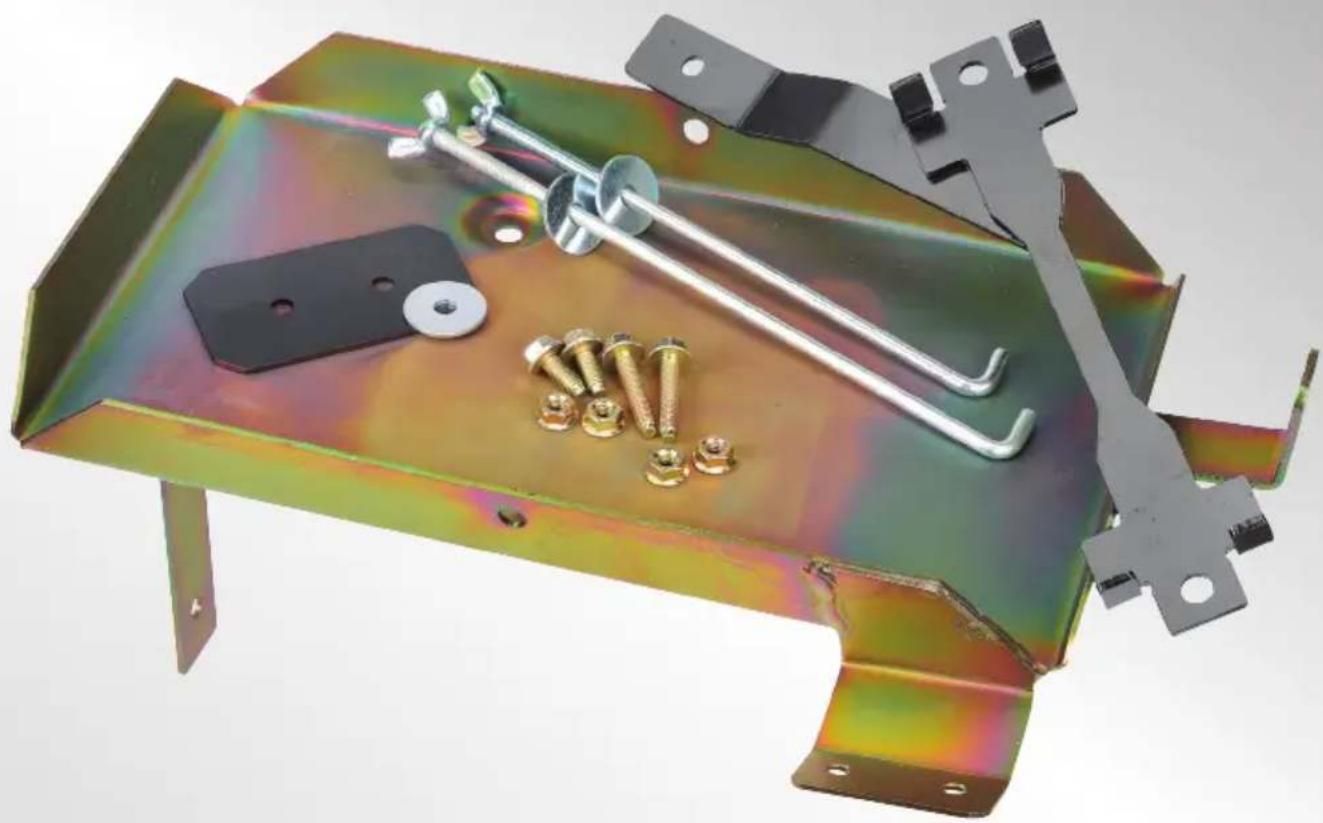
natural_image
Metallic metal frame with bolts and screws, no visible text or symbols
natural_image
Exterior view of a silver PRADO SUV (no signage or text visible on vehicle body)IMPORTANT SAFETY INFORMATION
Please read this instruction thoroughly before fitting the tray.
This product is recommend to be fitted by a workshop or qualified mechanical person.
WARNINGS
- Before installation, make sure that the vehicle is stationary and the wheels chocked.
- Be careful when laying wires, not to cause any electrical shorts or wire breakage.
- After installation ensure the bonnet can close without hitting the newly installed battery and battery tray.
- Ensure original parts and pipes have sufficient clearance from the tray and battery. Push them away from the tray if required.
SPECIFICATIONS
| Max Battery Size (mm) L300 x W174 x H220 |
| Max Battery Weight 23Kg |
| Recommended batteries Exide LCS27-97 & Century N70TMF |
| Approximate fitting time 1 hour |
| Recommended Dual P/No: IDC25Battery System |
| Tray Location Engine bay, drivers side front |
KIT INCLUDES
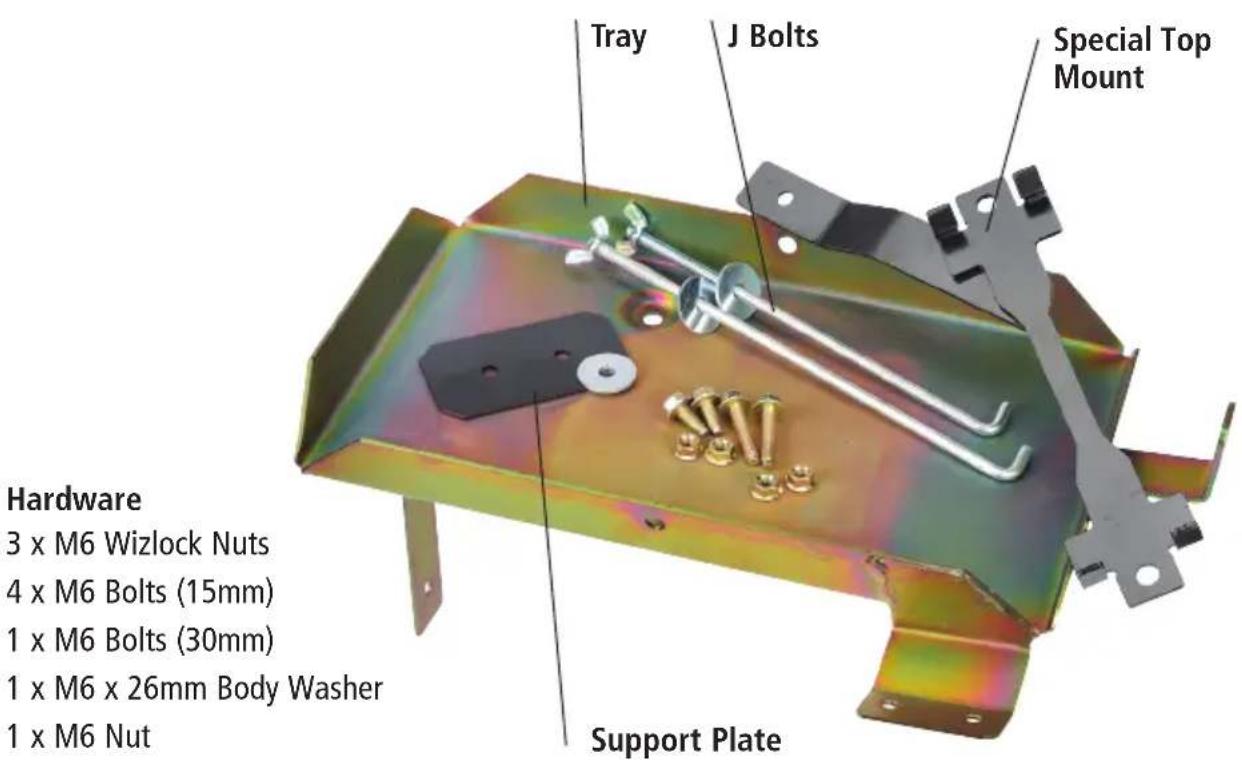
Hardware
3 x M6 Wizlock Nuts
4 x M6 Bolts (15mm)
1 x M6 Bolts (30mm)
1 x M6 x 26mm Body Washer
1 x M6 Nut
FITTING INSTRUCTIONS
-
Make sure that the vehicle is stationary, the engine is switched off and cool. Disconnect the negative terminal from the main battery.
-
Locate area for tray. Left of the radiator at the front.
-
Remove OE bolts from earth plate in inner guard and A/C support bracket near tray area.
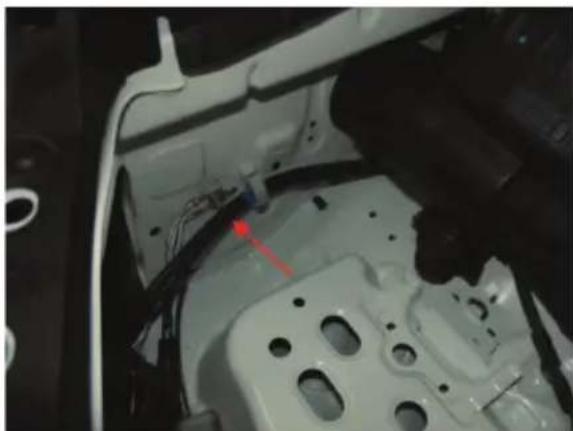
natural_image
Close-up of a white automotive body panel with visible wiring and mounting holes (no text or symbols)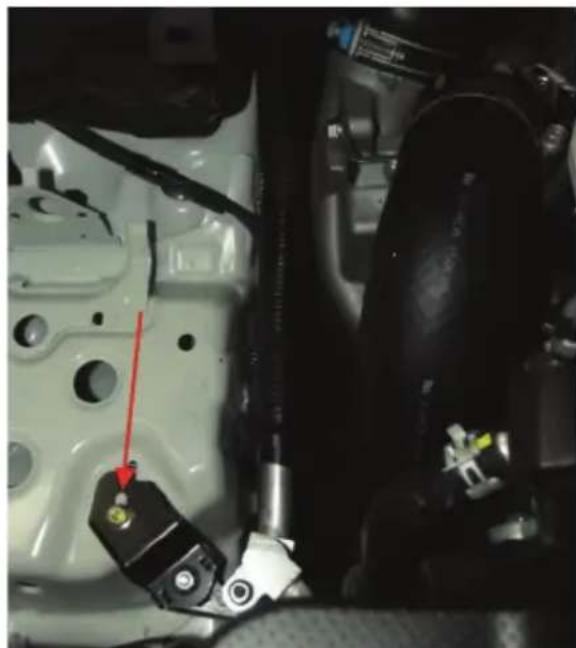
natural_image
Close-up of a car engine component with visible wiring and mounting features (no text or symbols)-
Remove plastic electrical cable mount, inner skirt below A/C pipe.
-
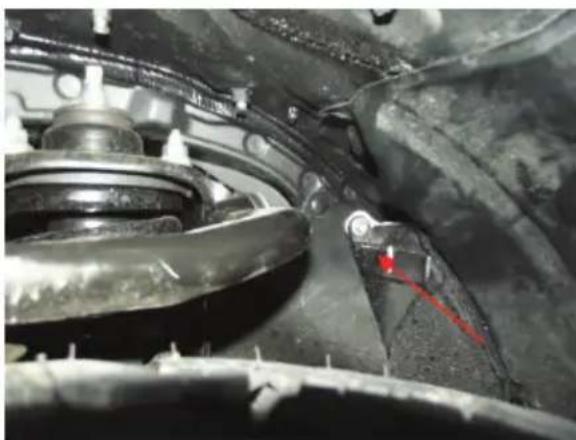
Remove front half of inner wheel arch guard liner and remove indicated OE bolt and install the supplied M6 x 30mm long bolt from inside the inner guard partially into engine bay.
natural_image
Close-up of a mechanical assembly with visible springs and components (no text or symbols)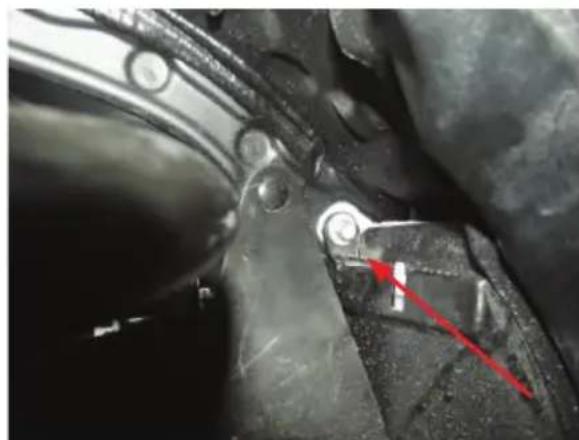
natural_image
Close-up of mechanical components with a red arrow pointing to a specific part (no visible text or symbols)-
Fit tray in position pushing the M6 bolt that is out of the guard through the hole on the lower arm of the tray.
-
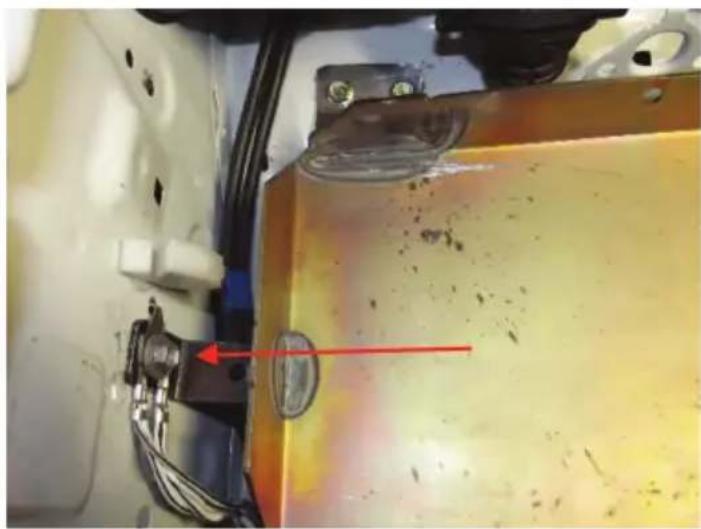
Bolt tray in, put earth plate over tray arm.
natural_image
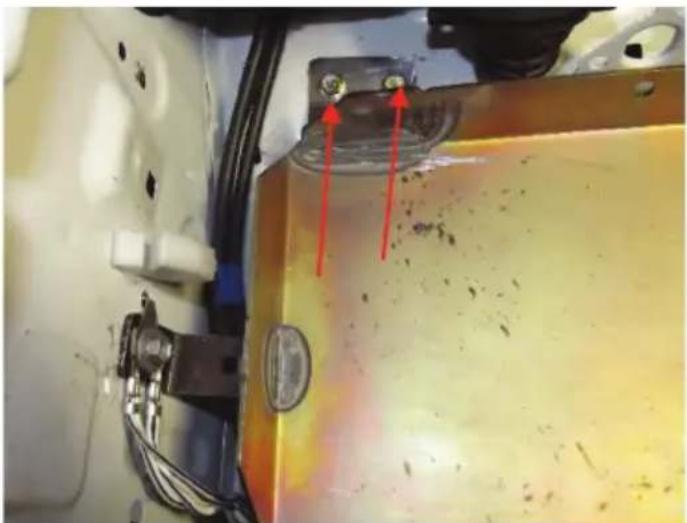
Close-up of a mechanical component with a red arrow pointing to a yellowish surface, no visible text or symbols.- Drill two M6 holes through tray bracket into wheel arch.
natural_image
Close-up of a mechanical component with red arrows pointing to a small component, no visible text or symbols-
Place 2 x M6 bolt (15mm) through the drilled holes with the support bracket on the underside of the wheel arch. Tighten bolts with M6 nuts.
-
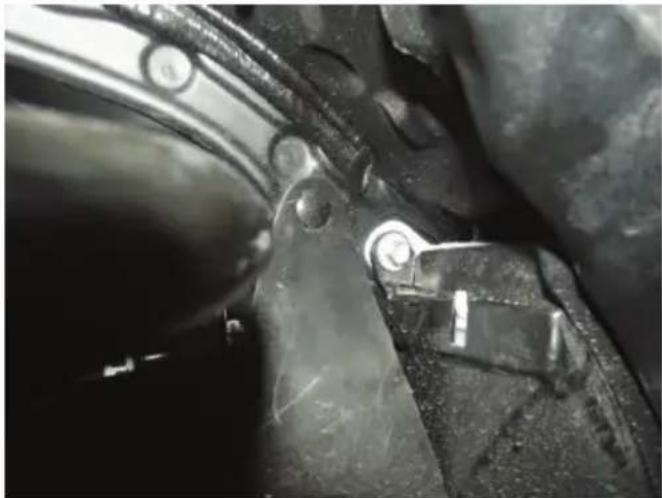
Remove the M6 x 30mm bolt from inside the inner guard, refit inner guard liner, replace M6 x 30mm bolt with body washer and tighten to the lower tray arm using the M6 nut.
natural_image
Close-up of mechanical components with no visible text or symbols-
Fit battery.
-
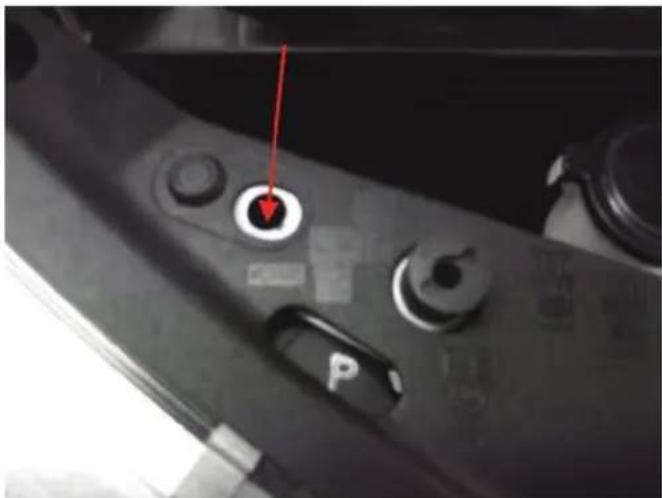
Fit special top mount and using the M6 bolt and nut, secure to the front radiator support panel.
natural_image
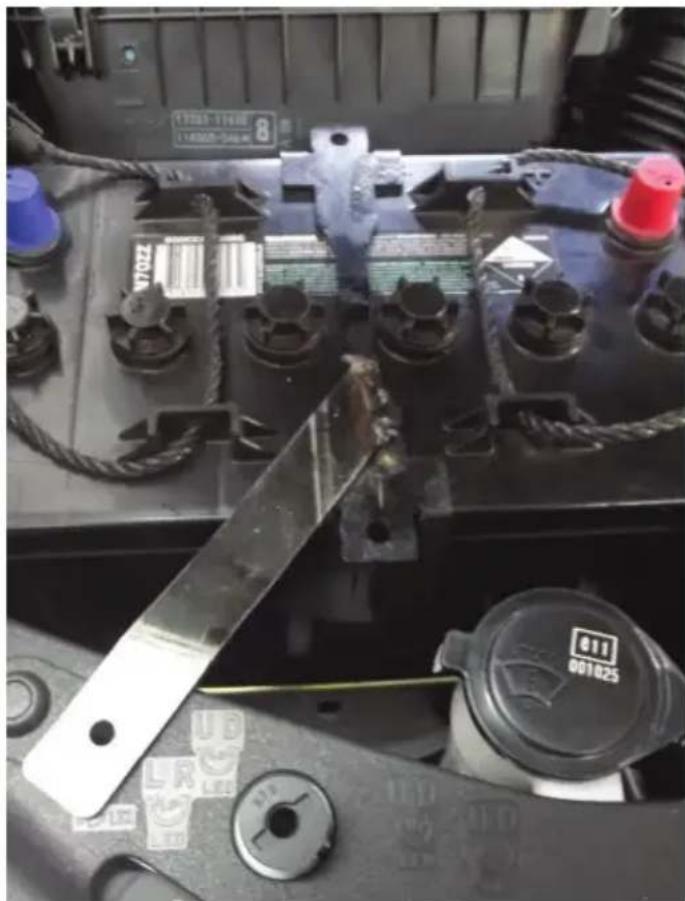
Close-up of a car's front panel with a red arrow pointing to a circular button labeled 'P' (no readable text or symbols beyond the label)- Use longer "J" bolt to attach to vehicle mounting point located in front of air box. Tighten battery into position.
natural_image
Close-up of a car battery pack with visible circuit breakers, fuses, and a control dial (no readable text or symbols)- Reconnect the negative battery terminal to the main starter battery. Before closing the bonnet make sure the battery and tray do not hit the bonnet.
For assistance throughout the installation procedure please call our customer service representatives on 1800 113 443.
NOTES
WARRANTY STATEMENT
APPLICABLE ONLY TO PRODUCT SOLD IN AUSTRALIA
Brown & Watson International Pty Ltd of 1500 Ferntree Gully Road, Knoxfield, Vic., telephone (03) 9730 6000, fax (03) 9730 6050, warrants that all products described in its current catalogue (save and except for all bulbs and lenses whether made of glass or some other substance) will under normal use and service be free of failures in material and workmanship for a period of one (1) year (unless this period has been extended as indicated elsewhere) from the date of the original purchase by the consumer as marked on the invoice. This warranty does not cover ordinary wear and tear, abuse, alteration of products or damage caused by the consumer.
To make a warranty claim the consumer must deliver the product at their cost to the original place of purchase or to any other place which may be nominated by either BWI or the retailer from where the product was bought in order that a warranty assessment may be performed. The consumer must also deliver the original invoice evidencing the date and place of purchase together with an explanation in writing as to the nature of the claim.
In the event that the claim is determined to be for a minor failure of the product then BWI reserves the right to repair or replace it at its discretion. In the event that a major failure is determined the consumer will be entitled to a replacement or a refund as well as compensation for any other reasonably foreseeable loss or damage.
This warranty is in addition to any other rights or remedies that the consumer may have under State or Federal legislation.
IMPORTANT NOTE
Our goods come with guarantees that cannot be excluded under the Australian Consumer Law. You are entitled to a replacement or refund for a major failure and compensation for any other reasonably foreseeable loss or damage. You are also entitled to have the goods repaired or replaced if the goods fail to be of acceptable quality and the failure does not amount to a major failure.
Distributed by
AUSTRALIA
Brown & Watson International Pty Ltd
Knoxfield, Victoria 3180
Telephone (03) 9730 6000
Facsimile (03) 9730 6050
National Toll Free 1800 113 443
NEW ZEALAND
Narva New Zealand Ltd
22–24 Olive Road
PO Box 12556 Penrose
Auckland, New Zealand
Telephone (09) 525 4575
Facsimile (09) 579 1192