CRK-2DTXUD1D/AUD/R - Video extender Rose - Free user manual and instructions
Find the device manual for free CRK-2DTXUD1D/AUD/R Rose in PDF.


User questions about CRK-2DTXUD1D/AUD/R Rose
0 question about this device. Answer the ones you know or ask your own.
Ask a new question about this device
Download the instructions for your Video extender in PDF format for free! Find your manual CRK-2DTXUD1D/AUD/R - Rose and take your electronic device back in hand. On this page are published all the documents necessary for the use of your device. CRK-2DTXUD1D/AUD/R by Rose.
USER MANUAL CRK-2DTXUD1D/AUD/R Rose
INSTALLATION AND OPERATIONS MANUAL
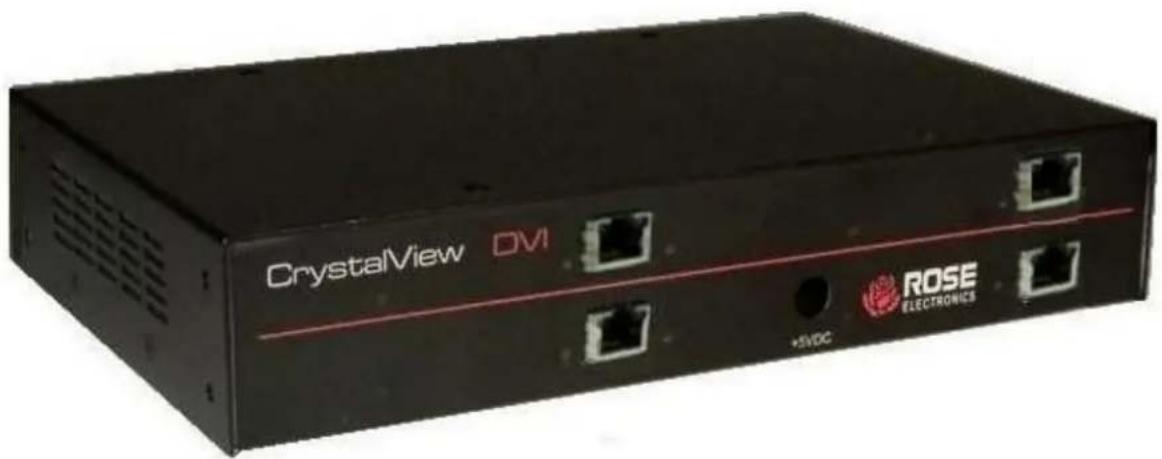
LIMITED WARRANTY
Rose Electronics warrants the CrystalView DVI Quad to be in good working order for one year from the date of purchase from Rose Electronics or an authorized dealer. Should this product fail to be in good working order at any time during this one-year warranty period, Rose Electronics will, at its option, repair or replace the Unit as set forth below. Repair parts and replacement units will be either reconditioned or new. All replaced parts become the property of Rose Electronics. This limited warranty does not include service to repair damage to the Unit resulting from accident, disaster, abuse, or unauthorized modification of the Unit, including static discharge and power surges.
Limited Warranty service may be obtained by delivering this unit during the one-year warranty period to Rose Electronics or an authorized repair center providing a proof of purchase date. If this Unit is delivered by mail, you agree to insure the Unit or assume the risk of loss or damage in transit, to prepay shipping charges to the warranty service location, and to use the original shipping container or its equivalent. You must call for a return authorization number first. Under no circumstances will a unit be accepted without a return authorization number. Contact an authorized repair center or Rose Electronics for further information.
ALL EXPRESS AND IMPLIED WARRANTIES FOR THIS PRODUCT INCLUDING THE WARRANTIES OF MERCHANTABILITY AND FITNESS FOR A PARTICULAR PURPOSE, ARE LIMITED IN DURATION TO A PERIOD OF ONE YEAR FROM THE DATE OF PURCHASE, AND NO WARRANTIES, WHETHER EXPRESS OR IMPLIED, WILL APPLY AFTER THIS PERIOD. SOME STATES DO NOT ALLOW LIMITATIONS ON HOW LONG AN IMPLIED WARRANTY LASTS, SO THE ABOVE LIMITATION MAY NOT APPLY TO YOU.
IF THIS PRODUCT IS NOT IN GOOD WORKING ORDER AS WARRANTED ABOVE, YOUR SOLE REMEDY SHALL BE REPLACEMENT OR REPAIR AS PROVIDED ABOVE. IN NO EVENT WILL ROSE ELECTRONICS BE LIABLE TO YOU FOR ANY DAMAGES INCLUDING ANY LOST PROFITS, LOST SAVINGS OR OTHER INCIDENTAL OR CONSEQUENTIAL DAMAGES ARISING OUT OF THE USE OF OR THE INABILITY TO USE SUCH PRODUCT, EVEN IF ROSE ELECTRONICS OR AN AUTHORIZED DEALER HAS BEEN ADVISED OF THE POSSIBILITY OF SUCH DAMAGES, OR FOR ANY CLAIM BY ANY OTHER PARTY.
SOME STATES DO NOT ALLOW THE EXCLUSION OR LIMITATION OF INCIDENTAL OR CONSEQUENTIAL DAMAGES FOR CONSUMER PRODUCTS, SO THE ABOVE MAY NOT APPLY TO YOU. THIS WARRANTY GIVES YOU SPECIFIC LEGAL RIGHTS AND YOU MAY ALSO HAVE OTHER RIGHTS WHICH MAY VARY FROM STATE TO STATE.
NOTE: This equipment has been tested and found to comply with the limits for a Class A digital device, pursuant to Part 15 of the FCC Rules. These limits are designed to provide reasonable protection against harmful interference when the equipment is operated in a commercial environment. This equipment generates, uses, and can radiate radio frequency energy and, if not installed and used in accordance with the instruction manual, may cause harmful interference to radio communications. Operation of this equipment in a residential area is likely to cause harmful interference in which case the user will be required to correct the interference at his own expense.
IBM, AT, and PS/2 are trademarks of International Business Machines Corp. Microsoft and Microsoft Windows are registered trademarks of Microsoft Corp. Any other trademarks mentioned in this manual are acknowledged to be the property of the trademark owner.
FCC/IC STATEMENTS, EU DECLARATION OF CONFORMITY
Product
CrystalView DVI Quad
This equipment generates, uses and can radiate radio frequency energy and if not installed and used properly, that is in strict accordance with the manufacturer's instructions may cause interference to radio communication. It has been tested and found to comply with the limits for a Class A digital device in accordance with the specifications of Part 15 of FCC rules, which are designed to provide reasonable protection against such interference when the equipment is operated in a commercial environment. Operation of this equipment in a residential area is likely to cause interference, in which case the user at his own expense will be required to take whatever measures may be necessary to correct the interference.
Changes or modifications not expressly approved by the party responsible for compliance could void the user's authority to operate the equipment.
This digital apparatus does not exceed the Class A limits for radio noise emission from digital apparatus set out in the Radio Interference Regulation of Industry Canada.
Operation is subject to the following two conditions:
1- This device may not cause harmful interference
2- This device must accept any interference received including interference that may cause undesired operation.
The product meets European Standard EMC:
EN-55022:2006 Class A
EN 61000-4-2:2001
EN 61000-4-3:2006
EN 61000-4-4:2004
EN 61000-4-5:2006
TABLE of CONTENTS
Contents Page #
Disclaimer....2
System Introduction 2
Features 2
Compatibility....3
Package contents....3
CrystalView DVI Quad Models / Connectors 4
Installation 22
LED Indicators....25
Operation....26
Color Depth Selection....27
Service Information 29
Maintenance and Repair 29
Technical Support....29
Product Safety....30
Figures Page #
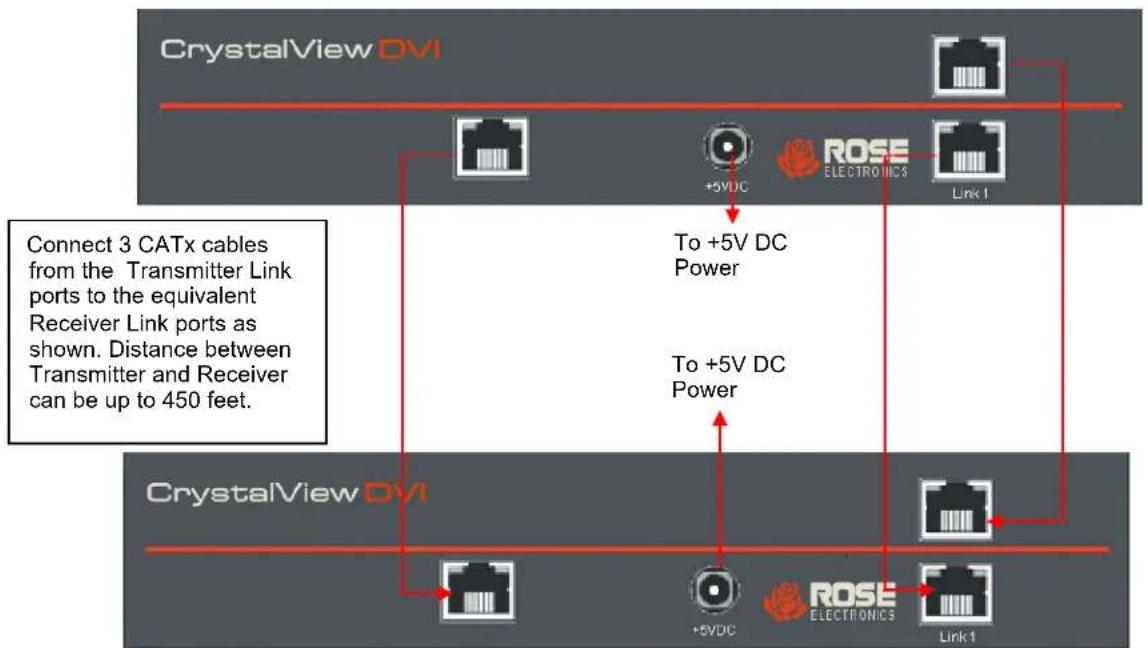
Figure 1. Connecting 4-port Transmitter and Receiver....23
Figure 2. Connecting 3-port Transmitter and Receiver....23
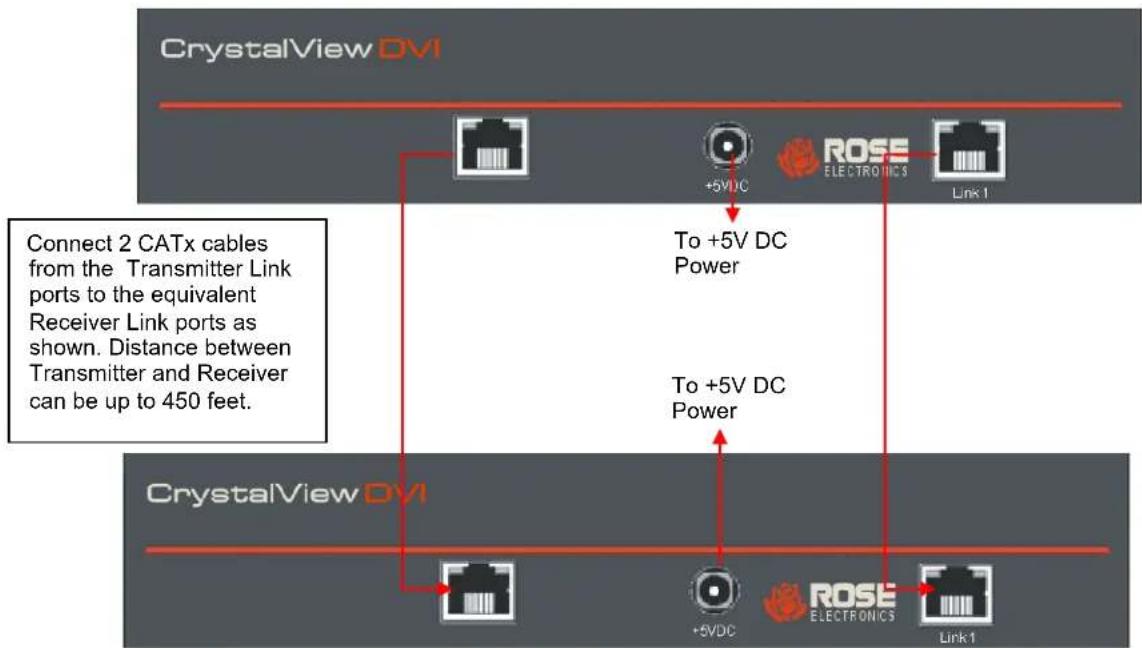
Figure 3. Connecting 2-port Transmitter and Receiver....24
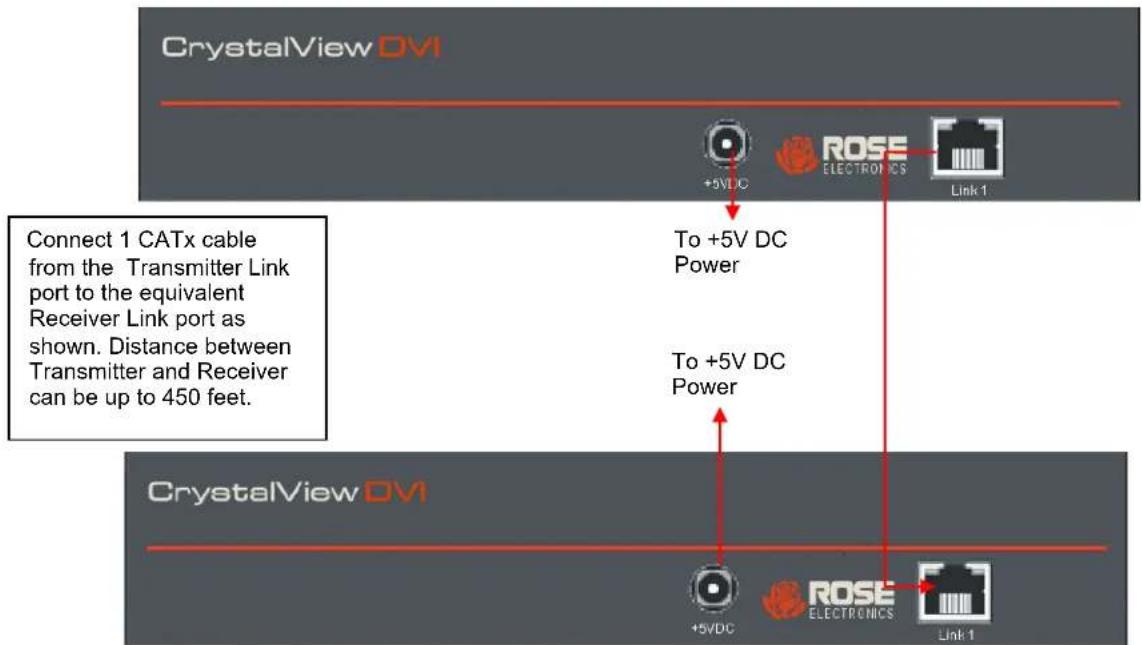
Figure 4. Connecting 1-port Transmitter and Receiver....24
Figure 5. Link Port LED Indicators 25
Figure 6. Fiber Port LED Indicators 25
Figure 7. Video Status LED....25
Figure 8. Jumper Settings (Transmitter unit) ......26
Figure 9. Jumper Settings (Receiver unit) ......28
Tables Page #
Table 1. Compatible Devices....3
Table 2. DDC Source Settings....26
Table 3. Color Depth jumper (Transmitter unit) ......27
Table 4. Moment of switching jumper (Receiver unit)....28
Appendices
Page #
Appendix A – General Specifications....31
Appendix B – Part Numbers....32
Appendix C – RackMount Kit 32
Appendix D - Serial / Audio Setup and Operation....33
Appendix E - Kit Part Numbers 34
INTRODUCTION
Disclaimer
While every precaution has been taken in the preparation of this manual, the manufacturer assumes no responsibility for errors or omissions. Neither does the manufacturer assume any liability for damages resulting from the use of the information contained herein. The manufacturer reserves the right to change the specifications, functions, or circuitry of the product without notice.
The manufacturer cannot accept liability for damages due to misuse of the product or other circumstances outside the manufacturer's control. The manufacturer will not be responsible for any loss, damage, or injury arising directly or indirectly from the use of this product.
System Introduction
Thank you for choosing the Rose Electronics® CrystalView DVI Quad, a high-performance, long distance, multi-function digital KVM Extender with support for multiple desktop peripherals. The CrystalView DVI Quad makes this possible by the use of CATx or fiber cable. You can fully operate and control a computer from 33,000 feet (10Km) over single mode fiber cable, or from 460 feet (140 meters) using CATx solid-core AWG24 cable.
The CrystalView DVI Quad supports a wide variety of DVI-D monitors and video cards, USB or PS/2 keyboards and mice, and USB 2.0 devices, as well as line level analog audio and serial devices. Up to 4 USB 2.0 peripherals, such as USB speakers, printers, USB mass storage devices and web cameras can be directly connected to the receiver's 4 USB ports. Additional USB devices can be connected using a USB hub.
The system consists of two Units, a transmitter and a receiver. The transmitter connects to a computer's DVI-D video output, USB keyboard and mouse ports, USB 2.0 device ports, audio input and output connectors, and a serial port. The transmitter also has DVI video outputs for local monitors located close to the host CPU. The receiver connects directly to DVI-D video displays, a USB keyboard and mouse, USB 2.0 devices, powered speakers, a microphone, and a serial device. The transmitter and receiver are connected together with industry standard CATx cable or fiber cable depending on the model.
Features
■ Perfect image quality at resolutions up to 1920 x 1200 @ 60Hz using CATx, 5e, 6, or 7 cable
■ Extend a KVM station from a CPU using fiber or CATx cables
■ Supports USB-HID or PS/2 keyboard and mouse
■ Supports USB1.1/2.0 peripherals
■ Supports all DVI-D graphic cards
■ Supports 16 Bit/24 Bit auto switching or fixed 24 Bit color depth (user selectable)
■ Single, dual, triple, and quad video models available
■ Serial and analog stereo audio option
■ The CrystalView DVI Quad uses a microprocessor to emulate the keyboard and mouse. The keyboard and mouse on the receiver do not have to be connected for the PC to boot; only the transmitter Unit must be connected to the PC
■ Status indicator LEDs on each device
■ Compatible with all operating systems
The computer's video is displayed on both KVM stations monitors, local and remote end
■ Rack mount kits available
Compatibility
| Computers | PCs (all operating systems) |
| Displays | DVI-D video to 1.65 Gbit/sec/channel |
| Keyboards | All standard USB and PS/2 keyboards |
| Mouse | All standard USB and PS/2 mice |
| Serial | Compatible devices up to 19.2KBaud |
| Audio | Bi-directional CD quality stereo audio |
| USB | USB 2.0 devices |
Table 1. Compatible Devices
Package contents
The package contents consist of the following:
■ The transmitter and receiver Units
■ 1*DVI-D (6ft DVI Cable (M/M))
■ 1*USBAB (6ft USB A-to-B Cable)
■ Power cables and power transformers for transmitter and receiver units.
■ Installation and operations manual.
Additional DVI, USB, Audio and Serial cables for CPU-to-Transmitter connections can be ordered separately. VGA to DVI converters are also available, as well as Interconnecting Fiber and CATx cables.
Special Application Cables
- KVM / CPU Cable. DVI-D(M) + 2 mini-DIN 6(F) PS/2 kb/mouse to DVI-D(M). For PS/2 equipped transmitter units.
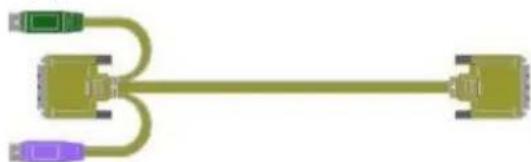
natural_image
Pure diagram of a cable or connector with three colored pins (green, purple, yellow) connected by a straight line (no text or symbols)- Serial / Audio Cable. DB9F + 2*3.5mm audio to mini-DIN 8. For analog audio and serial equipped transmitter units.
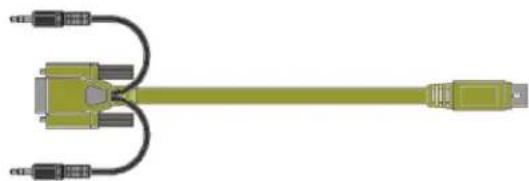
natural_image
Illustration of a green cable connector with multiple black connectors (no text or symbols)- PS/2 Keyboard/Mouse "Y" cable. Mini-DIN 6(M) to 2*mini-DIN 6(F). For connecting local keyboard and mouse to PS/2 equipped transmitter units.
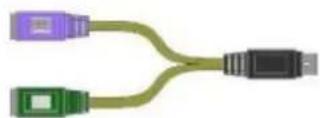
If the package contents are not correct, contact Rose Electronics or your reseller, so the problem can be quickly resolved.
MODELS
CrystalView DVI Quad Models / Connectors
Single Video
1x Video Only & Video + Audio/Serial
TRANSMITTERS
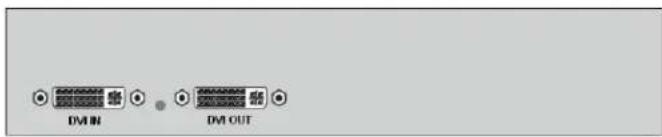
CRV-DLDTX0D1D/R.....DVI Video Only, CATx CRV-DLDFM0D1D/R.....DVI Video Only, Multi-mode Fiber CRV-DLDFS0D1D/R.....DVI Video Only, Single-mode Fiber
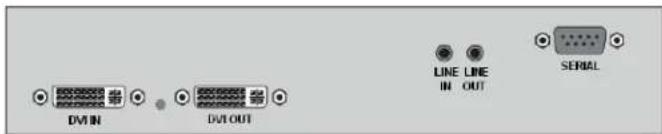
CRV-DLDTX0D1D/AUD/R.... DVI Video + Aud/Ser, CATx CRV-DLDFM0D1D/AUD/R... DVI Video + Aud/Ser, Multi-mode Fiber CRV-DLDFS0D1D/AUD/R.... DVI Video + Aud/Ser, Single -mode Fiber
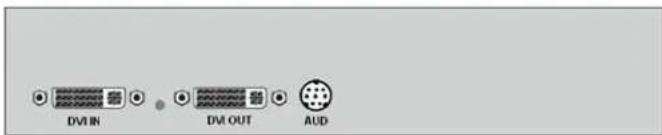
CRV-DLDTX0D1D/AS/R.....DVI Video + Aud/Ser, CATx CRV-DLDFM0D1D/AS/R.....DVI Video + Aud/Ser, Multi-mode Fiber CRV-DLDFS0D1D/AS/R.....DVI Video + Aud/Ser, Single-mode Fiber
RECEIVERS
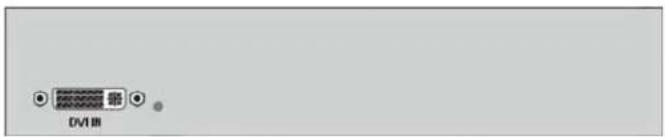
CRV-SRDTX0D1D/R.....DVI Video Only, CATx CRV-SRDFM0D1D/R.....DVI Video Only, Multi-mode Fiber CRV-SRDFS0D1D/R.....DVI Video Only, Single-mode Fiber

CRV-SRDTX0D1D/AUD/R.... DVI Video + Aud/Ser, CATx CRV-SRDFM0D1D/AUD/R... DVI Video + Aud/Ser, Multi-mode Fiber CRV-SRDFS0D1D/AUD/R... DVI Video + Aud/Ser, Single -mode Fiber
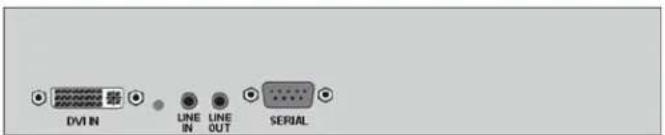
CRV-SRDTX0D1D/AS/R.....DVI Video + Aud/Ser, CATx CRV-SRDFM0D1D/AS/R.....DVI Video + Aud/Ser, Multi-mode Fiber CRV-SRDFS0D1D/AS/R.....DVI Video + Aud/Ser, Single-mode Fiber
Dual Video
2x Video Only & Video + Audio/Serial
TRANSMITTERS
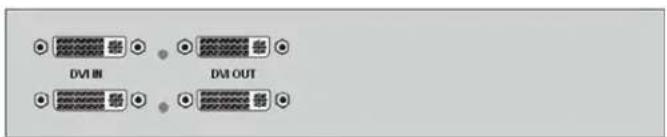
CRV-DLDTX0D2D/R.....2x DVI Video Only, CATx CRV-DLDFM0D2D/R.....2x DVI Video Only, Multi-mode Fiber CRV-DLDFS0D2D/R.....2x DVI Video Only, Single-mode Fiber
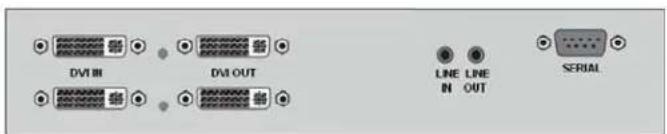
CRV-DLDTX0D2D/AUD/R.....2x DVI + Aud/Ser, CATx CRV-DLDFM0D2D/AUD/R.....2x DVI + Aud/Ser, MM Fiber CRV-DLDFS0D2D/AUD/R.....2x DVI + Aud/Ser, SM Fiber
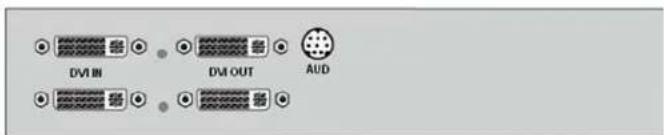
CRV-DLDTX0D2D/AS/R.....2x DVI + Aud/Ser, CATx CRV-DLDFM0D2D/AS/R.....2x DVI + Aud/Ser, MM Fiber CRV-DLDFS0D2D/AS/R.....2x DVI + Aud/Ser, SM Fiber
RECEIVERS
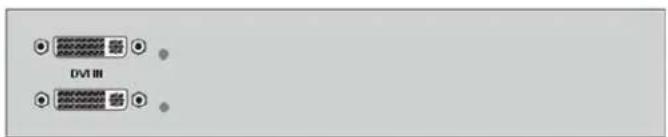
CRV-SRDTX0D2D/R.....2x DVI Video Only, CATx CRV-SRDFM0D2D/R.....2x DVI Video Only, Multi-mode Fiber CRV-SRDFS0D2D/R.....2x DVI Video Only, Single-mode Fiber
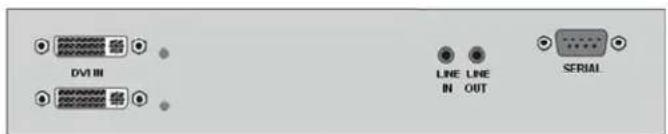
CRV-SRDTX0D2D/AUD/R.....2x DVI + Aud/Ser, CATx CRV-SRDFM0D2D/AUD/R.....2x DVI + Aud/Ser, MM Fiber CRV-SRDFS0D2D/AUD/R.....2x DVI + Aud/Ser, SM Fiber
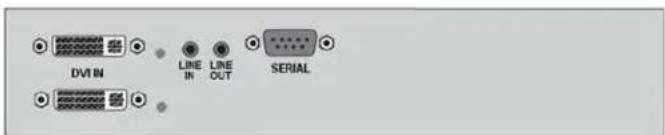
CRV-SRDTX0D2D/AS/R.....2x DVI + Aud/Ser, CATx CRV-SRDFM0D2D/AS/R.....2x DVI + Aud/Ser, MM Fiber CRV-SRDFS0D2D/AS/R.....2x DVI + Aud/Ser, SM Fibe
Single Video
1x Video with USB-HID or PS/2 + Audio/Serial
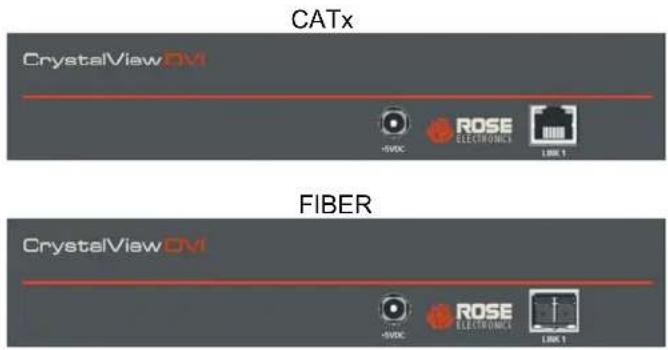
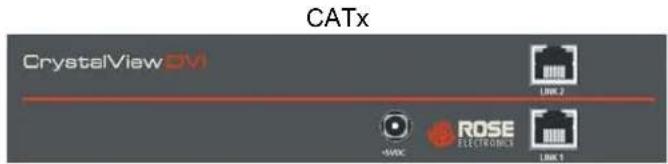
CATx
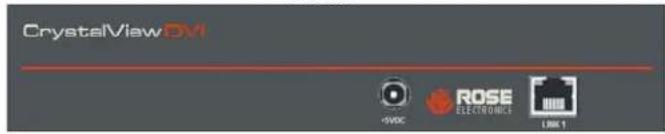
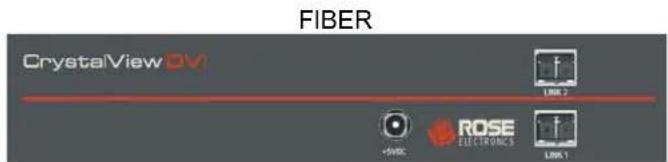
FIBER
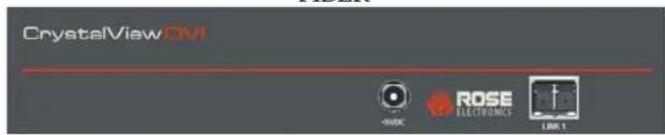
TRANSMITTERS
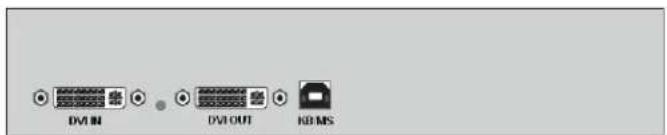
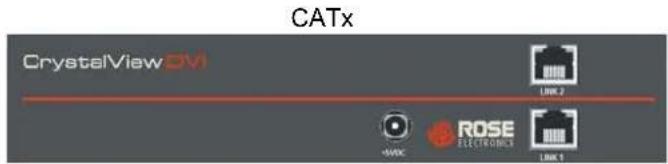
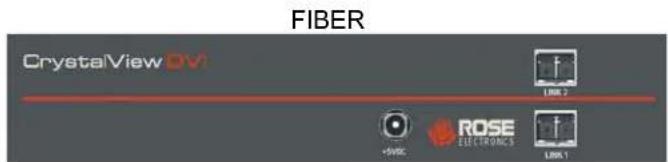
CRV-DLDTXUD1D/R..... DVI + USB HID, CATx
CRV-DLDFMUD1D/R.....DVI + USB HID, Multi-mode Fiber CRV-DLDFSUD1D/R.....DVI + USB HID, Single-mode Fiber
RECEIVERS
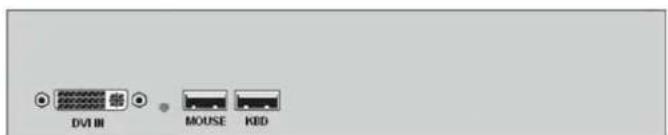
CRV-SRDTXUD1D/R..... DVI + USB HID, CATx
CRV-SRDFMUD1D/R.....DVI + USB HID, Multi-mode Fiber CRV-SRDFSUD1D/R..... DVI + USB HID, Single-mode Fiber

CRV-DLDTXUD1D/AUD/R...DVI + USB HID + Aud/Ser, CATx CRV-DLDFMUD1D/AUD/R...DVI + USB HID + Aud/Ser, MM Fiber CRV-DLDFSUD1D/AUD/R... DVI + USB HID + Aud/Ser, SM Fiber

CRV-SRDTXUD1D/AUD/R...DVI + USB HID + Aud/Ser, CATx CRV-SRDFMUD1D/AUD/R...DVI + USB HID + Aud/Ser, MM Fiber CRV-SRDFSUD1D/AUD/R... DVI + USB HID + Aud/Ser, SM Fiber
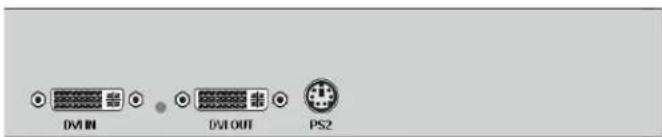
CRV-DLDTXPD1D/R.....DVI + PS/2, CATx
CRV-DLDFMPD1D/R.....DVI + PS/2, Multi-mode Fiber CRV-DLDFSPD1D/R.....DVI + PS/2, Single-mode Fiber
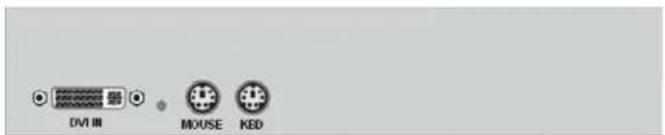
CRV-SRDTXPD1D/AUD/R.....DVI + PS/2, CATx CRV-SRDFMPD1D/AUD/R.....DVI + PS/2, MM Fiber CRV-SRDFSPD1D/AUD/R.....DVI + PS/2, SM Fiber
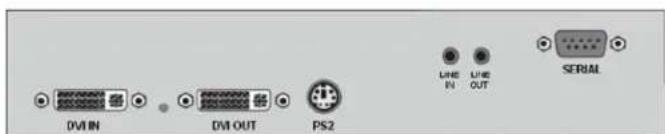
CRV-DLDTXPD1D/AUD/R.....DVI + PS/2 + Aud/Ser, CATx CRV-DLDFMPD1D/AUD/R.....DVI + PS/2 + Aud/Ser, MM Fiber CRV-DLDFSPD1D/AUD/R.....DVI + PS/2 + Aud/Ser, SM Fiber

CRV-SRDTXPD1D/AUD/R.....DVI + PS/2 + Aud/Ser, CATx CRV-SRDFMPD1D/AUD/R.....DVI + PS/2 + Aud/Ser, MM Fiber CRV-SRDFSPD1D/AUD/R.....DVI + PS/2 + Aud/Ser, SM Fiber
Single Video
1x Video with USB-HID or PS/2 + USB 2.0 + Audio/Serial
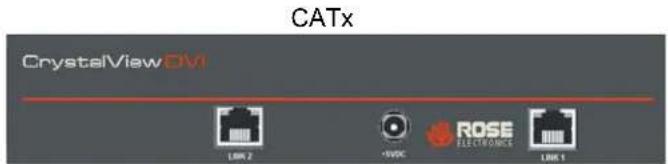
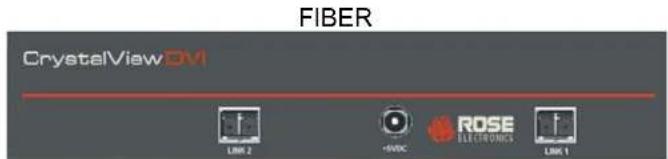
TRANSMITTERS
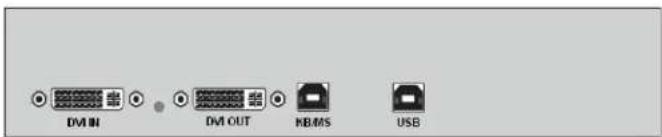
CRV-DLDTXTD1D/R.....DVI + USB HID + USB 2.0, CATx CRV-DLDFMTD1D/R.....DVI + USB HID + USB 2.0, MM Fiber CRV-DLDFSTD1D/R.....DVI + USB HID + USB 2.0, SM Fiber
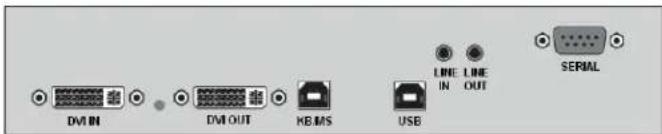
CRV-DLDTXTD1D/AUD/R....DVI+USB HID+USB 2.0+Aud/Ser, CATx CRV-DLDFMTD1D/AUD/R...DVI+USB HID+USB 2.0+Aud/Ser, MM Fiber CRV-DLDFSTD1D/AUD/R....DVI+USB HID+USB 2.0+Aud/Ser, SM Fiber
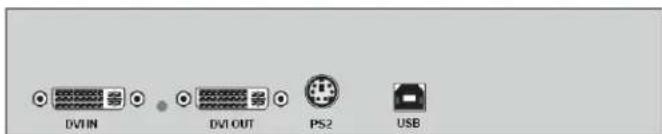
CRV-DLDTXTD1DP/R.....DVI + PS/2 + USB 2.0, CATx CRV-DLDFMTD1DP/R.....DVI + PS/2 + USB 2.0, MM Fiber CRV-DLDFSTD1DP/R.....DVI + PS/2 + USB 2.0, SM Fiber
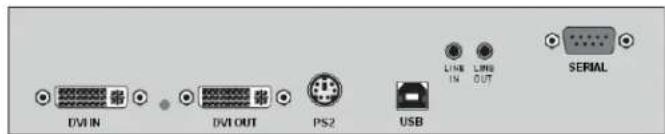
CRV-DLDTXTD1DP/AUD/R....DVI+PS/2+USB 2.0+Aud/Ser, CATx CRV-DLDFMTD1DP/AUD/R....DVI+PS/2+USB 2.0+Aud/Ser, MM Fiber CRV-DLDFSTD1DP/AUD/R....DVI+PS/2+USB 2.0+Aud/Ser, SM Fiber
RECEIVERS
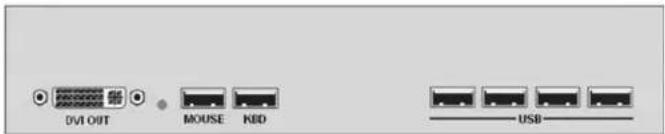
CRV-SRDTXTD1D/R.....DVI + USB HID + USB 2.0, CATx CRV-SRDFMTD1D/R.....DVI + USB HID + USB 2.0, MM Fiber CRV-SRDFSTD1D/R.....DVI + USB HID + USB 2.0, SM Fiber

CRV-SRDTXTD1D/AUD/R....DVI+USB HID+USB 2.0+Aud/Ser, CATx CRV-SRDFMTD1D/AUD/R...DVI+USB HID+USB 2.0+Aud/Ser, MM Fiber CRV-SRDFSTD1D/AUD/R....DVI+USB HID+USB 2.0+Aud/Ser, SM Fiber
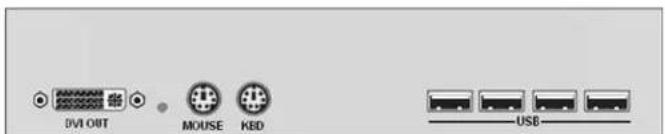
CRV-SRDTXTD1DP/R.....DVI + PS/2 + USB 2.0, CATx CRV-SRDFMTD1DP/R.....DVI + PS/2 + USB 2.0, MM Fiber CRV-SRDFSTD1DP/R.....DVI + PS/2 + USB 2.0, SM Fiber
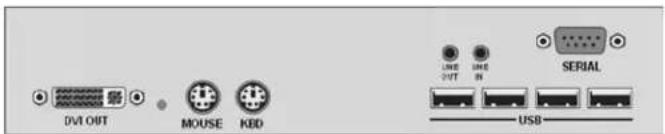
CRV-SRDTXTD1DP/AUD/R....DVI+PS/2+USB 2.0+Aud/Ser, CATx CRV-SRDFMTD1DP/AUD/R....DVI+PS/2+USB 2.0+Aud/Ser, MM Fiber CRV-SRDFSTD1DP/AUD/R....DVI+PS/2+USB 2.0+Aud/Ser, SM Fiber
Dual Video
2x Video with USB-HID + Audio/Serial
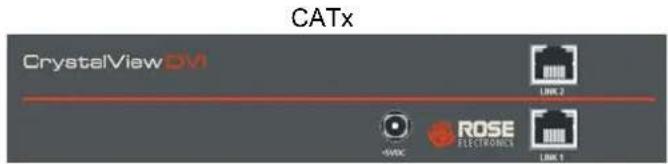
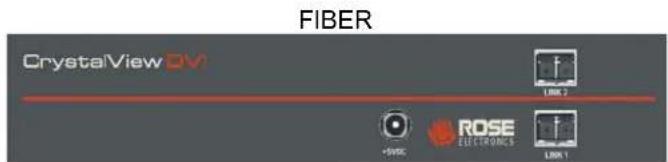
TRANSMITTERS
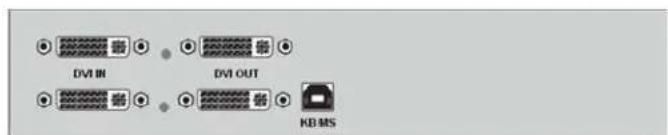
CRV-DLDTXUD2D/R..... 2x DVI + USB HID, CATx CRV-DLDFMUD2D/R..... 2x DVI + USB HID, Multi-mode Fiber CRV-DLDFSUD2D/R..... 2x DVI + USB HID, Single-mode Fiber
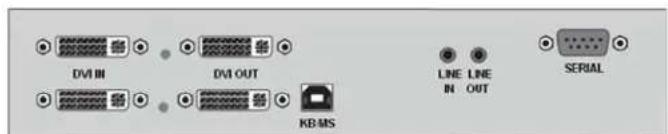
CRV-DLDTXUD2D/AUD/R...2x DVI + USB HID + Aud/Ser, CATx CRV-DLDFMUD2D/AUD/R...2x DVI + USB HID + Aud/Ser, MM Fiber CRV-DLDFSUD2D/AUD/R...2x DVI + USB HID + Aud/Ser, SM Fiber
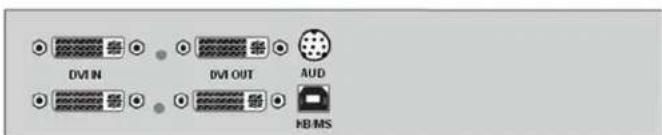
CRV-DLDTXUD2D/AS/R...2x DVI + USB HID + Aud/Ser, CATx CRV-DLDFMUD2D/AS/R...2x DVI + USB HID + Aud/Ser, MM Fiber CRV-DLDFSUD2D/AS/R... 2x DVI + USB HID + Aud/Ser, SM Fiber
RECEIVERS
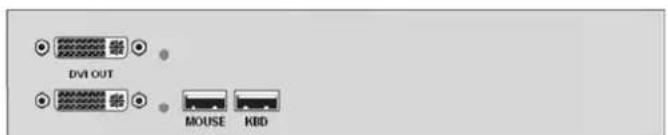
CRV-SRDTXUD2D/R..... 2x DVI + USB HID, CATx CRV-SRDFMUD2D/R..... 2x DVI + USB HID, Multi-mode Fiber CRV-SRDFSUD2D/R..... 2x DVI + USB HID, Single-mode Fiber
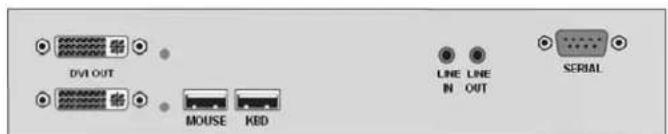
CRV-SRDTXUD2D/AUD/R...2x DVI + USB HID + Aud/Ser, CATx CRV-SRDFMUD2D/AUD/R...2x DVI + USB HID + Aud/Ser, MM Fiber CRV-SRDFSUD2D/AUD/R... 2x DVI + USB HID + Aud/Ser, SM Fiber
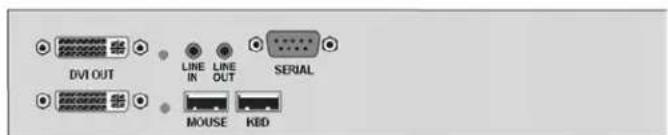
CRV-SRDTXUD2D/AS/R...2x DVI + USB HID + Aud/Ser, CATx CRV-SRDFMUD2D/AS/R...2x DVI + USB HID + Aud/Ser, MM Fiber CRV-SRDFSUD2D/AS/R... 2x DVI + USB HID + Aud/Ser, SM Fiber
Dual Video
2x Video with USB-HID + USB 2.0 + Audio/Serial
CATx
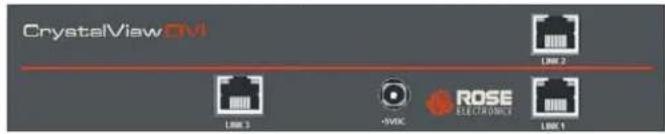
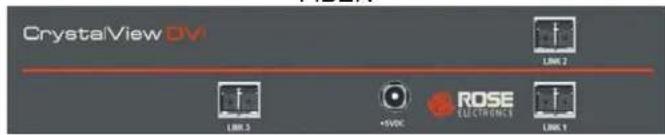
FIBER
TRANSMITTERS
RECEIVERS
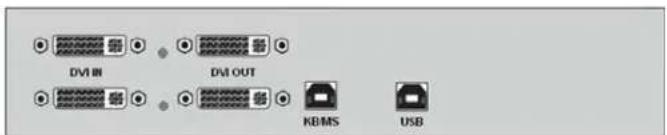
CRV-DLDTXTD2D/R.....2x DVI + USB HID + USB 2.0, CATx CRV-DLDFMTD2D/R.....2x DVI + USB HID + USB 2.0, MM Fiber CRV-DLDFSTD2D/R.....2x DVI + USB HID + USB 2.0, SM Fiber
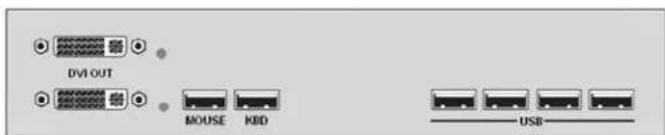
CRV-SRDTXTD2D/R.....2x DVI + USB HID + USB 2.0, CATx CRV-SRDFMTD2D/R.....2x DVI + USB HID + USB 2.0, MM Fiber CRV-SRDFSTD2D/R.....2x DVI + USB HID + USB 2.0, SM Fiber
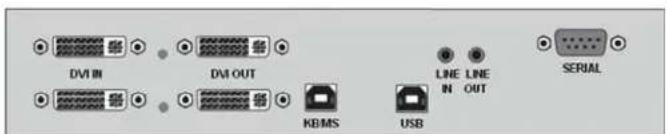
CRV-DLDTXTD2D/AUD/R...2x DVI+USB HID+USB 2.0+Aud/Ser, CATx CRV-DLDFMTD2D/AUD/R...2x DVI+USB HID+USB 2.0+Aud/Ser, MM Fiber CRV-DLDFSTD2D/AUD/R...2x DVI+USB HID+USB 2.0+Aud/Ser, SM Fiber
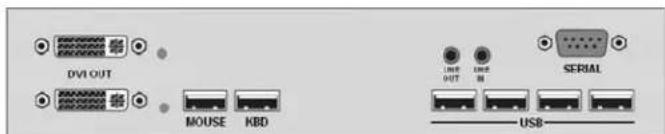
CRV-SRDTXTD2D/AUD/R...2x DVI+USB HID+USB 2.0+Aud/Ser, CATx CRV-SRDFMTD2D/AUD/R...2x DVI+USB HID+USB 2.0+Aud/Ser, MM Fiber CRV-SRDFSTD2D/AUD/R...2x DVI+USB HID+USB 2.0+Aud/Ser, SM Fiber
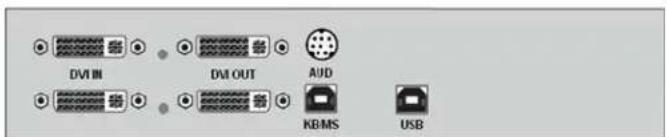
CRV-DLDTXTD2D/AS/R...2x DVI+USB HID+USB 2.0+Aud/Ser, CATx CRV-DLDFMTD2D/AS/R...2x DVI+USB HID+USB 2.0+Aud/Ser, MM Fiber CRV-DLDFSTD2D/AS/R...2x DVI + USB HID + USB 2.0+Aud/Ser, SM Fiber
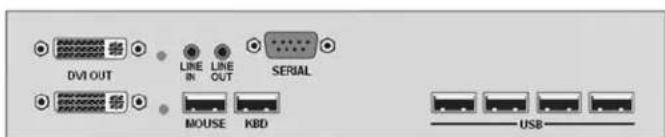
CRV-SRDTXTD2D/AS/R...2x DVI+USB HID+USB 2.0+Aud/Ser, CATx CRV-SRDFMTD2D/AS/R...2x DVI+USB HID+USB 2.0+Aud/Ser, MM Fiber CRV-SRDFSTD2D/AS/R...2x DVI+USB HID+USB 2.0+Aud/Ser, SM Fiber
Dual Video
2x Video with PS/2 + Audio/Serial
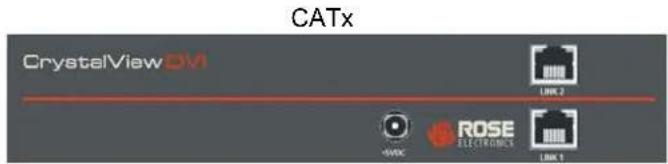
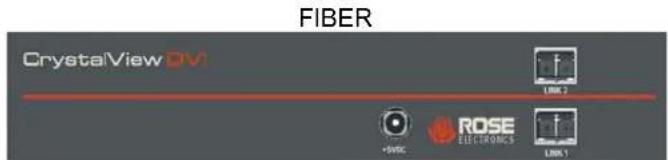
TRANSMITTERS
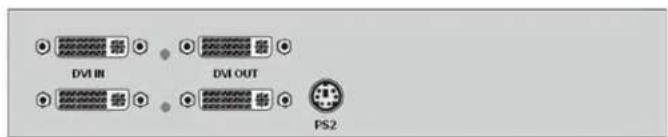
CRV-DLDTXPD2D/R..... 2x DVI + PS/2, CATx CRV-DLDFMPD2D/R.....2x DVI + PS/2, Multi-mode Fiber CRV-DLDFSPD2D/R..... 2x DVI + PS/2, Single-mode Fiber
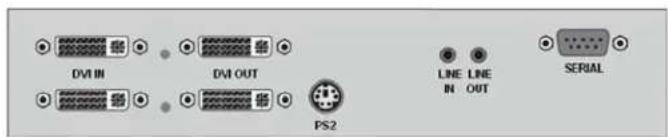
CRV-DLDTXPD2D/AUD/R...2x DVI + PS/2 + Aud/Ser, CATx CRV-DLDFMPD2D/AUD/R...2x DVI + PS/2 + Aud/Ser, MM Fiber CRV-DLDFSPD2D/AUD/R... 2x DVI + PS/2 + Aud/Ser, SM Fiber
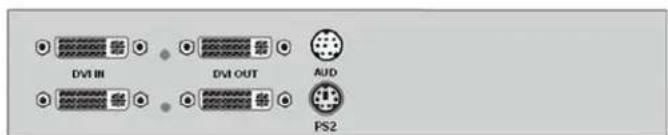
CRV-DLDTXPD2D/AS/R...2x DVI + PS/2 + Aud/Ser, CATx CRV-DLDFMPD2D/AS/R...2x DVI + PS/2 + Aud/Ser, MM Fiber CRV-DLDFSPD2D/AS/R... 2x DVI + PS/2 + Aud/Ser, SM Fiber
RECEIVERS
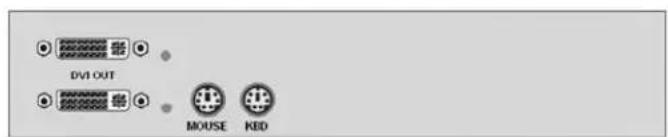
CRV-SRDTXPD2D/R..... 2x DVI + PS/2, CATx CRV-SRDFMPD2D/R..... 2x DVI + PS/2, Multi-mode Fiber CRV-SRDFSPD2D/R..... 2x DVI + PS/2 HID, Single-mode Fiber
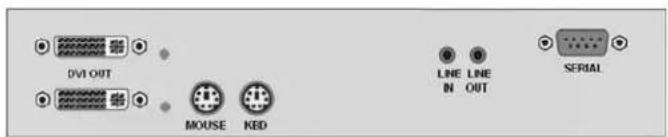
CRV-SRDTXPD2D/AUD/R...2x DVI + PS/2 + Aud/Ser, CATx CRV-SRDFMPD2D/AUD/R...2x DVI + PS/2 + Aud/Ser, MM Fiber CRV-SRDFSPD2D/AUD/R...2x DVI + PS/2 + Aud/Ser, SM Fiber
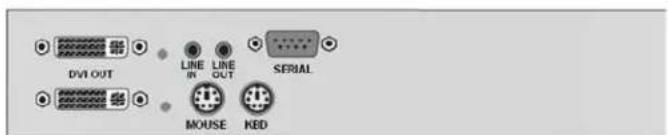
CRV-SRDTXPD2D/AS/R...2x DVI + PS/2 + Aud/Ser, CATx CRV-SRDFMPD2D/AS/R...2x DVI + PS/2 + Aud/Ser, MM Fiber CRV-SRDFSPD2D/AS/R...2x DVI + PS/2 + Aud/Ser, SM Fiber
Dual Video
2x Video with USB-HID + PS/2 + Audio/Serial
TRANSMITTERS
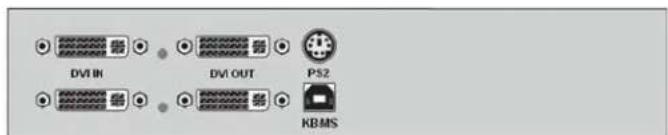
CRV-DLDTXUD2DP/R.....2x DV I + USB HID + PS/2, CATx CRV-DLDFMUD2DP/R.....2x DV I + USB HID + PS/2, MM Fiber CRV-DLDFSMUD2DP/R.....2x DV I + USB HID + PS/2, SM Fiber
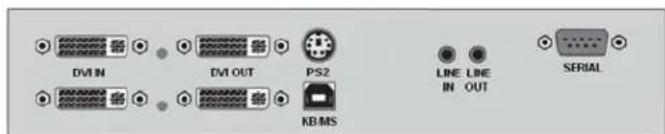
CRV-DLDTXUD2DP/AUD/R.....2x DV I+USB HID+PS/2+Aud/Ser, CATx CRV-DLDFMUD2DP/AUD/R.....2x DVI+USB HID+PS/2+Aud/Ser, MM Fiber CRV-DLDFSUD2DP/AUD/R...2x DVI+USB HID+PS/2+Aud/Ser, SM Fiber
RECEIVERS
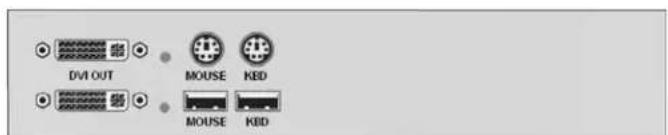
CRV-SRDTXUD2DP/R.....2x DV I + USB HID + PS/2, CATx CRV-SRDFMUD2DP/R.....2x DV I + USB HID + PS/2, MM Fiber CRV-SRDFSMUD2DP/R.....2x DV I + USB HID + PS/2, SM Fiber
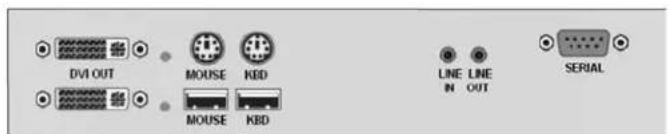
CRV-SRDTXUD2DP/AUD/R.....2x DV I+USB HID+PS/2+Aud/Ser, CATx CRV-SRDFMUD2DP/AUD/R.....2x DV I+USB HID+PS/2+Aud/Ser, MM Fiber CRV-SRDFSUD2DP/AUD/R...2x DV I+USB HID+PS/2+Aud/Ser, SM Fiber
Dual Video
2x Video with USB-HID + USB 2.0 + PS/2 + Audio/Serial
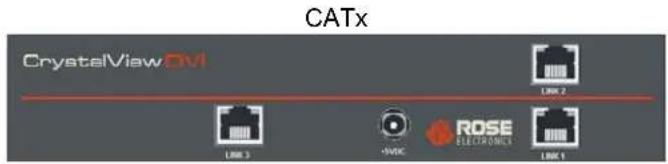
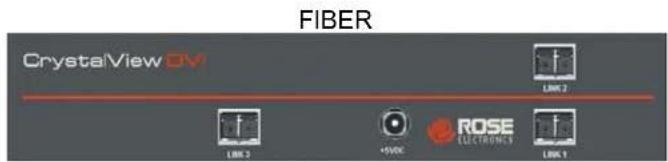
TRANSMITTERS

CRV-DLDTXTD2DP/R.....2x DV I+USB HID+PS/2+USB 2.0, CATx CRV-DLDFMTD2DP/R.....2x DV I+USB HID+PS/2+USB 2.0, MM Fiber CRV-DLDFSMTD2DP/R.....2x DV I+USB HID+PS/2+USB 2.0, SM Fiber
RECEIVERS

CRV-SRDTXTD2DP/R.....2x DV I+USB HID+PS/2+USB 2.0, CATx CRV-SRDFMTD2DP/R.....2x DV I+USB HID+PS/2+USB 2.0, MM Fiber CRV-SRDFSMTD2DP/R.....2x DV I+USB HID+PS/2+USB 2.0, SM Fiber
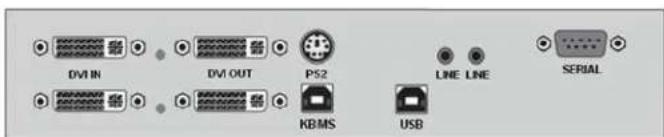
CRV-DLDTXTD2DP/AUD/R...2x DVI+USB HID+PS/2+USB 2.0+Aud/Ser, CATx CRV-DLDFMTD2DP/AUD/R...2x DVI+USB HID+PS/2+USB 2.0+Aud/Ser, MM Fiber CRV-DLDFSTD2DP/AUD/R...2x DVI+USB HID+PS/2+USB 2.0+Aud/Ser, SM Fiber
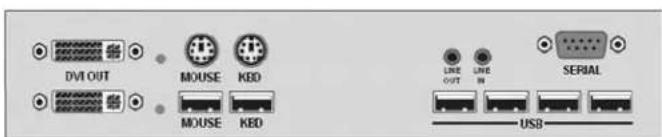
CRV-SRDTXTD2DP/AUD/R...2x DVI+USB HID+PS/2+USB 2.0+Aud/Ser, CATx CRV-SRDFMTD2DP/AUD/R...2x DVI+USB HID+PS/2+USB 2.0+Aud/Ser, MM Fiber CRV-SRDFSTD2DP/AUD/R...2x DVI+USB HID+PS/2+USB 2.0+Aud/Ser, SM Fiber
Triple Video
3x Video-Only & Video + Audio/Serial
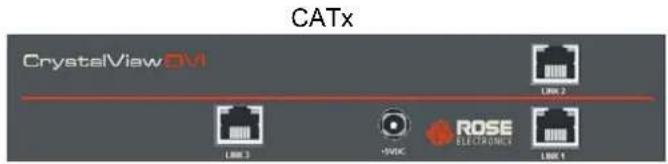
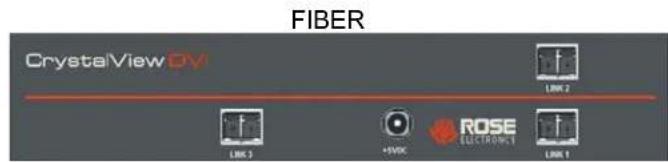
TRANSMITTERS
RECEIVERS
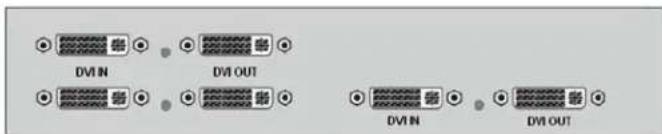
CRV-DLDTX0D3D/R.....3x DVI Video Only, CATx CRV-DLDFM0D3D/R.....3x DVI Video Only, Multi-mode Fiber CRV-DLDFS0D3D/R.....3x DVI Video Only, Single-mode Fiber
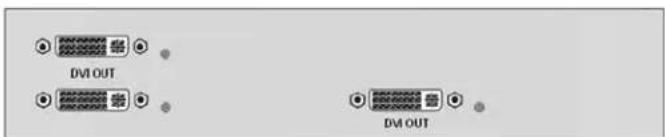
CRV-SRDTX0D3D/R.....3x DVI Video Only, CATx CRV-SRDFM0D3D/R.....3x DVI Video Only, Multi-mode Fiber CRV-SRDFS0D3D/R.....3x DVI Video Only, Single-mode Fiber

CRV-DLDTX0D3D/AUD/R.....3x DVI + Aud/Ser, CATx CRV-DLDFM0D3D/AUD/R.....3x DVI + Aud/Ser, MM Fiber CRV-DLDFS0D3D/AUD/R.....3x DVI + Aud/Ser, SM Fiber
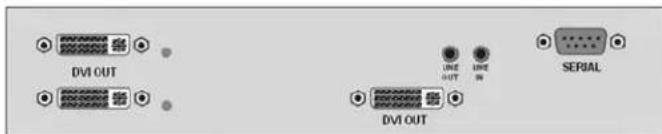
CRV-SRDTX0D3D/AUD/R....3x DVI + Aud/Ser, CATx CRV-SRDFM0D3D/AUD/R....3x DVI + Aud/Ser, MM Fiber CRV-SRDFS0D3D/AUD/R....3x DVI + Aud/Ser, SM Fiber
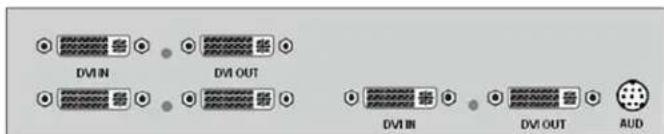
CRV-DLDTX0D3D/AS/R.....3x DVI + Aud/Ser, CATx CRV-DLDFM0D3D/AS/R.....3x DVI + Aud/Ser, MM Fiber CRV-DLDFS0D3D/AS/R.....3x DVI + Aud/Ser, SM Fiber
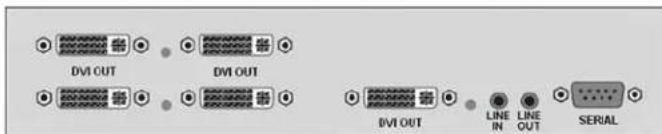
CRV-SRDTX0D3D/AS/R.....3x DVI + Aud/Ser, CATx CRV-SRDFM0D3D/AS/R.....3x DVI + Aud/Ser, MM Fiber CRV-SRDFS0D3D/AS/R.....3x DVI + Aud/Ser, SM Fiber
Triple Video
3x Video with USB-HID + Audio/Serial
CATx
FIBER
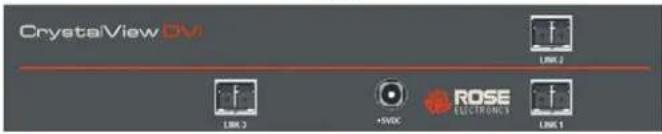
TRANSMITTERS
RECEIVERS

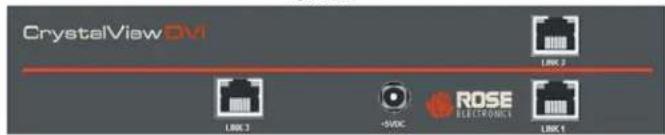
CRV-DLDTXUD3D/R..... 3x DVI + USB HID, CATx CRV-DLDFMUD3D/R..... 3x DVI + USB HID, Multi-mode Fiber CRV-DLDFSUD3D/R..... 3x DVI + USB HID, Single-mode Fiber
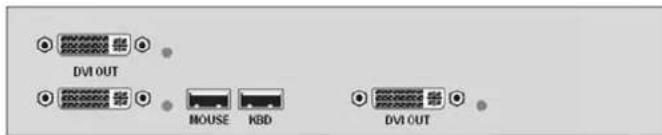
CRV-SRDTXUD3D/R..... 3x DVI + USB HID, CATx CRV-SRDFMUD3D/R..... 3x DVI + USB HID, Multi-mode Fiber CRV-SRDFSUD3D/R..... 3x DVI + USB HID, Single-mode Fiber

CRV-DLDTXUD3D/AUD/R...3x DVI + USB HID + Aud/Ser, CATx CRV-DLDFMUD3D/AUD/R...3x DVI + USB HID + Aud/Ser, MM Fiber CRV-DLDFSUD3D/AUD/R...3x DVI + USB HID + Aud/Ser, SM Fiber

CRV-SRDTXUD3D/AUD/R....3x DVI + USB HID + Aud/Ser, CATx CRV-SRDFMUD3D/AUD/R...3x DVI + USB HID + Aud/Ser, MM Fiber CRV-SRDFSUD3D/AUD/R... 3x DVI + USB HID + Aud/Ser, SM Fiber

CRV-DLDTXUD3D/AS/R...3x DVI + USB HID + Aud/Ser, CATx CRV-DLDFMUD3D/AS/R...3x DVI + USB HID + Aud/Ser, MM Fiber CRV-DLDFSUD3D/AS/R... 3x DVI + USB HID + Aud/Ser, SM Fiber
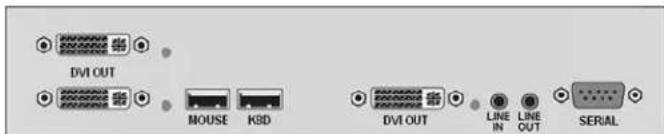
CRV-SRDTXUD3D/AS/R...3x DVI + USB HID + Aud/Ser, CATx CRV-SRDFMUD3D/AS/R...3x DVI + USB HID + Aud/Ser, MM Fiber CRV-SRDFSUD3D/AS/R... 3x DVI + USB HID + Aud/Ser, SM Fiber
Triple Video
3x Video with USB-HID + USB 2.0 + Audio/Serial
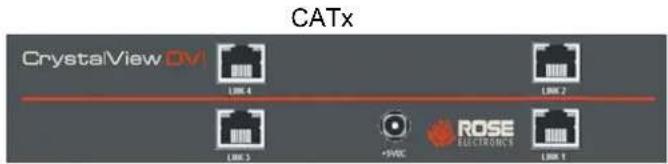
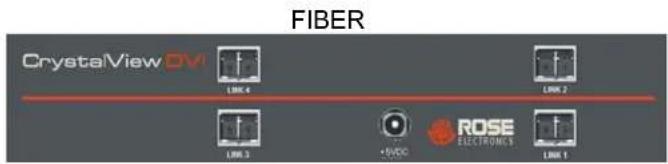
TRANSMITTERS
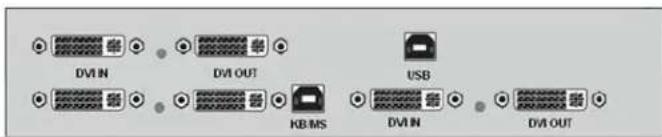
CRV-DLDTXTD3D/R.....3x DVI + USB HID + USB 2.0, CATx CRV-DLDFMTD3D/R.....3x DVI + USB HID + USB 2.0, MM Fiber CRV-DLDFSTD3D/R.....3x DVI + USB HID + USB 2.0, SM Fiber
RECEIVERS
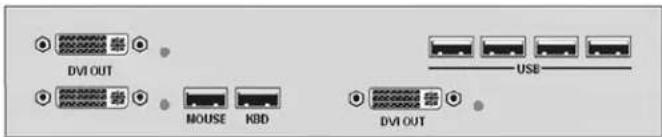
CRV-SRDTXTD3D/R.....3x DVI + USB HID + USB 2.0, CATx CRV-SRDFMTD3D/R.....3x DVI + USB HID + USB 2.0, MM Fiber CRV-SRDFSTD3D/R.....3x DVI + USB HID + USB 2.0, SM Fiber
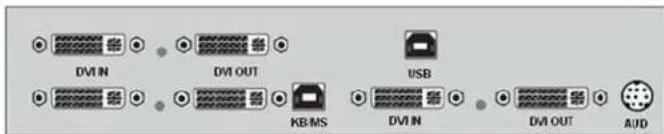
CRV-DLDTXTD3D/AS/R...3x DVI+USB HID+USB 2.0+Aud/Ser, CATx CRV-DLDFMTD3D/AS/R...3x DVI+USB HID+USB 2.0+Aud/Ser, MM Fiber CRV-DLDFSTD3D/AS/R...3x DVI + USB HID + USB 2.0+Aud/Ser, SM Fiber
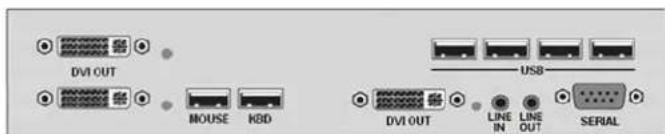
CRV-SRDTXTD3D/AS/R...3x DVI+USB HID+USB 2.0+Aud/Ser, CATx CRV-SRDFMTD3D/AS/R...3x DVI+USB HID+USB 2.0+Aud/Ser, MM Fiber CRV-SRDFSTD3D/AS/R...3x DVI+USB HID+USB 2.0+Aud/Ser, SM Fiber
Triple Video
3x Video with PS/2 + Audio/Serial
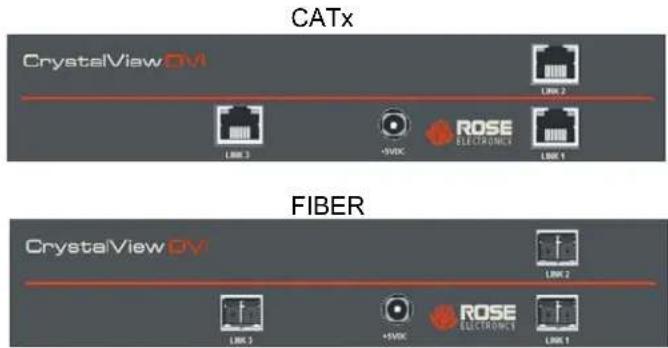
TRANSMITTERS
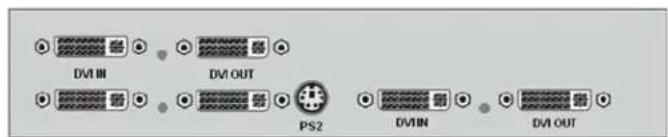
CRV-DLDTXPD3D/R..... 3x DVI + PS/2, CATx CRV-DLDFMPD3D/R..... 3x DVI + PS/2, Multi-mode Fiber CRV-DLDFSPD3D/R..... 3x DVI + PS/2, Single-mode Fiber
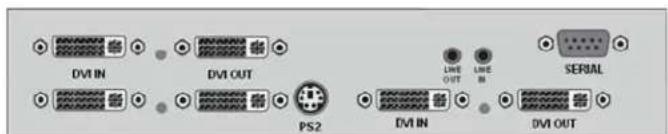
CRV-DLDTXPD3D/AUD/R...3x DVI + PS/2 + Aud/Ser, CATx CRV-DLDFMPD3D/AUD/R...3x DVI + PS/2 + Aud/Ser, MM Fiber CRV-DLDFSPD3D/AUD/R... 3x DVI + PS/2 + Aud/Ser, SM Fiber
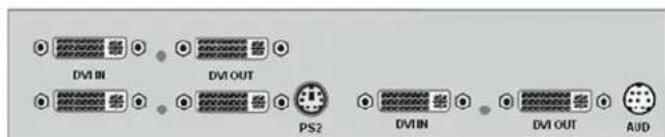
CRV-DLDTXPD3D/AS/R...3x DVI + PS/2 + Aud/Ser, CATx CRV-DLDFMPD3D/AS/R...3x DVI + PS/2 + Aud/Ser, MM Fiber CRV-DLDFSPD3D/AS/R... 3x DVI + PS/2 + Aud/Ser, SM Fiber
RECEIVERS
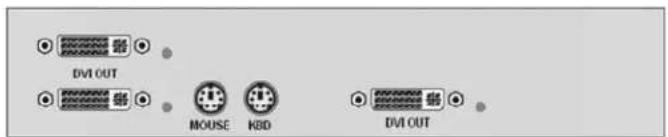
CRV-SRDTXPD3D/R..... 3x DVI + PS/2, CATx CRV-SRDFMPD3D/R..... 3x DVI + PS/2, Multi-mode Fiber CRV-SRDFSPD3D/R..... 3x DVI + PS/2 HID, Single-mode Fiber
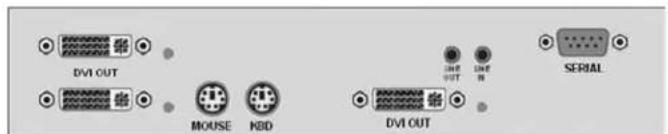
CRV-SRDTXPD3D/AUD/R...3x DVI + PS/2 + Aud/Ser, CATx CRV-SRDFMPD3D/AUD/R...3x DVI + PS/2 + Aud/Ser, MM Fiber CRV-SRDFSPD3D/AUD/R... 3x DVI + PS/2 + Aud/Ser, SM Fiber
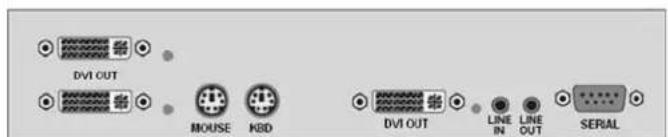
CRV-SRDTXPD3D/AS//R...3x DVI + PS/2 + Aud/Ser, CATx CRV-SRDFMPD3D/AS/R...3x DVI + PS/2 + Aud/Ser, MM Fiber CRV-SRDFSPD3D/AS/R... 3x DVI + PS/2 + Aud/Ser, SM Fiber
Triple Video
3x Video with USB-HID + PS/2 + Audio/Serial
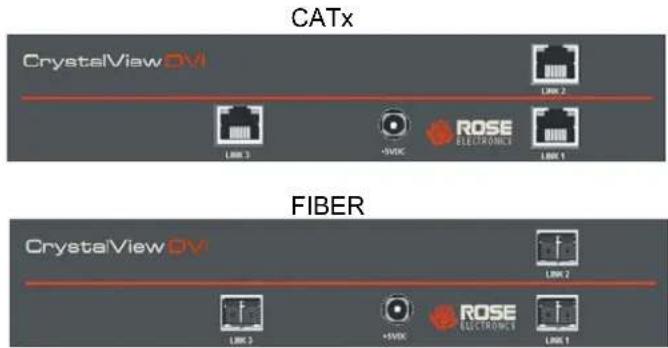
TRANSMITTERS

CRV-DLDTXUD3DP/R.....3x DV I + USB HID + PS/2, CATx CRV-DLDFMUD3DP/R.....3x DV I + USB HID + PS/2, MM Fiber CRV-DLDFSUD3DP/R.....3x DV I + USB HID + PS/2, SM Fiber
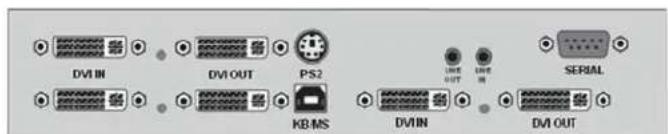
CRV-DLDTXUD3DP/AUD/R...3x DVI+USB HID+PS/2+Aud/Ser, CATx CRV-DLDFMUD3DP/AUD/R...3x DVI+USB HID+PS/2+Aud/Ser, MM Fiber CRV-DLDFSUD3DP/AUD/R... 3x DVI+USB HID+PS/2+Aud/Ser, SM Fiber
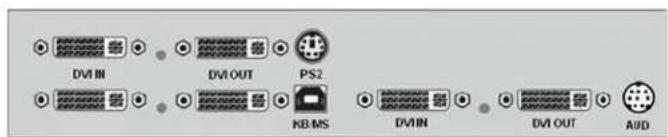
CRV-DLDTXUD3DP/AS/R....3x DVI+USB HID+PS/2+Aud/Ser, CATx CRV-DLDFMUD3DP/AS/R....3x DVI+USB HID+PS/2+Aud/Ser, MM Fiber CRV-DLDFSUD3DP/AS/R....3x DVI+USB HID+PS/2+Aud/Ser, SM Fiber
RECEIVERS

CRV-SRDTXUD3DP/R.....3x DV I + USB HID + PS/2, CATx CRV-SRDFMUD3DP/R.....3x DV I + USB HID + PS/2, MM Fiber CRV-SRDFSUD3DP/R.....3x DV I + USB HID + PS/2, SM Fiber
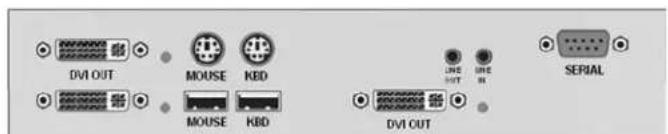
CRV-SRDTXUD3D/AUD//R...3x DVI+USB HID+PS/2+Aud/Ser, CATx CRV-SRDFMUD3D/AUD/R...3x DVI+USB HID+PS/2+Aud/Ser, MM Fiber CRV-SRDFSUD3D/AUD/R... 3x DVI+USB HID+PS/2+Aud/Ser, SM Fiber
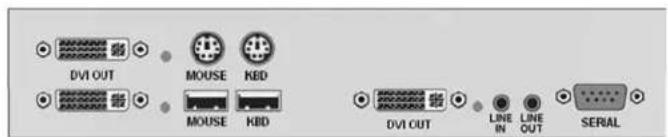
CRV-SRDTXUD3DP/AS//R...3x DVI+USB HID+PS/2+Aud/Ser, CATx CRV-SRDFMUD3DP/AS/R...3x DVI+USB HID+PS/2+Aud/Ser, MM Fiber CRV-SRDFSUD3DP/AS/R... 3x DVI+USB HID+PS/2+Aud/Ser, SM Fiber
Triple Video
3x Video with USB-HID + USB 2.0 + PS/2 + Audio/Serial
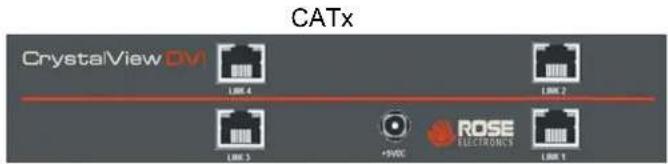
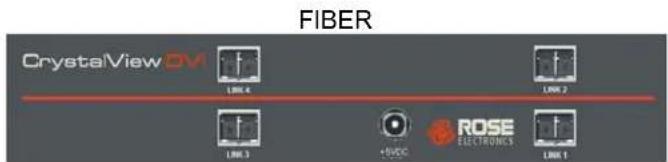
TRANSMITTERS

CRV-DLDTXTD3DP/R.....3x DV I+USB HID+PS/2+USB 2.0, CATx CRV-DLDFMTD3DP/R.....3x DV I+USB HID+PS/2+USB 2.0, MM Fiber CRV-DLDFSTD3DP/R.....3x DV I+USB HID+PS/2+USB 2.0, SM Fiber
RECEIVERS
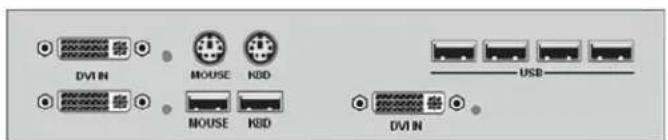
CRV-SRDTXTD3DP/R.....3x DV I+USB HID+PS/2+USB 2.0, CATx CRV-SRDFMTD3DP/R.....3x DV I+USB HID+PS/2+USB 2.0, MM Fiber CRV-SRDFSTD3DP/R.....3x DV I+USB HID+PS/2+USB 2.0, SM Fiber
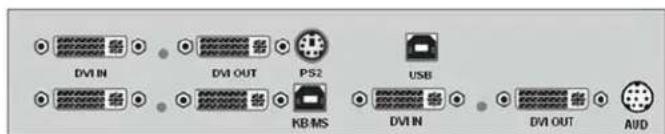
CRV-DLDTXTD3DP/AS/R 3x DVI+USB HID+PS/2+USB 2.0+Aud/Ser, CATx CRV-DLDFMTD3DP/AS/R 3x DVI+USB HID+PS/2+USB 2.0+Aud/Ser, MM Fiber CRV-DLDFSTD3DP/AS/R 3x DVI+USB HID+PS/2+USB 2.0+Aud/Ser, SM Fiber
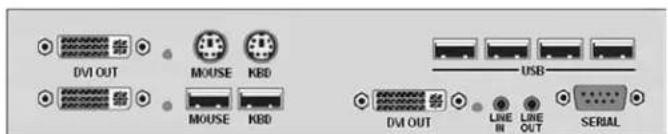
CRV-SRDTXTD3DP/AS/R 3x DVI+USB HID+PS/2+USB 2.0+Aud/Ser, CATx CRV-SRDFMTD3DP/AS/R 3x DVI+USB HID+PS/2+USB 2.0+Aud/Ser, M Fiber CRV-SRDFSTD3DP/AS/R 3x DVI+USB HID+PS/2+USB 2.0+Aud/Ser, SMFiber
Quad Video
4x Video Only and Video + Audio/Serial
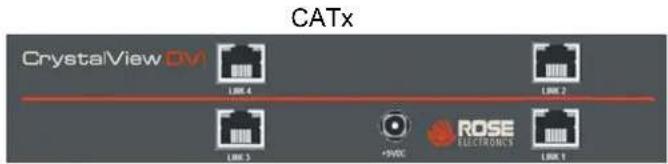
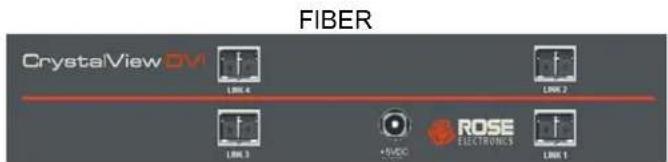
TRANSMITTERS
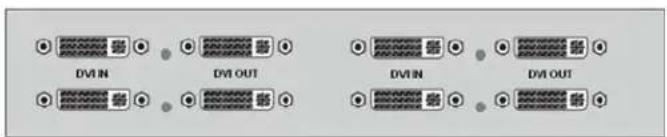
CRV-DLDTX0D4D/R.....4 x DVI Video Only, CATx CRV-DLDFM0D4D/R.....4 x DVI Video Only, Multi-mode Fiber CRV-DLDFS0D4D/R.....4 x DVI Video Only, Single-mode Fiber
RECEIVERS
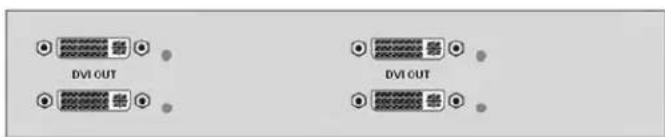
CRV-SRDTX0D4D/R.....4 x DVI Video Only, CATx CRV-SRDFM0D4D/R.....4 x DVI Video Only, Multi-mode Fiber CRV-SRDFS0D4D/R.....4 x DVI Video Only, Single-mode Fiber
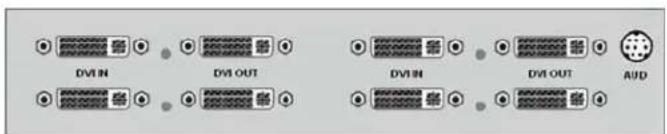
CRV-DLDTX0D4D/AS/R.....4x DVI + Aud/Ser, CATx CRV-DLDFM0D4D/AS/R.....4x DVI + Aud/Ser, MM Fiber CRV-DLDFS0D4D/AS/R.....4x DVI + Aud/Ser, SM Fiber
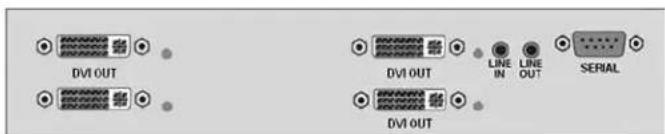
CRV-SRDTX0D4D/AS/R.....4x DVI + Aud/Ser, CATx CRV-SRDFM0D4D/AS/R.....4x DVI + Aud/Ser, MM Fiber CRV-SRDFS0D4D/AS/R.....4x DVI + Aud/Ser, SM Fiber
Quad Video
4x Video with USB-HID + PS/2 + Audio/Serial
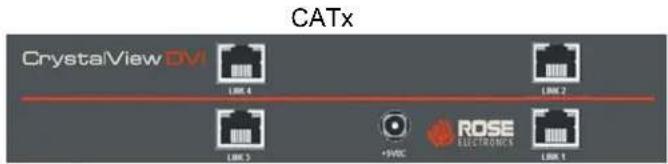
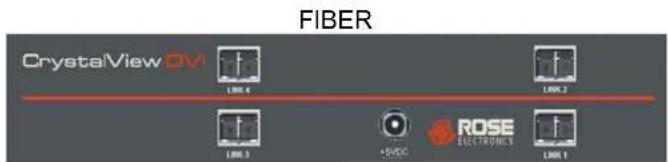
TRANSMITTERS

CRV-DLDTXUD4D/R..... 4x DVI + USB HID, CATx CRV-DLDFMUD4D/R..... 4x DVI + USB HID, Multi-mode Fiber CRV-DLDFSUD4D/R..... 4x DVI + USB HID, Single-mode Fiber

CRV-DLDTXUD4D/AS/R....4x DVI + USB HID + Aud/Ser, CATx CRV-DLDFMUD4D/AS/R...4x DVI + USB HID + Aud/Ser, MM Fiber CRV-DLDFSUD4D/AS/R... 4x DVI + USB HID + Aud/Ser, SM Fiber
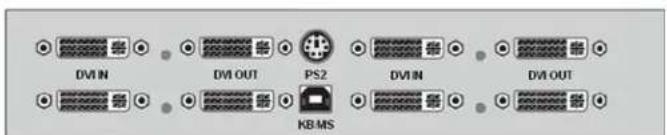
CRV-DLDTXUD4DP/R.....4x DVI + USB HID + PS/2, CATx CRV-DLDFMUD4DP/R.....4x DVI + USB HID + PS/2, MM Fiber CRV-DLDFSUD4DP/R.....4x DVI + USB HID + PS/2, SM Fiber
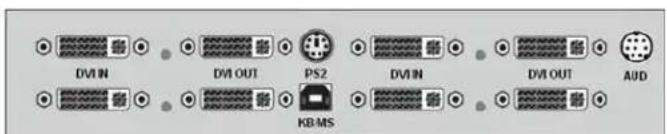
CRV-DLDTXUD4DP/AS/R...4x DVI+USB HID+PS/2+Aud/Ser, CATx CRV-DLDFMUD4DP/AS/R...4x DVI+USB HID+PS/2+Aud/Ser, MM Fiber CRV-DLDFSUD4DP/AS/R...4x DVI+USB HID+PS/2+Aud/Ser, SM Fiber
RECEIVERS

CRV-SRDTXUD4D/R..... 4x DVI + USB HID, CATx CRV-SRDFMUD4D/R..... 4x DVI + USB HID, Multi-mode Fiber CRV-SRDFSUD4D/R..... 4x DVI + USB HID, Single-mode Fiber
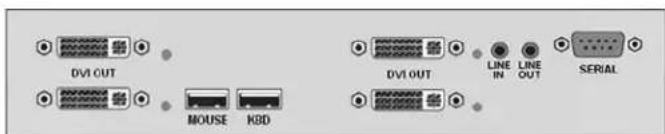
CRV-SRDTXUD4D/AS/R...4x DVI + USB HID + Aud/Ser, CATx CRV-SRDFMUD4D/AS/R...4x DVI + USB HID + Aud/Ser, MM Fiber CRV-SRDFSUD4D/AS/R... 4x DVI + USB HID + Aud/Ser, SM Fiber
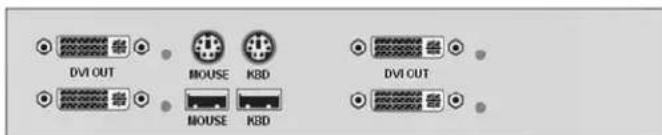
CRV-SRDTXUD4DP/R.....4x DVI + USB HID + PS/2, CATx CRV-SRDFMUD4DP/R.....4x DVI + USB HID + PS/2, MM Fiber CRV-SRDFSUD4DP/R.....4x DVI + USB HID + PS/2, SM Fiber
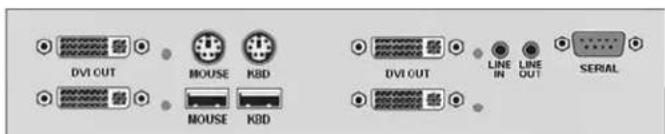
CRV-SRDTXUD4DP/AS//R...4x DVI+USB HID+PS/2+Aud/Ser, CATx CRV-SRDFMUD4DP/AS/R...4x DVI+USB HID+PS/2+Aud/Ser, MM Fiber CRV-SRDFSUD4DP/AS/R...4x DVI+USB HID+PS/2+Aud/Ser, SM Fiber
Quad Video
4x Video with USB-HID + USB 2.0 + PS/2 + Audio/Serial
CATx

FIBER


CRV-DLDTXTD4DP....4x DV I+USB HID+PS/2+USB 2.0, CATx CRV-DLDFMTD4DP....4x DV I+USB HID+PS/2+USB 2.0, MM Fiber CRV-DLDFSTD4DP....4x DV I+USB HID+PS/2+USB 2.0, SM Fiber

CRV-SRDTXTD4DP....4x DV I+USB HID+PS/2+USB 2.0, CATx CRV-SRDFMTD4DP....4x DV I+USB HID+PS/2+USB 2.0, MM Fiber CRV-SRDFSTD4DP....4x DV I+USB HID+PS/2+USB 2.0, SM Fiber

CRV-DLDTXTD4DP/AS.....4x DVI + USB HID + PS/2 + USB 2.0 + Aud/Ser, CATx CRV-DLDFMTD4DP/AS.....4x DVI + USB HID + PS/2 + USB 2.0 + Aud/Ser, MM Fiber CRV-DLDFSTD4DP/AS.....4x DVI + USB HID + PS/2 + USB 2.0 + Aud/Ser, SM Fiber

CRV-SRDTXTD4DP/AS.....4x DVI + USB HID + PS/2 + USB 2.0 + Aud/Ser, CATx CRV-SRDFMTD4DP/AS.....4x DVI + USB HID + PS/2 + USB 2.0 + Aud/Ser, MM Fiber CRV-SRDFSTD4DP/AS.....4x DVI + USB HID + PS/2 + USB 2.0 + Aud/Ser, SM Fiber
Installation
Please refer to the safety section first before proceeding with any installation or configuration of the CrystalView DVI Quad.
When installing the CrystalView DVI Quad, locate the transmitter as close as possible to the CPU or switch. Keep the cables as short as possible but still give some freedom of movement. Using shorter cables keeps the video noise to a minimum and reduces installation costs. You can mount the CrystalView DVI Quad in a CPU rack with the optional rack mount kit. When mounting the units in a rack provide adequate air circulation to assure that the maximum operating temperature is not exceeded.
Receiver units are normally mounted on or under a console desk, close to the operator location. For under desk-mounting, Rose Electronics has an under-desk rackmount bracket. Where possible, connect the transmitter direct to the video source using a DVI cable. The use of adapters, converters, splitters and patch panels may influence the quality of the video signal. Wherever the transmitter and receiver units are located, they should be on a secure surface and free from obstructions and objects that may cause damage to the units.
CATx Cable Requirements
Recommended CATx cable: STP/UTP, 24AWG, solid-core cable according EIA/TIA 568A Use of cables from a higher category (Cat5e, Cat6, Cat7) is possible. Best results will be achieved by installing direct point-to-point CATx cables, and avoiding the use of patch panels, converters, and adapters. The CrystalView extenders can be permanently damaged by connecting the RJ45 ports to any active network or networking equipment. The use of flexible Cables (Patch Cable) Type AWG26/8 is possible but not recommended. Because of the higher potential loss using stranded cables, the maximum distance is reduced by half or greater compared to the value of solid-core cables.
Fiber Cable Requirements
Two strands of fiber cable are required for Single-Head devices, four strands for Dual-Head devices. The allowed distance will depend on device type and on the fiber type.
Multimode type 50/125μ allowed distance approximately 1,300 feet (400m)
Multimode type 62.5/125μ allowed distance approximately 650 feet (200m)
Singlemode type 9/125μ allowed distance approximately 32,750 feet (10km)
System Setup
- Switch off all devices.
- Connect your keyboard, mouse, monitor(s) and other peripherals to the Receiver unit.
- Connect the Transmitter to the keyboard, mouse, and monitor connectors on the computer or KVM switch.
- Connect the interconnect cable(s) to the RJ45 or Fiber connectors.
- Connect the 5V power supplies. Use only the power adapters originally supplied with this equipment.
-
For a dual access system, connect the monitor for the Local console to the appropriate port on the Transmitter unit. For local PS/2 Keyboard/Mouse, connect these peripherals to the Local PS/2 port on the Transmitter using a PS/2 "Y" cable. For Local USB Keyboard/Mouse access, connect the USB KB./Mouse directly to available USB port(s) on the CPU or use a powered USB Hub in-between the USB connectors of the CPU and Transmitter.
-
Power up the system using the following sequence:
a. Power-on monitors
b. Power-on Receiver Unit
c. Power-on Transmitter Unit
d. Power-on host computer or video source
Connecting Transmitter to Receiver
CrystalView DVI Quad Transmitter
flowchart
graph TD
    A["CrystalView DVI"] --> B["ROSE ELECTRONICS"]
    B --> C["To +5V DC Power"]
    C --> D["ROSE ELECTRONICS"]
    D --> E["To +5V DC Power"]
    E --> F["ROSE ELECTRONICS"]
    F --> G["To +5V DC Power"]
    G --> H["ROSE ELECTRONICS"]
    H --> I["To +5V DC Power"]
    I --> J["ROSE ELECTRONICS"]
    J --> K["To +5V DC Power"]
    K --> L["ROSE ELECTRONICS"]
    L --> M["To +5V DC Power"]
    M --> N["ROSE ELECTRONICS"]
    N --> O["To +5V DC Power"]
    O --> P["ROSE ELECTRONICS"]
    P --> Q["To +5V DC Power"]
    Q --> R["ROSE ELECTRONICS"]
    R --> S["To +5V DC Power"]
    S --> T["ROSE ELECTRONICS"]
    T --> U["To +5V DC Power"]
    U --> V["ROSE ELECTRONICS"]
    V --> W["To +5V DC Power"]
    W --> X["ROSE ELECTRONICS"]
    X --> Y["To +5V DC Power"]
    Y --> Z["ROSE ELECTRONICS"]
    Z --> AA["To +5V DC Power"]
    AA --> AB["ROSE ELECTRONICS"]
    AB --> AC["To +5V DC Power"]
    AC --> AD["ROSE ELECTRONICS"]
    AD --> AE["To +5V DC Power"]
    AE --> AF["ROSE ELECTRONICS"]
    AF --> AG["To +5V DC Power"]
    AG --> AH["ROSE ELECTRONICS"]
    AH --> AI["To +5V DC Power"]
    AI --> AJ["ROSE ELECTRONICS"]
    AJ --> AK["To +5V DC Power"]
    AK --> AL["ROSE ELECTRONICS"]
    AL --> AM["To +5V DC Power"]
    AM --> AN["ROSE ELECTRONICS"]
    AN --> AO["To +5V DC Power"]
    AO --> AP["ROSE ELECTRONICS"]
    AP --> AQ["To +5V DC Power"]
    AQ --> AR["ROSE ELECTRONICS"]
    AR --> AS["To +5V DC Power"]
    AS --> AT["ROSE ELECTRONICS"]
    AT --> AU["To +5V DC Power"]
    AU --> AV["ROSE ELECTRONICS"]
    AV --> AW["To +5V DC Power"]
    AW --> AX["ROSE ELECTRONICS"]
    AX --> AY["To +5V DC Power"]
    AY --> AZ["ROSE ELECTRONICS"]
    AZ --> BA["To +5V DC Power"]
    BA --> BB["ROSE ELECTRONICS"]
    BB --> BC["To +5V DC Power"]
    BC --> BD["ROSE ELECTRONICS"]
    BD --> BE["To +5V DC Power"]
    BE --> BF["ROSE ELECTRONICS"]
    BF --> BG["TO +5V DC Power"]
    BG --> BH["ROSE ELECTRONICS"]
    BH --> BI["TO +5V DC Power"]
    BI --> BJ["ROSE ELECTRONICS"]
    BJ --> BK["TO +5V DC Power"]
    BK --> BL["ROSE ELECTRONICS"]
    BL --> BM["TO +5V DC Power"]
    BM --> BN["ROSE ELECTRONICS"]
    BN --> BO["TO +5V DC Power"]
    BO --> BP["ROSE ELECTRONICS"]
    BP --> BQ["TO +5V DC Power"]
    BQ --> BR["ROSE ELECTRONICS"]
    BR --> BS["TO +5V DC Power"]
    BS --> BT["ROSE ELECTRONICS"]
    BT --> BU["TO +5V DC Power"]
    BU --> BV["ROSE ELECTRONICS"]
    BV --> BW["TO +5V DC Power"]
CrystalView DVI Quad Receiver
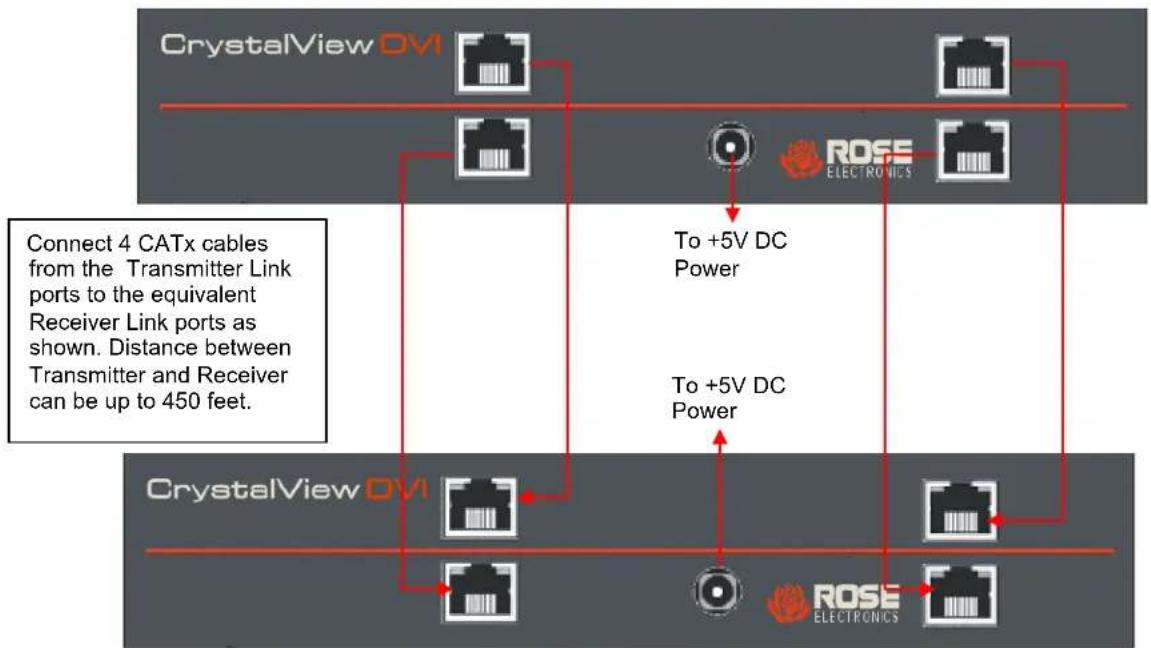
Figure 1. Connecting 4-port Transmitter and Receiver
CrystalView DVI Quad Transmitter
flowchart
graph TD
    A["CrystalView DVI"] --> B["+5VDC"]
    B --> C["ROSE ELECTRONICS"]
    C --> D["Link 1"]
    D --> E["To +5V DC Power"]
    E --> F["+5VDC"]
    F --> G["ROSE ELECTRONICS"]
    G --> H["Link 1"]
    H --> I["To +5V DC Power"]
    I --> J["+5VDC"]
    J --> K["ROSE ELECTRONICS"]
    K --> L["Link 1"]
    L --> M["To +5V DC Power"]
    M --> N["+5VDC"]
    N --> O["ROSE ELECTRONICS"]
    O --> P["Link 1"]
    P --> Q["To +5V DC Power"]
    Q --> R["+5VDC"]
    R --> S["ROSE ELECTRONICS"]
    S --> T["Link 1"]
    T --> U["To +5V DC Power"]
    U --> V["+5VDC"]
    V --> W["ROSE ELECTRONICS"]
    W --> X["Link 1"]
    X --> Y["To +5V DC Power"]
    Y --> Z["+5VDC"]
    Z --> AA["ROSE ELECTRONICS"]
    AA --> AB["Link 1"]
    AB --> AC["To +5V DC Power"]
    AC --> AD["+5VDC"]
    AD --> AE["ROSE ELECTRONICS"]
    AE --> AF["Link 1"]
    AF --> AG["To +5V DC Power"]
    AG --> AH["+5VDC"]
    AH --> AI["ROSE ELECTRONICS"]
    AI --> AJ["Link 1"]
    AJ --> AK["To +5V DC Power"]
    AK --> AL["+5VDC"]
    AL --> AM["ROSE ELECTRONICS"]
    AM --> AN["Link 1"]
    AN --> AO["To +5V DC Power"]
    AO --> AP["+5VDC"]
    AP --> AQ["ROSE ELECTRONICS"]
    AQ --> AR["Link 1"]
    AR --> AS["To +5V DC Power"]
CrystalView DVI Quad Receiver
Figure 2. Connecting 3-port Transmitter and Receiver
CrystalView DVI Quad Transmitter
flowchart
graph TD
    A["CrystalView DVI"] --> B["ROSE ELECTRONICS"]
    B --> C["Link 1"]
    C --> D["+5V DC Power"]
    D --> E["To +5V DC Power"]
    E --> F["+5VDC"]
    F --> G["ROSE ELECTRONICS"]
    G --> H["Link 1"]
    H --> I["+5VDC"]
    I --> J["To +5V DC Power"]
    J --> K["To +5V DC Power"]
    K --> L["Connect 2 CATx cables from the Transmitter Link ports to the equivalent Receiver Link ports as shown. Distance between Transmitter and Receiver can be up to 450 feet."]
CrystalView DVI Quad Receiver
Figure 3. Connecting 2-port Transmitter and Receiver
CrystalView DVI Quad Transmitter
flowchart
graph TD
    A["CrystalView DVI"] --> B["+5VDC"]
    B --> C["ROSE ELECTRONICS"]
    C --> D["Link 1"]
    E["CrystalView DVI"] --> F["+5VDC"]
    F --> G["ROSE ELECTRONICS"]
    G --> H["Link 1"]
    style A fill:#999,stroke:#333
    style E fill:#999,stroke:#333
    style B fill:#fff,stroke:#333
    style C fill:#fff,stroke:#333
    style D fill:#fff,stroke:#333
    style F fill:#fff,stroke:#333
    style G fill:#fff,stroke:#333
    style H fill:#fff,stroke:#333
CrystalView DVI Quad Receiver
Figure 4. Connecting 1-port Transmitter and Receiver
INDICATORS
LED Indicators
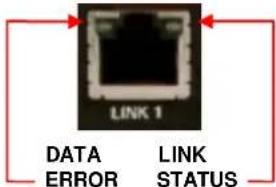 Fi Fi | Date Error (Left LED at CATx connectors)No errors, device readyg / On - Transmitter / Receiver communication not establishedus (Right LED at CATx connectors)g - No CATx connection detectedtransmitter / Receiver communication established, device ready |
| Y]Fi | r (Left LED at fiber connectors)No errors, device readyg / On - Transmitter / Receiver communication not establishedus (Right LED at fiber connectors)g - No Fiber cable connection detectedtransmitter / Receiver communication established, device ready |
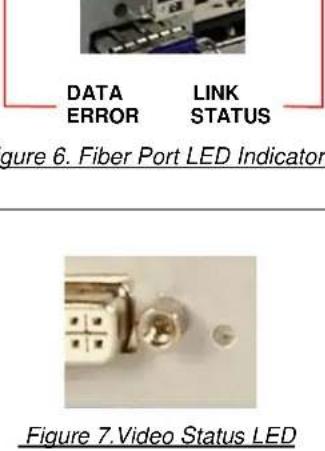 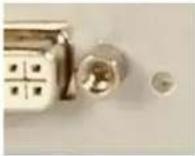  | Status LED (Green)No video signal detectedvideo signal detected, device ready |
OPERATION
Operation
USB HID (keyboard and mouse)
Extenders with USB HID connectors support ONLY keyboard and mouse. It is possible that other Human Interface Devices (e.g. touchscreens, graphics tablets, barcode readers) will work correctly, but it is not guaranteed. Non-HID devices such as scanners, printers, cameras and flash memory sticks will not work with the USB HID ports of the CrystalView DVI Quad Extender. The Extender supports two USB HID devices at a time, such as keyboard and mouse or keyboard and touchscreen, but not keyboard and mouse and touchscreen at the same time. A USB Hub can used, but it will not increase the number of HID devices simultaneously supported to more than two.
The DDC, Next frame switching, and color selection on the CrystalView DVI Quad are factory set to values that satisfy most applications. These default settings can be modified, if needed, to the following:
Default settings
■ DDC Information – Use the internal DDC table.
- Color selection – Automatically switch between 16 Bit and 24 Bit
■ Next frame switching – Switch to a new frame during Hsync period
DDC manual settings
The DDC information supplied to the CPU can be set to:
- The Transmitter unit's internal DDC table (default)
- The DDC information obtained from a monitor locally connected to the transmitter unit
- The DDC information obtained from a monitor connected to the receiver unit
To modify the source of the DDC information, jumper JP1 and/or JP2 need to be re-positioned to designate the DDC source as shown in Table 2. To change the jumper settings, first remove power from the Transmitter unit. Next, remove the screws on the bottom and sides of the Transmitter chassis and carefully remove the top of the chassis exposing the circuit boards. Locate the jumpers JP1 and JP2 as shown in figure 8.
Note: The four circuit boards each have JP1 and JP2 jumpers that can be changed.
JP1 / JP2 / JP3
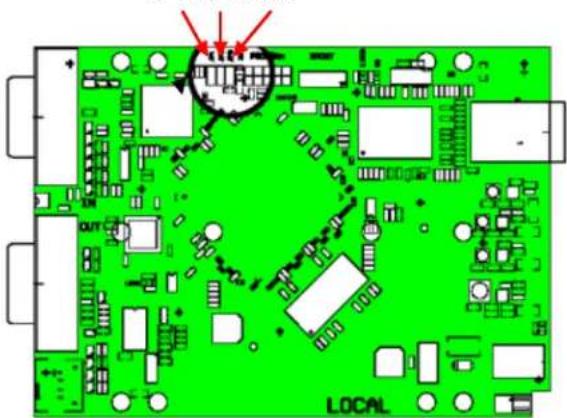
Figure 8. Jumper Settings (Transmitter unit)
| DDC Source | JP1 | JP2 |
| From Internal DDC Table (default setting) | ||
| From Local Monitor | ||
| From Remote Monitor |
Table 2. DDC Source Settings
To load the DDC information from the remote monitors, set jumpers JP1 ON and JP2 ON, re-install the chassis top and:
■ Connect all cables, apply power to all Monitors, the Receiver unit, the Transmitter unit, and the computer, and wait until the boot-up sequence has completed.
■ Disconnect the monitor cables from the Receiver unit (all monitors)
■ Make sure that power is applied to the Transmitter, Receiver, computer, all remote monitors.
■ Re-connect the remote monitors' video cables to the Receiver unit (all monitors)
- The DDC information is automatically read from the Receiver's monitors, transferred to the Transmitter unit, and saved in the Transmitter's DDC-EPROM.
If the DDC information is successfully transferred and saved, the Video OK LED will blink rapidly for approximately 1 second. The Video OK LEDs (4) are located next to each of the four DVI connectors on the Receiver unit.
Color Depth Selection
The default color depth setting is "AutoSelect" which will transmit 24 bit high data compression if the screen allows it. The color depth is automatically reduced to 16 bit, depending on the actual screen content. To set up the system to always transmit 24 bit color, remove power from the Transmitter unit and remove the top of the chassis exposing the circuit boards. Set the jumper on JP3 as shown below. (Four circuit boards need to be set). Refer to Figure 8 for the location of JP3. Replace the top chassis.
| Color Depth | JP3 |
| 16Bit/24 bit AutoSelect (Depending on screen content – Default) | |
| 24 bit |
Table 3. Color Depth jumper (Transmitter unit)
Next Frame Switching (Receiver unit)
The moment of switching to the next frame is set for switch during HSYNC (Default setting). This can be modified to switch during VSYNC by removing the jumper JP3 as shown in Figure 9 and Table 4.
To modify the next frame switching, first remove power from the Receiver unit. Next, remove the screws on the bottom and sides of the Receiver chassis and carefully remove the top of the chassis exposing the circuit boards. Locate the jumper JP3 as shown in figure 9. Set jumper JP3 as shown in Table 3.
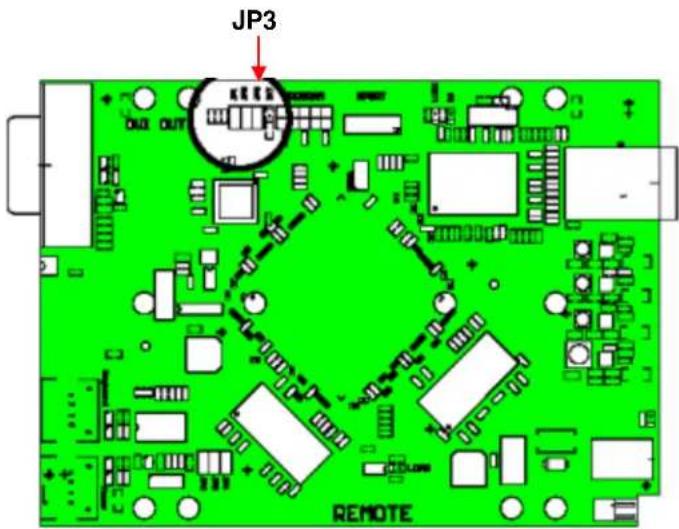
Figure 9. Jumper Settings (Receiver unit)
| Moment to switch | JP3 |
| Switching during HSYNC (Default) | |
| Switching during VSYNC |
Table 4. Moment of switching jumper (Receiver unit)
Switching during HSYNC will have a higher frame rate but horizontal screen breaks may be detectable. Switching during VSYNC has a lower frame rate with no horizontal screen breaks but stepping pictures are possible.
SERVICE
Service Information
Maintenance and Repair
This Unit does not contain any internal user-serviceable parts. In the event a Unit needs repair or maintenance, you must first obtain a Return Authorization (RA) number from Rose Electronics or an authorized repair center. This Return Authorization number must appear on the outside of the shipping container. See Limited Warranty for more information.
When returning a Unit, it should be double-packed in the original container or equivalent, insured and shipped to:
Rose Electronics
Attn: RA
10707 Stancliff Road
Houston, Texas 77099 USA
Technical Support
If you are experiencing problems, or need assistance in setting up, configuring or operating your product, consult the appropriate sections of this manual. If, however, you require additional information or assistance, please contact the Rose Electronics Technical Support Department at:
Phone: (281) 933-7673
E-Mail: TechSupport@rose.com
Web: www.rose.com
Technical Support hours are from: 8:00 am to 6:00 pm CST (USA), Monday through Friday.
Please report any malfunctions in the operation of this Unit or any discrepancies in this manual to the Rose Electronics Technical Support Department.
SAFETY
Product Safety
The CrystalView DVI Quad has been tested for conformance to safety regulations and requirements, and has been certified for international use. Like all electronic equipment, the CrystalView DVI Quad should be used with care. To protect yourself from possible injury and to minimize the risk of damage to the Unit, read and follow these safety instructions.
■ Follow all instructions and warnings marked on this Unit.
■ Except where explained in this manual, do not attempt to service this Unit yourself.
■ Do not use this Unit near water.
■ Assure that the placement of this Unit is on a stable surface or rack mounted.
■ Provide proper ventilation and air circulation.
- Keep power cord and connection cables clear of obstructions that might cause damage to them.
■ Use only power cords and connection cables designed for this Unit.
■ Use only a grounded (three-wire) electrical outlet.
- Keep objects that might damage this Unit and liquids that may spill, clear from this Unit. Liquids and foreign objects might come in contact with voltage points that could create a risk of fire or electrical shock.
■ Operate this Unit only when the cover is in place.
■ Do not use liquid or aerosol cleaners to clean this Unit. Always unplug this Unit from its electrical outlet before cleaning.
■ Unplug this Unit from the electrical outlet and refer servicing to a qualified service center if any of the following conditions occur:
- The power cord or connection cables are damaged or frayed.
■ The Unit has been exposed to any liquids. - The Unit does not operate normally when all operating instructions have been followed.
■ The Unit has been dropped or the case has been damaged. - The Unit exhibits a distinct change in performance, indicating a need for service.
APPENDICES
Appendix A – General Specifications
| Dimensions | Width | Depth | Height |
| 4-board model | 9.0 in / | 5.6 in / | 1.75 in / |
| 228 mm | 143 mm | 43 mm | |
| 5-board model | 17.0 in / | 5.6 in / | 1.75 in / |
| 432 mm | 143 mm | 43 mm | |
| Weight | |||
| 4-board model | 2.5 lbs ea. / 1.1 kg ea. | ||
| 5-board model | 4.0 lbs ea. / 1.8 kg ea. | ||
| Resolution | DVI-D 1920 x 1200 @ 60Hz (Over all distances)Resolutions less than 1600 x 1200 with a refresh rate of up to 75Hz. | ||
| Max Cable length | CATx cable (AWG24)* - 460ft (140m)CATx patch cable (AWG26/8)** - 230ft (70m)Singlemode fiber cable (9μm) - 32,750ft (10Km)Multimode fiber cable (50μm) - 1,300ft (400m)Multimode fiber cable (62.5μm) - 650ft (200m) | ||
| * STP/UTP (CATx) cable acc. EIA/TIA 56A, TSB 36 or Digital STP 17-03170.Four pairs AWG 24. wiring acc. EIA/TIA 568A (1000BaseT). | |||
| ** STP/UTP (CATx) cable acc. EIA/TIA 56A, TSB 36 or Digital STP 17-03170.Four pairs AWG 26/7. wiring acc. EIA/TIA 568A (1000BaseT). | |||
| Connectors | |||
| Video | DVI-I female | ||
| Keyboard PS/2 or USB | |||
| Mouse PS/2 or USB | |||
| USB | Transmitter - USB Type B, Receiver - USB Type A | ||
| Serial | Transmitter - Combination mini-Din 8Receiver - DB9F | ||
| Audio | Transmitter - Combination mini-Din 8 or 3.5 mm analog audio jacksReceiver - 3.5 mm analog audio jacks (microphone and speaker) | ||
| Link | CATx models - RJ45f , Fiber models - LC type | ||
| Power | Pin and barrel jack | ||
| Power | 100-240 VAC / 50-60 Hz / 5.0VDC / 4A | ||
| Transmitter unit | 5.0VDC / 4.0A | ||
| Receiver unit | 5.0VDC / 4.0A | ||
| Environmental | |||
| Operating Temp. | 41°F to 113°F (5°C to 45°C) | ||
| Storage Temp. | -13°F to 140°F (-25°C to 60°C) | ||
| Humidity | 80% non-condensing max | ||
Audio Specifications
Description
Bi-directional stereo audio
Transmission Method
Digitized virtually CD quality audio (16-bit, 38.4KHz)
Signal Levels
Line-Level (5 Volts p-p maximum)
Input Impedance 47K
Microphone Support
A microphone may be connected to the Receiver Unit.
Pull-up resistor provides bias for condenser microphone.
Option to set microphone amplification to +17dB.
Serial Specifications
| Baud Rate | Up to 19,200 Baud |
| Data Format | Format Independent |
| Flow Control | RTS, CTS, DTR, DSR (Sent across link) |
| Transmitter Connector | DB9 Female (DCE) |
| Receiver Connector | DB9 Male (DTE) |
Appendix B – Part Numbers
| Part Number | Description |
| CAB-DVIDMMnnn | DVI-D mm cable |
| CAB-DVIIMMnnn | DVI-I mm cable |
| CAB-USBABnnn | USB type A/B cable |
| CAB-DVIAUD005 | DVI-D male and PS/2 kb/ms on CPU to DVI-D male |
| CAB-MD8D9A006 | CPU Audio and Serial to mini-Din 8 |
| CAB-SPMMnnn | Audio 3.5mm cable |
| CAB-D9MFnnn | RS232 DB9MF serial cable |
| RM-UM19 | 19 inch Rackmount Bracket for “M” chassis units |
| RM-UB19 | 19 inch Rackmount Bracket for “B” chassis units |
| RM-UD-1U | Under desk Rackmount plate |
Appendix C – RackMount Kit
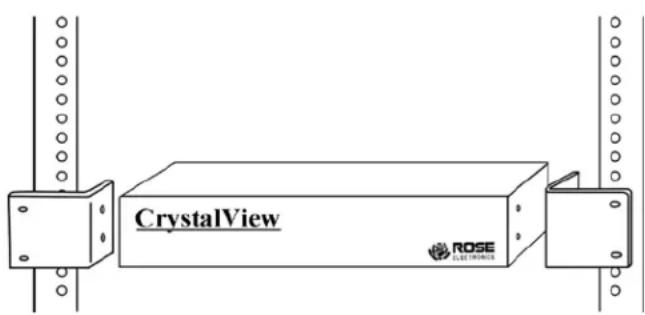
Use the RM-UM19 Rack-mount kit to install the product in a standard 19" server rack
The Audio/Serial allows bi-directional stereo audio and a 3 wire (Tx/Rx - XON/XOFF) serial data link to be sent across the regular interconnection cable in addition to keyboard, mouse and DVI video.
Serial Interface - Setup and Operation
No setup or user adjustments are required. Please note that the serial link is always active.
The Receiver Unit's serial port is wired as DTE (i.e. the same as that on a PC). To connect a serial printer (or other DTE rather than DCE device) to the Receiver Unit, use a Null-Modem (crossover) cable between the Receiver Unit and the printer.
A serial touch screen may be plugged directly into the Receiver Unit.
Note: The devices support a 3-wire connection only (Tx/Rx/GND). Attached devices must support software handshake (XON / XOFF).
Audio Interface - Setup and Operation
The audio interface is line-level and is designed to take the output from a sound card (or other line-level source) and transmit the audio to a set of powered speakers connected to the receiver unit. Stereo audio may be transmitted either way across the link (simultaneously). No setup is required unless a microphone is connected to the remote unit.
Connect up the extender as follows:
Take the line-level output from your sound card (green connector) and connect it to the 'Line In' on the extender. Connect a set of powered speakers directly to 'Line Out' connector on the receiver unit.
Audio Interface - Using a Microphone
A microphone may be plugged into the 'Line In' connector on the Remote Unit. There are two ways of setting up a microphone:
-
The Transmitter Unit's 'Line Out' connection should normally be wired to the microphone input (Red) on your sound card. The sound card should then be set up to provide additional amplification (+20dB). This is the preferred connection method.
-
Alternatively, the Remote Unit itself can provide microphone amplification. To set this, open up the Remote Unit and locate the jumper labeled 'MIC' on the daughter board. Connect this jumper across the pins. The Transmitter Unit's 'Line Out' connection should then be wired to 'Line In' (Blue) on your sound card.
If your microphone is already amplified, follow the second method but DO NOT install the amplification jumper in the Remote Unit.
Appendix E - Kit Part Numbers
| Video | Link | Description | CrystalView DVI (Kit) | CrystalView DVI (TX) | CrystalView DVI (RX) |
| Transmitters + Receivers | Transmitters | Receivers | |||
| 1x Video | CATx | 1x DVI Only | CRK-2DTX0D1D/R | CRV-DLDTX0D1D/R | CRV-SRDTX0D1D/R |
| 1x Video | CATx | 1x DVI + HID | CRK-2DTXUD1D/R | CRV-DLDTXUD1D/R | CRV-SRDTXUD1D/R |
| 1x Video | CATx | 1x DVI+HID+USB2 | CRK-2DTXTD1D/R | CRV-DLDTXTD1D/R | CRV-SRDTXTD1D/R |
| 1x Video | CATx | 1x DVI+PS2+USB2 | CRK-2DTXTD1DP/R | CRV-DLDTXTD1DP/R | CRV-SRDTXTD1DP/R |
| 1x Video | CATx | 1x DVI+PS2 | CRK-2DTXPD1D/R | CRV-DLDTXPD1D/R | CRV-SRDTXPD1D/R |
| 1x Video | CATx | 1x DVI + AUD/Ser | CRK-2DTX0D1D/R/AUD | CRV-DLDTX0D1D/R/AUD | CRV-SRDTX0D1D/R/AUD |
| 1x Video | CATx | 1x DVI+HID+AUD/Ser | CRK-2DTXUD1D/R/AUD | CRV-DLDTXUD1D/R/AUD | CRV-SRDTXUD1D/R/AUD |
| 1x Video | CATx | 1x DVI+HID+USB2+AUD/Ser | CRK-2DTXTD1D/R/AUD | CRV-DLDTXTD1D/R/AUD | CRV-SRDTXTD1D/R/AUD |
| 1x Video | CATx | 1x DVI+HID+PS2+USB2+AUD/Ser | CRK-2DTXTD1DP/R/AUD | CRV-DLDTXTD1DP/R/AUD | CRV-SRDTXTD1DP/R/AUD |
| 1x Video | CATx | 1x DVI+PS2+AUD/Ser | CRK-2DTXPD1D/R/AUD | CRV-DLDTXPD1D/R/AUD | CRV-SRDTXPD1D/R/AUD |
| 1x Video | FM | 1x DVI Only | CRK-2DFM0D1D/R | CRV-DLDFM0D1D/R | CRV-SRDFM0D1D/R |
| 1x Video | FM | 1x DVI + HID | CRK-2DFMUD1D/R | CRV-DLDFMUD1D/R | CRV-SRDFMUD1D/R |
| 1x Video | FM | 1x DVI+HID+USB2 | CRK-2DFMTD1D/R | CRV-DLDFMTD1D/R | CRV-SRDFMTD1D/R |
| 1x Video | FM | 1x DVI+HID+PS2+USB2 | CRK-2DFMTD1DP/R | CRV-DLDFMTD1DP/R | CRV-SRDFMTD1DP/R |
| 1x Video | FM | 1x DVI+PS2 | CRK-2DFMPD1D/R | CRV-DLDFMPD1D/R | CRV-SRDFMPD1D/R |
| 1x Video | FM | 1x DVI + AUD/Ser | CRK-2DFM0D1D/R/AUD | CRV-DLDFM0D1D/R/AUD | CRV-SRDFM0D1D/R/AUD |
| 1x Video | FM | 1x DVI+HID+AUD/Ser | CRK-2DFMUD1D/R/AUD | CRV-DLDFMUD1D/R/AUD | CRV-SRDFMUD1D/R/AUD |
| 1x Video | FM | 1x DVI+HID+USB2+AUD/Ser | CRK-2DFMTD1D/R/AUD | CRV-DLDFMXTD1D/R/AUD | CRV-SRDFMXTD1D/R/AUD |
| 1x Video | FM | 1x DVI+HID+PS2+USB2+AUD/Ser | CRK-2DFMTD1DP/R/AUD | CRV-DLDFMTD1DP/R/AUD | CRV-SRDFMTD1DP/R/AUD |
| 1x Video | FM | 1x DVI+PS2+AUD/Ser | CRK-2DFMPD1D/R/AUD | CRV-DLDFMPD1D/R/AUD | CRV-SRDFMPD1D/R/AUD |
| 1x Video | FS | 1x DVI Only | CRK-2DFS0D1D/R | CRV-DLDFS0D1D/R | CRV-SRDFS0D1D/R |
| 1x Video | FS | 1x DVI + HID | CRK-2DFSUD1D/R | CRV-DLDFSUD1D/R | CRV-SRDFSUD1D/R |
| 1x Video | FS | 1x DVI+HID+USB2 | CRK-2DFSTD1D/R | CRV-DLDFSTD1D/R | CRV-SRDFSTD1D/R |
| 1x Video | FS | 1x DVI+HID+PS2+USB2 | CRK-2DFSTD1DP/R | CRV-DLDFSTD1DP/R | CRV-SRDFSTD1DP/R |
| 1x Video | FS | 1x DVI+PS2 | CRK-2DFSPD1D/R | CRV-DLDFSPD1D/R | CRV-SRDFSPD1D/R |
| 1x Video | FS | 1x DVI + AUD/Ser | CRK-2DFS0D1D/R/AUD | CRV-DLDFS0D1D/R/AUD | CRV-SRDFS0D1D/R/AUD |
| 1x Video | FS | 1x DVI+HID+AUD/Ser | CRK-2DFSUD1D/R/AUD | CRV-DLDFSUD1D/R/AUD | CRV-SRDFSUD1D/R/AUD |
| 1x Video | FS | 1x DVI+HID+USB2+AUD/Ser | CRK-2DFSTD1D/R/AUD | CRV-DLDFSXTD1D/R/AUD | CRV-SRDFSXTD1D/R/AUD |
| 1x Video | FS | 1x DVI+HID+PS2+USB2+AUD/Ser | CRK-2DFSTD1DP/R/AUD | CRV-DLDFSTD1DP/R/AUD | CRV-SRDFSTD1DP/R/AUD |
| 1x Video | FS | 1x DVI+PS2+AUD/Ser | CRK-2DFSPD1D/R/AUD | CRV-DLDFSPD1D/R/AUD | CRV-SRDFSPD1D/R/AUD |
| 2x Video | CATx | 2x DVI Only | CRK-2DTX0D2D/R | CRV-DLDTX0D2D/R | CRV-SRDTX0D2D/R |
| 2x Video | CATx | 2x DVI + HID | CRK-2DTXUD2D/R | CRV-DLDTXUD2D/R | CRV-SRDTXUD2D/R |
| 2x Video | CATx | 2x DVI+HID+USB2 | CRK-2DTXTD2D/R | CRV-DLDTXTD2D/R | CRV-SRDTXTD2D/R |
| 2x Video | CATx | 2x DVI+HID+PS2+USB2 | CRK-2DTXTD2DP/R | CRV-DLDTXTD2DP/R | CRV-SRDTXTD2DP/R |
| 2x Video | CATx | 2x DVI+PS2 | CRK-2DTXPD2D/R | CRV-DLDTXPD2D/R | CRV-SRDTXPD2D/R |
| 2x Video | CATx | 2x DVI + AUD/Ser | CRK-2DTX0D2D/R/ AUD | CRV-DLDTX0D2D/R/AUD | CRV-SRDTX0D2D/R/AUD |
| 2x Video | CATx | 2x DVI+HID+AUD/Ser | CRK-2DTXUD2D/R/AUD | CRV-DLDTXUD2D/R/AUD | CRV-SRDTXUD2D/R/AUD |
| 2x Video | CATx | 2x DVI+HID+USB2+AUD/Ser | CRK-2DTXTD2D/R/AUD | CRV-DLDTXTD2D/R/AUD | CRV-SRDTXTD2D/R/AUD |
| 2x Video | CATx | 2x DVI+HID+PS2+USB2+AUD/Ser | CRK-2DTXTD2DP/R/AUD | CRV-DLDTXTD2DP/R/AUD | CRV-SRDTXTD2DP/R/AUD |
| 2x Video | CATx | 2x DVI+PS2+AUD/Ser | CRK-2DTXPD2D/R/AUD | CRV-DLDTXPD2D/R/AUD | CRV-SRDTXPD2D/R/AUD |
| 2x Video | FM | 2x DVI Only | CRK-2DFM0D2D/R | CRV-DLDFM0D2D/R | CRV-SRDFM0D2D/R |
| 2x Video | FM | 2x DVI + HID | CRK-2DFMUD2D/R | CRV-DLDFMUD2D/R | CRV-SRDFMUD2D/R |
| 2x Video | FM | 2x DVI+HID+USB2 | CRK-2DFMTD2D/R | CRV-DLDFMTD2D/R | CRV-SRDFMTD2D/R |
| 2x Video | FM | 2x DVI+HID+PS2+USB2 | CRK-2DFMTD2DP/R | CRV-DLDFMTD2DP/R | CRV-SRDFMTD2DP/R |
| 2x Video | FM | 2x DVI+PS2 | CRK-2DFMPD2D/R | CRV-DLDFMPD2D/R | CRV-SRDFMPD2D/R |
| 2x Video | FM | 2x DVI + AUD/Ser | CRK-2DFM0D2D/R/AUD | CRV-DLDFM0D2D/R/AUD | CRV-SRDFM0D2D/R/AUD |
| 2x Video | FM | 2x DVI+HID+AUD/Ser | CRK-2DFMUD2D/R/AUD | CRV-DLDFMUD2D/R/AUD | CRV-SRDFMUD2D/R/AUD |
| 2x Video | FM | 2x DVI+HID+USB2+AUD/Ser | CRK-2DFMTD2D/R/AUD | CRV-DLDFMTD2D/R/AUD | CRV-SRDFMTD2D/R/AUD |
| 2x Video | FM | 2x DVI+HID+PS2+USB2+AUD/Ser | CRK-2DFMTD2DP/R/AUD | CRV-DLDFMTD2DP/R/AUD | CRV-SRDFMTD2DP/R/AUD |
| 2x Video | FM | 2x DVI+PS2+AUD/Ser | CRK-2DFMPD2D/R/AUD | CRV-DLDFMPD2D/R/AUD | CRV-SRDFMPD2D/R/AUD |
| 2x Video | FS | 2x DVI Only | CRK-2DFS0D2D/R | CRV-DLDFS0D2D/R | CRV-SRDFS0D2D/R |
| 2x Video | FS | 2x DVI + HID | CRK-2DFSUD2D/R | CRV-DLDFSUD2D/R | CRV-SRDFSUD2D/R |
| 2x Video | FS | 2x DVI+HID+USB2 | CRK-2DFSTD2D/R | CRV-DLDFSTD2D/R | CRV-SRDFSTD2D/R |
| 2x Video | FS | 2x DVI+HID+PS2+USB2 | CRK-2DFSTD2DP/R | CRV-DLDFSTD2DP/R | CRV-SRDFSTD2DP/R |
| 2x Video | FS | 2x DVI+PS2 | CRK-2DFSPD2D/R | CRV-DLDFSPD2D/R | CRV-SRDFSPD2D/R |
| 2x Video | FS | 2x DVI + AUD/Ser | CRK-2DFS0D2D/R/AUD | CRV-DLDFS0D2D/R/AUD | CRV-SRDFS0D2D/R/AUD |
| 2x Video | FS | 2x DVI+HID+AUD/Ser | CRK-2DFSUD2D/R/AUD | CRV-DLDFSUD2D/R/AUD | CRV-SRDFSUD2D/R/AUD |
| 2x Video | FS | 2x DVI+HID+USB2+AUD/Ser | CRK-2DFSTD2D/R/AUD | CRV-DLDFSTD2D/R/AUD | CRV-SRDFSTD2D/R/AUD |
| 2x Video | FS | 2x DVI+HID+PS2+USB2+AUD/Ser | CRK-2DFSTD2DP/R/AUD | CRV-DLDFSTD2DP/R/AUD | CRV-SRDFSTD2DP/R/AUD |
| 2x Video | FS | 2x DVI+PS2+AUD/Ser | CRK-2DFSPD2D/R/AUD | CRV-DLDFSPD2D/R/AUD | CRV-SRDFSPD2D/R/AUD |
| 3x Video | CATx | 3x DVI Only | CRK-2DTX0D3D/R | CRV-DLDTX0D3D/R | CRV-SRDTX0D3D/R |
| 3x Video | CATx | 3x DVI + HID | CRK-2DTXUD3D/R | CRV-DLDTXUD3D/R | CRV-SRDTXUD3D/R |
| 3x Video | CATx | 3x DVI+HID+USB2 | CRK-2DTXTD3D/R | CRV-DLDTXTD3D/R | CRV-SRDTXTD3D/R |
| 3x Video | CATx | 3x DVI+HID+PS2+USB2 | CRK-2DTXTD3DP/R | CRV-DLDTXTD3DP/R | CRV-SRDTXTD3DP/R |
| 3x Video | CATx | 3x DVI+PS2 | CRK-2DTXPD3D/R | CRV-DLDTXPD3D/R | CRV-SRDTXPD3D/R |
| 3x Video | CATx | 3x DVI + AUD/Ser | CRK-2DTX0D3D/R/AUD | CRV-DLDTX0D3D/R/AUD | CRV-SRDTX0D3D/R/AUD |
| 3x Video | CATx | 3x DVI+HID+AUD/Ser | CRK-2DTXUD3D/R/AUD | CRV-DLDTXUD3D/R/AUD | CRV-SRDTXUD3D/R/AUD |
| 3x Video | CATx | 3x DVI+HID+USB2+AUD/Ser | CRK-2DTXTD3D/R/AUD | CRV-DLDTXTD3D/R/AUD | CRV-SRDTXTD3D/R/AUD |
| 3x Video | CATx | 3x DVI+HID+PS2+USB2+AUD/Ser | CRK-2DTXTD3DP/R/AUD | CRV-DLDTXTD3DP/R/AUD | CRV-SRDTXTD3DP/R/AUD |
| 3x Video | CATx | 3x DVI+PS2+AUD/Ser | CRK-2DTXPD3D/R/AUD | CRV-DLDTXPD3D/R/AUD | CRV-SRDTXPD3D/R/AUD |
| 3x Video | FM | 3x DVI Only | CRK-2DFM0D3D/R | CRV-DLDFM0D3D/R | CRV-SRDFM0D3D/R |
| 3x Video | FM | 3x DVI + HID | CRK-2DFMUD3D/R | CRV-DLDFMUD3D/R | CRV-SRDFMUD3D/R |
| 3x Video | FM | 3x DVI+HID+USB2 | CRK-2DFMTD3D/R | CRV-DLDFMTD3D/R | CRV-SRDFMTD3D/R |
| 3x Video | FM | 3x DVI+HID+PS2+USB2 | CRK-2DFMTD3DP/R | CRV-DLDFMTD3DP/R | CRV-SRDFMTD3DP/R |
| 3x Video | FM | 3x DVI+PS2 | CRK-2DFMPD3D/R | CRV-DLDFMPD3D/R | CRV-SRDFMPD3D/R |
| 3x Video | FM | 3x DVI + AUD/Ser | CRK-2DFM0D3D/R/AUD | CRV-DLDFM0D3D/R/AUD | CRV-SRDFM0D3D/R/AUD |
| 3x Video | FM | 3x DVI+HID+AUD/Ser | CRK-2DFMUD3D/R/AUD | CRV-DLDFMUD3D/R/AUD | CRV-SRDFMUD3D/R/AUD |
| 3x Video | FM | 3x DVI+HID+USB2+AUD/Ser | CRK-2DFMTD3D/R/AUD | CRV-DLDFMTD3D/R/AUD | CRV-SRDFMTD3D/R/AUD |
| 3x Video | FM | 3x DVI+HID+PS2+USB2+AUD/Ser | CRK-2DFMTD3DP/R/AUD | CRV-DLDFMTD3DP/R/AUD | CRV-SRDFMTD3DP/R/AUD |
| 3x Video | FM | 3x DVI+PS2+AUD/Ser | CRK-2DFMPD3D/R/AUD | CRV-DLDFMPD3D/R/AUD | CRV-SRDFMPD3D/R/AUD |
| 3x Video | FS | 3x DVI Only | CRK-2DFS0D3D/R | CRV-DLDFS0D3D/R | CRV-SRDFS0D3D/R |
| 3x Video | FS | 3x DVI + HID | CRK-2DFSUD3D/R | CRV-DLDFSUD3D/R | CRV-SRDFSUD3D/R |
| 3x Video | FS | 3x DVI+HID+USB2 | CRK-2DFSTD3D/R | CRV-DLDFSTD3D/R | CRV-SRDFSTD3D/R |
| 3x Video | FS | 3x DVI+HID+PS2+USB2 | CRK-2DFSTD3DP/R | CRV-DLDFSTD3DP/R | CRV-SRDFSTD3DP/R |
| 3x Video | FS | 3x DVI+PS2 | CRK-2DFSPD3D/R | CRV-DLDFSPD3D/R | CRV-SRDFSPD3D/R |
| 3x Video | FS | 3x DVI + AUD/Ser | CRK-2DFS0D3D/R/AUD | CRV-DLDFS0D3D/R/AUD | CRV-SRDFS0D3D/R/AUD |
| 3x Video | FS | 3x DVI+HID+AUD/Ser | CRK-2DFSUD3D/R/AUD | CRV-DLDFSUD3D/R/AUD | CRV-SRDFSUD3D/R/AUD |
| 3x Video | FS | 3x DVI+HID+USB2+AUD/Ser | CRK-2DFSTD3D/R/AUD | CRV-DLDFSTD3D/R/AUD | CRV-SRDFSTD3D/R/AUD |
| 3x Video | FS | 3x DVI+HID+PS2+USB2+AUD/Ser | CRK-2DFSTD3DP/R/AUD | CRV-DLDFSTD3DP/R/AUD | CRV-SRDFSTD3DP/R/AUD |
| 3x Video | FS | 3x DVI+PS2+AUD/Ser | CRK-2DFSPD3D/R/AUD | CRV-DLDFSPD3D/R/AUD | CRV-SRDFSPD3D/R/AUD |
| 4x Video | CATx | 4x DVI Only | CRK-2DTX0D4D/R | CRV-DLDTX0D4D/R | CRV-SRDTX0D4D/R |
| 4x Video | CATx | 4x DVI + HID | CRK-2DTXUD4D/R | CRV-DLDTXUD4D/R | CRV-SRDTXUD4D/R |
| 4x Video | CATx | 4x DVI+HID+USB2 | CRK-2DTXTD4D/R | CRV-DLDTXTD4D/R | CRV-SRDTXTD4D/R |
| 4x Video | CATx | 4x DVI+HID+PS2+USB2 | CRK-2DTXTD4DP/R | CRV-DLDTXTD4DP/R | CRV-SRDTXTD4DP/R |
| 4x Video | CATx | 4x DVI+PS2 | CRK-2DTXPD4D/R | CRV-DLDTXPD4D/R | CRV-SRDTXPD4D/R |
| 4x Video | CATx | 4x DVI + AUD/Ser | CRK-2DTX0D4D/R/AUD | CRV-DLDTX0D4D/R/AUD | CRV-SRDTX0D4D/R/AUD |
| 4x Video | CATx | 4x DVI+HID+AUD/Ser | CRK-2DTXUD4D/R/AUD | CRV-DLDTXUD4D/R/AUD | CRV-SRDTXUD4D/R/AUD |
| 4x Video | CATx | 4x DVI+HID+USB2+AUD/Ser | CRK-2DTXTD4D/R/AUD | CRV-DLDTXTD4D/R/AUD | CRV-SRDTXTD4D/R/AUD |
| 4x Video | CATx | 4x DVI+HID+PS2+USB2+AUD/Ser | CRK-2DTXTD4DP/R/AUD | CRV-DLDTXTD4DP/R/AUD | CRV-SRDTXTD4DP/R/AUD |
| 4x Video | CATx | 4x DVI+PS2+AUD/Ser | CRK-2DTXPD4D/R/AUD | CRV-DLDTXPD4D/R/AUD | CRV-SRDTXPD4D/R/AUD |
| 4x Video | FM | 4x DVI Only | CRK-2DFM0D4D/R | CRV-DLDFM0D4D/R | CRV-SRDFM0D4D/R |
| 4x Video | FM | 4x DVI + HID | CRK-2DFMUD4D/R | CRV-DLDFMUD4D/R | CRV-SRDFMUD4D/R |
| 4x Video | FM | 4x DVI+HID+USB2 | CRK-2DFMTD4D/R | CRV-DLDFMTD4D/R | CRV-SRDFMTD4D/R |
| 4x Video | FM | 4x DVI+HID+PS2+USB2 | CRK-2DFMTD4DP/R | CRV-DLDFMTD4DP/R | CRV-SRDFMTD4DP/R |
| 4x Video | FM | 4x DVI+PS2 | CRK-2DFMPD4D/R | CRV-DLDFMPD4D/R | CRV-SRDFMPD4D/R |
| 4x Video | FM | 4x DVI + AUD/Ser | CRK-2DFM0D4D/R/AUD | CRV-DLDFM0D4D/R/AUD | CRV-SRDFM0D4D/R/AUD |
| 4x Video | FM | 4x DVI+HID+AUD/Ser | CRK-2DFMUD4D/R/AUD | CRV-DLDFMUD4D/R/AUD | CRV-SRDFMUD4D/R/AUD |
| 4x Video | FM | 4x DVI+HID+USB2+AUD/Ser | CRK-2DFMTD4D/R/AUD | CRV-DLDFMTD4D/R/AUD | CRV-SRDFMTD4D/R/AUD |
| 4x Video | FM | 4x DVI+HID+PS2+USB2+AUD/Ser | CRK-2DFMTD4DP/R/AUD | CRV-DLDFMTD4DP/R/AUD | CRV-SRDFMTD4DP/R/AUD |
| 4x Video | FM | 4x DVI+PS2+AUD/Ser | CRK-2DFMPD4D/R/AUD | CRV-DLDFMPD4D/R/AUD | CRV-SRDFMPD4D/R/AUD |
| 4x Video | FS | 4x DVI Only | CRK-2DFS0D4D/R | CRV-DLDFS0D4D/R | CRV-SRDFS0D4D/R |
| 4x Video | FS | 4x DVI + HID | CRK-2DFSUD4D/R | CRV-DLDFSUD4D/R | CRV-SRDFSUD4D/R |
| 4x Video | FS | 4x DVI+HID+USB2 | CRK-2DFSTD4D/R | CRV-DLDFSTD4D/R | CRV-SRDFSTD4D/R |
| 4x Video | FS | 4x DVI+HID+PS2+USB2 | CRK-2DFSTD4DP/R | CRV-DLDFSTD4DP/R | CRV-SRDFSTD4DP/R |
| 4x Video | FS | 4x DVI+PS2 | CRK-2DFSPD4D/R | CRV-DLDFSPD4D/R | CRV-SRDFSPD4D/R |
| 4x Video | FS | 4x DVI + AUD/Ser | CRK-2DFS0D4D/R/AUD | CRV-DLDFS0D4D/R/AUD | CRV-SRDFS0D4D/R/AUD |
| 4x Video | FS | 4x DVI+HID+AUD/Ser | CRK-2DFSUD4D/R/AUD | CRV-DLDFSUD4D/R/AUD | CRV-SRDFSUD4D/R/AUD |
| 4x Video | FS | 4x DVI+HID+USB2+AUD/Ser | CRK-2DFSTD4D/R/AUD | CRV-DLDFSTD4D/R/AUD | CRV-SRDFSTD4D/R/AUD |
| 4x Video | FS | 4x DVI+HID+PS2+USB2+AUD/Ser | CRK-2DFSTD4DP/R/AUD | CRV-DLDFSTD4DP/R/AUD | CRV-SRDFSTD4DP/R/AUD |
| 4x Video | FS | 4x DVI+PS2+AUD/Ser | CRK-2DFSPD4D/R/AUD | CRV-DLDFSPD4D/R/AUD | CRV-SRDFSPD4D/R/AUD |

ROSE
ELECTRONICS
Server Management

natural_image
Collage of diverse photos and objects including a person, computer mouse, train station, and people in various settings (no visible text or symbols)Solutions