RX-165 - Radio Sven - Free user manual and instructions
Find the device manual for free RX-165 Sven in PDF.


User questions about RX-165 Sven
0 question about this device. Answer the ones you know or ask your own.
Ask a new question about this device
Download the instructions for your Radio in PDF format for free! Find your manual RX-165 - Sven and take your electronic device back in hand. On this page are published all the documents necessary for the use of your device. RX-165 by Sven.
USER MANUAL RX-165 Sven
natural_image
Black computer mouse with 'SVEN' branding on the front face (no additional text or symbols visible)RX-165
www.sven.fi
Congratulations on purchasing the SVEN mouse!
Please read this User's Manual before using the unit and retain this User's Manual in a safe place for future reference.
COPYRIGHT
© 2014. SVEN PTE. LTD. Version 1.0 (V 1.0).
This Manual and information contained in it are copyrighted. All rights reserved.
TRADEMARKS
All trademarks are the property of their legal holders.
NOTICE OF RESPONSIBILITY RESTRICTION
Despite the exerted efforts to make this Manual more exact, some discrepancies may occur. The information of this Manual is given on “as is” terms. The author and the publisher do not bear any liability to a person or an organization for loss or damages which have arisen from the information contained in the given Manual.
SPECIAL FEATURES
- Compact design, convenient for using the mouse with a laptop
• High-precision optical technology
• Effective on most surfaces - Symmetric form
- Convenient scroll wheel
- USB interface
- Drivers installation not required for Windows XP/Vista/7/8
- Suitable for left-handers
SYSTEM REQUIREMENTS
- Windows XP/Vista/7/8.
- Free USB port.
INSTALLATION
- Connect the mouse to an available USB-port of your PC.
- Installation of the mouse is automatic after its connection to a PC USB port.

flowchart
graph LR
    PC["PC"] --> Laptop["Laptop"]
    Laptop --> USB["USB port"]
    USB --> Connector["Connector"]
Technical support: www.sven.fi
TROUBLESHOOTING
| Problem | Solution |
| Mouse is not working. | 1. Disconnect mouse from PC and check connector pins for possible damage. If there is no external damage found and connector pins are OK, connect mouse to PC.2. Address nearest authorized service center. |
TECHNICAL SPECIFICATIONS
| Parameter, measurement unit | Value |
| OS required | Windows XP/Vista/7/8 |
| Type of mouse | Optical |
| Resolution, dpi | 800 |
| Q-ty of buttons | 2 + 1 (scroll wheel) |
| Interface | USB |
| Conformity with | FCC, CE |
| Cable length, m | 1.5 |
Notes:
- Technical specifications given in this table are supplemental information and can not give occasion to claims.
- Technical specifications are subject to change without notice due to improvement of SVEN production.
natural_image
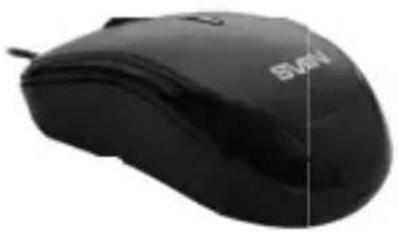
Close-up of a black computer mouse with 'SVM' branding on the front (no additional text or symbols visible)Модель: RX-165
Manufacturer: SVEN PTE. LTD, 176 Joo Chiat Road,
Nº 02-02, Singapore, 427447. Produced under the
control of Oy Sven Scandinavia Ltd. 15, Kotolahdentie,
Kotka, Finland, 48310. Made in China.
® Registered Trademark of Oy SVEN
Scandinavia Ltd. Finland.
RX-165