USER MANUAL TEMPORIS 10 ALCATEL
Temporis_10.qxp 14/11/2008 13:54 Page 1
ALCATEL
natural_image
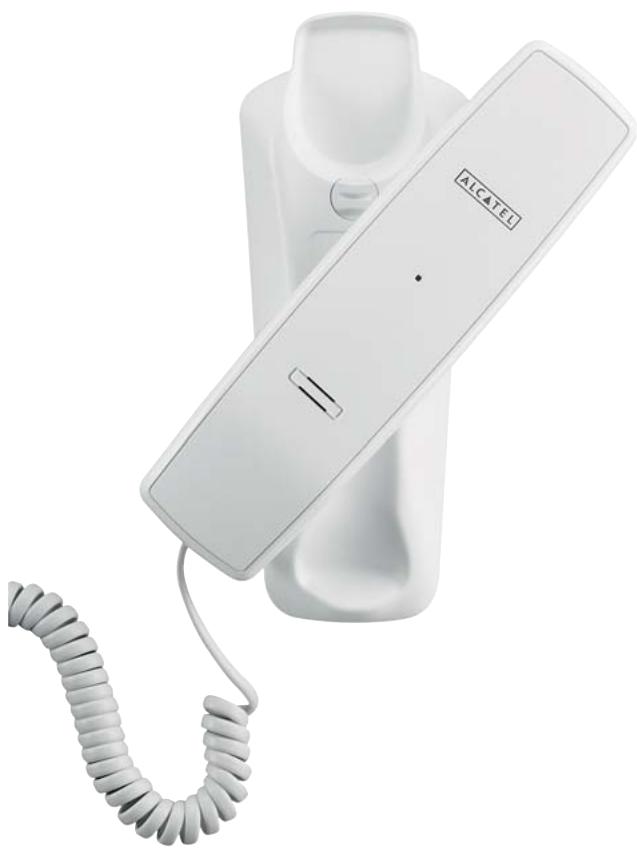
White Alcatel phone with coiled cord, no visible text or symbols on device body
Temporis™ 10
Temporis_10.qxp 14/11/2008 13:54 Page 2
(No text)


____
1
1. INSTALLER LE TÉLÉPHONE
THOMSON TELECOM
Rent li'établissement principal act
5. WAT DOEN INDIEN...?
Market Development Director, CNS Europe, Middle East and Africa

1. INSTALAR EL TELÉFONO
Didier Goujard
Market Development Director, CNS Europe, Middle East and Africa

1. INSTALLING THE TELEPHONE
Your Temporis 10 telephone comprises:
- a base and a handset,
- a telephone cord,
- an emergency numbers label.
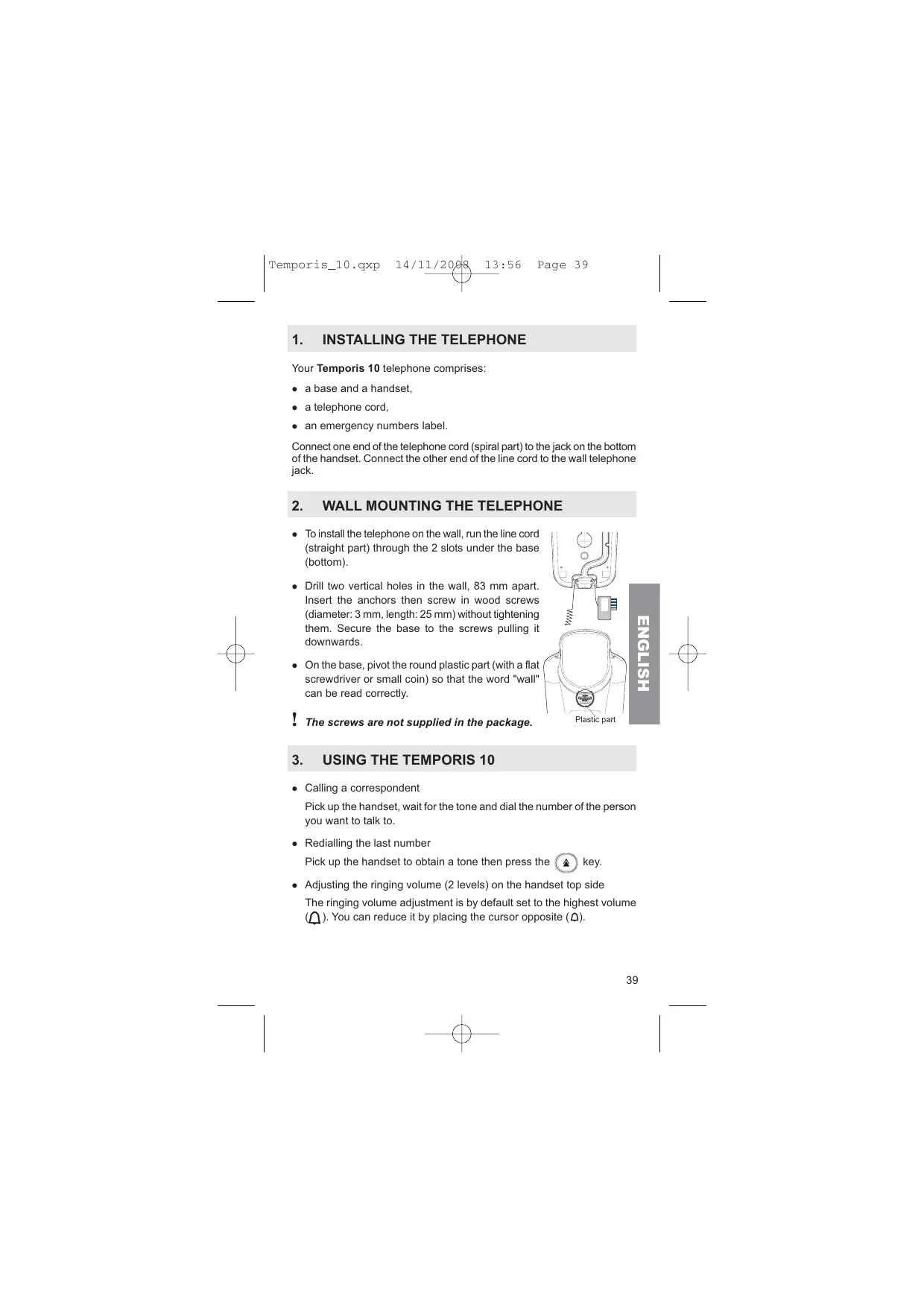
Connect one end of the telephone cord (spiral part) to the jack on the bottom of the handset. Connect the other end of the line cord to the wall telephone jack.
2. WALL MOUNTING THE TELEPHONE
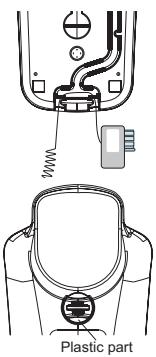
- To install the telephone on the wall, run the line cord (straight part) through the 2 slots under the base (bottom).
- Drill two vertical holes in the wall, 83 mm apart. Insert the anchors then screw in wood screws (diameter: 3 mm, length: 25 mm) without tightening them. Secure the base to the screws pulling it downwards.
- On the base, pivot the round plastic part (with a flat screwdriver or small coin) so that the word "wall" can be read correctly.
ENGLISH
! The screws are not supplied in the package.
3. USING THE TEMPORIS 10
- Calling a correspondent
Pick up the handset, wait for the tone and dial the number of the person you want to talk to.
• Redialling the last number
Pick up the handset to obtain a tone then press the ⬆ key.
- Adjusting the ringing volume (2 levels) on the handset top side
The ringing volume adjustment is by default set to the highest volume (☐). You can reduce it by placing the cursor opposite (☐).
- Mute function
During a conversation, if you don't want your correspondent to hear you. To resume the conversation and allow your correspondent to hear you, press the 📄 key once more.
- Ringing light
When there is an incoming call, the light on the top of the handset comes on.
Note: When connected to a business telephone system (PABX), a red indicator light (☐) blinks to signal the presence of voicemail messages (only applicable for some PABX).
4. SETTING THE TEMPORIS 10 PARAMETERS
- Tone/Pulse dialling
By default, your telephone uses voice frequency (T). If this is not suitable, you can switch to pulse dialling by setting (with the tip of a pen) to (P) _T the cursor located on the lower side of the handset.
- Pause (P)
This function is only used behind a PABX (to insert a pause, e.g. between the PABX outgoing prefix and the number to send on the line).
- Flash time
The cursor on the upper side of the handset can be used to modify the flash time (values: 100, 300 or 600 ms).
Position the cursor (with the tip of a pen) on the chosen value (behind a PABX: 100 ms – English public network: 100 ms).
Then confirm the change by hanging up the handset on the base before making a new call.
5. WHAT TO DO IF ...
- There is no tone
▶ Check that the line cord is correctly connected to the wall jack.
▶ Check that the cradle on the handset is not blocked.
• The telephone doesn't ring
▶ Check that the ringer is not switched off (see ringer adjustment).
- You cannot hear your correspondent
▶ Check that another extension on the installation is not being used at the same time.
6. TECHNICAL SPECIFICATIONS
- Telephone connection: Appliance designed for connection to an analogue telephone line class TRT3 (telecommunications network voltage) as defined by standard NF EN 60950.
- Caution, the network voltage is classified as a hazard according to the criteria of this standard.
- Operating temperature: from 5 to 40 °C.
7. GUARANTEE
We would remind you that the Temporis 10 is an appliance approved in compliance with European regulations, as attested to by the CE marking.
You thus have a legal warranty covering this product and you should contact your reseller for any information relating to the said warranty.
Regardless of the legal warranty covering the product, the reseller guarantees conformity of the products with their technical specifications for a period of twelve (12) months including parts and labour, starting from the date appearing on the proof of purchase of the product. You should therefore retain your invoice or till receipt specifying the date of purchase of the product and the name of the reseller. However, if the legal warranty applicable in your country exceeds twelve (12) months, the legal warranty alone then applies. However, if the legal warranty is less than twelve (12) months, the total period of the warranty (legal and commercial) will be of twelve (12) months. The faulty part or product will be repaired or replaced free of charge with an identical part or product or an equivalent or better one in terms of functionality and performance. If it proves impossible to repair or replace the item, you will be refunded for the product.
Products and spare parts - which may be either new or refurbished - are guaranteed either for three months from the date of repair or until the end of the initial warranty period, whichever is the longer. Products and parts that have been returned and replaced become the property of the manufacturer.
However, this warranty does not apply in the following cases:
- installation or use in a way which fails to comply with the instructions contained in this guide;
- incorrect connection or non-standard use of the product, notably with accessories not designed for the purpose;
- normal wear;
- failure to observe the technical and safety standards in force in the country of use;
• appliances subjected to shocks or falls;
- devices damaged by lightning, voltage surge, heat sources or radiation therefrom, water, exposure to excessive humidity, or any other cause external to the product itself;
- negligence or poor maintenance;
- maintenance or repair of the product by persons not authorized by the manufacturer or reseller.
THE PRESENT TERMS AND CONDITIONS EXPRESSLY EXCLUDE ALL OTHER WARRANTIES. YOUR STATUTORY RIGHTS ARE NOT AFFECTED.
8. SAFETY
! Do not use your telephone to notify a gas leak when standing in the vicinity of the leak.
We recommend not using a telephone during a storm.
Thomson Telecom hereby declares that the Temporis 10 conform to the essential requirements and other applicable provisions of European directive 1999/5/CE.
9. ENVIRONMENT

This symbol means that your inoperative electronic appliance must be collected separately and not mixed with the household waste. The European Union has implemented a specific collection and recycling system for which producers are responsible.
This appliance has been designed and manufactured with high quality materials and components that can be recycled and reused. Electrical and electronic appliances are liable to contain parts that are necessary in order for the system to work properly but which can become a health and environmental hazard if they are not handled or disposed of in the proper way. Consequently, please do not throw out your inoperative appliance with the household waste.
If you are the owner of the appliance, you must deposit it at the appropriate local collection point or leave it with the vendor when buying a new appliance.
- If you are a professional user, please follow your supplier's instructions.
- If the appliance is rented to you or left in your care, please contact your service provider.
! Please help us protect the environment in which we live.
THOMSON images & beyond
CE
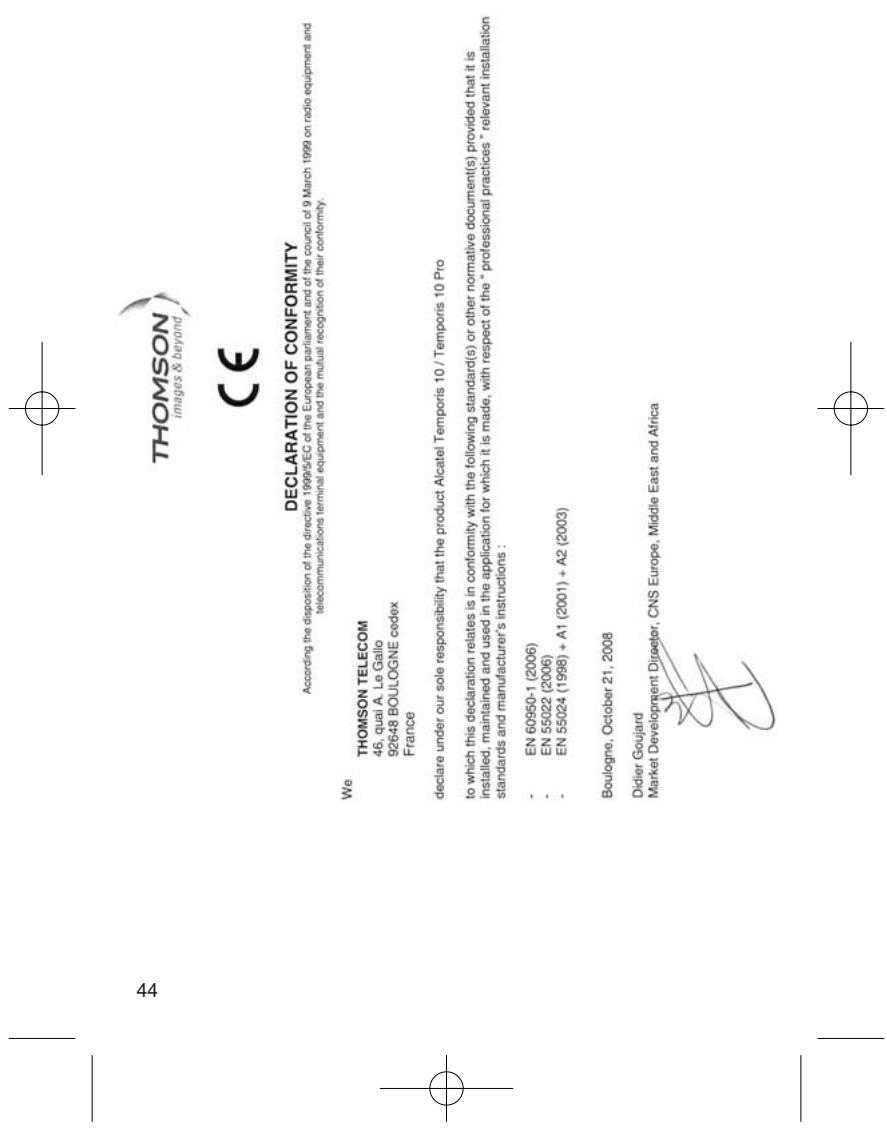
DECLARATION OF CONFORMITY
According to the disposition of the directive 1999/5/EC of the European parliament and of the cou
telecommunications terminal equipment and the mutual recognition of their co
THOMSON TELECOM
46, quai A. Le Gallo
92648 BOULOGNE cedex
France
declare under our sole responsibility that the product Alcatel Temporis 10 / Temporis 10 Pro
to which this declaration relates is in conformity with the following standard(s) or other normative document(s) provided that it is installed, maintained and used in the application for which it is made, with respect of the "professional practices" relevant installation standards and manufacturer's instructions:
- EN 60950-1 (2006)
- EN 55022 (2006)
- EN 55024 (1998) + A1 (2001) + A2 (2003)
Boulogne, October 21, 2008
Didier Goujard Market Develop
1 + u1 - 1 = ( 1 + u) u1 < 1 = u

Temporis_10.qxp 14/11/2008 13:56 Page 45
____


____
1
Un produit / Ein Produkt von / Een product / Un producto / Um produto / Prodotto dalla / Engineered by
THOMSON
images & beyond
Joint-stock company with capital of
130 037 460 € - 390 546 059 RCS Nanterre
© THOMSON TELECOM 2008 - Reproduction interdite / Nachdruck verboten / Reproduktie verboten / Reproducción probida / Reprodução probida / Riproduzione vistata / All rights reserved. ALCATEL et TEMPÓRIS sont des marques déposées / ALCATEL und TEMPÓRIS sind eingetragene Marken / ALCATEL en TEMPÓRIS zijn gedopeerde handelsmerken / ALCATEL Y TEMPÓRIS marcas registradas à ALCATEL E TEMPÓRIS são marcas registadas à ALCATEL E TEMPÓRIS sono marchi depositals / ALCATEL AND TEMPÓRIS are registered trade marks. Le constructeur se réserve le droit de modifier les caractéristiques, se des produits en vue d'apporter des améliotions techniques ou de respecter de nouvelles réglementations. / Der Hersteller behält sich das Recht vor, seine Produkte zu verändern, um technisch zu verbessern oder une new gesetzliche Bestimmungen anzupassen. / Die fabranteib behoudt zich recht der eigenschappen van zijn productien wijzigen met die doel en technische verbleihingen aan den brengend of nieuwe réglementingen ins respecteren. / Et fabricante se reserva el derecho de modificar sin previo avviso le caractéristiques de sua producidos, para introdukt mejoras létrències o cumplir con nouvelles regulaciones olivales. O fabranteire reserva-se o heldo de alterar as características dos seus participantes, la transversa mécaniques mécaniques de sus partes que regulationnelmente a la transversa régulacamente si estimable de la corriabilité de la transversa régulacamente si estimable de la corriabilité de la transversa régulacamente si estimable de la transversa régulacamente si estimable de la transversa régulacamente si estimable de la transversa régulacamente si estimable de la transversa régulacamente si estimable de la transversa régulacamente si estimable de la transversa régulacamente si estimable de la transversa régulacamente si estimable de la transversa régulacamente si estimable de la trans-versa régulacamente si estimable de la transversa régulacamente si estimable de la transversa régulacamente si estimable de la transversa régulacamente si estimable de la transversa régulacamente si estimable de la transversa régulacamente si estimable de la transversa régulacamente si estimable de la transversa régulacamente si estimable de la transversa régulucere, e, etc., e, etc., e, etc., e, etc., e, etc., e, etc., e, etc., e, etc., e, etc., e, etc., e, etc., e, etc., e, etc., e, etc., e, etc., e, etc., e, etc., e, etc., e, etc., e, etc., e, etc., e, etc., e, etc., e, etc., e, etc., e, etc.
Ref: xxx-xxxxxxxx-xx - 14/11/08