USER MANUAL ERGOMETER MX1 KETTLER
Training and Operating Instruction
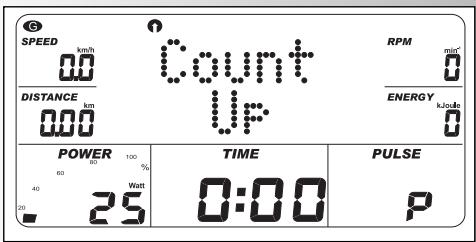
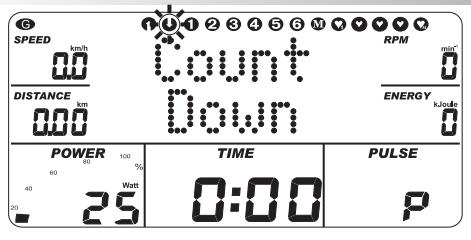
Programme: Count up / Count down
(PROGRAM) "HRC Count Up"
(PROGRAM) "HRC Count Down"
Training and Operating Instruction
GB
Training an Operating Instruction
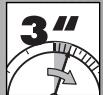
Sprache
deutsch
Einheit km
Einheit Meilen
NEUSTART oder
Languoge english
Unit km
Unit miles
NEUSTART


Sprache
deutsch


Language changeover
German/ English
If the language or unit is changed, preset according to the scheme opposite.
All values and units are then changed in the display.

Contents
Language changeover 2
Safety information 4
Service 4
Short description 5
- Keys / Function range 6
Display/Indicating range 8
Quick start 11
End of training 11
Sleep mode 11
Setting personal data 12
Personal memory 12
Name 12
Age 13
- Height 13
Weight 13
Gender 13
Pulse 13
Personal program targets 14
Translation 14
Maximum performance 14
HRC performance 14
Pulse alarm 15
Energy uni 15
Personal training data 16
Overall average value 16
Training instructions 17
Stamina training 17
Stress intensity 17
Stress range 17
Warm Up 17
Cool Down 17
Training 18
... through performance targe
- Count Up 18
- Count Down 18
Target range 19
Time 19
Energy 19
Distance 19
Age 19
Maximum pulse 19
Performance profiles 1-6 20
Performance profile manual 21
... through pulse targe
HRC-CountUp 22
HRC-Count Down 22
HRC-3 22
HRC-4 22
HRC-Manual 23
Warm-Up 24
Cool-Down 24
Display change 24
- Interruption in training 24
End of training 24
- Resumption of training 24
- Recovery pulse measurement 25
Table 26
General notes 27
Body mass index (BMI) 27
System sounds 27
Recovery 27
- Changeover time/ distance 27
- Profile displays in training 27
Arrows Up/Down 27
Notes on pulse measurement 28
With the ear clip 28
With Cardio pulse set 28
- Faults with the computer. 28
Notes on the interface 28
Glossary 29

Training an Operating Instruction
Please pay attention to the following points for your own safety:
- The installation of the training device must be undertaken on a solid foundation suitable for this purpose.
- Before the initial start-up and, in addition, after approx. 6 operating days the connections are to be checked for a firm location.
- In order to avoid injuries as a result of incorrect loading or overloading, the training device must only be operated according to instructions.
- From the long-term perspective, an installation of the device in damp spaces is not recommended because of the rust formation associated with this.
- Regularly check the functionality and appropriate condition of the training device.
- The safety controls rank among the duties of the operator and must be regularly and appropriately implemented.
- Defects or damaged components are to be exchanged immediately. Use only original KETTLER replacement parts.
- Until breakdown maintenance has been implemented the device may not be used.
- The level of safety of the device can only be maintained with the proviso that it is regularly checked for damages and wear and tear.
For Your Safety:
Before beginning your program of exercise, consult your doctor to ensure that you are fit enough to use the equipment. Base your program of exercise on the advice given by your doctor. Incorrect or excessive exercise may damage your health.

This symbol in the instructions refers to the glossary (page 29). There the respective term is explained.
Short description
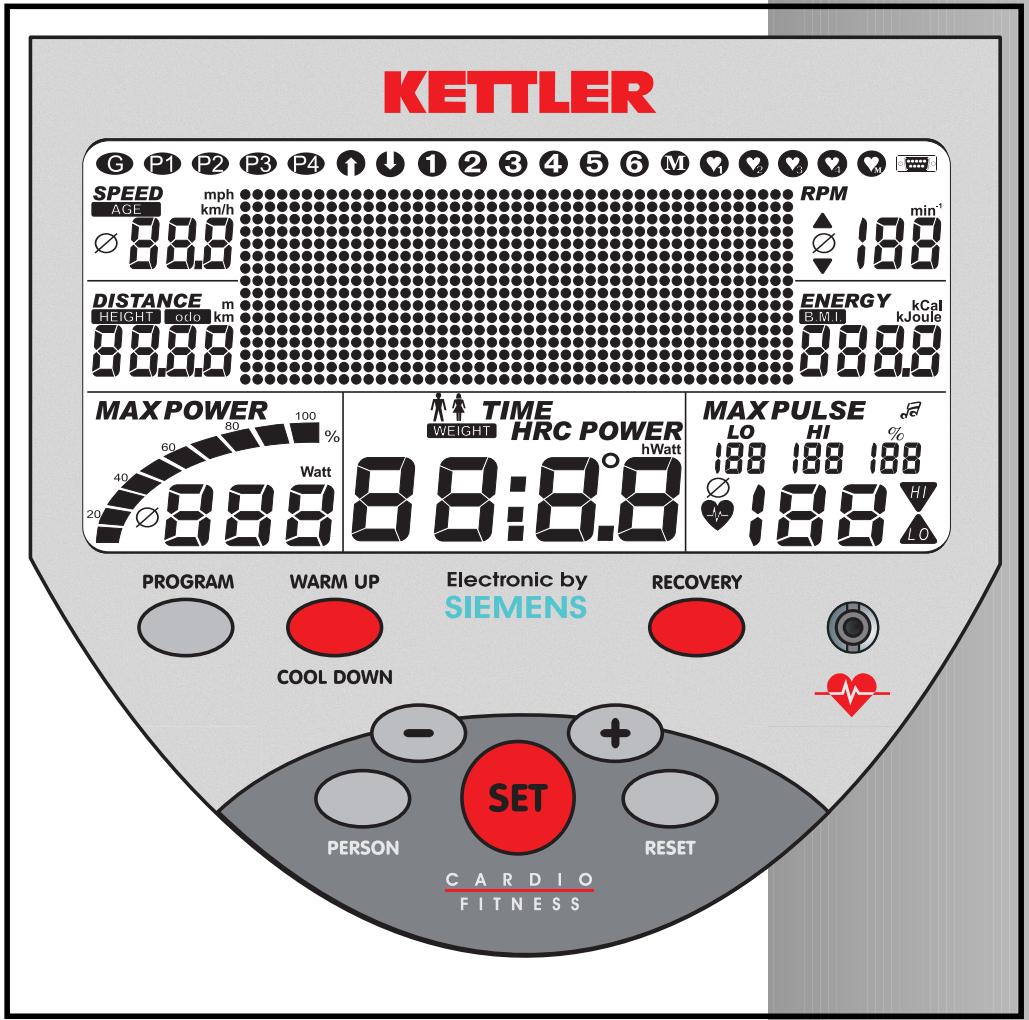
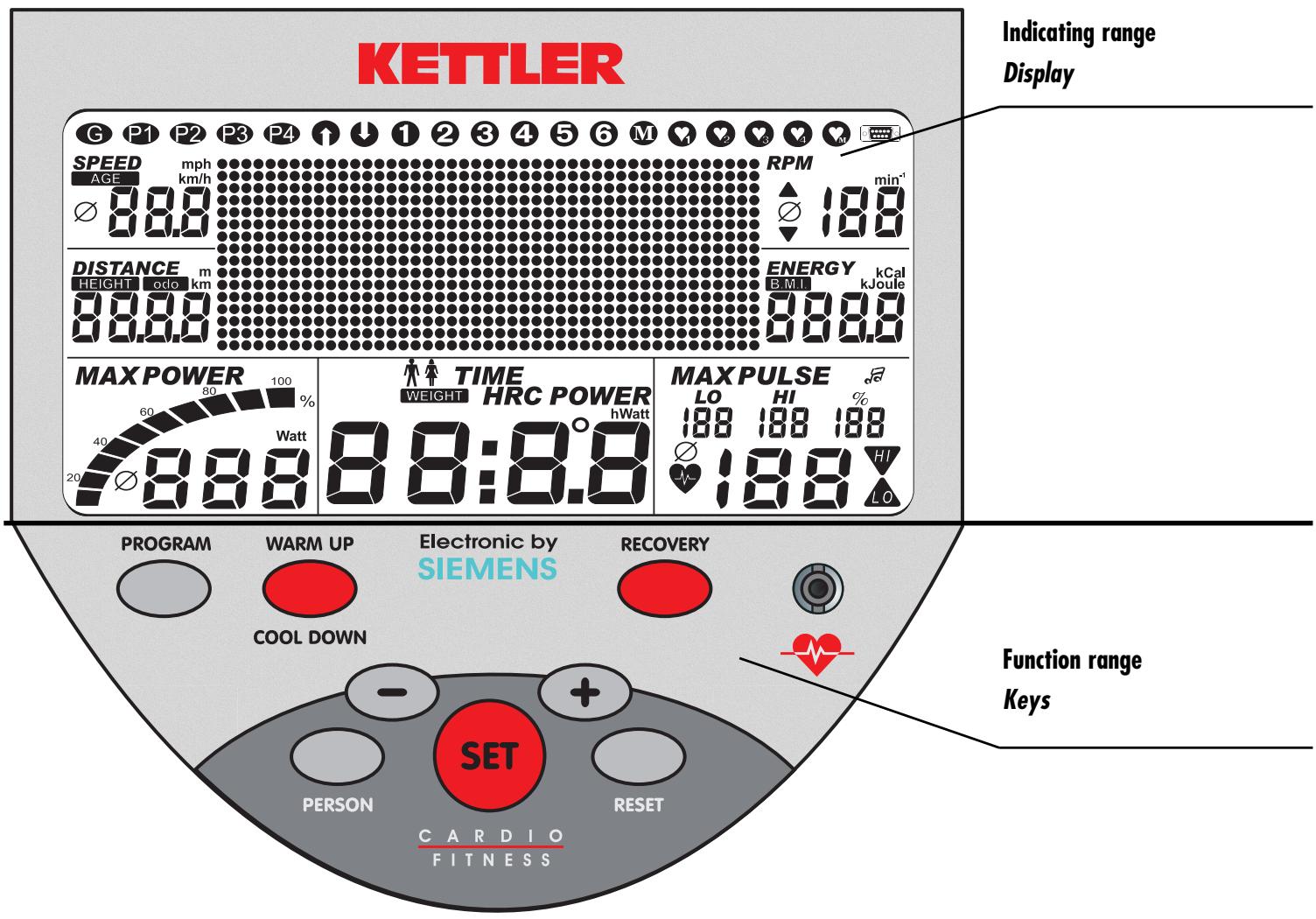
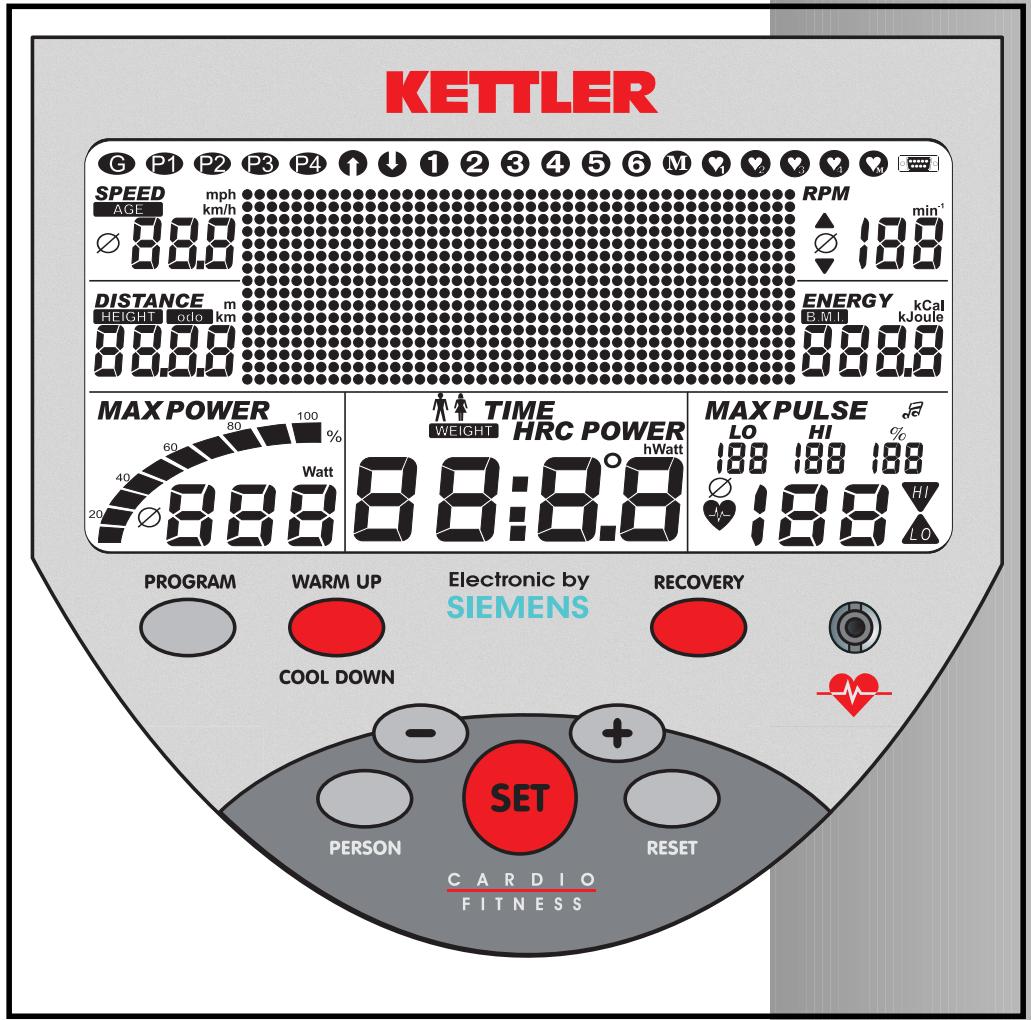
The Ergometer has a function range with keys and an indicating range (Display) with variable symbols and graphics.
Training an Operating Instruction



Short description
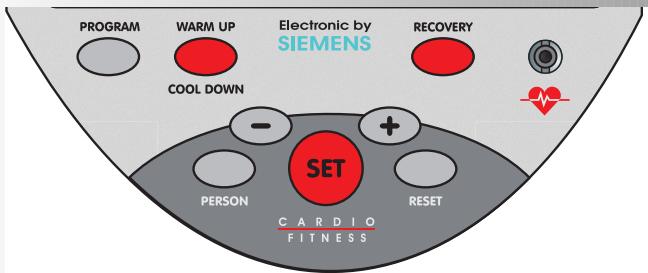
Function range
The eight keys are briefly explained in the following.
The more precise application is explained in the individual chapters. In these descriptions the names of the function keys are also used.
PROGRAM
With this function key the various programs are selected.
Normal press > next program.
Longer press >program sequence
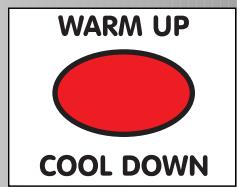
WARM UP / COOL DOWN
With this function key the start (Warm up) and/or the phase out (Cool down) phase is activated.
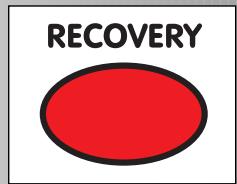
RECOVERY
With this function key the recovery pulse function is started.
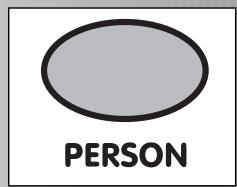
PERSON
With this function key the various personal data is activated or changed.
Normal press next person.
Longer press > personal sequence
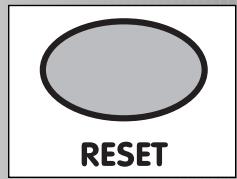
Reset
With this function key the current display is deleted for a new start
Plus + / Minus - symbol
With these function keys the values are altered prior to training in the various menus and during training the performance is adjusted.
Continue "Plus"
Or back "Minus"
Longer press > quick change
"Plus" and "Minus" pressed together:
Performance jumps to 25 watts
Programs jump to Original
Letter entry jumps to . . . . . . A
Value entry jumps to . . . . . Off
SET
With this function key entries are called up. The adjusted data is accepted.
Pulse measurement
The pulse measurement can be undertaken via 2 different sources:
- Ear clip - The plug is inserted into the jack via the heart symbol;
- Chest belt The receiver is located below the display
Note:
Additional functions of the keys are explained at the appropriate point in the operating instructions.
SET


Training an Operating Instruction
Short description
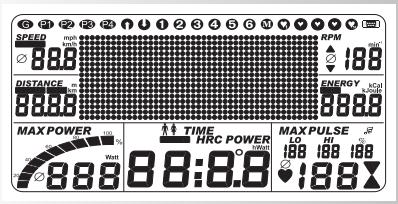
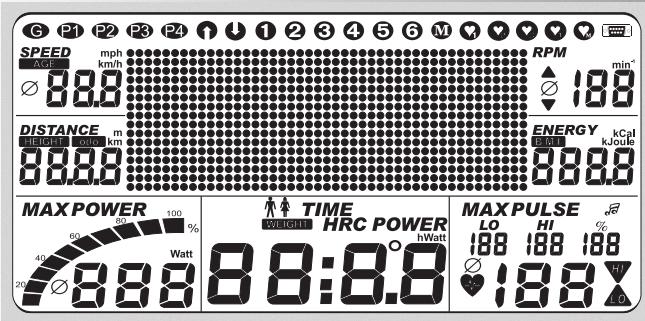
Indicating range / Display
The indicating range (called Display) informs you about the various functions and each of the selected setting modes.
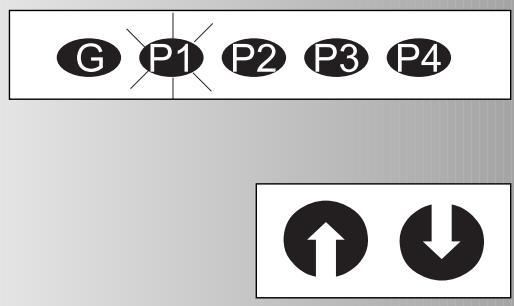
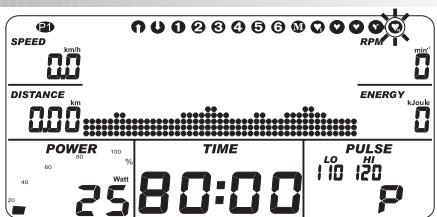
Personal symbols
Selection of a person
Overview: Symbol flashes / selection: symbol fixed
Programs: Count up / Count down
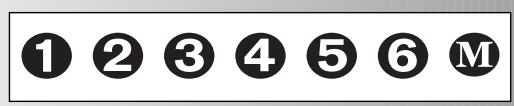
The programs are differentiated by their numbering system. Overview: Symbol flashes / selection: symbol fixed
Programs
Performances over time and distance
Default profiles 1-6
Variable profiles M
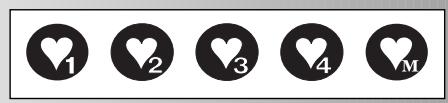
Pulse-controlled programs
Target pulse(s) over time
Five different pulse-controlled programs, which are activated on the basis of the pulse values. Overview: symbol flashes / Selection: symbol fixed.
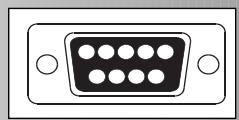
Interface
If this symbol appears, a data link to a PC exists.
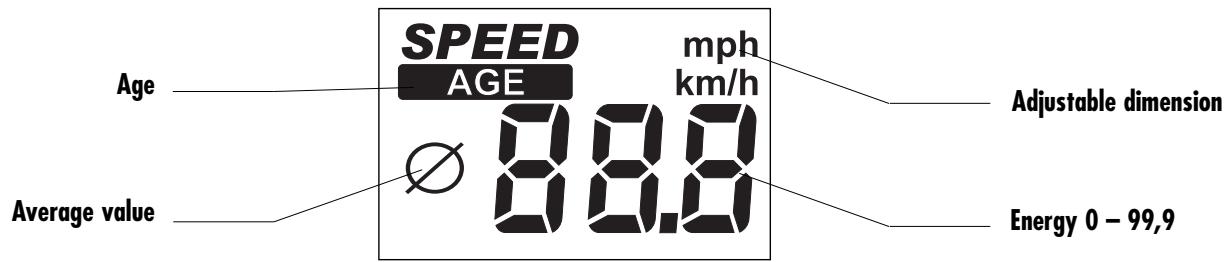
Speed
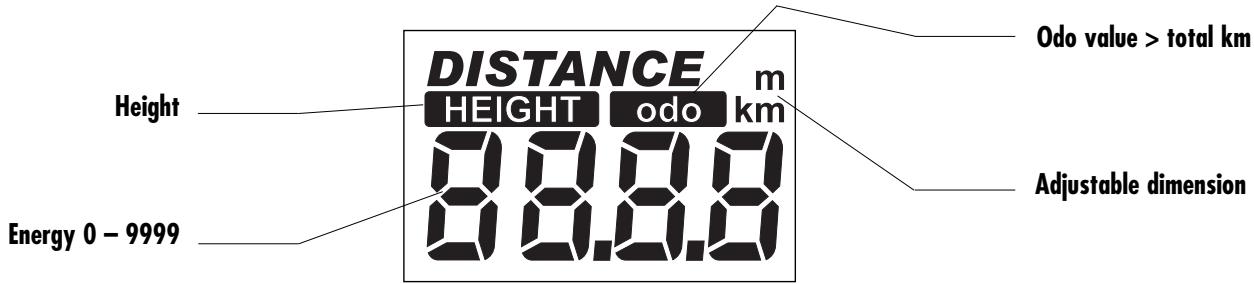
Distance

Pedal frequency
Energy consumption
B.M.I. - value


ENERGY
B.M.I.
888.8
kCal oule
oule
Adjustable dimension

Energy 0-9999
Training an Operating Instruction
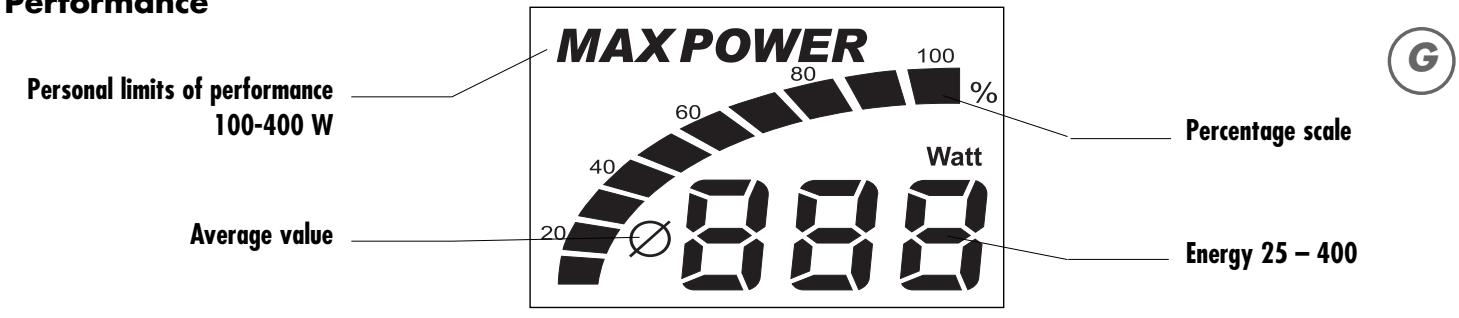
Performance
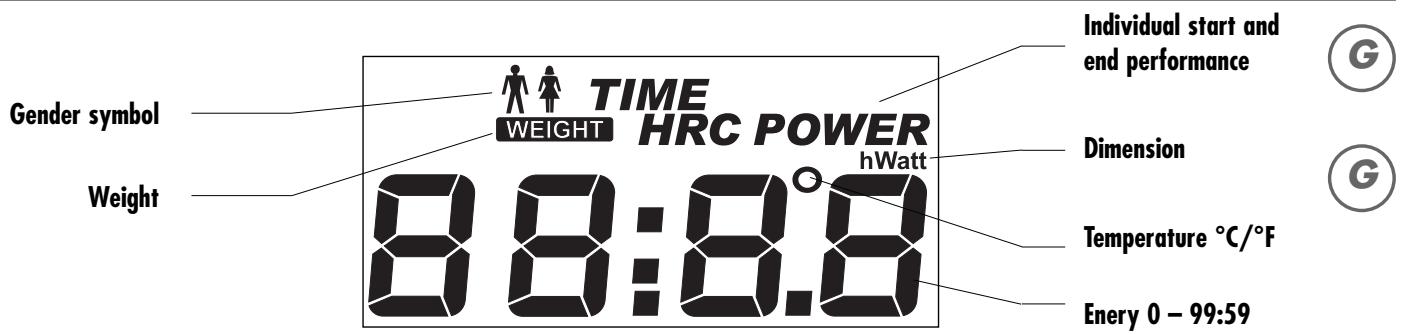
Time
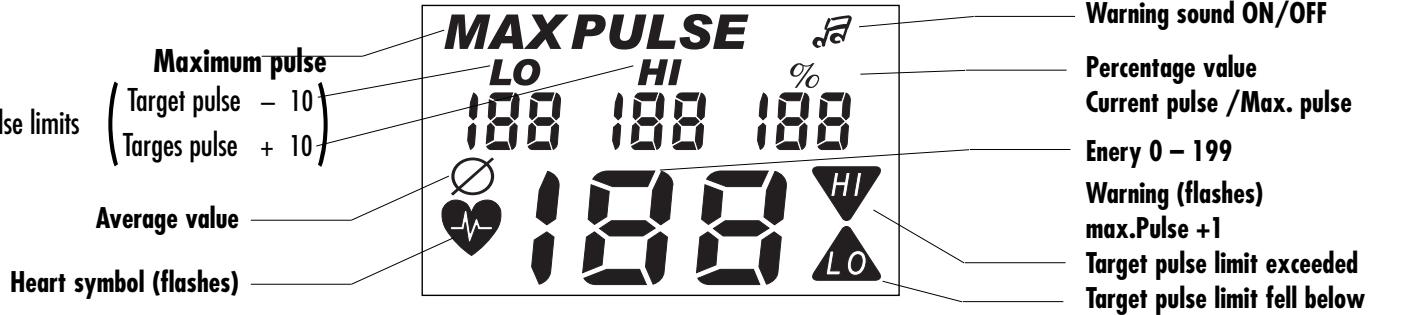
Pulse
Point
Performance Profile 1 point (height) corresponds to 25 watts 1st series 25 watts
1 column corresponds 1 min or 400m

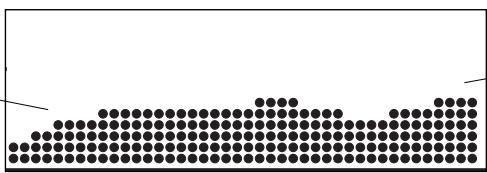
Text and value display
45 columns
When creating M and HRC M
1 column correspond to 2 minutes

Pulse profile
1 point (height)
corresponds to 5 beats
1st series above 104 beats
1 column corresponds
to 1 minutes
Quick start
Start of training with specific settings
- Welcome screen when switching on the display of the total km
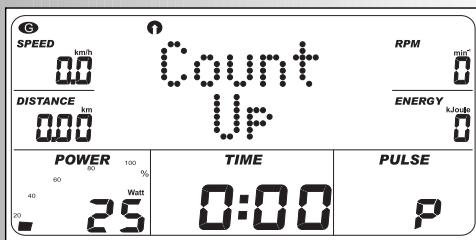
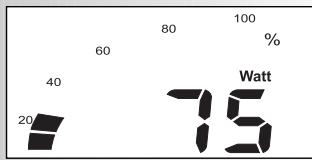
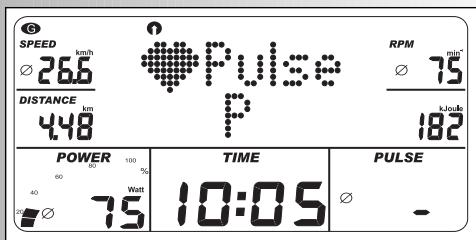
After 3 seconds: Display "Count up"; All values show 0; Performance shows 25 watts
- Start of training
- Display
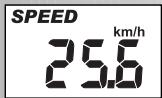
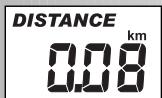
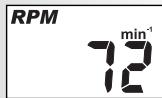
- Speed, distance, energy, time, RPM and performance
Change of the performance during training:
- "Plus": Display value in the window "Power" is increased in the 5 stages
Continuation of the training with this setting. Ad interim performance changes are possible at any time.
End of training
- Average value () : Display Speed, RPM, performance and pulse (if pulse logging is active)
Total values Distance, energy and time
Sleep mode
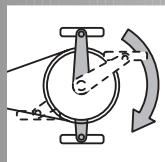
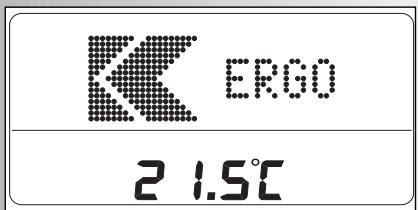
The device switches to the sleep mode 3 minutes after the end of training with the room temperature indication. Press any key to start the display again with "Count up"
Example
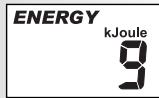
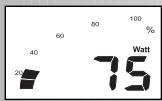
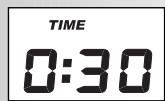
Example

Example
Training an Operating Instruction

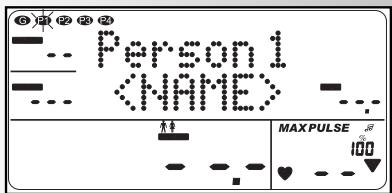
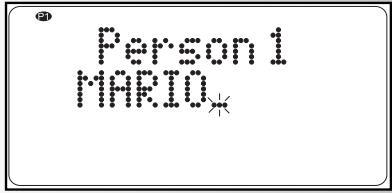
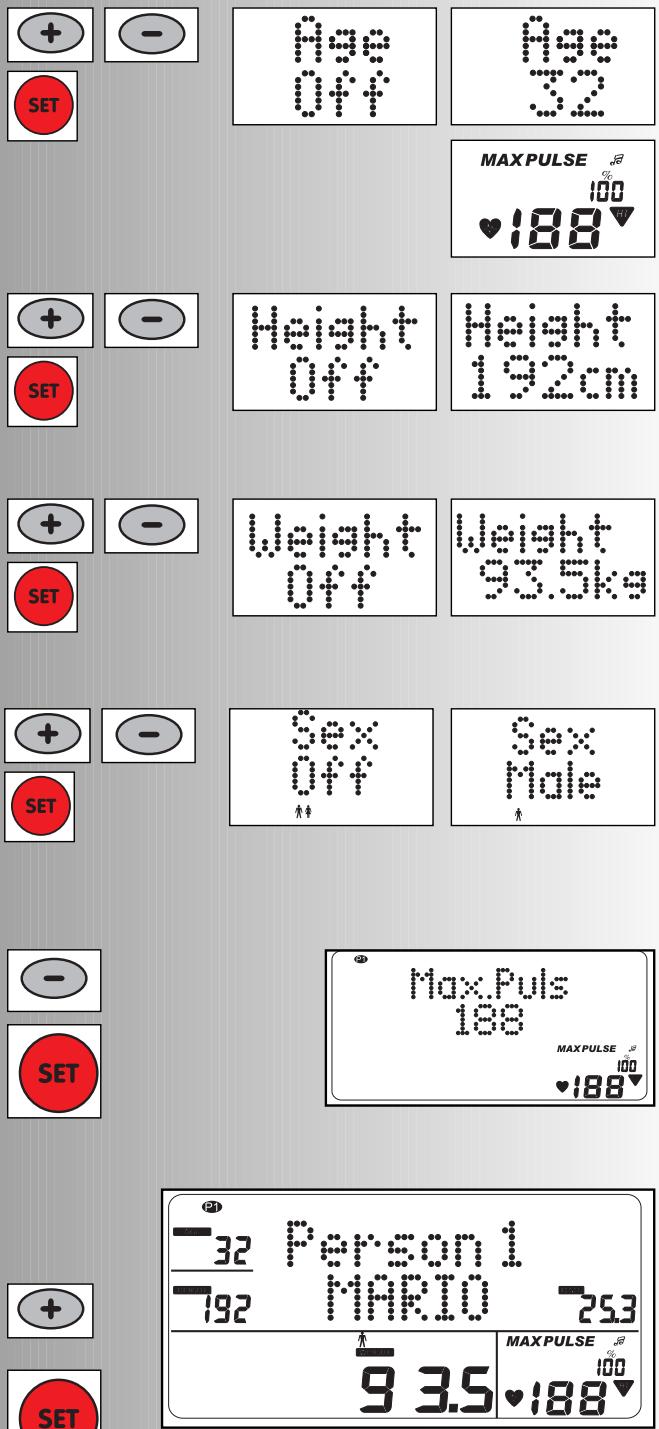
Example: Mario



Setting personal data
With regular training the "on-board computer" helps to save personal data. For this purpose, some data must be entered.
Guest data, which is stored under "G" on the person key, only remains stored until the next reset.
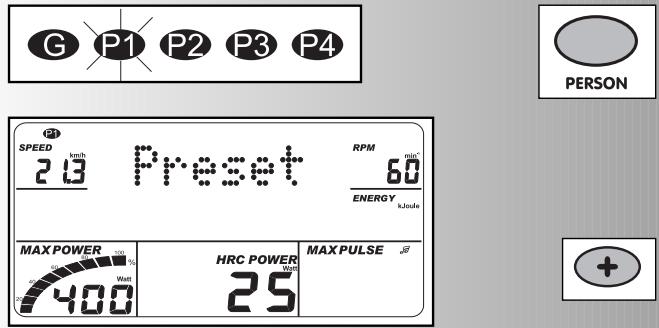
1. Select the personal memory
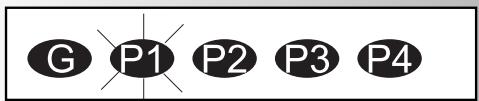
- Press "Person". Display "G" = Guest
Example: P1 selected (flashes)
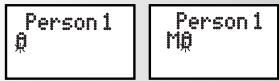
2. Enter name (change)
- Press down "SET" for longer than 3 seconds
- "Plus": Display alphabet forwards
-
"Minus": Display alphabet backwards "Plus" and "Minus" pressed together: Name entry begins with A
After each letter confirm with "SET".
-
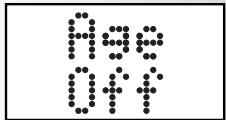
The name is 8 characters long. With shorter names you can come directly into the next display window "Age off" by pressing "SET" for longer than 3 seconds.
After the 8th character confirm with "SET"
After confirmation "Age off" appears or the last inputted value in the window "Age".
3. Age entry
- With "Plus" adjust the age
- With the age entry "MAX PULSE" varies (above age 22) G
- Confirm with "SET"
After confirmation: Display "Height off" or adoption of value
4. Height entry
- Adjust the height with "Plus" (e.g. 192)
- Confirm with "SET"
After confirmation: Display "Weight off" or adoption of value
5. Weight entry
- Adjust weight with "Plus" (e.g. 93.5)
- Confirm with "SET"
After confirmation: Display "Gender off" or adoption of value
6. Gender entry
- Adjust gender with "Plus": Male
- Confirm with "SET"
After confirmation: Display "Max Pulse" with the calculation from the age entry (3.).
7. Pulse entry
Changing the maximum pulse
- Reduce pulse with "Minus"
- Confirm with "SET": 188
Increasing the pulse value because of age is not possible.
Personal data (1 - 7) is confirmed.
Display all inputted personal data.
- "Plus" personal program targets or
- "SET"
Display of: Selection of the person. Last displayed program.
Training an Operating Instruction
Personal program targets
The following parameters can likewise be adopted and/or changed in the personal memory.
- Press "person"
Example: P1 selected.
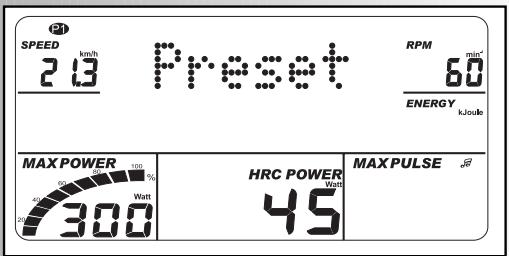
- "Plus": Display "Performance targets"
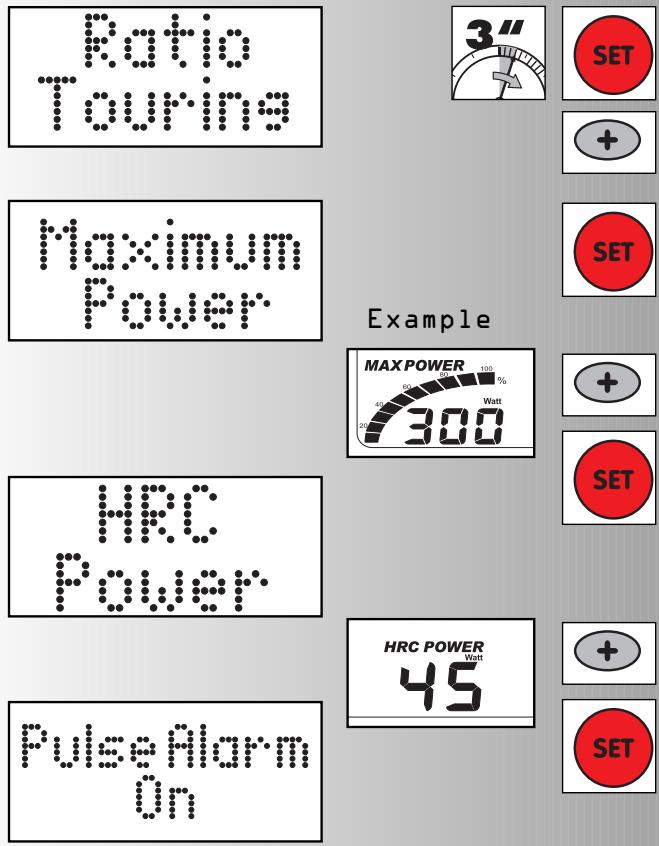
2. Select translation
- Press "SET" for longer than 3 seconds
- "Plus": Display select other translation: Racer / Mountain
- Confirm with "SET".
After confirmation: Display "Maximum performance"

- Adjust performance with "Plus"
- Confirm with "SET"
After confirmation "HRC performance" appears

- Adjust HRC performance with "Plus"
- Confirm with "SET"
After confirmation: Display "Pulse alarm on"
5. Set pulse alarm warning sound
Sound on: -Confirm with "SET"
Or
Sound off: "Minus"
- Confirm with "SET"
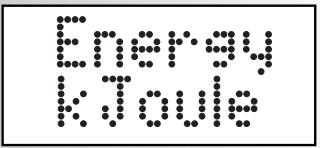
After confirmation: Display "Energy kJoules"
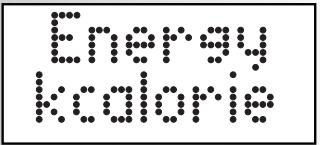
6. Select energy unit
Unit kJoules: - Confirm with "SET"
Or
Unit kCal: "Minus"
Display: All inputted expanded personal performance targets
The program performance targets are confirmed and are active with the selection of the person in the programs.
- "Plus" personal training data or
- "SET"
Display of last indicated program
- Press "Person": Display "G" flashes
- "Plus": Display "Performance targets"
Select points 2-6.
Guest data, which are entered on the personal key under "G", only remain saved up to the next restart

PulseAlarm
Training an Operating Instruction
Personal training data
The values of all training units of a selected person are grouped in this menu.
This value is continuously added up.
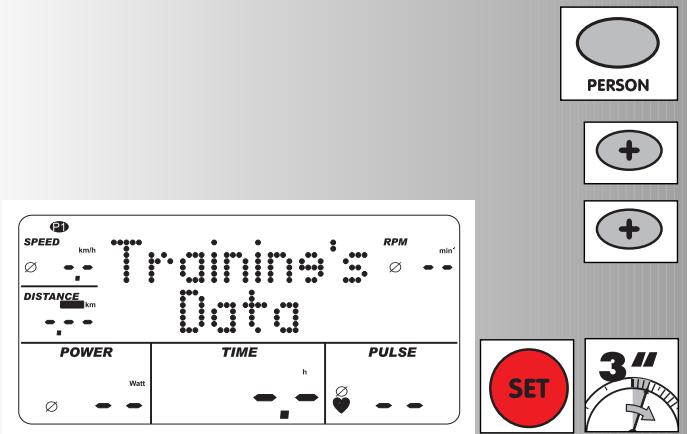
Select the training data
- Press "Person"
Example: P1 selected
- "Plus" 2x Display "Training data"
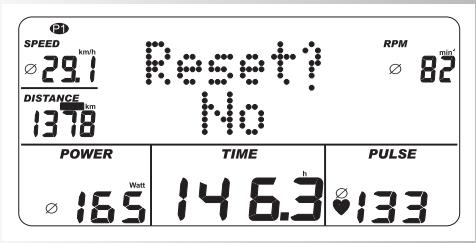
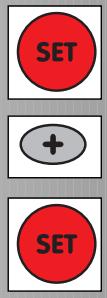
- "SET": Display" Reset? No" means that the training data continues to be added up and all the average values are displayed.
- Confirm with "SET"
Display "Training data"
- "Plus" personal data
or
- "SET"
Display of last indicated program
Or:
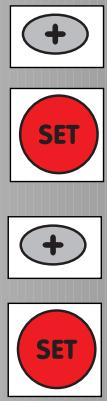
- "Plus": Display "Reset? Yes" means that the previously added training data is deleted. It is only recounted under the selected person.
- Confirm with "SET".
- "Plus" personal data
or
- "SET"
Display of last indicated program
Therefore all personal-related settings are explained.
Training instructions
Sports medicine and training science make use of bicycle ergometry among others for the verification of the functionality of the heart, circulation and breathing systems.
Whether your training after several weeks has achieved the desired effects, you can find out the following:
- You create a certain stamina performance with less heart-/ circulation performance than before
- You maintain a certain stamina performance with the same heart-/ circulation performance over a longer period.
- You recover quicker than before after a certain heart-/ circulation performance.
Guide values for stamina training
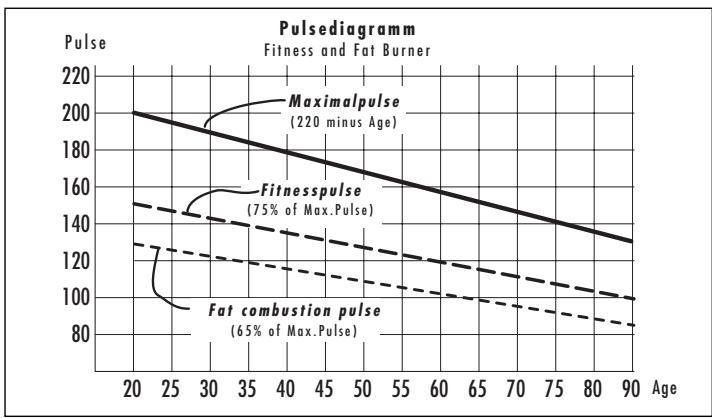
Maximum pulse: By maximum stress we mean the attainment of the individual maximum pulse. The maximum attainable heart frequency is dependent upon age. Here the empirical formula is applicable: the maximum heart frequency per minute corresponds to 220 pulse beats minus the age.
Example: Age 50 years >220 - 50 = 170 pulse/min.
Weight: An expanded set of criteria for the determination of the optimal training data is the weight. The target with stress is 3 for men, and with women 2.5 watts/kg body weight. Moreover, it must be taken into consideration that above the age of 30 fitness performance reduces: with men approx. 1% and with women 0.8% per year.
Example: Man; 50 years; weight 75kg
>220 - 50 = 170 pulse/min. maximum pulse
>3 watts × 75kg = 225 watts
Minus "age reduction" (20% of 225 = 45 watts)
>225 - 45 = 180 watts (Target with stress)
Stress intensity
Stress pulse: The optimal stress intensity is attained at 65 - 75% (cf. diagram) of the individual heart-/ circulation performance. Depending on the age this value varies.
Stress range
Duration of a training unit and its frequency per week:
The optimal stress range is given, if 65 - 75% of the individual heart-/ circulation performance is attained over a longer period.
General rule:
Either 10 min / training unit with daily training
Or approx. 30 min / training unit 2-3x / week
Or approx. 60min / training unit with 1-2x/ week
You should select the watt performance so that you can maintain the muscular stress over a longer period.
Higher performances (watts) should be yielded with an increased pedal frequency. A too low pedal frequency of less than 60 UPM leads to a markedly static stress of the muscles and consequently to premature fatigue.
Warm up
At the beginning of each Ergometer training unit you should do some warm up pedalling for 3-5 minutes with slowly ascending load / stress to get your heart/ circulation and muscles moving.
Cool down
Just as important is the so-called "cool down". After each training session you should continue to pedal for approx. 2-3 minutes against light resistance.
The stress for your stamina training should in principle be increased over the stress range, e.g. each day instead of 10 minutes, 20 minutes or each week instead of twice per week, train 3 times. Alongside the individual planning of your stamina training you can go back to the training programs integrated into the training computer of the Ergometer.
Training an Operating Instruction
1





Training
The computer is equipped with 14 training programs. They are clearly differentiated from each other in the stress intensity and duration.
a) Manual performance entries
- (PROGRAM) "Count Up"
- (PROGRAM) "Count Down"
b) Performance profiles
PROGRAM"1"-6
- (PROGRAM) "M" (changeable)
2. Training through pulse targets
a) Manual pulse targets
- (PROGRAM) "HRC Count Up"
- (PROGRAM) "HRC Count Down"
b) Pulse profiles
- (PROGRAM) "HRC 3" and "HRC 4"
- (PROGRAM) "HRC M" (changeable)
a) Manual performance entries (PROGRAM) "Count Up"
Press "PROGRAM": Display "Count Up" Start of training, count all values high.
Or
- Press "SET": target range
- "Plus" or "Minus": alter performance Start of training, count all values high. (PROGRAM) "Count Down"
- Press "PROGRAM" 2x: Display "Count Down"
The targets are taken from each of the personal memories and adopted in the last settings. The program counts from the inputted values down to >0 .
If no input is undertaken, the training commences in the program "Count Up".
To start the program at least an entry for time, energy or distance must be available.
Press "SET": Target range
Target range
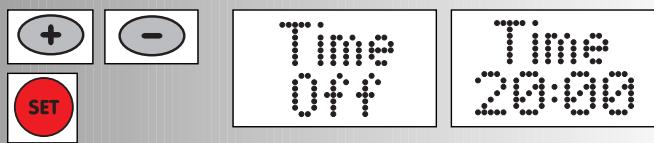
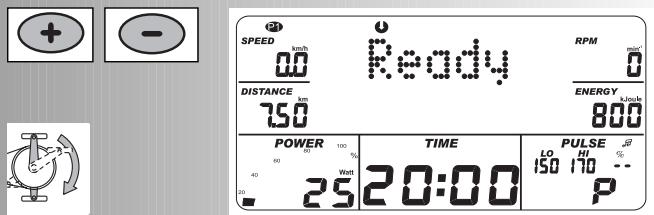
Display "TIME" - time setting
Time setting
- Enter values with "Plus" or "Minus" (e.g. 20)
Confirm with "SET"
Display: next menu
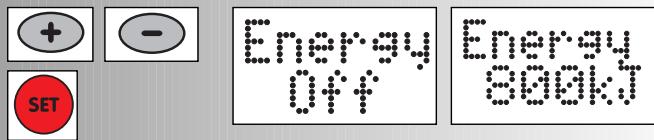
Energy consumption
- Enter values with "Plus" or "Minus" (e.g. 800)
Confirm with "SET"
Display: next menu
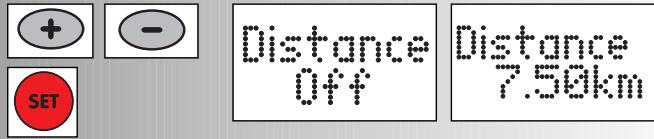
Distance setting
- Enter values with "Plus" or "Minus" (e.g. 7.5)
Confirm with "SET"
Display: next menu
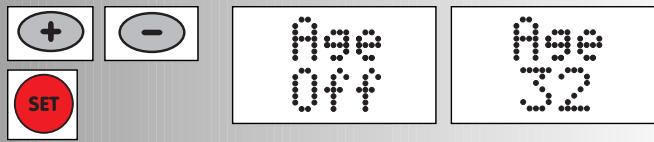
Age
If already inputted under personal data, the age group is skipped
- Enter values with "Plus" or "Minus" (e.g. 32)
Confirm with "SET"
Display: next menu
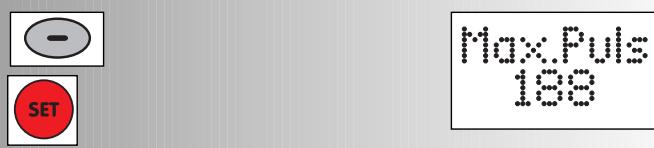
Maximum pulse
Enter values with "Minus"
Confirm with "SET"
Display: next menu
Target pulse
- Choose by "Plus" or "Minus".
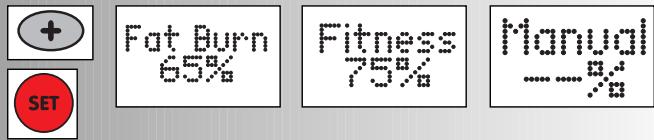
- Fat combustion 65% , fitness 75% or manual -- Confirm with "SET" (e.g. manual --)
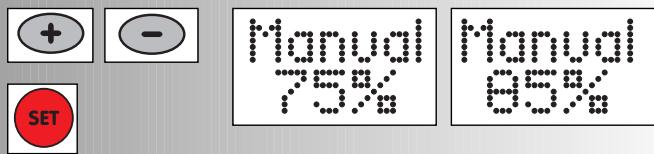
- Enter values with "Plus" or "Minus" (e.g. manual 85) Confirm with "SET"
An overview of all setting possibilities in the programs is summarised in the tables (see page 26).
- Change performance with "Plus" or "Minus".
Start of training
Training an Operating Instruction
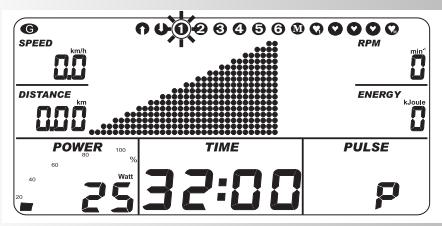
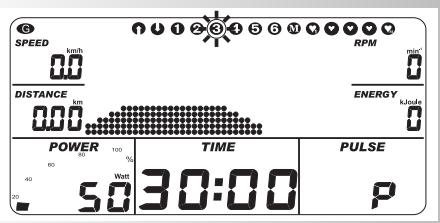
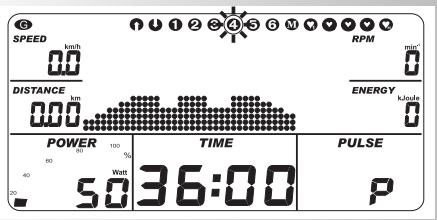
All profiles are selected by pressing "PROGRAM"
(e.g. 3x display "1"). Fitness test in accordance with the WHO standard
Automatically pre-regulated performance increase by 25 watts in a 2-minute rhythm, beginning at 25 watts. Recommended pedal rotation amounts to 60 - 80 RPM.
Only people with a healthy heart/ circulation can pass this test without medical supervision.
Press "SET": target range Targets see table page 26
Start of training
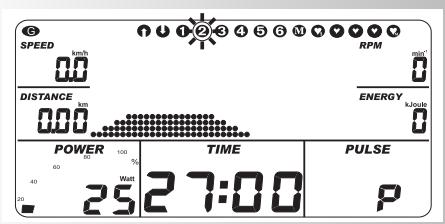
Press"PROGRAM"4x:Display ^ 一 2 ^ 一
Fitness beginner I; Stress 25-100 Watt, 27 Min
Press "PROGRAM" 5x: Display "3"
Fitness beginner II; Stress 50-125 Watt, 30 Min
Press "PROGRAM" 6x: Display "4"
Advanced I; Stress 50-150 Watt, 36 Min
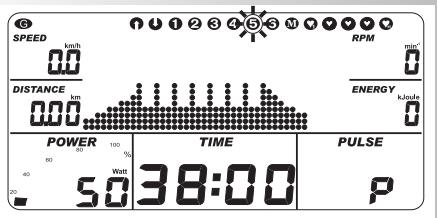
Press "PROGRAM" 7x: Display "5"
Advanced II; Stress 50-200 Watt, 38 Min
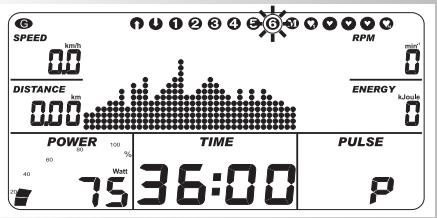
Press "PROGRAM" 8x: Display "6"
Professional I; Stress 75-300 Watt, 36 Min
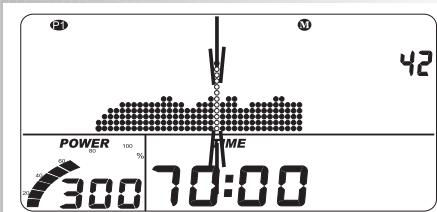
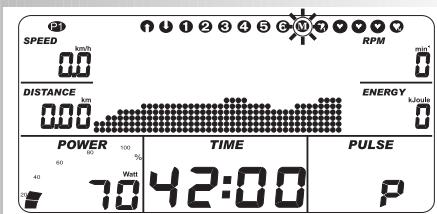
- (PROGRAM) "M" (changeable)
The profile "M" can be individually designed.
Press "PERSON", example: P1 selected
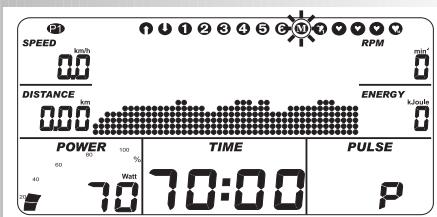
Press "PROGRAM" 9x; Display "M"
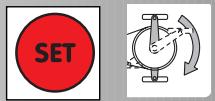
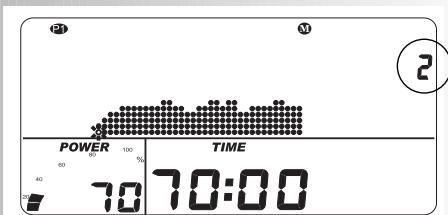
- Press "SET" for longer than 3 seconds
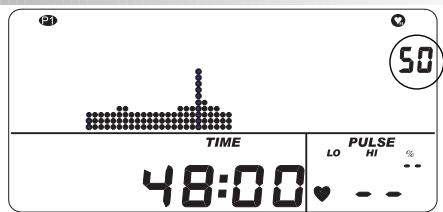
- 2 minutes are apply per column
Current position "2" displayed on the right
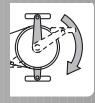
- Column 1 flashes and is changeable
- POWER shows the current performance of the column (e.g. 70)
Program length is "still" 70 minutes
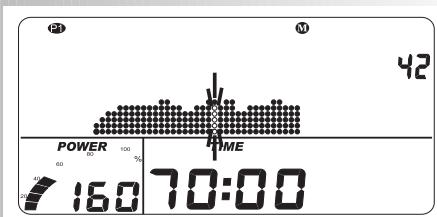
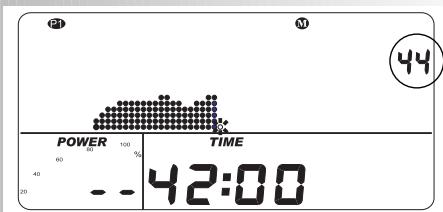
Change: Performance
Change: Program duration (should be 42 minutes)
- Press "Plus" or "Minus" up to the desired duration (e.g. for 44 minutes)
- Press "PERSON" until POWER "--" is displayed.
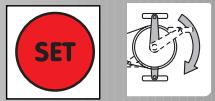
- Press "SET" for longer than 3 seconds. Profile is adopted.
Note:
The profile will not be stored until the program is running for 20 minutes. If programs have been viewed for more than 45 minutes, the profile will be displayed compressed on 45 columns.




Training an Operating Instruction









2. Training through pulse targets
a) Manual pulse targets
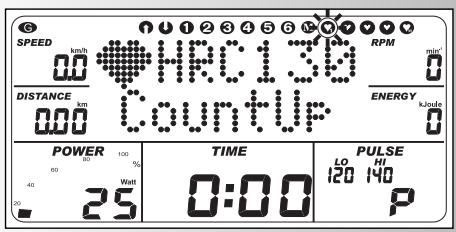
(PROGRAM) "HRC Count Up"
- Press "PROGRAM" 10x: Display: "HRC Count Up"
- Press "SET": target range
Start of training, all values count high.
Performance is automatically enhanced, and is attained up to the target pulse (e.g. 130)
(PROGRAM) "HRC Count Down"
Press "PROGRAM" 11x: Display "HRC Count Down"
- Press "SET": target range
The entries and setting possibilities are similar to the program point "Count Down".
Start of training
Performance is automatically enhanced, and is attained up to the target pulse (e.g. 130)
b) Pulse profiles
(PROGRAM) "HRC 3"
Press "PROGRAM" 12x: Display "Heart 3"
- Press "SET": target range
Start of training and/or "Plus/Minus" for adjustment of profile
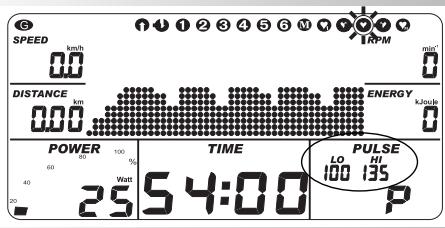
Performance is enhanced, until various target pulses are attained.
(e.g. lowest LO = 100 highest HI = 135)
(PROGRAM) "HRC 4"
Press "PROGRAM" 13x: Display "Heart 4"
- Press "SET": target range
Start of training
and/or "Plus/Minus" for adjustment of profile
Performance is automatically enhanced, until various tar-
get pulses are reached.
(e.g. lowest LO = 100 highest HI = 140)
Target options: see table page 26.
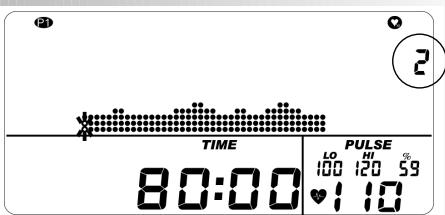
- (PROGRAM) "HRC M" (changeable)
- Press "PERSON", example: P1 selected.
Press "PROGRAM" 9x: Display "M"
- Press "SET" for longer than 3 seconds
- 2 minutes are applicable for each column. Current position "2" displayed on the right
- Column 1 flashes and is changeable
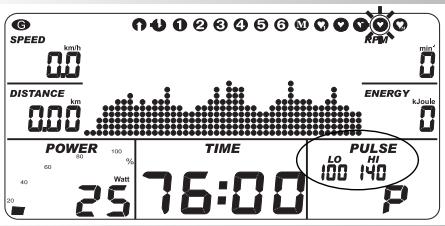
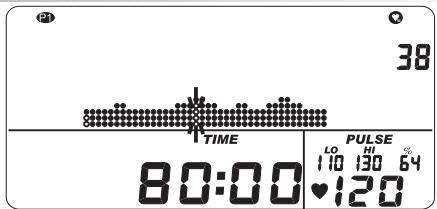
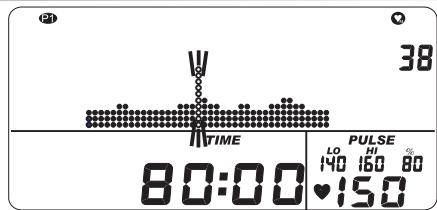
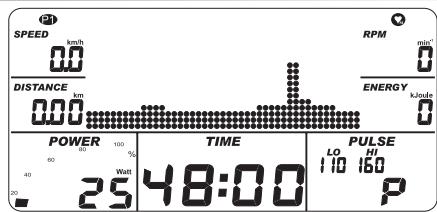
PULSE next to the heart shows the current target pulse (e.g. 120) HI/LO shows the range +10 / - 10 beats of / from 120 (e.g.110/130) % shows the comparison 120 to the maximum pulse (P Mario here 188) = 64%
Program length is "still" 80 minutes
Change: Target pulse
- "Plus" or "Minus" selects the menu
- "PROGRAM" increases, "PERSON" reduces the target pulse Change: Program duration (should be 48 minutes)
- Press "Plus" or "Minus" until the desired duration (e.g. 50 minutes)
- Press "PERSON" until PULSE "---" is displayed
- Press "SET" for longer than 3 seconds. Profile is taken over.
Start of training
Note:
For orientation, the values of LO and HI show the lowest (e.g. 110) and highest (e.g. 160) target pulse of the profile. The profile will not be stored until the program is running for 20 minutes.
If programs have been viewed for more than 45 minutes, the profile will be displayed compressed on 45 columns.


PROGRAM







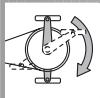
Training an Operating Instruction
WARM UP

COOL DOWN


WARM UP

COOL DOWN
| SPEED
263
DISTANCE
706 | TIME
3:52 | RPM
74
ENERGY
402 |
| POWER
150 | TIME
3:52 | PULSE
150
ISO 170
85
136 |
PROGRAM


| SPEED
238
DISTANCE
040 | PULSE
114 | RPM
74
ENERGY
339 |
| POWER
Wen
125 | TIME
16:08 | PULSE
150
170
85
123 |

| SPEED
00
DISTANCE
705 | TIME
3:52 | RPM
0
ENERGY
402 |
| POWER
150 | TIME
3:52 | PULSE
150 170 73
15 |
WARM UP
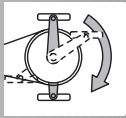
If in the performance field "POWER" the value is higher than the personal start value "HRC", then "WARM UP" commences, i.e. the performance is slowly increased. (Only with Count up and Count down)
Example:
Preseting of the personal program targets = 50 watts, higher manual setting when starting = 120 watts; WARM UP increases the performance in 3 minutes from 50 to 120 watts (value flashes); if 120 watts is attained, the POWER window displays the value without flashing. Normal pressure on "WARM UP" during flashing ends the function.
COOL DOWN
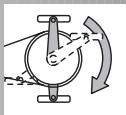
The COOL DOWN function can be selected during training in each program. It produces a proportional reduction in performance at the end of training to the "HRC" value. During the COOL DOWN phase the performance value flashes. Normal pressure on "COOL DOWN" during flashing ends the function.
CHANGE OF DISPLAY IN TRAINING
With the "PROGRAM" or "PERSON" the displays alternate in the points' field in the following sequence: Time / speed / distance / RPM / energy / pulse / (profile) / Time ...
INTERRU IN TRAINING OR END OF TRAINING
With less than 20 pedal rotations /min or by pressing "RECOVERY" the electronic system detects a training interruption. The attained training data is displayed. Speed, performance, revolutions per minute and pulse are depicted as average values with symbol. With "Plus" or "Minus" change in the current display. E.g. residual values. The training data is displayed for 4 minutes. In this period do not press any keys and do not train, switch the electronic system to the sleep mode with the room temperature indication.
Resumption of training
With the continuation of the training within 4 minutes the last values are again counted up or counted down.
RECOVERY - Function
Recovery pulse measurement
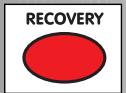
With the end of training press "RECOVERY".
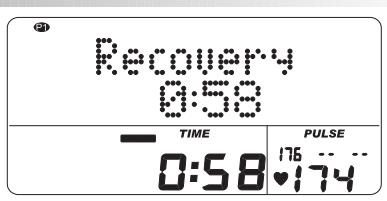
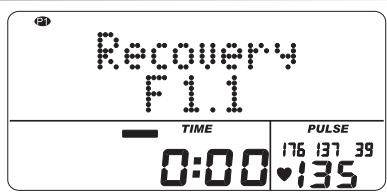
The electronic system misses your pulse for 60 seconds in reverse. Press "RECOVERY", under "LO" the current pulse value is stored; under "HI" the pulse value is stored after 60 seconds. Under % the difference of both values is shown. From this a fitness note F 1.1 is ascertained.
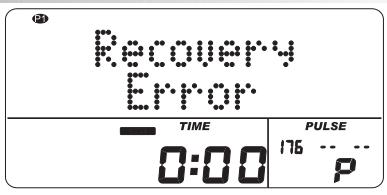
"RECOVERY" or "RESET" interrupts the function. If no pulse is detected at the beginning or end of the time reverse, an error message appears.
Training an Operating Instruction
| Training | Standstill | Entries and functions |
| 1 | 2 | 3 | 4 | 5 | 6 | 7 | 8 | 9 | 10 | 11 | 12 | 13 | 14 |
| Performance | Performance | ✓ | ✓ | ✓ | ✓ | ✓ | ✓ | ✓ | | | | | | | |
| Profile | | ✓ | ✓ | ✓ | ✓ | ✓ | ✓ | | | ✓ | ✓ | ✓ | | |
| Profile | | | ✓ | ✓ | ✓ | ✓ | ✓ | ✓ | | | | | | | |
| SST Time | ✓ | | | | | | | | ✓ | | | | | |
| Energy | ✓ | | | | | | | | ✓ | | | | | |
| Distance | ✓ | | | | | | | | ✓ | | | | | |
| Max. pulse or Fat combustion 65% or Fitness 75% or Manual 40-90% | ✓ | ✓ | ✓ | ✓ | ✓ | ✓ | ✓ | ✓ | ✓ | ✓ | ✓ | ✓ | ✓ | |
| Target pulse 40-188 | ✓ | ✓ | | | | | | ✓ | ✓ | | | | | |
| Time/Distance Changeover | | ✓ | ✓ | ✓ | ✓ | ✓ | ✓ | ✓ | | | | | | |
| Own profile Prepare | | | | | | | | ✓ | | | | | ✓ | |
| WARM UP COOL DOWN | ✓ | ✓ | | | | | | | | | | | | |
| WARM UP COOL DOWN | COOL DOWN | ✓ | ✓ | ✓ | ✓ | ✓ | ✓ | ✓ | ✓ | ✓ | ✓ | ✓ | ✓ | ✓ | |
| Displays with pulse events | Exceeding |
| Value / Entry | % | HI | LO | MAX | √ |
| Maximum pulse | 80-199 (210) | ✓ | +1 | | +1 | +1 |
| OFF | | | | | | | |
| Target pulse | Fat combustion | 65% | | | | | |
| or | Fitness | 75% | ✓ | +11 | -11* | | |
| or | Manual | 40-90% | | | | | |
| Target pulse | 40-188 | | +11 | -11* | | |
*Note: only appears, if the target pulse 1 × was attained.
General notes
Body-mass-Index (BMI)
Mathematical determination of the BMI:
$$
\frac {\text {B o d y w e i g h t} (\mathrm {k g})}{\text {B o d y h e i g h t} (\mathrm {m} ^ {2})} = \text {B o d y - m a s s - I n d e x}
$$
Example: MARIO
Bodyweight 93,5 kg Bodyheight 1,92 m
$$
\frac {9 3 , 5 (\mathrm {k g})}{1 , 9 2 ^ {2} (\mathrm {m})} = 2 5, 4
$$
Standard values:
Under 18: You are underweight; weight gain is recommended, whereby good health and fitness can be improved.
18-25 You have an average weight.
26-30 You are slightly overweight and should reduce your weight, if you already have an illness; e.g. diabetes, high blood pressure, gout, disorder of the lipid metabolism
Over 30 A weight reduction is urgently advised.
The result of MARIO in our example with a BMI of 25.36 lies in the range of the recommended average weight between 18 and 25.
System sounds
Different sounds will be emitted.
e.g.: end of program, exceeding of maximum pulse or function cannot be carried out, abort warm up or cool down, end of function warm up or cool down.
Recovery
During function, the centrifugal mass will be decelerated automatically. Further training is inexpedient.
Calculation of the fitness note:
$$
\text {N o t e} = 6 - \left(\frac {1 0 \times (\mathrm {P l} - \mathrm {P 2})}{\mathrm {P l}}\right) ^ {2}
$$
P1 = Stress pulse, P2 = Recovery pulse
F1 = Very good, F6 = Insufficient
Changeover time/ distance
With the programs 1 - 6 + M in the targets the profile per column can be switched from the time mode (1 minute) to the distance mode (400 m).
Profile displays in training
At the beginning the first column flashes. After this has expired, it shifts again to the right.
With profiles over 45 minutes up to the middle (column 23), then the profile shifts from right to left. If the end of the profile appears in the last column (column 45) the flashing column shifts again to the right until the end of the program.
Arrows Up/Down
If a performance cannot be attained with the RPM (e.g. 400 watts with 50 pedal rotations) the up or down arrow prompts a quicker or slower pedalling.
Training an Operating Instruction
Notes on pulse measurement
The pulse calculation commences when the heart flashes in the display in the cycle of your pulse beat.
With the ear clip
The pulse sensor works with the infrared light and measures the changes of the translucency of your skin, which is produced by your pulse beat. Before you fix the pulse sensor onto your earlobe, rub it vigorously for about 10 times to stimulate the blood flow.
Avoid interference pulses.
Fix the ear clip carefully onto your earlobe and find the most suitable point for its removal (when the heart symbol flashes without interruption).
- Do not train directly under strong light incidence e.g. neon light, halogen light, spotlight and sunlight.
- Prevent absolutely bumping and shaking the ear sensor including the cable. Always affix the cable to your clothing by the means of the clip or even better to a headband.
With chest belt
Please follow the instructions belonging to this.
Faults with the training computer.
Press the Reset key.
Notes on the interface
The program "ERGO concept", art. no. 7926-000, available from your specialist dealer, enables you to control the KETTLER Ergometer using a conventional PC via this interface.
You will find notes on the further options with the interface at our Homepage www.kettler.de.
Glossary
Warm Up
Retarded performance increase at the start of training.
Cool Down
Retarded performance reduction at the end of training.
Under program targets adjustable performance (25-100 watts), which is adopted as a start and end performance with Warm Up / Cool Down.
Recovery
Recovery measurement at the end of training. The deviation is detected from the start and end pulse of a minute and a fitness note is ascertained from this. With the same training the improvement of this note is a measurement for the fitness increase.
Interface
9-poled SUB-D jack for data transfer with a PC.
Reset
Deletion of the display content and restarting the display.
Programs
Training options which demand manually or program-determined performances or target pulse(s).
Profiles
Change of performances or target pulses over time or distance depicted in the points' field.
Person
4 memories (P1 - P4) for the recording of personal data, program targets and training data.
Dimension
Units for the display of km/h or mph, kjoules or kcal, hours (h) and performance (watt)
Power
Current value of the mechanical (brake horsepower) performance in watts, which the Ergometer converts into thermal power.
Max power
Under personal data adjustable performance power limit of the Ergometer.
Percentage scale
Comparative display between current performance and personal maximum power.
Energy
The energy turnover of the body calculated with an efficiency factor of 25% or the application of the mechanical performance. The residual 75% is metabolised by the body into thermal power.
Control
The electronic system adjusts the performance or the pulse to the manually entered or default values.
Translation
Under program targets adjustable ratio of the speed to the pedal frequency.
With touring 60 RPM = 21.3 km/h or 13.2 mph is yielded.
Points' field
Indicating range with 45 × 16 points for the depiction of the performance and pulse profiles as well as text and value displays.
Pulse
Ascertainment of the heartbeat per minute
Max pulse(s)
Calculated value from 220 minus age
Target pulse
Manually or program-determined pulse value, which should be attained.
Fat combustion pulse
Calculated value of: 65% Max pulse
Fitness pulse
Calculated value of: 75% Max pulse
Manual-
Calculated value of: 40 - 90% Max pulse
Age
Here there is an entry for the calculation of the maximum pulse.
HI symbol
If HI appears a target pulse is too high by 11 beats. If HI flashes the max pulse has been exceeded.
LO symbol
If LO appears a target pulse is too low by 11 beats.
Display, in which values should be entered or selected.
Glossary
A collection of attempts at explanation
Mode d'emploi et
instructions d'entrainment
ERGOMETER
MX 1
F
Programmes : Count up / Count down
Kettler House, Merse Road · North Moons Moat
Redditch, Worcestershire B98 9HL

KETTLER International Inc.
1355, London Bridge Road · USA–Virginia Beach, Virginia 23450

KETTLER Benelux B.V.
filial Belgie · Brandekensweg 9 · B-2627 Schelle

KETTLER France
5, Rue du Chateau · Lutzelhouse · F-67133 Schirmeck Cedex
http://www.kettler.net


