
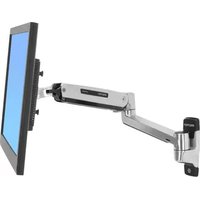
100 Series Double Pivot - Flat screen mount Ergotron - Free user manual and instructions
Find the device manual for free 100 Series Double Pivot Ergotron in PDF.


| Product Type | Flat Screen Mount |
| Brand | Ergotron |
| Model | 100 Series Double Pivot |
| Weight Capacity | 5 – 25 lbs (2 – 11.4 kg) or 5 – 23 lbs (2 – 10.5 kg) depending on configuration |
| Mounting Type | Vertical Surface, Direct Mount |
| Adjustability | Tilt, Side-to-Side, Portrait/Landscape Rotation |
| Tilt Range | Full pivot range (adjustable tension) |
| Rotation | Portrait to Landscape (adjustable tension) |
| Warranty | 5 years limited warranty |
| Maintenance | Clean with a damp cloth; avoid harsh chemicals |
| Safety | Must not exceed weight capacity; ensure proper installation by qualified professional |
| Spare Parts & Repairability | Contact Ergotron for replacement parts; adjustment screws are user-serviceable |
| General Information | Designed for flat panel monitors; includes all necessary mounting hardware |
Frequently Asked Questions - 100 Series Double Pivot Ergotron
User questions about 100 Series Double Pivot Ergotron
0 question about this device. Answer the ones you know or ask your own.
Ask a new question about this device
Download the instructions for your Flat screen mount in PDF format for free! Find your manual 100 Series Double Pivot - Ergotron and take your electronic device back in hand. On this page are published all the documents necessary for the use of your device. 100 Series Double Pivot by Ergotron.
USER MANUAL 100 Series Double Pivot Ergotron
100 Series Flat Panel Monitor Pivots
Vertical Surface, Direct Mount

www.ergotron.com
USA 1-800-888-8458
Europe +31 (0)33-45 45 600
China 86-769-86018920
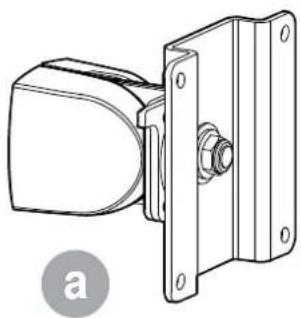


| A | B | |
| 1 |  | 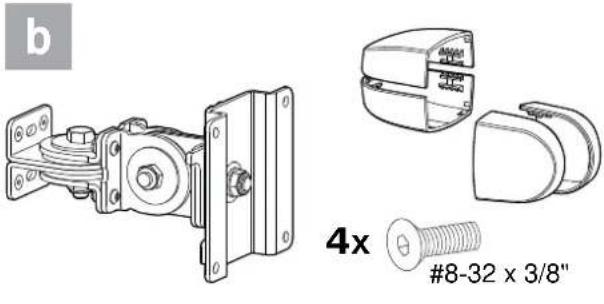 |
| 2 |  | 4x4x 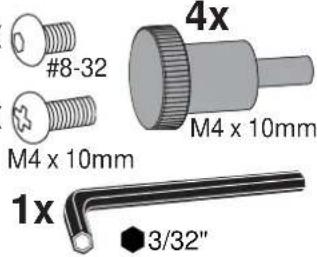 |
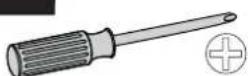

1/2"


1 Determine Ergonomic Mounting Height


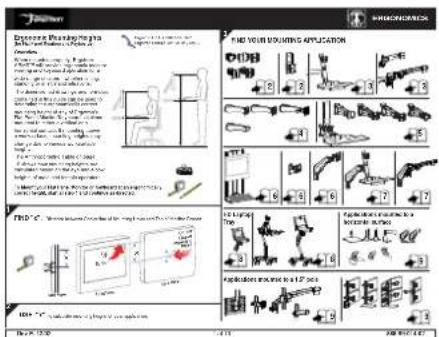
888-99-014
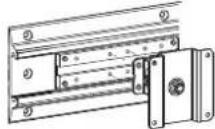
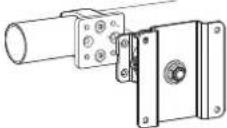
2 Determine Mounting Configuration

WARNING
Because surfaces vary widely and the ultimate mounting method is out of Ergotron's control, it is imperative that you consult with appropriate engineering, architectural or construction professional to ensure that your Ergotron mounting solution is mounted properly to handle applied loads.

 |  |  |
 |  |  |
3 Mount Pivot

4x 4x
8-32 x 5/16"

8-32 x 3/8"


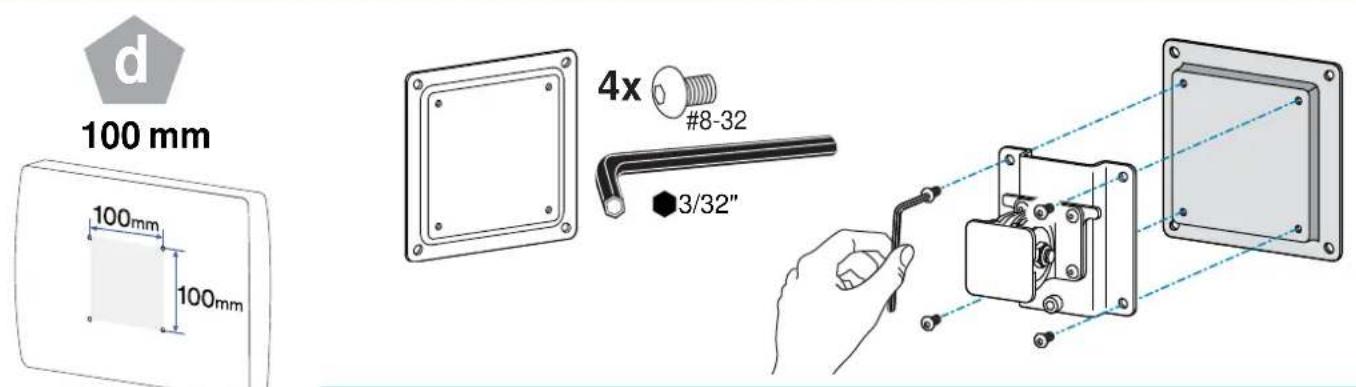
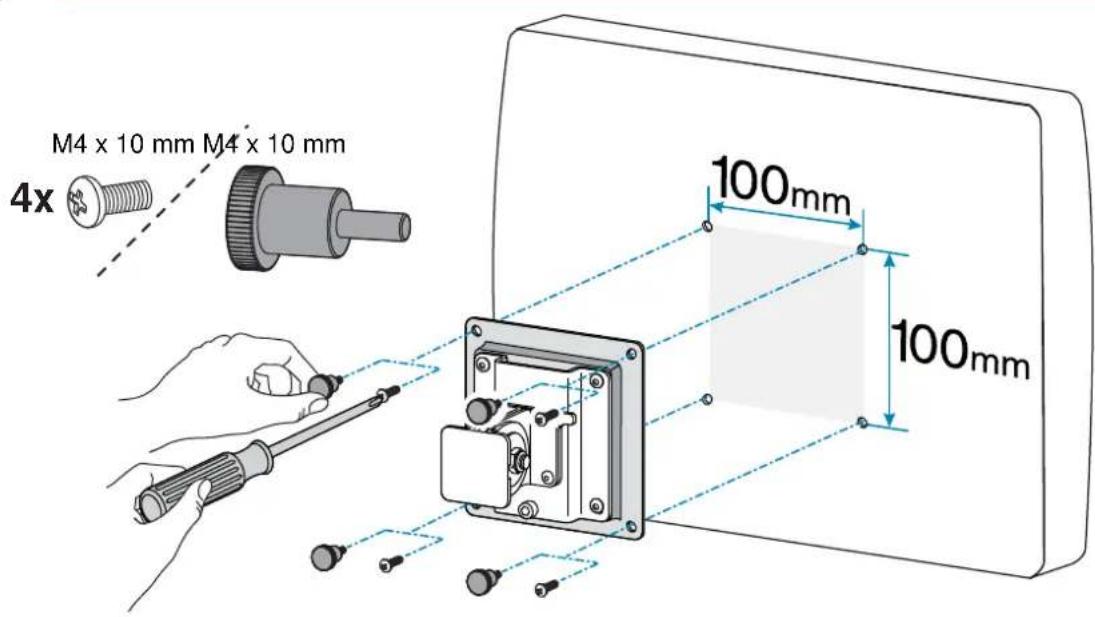
4 Attach Monitor


If your monitor uses a screw size other than M4 x 10mm, DO NOT use the M4 x 10mm screws or knob provided as they could result in damage to the monitor.

5 Tilt Motion
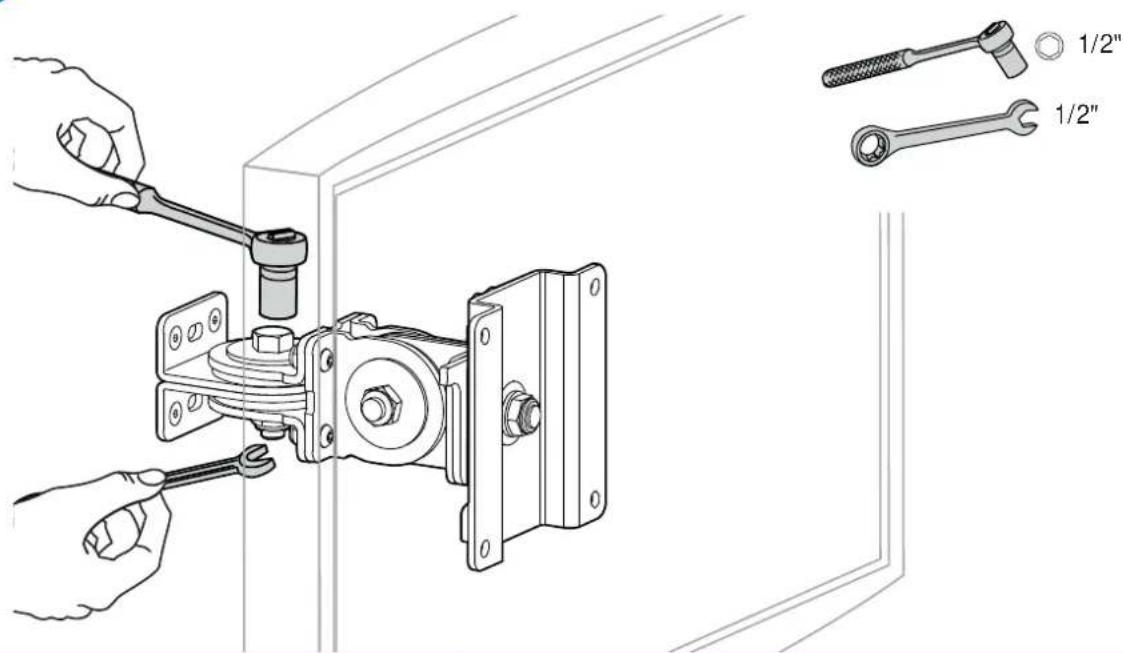
Tilt monitor up and down through entire pivot range of motion. If it does not stay in place or movement in one direction is stiff, pivot needs adjustment - see below. Adjust until monitor stays in place and tilting forces, up or down, are equal.


Adjust Tilt
To Increase Tension: Turn screw clockwise.
To Decrease Tension: Turn screw counterclockwise.

6 Side-to-Side Motion
Move monitor side-to-side through entire range of motion. If it does not stay in place at any point it will need adjustment - see below. Adjust so side-to-side moving forces are equal.


Adjust Side-to-Side
To Increase Tension: Turn screw clockwise.
To Decrease Tension: Turn screw counterclockwise.
7
Portrait/Landscape
Rotate monitor from Portrait to Landscape through entire range of motion. If it does not stay in place or movement in one direction is stiff, tension needs adjustment - see below. Adjust until monitor stays in place and tension, portrait to landscape, is equal.


Adjust Portrait/Landscape
To Increase Tension: Turn screw clockwise. To Decrease Tension: Turn screw counterclockwise.


Troubleshooting


![graph TD A["Central Component"] --> B["Component 1"] A --> C["Component 2"] A --> D["Component 3"] A --> E["Component 4"] A --> F["Component 5"] A --> G["Component 6"] A --> H["Component 7"] A --> I["Component 8"] A --> J["Component 9"] A --> K["Component 10"] A --> L["Component 11"] A --> M["Compon…](/content/2026/06/1165376/images/a9ee333bda6f083ff8ef9c3c6154bff738f535f2478c0b15923d0f5e13443a9a.jpg)
| Symptom Probable | Cause Solution | |
| Monitor tilts up and down too easily or with diffi culty. | Pivot Tension needs adjustment. | 8 Tilt Motion  |
| Monitor exceeds weight capacity*. | www.ergotron.com USA 1-800-888-8458Europe +31 (0)33-45 45 600China 86-769-86018920 USA 1-800-888-8458Europe +31 (0)33-45 45 600China 86-769-86018920 | |
| Monitor moves side-to-side too easily or with diffi culty. | Pivot Tension needs adjustment. |   |
| Monitor rotates from portrait to landscape too easily or with diffi culty. | Pivot Tension needs adjustment. | 10 Portrait/Landscape  |
* Weight Capacities:

5 - 25 lbs (2 - 11.4 kgs)

5 - 23 lbs (2 - 10.5 kgs)
Ergotron Limited Warranty
Ergotism mutants that its products will remain fine of defects in material and workmanship for five (5) years. A subject to the exceptions, exclusions and limitations as set forth below
Experiments to the warranty includes
Three 3-year warranty on all Neo-Flex® by Engraton products
StyleFlow Cartz
- Two (2-year warranty in all power supply components by Ingent)
- Battery carries an up to a one (12-year performance warranty (see limitations below) and is 61-month warranty maintenance benefits of firms, but to be fill the entire company's first-year warranty
against manufacturers defects. Note: P. Li, the warranty against manufacturers' detection law (2-year). One (Planar warranty on all applicable non-power supply components) (includes 48 intraday).
- OEM products resold by Eruption are warranted by the respective manufacturer
- Product that is unfurbished by Ergotron and sold by Ergotron came a 90-day warranty
Thirty (30)-day warranty on all service programs
- Ergonom warranties are nontransfersb k
Lockheed Remedy If any Ergoton equipment to become defection in material or workmanship during the warranty period, Ergoton will determine with the customer if the product defect is covered under warranty. Ergoton, at its sole discretion, may replace or repair the unit determined to be under warranty at a designated Ergoton location or at the customer location. The purchaser must get pre-approved authorization to return product to Ergoton. The Purchaser must contact Ergoton to obtain an RMA (Return Material Authorization) number, Ergoton will promptly repair or replace the item and chip it to Purchaser at no charge to the Purchase of repair or replacement does not renew or extend the warranty period.
THIS REMEDY IS THE EXCLUSIVE REMEDY FOR BREACH OF WARRANTY AS TO THE EQUIPMENT, except in respect to personal injury. Purchaser shall give Ergotron immediate written notice of any personal injury resulting from use of Ergotron equipment.
Exclusions and limitations: Eigaton disclaims liability for injuries or losses caused by or associated with
installation or use of its equipment in any manner either than in strict conformance with the instructions set forth in its installation manuals, supplemental assembly and installation instructions sheets, technical bulletins or product literature, or by equipment that has been altered, damaged or unused.
Warranty on fully charged batteries left in an unused state for more than three (3) consecutive months is automatically void. Warranty on fully discharged batteries left in an unused state for more than three (3) consecutive days is automatically void.
Two (2-year warranty on all power supply components by Ergotimes, battery carries a 90 day performance warranty and six (8) month warranty against manufacturer's defects. Performance warranty is extended to on the battery providing
- StyleLink software is installed and it shows compliance with exclusions and limitations
- Battery is not discharged below 25% capacity more than 25 times
- Battery is fully recharged at least once every 36 hours
Purchase has not relied upon and Ergstrom disclaims any and all warranty other than the expressed warranty stated above, subject to the establishments and limitations provided herein. Ergstrom disclaims all other warranties, expressed or implied, including but not limited to the warranties of merchantability and fitness for a particular purpose. Ergotree further disclaims liability to purchaser and all others for all consequential incidental and special damages caused by or in connection with the products, their use or misuse, and their performance or nonperformance.
While Ergotron, Inc. makes every effort to provide accurate and complete information on the installation and use of its products, it will not be held liable for any editorial errors or omissions (including those made in the process of translation from English to another language), or for incidental, special or consequential damages of any nature resulting from furnishing this instruction and performance of equipment in connection with this instruction. Ergotron, Inc. reserves the right to make changes in the product design and/or product documentation without notification to its users. For the most current product information, or to know if this document is available in languages other than those herein, please contact Ergotron. No part of this publication may be reproduced, stored in a retrieval system, or transmitted in any form or by any means, electronic, mechanical, photocopying, recording or otherwise without the prior written consent of Ergotron, Inc., 1181 Trapp Road, Eagan, Minnesota, SS121, USA Patents Pending and Patented U.S. & Foreign. Ergotron is a registered trademark of Ergotron, Inc.
© 2009 Ergotron, Inc.
All rights reserved.
Americas Sales and
Corporate Headquarters
EMEA Sales
St. Paul, MN USA
(800) 888-8458
+1-651-681-7600
www.ergotron.com
sales@ergotron.com
Amersfoort, The Netherlands
+31 33 45 45 600
www.ergotron.com
info.eu@ergotron.com
APAC Sales
Tokyo, Japan
www.ergotron.com
info.apac@ergotron.com
Worldwide OEM Sales
www.ergotron.com
info.oem@ergotron.com



- 100 SERIES FLAT PANEL MONITOR PIVOTS
- VERTICAL SURFACE, DIRECT MOUNT
- 1 DETERMINE ERGONOMIC MOUNTING HEIGHT
- 2 DETERMINE MOUNTING CONFIGURATION
- WARNING
- 3 MOUNT PIVOT
- X 5/16
- X 3/8
- 4 ATTACH MONITOR
- 5 TILT MOTION
- ADJUST TILT
- 6 SIDE-TO-SIDE MOTION
- ADJUST SIDE-TO-SIDE
- 7
- PORTRAIT/LANDSCAPE
- ADJUST PORTRAIT/LANDSCAPE
- TROUBLESHOOTING
- ERGOTRON LIMITED WARRANTY
Brand : Ergotron
Model : 100 Series Double Pivot
Category : Flat screen mount