PT-LB20SEA - Vidéo-projecteur PANASONIC - Free user manual and instructions
Find the device manual for free PT-LB20SEA PANASONIC in PDF.


| Product Type | LCD Video Projector |
| Model | PT-LB20SEA |
| Brand | Panasonic |
| Display Technology | 3LCD |
| Native Resolution | XGA (1024 x 768) |
| Brightness | 2000 ANSI Lumens |
| Contrast Ratio | 500:1 |
| Lamp Life (Normal Mode) | approx. 5000 hours |
| Lamp Type | UHM (Ultra High Performance) Lamp |
| Dimensions (W x H x D) | 297 x 210 x 57 mm |
| Weight | approx. 2.9 kg |
| Power Supply | AC 220-240 V, 50/60 Hz |
| Power Consumption | 240 W (max) |
| Keystone Correction | Vertical ±30° |
| Zoom & Focus | Manual 1.2x Zoom, Manual Focus |
| Built-in Speaker | 1.0 W (Mono) |
| Input Terminals | RGB (D-sub 15-pin), S-Video, Composite Video, Audio |
| Output Terminals | RGB (D-sub 15-pin) monitor out, Audio out |
| Noise Level | 29 dB (Eco mode) |
| Cleaning & Maintenance | Clean air filter every 100 hours; replace lamp as needed |
| Safety Features | Overheat protection, auto power-off |
| Spare Parts & Repairability | Replacement lamp unit (ET-LAB20), filter, remote control available |
| General Information | Portable design for business and education; easy setup with automatic signal detection |
Frequently Asked Questions - PT-LB20SEA PANASONIC
User questions about PT-LB20SEA PANASONIC
0 question about this device. Answer the ones you know or ask your own.
Ask a new question about this device
Download the instructions for your Vidéo-projecteur in PDF format for free! Find your manual PT-LB20SEA - PANASONIC and take your electronic device back in hand. On this page are published all the documents necessary for the use of your device. PT-LB20SEA by PANASONIC.
USER MANUAL PT-LB20SEA PANASONIC
LCD Projector Commercial Use
사용설명서
Model No. PT-LB20NTEA
PT-LB20EA
PT-LB20SEA
PT-LB20VEA
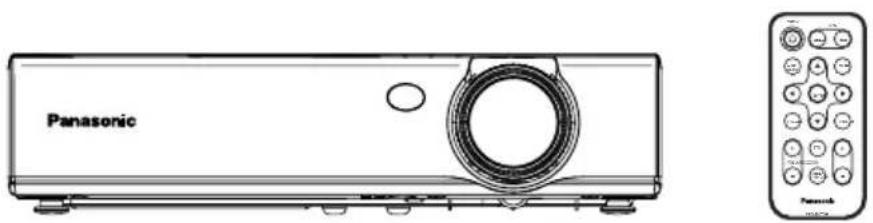
natural_image
Line drawing of a Panasonic projector unit with front and back views (no text or symbols on the device body)모델번호: PT-LB20NTEA / PT-LB20EA / PT-LB20SEA / PT-LB20VEA
시리얼 번호:
주요안전사항
RGB/YPBPR, VGA60/480p,
SXGA 모드, NR, 흑판 모드,
| Card remote control unit (N2QADC000008 x1) | Lithium battery for remote control unit (CR2025 x1) | RGB signal cable [1.8 m (5'10"), K1HA15DA0002 x1] |
 | 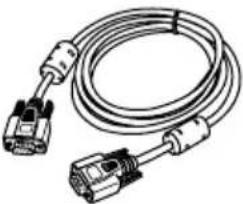 | |
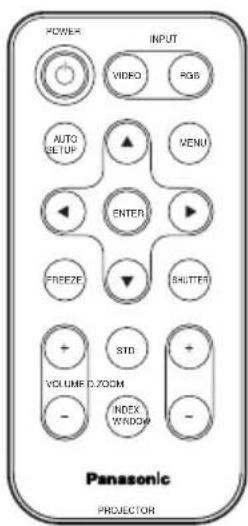 | Mains lead (K2CM3DR00002 x 1) | Mains lead for U.K. (K2CT3DR00005 x 1) |
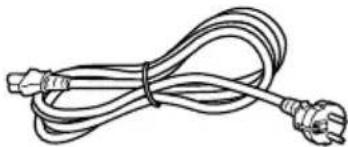 | 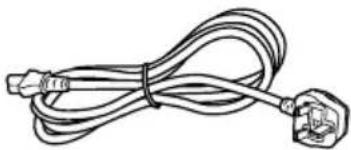 | |
| Carrying bag (TPEP013-1 x 1) | CD-ROM* (TQBH9007 x1) | |
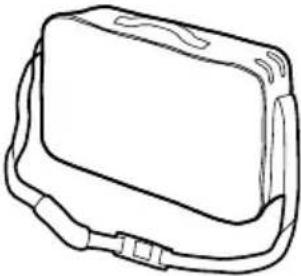 | 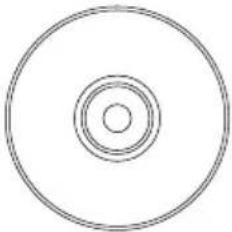 |
*PT-LB20NTEA에만 해당
사용하기 전에
프로젝러 이동시 유의사항
text_image
Labeled diagram of a computer rack with numbered components for identificationnatural_image
Simple line drawing of a projector mounted on a box, with no text or symbols present.
natural_image
Simple line drawing of a box with a small object inside, no text or symbols present
natural_image
Simple line drawing of a projector mounted on a stand, showing light path and screen (no text or symbols)
natural_image
Simple line drawing of a rectangular box with a small object inside, no text or symbols present
text_image
SW Screen L 81.2 mm (3-3/16")투사거리
PT-LB20NTEA/PT-LB20EA
| 4:3 Screen size (diagonal) | Projection distance (L) | Height position (H1) | |
| Wide (LW) Telephoto (LT) | |||
| -0.84 m(33') | 1.1 m(3'7") | 0.08 m(3-1/8") | |
| 1.02 m(40") | 1.2 m(3'11") | 1.4 m(4'7") | 0.09 m(3-17/32") |
| 1.27 m(50") | 1.5 m(4'11") | 1.7 m(5'6") | 0.11 m(4-5/16") |
| 1.52 m(60") | 1.8 m(5'10") | 2.1 m(6'10") | 0.14 m(5-1/2") |
| 1.78 m(70") | 2.1 m(6'10") | 2.4 m(7'10") | 0.16 m(6-9/32") |
| 2.03 m(80") | 2.4 m(7'10") | 2.8 m(9'2") | 0.18 m(7-1/16") |
| 2.29 m(90") | 2.7 m(8'10") | 3.2 m(10'5") | 0.20 m(7-27/32") |
| 2.54 m(100") | 3.0 m(9'10") | 3.5 m(11'5") | 0.22 m(8-21/32") |
| 3.05 m(120") | 3.6 m(11'9") | 4.2 m(13'9") | 0.26 m(10-7/32") |
| 3.81 m(150") | 4.5 m(14'9") | 5.3 m(17'4") | 0.33 m(12-31/32") |
| 5.08 m(200") | 6.0 m(19'8") | 7.1 m(23'3") | 0.44 m(17-5/16") |
| 6.35 m(250") | 7.5 m(24'7") | 8.9 m(29'2") | 0.55 m(21-5/8") |
| 7.62 m(300") | 9.0 m(29'6") | 10.7 m(35'1") | 0.66 m(25-31/32") |
PT-LB20SEA
| 4:3 Screen size (diagonal) | Projection distance (L) | Height position (H1) | |
| Wide (LW) Telephoto (LT) | |||
| -0.84 m(33') | 1.1 m(3'7") | 0.08 m(3-1/8") | |
| 1.02 m(40") | 1.2 m(3'11") | 1.4 m(4'7") | 0.09 m(3-17/32") |
| 1.27 m(50") | 1.5 m(4'11") | 1.8 m(5'10") | 0.11 m(4-5/16") |
| 1.52 m(60") | 1.8 m(5'10") | 2.1 m(6'10") | 0.14 m(5-1/2") |
| 1.78 m(70") | 2.1 m(6'10") | 2.5 m(8'2") | 0.16 m(6-9/32") |
| 2.03 m(80") | 2.4 m(7'10") | 2.9 m(9'6") | 0.18 m(7-1/16") |
| 2.29 m(90") | 2.8 m(9'2") | 3.2 m(10'5") | 0.20 m(7-27/32") |
| 2.54 m(100") | 3.0 m(9'10") | 3.6 m(11'9") | 0.22 m(8-21/32") |
| 3.05 m(120") | 3.7 m(12'1") | 4.3 m(14'1") | 0.26 m(10-7/32") |
| 3.81 m(150") | 4.6 m(15'1") | 5.4 m(17'8") | 0.33 m(12-31/32") |
| 5.08 m(200") | 6.1 m(20') | 7.3 m(23'11") | 0.44 m(17-5/16") |
| 6.35 m(250") | 7.6 m(24'11") | 9.1 m(29'10") | 0.55 m(21-5/8") |
| 7.62 m(300") | 9.2 m(30'2") | 11.0 m(36'1") | 0.66 m(25-31/32") |
PT-LB20VEA
| 4:3 Screen size (diagonal) | Projection distance (L) | Height position (H1) | |
| Wide (LW) Telephoto (LT) | |||
| -0.84 m(33') | 1.4 m(4'7") | 0.04 m(1-9/16") | |
| 1.02 m(40") | 1.4 m(4'7") | 1.7 m(5'6") | 0.05 m(1-15/16") |
| 1.27 m(50") | 1.7 m(5'6") | 2.1 m(6'10") | 0.06 m(2-11/32") |
| 1.52 m(60") | 2.1 m(6'10") | 2.5 m(8'2") | 0.07 m(2-3/4") |
| 1.78 m(70") | 2.4 m(7'10") | 2.9 m(9'6") | 0.08 m(3-1/8") |
| 2.03 m(80") | 2.8 m(9'2") | 3.4 m(11'1") | 0.09 m(3-17/32") |
| 2.29 m(90") | 3.1 m(10'2") | 3.8 m(12'5") | 0.11 m(4-5/16") |
| 2.54 m(100") | 3.5 m(11'5") | 4.2 m(13'9") | 0.12 m(4-23/32") |
| 3.05 m(120") | 4.2 m(13'9") | 5.0 m(16'4") | 0.14 m(5-1/2") |
| 3.81 m(150") | 5.2 m(17') | 6.3 m(20'8") | 0.18 m(7-1/16") |
| 5.08 m(200") | 7.0 m(22'11") | 8.4 m(27'6") | 0.23 m(9-1/32") |
| 6.35 m(250") | 8.7 m(28'6") | 10.6 m(34'9") | 0.29 m(11-13/32") |
| 7.62 m(300") | 10.5 m(34'5") | 12.7 m(41'8") | 0.35 m(13-3/4") |
주의:
natural_image
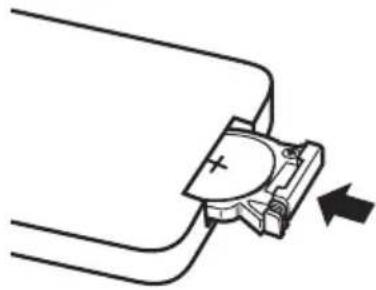
Diagram of a mechanical clamp or clamp device with a circular component and pointer, no text or symbols present배터리의 “+” 극성을 맞추십시오.
③배러리홀더를 삽입하십시오.
natural_image
Pure mechanical component diagram without any text, numbers, or symbols주의:
natural_image
Illustration of hands operating a projector with an arrow indicating motion (no text or symbols)| Vertical keystone distortion correction | 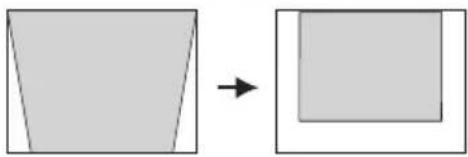 | 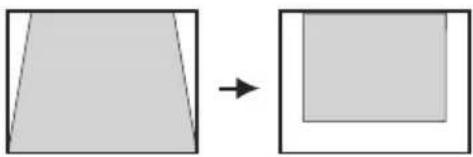 |
| Operation | Press the ▶ button. Press | the ◀ button. |
주의:
text_image
Black and white barcode image with vertical stripesCLOCK PHASE
(RGB/YPBPR 전용)
natural_image
Simple diagram with a central circle surrounded by eight surrounding circles, no text or symbols present.natural_image
Diagram showing a rectangular block with circular holes and a central circle, no text or symbols present.S4:3
natural_image
Simple geometric diagram with a central circle and four surrounding circles (no text or symbols)4:3 신호가 입력되는 경우.
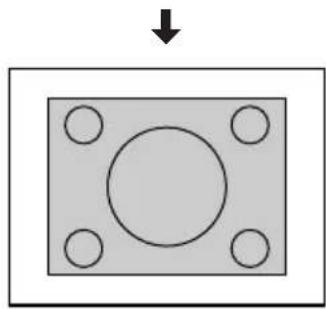
natural_image
Simple diagram of a rectangular plate with four circular holes and a central circle, no text or symbols present.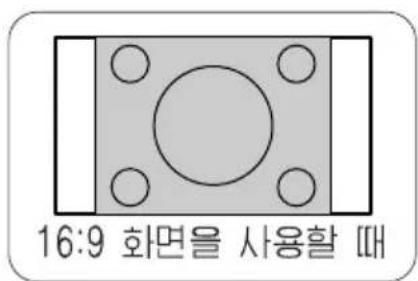
flowchart
graph TD
    A["VGA60/480p"] --> B["480p"]
    B --> C["VGA60"]
text_image
Air filter cover주의:
text_image
시오. Air filter coverAir filter cover
text_image
Air filter주의:
natural_image
Technical line drawing of a computer chassis showing internal components and mounting holes (no text or labels)Lamp unit cover fixing screws
Lamp unit fixing screws
| PT-LB20NTEA/PT-LB20EA | LW=0.030xSD/0.0254-0.037 |
| LT=0.036xSD/0.0254-0.037 | |
| PT-LB20SEA | LW=0.031xSD/0.0254-0.038 |
| LT=0.037xSD/0.0254-0.038 | |
| PT-LB20VEA | LW=0.035xSD/0.0254-0.037 |
| LT=0.042xSD/0.0254-0.036 |
text_image
SERIAL(female) DIN 8-pin (male) Serial adapter (ET-ADSER : sold separately) Computer주의:
text_image
① ② ③ ⑤ ⑥ ⑧DIN 8-pin 외관
| Pin No. | Signal name | Contents |
| 3 | RXD | Received data |
| 4 | GND | Earth |
| 5 | TXD T | Transmitted data |
| 1 | Connected internally | |
| 2 | ||
| 6 | ||
| 7 | NC | |
| 8 | NC |
통신설치
| Signal level | RS-232C |
| Sync. method | 비동시성 |
| Baud rate | 9 600 bps |
| Parity | 없음 |
| Character length 8 bits | |
| Stop bit 1 bit | |
| X parameter | 없음 |
| S parameter | 없음 |
기초포imet
Matsushita Electric Industrial Co., Ltd.
Web Site: http://www.panasonic.co.jp/global/