
PT-LB30EA - Projector PANASONIC - Free user manual and instructions
Find the device manual for free PT-LB30EA PANASONIC in PDF.


| Product Type | Video Projector |
| Brand | Panasonic |
| Model | PT-LB30EA |
| Display Technology | LCD (3-chip) |
| Resolution | XGA (1024 x 768) |
| Brightness | 3000 lumens |
| Contrast Ratio | 2000:1 |
| Lamp Type | UHM |
| Lamp Life (Normal Mode) | 4000 hours |
| Lamp Life (Eco Mode) | 6000 hours |
| Zoom Ratio | 1.2x manual zoom |
| Keystone Correction | Vertical +/-30° |
| Input Connectors | VGA x2, Composite Video x1, S-Video x1, Audio x1 |
| Output Connectors | VGA x1, Audio x1 |
| Noise Level (Normal Mode) | 35 dB |
| Noise Level (Eco Mode) | 29 dB |
| Dimensions (W x D x H) | 349 x 257 x 82 mm |
| Weight | 2.9 kg |
| Power Supply | 100-240V AC, 50/60Hz |
| Power Consumption (Normal) | 300W |
| Power Consumption (Standby) | 0.5W |
| Safety Features | Auto power off, security lock slot |
| Maintenance | Air filter cleaning every 1000 hours |
| Compliance | RoHS, ENERGY STAR |
Frequently Asked Questions - PT-LB30EA PANASONIC
User questions about PT-LB30EA PANASONIC
0 question about this device. Answer the ones you know or ask your own.
Ask a new question about this device
Download the instructions for your Projector in PDF format for free! Find your manual PT-LB30EA - PANASONIC and take your electronic device back in hand. On this page are published all the documents necessary for the use of your device. PT-LB30EA by PANASONIC.
USER MANUAL PT-LB30EA PANASONIC
LCD Projector Commercial Use
User Manual
Model No. PT-LB30NTEA PT-LB30EA
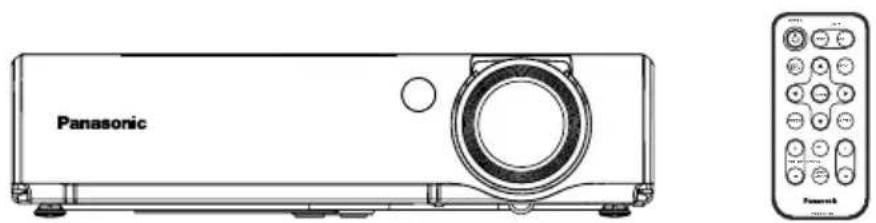
PT-LB30NTEA / PT-LB30EA
Serial Number:
Important Safety Instructions
RGB/YPBPR, VGA60/480p,
SXGA mode, NR, blackboard mode,
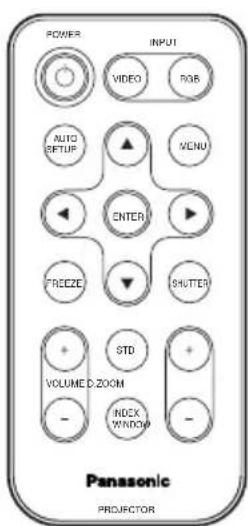
| Card remote control unit (N2QADC000008 x1) | Lithium battery for remote control unit (CR-2025/1F x1) | RGB signal cable [1.8 m (5'10"), K1HA15DA0002 x1] |
 | 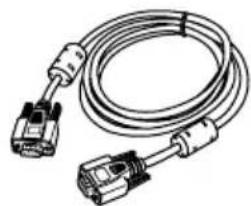 | |
 | Mains lead (K2CM3DR00002 x 1) | Mains lead for U.K. (K2CT3DR00005 x 1) |
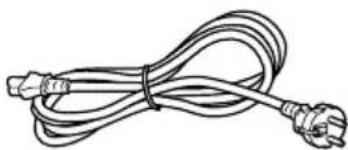 |  | |
| Carrying bag (TPEP014 x 1) | CD-ROM (PT-LB30NTEA에만 해당, TQBH9007 x1) | |
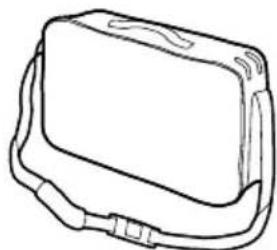 |  |
Before Use
Precautions for Moving the Projector




Projection Distance
| 4:3 Screen size (diagonal) | Projection distance (L) | Height position (H1) | |
| Wide (LW) Telephoto (LT) | |||
| -0.84 m(33') | 1.1 m(3'7") | 0.07 m(2-3/4') | |
| 1.02 m(40') | 1.2 m(3'11') | 1.4 m(4'7") | 0.08 m(3-1/8') |
| 1.27 m(50') | 1.5 m(4'11') | 1.7 m(5'6") | 0.11 m(4-5/16') |
| 1.52 m(60') | 1.8 m(5'10') | 2.1 m(6'10') | 0.13 m(5-3/32') |
| 1.78 m(70') | 2.1 m(6'10') | 2.5 m(8'2") | 0.15 m(5-7/8') |
| 2.03 m(80') | 2.4 m(7'10') | 2.8 m(9'2") | 0.17 m(6-11/16') |
| 2.29 m(90') | 2.7 m(8'10') | 3.2 m(10'5') | 0.19 m(7-15/32') |
| 2.54 m(100') | 3.0 m(9'10') | 3.5 m(11'5') | 0.21 m(8-1/4') |
| 3.05 m(120') | 3.6 m(11'9') | 4.3 m(14'1') | 0.25 m(9-13/16') |
| 3.81 m(150') | 4.6 m(15'1') | 5.4 m(17'8') | 0.32 m(12-19/32') |
| 5.08 m(200') | 6.1 m(20') | 7.2 m(23'7') | 0.42 m(16-17/32') |
| 6.35 m(250') | 7.6 m(24'11') | 9.0 m(29'6') | 0.53 m(20-27/32') |
| 7.62 m(300') | 9.1 m(29'10') | 10.8 m(35'5') | 0.63 m(24-25/32') |
Caution:
Connecting Video Devices (1)
![graph TD A["Computer for control use"] --> B["DIN 8-pin (male)"] B --> C["SERIAL"] B --> D["RGB 1 IN"] B --> E["RGB 2 IN/1OUT"] C --> F["1IN RGB AUDIO OUT"] D --> G["2IN"] E --> H["S-VIDEO VIDEO"] E --> I["VIDEO IN"] E --> J["AUDIO IN"] K["DVD player (with component video connectors)"] --> L["BNC/RC…](/content/2026/06/1162608/images/af2518f081611f0971afb7a9ddedf982bc384bd932f6c9cf0a3f638cf1fe4053.jpg)
Caution:
Computer for control use![graph TD A["Laptop"] --> B["Serial adapter (ET-ADSER : sold separately)"] B --> C["DIN 8-pin (male)"] C --> D["Audio system"] D --> E["Video deck"] E --> F["Video player"] F --> G["1 IN 2 IN RGB AUDIO OUT"] G --> H["SERIAL RGB 1 IN RGB 2 IN/1OUT S-/VIDEO VIDEO IN AUDIO IN"] H --> I["AC IN ~"]](/content/2026/06/1162608/images/a158c0573c9b3a3b5b454215283236c8d271078134367f6ee2ba3825f49432af.jpg)
Preparing the remote control
Match the “+” polarity of the batteries.
③ Insert the battery holder.
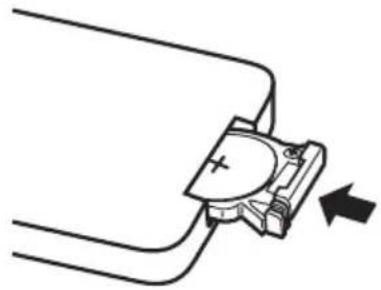
Caution:
| Vertical keystone distortion correction |  | 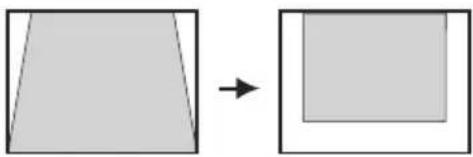 |
| Operation | Press the ▶ button. Press the ◀ button. | |
Caution:
CLOCK PHASE
(For RGB/YPBPR only)
S4:3
When a 4:3 signal is input.
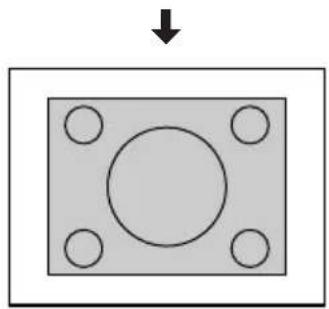
![graph TD A["VGA60/480p"] --> B["480p"] B --> C["VGA60"]](/content/2026/06/1162608/images/39b2adfc7a6932f009e40568f16dd04599fbcc1d89dbf2090c8896e2224323b6.jpg)
Caution:
Air filter cover
Caution:
Lamp unit cover fixing screws
Lamp unit fixing screws
Caution:
DIN 8-pin appearance
| Pin No. | Signal name | Contents |
| 3 | RXD | Received data |
| 4 | GND | Earth |
| 5 | TXD T | Transmitted data |
| 1 | Connected internally | |
| 2 | ||
| 6 | ||
| 7 | NC | |
| 8 | NC |
Communication installation
| Signal level | RS-232C |
| Sync. method | 비동시성 |
| Baud rate | 9 600 bps |
| Parity | 없음 |
| Character length 8 bits | |
| Stop bit 1 bit | |
| X parameter | 없음 |
| S parameter | 없음 |
Basic format
Matsushita Electric Industrial Co., Ltd.
Web Site: http://www.panasonic.co.jp/global/
Brand : PANASONIC
Model : PT-LB30EA
Category : Projector