
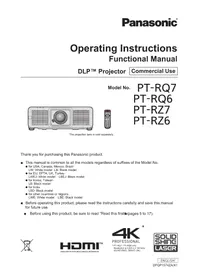
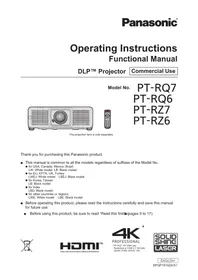
PT-RQ6 - Projector PANASONIC - Free user manual and instructions
Find the device manual for free PT-RQ6 PANASONIC in PDF.


Pick your language and provide your email: we'll send you a specifically translated version.
| Product Type | Projector |
| Brand | Panasonic |
| Model | PT-RQ6 |
| Display Technology | 3-chip DLP (Digital Light Processing) |
| Native Resolution | 4K (4096 x 2160 pixels) |
| Brightness | 6,000 ANSI lumens |
| Contrast Ratio | 20,000:1 (dynamic) |
| Light Source | Laser diode (laser phosphor) |
| Aspect Ratio | 16:10 native, compatible with 16:9 |
| Lens | Motorized zoom and focus, optional interchangeable bayonet lenses |
| Connectivity | HDMI, DVI-D, DisplayPort, HDBaseT, LAN (RJ-45), RS-232C, 3G-SDI |
| Power Consumption | 750 W (max. 850 W at light maximum) |
| Dimensions (W x H x D) | 550 x 260 x 600 mm (without protrusions) |
| Weight | 25 kg (main unit only) |
| Noise Level | 35 dB (normal mode) / 30 dB (quiet mode) |
| Operating Temperature | 0 °C to 45 °C |
| Light Source Life | Up to 20,000 hours |
| Maintenance | Filter cleaning every 12,000 hours; modular serviceable design |
| Safety | Laser Class 1, CE, UL certified |
| Included Accessories | Power cord, remote control, batteries, quick start guide |
Frequently Asked Questions - PT-RQ6 PANASONIC
What is the native resolution of the Panasonic PT-RQ6 projector?
The PT-RQ6 features a native 4K (4096 x 2160) DLP chip, providing ultra-high-definition images suitable for installation and events.
How long does the laser light source last?
The laser light source is rated for up to 20,000 hours, reducing maintenance costs and ensuring long-term brightness stability.
Can I install the projector in a ceiling mount?
Yes, the PT-RQ6 supports standard ceiling mounting. Use a compatible ceiling mount bracket and follow the instructions in the manual to ensure proper ventilation and secure installation.
What connections are available on the PT-RQ6?
The projector provides HDMI, DVI-D, DisplayPort, HDBaseT, LAN (RJ-45), RS-232C, and 3G-SDI inputs for versatile signal routing.
How do I clean the air filter on the PT-RQ6?
Clean the air filter every 12,000 hours of use. Power off the projector, unplug it, remove the filter cover, and gently vacuum or wash it depending on the filter type. Refer to the maintenance section of the manual for detailed steps.
How to reset the projector to factory settings?
Navigate to the Setup menu, then select System -> Factory Defaults. Confirm the reset. The projector will restart with default configurations.
Does the PT-RQ6 support curved screen projection?
Yes, the projector includes geometry correction features for adjusting the image on curved or non-standard screens. Use the Digital Flex Control in the menu for precise adjustments.
What are the recommended operating temperatures?
The PT-RQ6 operates between 0 °C and 45 °C. Keep the projector well ventilated and avoid exposing it to direct heat or sunlight.
How can I control the projector over a network?
Connect via the LAN (RJ-45) port and use the web-based control interface or Panasonic's Software Management Suite for monitoring and control over network.
How to replace the remote control battery?
Slide open the battery compartment, remove the old AA battery, and insert a new one with the correct polarity. Replace the cover and test the remote.
User questions about PT-RQ6 PANASONIC
0 question about this device. Answer the ones you know or ask your own.
Ask a new question about this device
No questions yet. Be the first to ask one.
Download the instructions for your Projector in PDF format for free! Find your manual PT-RQ6 - PANASONIC and take your electronic device back in hand. On this page are published all the documents necessary for the use of your device. PT-RQ6 by PANASONIC.
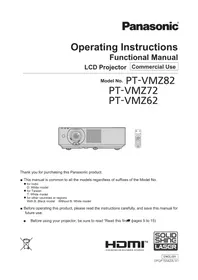
USER MANUAL PT-RQ6 PANASONIC
Manual assistant
Powered by Anthropic
Waiting for your message
Product information
Brand : PANASONIC
Model : PT-RQ6
Category : Projector