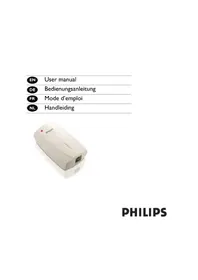
Voip 1211 - Telephone PHILIPS - Free user manual and instructions
Find the device manual for free Voip 1211 PHILIPS in PDF.


| Brand | Philips |
| Model | Voip 1211 |
| Product type | VoIP Phone |
| Category | Phone |
| Dimensions (L x W x H) | 200 x 150 x 80 mm |
| Weight | 0.8 kg |
| Power supply | PoE or 5V/1A power adapter |
| Display | Backlit LCD |
| Main functions | VoIP calls, 100-contact directory, hands-free speakerphone, voicemail, call forwarding |
| Connectivity | Ethernet 10/100, RJ11 for handset |
| VoIP standards | SIP (RFC 3261) |
| Audio codecs | G.711, G.729, G.722 |
| Directory | 100 entries |
| Speaker | Built-in, hands-free |
| Maintenance and cleaning | Soft dry cloth, avoid solvents |
| Safety | Do not expose to moisture |
| Spare parts and repairability | Handset, RJ11 cord, power adapter |
| Operating temperature | 0 °C to 40 °C |
| Number of pages in manual | 72 pages |
| Manual languages | French, German, English, Dutch |
Frequently Asked Questions - Voip 1211 PHILIPS
User questions about Voip 1211 PHILIPS
0 question about this device. Answer the ones you know or ask your own.
Ask a new question about this device
Download the instructions for your Telephone in PDF format for free! Find your manual Voip 1211 - PHILIPS and take your electronic device back in hand. On this page are published all the documents necessary for the use of your device. Voip 1211 by PHILIPS.
USER MANUAL Voip 1211 PHILIPS
PHILIPS
Contents
EN
2 Contents
3 Important information
5 What's in the box
6 Your telephone adapter
7 Install
8 Call
10 Troubleshooting
12 Information
Important information
For your safety
Before installing your USB adapter and software, carefully read the following information:
Installation information
In the Windows 2000 and Windows XP operating systems, you must be logged in as a user with administration rights.
Desactivate firewall (software / hardware) before installation. Do not forget to reactivate it after the installation.
If you have installed an old version IP Phone Center, we suggest that you uninstall it before you install your USB adapter.
During installation follow detailed descriptions on the screen.
Voice quality may depend on the quality of your Internet connection dial up or broadband.
Voice quality may vary over time.
Internet connection behind firewalls may not be supported, depending on the IP softphone capabilities.
One softphone only must be active at a given time. To avoid any conflicts in the use of the adapter, disable the other softphones than the one in use.
Use of other softphone than Skype will impact installation & use of this product.
Safety precautions for the USB adapter
Only use the USB extension cable supplied.
Do not connect or disconnect the USB adapter during a storm. This brings a risk of electric shock.
Important information
EN
Minimum PC requirements
Hardware
IBM or 100% compatible PC, 400 MHz processor
128 MB RAM main memory
30 MB or more free hard disk memory
I free USB port (USBI or USB2 compatible)
I CD-ROM drive or I DVD drive
Software
Operating system : Windows 2000 and Windows XP
33,6 kbps or faster connection to the Internet. Broadband connection recommended (from 256 kbit/s downlink, 128 kbit/s uplink)
Trademarks
Windows 2000 and Windows XP are registered trademarks of the Microsoft Corporation.
Skype is a registered trademark of Skype Technologies SA.
Need help?
More troubleshooting and FAQ's :
Online help: www.p4c.philips.com
Troubleshooting : page 10
EN
What's in the box


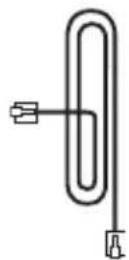
RJII-RJII
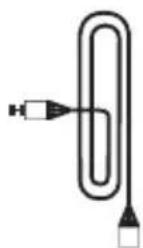
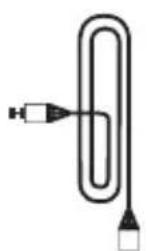
USB adapter USB cable Line telephone cable
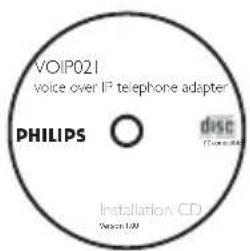
Installation IP Phone Center

User manual
What else you'll need

PC

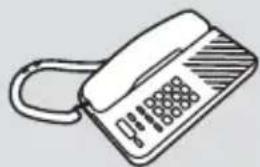
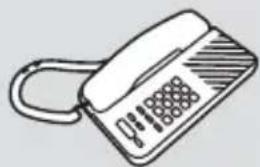
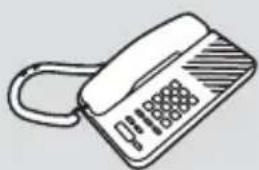
Telephone with removable line cable and power supply

Subscription Internet Service provider : Dial up or Broadband connection
Your telephone adapter
EN

Front view : RJII connector
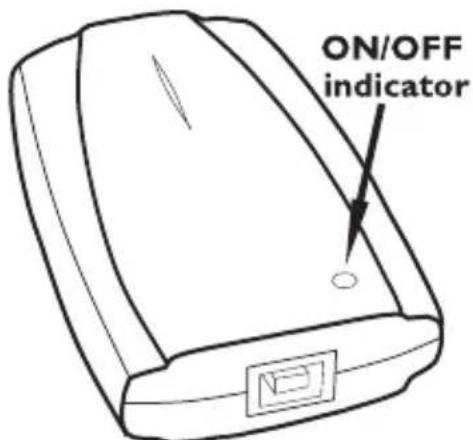
Rear view : USB connector
EN
Install
Use the "Installation Guide" booklet to help you through the installation procedure.
Call
EN
Call with Skype
It is easier to store the numbers in the phonebook of your telephone. Refer to the phone instructions.
Call Skype users (free call)
I Pick up handset
2 Dial pre-set speed dial number
3 Double press #
Call ordinary phone with SkypeOut (paid service)
I Pick up handset
2 Take the line
3 Press 00 (or *), then enter country code number followed by phone number
Tip To call your contact, dial his phone number as if you were abroad
4 Double press #
Tip SkypeOut is a paid service you can buy from www.skype.com
In case of dialing problem, see www.p4c.philips.com
Call
Answer a call
I Phone rings on incoming call
2 Pick up the handset and talk
Some telephone devices have a special key to take the line
Hang up a call
Hang up the handset to end the call
Some telephone devices have a special key to hang up
Troubleshooting
EN
Problem Tip
Is your PC on? • Switch on your PC
- Activate your Internet connection
Your telephone does not work
- Another softphone is used. Disable the other softphones than the one you want to use.
No dialing tone • Check your telephone dial mode is on Tone dialing and NOT on Pulse dialing
No dialing tone / no ringing
- Check your telephone is compatible with other than PSTN line
- Check your Internet provider does not block the VoIP protocol. Contact your provider
Caller ID not displayed
- Telephone with Caller ID PSTN is not compatible with VOIP
- The VOIP software does not send proper information to the telephone.
Answer machine does not work
- Traditional answering machine may not be compatible with VoIP
Operator services do not work
- Operator services (Call waiting, call transfer...) are linked to softphone features
- PSTN operator services may not be used
Problem Tip
Dialing tone error • Check you have dialed the correct number
- Memories of the phone must be programmed as described in Call chapter
Bad voice quality • Voice quality may change from a call to another one. End call and start a new call
- Download and upload of files may reduce the flow for VoIP traffic
Voice quality changes • Voice quality is linked to Quality of Service (QOS) of the provider
No sound on PC loudspeaker
- On your PC, open panel Control, then open Sound parameters. In Audio tab, use default settings
Information
EN
Health and safety
This equipment is not designed to make emergency calls. An alternative has to be made available to allow emergency calls.
Do not allow the adapter to come into contact with liquid. Do not open it.
Conformity
The Declaration of conformity is available on www.p4c.philips.com.
Maintenance and service
On line help: www.p4c.philips.com
iRecycling and disposal
Disposal instructions for old products.
The WEEE directive (Waste Electrical and Electronic Equipment; 2002/96/EC) has been put in place to ensure that products are recycled using best available treatment, recovery and recycling techniques to ensure human health and high environmental protection.
Your product is designed and manufactured with high quality materials and components,
EN
Information
which can be recycled and reused.
Do not dispose of your old product in your general household waste bin.
Inform yourself about the local separate collection system for electrical and electronic products marked by this symbol :
Use one of the following disposal options :
I. Dispose of the complete product (including its cables, plugs and accessories) in the designated WEEE collection facilities.
2. If you purchase a replacement product, hand your complete old product back to the retailer. He should accept it as required by the WEEE directive.

Philips has marked the packaging with standard symbols designed to promote the recycling and appropriate disposal of your eventual waste.

A financial contribution has been paid to the associated national recovery & recycling em.

The labelled packaging material is recyclable.
Warranty
The warranty shall only apply to the VOIP adapter.
The warranty shall not apply to VOIP quality of service or voice quality.
Use of other software phones are not guaranteed.
Inhaltsverzeichnis
DE
USB-Adapter USB-Kabel
PC
"Installationshilfe"
Anrufen
Mit Skype anrufen
PC

RJII-RJII
USB-adapter USB-kabel Telefoonaansluitkabel

PC
Specifications are subject to change without notice. Trademarks are the property of Koninklijke Philips Electronics N.V. or their respective owners. 2005 © Koninklijke Philips Electronics N.V. All rights reserved.
www.philips.com
3111 285 24513
Handleiding


![graph LR A["Transformer"] --> B["Plug-in Socket"] B --> C["Output 1"] B --> D["Output 2"]](/content/2026/06/1157783/images/8bcbf535459ad4c9eecd644b8dc94e89d43becc086995e170315e4fe55d28fa8.jpg)

Selecteer 1,2,..., of 7.
Druk op 1 (pulse) of 2 (toon).

Problemen oplossen
www.philips.com/support
Declare that the products DECT121xx are in compliance with ANNEX IV of the R&TTE-Directive 1999/5/EC and then with the following essential requirements:
Article 3.1 a: (protection of the health & the safety of the user) Safety : EN 60950-1 (10/2001)
SAR : EN 50371 (2002)
Article 3.1 b: (protection requirements with respect to electromagnetic compatibility)
EMC : ETSI EN 301 489-6 V1.2.1 (08/2002) & ETSI EN 301 489-1 V1.4.1 (08/2002)
Article 3.2: (effective use of the radio spectrum) Radio : EN 301 406 V1.5.1 (2003)
The presumption of conformity with the essential requirements regarding Council Directive 1999/5/EC is ensured.
Date: 04/03/2005 Le Mans

CE 0682
Product Quality Manager
Home Communication
Philips Consumer Electronics
Home communication
All rights reserved
Printed in PRC
www.philips.com


NL
3111 285 23671

- CONTENTS
- IMPORTANT INFORMATION
- FOR YOUR SAFETY
- INSTALLATION INFORMATION
- SAFETY PRECAUTIONS FOR THE USB ADAPTER
- MINIMUM PC REQUIREMENTS
- HARDWARE
- SOFTWARE
- TRADEMARKS
- NEED HELP
- EN
- WHAT'S IN THE BOX
- WHAT ELSE YOU'LL NEED
- YOUR TELEPHONE ADAPTER
- INSTALL
- CALL
- CALL WITH SKYPE
- CALL SKYPE USERS (FREE CALL)
- CALL ORDINARY PHONE WITH SKYPEOUT (PAID SERVICE)
- ANSWER A CALL
- HANG UP A CALL
- TROUBLESHOOTING
- PROBLEM TIP
- INFORMATION
- HEALTH AND SAFETY
- CONFORMITY
- MAINTENANCE AND SERVICE
- IRECYCLING AND DISPOSAL
- WARRANTY
- INHALTSVERZEICHNIS
- INSTALLATIONSHILFE
- ANRUFEN
- MIT SKYPE ANRUFEN
- HANDLEIDING
- PROBLEMEN OPLOSSEN
Brand : PHILIPS
Model : Voip 1211
Category : Telephone