
DVPMX114 - DVD player Sunstech - Free user manual and instructions
Find the device manual for free DVPMX114 Sunstech in PDF.


| Product Type | DVD Player |
| Brand | Sunstech |
| Model | DVPMX114 |
| Dimensions (W x D x H) | 430 x 260 x 40 mm |
| Weight | 1.5 kg |
| Power Supply | AC 100-240V, 50/60 Hz |
| Power Consumption | 15 W (typical) |
| Disc Compatibility | DVD, DVD±R/RW, CD, CD-R/RW, VCD, SVCD, MP3, JPEG |
| Video Output | Composite, Component, HDMI (if available) |
| Audio Output | Stereo RCA, Coaxial/Optical digital audio |
| USB Port | USB 2.0 for media playback |
| Playback Functions | Play, Pause, Stop, Fast Forward, Reverse, Slow Motion, Zoom, Program, Repeat, Random |
| Region Code | Region 2 (EU) or multi-region (may vary) |
| Remote Control | Included (batteries not included) |
| Display | LED indicator panel |
| Maintenance | Clean with soft dry cloth; avoid liquids; use lens cleaning disc if needed |
| Safety Features | Overheat protection, automatic standby (if no disc for 10 min) |
| Spare Parts / Repairability | Replacement remote available; power adapter serviceable; laser unit replaceable by qualified technician |
| General Information | Compact design, energy-saving mode, supports multiple languages on screen display |
Frequently Asked Questions - DVPMX114 Sunstech
User questions about DVPMX114 Sunstech
0 question about this device. Answer the ones you know or ask your own.
Ask a new question about this device
Download the instructions for your DVD player in PDF format for free! Find your manual DVPMX114 - Sunstech and take your electronic device back in hand. On this page are published all the documents necessary for the use of your device. DVPMX114 by Sunstech.
USER MANUAL DVPMX114 Sunstech
natural_image
Black electronic device with ports and a logo, no visible text or symbols on the bodyTable of Contents
- WARNING 1
- IMPORTANT SAFETY INSTRUCTIONS 2
- OPERATION INTERFACE 3
- ACCESSORIES 6
- INITIAL SETUP 7
- TECHNICAL SPECIFICATION 8
- TROUBLE SHOOTING 8
Thanks for purchasing our DVD player. Before operating this player, please read this manual and retain it for future reference.
SAFETY PRECAUTIONS
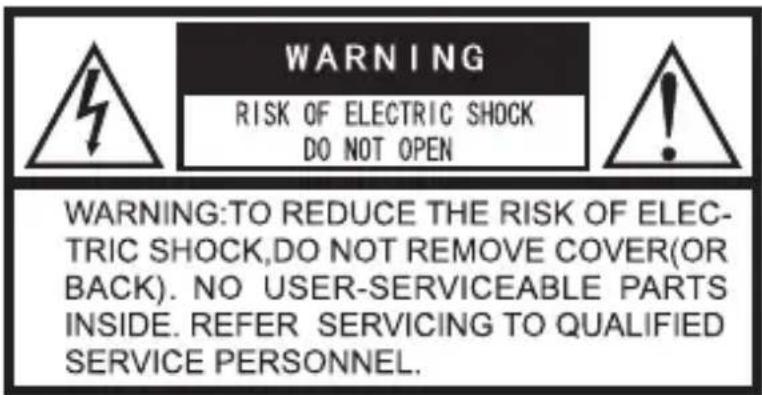

The lightning flash with arrowhead symbol, within an equilateral triangle, is intended to alert the user to the presence of uninsulated ‘dangerous voltage’ within the product’s enclosure that may be of sufficient magnitude to constitute a risk of electric shock to persons.
The exclamation point within an equilateral triangle is intended to alert the user tothe presence of important operating and maintenance (servicing) instructions in the literature accompanying the appliance.
1. WARNING:
TO REDUCE THE RISK OF FIRE OR ELECTRIC SHOCK, DO NOT EXPOSE THIS APPLIANCE TO RAIN OR MOISTURE. DANGEROUS HIGH VOLTAGES ARE PRESENT INSIDE THE ENCLOSURE. DO NOT OPEN THE CABINET. REFER SERVICING TO QUALIFIED PERSONNEL ONLY.
This DVD player employs a laser system.
Use of controls, adjustments or the performance of procedures other than those specified may result in hazardous radiation exposure.
To prevent direct exposure to laser beam, do not try to open the enclosure.
Visible laser radiation when open and interlocks defeated.
DO NOT START INTO BEAM.
-Reorient or relocate the receiving antenna.
-Increase the separation between the equipment and receiver.
-Connect the equipment into an outlet on a circuit different from that to which the receiver is connected.
-Consult the dealer or an experience radio/TV technician for help.
WARNING:
Changes or modifications made to this equipment, not expressly approved by our company, or parties authorized by our company, could void theuser's authority to operate the equipment.
2. IMPORTANT SAFETY INSTRUCTIONS
CAUTION: PLEASE READ AND OBSERVE ALL WARNINGS AND INSTRUCTIONS GIVEN IN THIS MANUAL AND THOSE MARKED ON THE UNIT. RETAIN THIS BOOKLET FOR FUTURE REFERENCE.
This set has been designed and manufactured to assure personal safety. Improper use can result in electric shock or fire hazard.
The safeguards incorporated in this unit will protect you if you observe the following procedures for installation, use and servicing.
This unit is fully transistorized and does not contain any parts that can be repaired by the user.
This unit is fully transistorized and does not contain any parts that can be repaired by the user.
Do not remove the cabinet cover, or you may be exposed to dangerous voltage.
Refer servicing to qualified service personnel only.
- Read this manual
After unpacking this product, read the manual carefully, and follow all the operating and other instructions retain this manual for future reference.
- Power Sources
This product should be operated only From the type of power source indicated on the marking label. If you are note sure of the type of power supply to your home, consult your product dealer or local power company. For products intended to operate from battery power, or other sources, refer to the operating instructions.
- Ventilation
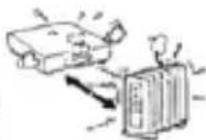
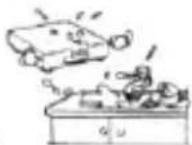
Slots and openings in the cabinet are provided for ventilation and to ensure operation of the product and to protect it from overheating, and these opening must not be blocked or covered. The openings should never be blocked by placing the product on a bed, sofa, rug, or other inflammable surface.
- Heat
The product should be situated away from heat sources such as radiators, heat registers, stoves, or other products (including amplifiers) that product heat.
- Water and Moisture
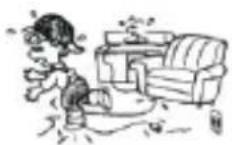
Do not use this product near water-for example, near a bath tub, wash bow, kitchen sink, or laundry tub; in a wet basement; or near a swimming pool and the like.
- Cleaning
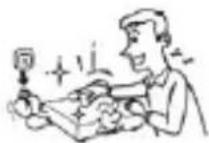
Unplug this product from the wall outlet before cleaning. Do not use liquid cleaners or aerosol cleaners. Use a dry cloth for cleaning.
- Power-cord Protection
Power-supply cords should be routed so that they are not likely to be walked on or pinched by items placed upon or against them, paying particular attention to cords at plugs, convenience receptacles, and the point where They exit from the product.
- Overloading
Do not overload wall outlets; extension cords, or integral convenience receptacles as this can result in a risk of fire or electric shock.
Macrovision
This product incorporates copyright technology that is protected by method claims of certain U.S. patents and other intellectual property rights owners. Use of this copyright protection technology must be authorized by Macrovision Corporation, and is intended for home and other other limited viewing uses only unless otherwise authorized by Macrovision Corporation. Reverse engineering or disassembly is prohibited.
3.4 Remote control
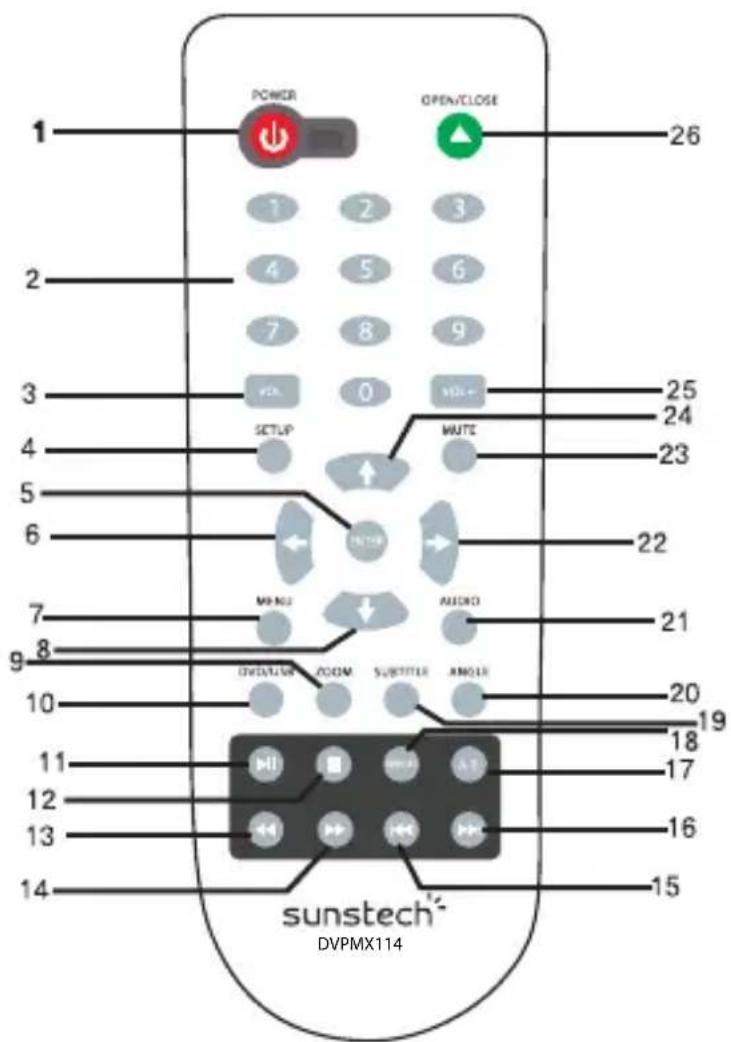
- POWER
2.0-9,10+ Numbers
3.VOL-
-
SETUP
-
ENTER
6.LEFT
7.MENU
8.DOWN ▼
9.ZOOM
10.DVD/USB
- ▶ PLAY/PAUSE
12.STOP
-
REV
-
FWD
-
PREV
-
▶NEXT
17.A-B
18.REPEAT
19.SUBTITLE
20.ANGLE
21.AUDIO
22.RIGHT
23.MUTE
24.UP
25.VOL+
26.OPEN/CLOSE
3.5 Use of the remote control
*Remove the back cover of the remote control, correctly insert two AAA batteries and then close back cover.
*When using the remote control, please point the remitting port directly to the receiving port of the player and make sure no object is in between.
*If the remote control can function only in a short distance, replace the battery, the two batteries should be replaced together. The battery should be checked regularly to avoid leakage of the battery which may damage the remote control.
The remote control must be so placed to avoid high temperature and shaking. Avoid falls and shocks.
-
Power: press this button to turn on and standby.
-
Number buttons: [0], [1], [2] ..... [9] is Used for entering the numbers. For example, enter the number of the karaoke songs, the numbers of the DVD chapters and the number of the time.
-
VOL:- Press VOL-to decrease the volume. Each time when press it, the volume will decrease a volume unit..
-
SETUP: Press this button, the SETUP screen will appear. You can setup according to your needs.
-
ENTER: Press this button to make the selection valid.
-
← LEFT: Press this button back to previous step.
-
MENU: Press MENU button to return to main menu for DVD or VCD disc playing.
-
▼ DOWN: Press this button down your selection.
-
ZOOM: Press ZOOM repeatedly to select 2X,3X,4X or set the zoom off.
-
DVD/USB: Press DVD/USB to change source between DVD and USB.
-
▶I PLAY/PAUSE:Press playing disc and picture show in pause, repress this button will play disc or picture again.
-
■ STOP: As for a DVD disc, press this button once and the playback will pause, press this button Again to stop the playback. As for a non-DVD disc, press it once to stop the playback.
-
◀REV: Press this button to play fast backward without sounds. Each time when press it, the fast backward speed will change a level. Finally it will return to the normal playback.
-
▶: Press this button to play fast forward without sounds. Each time when press it, the fast forward speed will change a level. Finally it will return to the normal playback.
- As for a DVD disc, press this button to skip to the previous chapter to play, as for a SVCD disc or other disc, press this button to skip to the previous Track.
- ▶▶: As for a DVD disc, press it to skip to the next chapter. As for a SVCD disc or other disc, press this button to skip to the next track.
- A-B: This button helps you setup repeat playing from point A to point B. Press A-B once to set the initial repeating point (A). Once you are at the point where you would like the repeat ends, press A-B again to set end point(B), When both points are set, the program repeats playing from A to B, Press A-B button again to cancel.
- REPEAT: When playing DVD, press REPEAT repeatedly to repeat CHAPTER, TITLE, or set repeat off. When viewing VCD, you need to turn PBC off to activate repeat function.
- SUBTITLE: if subtitles are recorded in the disc, you can press SUBTITLE repeatedly to select desired subtitle languages or turn them off. The player supports as many as 4 languages.
- ANGLE: If different angles are recorded in the disc, you can press ANGLE repeatedly to select the angles you desire.
- AUDIO: Right and left output option.
- RIGHT: Press this button to select the one you want.
- MUTE: Press this button to colse the voice.
- ▲ UP: Press this button up the selection.
- VOL: Press VOL+ to increase the volume. Each time when press it, the volume will decrease a volume.
- OPEN/CLOSE: Press this Button once to eject the disc tray, press it again to Close the disc Tray. Cycle as this, use this button to load a disc or remove a disc.
4. FUNCTION OF REPEAT AND MODE
Repeat:All/Chapter/Title
5. ACCESSORIES
* Remote control
* User manual
* Warranty card
6. INITIAL SETUP
The SETUP preferences. The selected category will provide you the setting details using the following screen. Press SETUP key to access the setup menu.
Press direction key to a item, then press SELECT to confirm.
Press SETUP or RETURN key to exit setup menu.
| General Setup | Preference Setup | ||||
| TV Display | 16:9 | 4:3/PS | TV Type | PAL | PAL AUTO NTSC |
| 4:3/LB | |||||
| 16:9 | |||||
| Angle Mark | On | On | Audio | ENG | English Spanish |
| Off | |||||
| OSD lang | ENG | English | Portuguese France | ||
| France | |||||
| Spanish | |||||
| Portuguese | |||||
| Captions | Off | On | Subtitle | ENG | English Spanish |
| Off | |||||
| Screen Saver | On | On | Disc Menu | ENG | English Spanish |
| Off | |||||
| HDCD | 1X | Off | Portuguese France | ||
| 1X | |||||
| 2X | |||||
| Last Memory | On | On | Parental | 1. Kids saft 2. G 3. PG 4. PG-13 5. PG-R 6. R 7. NC-17 8. Adult | |
| Off | |||||
| Video Setup | |||||
| Component Sharpness | Scart Mid | Scart High Medium Low | |||
| Brightness Contrast | 00 00 | -20~+20 -18~+18 | Password Default | Change Reset | |
| Audio Setup Speaker Setup Downmix | SIR IT/MT Stereo | ||||
PASSWORD:
The password option is initialized, in order for the Ratings feature to work, the password mode must be turned on. The original factory code is 0000
After input and confirm the code, press PARENTAL CONTROL and choose the desired rating. Move below to SET PASSWORD press enter and input the code 0000 then input the new code, under SET PASSWORD input again
The code, and confirm. The Parental Function is then set.
7. TECHNICAL SPECIFICATION
| Response frequency: | 4Hz-22 Khz |
| S/N ration: | >90dB |
| Scart output: | RGB |
| Power supply: | AC110V-240V~50/60Hz |
| Operation temperature: | 5°C To 30 °C |
| Measurement: | 216(L)X186(W)X45(H) |
| Gross weight: | 680g |
| Audio: | MP3/WMA |
| VIDEO: | MPEG4/VCD/SVCD |
| PHOTO: | JPEG/Kodak Picture CD |
8. TROUBLE SHOOTING
| Problem | Reason | Method to solve the problem |
| Power connected but player does not work | Plug not insert correct | Connect the power supply again |
| Disc inserted, but no tracks and the played time shown on the TV screen | Disc inserted upside down; disc is dirty or badly cracked | Correctly insert the disc; Clean or replace the disc. |
| No sound | The scart wire is not correctly connected or is loose; TV or the amplifier are not in a normal working condition | Connect again the scart wire; check if the TV is in the AV mode, if the amplifier is in the normal working condition |
| No picture | The scart wire is not correctly connected or is loose; TV is not in normal working condition | Connect again the scart wire; check if the TV is in the AV mode |
| Picture without color | The picture mode of the TV is not the same as the player | Change the picture mode system set up |
| The remote control does not work | The battery does not have enough power; the remote control is not correctly pointed at the remote sensor or the remote sensor is dirty | Change the battery. Point the remote controller directly at the remote sensor; clean the surface of the remote sensor |
| During playing, some times the pictures stop moving or skips or the sound is abnormal. | The disc is not in good condition, is cracked or dirty | Clean or replace the disc; move the speaker away from the player. |
| The player does not work | Another electrical appliances is interfering with the player | Clean or replace the disc; move the speaker away from the player |
Note:
1. Please pull the plug out if the player is not be used for a long period of time.
2. This player must be connected to a matching rated voltage.
Made in China
Warranty conditions
- The warranty of this product is for 2 years since the purchase date.
- The warranty will exclude breakdowns caused by bad use of the product, wrong installation or installation in not desirable places for a proper maintenance of the product, rips, updates of the products that are not the supplied by the brand, pieces wore away for its use or for not domestic or inappropriate use. Also are excluded breakdowns caused for manipulations of the products by people or companies alien to our company.
- For any request regarding the warranty terms, the purchase receipt must be attached.
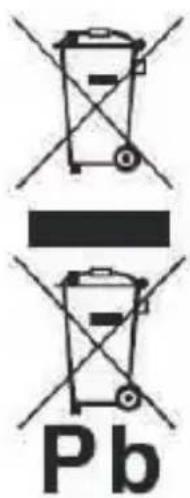
Correct disposal of this Product
(Waste Electrical Elec tronic Equipment(WEEE) Your product is designed and manufactured with high quality materials and components which can be rec yeled and reused.
This symbol means that electrical and electronic equipment, at their end-of-life should be disposed of separately from your household waste.
Please dispose of this equipment at your local community waste collection/recycling centre. In the European Union there are separate collection systems for used electrical and electronic products. Please help us to conserve the environment we live in!
DECLARATION OF CONFORMITY
Council Directive(s) to which conformity is declared:
Directive (2004/108/EC) - EMC
Directive (2006/95/EC) - LVD
Directive (2011/65/EU) - RoHS
Application of the Standards:
EN 55013:2001+A1:2003+A2:2006
EN 55020: 2007
EN60065: 2002+A1: 2006+A11: 2008
EN 61000-3-2:2006
EN 61000-3-3: 1995+A1: 2001+A2: 2005
IEC 62321: 2008
Manufacturer's name:
AFEX SUNS, S.A.
Manufacturer's address:
C/Pallars 189, 08005 Barcelona
Type of equipment:
DVD Player
Trade:
SUNSTECH
Model no.:
DVPMX114
We, the undersigned, hereby declare under our sole responsibility that the specified equipment is in conformity with the above Directive(s) and Standard(s)
Place: Barcelona
natural_image
Simple line drawing of a curved shape with an arrowhead, no text or symbols present(Signature)
Victor Planas Bas
(Full name)
Date: 25 - July - 2014
General Manager
(Position)
Índice
AVISO 1
INSTRUCCIONES IMPORTANTES DE SEGURIDAD...... 2
INTERFAZ DE OPERACIONES 3
ACCESORIOS 6
| General Setup | Preference Setup | ||||
| TV Display | 16:9 | 4:3/PS | TV Type | PAL | PAL |
| 4:3/LB | AUTO | ||||
| 16:9 | NTSC | ||||
| Angle Mark | On | On | Audio | ENG | English |
| Off | Spanish | ||||
| OSD lang | ENG | English | Portuguese | ||
| France | France | ||||
| Spanish | English | ||||
| Portuguese | Spanish | ||||
| Captions | Off | On | Portuguese | ||
| Off | France | ||||
| Screen Saver | On | On | Disc Menu | ENG | English |
| Off | Spanish | ||||
| HDCD | 1X | Off | Portuguese | ||
| 1X | France | ||||
| 2X | 1. Kids saft | ||||
| Last Memory | On | On | Parental | 2. G | |
| Off | 3. PG | ||||
| 4. PG-13 | |||||
| Video Setup | 5. PG-R | ||||
| Component | Scart | Scart | 6. R | ||
| Sharpness | Mid | High | 7. NC-17 | ||
| Medium | 8. Adult | ||||
| Low | Change | ||||
| Reset | |||||
| Brightness | 00 | -20~+20 | Password | ||
| Contrast | 00 | -18~+18 | Default | ||
| Audio Setup | |||||
| Speaker Setup | |||||
| Downmix | SIR IT/MT Stereo | ||||
CONTRASEÑA:
natural_image
Simple line drawing of a curved shape with an arrowhead, no text or symbols present(Firma)
Víctor Planas Bas
(Nombre)
DÉCLARATION DE CONFORMITÉ
Directive (2004/108/EC) - EMC
Directive (2006/95/EC) - LVD
Directive (2011/65/EU) - RoHS
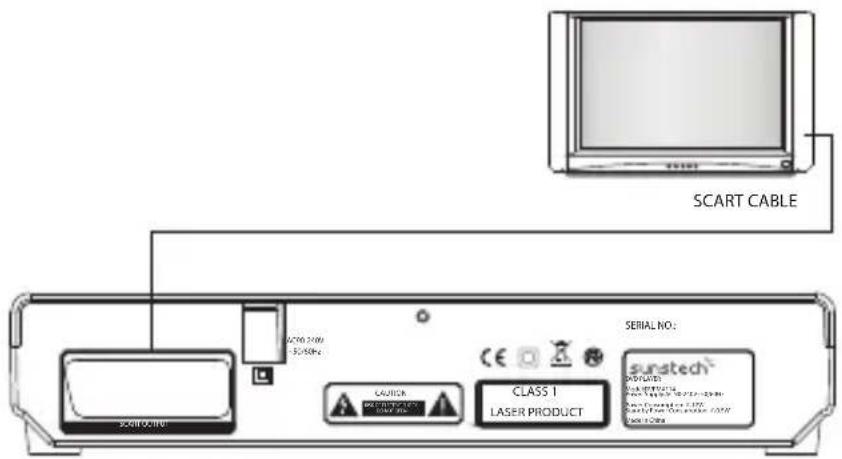
- SAÍDA DO EUROCONECTOR
- Entrada de CA (AC IN)
3.3 Conexão
| General Setup | Preference Setup | ||||
| TV Display | 16:9 | 4:3/PS | TV Type | PAL | PAL |
| 4:3/LB | AUTO | ||||
| 16:9 | NTSC | ||||
| Angle Mark | On | On | Audio | ENG | English |
| Off | Spanish | ||||
| OSD lang | ENG | English | Portuguese | ||
| France | France | ||||
| Spanish | Subtitle | ENG | English | ||
| Portuguese | Spanish | ||||
| Captions | Off | On | Portuguese | ||
| Off | France | ||||
| Screen Saver | On | On | Disc Menu | ENG | English |
| Off | Spanish | ||||
| HDCD | 1X | Off | Portuguese | ||
| 1X | France | ||||
| 2X | Parental | 1. Kids saft | |||
| Last Memory | On | On | 2. G | ||
| Off | 3. PG | ||||
| 4. PG-13 | |||||
| 5. PG-R | |||||
| 6. R | |||||
| Video Setup | 7. NC-17 | ||||
| Component | Scart | Scart | 8. Adult | ||
| Sharpness | Mid | High | |||
| Medium | |||||
| Low | |||||
| Brightness | 00 | -20~+20 | Password | Change | |
| Contrast | 00 | -18~+18 | Default | Reset | |
| Audio SetupSpeaker SetupDownmix | |||||
| SIR | IT/MT Stereo | ||||
PALAVRA-PASSE:
natural_image
Simple curved line drawing with a triangle and arrowhead, no text or symbols present(Assinatura)
Víctor Planas Bas
(Nome completo)


- Table of Contents
- SAFETY PRECAUTIONS
- WARNING:
- IMPORTANT SAFETY INSTRUCTIONS
- Remote control
- Use of the remote control
- FUNCTION OF REPEAT AND MODE
- ACCESSORIES
- INITIAL SETUP
- PASSWORD:
- TECHNICAL SPECIFICATION
- TROUBLE SHOOTING
- Warranty conditions
- Correct disposal of this Product
- DECLARATION OF CONFORMITY
- Índice
- CONTRASEÑA:
- DÉCLARATION DE CONFORMITÉ
- Conexão
- PALAVRA-PASSE:
Brand : Sunstech
Model : DVPMX114
Category : DVD player