
DVPMH225 - DVD player Sunstech - Free user manual and instructions
Find the device manual for free DVPMH225 Sunstech in PDF.


| Type | DVD Player |
| Brand | Sunstech |
| Model | DVPMH225 |
| Dimensions (approx) | 260 x 40 x 200 mm (10.2 x 1.6 x 7.9 in) |
| Weight (approx) | 1.2 kg (2.65 lbs) |
| Power Supply | AC 100-240 V, 50/60 Hz |
| Power Consumption | < 15 W |
| Disc Playback Formats | DVD, DVD±R/RW, CD, CD-R/RW, MP3, JPEG, DivX, XviD |
| Video Output | Composite, Component, HDMI |
| Audio Output | Stereo analog, Coaxial digital, Optical digital |
| Additional Inputs/Outputs | USB port (2.0), SD card slot |
| Region Code | Region 2 (Europe) |
| Playback Features | Progressive scan, PAL/NTSC conversion, parental lock, zoom, repeat/shuffle |
| Cleaning | Wipe with dry soft cloth; do not use liquids or abrasive substances |
| Safety | Class 1 laser product; do not open casing; keep away from children |
| Included Accessories | Remote control (batteries included), power cable, user manual |
| Spare Parts / Repairability | Contact Sunstech support or authorized service centers; remote and adapter available separately |
Frequently Asked Questions - DVPMH225 Sunstech
User questions about DVPMH225 Sunstech
0 question about this device. Answer the ones you know or ask your own.
Ask a new question about this device
Download the instructions for your DVD player in PDF format for free! Find your manual DVPMH225 - Sunstech and take your electronic device back in hand. On this page are published all the documents necessary for the use of your device. DVPMH225 by Sunstech.
USER MANUAL DVPMH225 Sunstech
natural_image
Abstract illustration of a white sphere resting on a gray book with a small circle and crescent moon, against a dark background (no text or symbols)DVPMH225
DVD PLAYER
USER GUIDE
CONTENT
- IMPORTANT NOTES .... 1
- GENERAL SAFETY INSTRUCTIONS 2
- EXTERIOR FUNCTIONS AND MARKINGS ....3
- REMOTE CONTROL....4
5.1 Remote control operation....4
- SYSTEM SET-UP....5
6.1 Menu Operation....5
6.2 Tv Display....5
6.3 System Set-Up 6
6.4 Audio Set-Up....7
6.5 Dolby Digital Set-up 7
6.6 System Set-up....8
6.7 Video Set-up Page 8
- COMPONENT OUTPUT & RESOLUTION....9
- PREFERENCE PAGE....9
8.1 TV Type....10
8.2 Audio, Subtitle menu and language set-up 10
8.3 Parental Control 10
8.4 Password Set-up....10
8.5 Default Set-up 10
- PLAYBACK FUNCTION 11
9.1 PLAYING JPEG /KODAK PICTURE CD DISC 11
9.2 PLAYING MP3 DISCS....11
9.3 USB Operations....11 - WARNINGS....12
ENGLISH
User guide
DVPMH225
1. IMPORTANT NOTES
Read these safety instructions before using your device and store them for possible future reference.
- If the cord is damaged, have it repaired by the manufacturer, its service or a similarly qualified person in order to avoid any hazard.
• The cord should always be readily accessible. - The apparatus shall not be exposed to dripping or splashing of water or liquids and that no objects filled with liquids such as flowers vases shall be placed on the product.
- The normal ventilation of the product shall not be impended for intended use.
- Always leave a minimum distance of 10 cm around the unit to ensure sufficient ventilation.
- Open flame sources, such as candles, should not be placed on top of the device.
• The device is intended for use only in a temperate climate. - The ventilation should not be impeded by covering the ventilation openings with items, such as newspapers, table-cloths, curtains, etc.
CAUTION: to avoid accident, this appliance must be fixed properly on the floor or on the wall according to instructions for installation.
CAUTION: Danger of explosion if batteries are incorrectly replaced or not replaced by the same type or equivalent.
- Batteries should not be exposed to excessive heat such as sunshine, fire or similar.
- Different types of batteries, new and used batteries should not be mixed.
- Batteries must be installed according to the polarity.
• If batteries are worn, they must be removed from the product. - Batteries must be disposed of safely. Always use the collection bins provided (check with your dealer) to protect the environment.
- If there is not following pictogram on the product ☐, then it is class I apparatus. It must be connected to an electrical power supply base connected to protective earth.
ENGLISH
User guide
DVPMH225

The lightning flash is intended to alert the user to the presence of dangerous voltages within the product's enclosure, and touching the inner parts may result electric shock and personal injury.

The exclamation mark is intended to alert the user to the presence of important operating instructions.
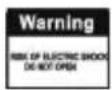
To prevent the risk of electric shock or fire, do not open the cover.
Refer servicing and repairs to qualified service personnel.
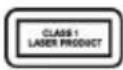
This mark indicates that this unit contains a class 1 laser product. The laser beam may produce harmful radiation if it directly touches the human body.
3. GENERAL SAFETY INSTRUCTIONS
Please read this Instruction Manual carefully before connecting and operating. Do not expose this DVD to rain, moisture or direct sunlight
Do not install near any heat sources, such as radiators. Heat registers, stoves or other apparatus that produces heat, including amplifiers.
Place the DVD on a Horizontal, level surface.
Do not obstruct the heat ventilations. Overheating may cause malfunctions.
Clean the cabinet with a soft cloth. Detergents or alcohol should not be used.
Do not remove any covers or attempt to gain access to the inside of the DVD Ho Theatre System.
Refer all servicing and repairs to qualified service Servicing is required when the DVD Home Theatre System has been damaged in anyway, such as power supply cord or the power plug is damaged, the DVD Home Theatre System has been exposed to rain or moisture and does not operate normally or has been dropped.
Unplug
this
DVD
Home
Theatre
System
during
lightning storms or when not used for long periods of time.
ENGLISH
User guide
DVPMH225
4. EXTERIOR FUNCTIONS AND MARKINGS
Front Panel:
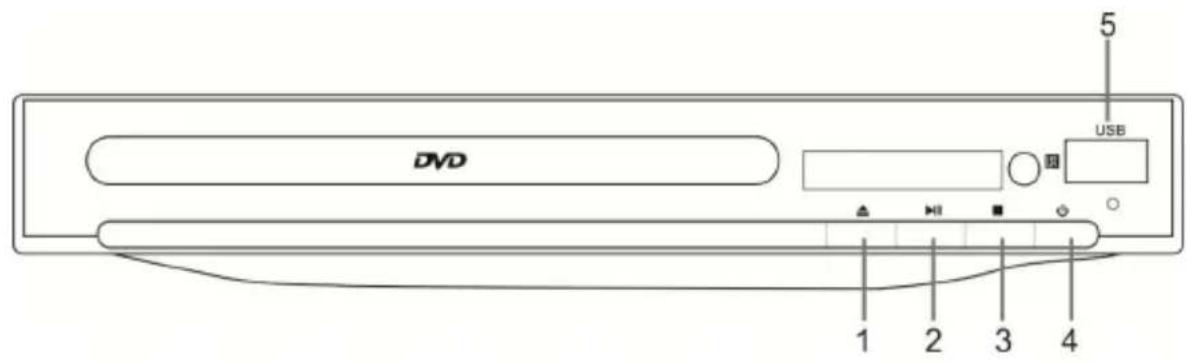
-
OPEN/CLOSE
-
PLAY/PAUSE
3.STOP
-
POWER
-
USB PORT
Rear panel:
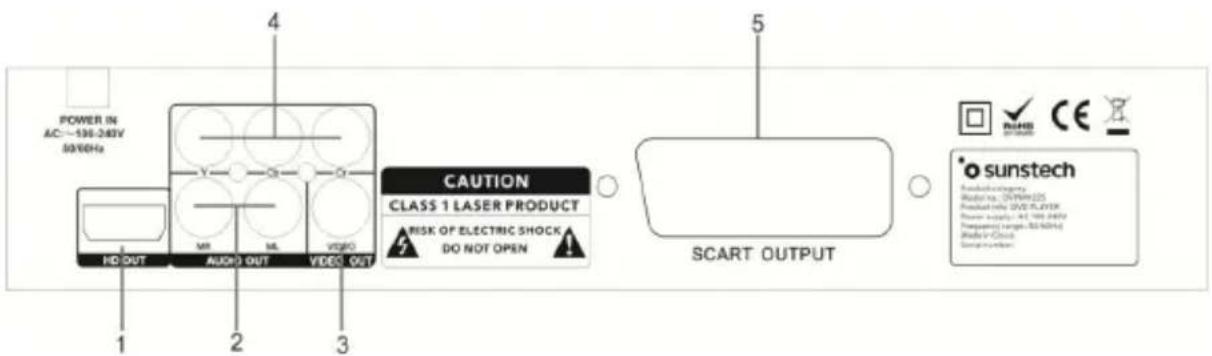
-
HDMI OUTPUT
-
AUDIO OUTPUTS
-
VIDEO OUTPUT
-
(Y.Pb/Cb.Pr/Cr) OUTPUT
-
SCART OUTPUT
5. REMOTE CONTROL
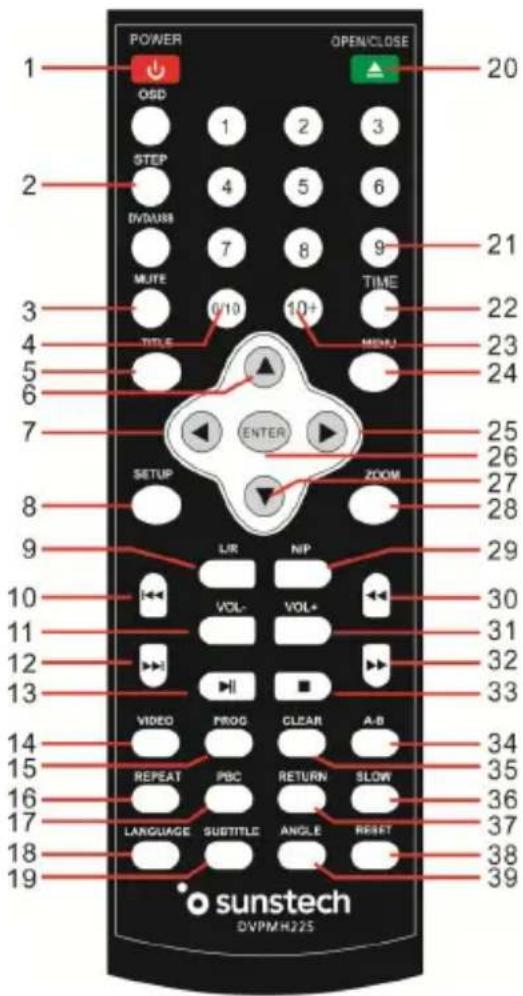
| 1 | POWER | 21 | TIME |
| 2 | OSD | 22 | 0-9/10+ |
| 3 | STEP | 23 | MENU |
| 4 | DVD/USB | 24 | UP |
| 5 | MUTE | 25 | RIGHT |
| 6 | TITLE | 26 | ENTER |
| 7 | LEFT | 27 | ZOOM |
| 8 | SETUP | 28 | DOWN |
| 9 | L/R | 29 | N/P |
| 10 | PREV | 30 | REV |
| 11 | VOL- | 31 | VOL + |
| 12 | NEXT | 32 | FWD |
| 13 | PLAY/PAUSE | 33 | STOP |
| 14 | VIDEO | 34 | A-B |
| 15 | PROG | 35 | CLEAR |
| 16 | REPEAT | 36 | SLOW |
| 17 | PBC | 37 | RETURN |
| 18 | LANGUAGE | 38 | RESET |
| 19 | SUBTITLE | 39 | ANGLE |
| 20 | OPEN/CLOSE |
5.1 Remote control operation
- Insert the batteries into the battery compartment. Point the remote at the remote sensor in the front of the player. Make sure there are no obstacles in the way between the remote and the player. The distance between the remote and sensor must exceed 3m.
- To prevent damage to the remote control, kindly remove batteries when not in use for long periods of time.
ENGLISH
User guide
DVPMH225
6. SYSTEM SET-UP
6.1 Menu Operation
Press SET-UP button on the remote control, the SET-UP MENU will be displayed.
- After accessing the SET-JP Menu, press the left or right button to select the sub-menu, then press the ENTER button to confirm your entry and move to the sub-menu.
- Press the up and down direction buttons to select the option desired · Also, press the ENTER button to confirm your selection · Now, set-up of this current function is completed ·
- To end the set-up press the SET-UP button again In the SET-UP MENU, you may choose any of the following options
- Some set-up items are concerning the existing modes · The items in grey are not changeable ·
- The set-up is memorized and kept after power has been turned off.
General set-up page
| General | Audio | Dolby | Video | Preference |
| General setup Page | ||||
| TV Display | 4:3/Ps | |||
| Angle Mark | On | |||
| Osd Lang | Eng | |||
| Captions | Off | |||
| Screen Saver | On | |||
| HDCD | 1X | |||
| Last Memory | Off | |||
6.2 Tv Display
4:3/PS: When the unit connects to the normal TV set, the wide-screen image shows on the full screen, but some part is cut off.
4:3/LB: When the unit connects to the normal TV set, the wide-screen image shows and black bars appear on the top and bottom of screen.
16:9: Use this item when the unit is connected to the wide-screen TV set.
ENGLISH
User guide
DVPMH225
6.3 System Set-Up
Angle Mark
Angle is displayed while playing DVD disc's with multi-angles.
These DVD's can be viewed from different angles.
OSD Lang
Select on-screen display language (English, French, German, Italian,
Spanish or Portuguese. )
Captions
This function doesn't work when the disc has no caption options. The default set-up is Caption off.
Screen Saver
If the screen saver is set On and the unit is switched on without a disc playing for several minutes, a moving picture appears on the screen, and the unit will go to standby mode after 20 minutes. You can press any key on the remote control to wake it up.
HDCD
You can select the digital filter at 1 X (44.1 KHz) or 2 X (88.2 KHz).
Last Memory
If the last memory is set when the unit is on and the unit is switched off, the last position on the DVD will be memorized.
ENGLISH
User guide
DVPMH225
6.4 Audio Set-Up
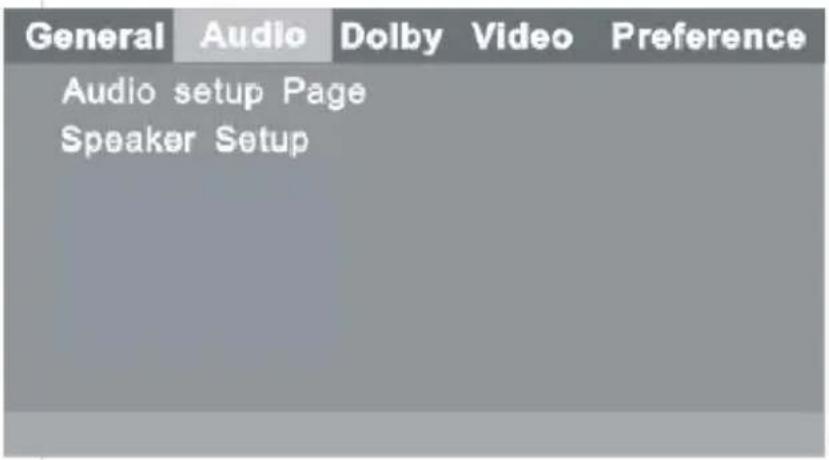
Downmix
LT / RT: The audio output is Left and Right channels format. The left and right surrounds are synchronously output to the left and right channels.
Stereo: The audio output format is stereo, the left and right surround are respectively output to the left and right channels.
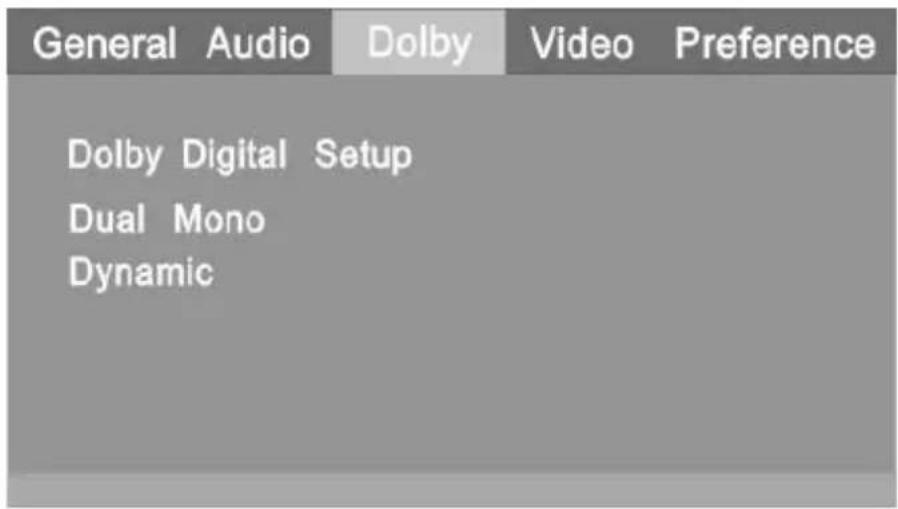
6.5 Dolby Digital Set-up
ENGLISH
User guide
DVPMH225
General Audio Dolby Video Preference
Audio setup Page Speaker Setup Spdif Setup Karaoke Setup CH EQ Setup 3D Process
6.6 System Set-up
Dual Mono
- Stereo sets audio output to the stereo output.
• L-Mono sets audio output to the mono-left channel.
• R-Mono sets audio output to the mono-right channel.
• Mix-Mono sets audio output to the Mix mono channel.
Dynamic
If you are watching a movie with a large dynamic sound at right, and you don't want to cause a disturbance, select this Mode. The treble and bass are reduced to a fine detailed sound. In this way, family and neighbors are not disturbed and the quality of sound is retained.
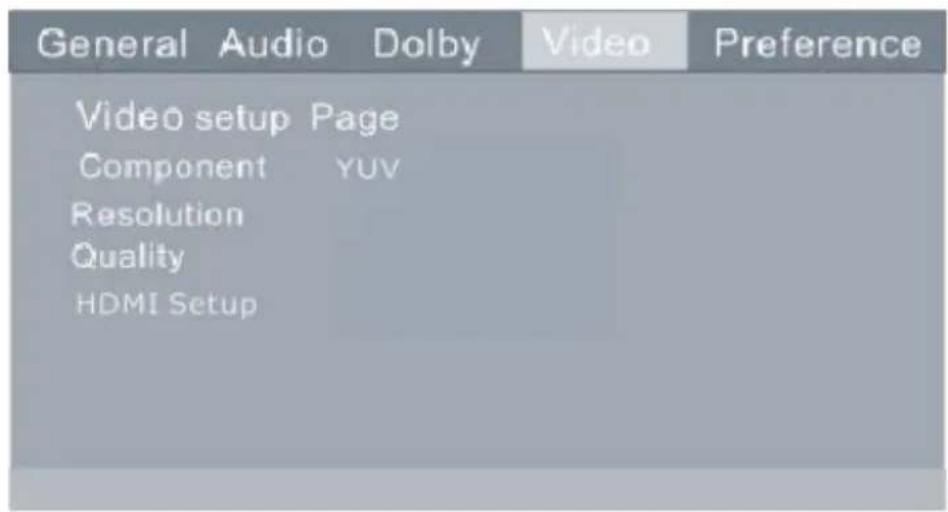
6.7 Video Set-up Page
ENGLISH
User guide
DVPMH225
7. COMPONENT OUTPUT & RESOLUTION
• Video: video output when connecting to video terminals.
- YUV: set video output in analogue component video format when connecting to Y/U/V terminals.
Resolution (HDMI output)
If you want to use HDMI output, select Resolution.
You can choose the following resolution levels from the HDMI output: 480i/576i/720p_50Hz/720p_60Hz/1080i_50Hz/1080I_60HZ/1080p (50Hz)/1080P (60Hz)
Remark: This DVD can make up to 576i video resolution, output. It will depend on the video source & the TV set
Quality
Sharpness / Brightness / Contrast Setting Set-up
You can set the sharpness, brightness and contrast according to your preference.
Note:
If the video setting differs with the physical connection, the TV set may show no Picture. If there is no picture, you can RE-SET the machine, and then keep pressing the [V-MODE] key until the picture is displayed again. If some resolution of the TV screen is flashing, press the remote control N/P key to change the video standard to apply to the TV screen.
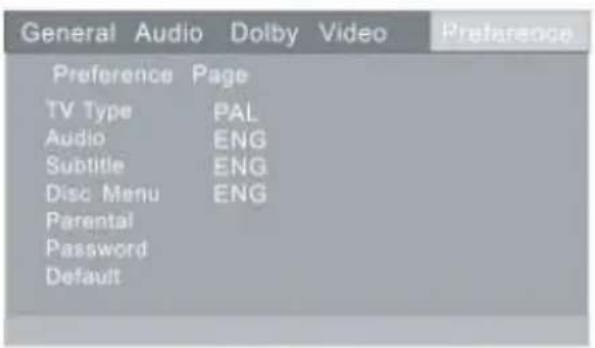
8. PREFERENCE PAGE
ENGLISH
User guide
DVPMH225
8.1 TV Type
This unit is suitable for all makes of TV's. You can select
• PAL or NTSC if necessary.
• PAL : this system is used in South Africa and Europe etc.
• NTSC : this system is used in USA, TAIWAN, JAPAN etc.
8.2 Audio, Subtitle menu and language set-up
These are the initial settings for your preference. If a setting is supported by disc content, it will work. Otherwise the disc default set value works. These settings can be changed respectively by pressing key the [AUDIO] o [SUBTITLE] when playing.
8.3 Parental Control
The control level is for parents to control playing content and protect your children from violence and eroticism. Any disc, with a level higher than the set level cannot be played. This may only be changed when the password set-up is set to off.
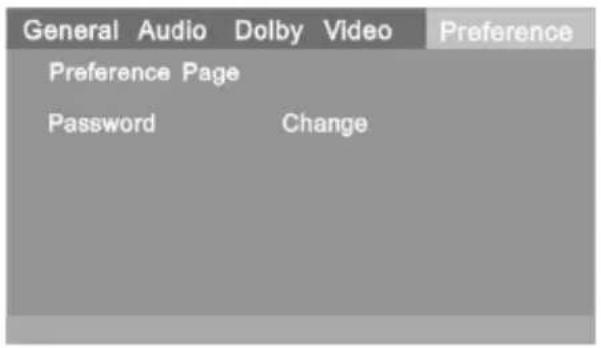
8.4 Password Set-up
Changing the password: The initial factory password is 0000
You can set your own password. If you forget your own
Password, you can use 0000 as a general password.
8.5 Default Set-up
This is the original factory setting on this unit.
TECHNICAL SUPPORT
For more information about this product please visit our support section on our website www.sunstech.com.
ENGLISH
User guide
DVPMH225
9. PLAYBACK FUNCTION
9.1 PLAYING JPEG /KODAK PICTURE CD DISC
Press STOP key, 12 small pictures will show on the TV screen.
Press up/down/left/right to select the desired picture.
Use up/down/left/right key to INSTRUCTION, then press ENTER on the instruction menu. Instruction menu changes as follows: 【PROG】: to change picture transform mode; 【STOP】: entering picture preview mode; 【PREV】: previous picture; 【NEXT】: next picture; 【PLAY】: to play picture; 【U P】: mirror image in vertical; 【DOWN】: mirror image in horizontal; 【LEFT】: rotate 90 degrees anticlockwise; 【RIGHT】: rotate 90 degrees clockwise:
【ZOOM】: change zoom mode; 【FAST FORWARD】: zoom in the picture; 【FAST REWIND】: zoom out the picture; 【UP/DOWN/LEFT/RIGHT】: move zoom center. select CONTINUE to exit.
9.2 PLAYING MP3 DISCS
While playing a MP3 disc, there is a menu screen on TV, press the【▲】or【▼】button to shift the cursor to select the track or folder, and press the
【ENTER】button to play the selected track or folder (for some MP3 discs you need to enter the sub-folder to select the track and press the 【ENTER】button to play).
There are two play modes for MP3 discs: folder and file play. The default mode is the folder play; press【PROG】button to select the mode. In the files play mode. The screen displays the total track number and the current playing track. Use the digit button to select the track, or use the【▲】【▼】button to shift to the track and press the【ENTER】button to play the track.
9.3 USB Operations
This product has a USB port at the DVD front face for MP3/Movies playback. Plug in the USB drive. The DVD unit will read and play the MP3/Movies files automatically.
The operation is the same as a playing a CD.
If there is a disc in the tray and the USB drive is plugged in at the same time, press the disc / USB button on the remote, to switch between the two Modes. Otherwise, the disc has to be taken out from the tray, to let the DVD player read the USB drive. Please unplug the USB before attempting to open the Disc Tray.
ENGLISH
User guide
DVPMH225
10. WARNINGS
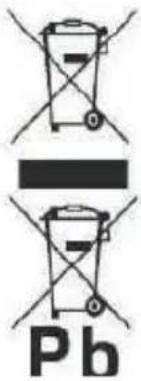 | Correct disposal of this Product(Waste Electrical & Electronic Equipment)(WEEE)Your product is designed and manufactured with high quality materials and components which can be recycled and reused.This symbol means that electrical and electronic equipment, at their end of-life should be disposed of separately from your household waste.Please dispose of this equipment at your local community waste collection/recycling centre.In the European Union there are separate collection systems for used electrical and electronic products. Please help us to conserve the environment we live in! |
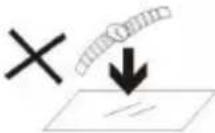 | DO NOT place objects on top of the device, as objects may scratch the device. |
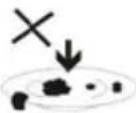 | DO NOT expose the device to dirty or dusty environments. |
 | DO NOT place the device on an uneven or unstable surface. |
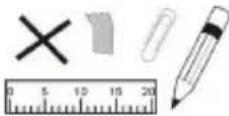 | DO NOT insert any foreign objects into the device. |
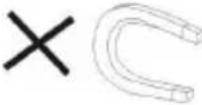 | DO NOT expose the device to strong magnetic or electrical field. |
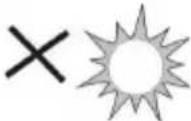 | DO NOT expose the device to direct sunlight as it can damage the device. Keep it away from heat sources. |
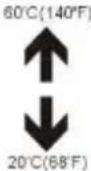 | DO NOT store your device in temperatures higher than 40°C(104°F). The internal operating temperature for this device is from 20°C(68°F) to 60°C(140°F). |
ENGLISH
User guide
DVPMH225
 | DO NOT use the device in the rain. |
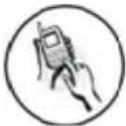 | Please check with your Local Authority or retailer for proper disposal of electronic products. |
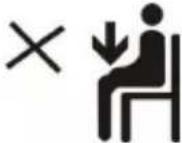 | The device and adaptor may product some heat during normal operation of charging. To prevent discomfort or injury from heat exposure, DO NOT leave the device on your lap. |
 POWER SUPPLY:POWER (IN STANDEY): [IN USE]: POWER SUPPLY:POWER (IN STANDEY): [IN USE]:  | POWER INPUT RATING: Refer to the rating label on the device and be sure that the power adaptor complies with the rating. Only use accessories specified by the manufacturer. |
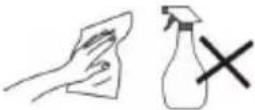 | Clean the device with a soft cloth. If needed, dampen the cloth slightly before cleaning. Never use abrasives or cleaning solutions. |
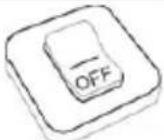 | Always power off the device to install or remove external devices that do not support hot-plug. |
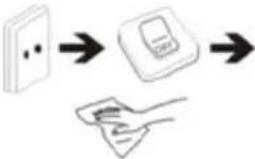 | Disconnect the device from an electrical outlet and power off before cleaning the device. |
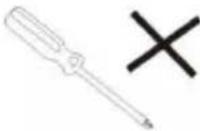 | DO NOT disassemble the device. Only a certified service technician should perform repair. |
 | The device has apertures to disperse heat. DO NOT block the device ventilation, the device may become hot and malfunction as a result. |
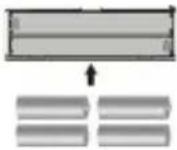 | Risk of explosion if battery replaced by an incorrect type. Dispose of used batteries according to the instruction. |
ENGLISH
User guide
DVPMH225
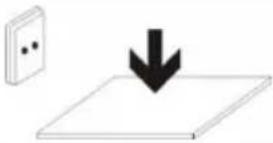 | PLUGGABLE EQUIPMENT: the socket-outlet shall be installed near the equipment and shall be easily accessible. |
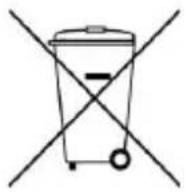 | European Union: Disposal Information.This symbol means that according to local laws and regulations your product and/or its battery shall be disposed of separately from household waste. When this product reaches its end of life, take it to a collection point designated by local authorities. The separate collection and recycling of your product and/or its battery at the time of disposal will help conserve natural resources and ensure that it is recycled in a manner that protects human health and the environment. |
| MADE IN CHINA | |

natural_image
Abstract illustration of a white sphere and a gray book with partial crescent shapes, set against a dark background with a white circle (no text or symbols)DVPMH225
REPRODUCTOR DVD
GUÍA DE USUARIO
Guía del usuario
DVPMH225
CONTENIDO
natural_image
Abstract illustration of a white sphere and a gray book with partial crescent shapes, set against a dark background with a white circle (no text or symbols)DVPMH225
LECTEUR DE DVD
GUIDE DE L'UTILISATEUR
CONTENU
- REMARQUES IMPORTANTES .... 1
- INSTRUCTIONS GÉNÉRALES DE SÉCURITÉ....2
- FONCTIONS ET MARQUES EXTÉRIEURES....3
- TÉLÉCOMMANDE....4
Audio setup Page Speaker Setup
Downmix
Dual Mono [Mono double]
natural_image
Abstract illustration of a white sphere resting on a gray book with two small semicircles, against a dark background (no text or symbols)DVPMH225
LEITOR DE DVD
GUIA DO UTILIZADOR
CONTEÚDO
For you. For everyone.



- CONTENT
- ENGLISH
- User guide
- DVPMH225
- IMPORTANT NOTES
- GENERAL SAFETY INSTRUCTIONS
- EXTERIOR FUNCTIONS AND MARKINGS
- REMOTE CONTROL
- Remote control operation
- SYSTEM SET-UP
- Menu Operation
- Tv Display
- System Set-Up
- Angle Mark
- OSD Lang
- Captions
- Screen Saver
- HDCD
- Last Memory
- Audio Set-Up
- Downmix
- Dolby Digital Set-up
- General Audio Dolby Video Preference
- System Set-up
- Dual Mono
- Dynamic
- Video Set-up Page
- COMPONENT OUTPUT & RESOLUTION
- Note:
- PREFERENCE PAGE
- TV Type
- Audio, Subtitle menu and language set-up
- Parental Control
- Password Set-up
- Default Set-up
- TECHNICAL SUPPORT
- PLAYBACK FUNCTION
- PLAYING JPEG /KODAK PICTURE CD DISC
- PLAYING MP3 DISCS
- USB Operations
- WARNINGS
- Guía del usuario
- CONTENIDO
- CONTENU
- Dual Mono [Mono double]
- CONTEÚDO
Brand : Sunstech
Model : DVPMH225
Category : DVD player