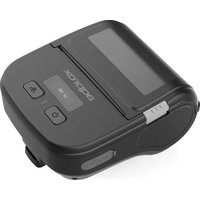
appPOS8058DUAL - Printer Approx - Free user manual and instructions
Find the device manual for free appPOS8058DUAL Approx in PDF.


User questions about appPOS8058DUAL Approx
0 question about this device. Answer the ones you know or ask your own.
Ask a new question about this device
Download the instructions for your Printer in PDF format for free! Find your manual appPOS8058DUAL - Approx and take your electronic device back in hand. On this page are published all the documents necessary for the use of your device. appPOS8058DUAL by Approx.
USER MANUAL appPOS8058DUAL Approx
■ Connect Cable - Cable
- Connect cable to printer
Conecte el cable a la impresora - Connect cable to PC
Conecte el cable al PC - Long press open button to power on Pulse prolongadamente el botón de encendido
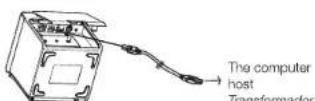
5
Paper Loading Carga de Papel
- Make sure to open the front cover. Abra la tapa frontal.
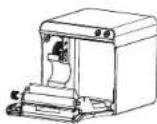
- Make sure paper printing side ahead, put into paper roll; pull paper roll out and exceed top cover.
- Close front cover of printer, press forward until hearing "ka" of front cover, which means closed.
Driver Installation / Trouble Removal
Load the CD and run the "Approx driver install" to install the printer driver
Attention: if any trouble can't be solved, please contact soporte@approxpv.es