TEW-647GA - Network card / adapter TRENDNET - Free user manual and instructions
Find the device manual for free TEW-647GA TRENDNET in PDF.


User questions about TEW-647GA TRENDNET
0 question about this device. Answer the ones you know or ask your own.
Ask a new question about this device
Download the instructions for your Network card / adapter in PDF format for free! Find your manual TEW-647GA - TRENDNET and take your electronic device back in hand. On this page are published all the documents necessary for the use of your device. TEW-647GA by TRENDNET.
USER MANUAL TEW-647GA TRENDNET
Installation Requirements
• A computer with a network adapter installed.
- Wireless router (e.g. TEW-639GR).
- An available DHCP Server –wireless routers usually have a built-in DHCP server.
• A game console with an Ethernet port.
Application
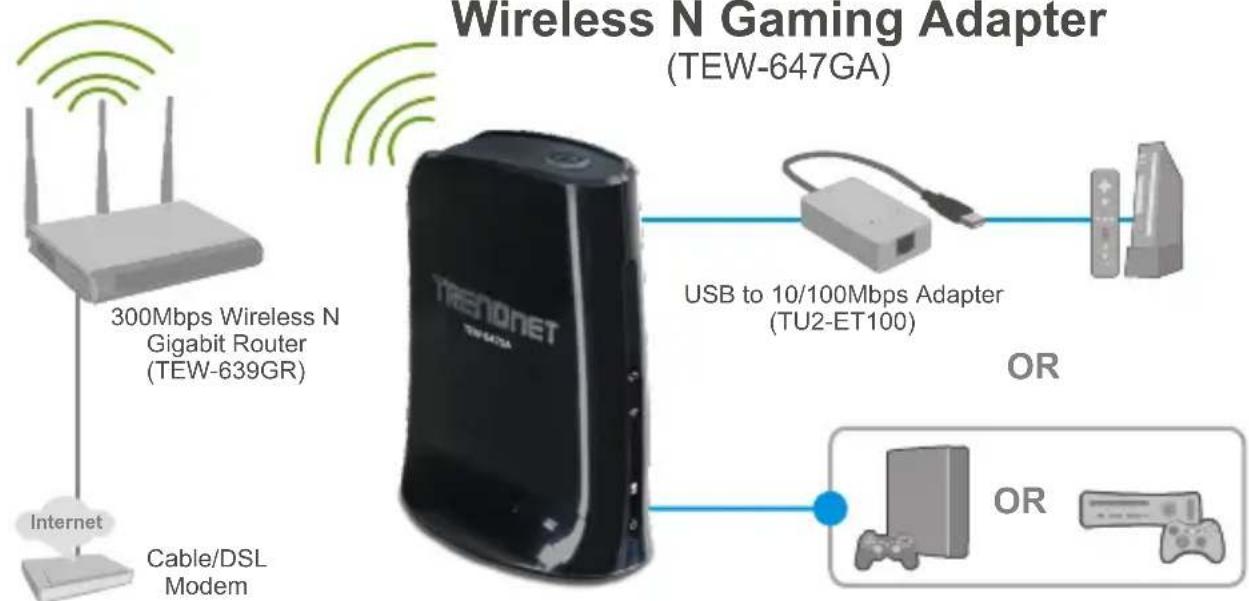
flowchart
graph TD
    A["300Mbps Wireless N Gigabit Router (TEW-639GR)"] --> B["TRENONET"]
    C["Internet"] --> D["Cable/DSL Modem"] --> B
    B --> E["USB to 10/100Mbps Adapter (TU2-ET100)"]
    E --> F["OR"]
    B --> G["OR"]
2. Hardware Installation
Note: There are two methods for setting the gaming adapter: Wi-Fi Protected Setup (WPS) Push Button Setup or Manual Setup. If your wireless router does not support WPS, go to section 2.2 Manual Setup. If your wireless router does support WPS, please follow the directions in section 2.1 Wi-Fi Protected Setup (WPS) Push Button Setup.
2.1. Wi-Fi Protected Setup (WPS) Push Button Setup
- Plug the power adapter into the TEW-647GA and then into an available power outlet.
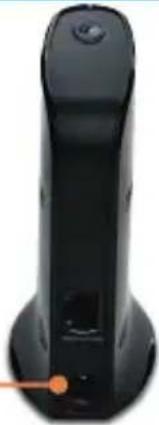
natural_image
Black handheld device with a circular button and orange pointer (no visible text or symbols)- Press the WPS button on your wireless router. The example shows a TEW-639GR.
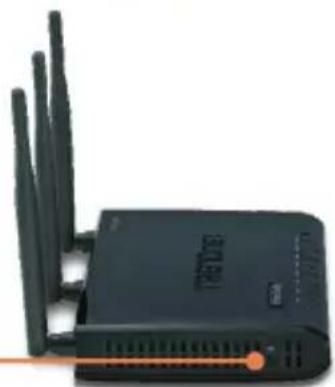
natural_image
Black wireless router with multiple antennas and ventilation slots (no visible text or symbols)- Press the WPS button on the TEW-647GA. The WPS button will start to blink.
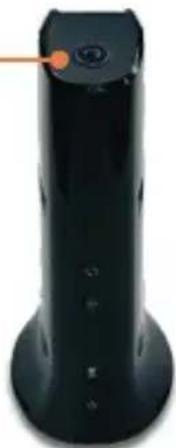
natural_image
Black cylindrical device with orange pointer and control buttons, no visible text or symbols- Once the WPS button becomes steady, the TEW-647GA has been successfully configured.
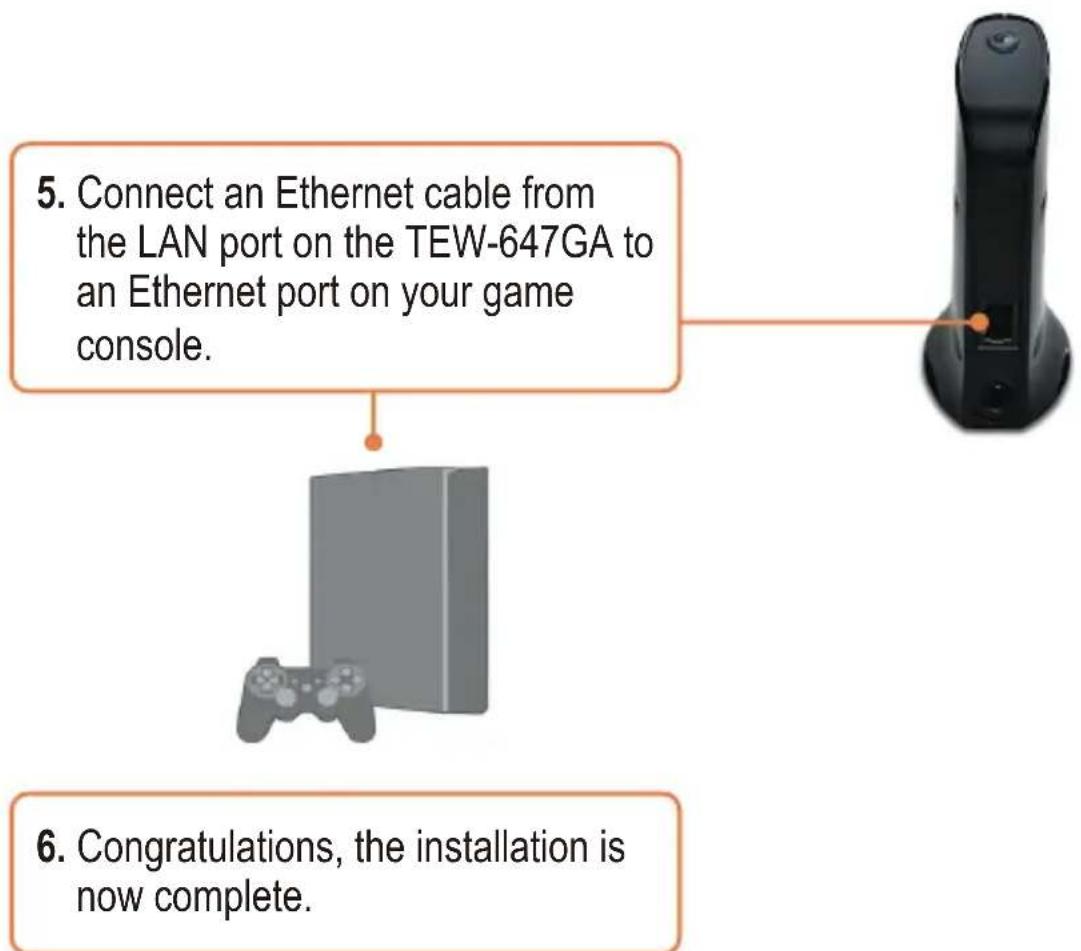
flowchart
graph TD
    A["5. Connect an Ethernet cable from the LAN port on the TEW-647GA to an Ethernet port on your game console."] --> B["6. Congratulations, the installation is now complete."]
2.2. Manual Setup (For Windows Users)
Note: Manual Setup requires a Windows PC.
-
Insert Utility CD-ROM into your computer's CD-ROM drive.
-
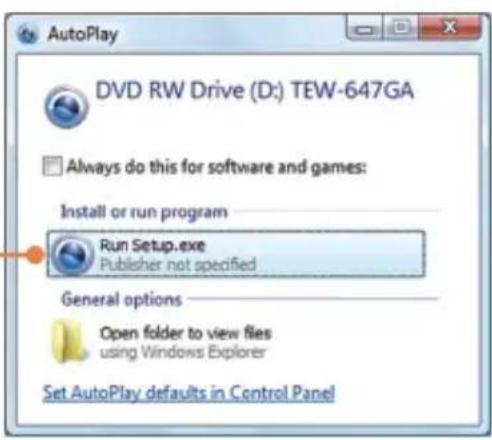
Click Run Setup.exe (Windows Vista only)
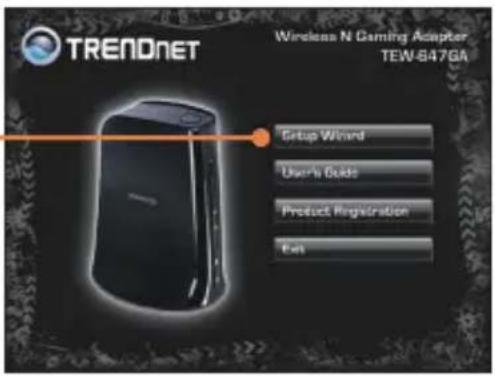
- Click Setup Wizard.
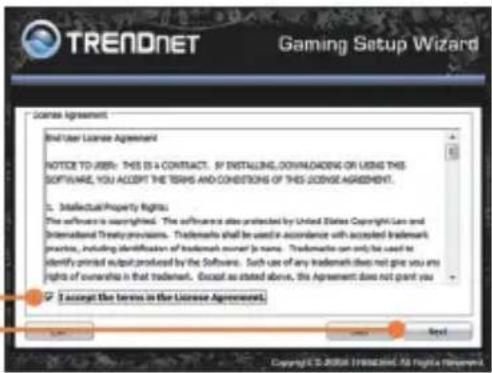
- Click I accept the terms in the License Agreement and then click Next.
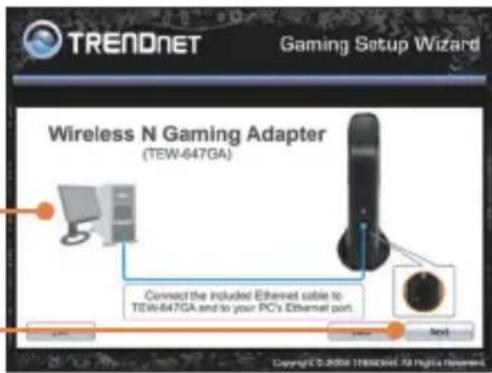
- Connect the provided RJ-45 cable from the Ethernet port on your computer to the Ethernet port on the TEW-647GA. Then click Next.
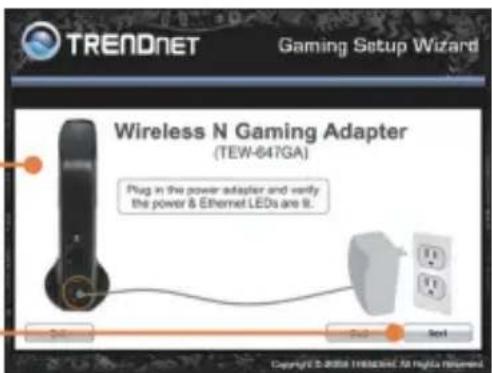
- Connect the AC Power Adapter to the Access Point and then to a power outlet and then click Next.
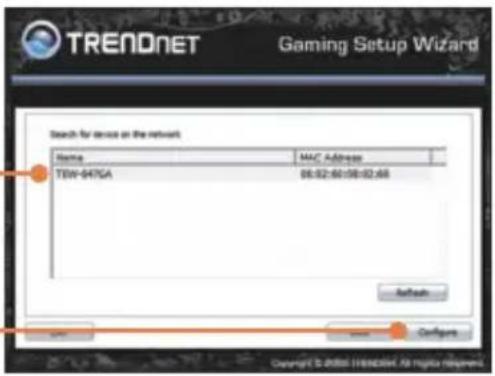
- Select the TEW-647GA from the list and then click Configure.
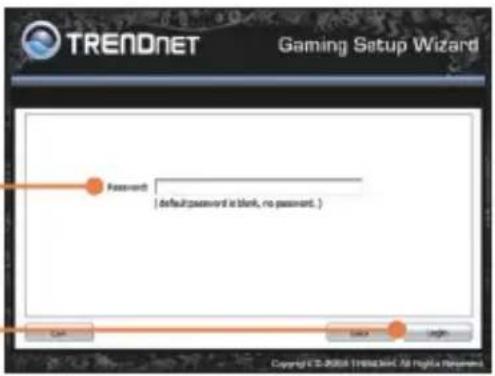
- Enter your password and then click Login. By default, there is no password.
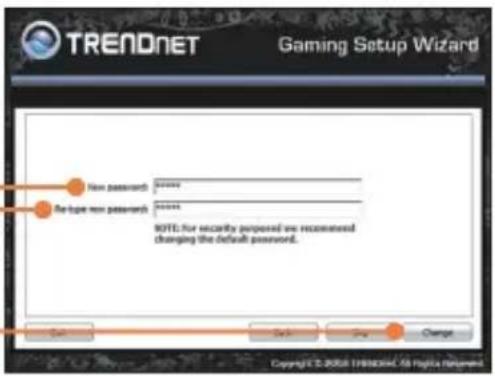
- Enter a new password, retype the new password and then click Change.
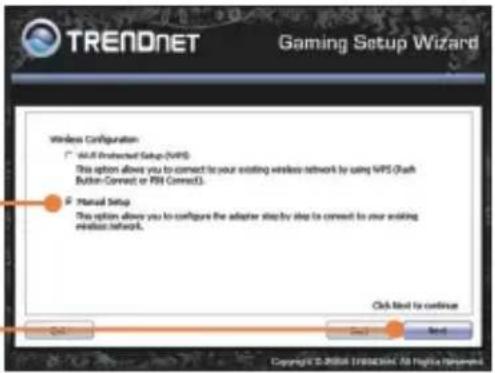
- Select Manual Setup and then click Next.
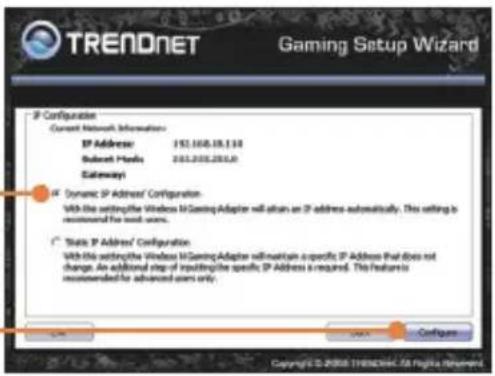
- Select 'Dynamic IP Address' Configuration and then click Next.
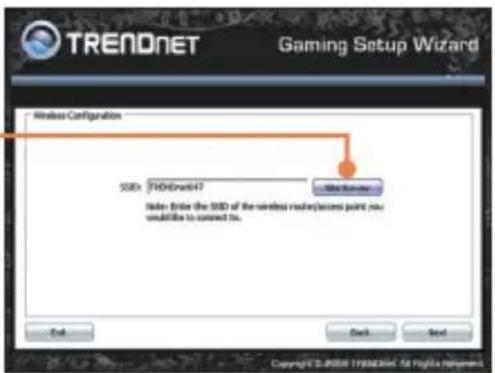
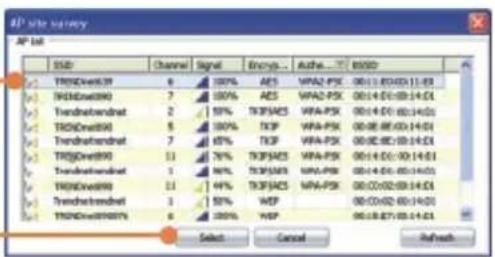
- Click Site Survey.
- Select the SSID for your wireless router and then click Select.
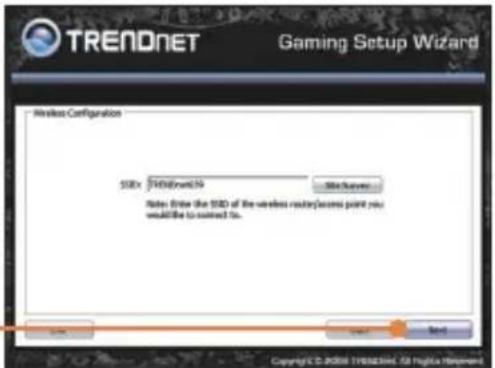
- Click Next.
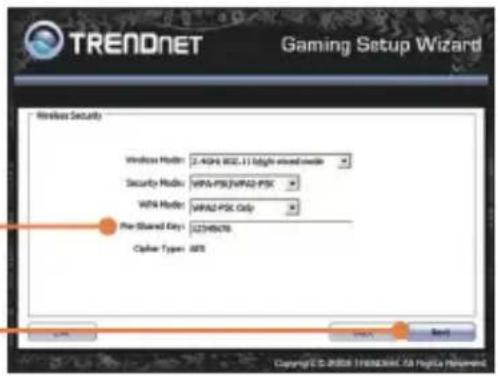
- If encryption is enabled on your wireless network, the correct Wireless Mode, Security Mode, WPA Mode and Cipher Type will be selected. Enter your Pre-Shared key and then click Next. This example shows WPA-PSK.
- Click Save (Optional).
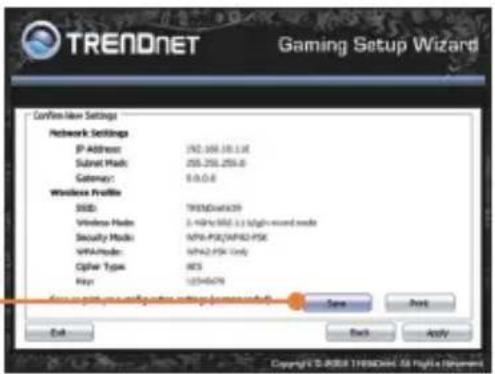
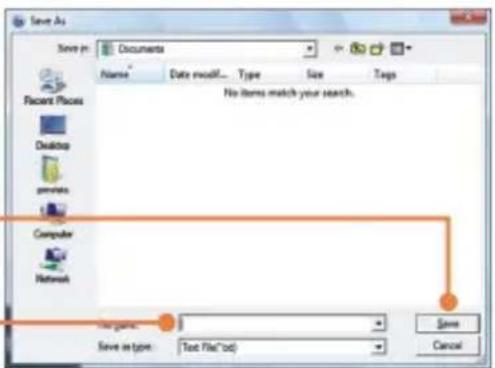
- Give the file a name, then click Save (optional).
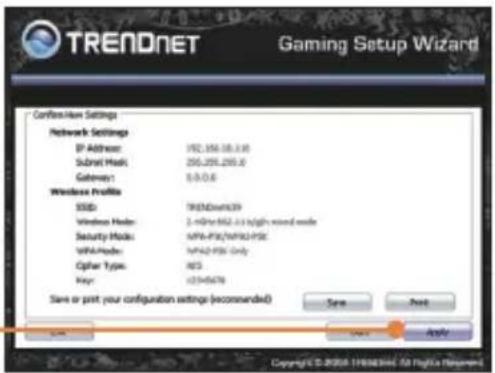
- Click Apply.
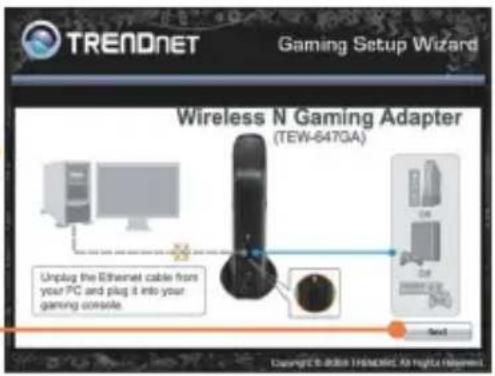
- Connect the RJ-45 cable from the Ethernet port on the TEW-647GA to the Ethernet port on your game console. Then Click Next.
- Click Exit.
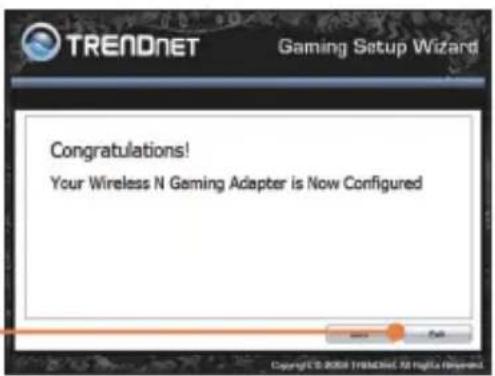
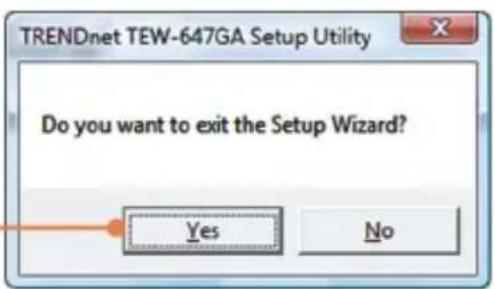
- Click Yes to exit.
- Verify that the network setting on your game console is set to obtain an IP address automatically (dynamic IP). Please refer to the manual or contact your game console's technical support for instructions.
Your configuration is now complete.
For detailed information regarding the TEMFig47GIAIs and advanced settings, please refer the Troubleshooting section, User's Guide CD-ROM or TRENDnet's website at www.trendnet.com
Register Your Product
To ensure the highest level of customer service and support, please take a moment to register your product Online at: www.trendnet.com/register Thank you for choosing TRENDnet
Q1: My Nintendo Wii does not have an Ethernet port. Can I use this with my Wii?
A1: You will need to install a USB to Ethernet adapter on your WII. The TRENDnet TU2-ET100 version 3.0r is compatible with the WII. Please go to www.trendnet.com for more information regarding the TU2-ET100.
Q2: My wireless router does not support Wi-Fi Protected Setup (WPS). What should I do?
A2: Please follow the instructions in section 2.2 Manual Setup if your wireless router does not support WPS.
Q3: I inserted the User's Guide CD-ROM into my computer's CD-ROM Drive to run the Setup Wizard, but the installation menu does not appear automatically. What should I do?
A3: For Windows 2000/XP, if the installation menu does not appear automatically, click Start, click Run, and type D:\setup.exe where "D" in "D:\setup.exe" is the letter assigned to your CD-ROM Drive, and then press the ENTER key on your keyboard. For Windows Vista, if the installation menu does not appear automatically, click Start, click the Start Search box, and type D:\setup.exe where "D" in "D:\setup.exe" is the letter assigned to your CD-ROM Drive, and then press the ENTER key on your keyboard.
Q4: I receive an unable to configure error when I go through the wizard. What should I do?
A4: First, double check that the wireless LED on the TEW-647GA and your wireless router is lit. Second, power cycle the TEW-647GA and your wireless router. Unplug the power to the TEW-647GA and your wireless router. Wait 15 seconds, then plug the power to your wireless router back in. Wait 15 seconds, then plug the TEW-647GA back in. Then go through the wizard again. Third, factory reset the TEW-647GA and go through the wizard again. To reset the TEW-647GA, take a pin or paper clip and press the reset button for 15 seconds, then let go.
Q5: I connect the TEW-647GA to my game console, but I am unable to play games online. What should I do?
A5: First, verify that a computer can get online through the router wirelessly. Second, verify that the network setting on your game console is set to obtain an IP address automatically (dynamic IP). Please refer to the manual or contact your game console's technical support for instructions. Third, power cycle the TEW-647GA and your wireless router. Unplug the power to the TEW-647GA and your wireless router. Wait 15 seconds, then plug the power to your wireless router back in. Wait 15 seconds, then plug the TEW-647GA back in. Fourth, factory reset the TEW-647GA. To reset the TEW-647GA, take a pin or paper clip and press the reset button for 15 seconds, then let go.
Q6: I followed the Quick Installation Guide and setup a new password. When I log in to the browser configuration an access error message appears. What should I do?
A6: The default user name is admin. When you log in to the browser configuration for the first time, make sure to enter admin for user name. Do not leave the user name field blank. If the password was changed and you don't remember it, you need to reset the TEW-647GA. To reset the TEW-647GA, take a pin or paper clip and press the reset button for 15 seconds, then let go.
Q7: Can I need a gaming console in order to use this device?
A7: This device is compatible with any Ethernet-enabled device.
Q8: Is WPS required on my router in order to use the TEW-647GA?
A8: A router with WPS is not required. You will need to use the wizard. When you run the wizard, you will need to select Manual Setup, instead of Wi-Fi Protected Setup (WPS). Manual Setup allows you to select the following encryption type: ] WEP, WPA-PSK and WPA2-PSK. For detailed instructions, see section 2.2 Manual Setup.
If you still encounter problems or have any questions regarding the TEW-647GA, please contact TRENDnet's Technical Support Department.
GPL/LGPL General Information
This TRENDnet product includes free software written by third party developers. These codes are subject to the GNU General Public License ("GPL") or GNU Lesser General Public License ("LGPL"). These codes are distributed WITHOUT WARRANTY and are subject to the copyrights of the developers. TRENDnet does not provide technical support for these codes. The details of the GNU GPL and LGPL are included in the product CD-ROM.
Please also go to (http://www.gnu.org/licenses/gpl.txt) or (http://www.gnu.org/licenses/lgpl.txt) for specific terms of each license.
The source codes are available for download from TRENDnet's web site (http://trendnet.com/downloads/list_gpl.asp) for at least three years from the product shipping date.
You could also request the source codes by contacting TRENDnet.
20675 Manhattan Place, Torrance, CA 90501, USA. Tel: +1-310-961-5500 Fax: +1-310-961-5511
This equipment has been tested and found to comply with FCC and CE Rules.
Operation is subject to the following two conditions:
(1) This device may not cause harmful interference.
(2) This device must accept any interference received. Including interference that may cause undesired operation.



Waste electrical and electronic products must not be disposed of with household waste. Please recycle where facilities exist. Check with you Local Authority or Retailer for recycling advice.
NOTE: THE MANUFACTURER IS NOT RESPONSIBLE FOR ANY RADIO OR TV INTERFERENCE CAUSED BY UNAUTHORIZED MODIFICATIONS TO THIS EQUIPMENT. SUCH MODIFICATIONS COULD VOID THE USER'S AUTHORITY TO OPERATE THE EQUIPMENT.
ADVERTENCIA
Product Warranty Registration
Please take a moment to register your product online. Go to TRENDnet's website at http://www.trendnet.com/register