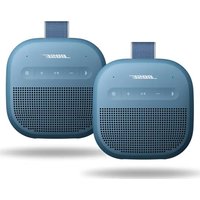
48822 - Speaker BOSE - Free user manual and instructions
Find the device manual for free 48822 BOSE in PDF.


Pick your language and provide your email: we'll send you a specifically translated version.
| Product Type | Wireless Bluetooth Speaker |
| Brand | Bose |
| Model | 48822 |
| Dimensions (H x W x D) | 6.2 x 18.0 x 5.8 cm |
| Weight | 0.54 kg |
| Power Source | Rechargeable lithium-ion battery |
| Battery Life | Up to 12 hours |
| Charging Time | Approximately 4 hours |
| Bluetooth Version | 4.2 |
| Wireless Range | Up to 10 m |
| Speaker Type | Full-range driver |
| Frequency Response | 62 Hz - 20 kHz |
| Microphone | Built-in with noise rejection |
| Controls | Power, Volume +/-, Play/Pause, Multi-function button |
| Water Resistance | IPX4 (splash-proof) |
| Input | 3.5 mm auxiliary |
| Color Options | Black |
| What's in the Box | Speaker, USB charging cable, Quick Start Guide |
| Maintenance | Wipe with a soft, dry cloth. Do not use liquids or aerosols. |
| Safety | Do not expose to heat sources, water, or excessive pressure. |
| Spare Parts | Replacement battery available through Bose service |
| Repair | Contact Bose authorized service center for repairs |
Frequently Asked Questions - 48822 BOSE
How do I pair my Bose 48822 speaker with a Bluetooth device?
Press and hold the Bluetooth button until the LED flashes blue. Then, enable Bluetooth on your device and select 'Bose 48822' from the list.
How do I reset my Bose 48822 speaker?
Press and hold the Power button for 10 seconds until the LED turns off and back on. This resets the speaker.
Can I use the speaker while charging?
Yes, you can use the speaker while it is charging. However, charging time may increase if the speaker is in use.
What is the battery life of the Bose 48822?
The battery life is up to 12 hours at moderate volume levels. Actual battery life varies with usage.
Is the Bose 48822 speaker water resistant?
Yes, it has an IPX4 rating, meaning it is splash-proof from any direction. Do not submerge in water.
How do I clean my Bose 48822 speaker?
Use a soft, dry cloth to wipe the speaker. Avoid using abrasive cleaners or liquids that may enter the ports.
Can I connect multiple Bose 48822 speakers together?
The Bose 48822 does not support party mode or stereo pairing. Each speaker operates independently.
What do the LED indicators mean?
Solid white: Connected to Bluetooth. Flashing blue: Pairing mode. Solid red: Low battery or error.
How do I update the firmware on my Bose 48822?
Use the Bose Connect app on your smartphone to check for and install firmware updates.
What should I do if the speaker is not turning on?
Charge the speaker for at least 15 minutes using the included USB cable. If it still doesn't turn on, perform a reset by holding the Power button for 10 seconds.
User questions about 48822 BOSE
0 question about this device. Answer the ones you know or ask your own.
Ask a new question about this device
No questions yet. Be the first to ask one.
Download the instructions for your Speaker in PDF format for free! Find your manual 48822 - BOSE and take your electronic device back in hand. On this page are published all the documents necessary for the use of your device. 48822 by BOSE.