
A3HF - Computer ASUS - Free user manual and instructions
Find the device manual for free A3HF ASUS in PDF.


| Product type | Laptop |
| Brand | ASUS |
| Model | A3HF |
| Dimensions (L x W x H) | 33,5 x 24,6 x 3,0 cm |
| Weight | 2,6 kg |
| Power supply | 19 V AC adapter |
| Processor | Intel Celeron or Pentium M |
| RAM Memory | 512 MB to 1 GB (DDR2) |
| Hard drive | 40 to 80 GB (PATA) |
| Screen | 15 inches (1024 x 768) |
| Operating system | Windows XP or 2000 |
| Main functions | ASUS Live Update for BIOS and driver updates, office and multimedia use |
| Maintenance and cleaning | Clean with a soft dry cloth, avoid liquids |
| Safety | Use on a flat surface, do not block vents |
| Spare parts and repairability | Battery, AC adapter, keyboard, hard drive, memory |
| General information | User manual available for download, ASUS Live Update tool included |
Frequently Asked Questions - A3HF ASUS
User questions about A3HF ASUS
0 question about this device. Answer the ones you know or ask your own.
Ask a new question about this device
Download the instructions for your Computer in PDF format for free! Find your manual A3HF - ASUS and take your electronic device back in hand. On this page are published all the documents necessary for the use of your device. A3HF by ASUS.
USER MANUAL A3HF ASUS
1.1 Introduction 1 1.2 How to update BIOS and Drivers via ASUS Live Update
Chapter 1 ASUS Live Update
1.1 Introduction
ASUS Live Update is a useful utility to automatically update the BIOS and drivers of your notebook from the web to the latest version, helping to avoid potential bugs.
If you cannot find the program in Start > All Programs > ASUS Utility, you can install it from the Driver & Utility CD.
1.2 How to update BIOS and Drivers via ASUS Live Update
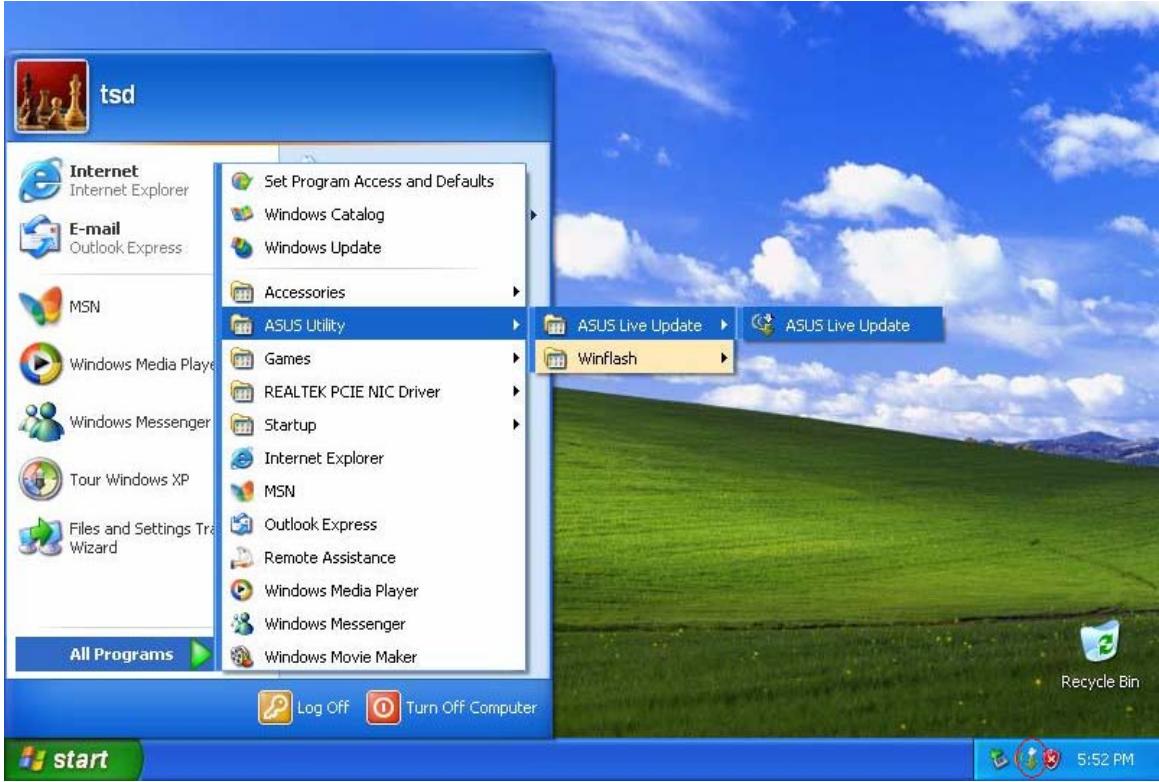
- Click Start > All Programs > ASUS Utility > ASUS Live Update > ASUS Live Update, or click its icon in the toolbar.
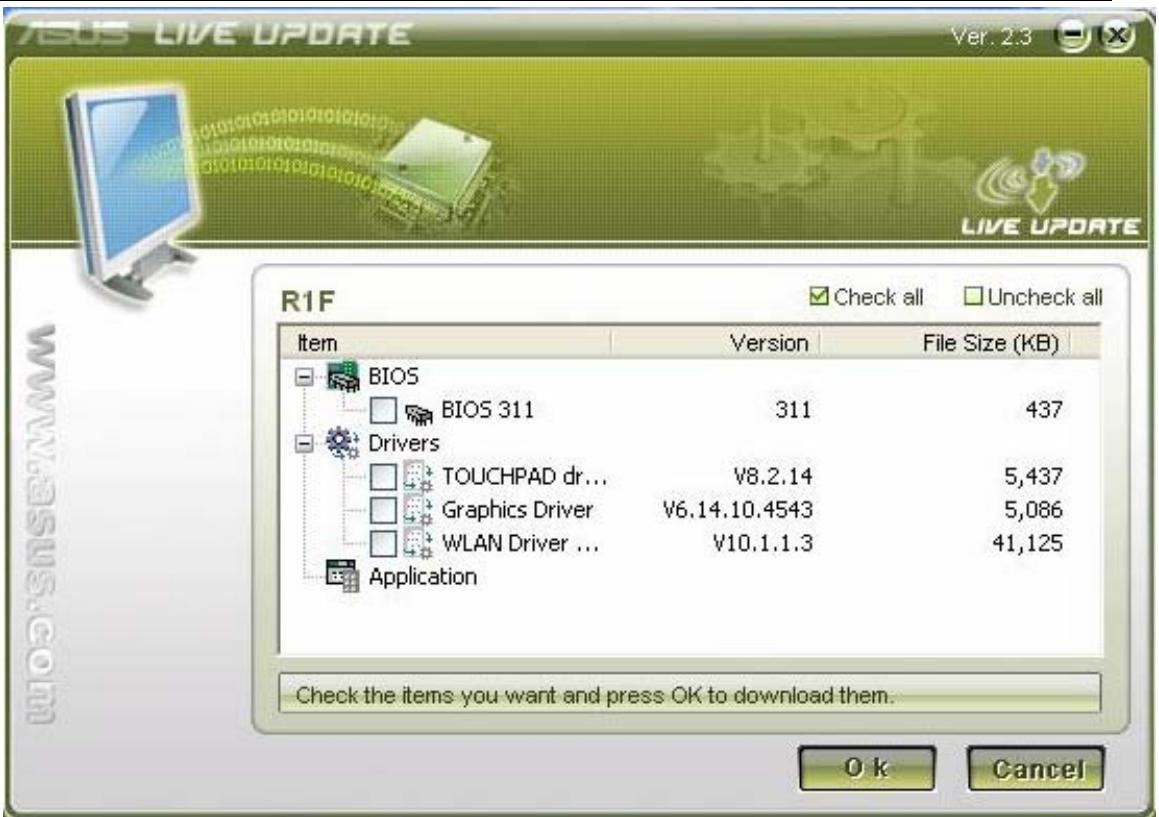
- Live Update will then detect the current BIOS and driver versions on your notebook and automatically compare them with those posted on the web, listing all BIOS and drivers newer than your current versions.
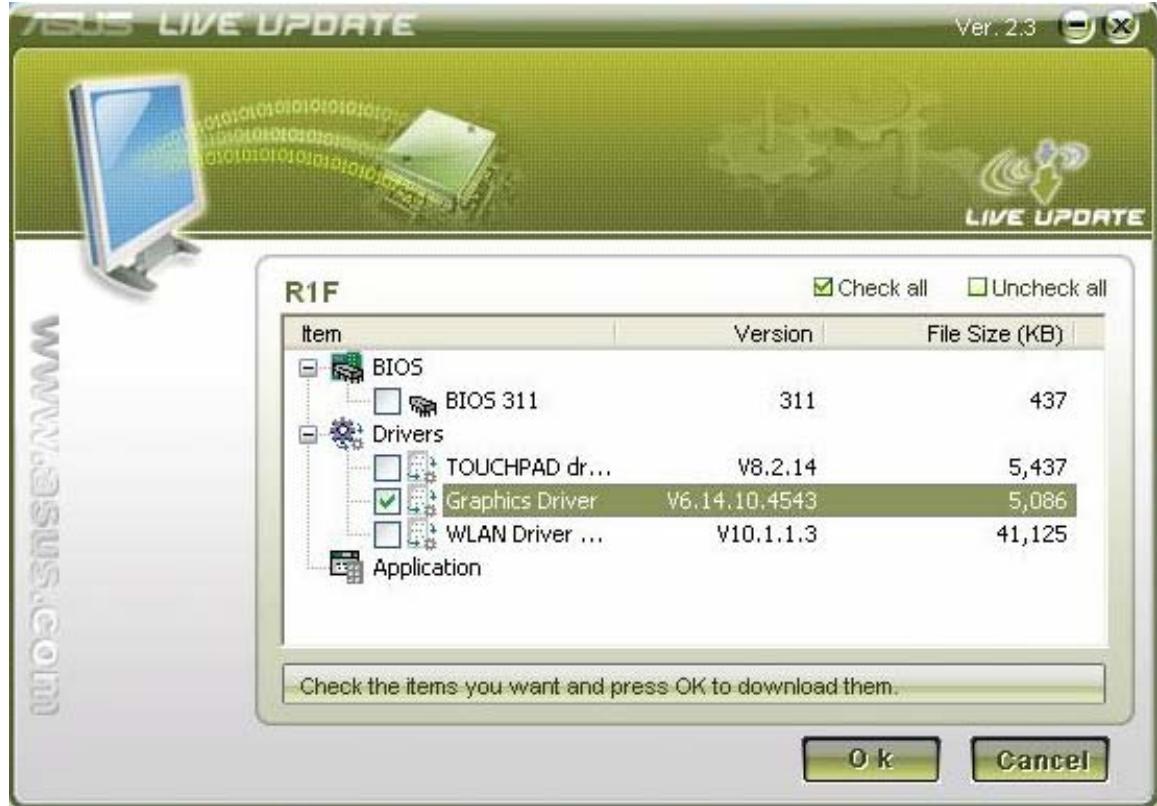
- You can select any BIOS or driver and click "OK" to update via Live Update.
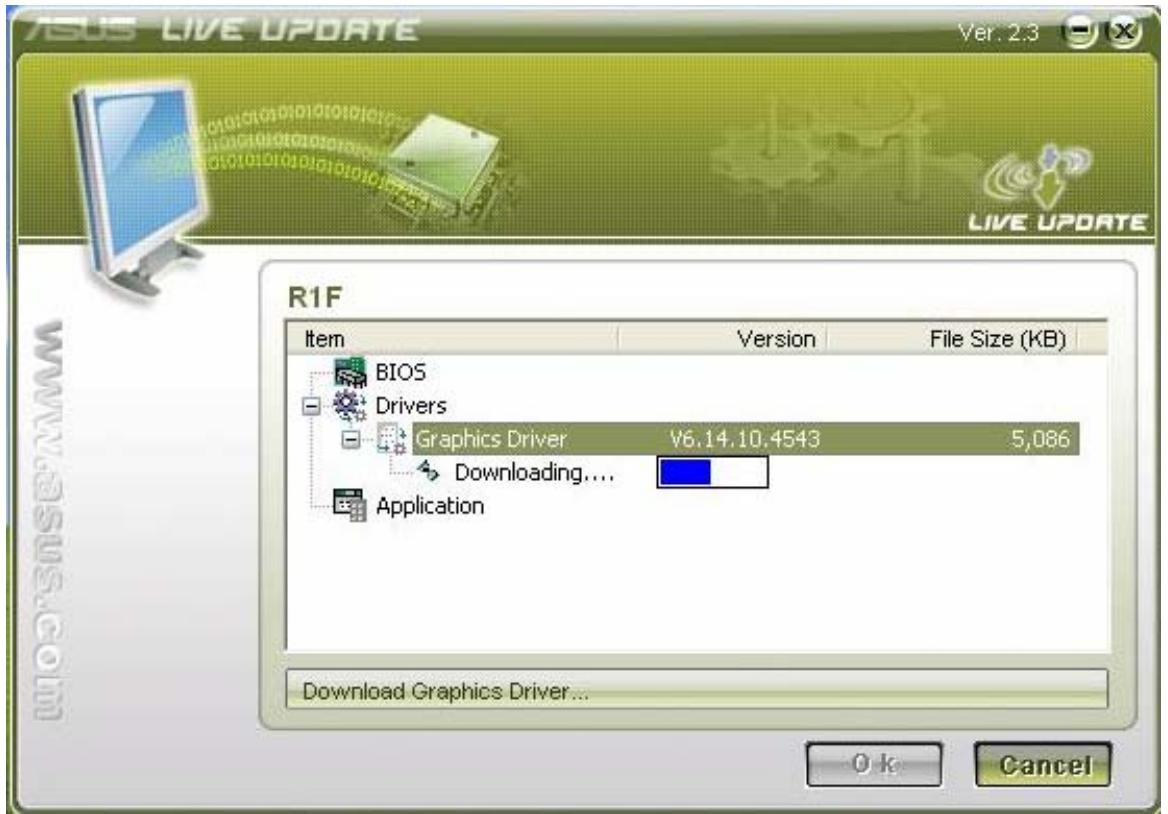
- If you select a driver, Live Update will download the latest driver.
- Then it will install the driver automatically.
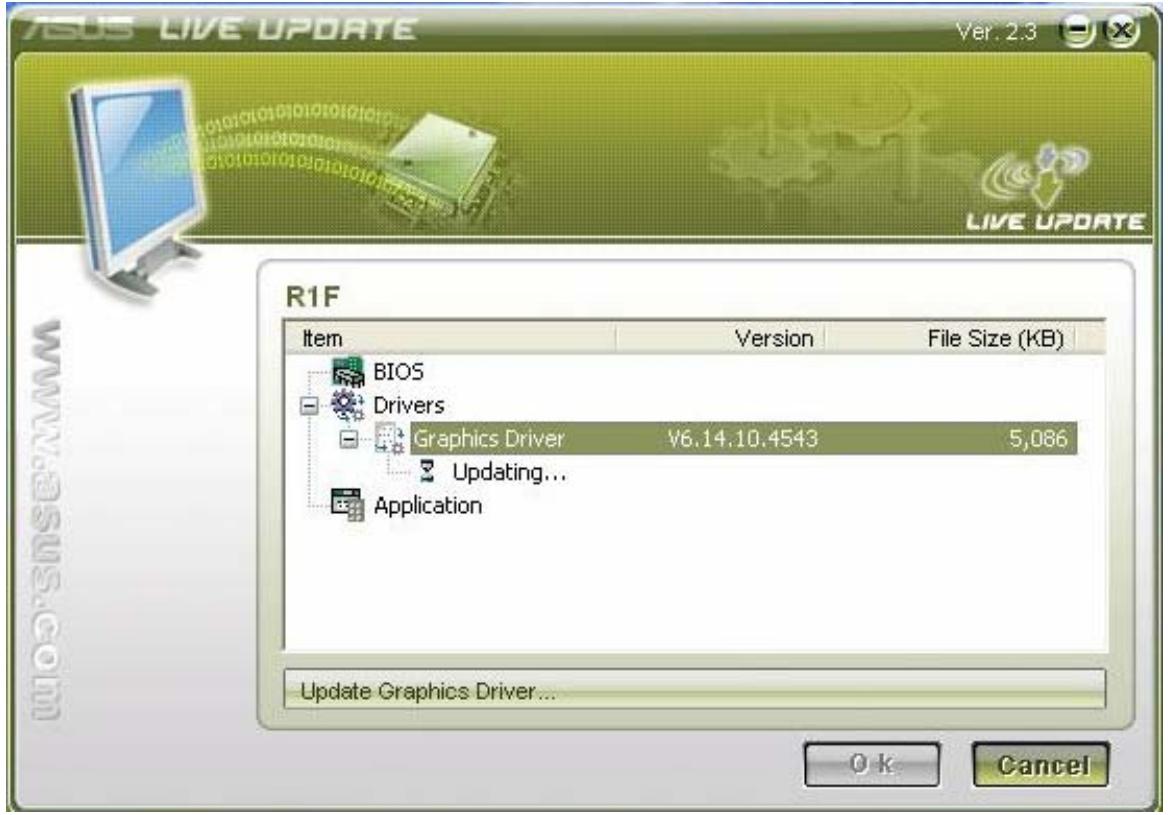
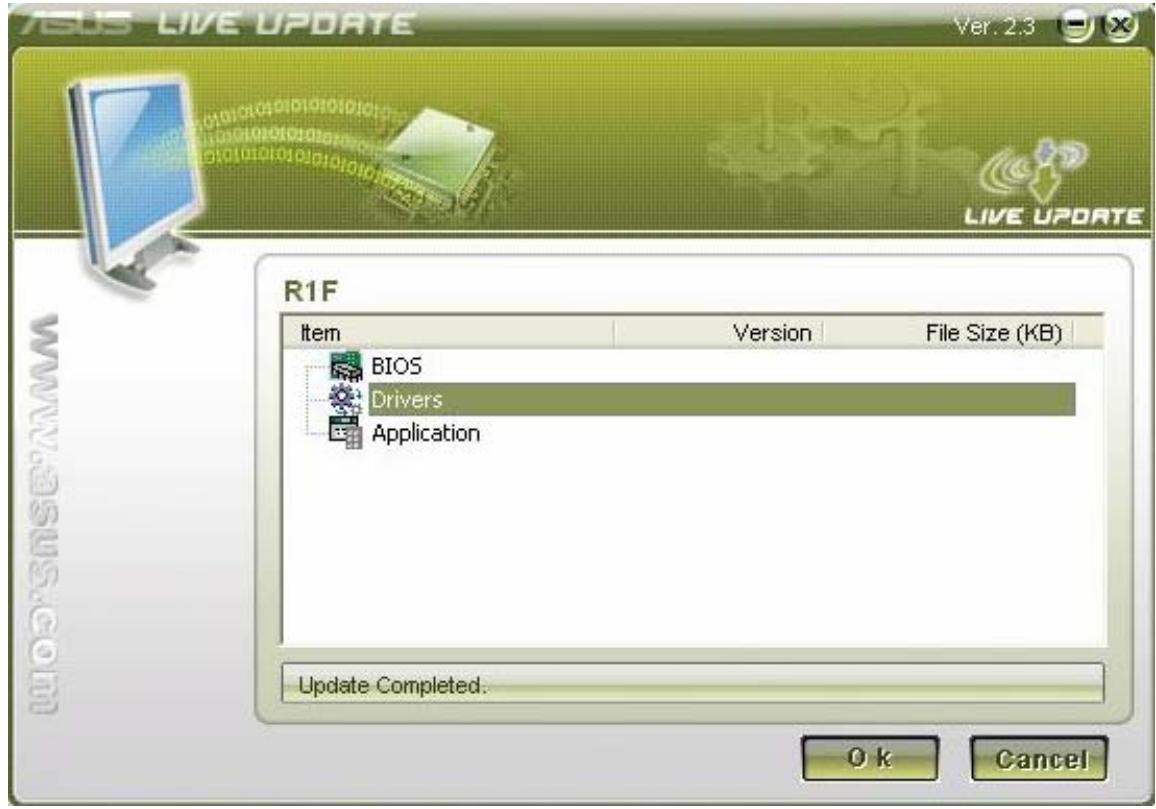
- Finally, Live Update will notify you that the driver live update is complete.
- If you select the BIOS, Live Update will also download the latest BIOS.
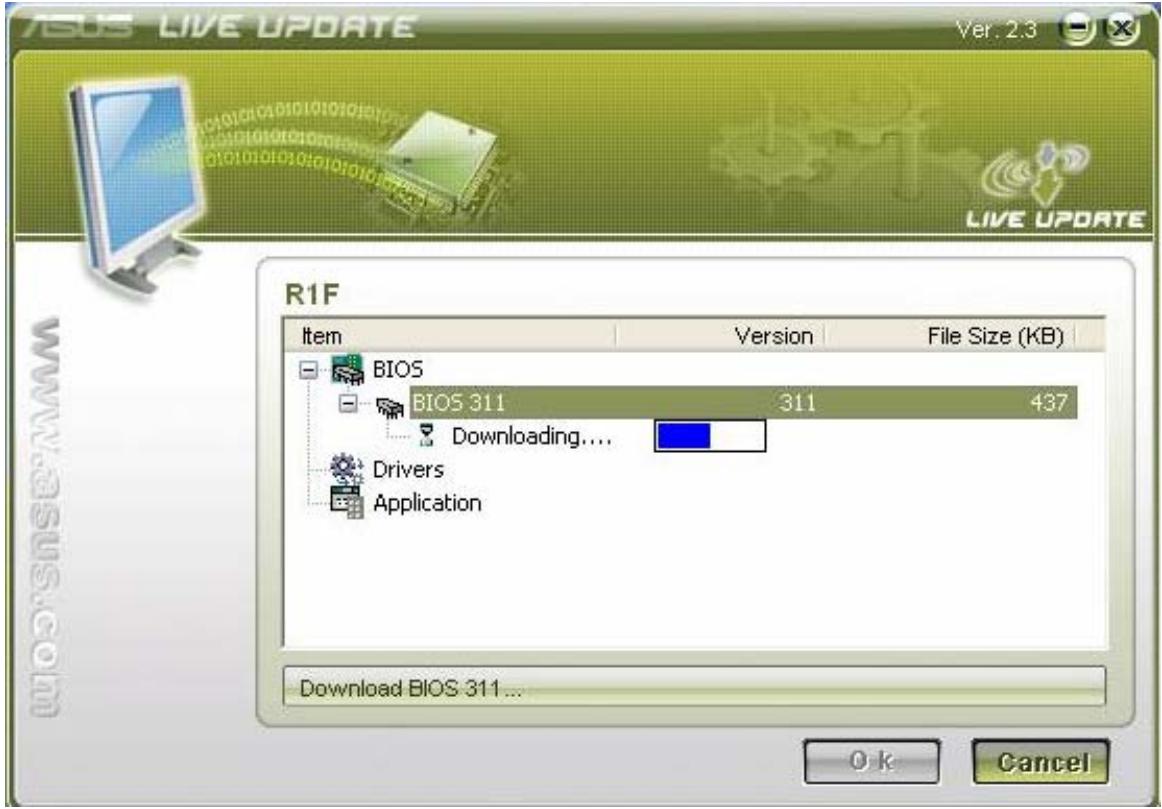
- When the download is complete, you will receive a message notifying you that the system will restart and enter BIOS to flash the latest BIOS.
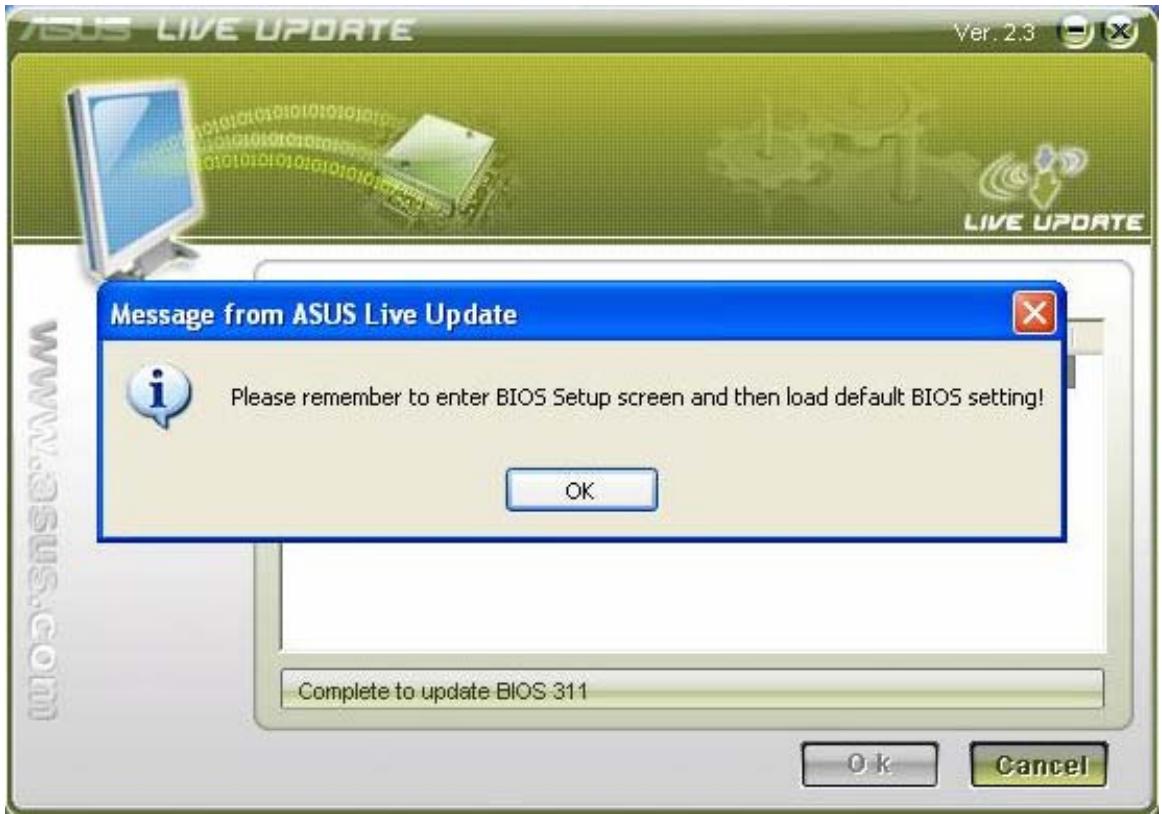
- After the latest BIOS is flashed successfully, the system will power off. You then need to power the unit on again and press F2 to enter BIOS and select "Load Optimal Defaults". Then click "Save and Exit" and reboot the system again.
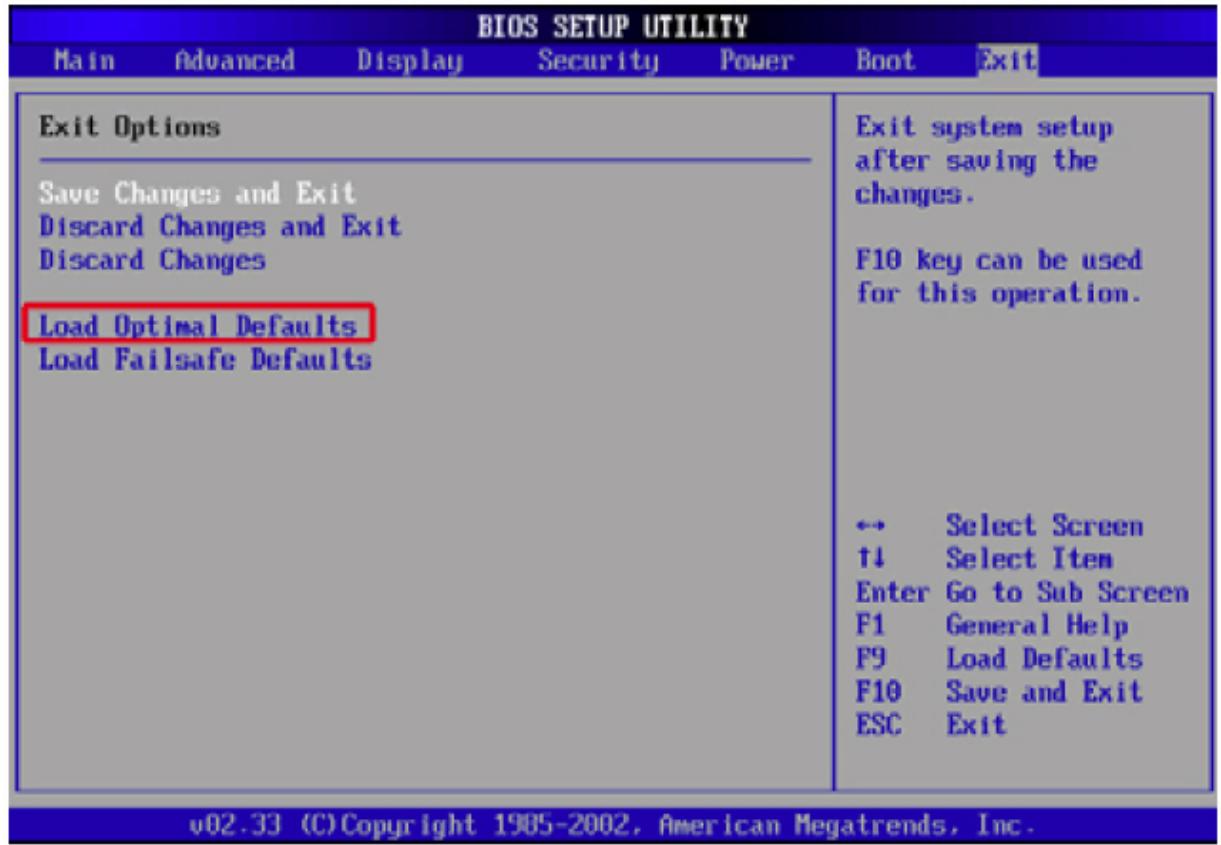
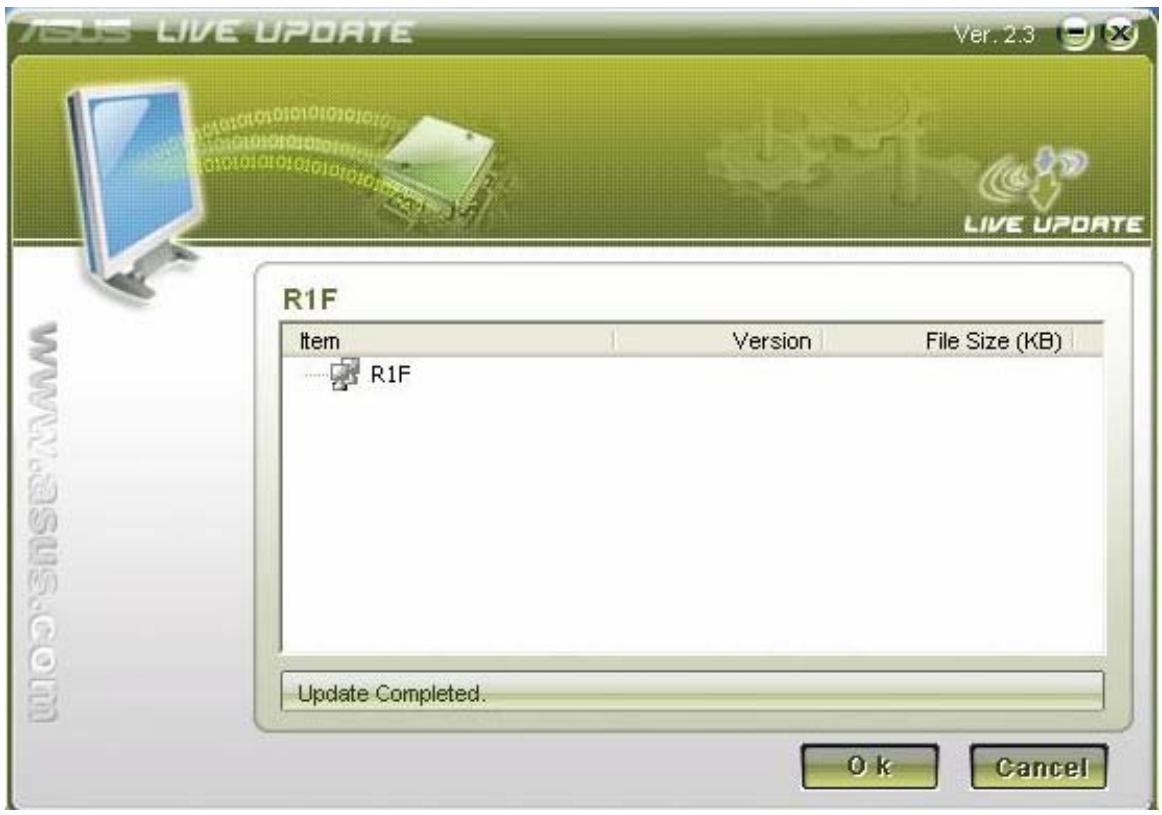
- Then you will enter OS and Live Update will tell you the BIOS live update is
completed.
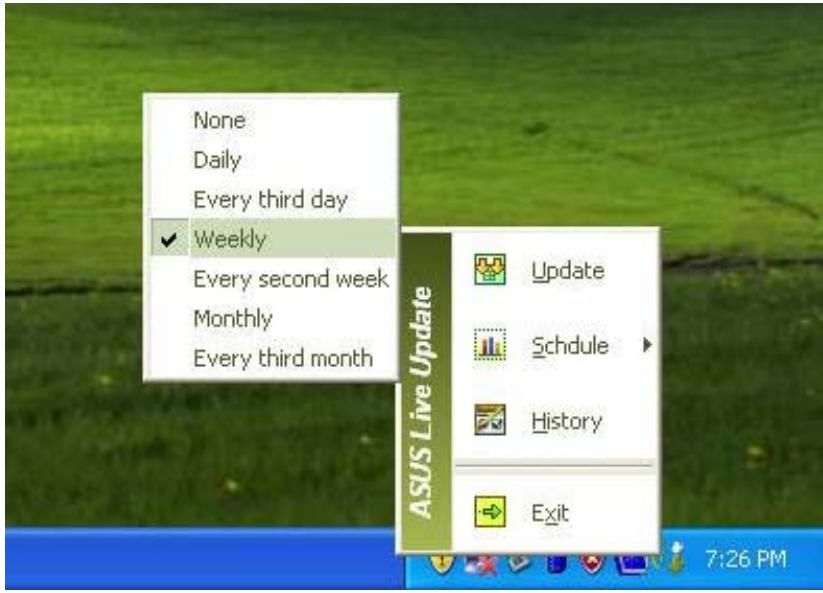
- You can right-click the Live Update icon on the toolbar and click Schedule to arrange the schedule for the live update.
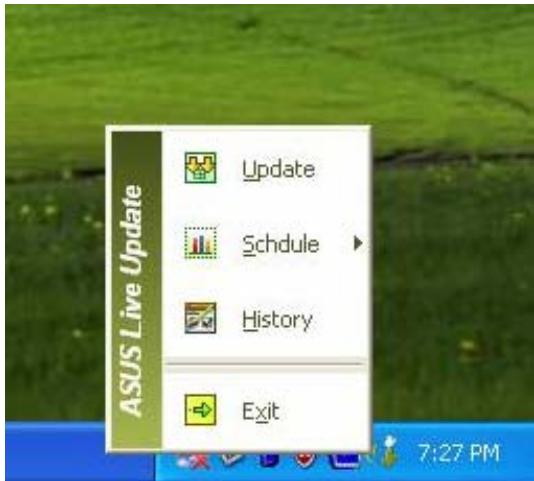
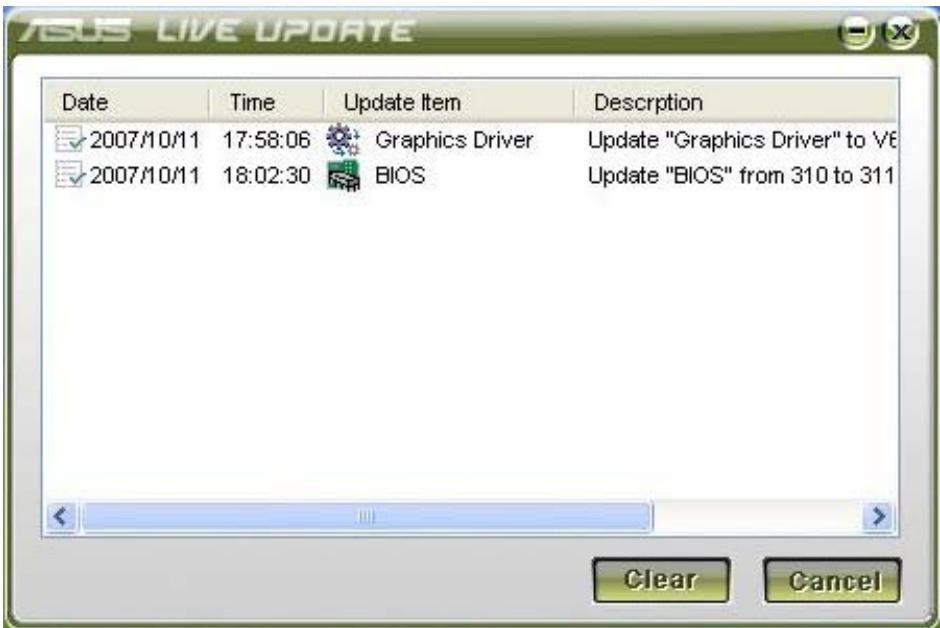
- You can right-click the Live Update icon on the toolbar and click History to check the live update history, which records the live updates of the BIOS and drivers.



Brand : ASUS
Model : A3HF
Category : Computer