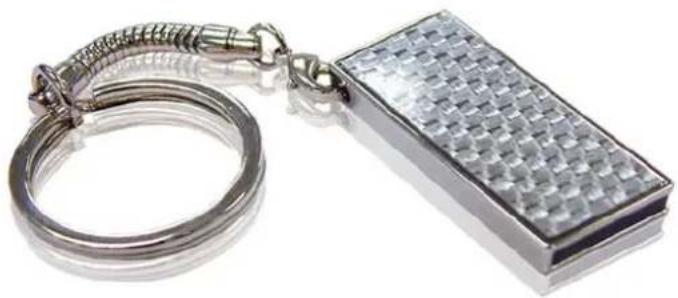
JetFlash 160 - USB Drive TRANSCEND - Free user manual and instructions
Find the device manual for free JetFlash 160 TRANSCEND in PDF.


| Product Type | USB Flash Drive |
| Brand | Transcend |
| Model | JetFlash 160 |
| Storage Capacity | 8 GB (typical variant) |
| Interface | USB 2.0 |
| Dimensions (L x W x H) | 61.5 x 18.6 x 8.5 mm |
| Weight | Approx. 10 g |
| Power Source | Powered via USB port |
| Operating Temperature | 0°C to 60°C |
| Storage Temperature | -20°C to 70°C |
| Compatibility | Windows, macOS, Linux |
| Features | Plug and Play, Hot Plug |
| Data Transfer Speed | Read up to 15 MB/s, Write up to 5 MB/s (estimated) |
| System Requirements | Available USB port |
| Package Contents | USB flash drive, possibly key ring |
| Warranty | 2 years (standard) |
| Maintenance | Clean with a dry, soft cloth; do not use liquids or solvents |
| Safety | Avoid exposure to extreme temperatures, moisture, or physical shock |
| Recyclability | Electronic waste; recycle according to local regulations |
| Reparability | No user-serviceable parts; not repairable |
Frequently Asked Questions - JetFlash 160 TRANSCEND
User questions about JetFlash 160 TRANSCEND
0 question about this device. Answer the ones you know or ask your own.
Ask a new question about this device
Download the instructions for your USB Drive in PDF format for free! Find your manual JetFlash 160 - TRANSCEND and take your electronic device back in hand. On this page are published all the documents necessary for the use of your device. JetFlash 160 by TRANSCEND.
USER MANUAL JetFlash 160 TRANSCEND
System Requirements 2
Driver Installation.... 3
Driver Installation for Windows® 98SE....3
Driver Installation for Windows ^® Me, 2000, XP and Vista ^™ ...... 3
Driver Installation for Mac ^™ OS 9.0, or Later....3
Driver Installation for Linux™ Kernel 2.4.2, or Later .... 3
Formatting the JetFlash™ 4
Safely Remove the JetFlash™ from a Computer 5
Remove the JetFlash ^™ in Windows ^® 98SE 5
Remove the JetFlash ^TM in Windows ^® Me, 2000, XP and Vista ^TM ....5
Remove the JetFlash ^™ in Mac ^® OS 9.0, or Later and Linux ^® Kernel 2.4.2, or Later....5
JetFlash™ 110 Series 6
JetFlash™ 130 Series....7
JetFlash™ 150 Series 8
JetFlash™ 160 Series....9
JetFlash™ 168 Series....10
JetFlash™ 185 Series....11
JetFlash™ 210 Series 12
JetFlash™ 220 Series....13
JetFlash™ 2A Series....14
JetFlash™ V10 Series.... 15
JetFlash™ V20 Series.... 16
JetFlash™ V30 Series.... 17
JetFlash™ V35 Series.... 18
JetFlash™ V60 Series.... 19
JetFlash™ V85 Series.... 20
JetFlash™ V90 Pearl Series 21
JetFlash™ V90 Classic Series 22
Introduction
Congratulations on purchasing Transcend's JetFlash™. This tiny device allows you to exchange huge amounts of data and information between it and any desktop or notebook computer with a USB port. The JetFlash™ plugs directly into your desktop or notebook computer, has a large storage capacity and much faster data transfer rates, making it perfect for storing and transferring your files, folders, documents, photos and other personal digital content. In addition, the JetFlash™'s small convenient size, superior data retention and impressive appearance will provide you with a brand-new data storage experience.
Package Contents
The JetFlash ^™ package includes the following items:
JetFlash™
- Quick Instruction Guide
● Accessory (Please refer to the folder)
Features
● Hi-Speed USB 2.0 compliant and USB 1.1 backwards compatible
● Easy Plug and Play installation
- Driverless (Only Windows®98SE needs driver)
● Powered via the USB port. No external power or battery needed
● Additional bundled software (helps you manage your data)
System Requirements
Desktop or notebook computer with a USB port and one of following operating systems:
Windows®98SE
Windows®Me
Windows®2000
Windows®XP
- Windows Vista ^TM
- MacOS 9.0, or later
- Linux™ Kernel 2.4.2, or later
Driver Installation
Driver Installation for Windows® 98SE
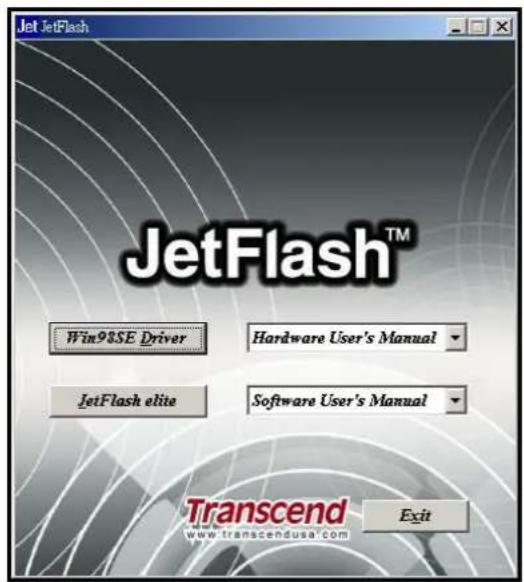
Put the Driver CD into the CD-ROM (Auto-Run supported). Click the Win98SE Driver button. If the product does not attach CD, you can download the Windows 98SE driver from Transcend's website, http://www.transcendusa.com/Support/DLCenter/Driver/JF_win98driver.zip.
text_image
Jet JetFlash JetFlash™ Win98SE Driver Hardware User's Manual JetFlash elite Software User's Manual Transcend www.transcendusa.com ExitDriver Installation for Windows ^® Me, 2000, XP and Vista ^™
No drivers are required. These Windows operating systems have built-in drivers to support the JetFlash™. Simply plug the JetFlash™ into an available USB port and Windows will install the files needed to use your device. A new Removable Disk drive with a newly assigned drive letter will appear in the My Computer window.
Driver Installation for Mac ^TM OS 9.0, or Later
No drivers are required. Just plug the JetFlash™ into an available USB port and your computer will automatically detect it.
Driver Installation for Linux ^TM Kernel 2.4.2, or Later
No drivers are required. Just plug the JetFlash ^™ into the USB port and mount it.
Example: 1. First create a directory for the JetFlash
TM
mkdir /mnt/jetflash
- Mount the JetFlash
mount -a -t msdos /dev/sda1 /mnt/jetflash
Formatting the JetFlash™
- Plug the JetFlash into a USB port and right-click on the removable disk.
- Select "Format" in the drop down menu to format the JetFlash™.

WARNING! Formatting the Disk will erase all of the data on your JetFlash™
- Click on the "Start" button to begin formatting the JetFlash™ and follow the on-screen instructions.

text_image
My Computer File Edit View Favorites Tools Help Back Search Folders Address My Computer System Tasks Other Places Details 3½ Floppy (A:) Local Disk (C:) Local Disk (D:) CD-RW Drive (E:) Removable Disk (F:) Shared Documents tommy hua's Documents Open Explore Search... Sharing and Security... Secure Zip File to 'UDISKZIP' Folder Format... Eject Cut Copy Create Shortcut Rename Properties Formats the selected drive.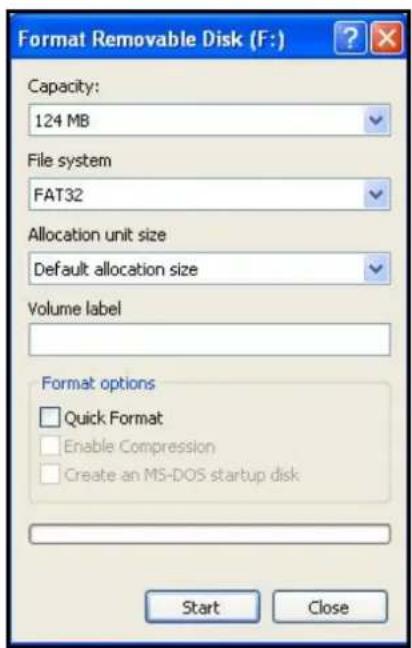
text_image
Format Removable Disk (F:) Capacity: 124 MB File system FAT32 Allocation unit size Default allocation size Volume label Format options □ Quick Format □ Enable Compression □ Create an MS-DOS startup disk Start Close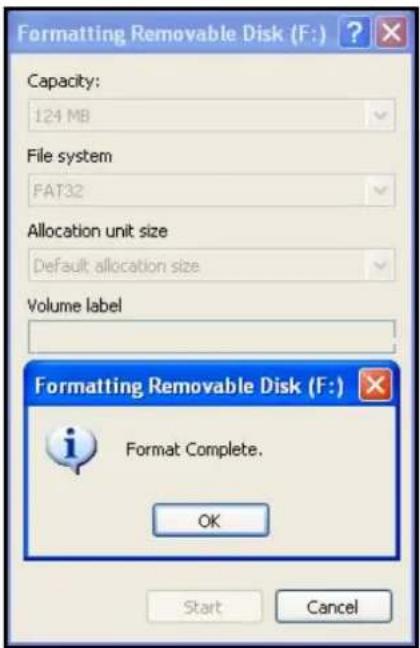
text_image
Formatting Removable Disk (F:) Capacity: 124 MB File system FAT32 Allocation unit size Default: allocation size Volume label Formatting Removable Disk (F:) Format Complete. OK Start CancelSafely Remove the JetFlash™ from a Computer Remove the JetFlash™ in Windows®98SE
Disconnect the JetFlash ^™ from your system directly when data is not transferring.
Remove the JetFlash ^TM in Windows ^® Me, 2000, XP and Vista ^TM
- Select the icon on the system tray.
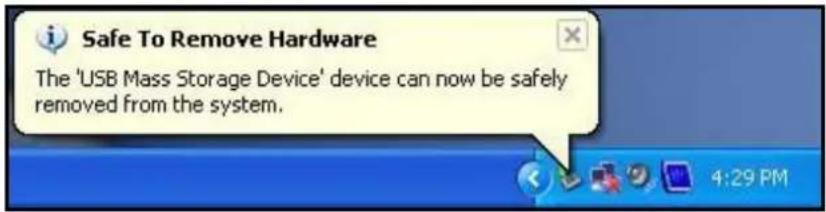
- The "Safely Remove Hardware" pop-up menu will appear. Select it to continue.

text_image
Safely remove USB Mass Storage Device - Drive(F:)- A message box will appear stating: "The 'USB Mass Storage Device' device can now be safely removed from the system."
text_image
Safe To Remove Hardware The 'USB Mass Storage Device' device can now be safely removed from the system.Remove the JetFlash™ in Mac® OS 9.0, or Later and Linux® Kernel 2.4.2, or Later
Drag and drop the Disk icon corresponding to your JetFlash ^™ into the trashcan. Then unplug your JetFlash ^™ from the USB port.

WARNING! The data might be damaged if the system power is unstable, system hangs up, or inappropriate removal of JetFlash™ while you are editing the files on JetFlash™. Suggest avoiding opening and editing files directly from JetFlash™. Please copy the files from JetFlash™ to the hard disk first, and then open and edit the files directly from the hard disk. Save the files back to JetFlash™ after editing.
JetFlash™ 110 Series
Specifications
● Size: 64mm x 21mm x 10mm
● Weight: 11 g
- Certificates: CE, FCC, BSMI
Ordering Information
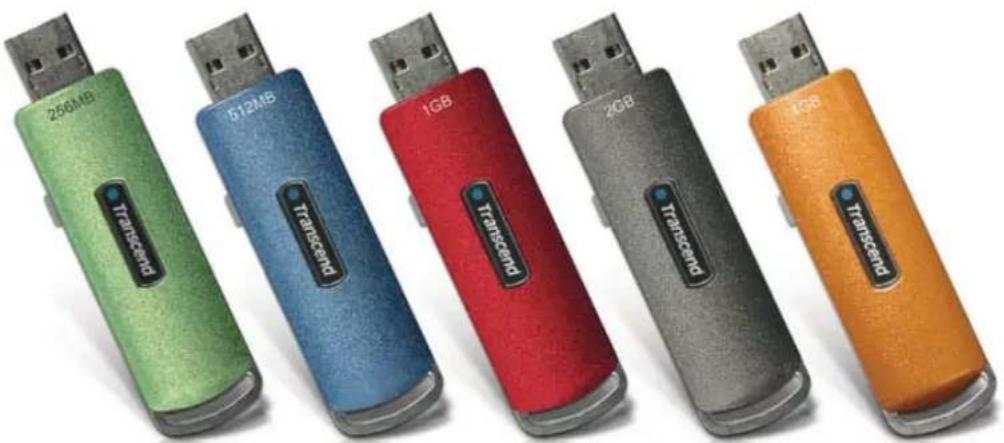
Transcend P/N Memory Size Color
| TS256MJF110 | 256MB | Green |
| TS512MJF110 | 512MB | Blue |
| TS1GJF110 | 1GB | Red |
| TS2GJF110 | 2GB | Gray |
| TS4GJF110 | 4GB | Amber |
natural_image
Five USB flash drives in different colors and sizes, each labeled with a model name (250MB, 512MB, 1GB, 2GB, 4GB) and 'Transcend' branding on the side.JetFlash™ 130 Series
Specifications
● Size: 60mm x 16.5mm x 8.1mm
- Weight: 7 g
- Certificates: CE, FCC, BSMI
Ordering Information
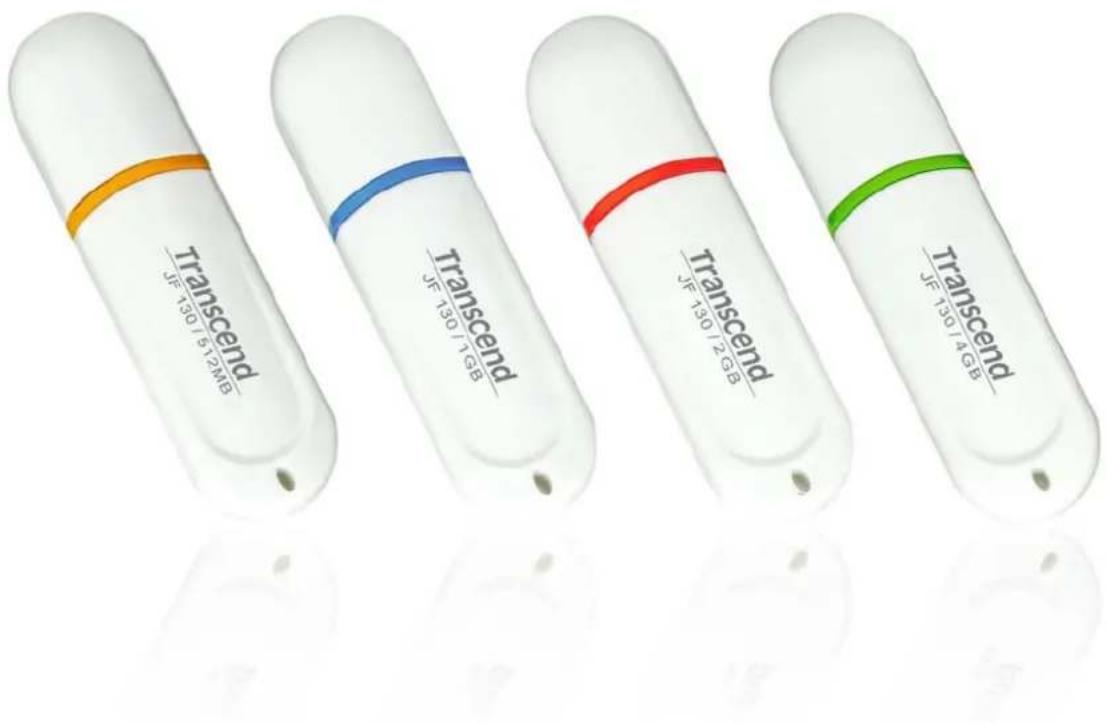
Transcend P/N Memory Size Color
| TS512MJF130 | 512MB | Orange |
| TS1GJF130 | 1GB | Blue |
| TS2GJF130 | 2GB | Red |
| TS4GJF130 | 4GB | Green |
text_image
Transcend JF 130/5 12MB Transcend JF 130/7 GB Transcend JF 130/7 GB Transcend JF 130/4 GB Transcend JF 130/4 GBJetFlash™ 150 Series
Specifications
● Size: 59mm x 19mm x 10mm
- Weight: 10 g
- Certificates: CE, FCC, BSMI
Ordering Information
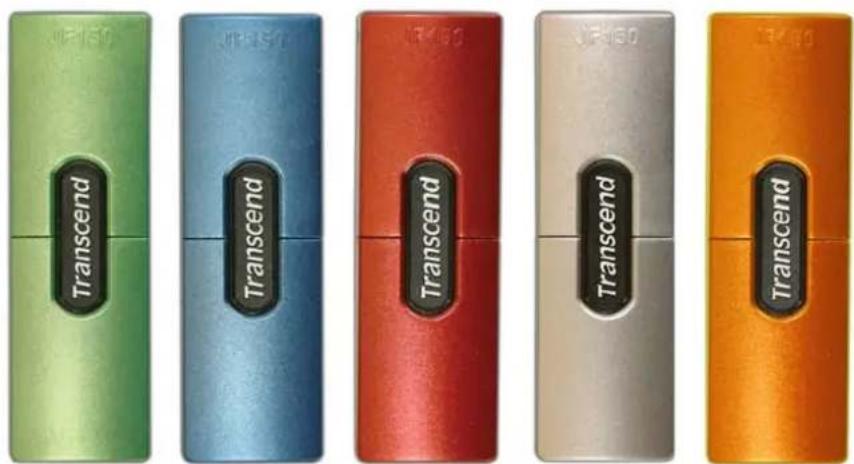
Transcend P/N Memory Size Color
| TS256MJF150 | 256MB | Green |
| TS512MJF150 | 512MB | Blue |
| TS1GJF150 | 1GB | Red |
| TS2GJF150 | 2GB | Silver |
| TS4GJF150 | 4GB | Orange |
text_image
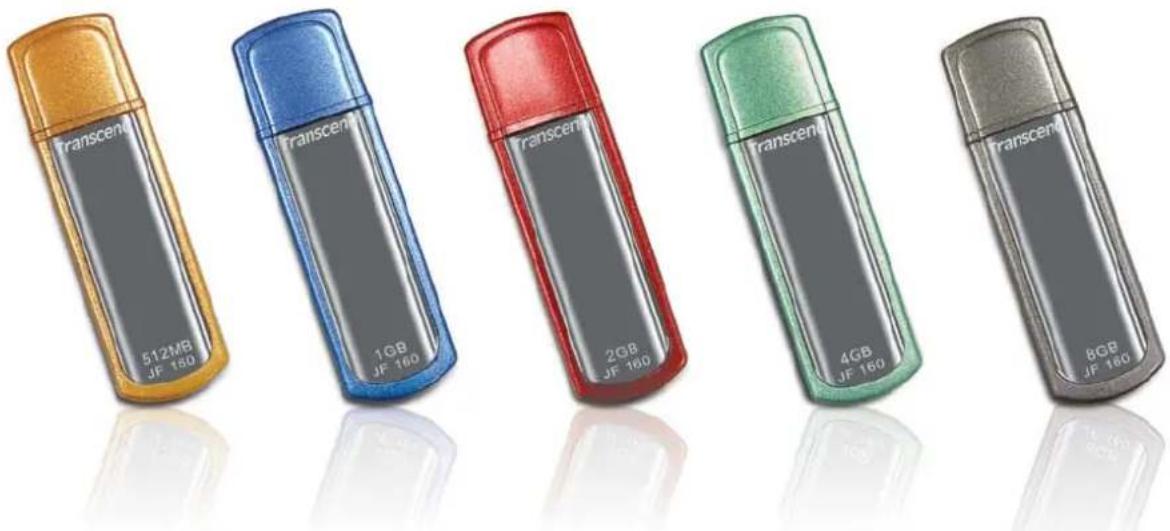
Transcend Transcend Transcend Transcend TranscendJetFlash™ 160 Series
Specifications
Size: 61mm× 18.6mm× 9.8mm
● Weight: 10g (512MB\~4GB), 11g (8GB)
● Certificates: CE, FCC, BSMI
Ordering Information
Transcend P/N Memory Size Color
| TS512MJF160 | 512MB | Orange |
| TS1GJF160 | 1GB | Blue |
| TS2GJF160 | 2GB | Red |
| TS4GJF160 | 4GB | Green |
| TS8GJF160 | 8GB | Gray |
text_image
Transcens 512MB JF 160 Transcens 1GB JF 160 Transcens 2GB JF 180 Transcens 4GB JF 160 Transcens 8GB JF 160JetFlash™ 168 Series Specifications
● Size: 61mm x 18.6mm x 9.8mm
- Weight: 10 g
- Certificates: CE, FCC, BSMI
Ordering Information
Transcend P/N Memory Size Panel Art
| TS1GJF168 | 1GB | Orchid |
| TS2GJF168 | 2GB | Bamboo |
| TS4GJF168 | 4GB | Blossom |
| TS8GJF168 | 8GB | Chrysanthemum |

text_image
Transcend 1GB JF 168 Transcend 2GB JF 168 Transcend 4GB JF 168 Transcend 8GB JF 168JetFlash™ 185 Series
Specifications
Size: 49.5mm x 15.8mm x 7.4mm
- Weight: 15 g
- Certificates: CE, FCC, BSMI
Ordering Information
Transcend P/N Memory Size Color
| TS1GJF185 | 1GB | Blue |
| TS2GJF185 | 2GB | Red |
| TS4GJF185 | 4GB | Green |

text_image
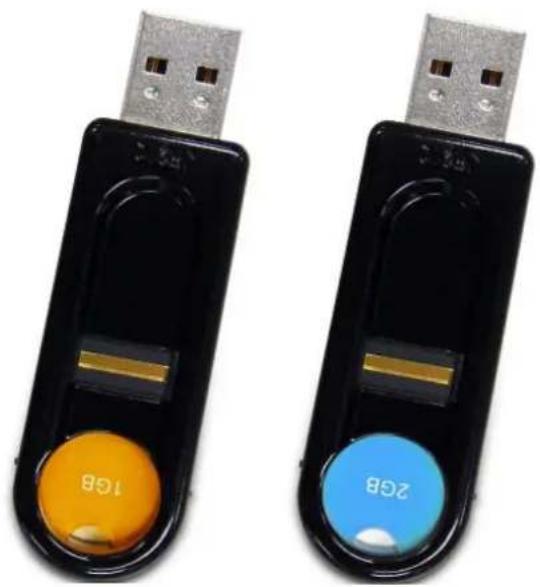
Transcend Transcend TranscendJetFlash™ 210 Series
Specifications
● Size: 70mm x 23mm x 11mm
- Weight: 13 g
● Certificates: CE, FCC, BSMI
Ordering Information
Transcend P/N Memory Size Lens Color
| TS1GJF210 | 1GB | Orange |
| TS2GJF210 | 2GB | Blue |
natural_image
Two black USB flash drives with orange and blue buttons labeled '1GB' and '2GB', no additional text or symbols visible.JetFlash™ 220 Series
Specifications
● Size: 70 mm × 20.5 mm × 11 mm
- Weight: 13 g
● Certificates: CE, FCC, BSMI
Ordering Information
Transcend P/N Memory Size Lens Color
| TS2GJF220 | 2GB | Orange |
| TS4GJF220 | 4GB | Blue |
| TS8GJF220 | 8GB | Red |

text_image
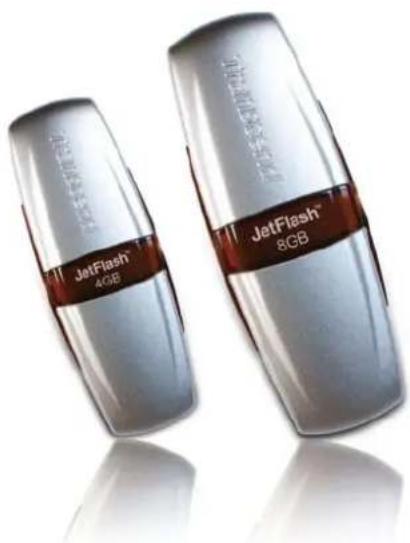
Transcend_JF220 2GB Transcend_JF220 4GB Transcend_JF220 8GBJetFlash™ 2A Series
Specifications
| ● | Size: | 75mm x 25mm x 11mm (Mini Size) |
| 88mm x 33mm x 15mm (Normal Size) | ||
| ● | Weight: | 15 g (Mini Size) |
| 24 g (Normal Size) | ||
| ● | Certificates: CE, FCC, BSMI | |
Ordering Information
| Transcend P/N Memory Size Color |
| TS128MJF2A 128MB Silver, Mini Size |
| TS256MJF2A 256MB Silver, Mini Size |
| TS512MJF2A 512MB Silver, Mini Size |
| TS1GJF2A 1GB Silver, Mini Size |
| TS2GJF2A 2GB Silver, Mini Size |
| TS4GJF2A 4GB Silver, Mini Size |
| TS8GJF2A 8GB Silver, Normal Size |
| TS16GJF2A 16GB Silver, Normal Size |
natural_image
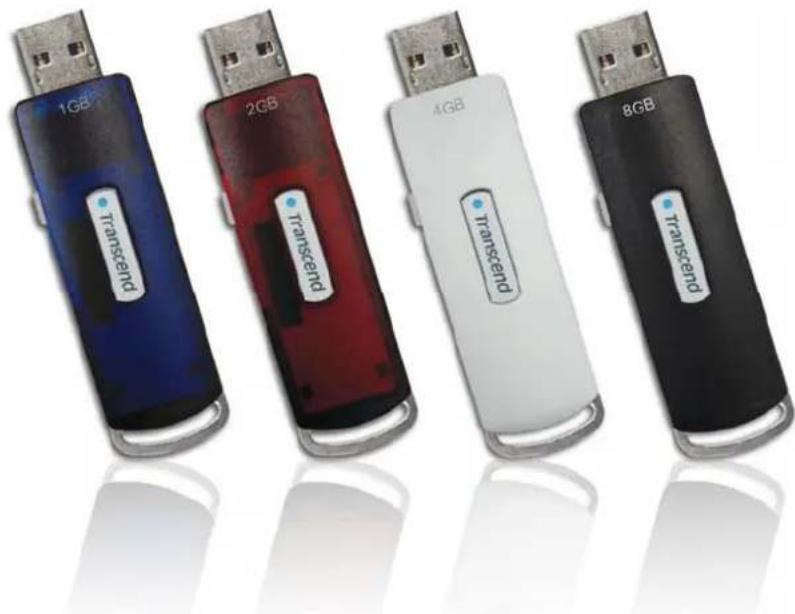
Two JetFlash 4GB and 8GB flash drives shown in metallic packaging (no visible text or symbols on the drives themselves)JetFlash™ V10 Series Specifications
● Size: 64mm x 21mm x 10mm
- Weight: 11 g
- Certificates: CE, FCC, BSMI
Ordering Information
Transcend P/N Memory Size Color
| TS1GJFV10 | 1GB | Blue |
| TS2GJFV10 | 2GB | Red |
| TS4GJFV10 | 4GB | White |
| TS8GJFV10 | 8GB | Black |
natural_image
Five USB flash drives labeled 1GB, 2GB, 4GB, and 8GB, each with a 'Transcend' tag, shown against a plain background.JetFlash™ V20 Series
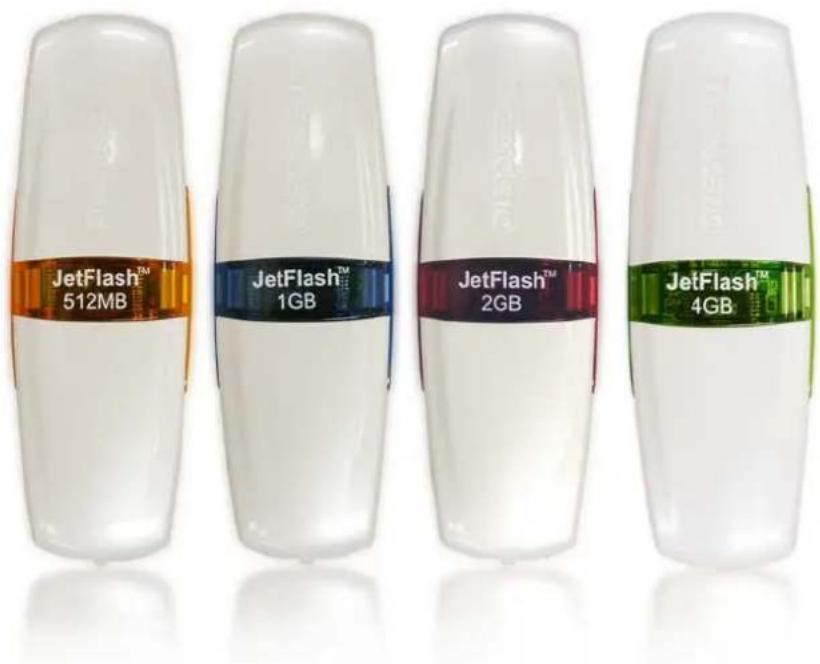
Specifications
● Size: 75mm x 25mm x 11mm
- Weight: 15 g
- Certificates: CE, FCC, BSMI
Ordering Information
Transcend P/N Memory Size Color
| TS512MJFV20 | 512MB | Orange |
| TS1GJFV20 | 1GB | Blue |
| TS2GJFV20 | 2GB | Red |
| TS4GJFV20 | 4GB | Green |
text_image
JetFlash™ 512MB JetFlash™ 1GB JetFlash™ 2GB JetFlash™ 4GBJetFlash™ V30 Series
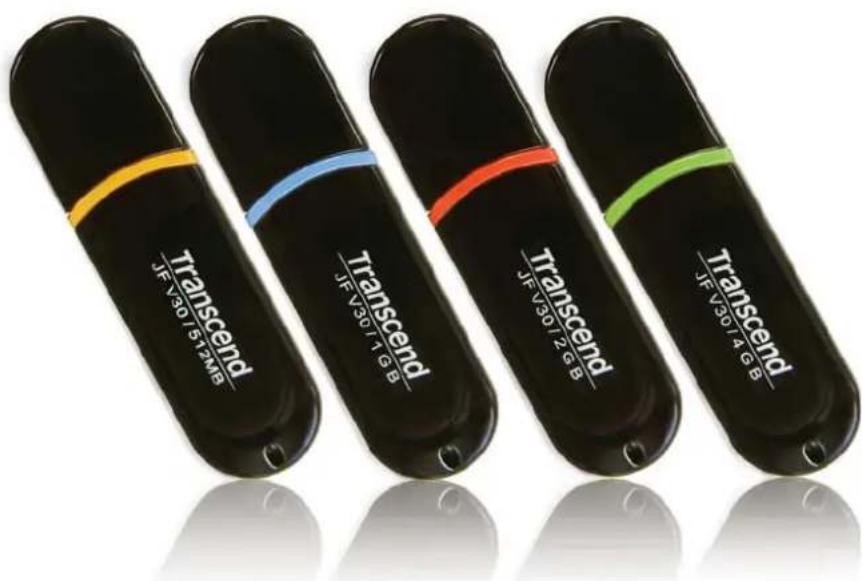
Specifications
● Size: 60mm x 16.5mm x 8.1mm
- Weight: 7 g
● Certificates: CE, FCC, BSMI
Ordering Information
Transcend P/N Memory Size Color
| TS512MJFV30 | 512MB | Orange |
| TS1GJFV30 | 1GB | Blue |
| TS2GJFV30 | 2GB | Red |
| TS4GJFV30 | 4GB | Green |
text_image
Transcend JF V30 572MB Transcend JF V30 7 GB Transcend JF V30 7 GB Transcend JF V30 7 GB Transcend JF V30 7 GBJetFlash™ V35 Series
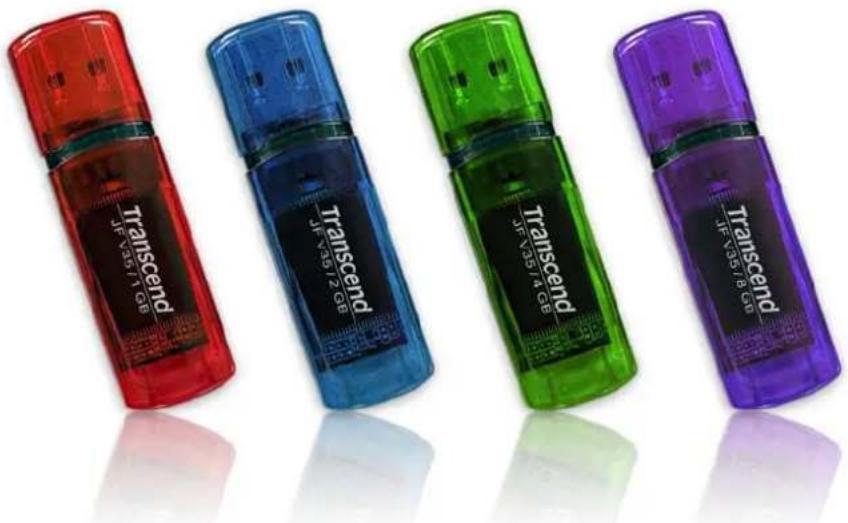
Specifications
Size: 58.3mm× 17.3mm× 8.8mm
- Weight: 8 g
● Certificates: CE, FCC, BSMI
Ordering Information
Transcend P/N Memory Size Color
| TS1GJFV35 | 1GB | Red |
| TS2GJFV35 | 2GB | Blue |
| TS4GJFV35 | 4GB | Green |
| TS8GJFV35 | 8GB | Purple |
text_image
Transcend JF V35/1 GB Transcend JF V35/2 GB Transcend JF V35/4 GB Transcend JF V35/8 GBJetFlash™ V60 Series
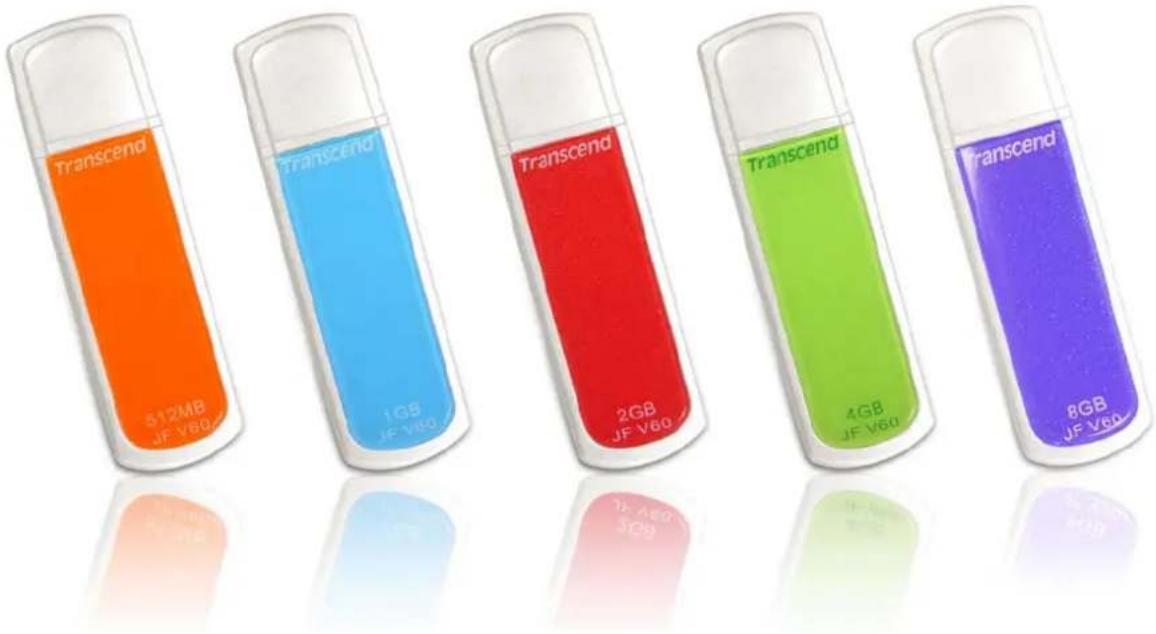
Specifications
● Size: 61mm x 18.6mm x 9.8mm
- Weight: 10 g
● Certificates: CE, FCC, BSMI
Ordering Information
Transcend P/N Memory Size Color
| TS512MJFV60 | 512MB | Sunset |
| TS1GJFV60 | 1GB | Sea |
| TS2GJFV60 | 2GB | Fiery |
| TS4GJFV60 | 4GB | Lime |
| TS8GJFV60 | 8GB | Purple |
Orange
Blue
Red
Green
text_image
Transcend 512MB JF V60 Transcend 1GB JF V60 Transcend 2GB JF V60 Transcend 4GB JF V60 Transcend 8GB JF V60JetFlash™ V85 Series Specifications
- Size: 49.5 ~mm × 15.8 ~mm × 7.4 ~mm
- Weight: 15 ~g
- Certificates: CE, FCC, BSMI
Ordering Information
Transcend P/N Memory Size Color
| TS2GJFV85 | 2GB | Sea |
| TS4GJFV85 | 4GB | Silver |
| TS8GJFV85 | 8GB | Gold |
Blue

text_image
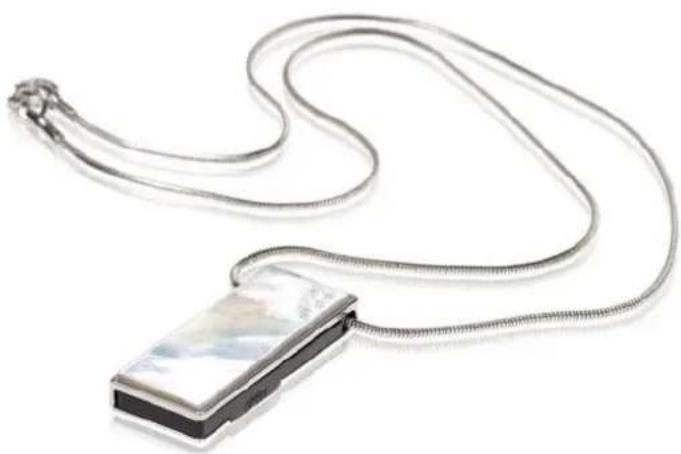
Transcend Transcend TranscendJetFlash™ V90 Pearl Series Specifications
● Size: 33.8 mm x 13.1 mm x 4.8 mm
- Weight: 8 g
- Certificates: CE, FCC, BSMI
Ordering Information
Transcend P/N Memory Size Panel
| TS2GJFV90P | 2GB | Mother-of-Pearl |
natural_image
Close-up of a metallic chain strap with a small rectangular device attached (no text or symbols visible)JetFlash™ V90 Classic Series
Specifications
● Size: 33.8 mm x 13.1 mm x 4.5 mm
- Weight: 7 g
- Certificates: CE, FCC, BSMI
Ordering Information
Transcend P/N Memory Size Panel
| TS2GJFV90C | 2GB | Classic |