COMBT1 - Measuring instrument Comark - Free user manual and instructions
Find the device manual for free COMBT1 Comark in PDF.


User questions about COMBT1 Comark
0 question about this device. Answer the ones you know or ask your own.
Ask a new question about this device
Download the instructions for your Measuring instrument in PDF format for free! Find your manual COMBT1 - Comark and take your electronic device back in hand. On this page are published all the documents necessary for the use of your device. COMBT1 by Comark.
USER MANUAL COMBT1 Comark
Operating Instructions for COMBT1
Charge your data logger
Your data logger will arrive partially charged. For optimum performance, charge it for 24 hours before use until no battery symbol is displayed. Please use the USB cable provided.
The symbols below show the various battery states:
Battery OK/charged Battery low Battery charging


No symbol displayed Solid Flashing
Download and Install APP from the Google Play Store
The Comark Bluetooth Logger is programmed and stored data is viewed via the Comark Android™ Bluetooth App. There is no traditional PC software, all programming, downloading, interrogating and sharing of data is controlled by the App.
To install, search for Comark Bluetooth Logger on the Google Play Store on your phone and follow the instructions below to activate.

text_image
Comark Bluetooth Logger 1.16 Comark Instruments APPS 1 PEGI 3 INSTALL Productivity Similar Android APP for Comark Bluetooth Logger READ MORE
text_image
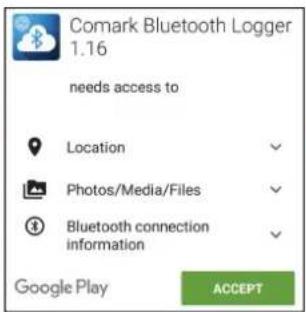
Comark Bluetooth Logger 1.16 needs access to Location Photos/Media/Files Bluetooth connection information Google Play ACCEPT
text_image
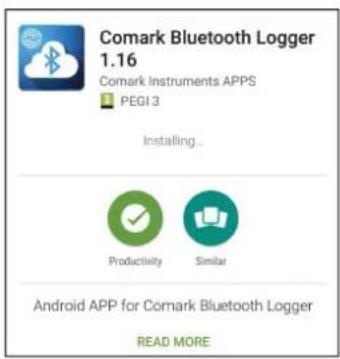
Comark Bluetooth Logger 1.16 Comark Instruments APPS PEGI 3 Installing... Productivity Similar Android APP for Comark Bluetooth Logger READ MORE

text_image
Comark Bluetooth Logger 1.16 Comark Instruments APPS PEGI 3 UNINSTALL OPEN Productivity Similar Android APP for Comark Bluetooth Logger READ MOREOperation of the App

Once installed, open the Comark Bluetooth Logger App by clicking on the icon on your phone or tablet.

text_image
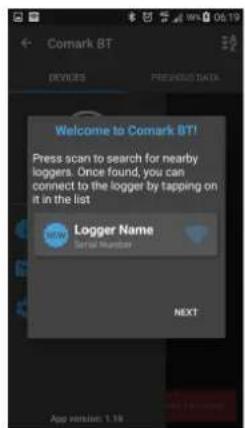
Comark BT DEVICES PREVIOUS DATA Welcome to Comark BT! Press scan to search for nearby longers. Once found, you can. An app wants to turn Bluetooth ON for this device. NO YES NEXT App version: 1.16A screen will appear if Bluetooth is not activated on your device. Click Yes to turn Bluetooth on.
text_image
Welcome to Comark BT! Press scan to search for nearby loggers. Once found, you can connect to the logger by tapping on it in the list Logger Name Set for Number NEXTContinue with set up. Swipe the screen left to access the next dialog screen.
text_image
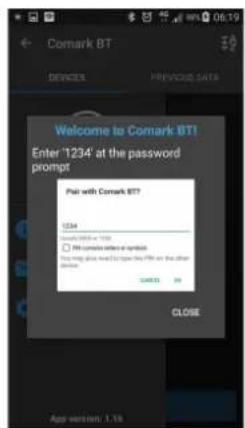
Welcome to Comark BT! Enter '1234' at the password prompt Put with Comark BT? 1234 Add: 100% or 100% □ No computer enter a sigmoid This will also be used to open the URL on the other button. SAMS OK CLOSE App version: 1.18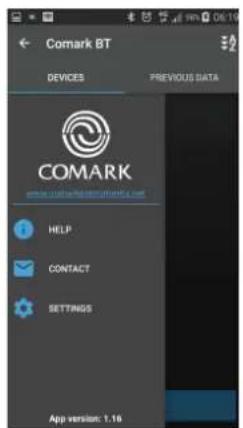
text_image
Comark BT DEVICES PREVIOUS DATA COMARK www.usd.com/comark BT.com HELP CONTACT SETTINGS App version: 1.16Operation of the App (continued)
Pairing the App and the Data Logger
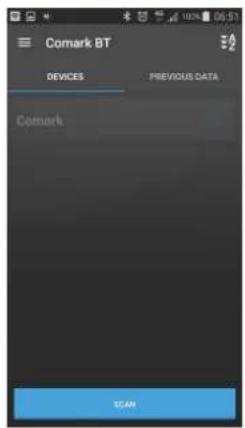
text_image
Comark BT DEVICES PREVIOUS DATA Comark SCANPress the button on the logger to activate Bluetooth and press scan on the App.
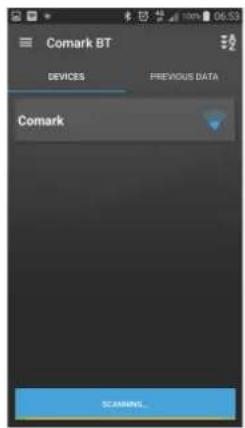
text_image
Comark BT DEVICES PREVIOUS DATA Comark SCANNING...Once the logger is found, click on it to begin setup.


text_image
Comark BT DEVICES PREVIOUS DATA Storage/Emulated/20/Comark BT Comark 29 Jun 2016 03:04 p.m. 500k samples Comark 22 Jun 2016 09:47 a.m. 10k samples Comark 25 May 2016 04:19 p.m. 5k samples Comark 18 May 2016 11:09 a.m. 62k samplesWhen the connection is established, click continue.
Changing the PIN code for your data logger

text_image
COMARK CURRENT READING CONTROL LOGGER You can change the default pin code required to access this logger to something more secure. Note that if you forget your password you will not be able to access the registered settings again until you will reset the device. This is accomplished by holding the button on the logger for 10 seconds until the login reads CLR. Soft resetting the device will reset the pin code to the default (1234) Pin code 5678 CANCEL LOCK 16.8°C this logger is not matching dateEach new Bluetooth Logger has the default Bluetooth PIN code of '1234'.
Should you wish to activate a new PIN code, click on the grey padlock icon in the top right hand corner of the screen.
Enter your new 4-digit code, then press and hold the blue lock button to save.
Note: If you have more than one Bluetooth Logger Comark recommends that the password on all is the same.
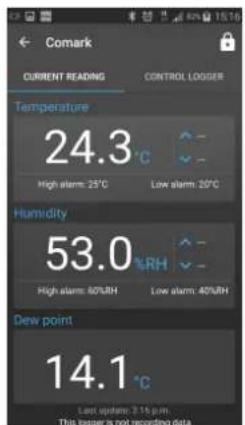
text_image
Comark CURRENT READING CONTROL LOGGER Temperature 24.3 °C High alarm: 25°C Low alarm: 20°C Humidity 53.0 %RH High alarm: 60%RH Low alarm: 40%RH Dew point 14.1 °C Last update: 3.14 p.m. This logger is not recording data.The default Home Page for your data logger is the current reading screen.
text_image
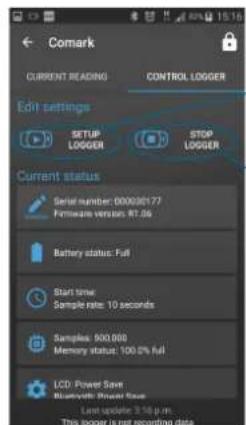
Comark CURRENT READING CONTROL LOGGER Edit settings SETUP LOGGER STOP LOGGER Current status Serial number: 000036177 Firmware version: RT.06 Battery status: Full Start time: Sample rate: 10 seconds Samples: 500,000 Memory status: 100.0% full LCD: Power Save Bluetooth: Power Save Last update: 3.16 p.m. This logger is not recording dataSwipe left to access the control logger screen to set up or stop the logger, download logger or view current status.
text_image
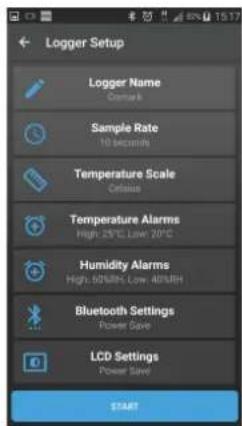
Logger Setup Logger Name Comark Sample Rate 10 seconds Temperature Scale Celsius Temperature Alarms High: 25°C Low: 20°C Humidity Alarms High: 60% High: 40% RH Bluetooth Settings Power Save LCD Settings Power Save STARTStop Logger/Download Data Click the Stop Logger icon.
Setup Logger
Click on Setup Logger to reveal the setup screen.
Click on the sections one by one until the setup is complete.
Press Start to send the settings to the Bluetooth Logger. Logging will commence and the App will return to the Home Page.
Click Yes to continue to stop the logger. In order to download the data logging must be stopped.
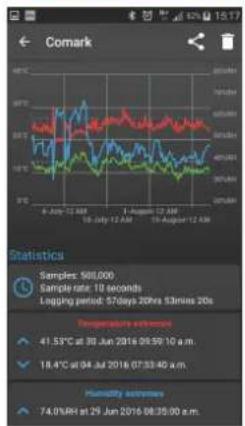
At the help message, click Continue and the data will be displayed on screen as a graph with a number of statistics at the bottom. (These may scroll off the page depending on the size of the screen).
To restart logging, click on the left arrow at the top of the screen, return to the Control Logger section, where you can immediately setup and begin logging again.
Operation of the App (continued)
Viewing/sharing data
line
| Date | Price (USD) | Volume (Units) | |------------|-------------|----------------| | 6-Jun-12 AM | 500 | 500 | | 10-Jul-12 AM | 500 | 500 | | 1-Aug-12 AM | 500 | 500 | | 19-Aug-12 AM | 500 | 500 |Once data is downloaded you can view or share it.
To share data click on the Share icon at the top right of the screen.
The data may take a few seconds to package ready for sending.
To delete the downloaded data, click on the Trash icon at the top right of the screen and follow the on screen instructions.
Viewing previous data

text_image
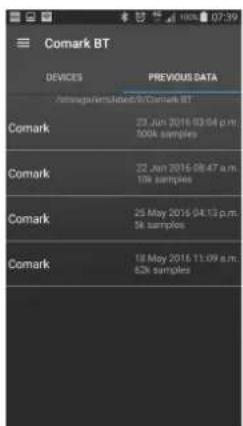
Comark BT DEVICES PREVIOUS DATA Comark SCANNING...Historic data records can be accessed via the Home screen.

text_image
Comark BT DEVICES PREVIOUS DATA @https://www.bjcb.com/Comark BT Comark 23 Jun 2016 03:04 p.m. 500k samples Comark 22 Jun 2016 08:47 a.m. 10K samples Comark 25 May 2016 04:13 p.m. 5K samples Comark 18 May 2016 11:09 a.m. 62K samplesSwipe left on this screen to bring up the list of previous data.
Click on any of the downloads to view/share data.
Help
text_image
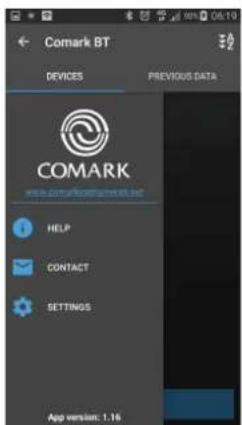
Comark BT DEVICES PREVIOUS DATA COMARK www.comarkbtgmtntm.net HELP CONTACT SETTINGS App version: 1.16
Click the menu icon to access the help section.
From here you can access help files or send Comark an email to request advice or ask a technical question.
The local settings for the App on your phone or tablet.