
MOTION 101 BTE - Hearing aid SIEMENS - Free user manual and instructions
Find the device manual for free MOTION 101 BTE SIEMENS in PDF.



| Product type | Behind-the-ear (BTE) hearing aid |
| Brand | Siemens |
| Model | Motion 101 BTE |
| Dimensions (approx.) | 45 × 15 × 10 mm |
| Weight (approx.) | 8 g (with battery) |
| Battery type | 312 (LifeTube) or 13 (Motion SX/p), standard or rechargeable |
| Battery life | About one day (rechargeable after 6 hours of charging) |
| Main functions | Automatic volume adjustment, program change, e2e wireless function, automatic telephone program, delayed start (6/12/18 s), optional remote control |
| Volume control | Automatic or manual via rocker switch or remote control |
| Listening programs | Up to 5 programs, selection via push button, rocker switch or remote control |
| Wireless connectivity | e2e wireless (3.28 MHz) for synchronization and remote control; Bluetooth via Tek accessory |
| Compatible accessories | Siemens remote control, AutoPhone magnet, charger (for rechargeable versions), drying kit, LifeTube/LifeTip |
| Maintenance and cleaning | Cleaning with a soft, dry cloth; nightly use of a drying kit; changing the LifeTube/LifeTip every 3 to 6 months |
| Water resistance | Not waterproof; avoid humidity, sweat, and immersion |
| Safety | Do not use in explosive areas; keep out of reach of children; avoid strong magnetic fields (>0.1 T) and X-rays; keep 10 cm distance from pacemakers |
| Spare parts and repairability | LifeTube, LifeTip, batteries, battery drawer, covers available from hearing care professional; repair by a professional |
| Standards and certifications | CE (medical device 93/42/EEC), FCC Part 15, IC RSS-210, class B digital |
| Operating temperature | Avoid extreme temperatures; store away from sunlight |
| Warranty | Consult your hearing care professional |
Frequently Asked Questions - MOTION 101 BTE SIEMENS
User questions about MOTION 101 BTE SIEMENS
0 question about this device. Answer the ones you know or ask your own.
Ask a new question about this device
Download the instructions for your Hearing aid in PDF format for free! Find your manual MOTION 101 BTE - SIEMENS and take your electronic device back in hand. On this page are published all the documents necessary for the use of your device. MOTION 101 BTE by SIEMENS.
USER MANUAL MOTION 101 BTE SIEMENS
28
Intended use 31
General notes on safety 32
Handling of standard and rechargeable batteries 35
Inserting and removing your hearing instrument 37
Turning your hearing instrument on and off 38
Changing the hearing program 40
Changing the volume 41
Functionalities 42
Maintenance and care 45
Accessories 46
Troubleshooting tips 48
Technical information 49
Disposal information 51
Your hearing instrument configuration 52
Your Motion BTE hearing instrument

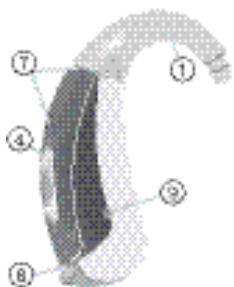
Motion S
optional with LifeTube
battery type: 312 always non-rechargeable
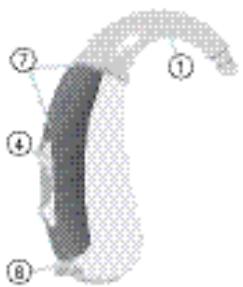
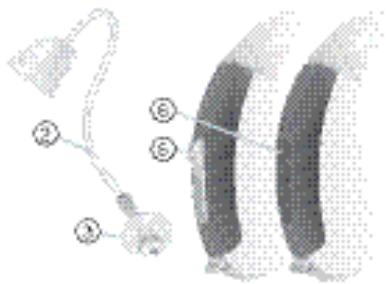
① Earhook
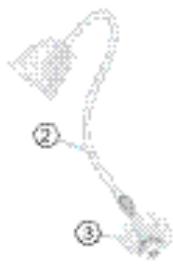
② LifeTube
③ LifeTip
④ Rocker switch*
⑤ Push button
⑥ Flat cover
⑦ Microphone openings
⑧ Battery compartment
- Alternative to a rocker switch your Hearing Care Professional can fit your hearing instrument with a push button or without control (flat cover).

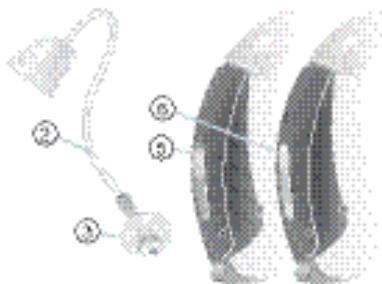
Motion SX
optional with LifeTube
battery type: 13
rechargeable or non-rechargeable
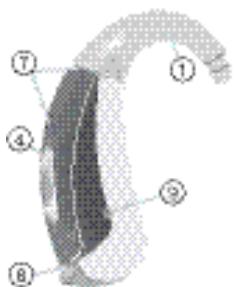
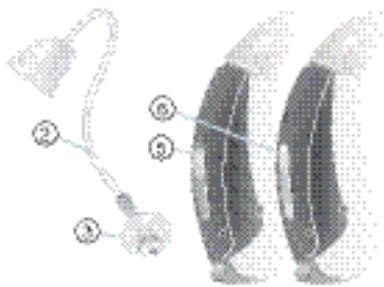
① Earhook
② LifeTube
③ LifeTip
④ Rocker switch
⑤ Push button
⑥ Flat cover*
⑦ Microphone openings
⑧ Battery compartment
Charging contacts
- Alternative to a rocker switch your Hearing Care Professional can fit your hearing instrument with a push button or without control (flat cover).

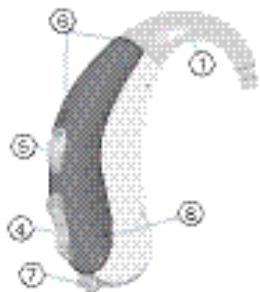
Motion P
optional with LifeTube
battery type: 13
rechargeable or non-rechargeable
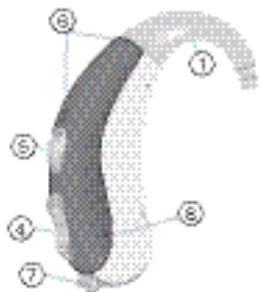
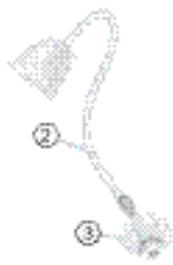
① Earhook
② LifeTube
③ LifeTip
④ Rocker switch
⑤ Push button
⑥ Microphone openings
⑦ Battery compartment
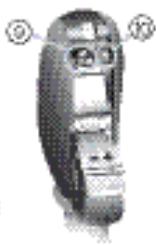
⑧ Charging contacts
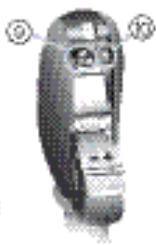
Serial number
⑩ Type of hearing instrument
Intended use
Hearing instruments are intended to improve the hearing of hearing impaired persons. Diagnosis and prescription of a hearing instrument must be performed by hearing health specialists, e.g. ENT doctors, audiologists or acousticians.
Read and follow the instructions of this user guide to avoid injuries or damage to the hearing instruments.
| Symbols: | |
| Be aware to information marked with the warning symbol WARNING, CAUTION or NOTICE! | |
| A | WARNING points out a situation that could lead to serious injuries, CAUTION indicates a situation that could lead to minor and moderate injuries. |
| NOTICE | NOTICE indicates possible property damage. |
| I | Advice and tips on how to handle your device better. |
| P | Instruction. Indicates that something has to be done. |
| Indicates an option that not every hearing instrument has. Ask your Hearing Care Profes-sional to check off the relevant information. | |
General notes on safety
NOTICE
Your hearing instruments are sensitive to extreme heat, high humidity, strong magnetic fields (>0.1T) , X-rays and mechanical stress.
Do not expose your hearing instruments to extreme temperature or high humidity.
Do not leave them in direct sunlight.
Do not wear them in the shower or when you apply make-up, perfume, aftershave, hairspray or suntan lotion.
Do not wear your hearing instruments when you are exposed to short-waves, a strong magnetic field, a high frequency field or X-rays.
Do not place your hearing instruments in a microwave oven.

WARNING
Hazard of explosion!
Do not use your hearing instruments in areas where there is a danger of explosions (e.g. mining).

WARNING
Choking hazard posed by small parts.
- Keep hearing instruments, batteries and accessories out of children's reach.
If swallowed consult a physician or hospital immediately.
If infants, small children or mentally disabled persons need to wear hearing instruments ensure adequate supervision.

CAUTION
Risk of injury caused by incorrect use of Life Tip.
Always wear the LifeTube with the LifeTip.
Make sure that the LifeTip is completely attached to the LifeTip adapter.
Change the LifeTube or LifeTip when they are cracked.
Put the LifeTube with the LifeTip carefully and not too deep into the ear.
Use the LifeTube and LifeTip only in the way described in this user guide.
If the LifeTip remains in the ear, have it removed by a medical professional.

In some countries restrictions for the usage of wireless equipment exist.
Refer to local authorities for further information.
NOTICE
Leaking batteries damage the hearing instruments.
Turn the hearing instruments off when not in use to preserve the battery.
Remove batteries when the instruments are not in use for a prolonged period of time.
NOTICE
Batteries contain harmful substances that pollute the environment.
Do not throw used batteries into household trash.
Dispose batteries according to national regulations or return them to your Hearing Care Professional.
Handling of standard and rechargeable batteries


original size
Always use the right size of batteries.
Charge the rechargeable batteries before first use.
Remove the tab on standard batteries only when you are ready to use them.
The positive (+) side of the batteries is always the smooth side.
Always keep spare batteries with you.
Low battery indicator
Your Hearing Care Professional can activate an acoustic signal to inform you when the battery is nearly empty. If you hear an acoustic signal or experience low amplification power, replace the battery.
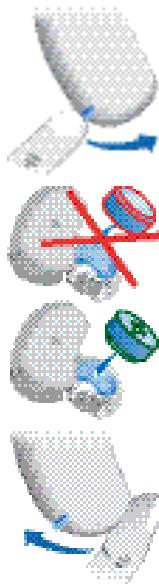
Inserting the battery
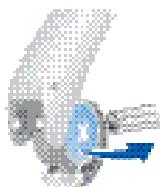
Open the battery compartment completely using your fingernail as shown in the illustration.
Insert the proper size battery. Make sure that the "+" symbol on the battery points up as shown in the picture
Close the battery compartment. Do not force the door shut. If it does not close easily, check to see if the battery was inserted properly.
When the battery door is completely closed, your hearing instrument is ready for use.
Removing the battery
- Open the battery compartment completely. Normally the battery drops out when the compartment is completely open.
If the battery does not come out, lightly tap the instrument or use the magnet stick available as accessory to remove the battery.
Inserting and removing your hearing instrument

For side recognition ask your Hearing Care Professional to apply colored markers in the battery compartment. If the marker in the battery compartment is in red, the hearing instrument is intended for the right ear. If the marker is in blue, the hearing instrument is for the left ear.
Inserting your hearing instrument
Turn your hearing instrument off.
Hold the earmold / LifeTip between your thumb and index finger and insert it carefully into the ear canal.
You may find it helpful to pull your ear slightly upward or to the back.
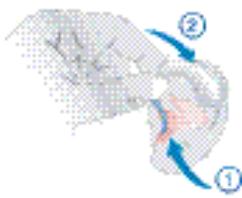
Place your hearing instrument behind your ear.
Turn your hearing instrument on.
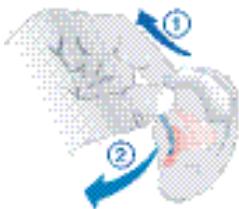
Removing your hearing instrument
Hold the earmold/LifeTube between your thumb and index finger and carefully pull it out.
You may find it helpful to lightly push your ear from the back.
Turning your hearing instrument on and off
Ask your Hearing Care Professional to check off the relevant information.

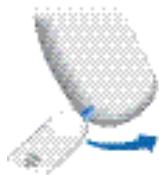
Via battery compartment
On
Close the battery compartment.

Off
Open the battery compartment.

Via push button
On
Press the push button for 2 seconds.
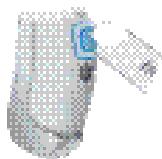
Off
Press the push button for 2 seconds.

Via remote control
Refer to the remote control user guide.
Power-on delay
Your hearing instrument is equipped with a "power-on delay" feature which can be activated by your Hearing Care Professional. This allows you to turn the hearing instrument on with an automatic delay of 6, 12 or 18 seconds, so that you may insert the hearing instrument into your ear without experiencing unpleasant feedback (whistling).
Changing the hearing program
Ask your Hearing Care Professional to check off the relevant information.

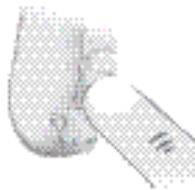
Via push button
Press the push button to switch to the next program.

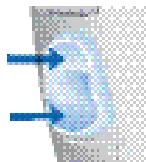
Via rocker switch
Press up to switch to the next program.
Press down to switch to the previous program.

Via remote control
Refer to the remote control user guide.
Changing the volume
The volume of your hearing instruments is controlled automatically and there is no need to manually adjust it. Should you prefer manual volume control, your Hearing Care Professional can program the hearing instrument for manual adjustment.

Automatic
The volume is adjusted automatically when in use.

Rocker switch
Press up to increase the volume.
Press down to decrease the volume.

Via remote control
Refer to the remote control user guide.
Functionalities
Your Hearing Care Professional can activate the following functionalities.

e2e wireless
- Allows the use of a remote control.
- Automatically adjusts both hearing instruments simultaneously to change the instrument settings, e.g. volume or program.

The performance of the e2e wireless function may be affected by electromagnetic interference - e.g. from a computer monitor or fluorescent lamp system.
Move away from the source of interference if you experience difficulty.

Automatic telephone program
Hold a telephone near your hearing instrument (^*)
The hearing instrument automatically switches to the telephone program.
Move the telephone away from your hearing instrument.
The hearing instrument switches back to the previously used program.

You can also select the telephone program manually by using the program button.
When operating the hearing instrument in telecoil mode, the wireless function may cause a pulsing noise. This is due to the pick-up of the transmission signal. When your hearing instrument is in telecoil mode please use the remote control only with a distance greater than 10 cm (4 inches).
(*) AutoPhone magnet accessory
Not all telephones produce a magnetic field strong enough to activate the AutoPhone function. In this case, use the Siemens AutoPhone magnet, which is available as accessory, and attach it to the telephone receiver to activate the AutoPhone function.

See the AutoPhone magnet user guide for instructions on how to position the magnet.
Use only the Siemens magnet. Ask your Hearing Care Professional for this accessory.
NOTICE
Magnets can disturb electrical devices and delete stored data.
Keep magnets away from computers, color monitors, television sets, floppy discs, video-and audio discs and other electronic equipment/ devices.

WARNING
Magnets may interfere with the operation of life supporting systems (e.g. pacemakers, magnetic valves).
Use a magnet only if not in doubt about the safe distance. The safe distance between pacemaker and magnet should be at least 10 cm (4 inches).
Maintenance and care
Your hearing instruments are highly sensitive systems. Proper care and handling will ensure the best possible performance.
Clean instruments regularly to prevent damage to the hearing instruments and to avoid health problems.
NOTICE
Do not put the hearing instruments in water.

Clean your hearing instruments with a soft, dry tissue, as necessary.
Place your hearing instruments in a "dry aid kit" with a special moisture-attracting capsule overnight.
Ask your Hearing Care Professional for special care sets and further information on how to keep your hearing instruments in good condition.
For instruments with LifeTube
Regulatory clean LifeTubes with a cleaning wire.
Ask your Hearing Care Professional to exchange LifeTubes and LifeTips approximately every 3 to 6 months or as needed.
Accessories
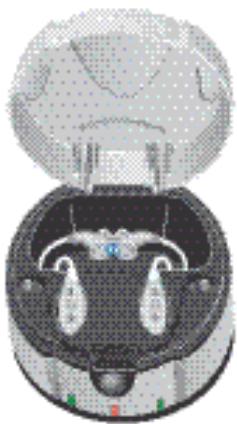
Charger (Motion SX and Motion P)
Your hearing instruments work with standard or rechargeable batteries. With the easy-to-use charger you can charge the rechargeable batteries for one or two hearing instruments. After just 6 hours of charging, the charger shuts itself off and the hearing instruments are ready to run for a day.
For detailed information and instructions refer to the charger user guide or ask your Hearing Care Professional.
Tek wireless enhancement
Your hearing instruments together with the Tek Connect remote control will allow you to connect your hearing instruments to the growing world of technology. Via a special Bluetooth connection it is possible to receive audio signals from your mobile, your television or your mp3-player.
For detailed information and instructions refer to the Tek user guide or ask your Hearing Care Professional.
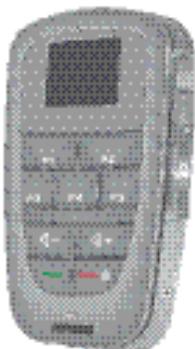
Remote control
The wireless function of your hearing instruments allows you to use a remote control to change the program and volume of your hearing instruments.
For further information about the remote control, contact your Hearing Care Professional or refer to the remote control user guide.

In the event your hearing instruments can be controlled by another person's remote control, return hearing instruments and remote control to your Hearing Care Professional.
Troubleshooting tips
Your hearing instruments are extremely reliable devices. Should a problem occur, it can usually be corrected quickly. Use these troubleshooting tips to resolve simple issues.
| Problem | Possible solution |
| Sound is weak. | Replace / recharge empty battery. Clean earmold. Increase volume. |
| Hearing instrument emits whistling sounds. | Reinsert the earmold until it fits securely. Decrease volume. Clean earmold. |
| Sound is distorted. | Decrease volume. Replace / recharge empty battery. Clean earmold / Life Tip. |
| Hearing instrument emits signal tones. | Gently close battery compartment completely. Replace / recharge empty battery. |
| Hearing instrument does not work. | Check if the hearing instrument is turned on. Gently close battery compartment completely. Replace / recharge empty battery. Make sure battery is inserted correctly. Power-on delay is active. Wait 18 seconds and check again. |
Consult your Hearing Care Professional if you encounter further problems.
Technical information
Siemens Motion 701, Motion 501, Motion 301
FCC ID: SGI-WL002BTE
IC: 267AB-WL002
Operating frequencies: F_c = 3.28 MHz

N14203
This Class B digital apparatus complies with Canadian ICES-003.
Changes or modifications not expressly approved by SAT GmbH for compliance could void the users authority to operate the equipment.
FCC compliance
This device complies with Part 15 of the FCC Rules and with RSS-210 of Industry Canada.
Operation is subject to the following conditions:
this device may not cause harmful interference, and
this device must accept any interference received, including interference that may cause undesired operation.
This equipment has been tested and found to comply with the limits for a Class B digital device, pursuant to Part 15 of the FCC Rules. These limits are designed to provide reasonable protection against harmful interference in a residential installation. This equipment generates, uses and can radiate radio frequency energy and, if not installed
and used in accordance with the instructions, may cause harmful interference to radio communications. However, there is no guarantee that interference will not occur in a particular installation. If this equipment does cause harmful interference to radio or television reception, which can be determined by turning the equipment off and on, the user is encouraged to try to correct the interference by one or more of the following measures:
Reorient or relocate the receiving antenna.
- Increase the separation between the equipment and receiver.
- Connect the equipment to an outlet on a circuit different from that to which the receiver is connected.
- Consult the dealer or an experienced radio/TV technician for help.
Disposal information
Within the European Union, the marked equipment is covered by "Directive 2002/96/EC of the European Parliament and of the Council of 27 January 2003 on waste electrical and electronic equipment."
Amended by "Directive 2003/108/EC" (WEEE).

Recycle hearing instruments, batteries and accessories according to national regulations.
With the CE marking Siemens confirms compliance with the European Directive 93/42/EEC concerning medical devices.

For the products with e2e wireless 2.0 Siemens additionally confirms compliance with the European Directive 99/5/EC (R&TTE) concerning radio and telecommunications terminal equipment.
Your hearing instrument configuration
| LEFT | Hearing instrument | RIGHT |
| Model | ||
| Serial number | ||
| Battery | ||
| ☐ yes ☐ no | Power-on delay | ☐ yes ☐ no |
| ☐ yes ☐ no | Push button | ☐ yes ☐ no |
| ☐ yes ☐ no | Rocker switch | ☐ yes ☐ no |
| Signal tones | ||
| ☐ on ☐ off | Program change | ☐ on ☐ off |
| ☐ on ☐ off | Low battery warning | ☐ on ☐ off |
| ☐ on ☐ off | Volume control limit | ☐ on ☐ off |
| ☐ on ☐ off | volume control change | ☐ on ☐ off |
| Program | Description of the program | |
| 1 | ||
| 2 | ||
| 3 | ||
| 4 | ||
| 5 | ||
| Remote control | ||
| Model | ||
| Serial number | ||
Sommaire
rechargeable ou non rechargeable
rechargeable ou non rechargeable
ID FCC: SGI-WL002BTE
IC:267AB-WL002