
65US210AN - Television Aconatic - Free user manual and instructions
Find the device manual for free 65US210AN Aconatic in PDF.


| Product Type | Television |
| Brand | Aconatic |
| Model | 65US210AN |
| Screen Size | 65 inches (165 cm) |
| Display Technology | LED |
| Resolution | 3840 x 2160 (4K UHD) |
| Refresh Rate | 60 Hz |
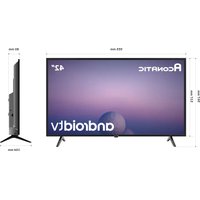
| Dimensions (without stand) | 1460 x 850 x 90 mm |
| Dimensions (with stand) | 1460 x 910 x 280 mm |
| Weight (without stand) | 22.5 kg |
| Weight (with stand) | 23.8 kg |
| Power Consumption (typical) | 180 W |
| Power Supply | AC 100-240 V, 50/60 Hz |
| Standby Power Consumption | < 0.5 W |
| Smart Platform | Android TV 11 |
| Wi-Fi | 802.11ac (dual band) |
| Ethernet | Yes (RJ45) |
| HDMI Ports | 3 x HDMI 2.0 |
| USB Ports | 2 x USB 2.0 |
| Audio Output | Optical, 3.5 mm jack |
| Speaker Power | 2 x 10 W |
| Remote Control | Bluetooth voice remote |
| VESA Mount | 400 x 400 mm |
Frequently Asked Questions - 65US210AN Aconatic
User questions about 65US210AN Aconatic
0 question about this device. Answer the ones you know or ask your own.
Ask a new question about this device
Download the instructions for your Television in PDF format for free! Find your manual 65US210AN - Aconatic and take your electronic device back in hand. On this page are published all the documents necessary for the use of your device. 65US210AN by Aconatic.
USER MANUAL 65US210AN Aconatic
natural_image
Blank rectangular screen with stand supports at both ends (no text or symbols)natural_image
Simple line drawing of a folded document or folder (no text or symbols)คู่มีอาการใช้งาน
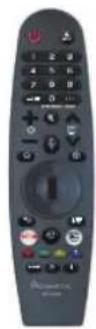
รีโมเทคนิทรส

แบตเตอรี่ 2 ก้อน

ใบรับประกัน
การติดตั้งขาดัง

natural_image
Technical line drawing of a rectangular device with internal components and mounting holes (no text or symbols)

natural_image
Simple line drawing of a rectangular monitor with supports at the base (no text or symbols)natural_image
Line drawing of a flat-screen TV with an internal display unit (no text or symbols)รูปที่ 2
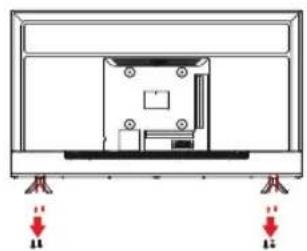
natural_image
Technical line drawing of a mechanical assembly with mounting feet and red directional arrows indicating force or movement (no text or symbols)รูปที่ 3

natural_image
Technical line drawing of a mechanical component or enclosure with mounting holes and a central housing (no text or symbols)4
ภาพรวมของชุดที่วี
BML
มุมมองด้านหน้า

natural_image
Front view of a blank flat-screen television displaying (no text or symbols)43US200AN
natural_image
Simple line drawing of a blank rectangular frame with two supports at the bottom (no text or symbols)50US200AN
natural_image
Front view of a blank rectangular TV screen with two side supports (no text or symbols)55US200AN

natural_image
Front view of a blank rectangular TV screen with two side legs (no text or symbols)65US210AN
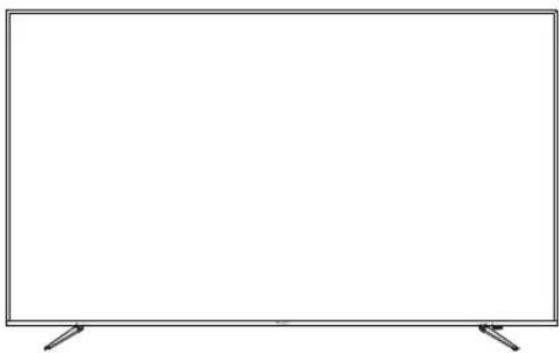
natural_image
Empty rectangular frame with two side supports at the bottom (no text or symbols)75US200AN
มุมมองด้านหลัง
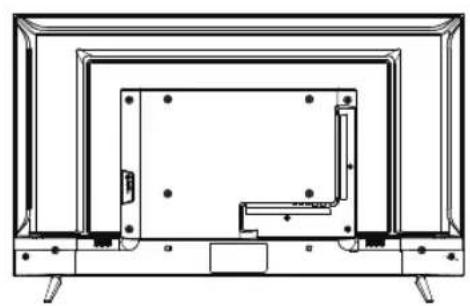
natural_image
Technical line drawing of a flat-screen TV with visible door, legs, and internal structure (no text or symbols)43US200AN

natural_image
Line drawing of a flat-screen TV with a central display unit and mounting base (no text or symbols)50US200AN

natural_image
Line drawing of a rectangular TV set with multiple tiers and legs (no text or symbols)55US200AN

natural_image
Technical line drawing of a flat-screen TV unit with internal components and mounting base (no text or symbols)65US210AN
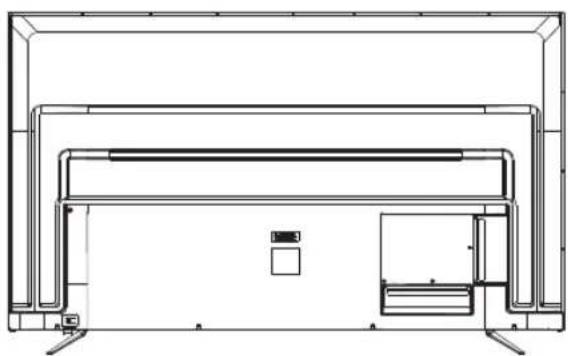
natural_image
Technical line drawing of a rectangular electronic device with internal components and mounting feet (no text or symbols)75US200AN
5
ส่วนควบคุม
ไทย

a

b
17

- Important Safety Information...... 2
- Accessories...... 6
- Installing the LED TV...... 7
- Overview of the TV set...... 8
- Controls 10
- Using the Remote Control 12
- webOS Guide.... 15
Warnings
- Read these instructions.
- Keep these instructions.
- Heed all warnings.
- Follow all instructions.
5.Do not use this apparatus near water. - Clean only with dry cloth.
- Do not block any ventilation openings. Install in accordance with the manufactur instructions.
- Do not install near any heat sources such as radiators, heat registers stoves, or other apparatus(including amplifiers)that produce heat.
- Do not defeat the safety purpose of the polarized or grounding-type plug. A polarized plug has two blades with one wider than the other. A grounding type plug has two blades and a third grounding prong. The wide blade or the third prong are provided for your safety. If the provided plug does not fit into your outlet, consult an electrician for replacement of the obsolete outlet.
- Protect the power cord from being walked on or pinched particularly at plugs, convenience receptacles, and the point where they exit from the apparatus.
- Only use attachments/accessories specified by the manufacturer.
- Use only with the cart, stand, tripod, bracket, or table specified by the manufacturer, or sold paratus. When a cart is used, use caution when moving the cart/apparatus combination to from tip-over.
- Unplug this apparatus during lighting storms or when unused for long periods of time.
- Refer all servicing to qualified service personnel. Servicing is required when the apparatus has been damaged in any way, such as power-supply cord or plug is damaged, liquid has been spilled or objects have fallen into the apparatus. the apparatus has been exposed to rain or moisture. does not operate normally, or has been dropped.
- WARNING: To Reduce The Risk Of Fire Or Electric Shock, Do Not Expose This Apparatus To Rain Or Moisture.
- Apparatus shall not be exposed to dripping or splashing and no objects filled with liquids, such as vases, shall be placed on the apparatus.
- The mains plug or appliance coupler shall remain readily operable.
- Use in outdoor: This TV is not designed for outdoors installation. Do not expose the TV to rain, as it may result in a fire or an electric shock. Also, do not expose the TV to direct sunlight, as it may heat up and become damaged.
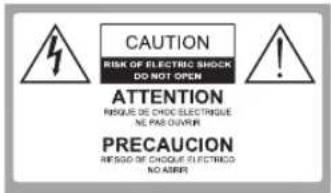
Safety:
TO REDUCE THE RISK OF ELECTRICAL SHOCK DO NOT REMOVE COVER (OR BACK). NO USER SERVICEABLEPARTS ARE INSIDE. REFER TO QUALH-FIED PERSONNEL ONLY.

Dangerous Voltage: The lightning flash with arrowhead symbol, within an equilateral triangle, is intended to alert the user to the presence of dangerous voltage within the inside of the product that may be sufficient level to constitute a risk of electric shock to persons.
Instruction: The
exclamation point within an equilateral triangle is intended to alert the user to the presence of important operating and servicing instructions in the literature accompanying the appliance.
Safety Precautions Instruction
Observing the simple precautions discussed in this booklet will provide you with many years of enjoyment and safe operation.
This product complies with all applicable US Federal safety requirements, and those of the Canadian Standards Association.
- Read Follow Instructions
All safety and operating instructions should be read and followed before the TV is operated.
- Retain Instructions
The safety and operating instructions should be retained for future reference.
- Heed Warnings
All warnings on the TV and in the operating instructions should be adhered to.
- Cleaning
Unplug the TV from the wall outlet before cleaning. Do not use liquid cleaners or aerosol cleaners. Use soft and slightly damp cloth for cleaning.
- Water and Moisture
Do not use this TV near water, for example, near bathtub, wash bowl, kitchen sink, or laundry tub, in wet basement, or near a swimming pool.
- Accessories Carts and Stands
Do not place this TV on a slippery or tilted surface, or on an unstable cart, stand, or table. The TV may slide or fall, causing serious injury to a child or adult, and serious damage to the TV.
- Transporting the Television
ATV and cart combination should be moved with care. Quick stops, excessive force, and uneven surfaces may cause the TV and cart combination to overturn.
- Ventilation
Slots and openings in the cabinet are provided for ventilation and to ensure reliable operation of the TV and to protect it from overheating, and these openings must not be blocked or covered. The openings should never be blocked by placing the TV on a bed, sofa, rug, or other similar surface. The TV should not be placed in a built-in installation such as a bookcase or rack unless proper ventilation is provided.
- Power Sources
This TV should be operated only from the type of power source indicated on the marking label. If you are not sure of the type of power supply to your home, consult your electronics retailer or local power company.
- Power-Cord Polarization
This TV set is equipped with a two-wire plug.
This plug will only fit into a grounding-type power outlet. This is a safety feature. If you are unable to insert the plug into the outlet the contact your electrician to replace your obsolete outlet. Do not defeat the safety purpose of the grounding-type plug.
11. Power-Cord Protection
Power-supply cords should be routed so that they are not likely to be walked on or pinched by items placed upon or against them, paying particular attention to cords at plugs, convenience receptacles, and the point where they exit from the TV.
12. Lightning
For added protection for the TV during a lightning storm, or when it is left unattended and unused for long periods of time, unplug it from the wall outlet and disconnect the antenna or cable system. This will prevent damage to the TV from lightning and power-line surges.
13. Outdoor Antenna Grounding
If an outside antenna or cable system is connected to the tV be sure the antenna or cable system is grounded so as to provide some protection against voltage surges and built up static charges. Article 810 of the National Electrical Code(U.S.A.), ANSI/ NFPA provides information with regard to proper grounding of the mast and supporting structure, grounding of the lead-in wire to an antenna discharge unit, size of grounding conductors, location of antenna-discharge unit, connect on to grounding electrodes and requirements for the grounding electrode.
Example of Grounding According to National Electrical Code Instructions

NEC - National Electrical Code
14. Power Lines
An outside antenna system should not be located in the vicinity of overhead power lines or other electric light or power circuits, or where it can fall on to power lines or circuits. When installing an outside antenna system, extreme care should be taken to keep from touching such power lines or circuits as contact with them might be fatal.
15. Overloading
Do not overload wall outlets and extension cords as this can result in a risk of fire or electric shock.
- Object and Liquid Entry
Never push objects of any kind into this TV through openings as they may touch dangerous voltage points or short-out parts that could result in a fire or electric shock. Never spill liquid of any kind on or inside the TV.
- Servicing
Do not attempt to service this TV yourself as opening or removing covers may expose you to dangerous voltage or other hazards. Refer all servicing to qualified service personnel.
- Damage Requiring Service
Unplug from the wall outlet and refer servicing to qualified service personnel under the following conditions:
a. If the power-supply cord or plug is damaged.
b. If liquid has been spilled, or objects have fallen into the product.
c. If the TV has been exposed to rain or water.
d. If the TV does not operate normally by following the operating instructions. Adjust only those controls that are covered by the operating instructions as an improper adjustment of other controls may result in damage and will often require extensive work by a qualified technician to restore the product to its normal operation.
e. If the TV has been dropped or the cabinet has been damaged.
f. If the TV exhibits a distinct change in performance.
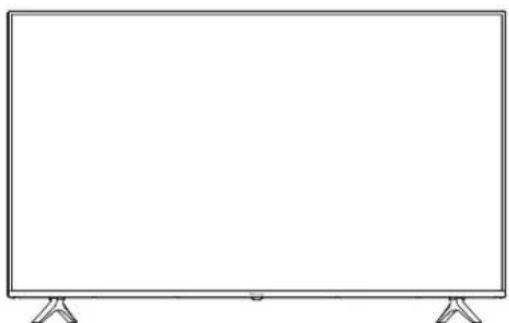
Please make sure the following items are included with your LED TV. If any items are missing, please contact your dealer.
natural_image
Front view of a blank rectangular screen with stand supports (no text or symbols)43US200AN 50US200AN 55US200AN
65US210AN 75US200AN
*Please refer to the real object
LED TV

Instruction Manual
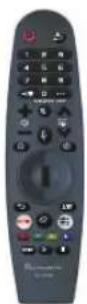
Remote Control

2 batteries

warranty card
Installing the Stand
Figure 1

natural_image
Technical line drawing of a mechanical component or enclosure with mounting holes and a base plate (no text or symbols)Figure 2
natural_image
Diagram of a monitor setup with two red human figures pointing to the front panel (no text or symbols)Figure 3

natural_image
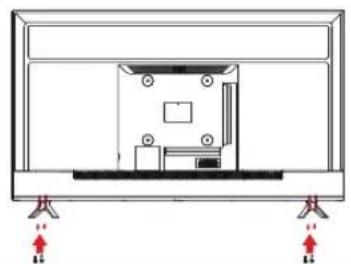
Front view of a blank rectangular TV screen with stand supports (no text or symbols)- Place the TV set on soft cloth or cushion with face down. Place the base in position as shown. (see Figure 1).
- Insert 4 screw(provided) into the screw holes, Use a screwdriver lock. (see Figure 2)
- Stand the TV up. (see Figure 3)
Disconnecting the Stand
- Lay the TV flat on a table with the LED screen face down. To prevent the TV from being scratched, put a piece of soft cloth on the table on which the screen will be set. (see Figure 1)
- Remove the 4 screw on the stand, then pull up the stand slowly. (see Figure 2)
- Then you successfully removed the base. (see Figure 3)
Figure 1

natural_image
Line drawing of a flat-screen TV with an internal display unit (no text or symbols)Figure 2

natural_image
Technical line drawing of a device rear panel with mounting holes and red directional arrows indicating force or movement (no text or symbols)Figure 3

natural_image
Technical line drawing of a mechanical component or enclosure with mounting holes and internal structure (no text or symbols)Front View

natural_image
Front view of a blank rectangular TV with two side legs and a small screen at the bottom (no text or symbols visible)43US200AN

natural_image
Front view of a blank rectangular screen with support legs (no text or symbols)50US200AN

natural_image
Empty rectangular frame with two side supports at the bottom (no text or symbols)55US200AN

natural_image
Empty rectangular frame with two side supports at the bottom (no text or symbols)65US210AN

natural_image
Empty rectangular screen with stand connectors at both ends (no text or symbols)75US200AN
Rear View
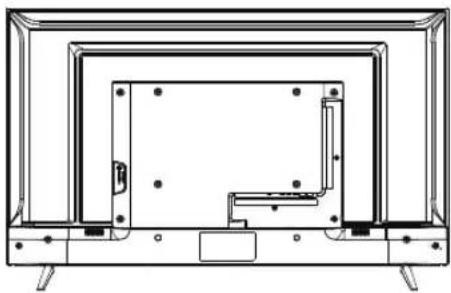
natural_image
Line drawing of a flat-screen TV unit with visible door, legs, and control panel (no text or symbols)43US200AN
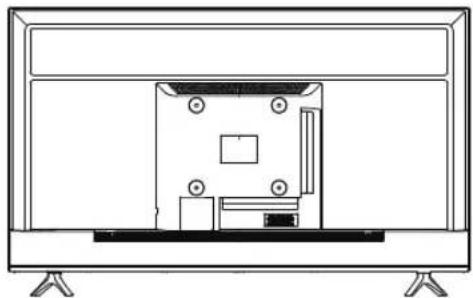
natural_image
Line drawing of a flat-screen TV with an internal display unit and stand (no text or symbols)50US200AN
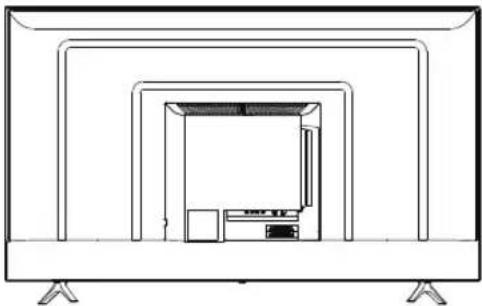
natural_image
Line drawing of a flat-screen TV set with a central display unit and two legs (no text or symbols)55US200AN
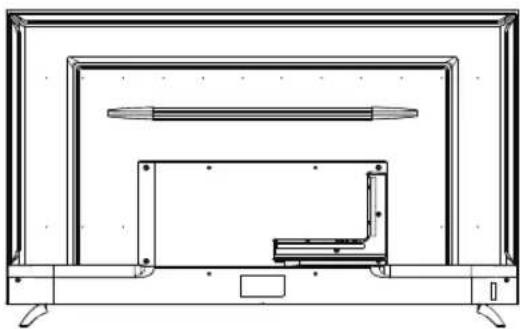
natural_image
Technical line drawing of a flat-screen TV unit with mounted screens and a small bracket (no text or symbols)65US210AN

natural_image
Technical line drawing of a mechanical assembly or enclosure with no visible text or symbols75US200AN
Controls And Connections(Cont.)


- RJ45
- USB 2 INPUT
- OPTICAL
- VIDEO / AUDIO LEFT & RIGHT
- RF
- HDMI 3
- HDMI2(eARC)
- HDMI 1
- USB 1 INPUT
- EARPHONE
USB connection
Insert a USB storage device into the USB port to record, playback of video/photo/music
Supporting signals
| AV | HDMI |
| 480i | 480i |
| 576i | 576i |
| 480P | 480P |
| 576P | 576P |
| 720P / 50Hz | 720P / 50Hz |
| 720P / 60Hz | 720P / 60Hz |
| 1080i / 50Hz | 1080i / 50Hz |
| 1080i / 60Hz | 1080i / 60Hz |
| 2160P / 50Hz | 2160P / 50Hz |
| 2160P / 60Hz | 2160P / 60Hz |
Inserting Remote Control Batteries
- Remove the battery cover by pulling then lifting the knob on the cover.
- Insert the batteries, corresponding to the (+)and (-)markings on the battery compartment.
- Reattach the battery cover.
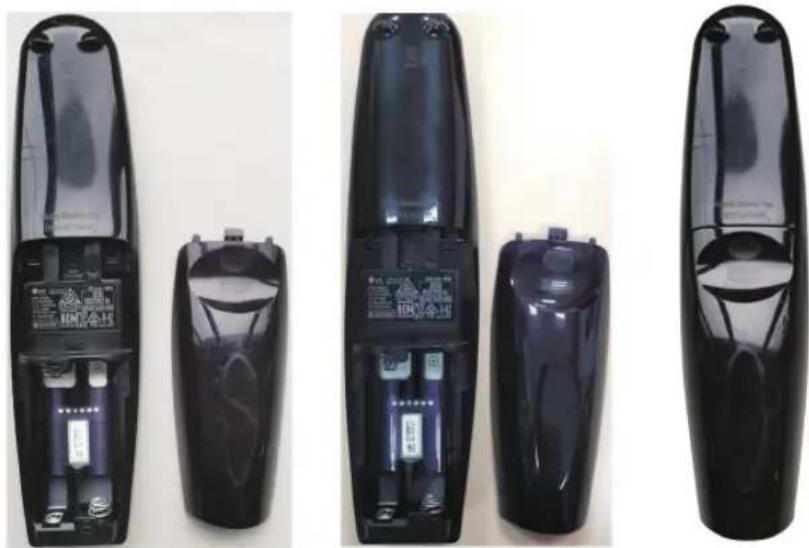

CAUTION
. Only use the specified AA batteries.
. Do not mix new and old batteries. This may result in creaking or leakage, which may pose a risk of fire or lead to personal injury.
. Insert batteries according to(+)and (-)markings. Inserting the batteries incorrectly may result in leakage, which may pose a risk of fire or lead to personal injury.
. Dispose of the battery in accordance with local laws and regulations.
. Keep the batteries away from children or pets.
. When the remote control will not to be used for an extended period, remove the batteries.
Operating the Remote Control
- Aim Remote Control directly at the Remote Control Sensor on the down of the TV set.
- Remote Control range is at approx. 16 feet with angles of approx. 30 degree.
- Avoid obstructions between the Remote Control and the sensor.
If you do not intent to use the remote control for a long time, remove the batteries.
If the remote control does not operate correctly, or if the operating range. reduced, replace both batteries with new ones.

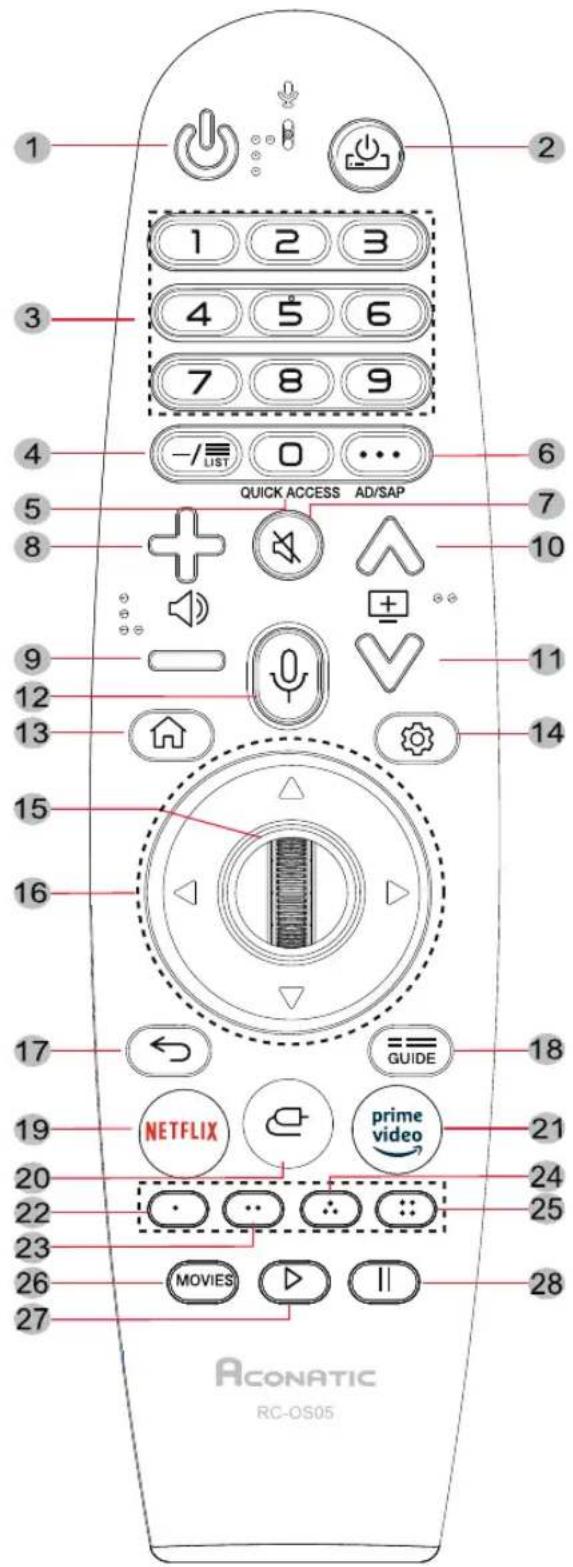
| 1. ⏻ | TV POWER ON/OFF |
| 2. ⏻ | STB POWER ON/OFF |
| 3. 1-9 | Number Key |
| 4. -/LIST | Channel List |
| 5. ☐ QUICK ACCESS | Brief : Number Key / Hold : Quick Access |
| 6. ••• AD/SAP | Brief : More Actions / Hold : Audio Description |
| 7. ✉ | Mute |
| 8. + ⏻ | Volume UP |
| 9. - ⏻ | Volume Down |
| 10. ⊕^ | Channel UP |
| 11. ⊕∨ | Channel Down |
| 12. ♂ | Voice recognition Call (Voice recognition activation roll) |
| 13. ⏱ | Home Menu Call |
| 14. ⚙ | Quick Settings Call |
| 15. Wheel(UP) | Page Scroll Up / Go to upper channel level |
| Wheel(OK) | Confirm |
| Wheel(DOWN) | Page Scroll Down / Go to lower channel level |
| 16. ▲ | Focus Move Up |
| Focus Move Left | |
| Focus Move Right | |
| Focus Move Down | |
| 17. ← | Historical Back |
| 18. ≡GUIDE | EPG Call |
| 19. NETFLIX | NETFLIX APP Execution |
| 20. 📋 | Input Picker Call |
| 21. prime video | AMAZON APP Execution |
| 22. ⬇ (RED) | Color Key |
| 23. ⬇ (GREEN) | |
| 24. ⬇ (YELLOW) | |
| 25. ⬇ (BLUE) | |
| 26. MOVIES | MOVIES Call |
| 27. ▷ | Play |
| 28. II | Pause |
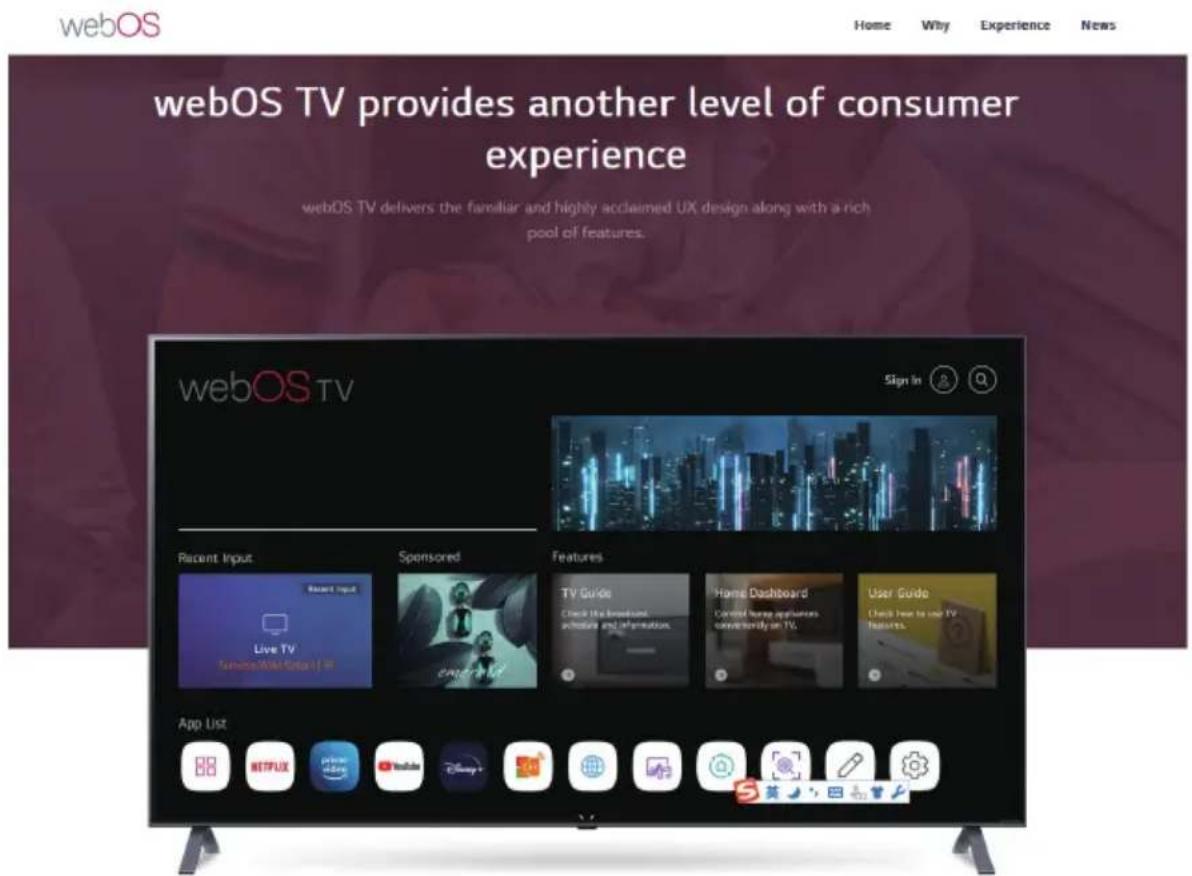
There are two ways to help you to understand the Web OS TV.
1: The link: https://webos.developer.lge.com/webos-tv,(if there is any update, without prior notice)
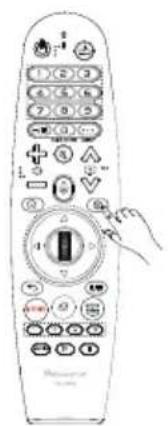
2: You can use the remote control, a key to enter User Guide.
a

b
Aconatic

- การติดตั้งขาดัง
- Warnings
- Safety Precautions Instruction
- Power-Cord Protection
- Lightning
- Outdoor Antenna Grounding
- Power Lines
- Overloading
- Installing the Stand
- Disconnecting the Stand
- Front View
- Rear View
- Controls And Connections(Cont.)
- Inserting Remote Control Batteries
- CAUTION
- Operating the Remote Control
- Aconatic
Brand : Aconatic
Model : 65US210AN
Category : Television