
8679 - Air-conditioner CALOR - Free user manual and instructions
Find the device manual for free 8679 CALOR in PDF.


Pick your language and provide your email: we'll send you a specifically translated version.
| Product Type | Portable Air Conditioner |
| Brand | Calor |
| Model | 8679 |
| Cooling Capacity | 9000 BTU/h (approx.) |
| Energy Efficiency Ratio (EER) | 2.6 (approx.) |
| Power Supply | 220-240V ~ 50Hz |
| Modes | Cool, Fan, Dehumidify |
| Fan Speeds | 3 (Low, Medium, High) |
| Noise Level | ≤ 52 dB(A) on high |
| Dimensions (W x D x H) | 40 x 35 x 70 cm (approx.) |
| Weight | 22 kg (approx.) |
| Refrigerant Type | R-410A |
| Timer Function | Yes, 24-hour on/off timer |
| Remote Control | Yes, included |
| Air Filter | Washable mesh filter |
| Water Drainage | Self-evaporating (continuous drain optional) |
| Safety Features | Auto shut-off, overheat protection, tip-over switch |
| Spare Parts Available | Filter, remote control, drain hose |
| Repairability Index | 7/10 (user-replaceable filter, professional service for major parts) |
Frequently Asked Questions - 8679 CALOR
How do I install the portable air conditioner?
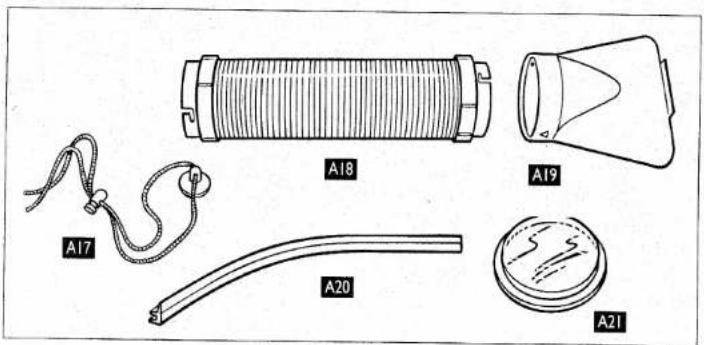
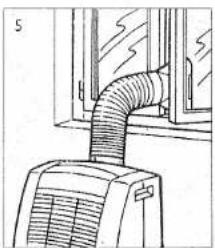
Place the unit near a window or door for exhaust. Attach the exhaust hose to the back of the unit and seal the window kit. Plug in and select Cool mode.
Can this unit be used without the exhaust hose?
No, the exhaust hose must be used to vent hot air outside. Without it, the unit cannot cool effectively and may overheat.
How often should I clean the air filter?
Clean the filter every two weeks during heavy use. Remove the filter, vacuum or wash with mild soap, let it dry completely before reinstalling.
Why is my unit blowing warm air?
Check if the exhaust hose is properly connected and not blocked. Ensure the filter is clean and the unit is not in Fan mode. Also, the room temperature may be higher than the set temperature.
Does this air conditioner require a drain?
In most cases, the unit uses self-evaporation technology. However, in high humidity, you may need to connect the drain hose to the continuous drain outlet.
How can I improve energy efficiency?
Close windows and doors, use curtains or blinds to block direct sunlight, set the thermostat to a comfortable but moderate temperature, and use the timer to avoid running when not needed.
Is the remote control included?
Yes, the unit comes with a remote control for convenient operation. Replace batteries with two AAA batteries when needed.
The unit is making a loud noise. What could be wrong?
Loud noise may be due to an unbalanced unit. Place it on a flat, sturdy surface. Also, check if the filter is clean and the exhaust hose is secure. If noise persists, consult a technician.
Can I use an extension cord?
It is not recommended. Use a dedicated 220-240V outlet. If necessary, use a heavy-duty extension cord rated for the unit's power (at least 10 amps).
What is the warranty period for this model?
The standard warranty is 2 years from date of purchase. Check your receipt or contact Calor support for specific terms.
User questions about 8679 CALOR
0 question about this device. Answer the ones you know or ask your own.
Ask a new question about this device
No questions yet. Be the first to ask one.
Download the instructions for your Air-conditioner in PDF format for free! Find your manual 8679 - CALOR and take your electronic device back in hand. On this page are published all the documents necessary for the use of your device. 8679 by CALOR.
USER MANUAL 8679 CALOR
natural_image
Line drawing of a portable air conditioner unit with control panel and ventilation slots (no text or symbols)mod. 8679



natural_image
Line drawing of a wall-mounted air conditioner unit with ventilation grilles and a window (no text or symbols)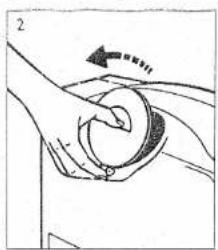
natural_image
Illustration of hands holding a circular object with an arrow indicating motion (no text or symbols)


natural_image
Diagram of a pipe with a circular opening and directional arrow, no text or symbols present
natural_image
Hand holding a transparent cylindrical object with dashed lines indicating motion or alignment, no text or symbols present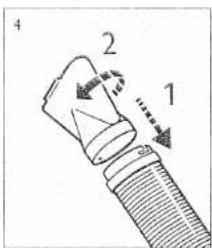
natural_image
Diagram of a airflow path through a window with a duct (no text or symbols)
natural_image
Technical line drawing of a pipe connection with a handle and valve (no text or symbols)


natural_image
Illustration of hands using a tool to clean or store floor tiles (no text or symbols visible)
natural_image
Simple line drawing of a rectangular frame with a diagonal arrow and a small curved mark, no text or symbols present.
natural_image
Simple line drawing of a monitor with an arrow pointing to the screen (no text or symbols)
natural_image
Simple line drawing of a double-framed cabinet or enclosure with internal doors and a handle (no text or symbols)
natural_image
Illustration of a hand using a faucet to clean a tiled floor (no text or symbols)

natural_image
Technical line drawing of a mechanical assembly with no visible text or symbols
natural_image
Simple line drawing of a window with a handle and glass inside (no text or symbols)
natural_image
Line drawing of a tray with an arrow indicating direction, no text or symbols present
natural_image
Simple line drawing of a device with an arrow pointing to a screen (no text or symbols)Français
FACE AVANT
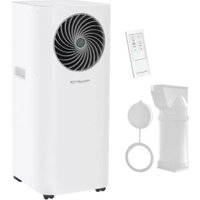
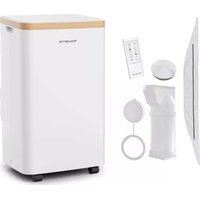
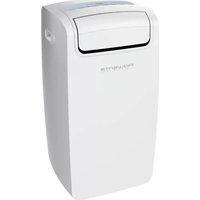
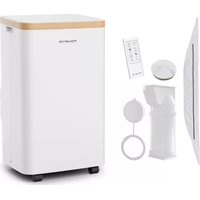
Table of contents
Click a title to access it
Manual assistant
Powered by Anthropic
Waiting for your message
Product information
Brand : CALOR
Model : 8679
Category : Air-conditioner