
ViewMate Tray - Computer accessory Dataflex - Free user manual and instructions
Find the device manual for free ViewMate Tray Dataflex in PDF.


| Product Type | Monitor Riser / Tray |
| Brand | Dataflex |
| Model | ViewMate Tray |
| Dimensions (W x D x H) | 55 x 25 x 8 cm |
| Weight | 2.5 kg |
| Material | Aluminum with tempered glass top |
| Color | Black / Silver |
| Maximum Load Capacity | 30 kg |
| Compatible Monitor Size | Up to 32 inches |
| VESA Compatibility | No (sit-on-top design) |
| Additional Storage | Undershelf for keyboard or documents |
| Cable Management | Built-in cable tray |
| Ergonomic Benefits | Raises screen to eye level |
| Ventilation | Open design for airflow |
| Assembly Required | Easy tool-free assembly |
| Warranty | 5 years |
| Cleaning Instructions | Wipe with a soft, dry cloth |
| Package Contents | 1 x Tray, 1 x Cable Tray, Rubber Pads |
Frequently Asked Questions - ViewMate Tray Dataflex
User questions about ViewMate Tray Dataflex
0 question about this device. Answer the ones you know or ask your own.
Ask a new question about this device
Download the instructions for your Computer accessory in PDF format for free! Find your manual ViewMate Tray - Dataflex and take your electronic device back in hand. On this page are published all the documents necessary for the use of your device. ViewMate Tray by Dataflex.
USER MANUAL ViewMate Tray Dataflex
natural_image
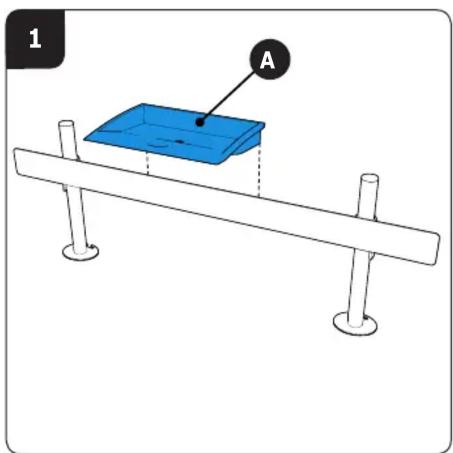
Simple line drawing of a rectangular tray or container with a circular hole at the center (no text or symbols)www.dataflex-int.com 1.0


natural_image
Simple line drawing of a beam supported by two posts, with no text or symbols present.
Dataflex International BV
P.O. Box 713
2920 CA Krimpen a/d IJssel
The Netherlands
info@dataflex-int.com
Copyright © 2013 - Dataflex International BV
www.dataflex-int.com

Dataflex International BV is certified ISO 9001:2008


Brand : Dataflex
Model : ViewMate Tray
Category : Computer accessory