
AUX-BM4 - Unknown CRUX - Free user manual and instructions
Find the device manual for free AUX-BM4 CRUX in PDF.


| Product Type | Auxiliary Input Adapter |
| Brand | CRUX |
| Model | AUX-BM4 |
| Dimensions | Approximately 2.0 x 1.0 x 0.5 inches (50 x 25 x 12 mm) |
| Weight | About 0.5 oz (15 g) |
| Power Source | USB (5V DC, 500mA) or cigarette lighter adapter (sold separately) |
| Input Interface | 3.5mm stereo auxiliary (AUX) jack |
| Output Interface | Direct connection to car stereo via RCA or vehicle-specific harness |
| Compatibility | Works with most vehicles and aftermarket stereos with AUX input |
| Main Function | Connects portable audio devices to car stereo via AUX cable |
| Cable Length | AUX cable: 3.3 ft (1 m) |
| Material | Plastic housing with gold-plated connectors |
| Operating Temperature | -20°C to 60°C (-4°F to 140°F) |
| Certifications | CE, RoHS compliant |
| Installation | Plug-and-play, no additional wiring required |
| Maintenance | Keep clean, avoid moisture and extreme temperatures |
| Safety Features | Built-in short-circuit protection |
| Spare Parts Availability | Replacement AUX cables and adapters available from CRUX |
| Warranty | 1-year limited warranty from date of purchase |
Frequently Asked Questions - AUX-BM4 CRUX
User questions about AUX-BM4 CRUX
0 question about this device. Answer the ones you know or ask your own.
Ask a new question about this device
Download the instructions for your Unknown in PDF format for free! Find your manual AUX-BM4 - CRUX and take your electronic device back in hand. On this page are published all the documents necessary for the use of your device. AUX-BM4 by CRUX.
USER MANUAL AUX-BM4 CRUX
natural_image
Close-up of a black electrical plug with a digital display showing 'SUN 2018' and 'SUN 2019' (no text or symbols on the plug body)
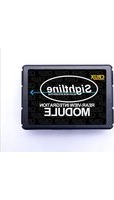
AUX-BM4 OBD Coder Audio Input Cable
INSTALLATION INSTRUCTIONS:
- Locate OBD-port and remove cover (commonly located under the dashboard on the driver side).
- Turn ignition switch to ACC.
- Wait until the navigation has booted.
- Plug coder into OBD-port.
- The navigation will re-boot.
- When the navigation startup-screen shows, remove coder from OBD-port.
- Your radio's Auxiliary Audio input feature is now enabled.
To remove the Auxiliary Audio feature from the navigation's menu repeat steps 1-6. After the first use on a vehicle, the coder AUX-BM4 is personalized to this vehicle. On this vehicle the enabling and removing the Audio-AUX feature can be repeated without limit.
The AUX-cable must be connected into the female Quadlock connector of the vehicle harness on the back of the radio (receiver under the AC vents).
Quadlock connector, chamber B
Pin 2 • Audio (+) left (white)
Pin 7 • Audio (+) right (red)
Pin 8 • Audio (-) ground (black)

OPERATION:
- Activating the Auxiliary Audio Input feature on the radio will create an AUX tab on the source drop down menu.
- Plug in your external audio source, ie. iPod, MP3 player, DVD player to the Aux input cable.
- Using the controller on the center console, go to the source menu and click on the AUX tab.
- Audio should be heard on the factory sound system.
VEHICLE APPLICATIONS:
| 1 Series | 3 Series | 5 Series |
| 2007-2011 (E87) | 2007-2011 (E90) | 2007-2010 (E60/E61) |
| 2007-2011 (E81) | 200-2011 (E91) Wagon | |
| 2007-Aug 2013 (E82) | 2007-2012 (E92) Coupe | X6 |
| 2007-Jun 2014 (E88) | 2007-2013 (E93) Convertible | 2008-2012 (E71) |
| 6 Series | X5 | |
| 2007-2010 (E63/E64) | 2007-2013 (E70) |
SYSTEM COMPATIBILITY:
BMW vehicles with 10 pin LVDS (CCC, M-ASK, Champ). Professional with 8.8" or Business with 6.5" screen navigation systems.


Brand : CRUX
Model : AUX-BM4
Category : Unknown