
GDS-DOCK-G7BU - Docking Station RAM Mount - Free user manual and instructions
Find the device manual for free GDS-DOCK-G7BU RAM Mount in PDF.


| Product Type | Docking Station |
| Brand | RAM Mount |
| Model | GDS-DOCK-G7BU |
| Compatible Devices | Garmin GPSMAP 7x series |
| Dimensions (L x W x H) | 4.5 x 3.5 x 2.0 inches (114 x 89 x 51 mm) |
| Weight | 0.5 lbs (227 g) |
| Input Voltage | 12-24V DC |
| Output Voltage | 5V DC (via USB) or device-specific |
| Power Connector | 2-wire pigtail with fuse |
| Data Capability | NMEA 2000, serial data pass-through |
| Audio Output | 3.5 mm jack (with external cable) |
| Mounting System | RAM Ball (1" ball) compatible |
| Material | High-impact plastic, stainless steel hardware |
| Weather Resistance | IPX6 (water-resistant, not submersible) |
| Operating Temperature | -30°C to 80°C (-22°F to 176°F) |
| Cleaning Instructions | Wipe with damp cloth and mild soap; dry thoroughly |
| Safety Warning | Disconnect power before cleaning; ensure proper ventilation |
| Spare Parts Available | Replacement fuses, mounting hardware, and cables |
| Repairability | No user-serviceable components; contact RAM Mount for repairs |
| Warranty | Limited lifetime warranty |
| Country of Origin | USA |
| Installation | Hardwired or via RAM mount accessories |
Frequently Asked Questions - GDS-DOCK-G7BU RAM Mount
User questions about GDS-DOCK-G7BU RAM Mount
0 question about this device. Answer the ones you know or ask your own.
Ask a new question about this device
Download the instructions for your Docking Station in PDF format for free! Find your manual GDS-DOCK-G7BU - RAM Mount and take your electronic device back in hand. On this page are published all the documents necessary for the use of your device. GDS-DOCK-G7BU by RAM Mount.
USER MANUAL GDS-DOCK-G7BU RAM Mount
natural_image
Technical line drawing of a mechanical component with no visible text or symbolsPower Specifications:
Max Power 12V @ 2.4A* USB Type A male output
*mUSB products supporting USB 2.0/3.0 will have a max current of 1.5A

natural_image
Technical line drawing of a mechanical component with no visible text or symbols
natural_image
Technical line drawing of a mechanical clamp or bracket assembly (no text or symbols)
natural_image
Technical line drawing of a mechanical assembly with no visible text or symbols
natural_image
Diagram of a mechanical device with directional arrows indicating movement or force (no text or symbols)Remove thumb screws, position the GDS Slide Dock Module on the vertical slide rail and tighten the knobs.
Set the GDS Slide Dock Module to the position most appropriate for your IntelliSkin™ device. Verify that the distinctive D-Shape™ of the dock is facing the correct direction for your IntelliSkin.
RMR-INS-DOCK-G7

RAM®
MOUNTS
rammount.com
1.800.497.7479
support@rammount.com
GDS® Slide™ Dock
While RAM products are designed to function flawlessly, there is always the potential that the product may not function as expected. Most often product issues can be resolved by the customer prior to sending the product in for warranty or replacement. If you experience issues, please follow the guidelines below prior to contacting customer support for assistance.
Troubleshoot:
(Follow these steps if you encounter any charging issues with your GDS Dock)
- Verify that the dock's power cord is securely plugged into the dock as well as the wall power source. Assure that the power source is functional by testing with an alternate electronic device.
- Verify that the IntelliSkin connector is securely connected to your device.
- Verify that the IntelliSkin is seated properly in the receptacle of the GDS dock.
- After verifying the above steps, see GDS General Care and Maintenance to verify that your dock and IntelliSkin has been properly cleaned.
GDS General Care & Maintenance
- For any accidental spills or accumulated dirt on the pogo pins of the dock use contact cleaner or alcohol on a cotton swab to gently clean. Clean the contacts on the IntelliSkin, using contact cleaner or alcohol with a stiff brush.
- For industrial and heavy use environments, clean pogo pins and contacts on a regular basis.
3 year warranty on all electronic components / Lifetime Warranty on all non-electronic components
The exclusive NPI Lifetime Warranty states that all GDS non-electronic components and parts are warranted against defect in materials and workmanship for the life of the product or part. NPI's Lifetime Warranty covers the product or its components only. The mount device is not covered under the Lifetime Warranty and will not be replaced if damaged as a result of mount failure. This warranty is expressly limited to persons in the United States, and all foreign countries who purchase GDS for resale or use in the ordinary course of the buyer's business. This warranty does not cover any product or part that has been abused, worn out, heated, ground or otherwise altered, used for a purchase other than that for which it was intended, or used in a manner inconsistent with any instructions regarding its use.
GDS®, IntelliSkin™, GDS Tech™, GDS Technology™, GDS Green™ and GDS Compatible™ are trademarks or registered trademarks of National Products Inc.
The distinctive D Shape™ of the GDS® connector is a trademark of National Products Inc.
Patents And Trademarks www.rammount.com/lp

IntelliSkin™

GDS
TECHNOLOGY™

Distinctive "D" Shape™
RMR-INS-DOCK-G7
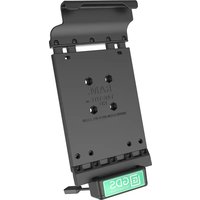


Brand : RAM Mount
Model : GDS-DOCK-G7BU
Category : Docking Station