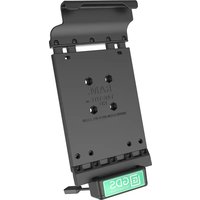
GDS-DOCK-V2-SAM21U - Docking Station RAM Mount - Free user manual and instructions
Find the device manual for free GDS-DOCK-V2-SAM21U RAM Mount in PDF.


| Product Type | Docking Station for Samsung Galaxy Tab Active2/3 (SAM21U) |
| Brand | RAM Mount |
| Model | GDS-DOCK-V2-SAM21U |
| Compatible Devices | Samsung Galaxy Tab Active2 (SM-T390) and Active3 (SM-T570) |
| Dimensions (Approx.) | 7.5 x 5.5 x 2.0 inches (190 x 140 x 51 mm) |
| Weight | 1.2 lbs (0.54 kg) |
| Power Input | 12-24V DC (vehicle power) or 100-240V AC adapter (included) |
| Output Power | 5V/2A USB, 9V/1.67A for device charging |
| Mounting Interface | RAM Mount AMPS hole pattern (1.5 x 1.0 inch) |
| Charging Ports | USB-C (data & power) for tablet, USB-A (5V/1A) for accessory |
| Data Connectivity | USB 2.0 passthrough, Ethernet (RJ45) port, audio jack (3.5mm) |
| Main Functions | Secure docking, charging, data sync, Ethernet and audio connectivity |
| Material | High-strength composite plastic with metal inserts |
| Operating Temperature | -20°C to 60°C (-4°F to 140°F) |
| Protection Rating | IP54 (dust and splash resistant) |
| Cable Length (Integrated) | 3 ft (0.9 m) for power/data cable |
| Installation | Tool-free clamping or screw mount via AMPS pattern |
| Maintenance | Wipe with dry cloth; avoid solvents; check connections periodically |
| Safety | Overcurrent, overvoltage, short-circuit protection; CE, FCC, RoHS certified |
| Spare Parts / Repairability | Replacement cables and mounting brackets available; device not user-serviceable |
| Warranty | 1-year limited warranty |
| Included Accessories | Docking station, AC adapter, vehicle power cable, mounting screws, user manual |
Frequently Asked Questions - GDS-DOCK-V2-SAM21U RAM Mount
User questions about GDS-DOCK-V2-SAM21U RAM Mount
0 question about this device. Answer the ones you know or ask your own.
Ask a new question about this device
Download the instructions for your Docking Station in PDF format for free! Find your manual GDS-DOCK-V2-SAM21U - RAM Mount and take your electronic device back in hand. On this page are published all the documents necessary for the use of your device. GDS-DOCK-V2-SAM21U by RAM Mount.
USER MANUAL GDS-DOCK-V2-SAM21U RAM Mount
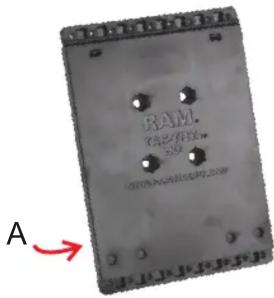
A. Vehicle Dock Backing Plate (QTY. 1)
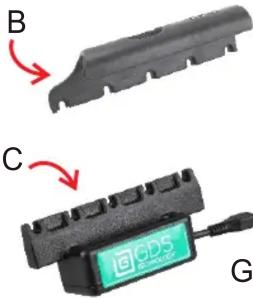
B. Top Cup (QTY. 1) Cup Design May Vary
C. GDS TM Docking Cup (QTY. 1)
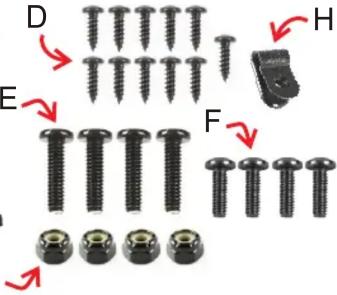
D. #4 X 3/8" Sheet Metal Screw (QTY. 10)
E. #8 X 5/8" Machine Screw (QTY. 4)
F. #8 X 1/2" Machine Screw (QTY. 4)
G. #8 Nylock Nut (QTY. 4)
H. Cable Retention Clip (QTY. 1)
Assembly
- Use five (D) Screws to attach (B) Top cup to (A) Back Plate.
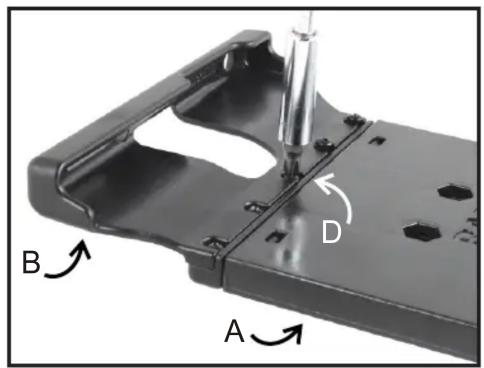
- Use five (D) screws to attach (C) Docking cup to bottom of (A) Back plate.

To prevent screws from protruding behind vehicle dock, avoid over-tightening.

- Use (E or F) Screws and (G) Nuts to attach vehicle dock to any RAM® mounting system, depending on the type of the component used:


- Insert Micro USB 2.0 cable into GDS™ Dock's Micro USB 2.0 receiver. When plugged in, tablet will detect power source within two seconds. User must supply a USB wall charger or cigarette adapter with appropriate charging specifications for mounted device.

For open cockpit or outdoor use, it is recommended to apply electrical tape to your USB connection.
- Snap USB cable into (H) cable retention clip.
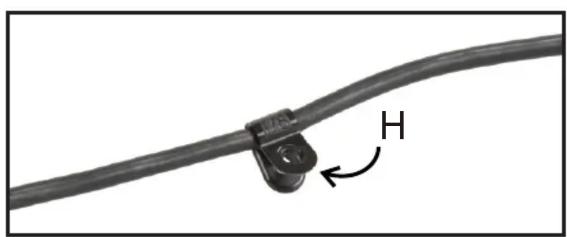
- Using (D) Screw, attach (H) Cable retention clip into any of the available wholes shown behind vehicle dock.

Adjust USB cable appropriately along cable retention clip before tightening.
Lack of or improper use of wire retnetion/cable management may void warranty.
RPR-INS-GDS-DOCK-V2
National Products Inc.
8410 Dallas Ave S
Seattle WA 98108
Phone: (206) 763-8361
Fax: (206) 763-9615
www.rammount.com
support@rammount.com
Proper Insertion of IntelliSkin™
-
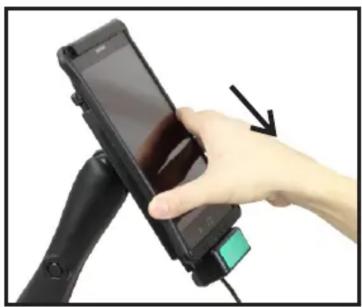
Insert top of tablet upward against top cup, expanding spring tension.
-
Press bottom of tablet flush against Tab-Tite back plate.
-
Rest bottom of tablet straight downward, docking on the pins of docking cup. When plugged in, tablet will detect power source within two seconds.


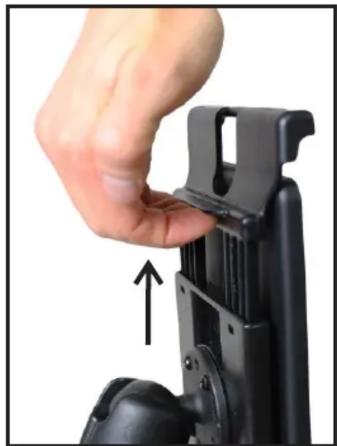
- To remove, pull tab upward, located on back of vehicle dock.
3 YEAR WARRANTY ON ALL ELECTRONIC COMPONENTS LIFETIME WARRANTY ON ALL NON-ELECTRONIC COMPONENTS
The exclusive NPI Lifetime Warranty states that all GDS ™ non-electronic components and parts are warranted against defect in materials and workmanship for the life of the product or part. NPI's Lifetime Warranty covers the product or its components only. The mounted device is not covered under the Lifetime Warranty and will not be replaced if damaged as a result of mount failure. This warranty is expressly limited to persons in the United States, and all foreign countries who purchase GDS ™ for resale or use in the ordinary course of the buyer's business. This warranty does not cover any product or part that has been abused, worn out, heated, ground or otherwise altered, used for a purpose other than that for which it was intended, or used in a manner inconsistent with any instructions regarding its use.
MORE DOCKS AND DEVICES WITH GDS™ TECHNOLOGY

GDS™ Desktop Dock Pro
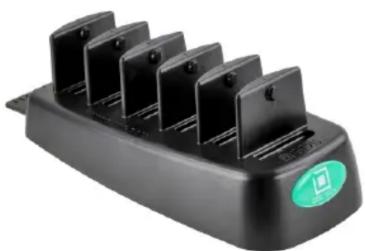
GDS™ 6 Gang Dock Charger
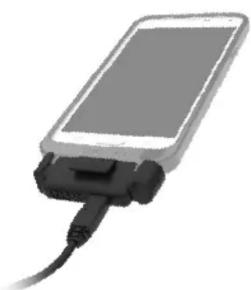
GDS™ to USB Adapter

GDS™ Locking Vehicle Dock

GDS™ Vehicle Phone Dock
Visit for alternate docks or IntelliSkin™ for any tablet or phone.www.gdstech.com
National Products Inc.
8410 Dallas Ave S
Seattle WA 98108
Phone: (206) 763-8361
Fax: (206) 763-9615
www.rammount.com
support@rammount.com

IntelliSkin™

GDS
TECHNOLOGY™
GDS™, IntelliSkin™, GDS Tech™, GDS Technology™ and GDS Compatible™ are trademarks or registered trademarks of National Products Inc. The distinctive D Shape™ of the GDS™ connector is a trademark of National Products Inc.
PATENTS AND TRADEMARKS WWW.RAMMOUNT.COM/IP

RPR-INS-GDS-DOCK-V2

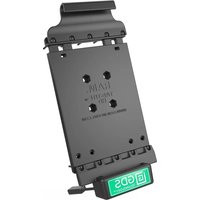


Brand : RAM Mount
Model : GDS-DOCK-V2-SAM21U
Category : Docking Station