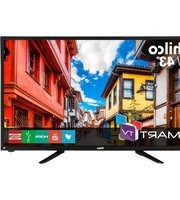
Philco PH43N91DSGW - Television

PH43N91DSGW - Television Philco - Free user manual and instructions

Find the device manual for free PH43N91DSGW Philco in PDF.

📄 16 pages English EN Download 💬 AI Question 10 questions ⚙️ Specs
Notice Philco PH43N91DSGW - page 1
Pick your language and provide your email: we'll send you a specifically translated version.
Product Type LED Television
Brand Philco
Model PH43N91DSGW
Screen Size (Diagonal) 43 inches (109 cm)
Display Resolution 1920 x 1080 pixels (Full HD)
Refresh Rate 60 Hz
VESA Mount Pattern 200 x 200 mm
Power Consumption (Typical) 75 W
Standby Power Consumption < 0.5 W
Weight (Approximate) 7.5 kg (without stand)
Dimensions (W x H x D) without Stand 970 x 570 x 80 mm
Dimensions (W x H x D) with Stand 970 x 620 x 215 mm
Inputs 2x HDMI, 1x USB, 1x AV (Composite), 1x RF Antenna, 1x Optical Audio Out
Outputs 1x Headphone Jack (3.5mm)
Audio 2 x 8W speakers, Dolby Audio
Closed Caption Supported (CC/SUB button)
Energy Efficiency Class A+ (EU scale)
Cleaning Instructions Unplug TV, use soft dry cloth. Do not use liquid or abrasive cleaners.
Safety Precautions Keep TV on stable surface, avoid exposure to moisture, do not block ventilation.
Spare Parts & Repairability Spare parts available through authorized service centers. Refer to user manual for repair guidelines.

Frequently Asked Questions - PH43N91DSGW Philco

How do I connect external devices like a gaming console to my Philco PH43N91DSGW?
Use an HDMI cable to connect your console to any of the 2 HDMI ports on the TV. Select the corresponding HDMI input using the Source button on the remote.
What is the VESA mount standard for this TV?
The VESA mount pattern is 200 x 200 mm. Use M6 screws (length varies by bracket). Ensure the wall bracket supports this pattern.
How can I enable Closed Caption (CC)?
Press the CC/SUB button on the remote to enable or disable closed caption. You can also adjust settings in the menu under Accessibility.
What should I do if the TV does not turn on?
First, check that the power cord is firmly connected. Try a different power outlet. If the standby light is off, the TV may have a faulty power supply. Contact Philco support.
How do I clean the screen?
Unplug the TV. Use a soft, dry microfiber cloth to gently wipe the screen. Do not use water, alcohol, or any liquid cleaners. For stubborn dirt, slightly dampen the cloth (with water only) and wipe immediately.
Can I mount this TV on the wall?
Yes, the TV supports VESA 200x200mm wall mounts. Ensure the wall can support the weight (about 7.5 kg). Use appropriate screws and follow the mount manufacturer's instructions.
What is the resolution of the PH43N91DSGW?
The TV has a Full HD 1920 x 1080 resolution, providing clear and sharp images.
How do I perform a factory reset?
Go to Menu > Settings > System > Reset. Enter the default PIN (usually 0000 or 1234) and confirm. All settings will be restored to default.
Does the TV have a USB port for media playback?
Yes, there is 1 USB port that supports playback of photos, music, and video files from USB drives. Supported formats: JPG, MP3, MP4, AVI, etc.
What audio outputs are available?
The TV has an optical audio output for connecting a soundbar or home theater, and a 3.5mm headphone jack for private listening.

User questions about PH43N91DSGW Philco

0 question about this device. Answer the ones you know or ask your own.

Ask a new question about this device

The email remains private: it is only used to notify you if someone responds to your question.

No questions yet. Be the first to ask one.

Download the instructions for your Television in PDF format for free! Find your manual PH43N91DSGW - Philco and take your electronic device back in hand. On this page are published all the documents necessary for the use of your device. PH43N91DSGW by Philco.

USER MANUAL PH43N91DSGW Philco

natural_image Black rectangular television displaying a flat-screen model with 'Riko' branding on the front screen (no additional text or symbols visible)

Philco

TEM COISAS QUE SÓ A PHILCO FAZ PRA VOCÊ.

MANUAL DE INSTRUÇÕES

UNIFICADO

TV PH32B51DSGW

TV PH39N91DSGW

TV PH43N91DSGW

26 CC/SUB: habilita a função closed caption.

PH39N91DSGW / PH43N91DSGW: Vesa 200x200mm

PH32B51DSGW: Vesa 200x100mm

CONECTANDO UMA TV A CABO

PROBLEMAS E SOLUÇÕES
Table of contents Click a title to access it
Manual assistant
Powered by Anthropic
Waiting for your message
Product information

Brand : Philco

Model : PH43N91DSGW

Category : Television