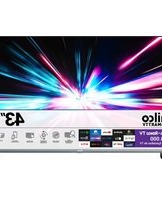
Philco PTV43G70R2CSGBL - Television

PTV43G70R2CSGBL - Television Philco - Free user manual and instructions

Find the device manual for free PTV43G70R2CSGBL Philco in PDF.

📄 2 pages English EN Download 💬 AI Question 10 questions ⚙️ Specs
Notice Philco PTV43G70R2CSGBL - page 1
Pick your language and provide your email: we'll send you a specifically translated version.
Product Type Smart Television
Brand Philco
Model PTV43G70R2CSGBL
Screen Size 43 inches (109 cm diagonal)
Display Technology LED
Resolution 4K UHD (3840 x 2160)
Smart Platform Roku TV
Refresh Rate 60 Hz
Dimensions (without stand) 96.5 x 56.5 x 8.0 cm
Dimensions (with stand) 96.5 x 61.0 x 22.0 cm
Weight (without stand) 7.2 kg
Weight (with stand) 7.5 kg
Power Supply 100-240 V, 50/60 Hz
Power Consumption (typical) 70 W
Standby Power Consumption < 0.5 W
Connectivity HDMI (x2), USB (x1), Ethernet, Wi-Fi, Bluetooth
Audio Output 2 x 8 W speakers
VESA Mount Pattern 200 x 200 mm
Remote Control Roku remote with voice control
Cleaning Instructions Use a soft dry cloth to clean the screen.
Safety In accordance with safety standards; keep away from moisture.
Spare Parts Availability Contact Philco support for replacement parts.

Frequently Asked Questions - PTV43G70R2CSGBL Philco

How do I set up my Philco PTV43G70R2CSGBL TV for the first time?
Connect the TV to power, turn it on using the remote, and follow the on-screen setup wizard. You will need to connect to Wi-Fi and sign in with a Roku account to activate streaming. Ensure you have a stable internet connection.
Why is my remote not working?
First, check the batteries and replace if necessary. Ensure there are no obstructions between the remote and the TV. If the remote has voice control, verify Bluetooth pairing. You can also use the Roku mobile app as a temporary remote.
How can I connect external devices like a gaming console or soundbar?
Use the HDMI ports on the back of the TV. For audio devices, connect to the HDMI ARC port or use optical/headphone output. Go to Settings > Audio to configure audio output.
How do I access streaming apps like Netflix or YouTube?
Press the Home button on the remote, then navigate to Streaming. Select Add Channel to install apps from the Roku Channel Store. Popular apps are pre-installed. Sign in with your account credentials.
The picture seems too dark or bright. How do I adjust it?
Go to Settings > TV Picture Settings. You can adjust brightness, contrast, backlight, and color. Also try preset modes like Standard, Movie, or Sports for optimal viewing.
Can I mount this TV on a wall?
Yes, the TV supports VESA 200 x 200 mm wall mounts. Use a compatible mount and follow the instructions. Note the weight of the TV (about 7.2 kg without stand) and ensure the wall can support it.
How do I update the TV software?
The TV automatically checks for updates when connected to the Internet. To manually update, go to Settings > System > Software Update and select Check Now. Keep the TV connected to power and Wi-Fi during the update.
What should I do if the TV won't turn on?
Check that the power cord is securely connected to the TV and the outlet. Try a different outlet. If the power light is off, the TV may need service. Reset by unplugging for 1 minute and then plugging back in.
Is there a parent control option?
Yes, go to Settings > Parental Controls. You can set a PIN to restrict certain channels or content ratings. This helps manage what children can access.
How do I clean the TV screen safely?
Turn off the TV and let it cool. Use a soft, dry microfiber cloth to gently wipe the screen in a circular motion. Do not use water, chemicals, or abrasive materials as they may damage the coating.

User questions about PTV43G70R2CSGBL Philco

0 question about this device. Answer the ones you know or ask your own.

Ask a new question about this device

The email remains private: it is only used to notify you if someone responds to your question.

No questions yet. Be the first to ask one.

Download the instructions for your Television in PDF format for free! Find your manual PTV43G70R2CSGBL - Philco and take your electronic device back in hand. On this page are published all the documents necessary for the use of your device. PTV43G70R2CSGBL by Philco.

USER MANUAL PTV43G70R2CSGBL Philco

Incorporated to the exercise per instructions, me?

cre o homo ocagac elecrito ac Tuxo VIF F120 UVDAL

Philco PTV43G70R2CSGBL - 1

Nanacolone al-gepimodine 1-smaal EAF-711C-03TG

Philco PTV43G70R2CSGBL - 2

Part in the home, consult a site and will have good

CERTIFICADO DE GARANTIA

natural_image Front view of a black flat-screen television displaying a blank screen (no text or symbols visible)

Philco • Roku TV

Table of contents Click a title to access it
Manual assistant
Powered by Anthropic
Waiting for your message
Product information

Brand : Philco

Model : PTV43G70R2CSGBL

Category : Television