PTV58G7UR2CSBL - Television Philco - Free user manual and instructions
Find the device manual for free PTV58G7UR2CSBL Philco in PDF.


Pick your language and provide your email: we'll send you a specifically translated version.
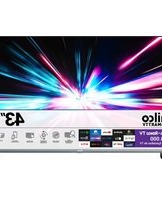
| Product type | 58-inch LED Smart Television |
| Brand | Philco |
| Model | PTV58G7UR2CSBL |
| Display diagonal | 58 inches |
| Display resolution | 3840 x 2160 pixels (4K UHD) |
| Display technology | LED |
| Aspect ratio | 16:9 |
| Smart TV platform | Integrated Smart TV with Wi-Fi |
| Sound system | Dolby Audio, built-in speakers |
| Connectivity | 3x HDMI, 2x USB, LAN, AV in, digital audio out |
| Tuner | DVB-T/T2/C/S2 |
| Power input | AC 100-240 V, 50/60 Hz |
| Power consumption | Approx. 120 W operating; less than 0.5 W standby |
| Dimensions with stand | Approx. 1295 x 810 x 260 mm |
| Dimensions without stand | Approx. 1295 x 750 x 78 mm |
| Weight with stand | Approx. 14.5 kg |
| Weight without stand | Approx. 14.0 kg |
| Wall mount pattern | VESA 400 x 300 mm |
| Cleaning and maintenance | Use a soft, dry cloth; avoid solvents and abrasive cleaners |
| Safety | Place on a stable surface, leave ventilation space, unplug before cleaning |
| Reparability and spare parts | Genuine spare parts through authorised Philco service centres; professional repair for internal components |
| Included accessories | Remote control, user manual, stand |
Frequently Asked Questions - PTV58G7UR2CSBL Philco
How do I connect a streaming device to my Philco PTV58G7UR2CSBL?
Use an HDMI cable to connect your streaming stick or box to any HDMI input, turn on the device, and press the Source button on the remote to select that input.
What is the correct VESA mount size for this TV?
The TV supports a VESA 400 x 300 mm bracket. Use M8 screws of suitable length, and be sure the wall can bear at least four times the TV's weight.
How can I use the Smart TV function?
Connect the TV to your home network via Wi-Fi or Ethernet, then open the Smart TV home menu from the remote. Download apps, browse, and access streaming services.
Why is the picture not as sharp as expected?
Make sure the source is broadcasting 4K and that the HDMI cable is High-Speed. Then check the image settings and disable energy-saving picture modes if they reduce brightness.
Can I record programmes with a USB device?
In many DTV modes, the USB recording function lets you record to a certified USB drive. Format the drive in FAT32 or NTFS and check the manual for size limits.
How do I reduce standby power consumption?
Use the Energy Saving menu and set Eco Mode or disable quick start. To reduce passive consumption to near zero, unplug the TV when it will not be used for a long time.
What can I do if the remote control has a limited range?
Replace the batteries, clear obstacles between the remote and the IR sensor, and do not place the sensor in direct sunlight. For smart remotes, re-pair it via Bluetooth if needed.
How do I reset the TV to factory settings?
Go to Settings > Device Preferences > Reset and choose Factory data reset. This restores the original picture, sound and network settings.
Is the software update automatic?
You can set the TV to auto-update if desired, or manually check in Settings > Device Preferences > System Update. Keep the TV connected to the internet.
Where can I find the free instructions for this television?
The complete free user manual for the Philco PTV58G7UR2CSBL is available as a PDF download on Notice-Facile.com, in the document section of this page.
User questions about PTV58G7UR2CSBL Philco
0 question about this device. Answer the ones you know or ask your own.
Ask a new question about this device
No questions yet. Be the first to ask one.
Download the instructions for your Television in PDF format for free! Find your manual PTV58G7UR2CSBL - Philco and take your electronic device back in hand. On this page are published all the documents necessary for the use of your device. PTV58G7UR2CSBL by Philco.
USER MANUAL PTV58G7UR2CSBL Philco

Manual assistant
Powered by Anthropic
Waiting for your message
Product information
Brand : Philco
Model : PTV58G7UR2CSBL
Category : Television