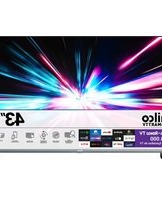
PTV40G7PR2CSBLF - Television Philco - Free user manual and instructions
Find the device manual for free PTV40G7PR2CSBLF Philco in PDF.


Pick your language and provide your email: we'll send you a specifically translated version.
| Type of product | LED television |
| Model | PTV40G7PR2CSBLF |
| Brand | Philco |
| Screen size | 40 inches (102 cm) |
| Display resolution | Full HD 1920 x 1080 pixels |
| Backlight type | LED |
| Refresh rate | 60 Hz |
| Aspect ratio | 16:9 |
| Dimensions (without stand) | Approx. 92.0 x 57.0 x 8.0 cm |
| Dimensions (with stand) | Approx. 92.0 x 60.0 x 20.0 cm |
| Weight (without stand) | Approx. 6.5 kg |
| Weight (with stand) | Approx. 6.8 kg |
| Power supply | 100-240 V AC, 50/60 Hz |
| Power consumption (operating) | 70 W |
| Power consumption (standby) | < 0.5 W |
| Main functions | Digital TV tuner, HDMI, USB playback, built-in speakers |
| Audio output | 2 x 8 W |
| Connectivity | 3 x HDMI, 2 x USB 2.0, RF input, CI slot |
| VESA mount | 200 x 200 mm |
| Care and cleaning | Wipe with a soft, dry, lint-free cloth; do not use chemicals |
| Safety | Use wall mount and keep sufficient ventilation |
| Spare parts and repairability | Contact Philco authorized service centers for original spare parts |
| General information | Includes remote control and user manual |
Frequently Asked Questions - PTV40G7PR2CSBLF Philco
How can I download the user manual for my Philco PTV40G7PR2CSBLF?
You can download the free PDF manual from notice-facile.com by clicking the download button on the PTV40G7PR2CSBLF page. The manual contains operating instructions, connection details and safety guidelines for your Philco television.
Does the PTV40G7PR2CSBLF support wall mounting?
Yes, the television is compatible with a VESA 200 x 200 mm wall mount. Use a certified wall bracket and follow the mounting instructions to ensure secure installation and proper ventilation.
What type of screen does the Philco PTV40G7PR2CSBLF have?
It features a 40-inch LED display with Full HD resolution (1920 x 1080 pixels), providing clear images and accurate colors for everyday viewing.
What connections are available on this television?
The PTV40G7PR2CSBLF includes 3 HDMI ports, 2 USB 2.0 ports, an RF input, a CI slot and audio/video connectors for connecting antennas, game consoles, media players and other devices.
How should I clean the screen of my television?
Unplug the TV and wipe the screen with a soft, dry, lint-free cloth. Do not use abrasive cleaners or spray liquids directly on the display, as this may damage the protective coating.
Why is my Philco TV not turning on?
Check the power cord connection and wall outlet, then press the power button on the side of the TV or the remote control. If the red standby light is off, test another outlet. If the problem persists, contact Philco support.
Can I use Bluetooth headphones with this television?
The built-in connections do not mention Bluetooth support. For private listening, use the 3.5 mm headphone output or a transmitter connected to the audio output (if available).
How do I restore the factory settings on the PTV40G7PR2CSBLF?
Open the main settings menu, select "System" or "Device Preferences", choose Reset, then "Factory data reset". Confirm the action to restore the television to its original configuration.
What should I do if the remote control stops working?
First replace the batteries with new ones and check the sensor on the TV. Make sure there are no obstacles between the remote and the television. If it still fails, use the physical buttons on the TV and contact support for a compatible replacement.
Are spare parts available for this model?
Philco uses authorized service centers to supply original spare parts and perform repairs. Contact Philco customer service to locate the nearest service center and order genuine components.
User questions about PTV40G7PR2CSBLF Philco
0 question about this device. Answer the ones you know or ask your own.
Ask a new question about this device
No questions yet. Be the first to ask one.
Download the instructions for your Television in PDF format for free! Find your manual PTV40G7PR2CSBLF - Philco and take your electronic device back in hand. On this page are published all the documents necessary for the use of your device. PTV40G7PR2CSBLF by Philco.
USER MANUAL PTV40G7PR2CSBLF Philco

Manual assistant
Powered by Anthropic
Waiting for your message
Product information
Brand : Philco
Model : PTV40G7PR2CSBLF
Category : Television