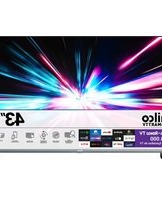
PTV50G70R2CBBL - Television Philco - Free user manual and instructions
Find the device manual for free PTV50G70R2CBBL Philco in PDF.


Pick your language and provide your email: we'll send you a specifically translated version.
| Product Type | Television |
| Brand | Philco |
| Model | PTV50G70R2CBBL |
| Screen Size | 50 inches (126 cm diagonal) |
| Display Resolution | 4K Ultra HD 3840 x 2160 pixels |
| Display Technology | LED backlit panel |
| Refresh Rate | 60 Hz |
| Smart Features | Built-in Wi-Fi and streaming apps support |
| Connectivity | 3 HDMI, 2 USB, Ethernet LAN, antenna input |
| Audio Output | 2 x 10 W integrated speakers |
| Power Supply | AC 100-240 V, 50/60 Hz |
| Power Consumption | Typical 120 W, standby less than 0.5 W |
| Energy Efficiency Class | A+ |
| Dimensions (without stand) | Approx. 1120 x 650 x 80 mm |
| Dimensions (with stand) | Approx. 1120 x 700 x 220 mm |
| Weight (without stand) | Approx. 10.5 kg |
| Weight (with stand) | Approx. 11.2 kg |
| Wall Mount Pattern | VESA 200 x 200 mm |
| Remote Control | Included with connected TV buttons |
| Care and Cleaning | Use a soft dry cloth; avoid liquid and abrasive cleaners |
| Safety | Place on stable surface and keep free space around vents |
| Spare Parts and Repairability | Authorized service centers offer original parts and repairs |
Frequently Asked Questions - PTV50G70R2CBBL Philco
How do I turn on the Philco PTV50G70R2CBBL for the first time?
Plug the TV into a wall socket, press the power button on the remote or the TV itself, then follow the initial setup for language, Wi-Fi, and channel scan.
How do I connect external devices like a decoder or game console?
Use the HDMI ports for a decoder or game console, USB for media playback, and Ethernet for a wired network connection.
How do I access Smart TV apps?
Press the Home button on the remote, select the app store or preinstalled apps, and make sure the TV is connected to Wi-Fi or Ethernet.
Can I wall mount this TV?
Yes, the TV supports a VESA 200 x 200 mm mount. Use a certified bracket rated for at least 11 kg and follow the mounting instructions carefully.
What should I do if the remote control does not respond?
Check the batteries, remove any obstacles between the remote and the TV sensor, and point the remote directly at the IR receiver. If it is a Bluetooth remote, try pairing it again.
How do I perform a channel scan?
Open the TV menu, go to Channel or Tuning, select auto search, choose the correct signal source (antenna or cable), and start the scan to store available channels.
How do I clean the TV screen safely?
Turn off and unplug the TV, then wipe the screen gently with a dry microfibre cloth. Avoid alcohol, solvents, or abrasive cleaners.
Can I connect a soundbar or wireless headphones?
Connect a soundbar using HDMI ARC or optical audio output. If the TV supports Bluetooth, you can pair wireless headphones through the sound menu.
What are the recommended settings to save energy?
Enable the energy saving mode, lower the backlight level, and set the TV to turn off automatically after a period of inactivity. Unplug the TV when not used for a long time.
Where can I get a replacement remote control or spare parts?
Contact an authorized Philco service center or an approved spare parts supplier. Always quote the model number PTV50G70R2CBBL to ensure compatibility.
User questions about PTV50G70R2CBBL Philco
0 question about this device. Answer the ones you know or ask your own.
Ask a new question about this device
No questions yet. Be the first to ask one.
Download the instructions for your Television in PDF format for free! Find your manual PTV50G70R2CBBL - Philco and take your electronic device back in hand. On this page are published all the documents necessary for the use of your device. PTV50G70R2CBBL by Philco.
USER MANUAL PTV50G70R2CBBL Philco

Manual assistant
Powered by Anthropic
Waiting for your message
Product information
Brand : Philco
Model : PTV50G70R2CBBL
Category : Television