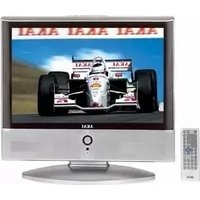
AL1930 - Television AKAI - Free user manual and instructions
Find the device manual for free AL1930 AKAI in PDF.


Pick your language and provide your email: we'll send you a specifically translated version.
| Product Type | Television |
| Brand | AKAI |
| Model | AL1930 |
| Screen Size | 19 inches (48 cm) |
| Display Technology | LCD |
| Resolution | 1366 x 768 pixels (HD) |
| Dimensions (W x H x D) | 17.7 x 13.0 x 7.1 inches (450 x 330 x 180 mm) |
| Weight | 7.7 lbs (3.5 kg) |
| Power Supply | AC 100-240V, 50/60Hz |
| Power Consumption | 40W (typical) |
| Inputs | HDMI, VGA, USB, Composite AV, Antenna |
| Audio Output | 2 x 3W speakers |
| Remote Control | Included (batteries not included) |
| Main Functions | TV, PC monitor, USB media player |
| Cleaning Instructions | Wipe with a soft, dry cloth. Do not use harsh chemicals. |
| Safety Precautions | Keep away from water and heat sources. Do not block ventilation. |
| Spare Parts & Repairability | Contact authorized service center for parts. No user-serviceable parts inside. |
| General Information | Designed for home entertainment. Comes with user manual in PDF. |
Frequently Asked Questions - AL1930 AKAI
What is the screen size of the AKAI AL1930?
The AKAI AL1930 has a 19-inch LCD display.
How can I connect external devices to this TV?
You can connect devices via HDMI, VGA, USB, or composite AV inputs.
Does the TV come with a remote control?
Yes, a remote control is included (batteries are not provided).
Can I use this TV as a computer monitor?
Yes, the VGA input allows connection to a PC for use as a monitor.
What is the power consumption of the AL1930?
Typical power consumption is around 40W.
How should I clean the TV screen?
Use a soft, dry cloth to gently wipe the screen. Avoid liquids and abrasive materials.
Does the TV have built-in speakers?
Yes, it has two 3W speakers for audio output.
What safety precautions should I follow?
Keep the TV away from water and heat, and ensure proper ventilation to avoid overheating.
Can I watch USB media directly on this TV?
Yes, the USB port allows playback of media files like photos and videos.
Where can I find the user manual?
The user manual is available for free download in PDF format from notice-facile.com.
User questions about AL1930 AKAI
0 question about this device. Answer the ones you know or ask your own.
Ask a new question about this device
No questions yet. Be the first to ask one.
Download the instructions for your Television in PDF format for free! Find your manual AL1930 - AKAI and take your electronic device back in hand. On this page are published all the documents necessary for the use of your device. AL1930 by AKAI.
USER MANUAL AL1930 AKAI
natural_image
Line drawing of a flat-screen monitor with a stand and control panel (no text or symbols)19TFTLCDTV"

Voorzichtig

Voorzichtig
natural_image
Illustration of a computer monitor with a pomegranate above it and a crossed X symbol (no text or labels)
Voorzichtig
natural_image
Simple line drawing of a monitor with a cross symbol on the side (no text or labels)
Voorzichtig

Voorzichtig

Voorzichtig
natural_image
Simple line drawing of a broken box and a partial view of a rectangular frame (no text or symbols)
Voorzichtig

Voorzichtig
natural_image
Simple line drawing of a heating element with steam rising (no text or symbols)
Voorzichtig

Waarschuwing

Waarschuwing

Waarschuwing
natural_image
Cartoon illustration of a computer monitor with lightning bolts and a bag, no text or symbols present
Waarschuwing
natural_image
Front view of a remote control with multiple circular buttons (no visible text or symbols)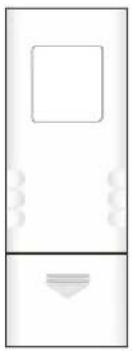
natural_image
Simple line drawing of a rectangular device with a square top and a bottom base (no text or symbols)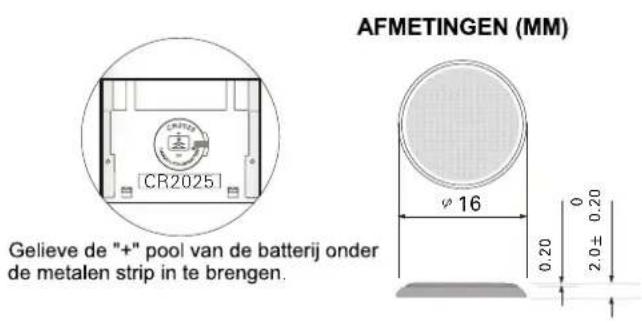
OPMERKING

Table of contents
Click a title to access it
Manual assistant
Powered by Anthropic
Waiting for your message
Product information
Brand : AKAI
Model : AL1930
Category : Television