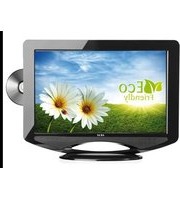
AK6521NF - Television AKAI - Free user manual and instructions
Find the device manual for free AK6521NF AKAI in PDF.


Pick your language and provide your email: we'll send you a specifically translated version.
| Product Type | LED Television |
| Brand | AKAI |
| Model | AK6521NF |
| Screen Size | 65 inches (164 cm diagonal) |
| Display Resolution | 3840 x 2160 (4K Ultra HD) |
| Display Technology | LED with Direct Backlight |
| Refresh Rate | 60 Hz |
| Dimensions (without stand) | 1460 x 840 x 70 mm (W x H x D) |
| Dimensions (with stand) | 1460 x 900 x 280 mm (W x H x D) |
| Weight (without stand) | 20.5 kg |
| Weight (with stand) | 22.5 kg |
| VESA Mounting Pattern | 400 x 300 mm |
| Power Consumption (typical) | 150 W |
| Standby Power Consumption | < 0.5 W |
| Input Voltage | 100-240 V AC, 50/60 Hz |
| Operating System | Smart TV (proprietary platform) |
| Built-in Wi-Fi | Yes (802.11 b/g/n) |
| HDMI Inputs | 3 x HDMI 2.0 |
| USB Ports | 2 x USB 2.0 |
| Audio Output | 1 x Optical, 1 x 3.5 mm Jack |
| Remote Control | IR Remote with batteries (AAA x2) |
| Stand Included | Yes (screws for assembly) |
| Wall Mount Support | VESA 400 x 300 mm (not supplied) |
| Cleaning Instructions | Use a soft, dry cloth. Do not use solvents or abrasive cleaners. |
| Operating Temperature | 0 °C to 40 °C |
| Repairability | Professional repair only; no user-serviceable parts inside. |
| Spare Parts Availability | Remote control, stand, and screws available from dealer. |
Frequently Asked Questions - AK6521NF AKAI
How do I connect external devices like a soundbar or gaming console?
Use the HDMI ports on the back of the TV. Connect your device to an available HDMI input, then select the corresponding input using the Source button on the remote.
How do I clean the screen without damaging it?
Turn off the TV and let it cool. Use a soft, dry microfiber cloth to gently wipe the screen. Do not use any liquids, ammonia, or abrasive cleaners.
Can I wall-mount this TV? What VESA pattern does it use?
Yes, the TV supports VESA 400 x 300 mm wall mounts. Use a mount rated for at least 25 kg. Remove the stand before mounting.
How do I access smart TV apps?
Press the Smart or Home button on the remote to open the main menu. You can then select apps like Netflix, YouTube, or others installed in the app store.
Why is the remote not working?
First, check the batteries are installed correctly and not depleted. If still not working, try re-pairing the remote by holding the Power and Source buttons together for 5 seconds.
How do I update the TV firmware?
Go to Settings > About > Software Update and select Check for Updates. Ensure the TV is connected to the internet via Wi-Fi or Ethernet.
What is the power consumption in standby mode?
The standby power consumption is less than 0.5 W, making it energy efficient.
How do I perform a factory reset?
Go to Settings > System > Reset and select Factory Reset. This will erase all personal settings and data.
Can I connect headphones to the TV?
Yes, use the 3.5 mm headphone jack on the side or back of the TV. Note that this will mute the built-in speakers unless configured otherwise.
What should I do if the TV overheats?
Ensure proper ventilation around the TV. Do not block the vents on the back. If overheating persists, turn off the TV and contact customer support.
User questions about AK6521NF AKAI
0 question about this device. Answer the ones you know or ask your own.
Ask a new question about this device
No questions yet. Be the first to ask one.
Download the instructions for your Television in PDF format for free! Find your manual AK6521NF - AKAI and take your electronic device back in hand. On this page are published all the documents necessary for the use of your device. AK6521NF by AKAI.
USER MANUAL AK6521NF AKAI

Manual assistant
Powered by Anthropic
Waiting for your message
Product information
Brand : AKAI
Model : AK6521NF
Category : Television