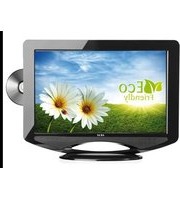
CTB147NTF - Television AKAI - Free user manual and instructions
Find the device manual for free CTB147NTF AKAI in PDF.


Pick your language and provide your email: we'll send you a specifically translated version.
| Product Type | Television |
| Brand | AKAI |
| Model | CTB147NTF |
| Screen Size | 14 inches (35.5 cm) diagonally |
| Display Technology | CRT (Cathode Ray Tube) |
| Aspect Ratio | 4:3 |
| Color | Black |
| Dimensions (W x H x D) | Approx. 360 x 340 x 380 mm |
| Weight | Approx. 8.5 kg |
| Power Supply | 220-240V AC, 50Hz |
| Power Consumption | 60 W (typical) |
| TV Tuner | Analog VHF/UHF |
| Sound Output | 2 x 5 W |
| Remote Control | Included |
| Input Connectors | SCART, RF antenna input |
| Main Functions | Auto channel search, sleep timer, volume control, menu OSD |
| Maintenance | Clean with soft dry cloth; avoid liquids and solvents |
| Safety Tips | Keep ventilation slots unobstructed; unplug during lightning storms |
| Spare Parts & Repairability | Parts available through authorized service centers; support for recycling |
Frequently Asked Questions - CTB147NTF AKAI
How do I connect an external device to my AKAI CTB147NTF?
Use the SCART socket or RF antenna input. Plug the device into the SCART connector for best audiovisual quality, then press the AV/source button to select the corresponding channel.
The TV turns on but shows no picture. What should I do?
Check if the aerial cable is properly connected, make sure the channel is tuned correctly, and verify that brightness and contrast levels are not set to zero. If you are using an external source, press the AV button to switch to the correct input.
My remote control isn't working. How can I fix it?
First, replace the batteries and point the remote directly at the TV's infrared receiver. Remove any obstacles and clean the sensor. If it still does not respond, use the buttons on the TV panel as a temporary solution.
Is this TV compatible with digital broadcasts?
No, this model is designed for analog VHF/UHF signals only. To receive digital DVB-T channels, connect an external digital set-top box to the SCART input.
How can I improve the sound quality?
Access the sound menu to adjust bass and treble. For louder, clearer audio, connect external speakers or an amplifier to the audio output, if your TV has one.
Why does the screen flicker or display wave patterns?
This is often due to electromagnetic interference. Keep other electronic appliances away, check the antenna connection, and ensure the power outlet is stable. A slight refresh flicker is normal for CRT displays.
How do I clean the screen safely?
Turn off the TV, unplug it, and let the glass cool down. Wipe gently with a soft dry microfiber cloth. Avoid using water, chemical cleaners, or abrasive materials.
Does the TV have built-in games or multimedia playback?
No, this is a basic CRT television without smart features. It is intended for watching analog broadcasts and connecting external devices such as DVD players or game consoles.
What is the approximate power consumption in standby mode?
Standby power is typically less than 1 watt. To save energy and protect the TV, unplug it from the mains when you plan to be away for a long period.
Can this TV be wall-mounted?
CRT TVs are generally not designed for wall mounting. Place the CTB147NTF on a stable, flat surface that can support its weight and leave ample space around the cabinet for ventilation.
User questions about CTB147NTF AKAI
0 question about this device. Answer the ones you know or ask your own.
Ask a new question about this device
No questions yet. Be the first to ask one.
Download the instructions for your Television in PDF format for free! Find your manual CTB147NTF - AKAI and take your electronic device back in hand. On this page are published all the documents necessary for the use of your device. CTB147NTF by AKAI.
USER MANUAL CTB147NTF AKAI

Manual assistant
Powered by Anthropic
Waiting for your message
Product information
Brand : AKAI
Model : CTB147NTF
Category : Television