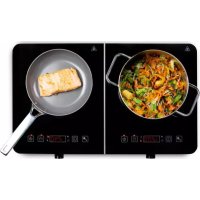
PG1-D - Hob PRIMO - Free user manual and instructions
Find the device manual for free PG1-D PRIMO in PDF.


Pick your language and provide your email: we'll send you a specifically translated version.
| Product Type | Built-in Hob |
| Brand | Primo |
| Model | PG1-D |
| Dimensions (W x D x H) | 590 x 520 x 48 mm |
| Cutout Dimensions | 560 x 490 mm |
| Net Weight | 8.5 kg |
| Power Supply | 220-240 V ~ 50/60 Hz |
| Total Power | 7200 W |
| Number of Cooking Zones | 4 induction zones |
| Zone 1 Power (Left Front) | 1800 W (boost 2400 W) |
| Zone 2 Power (Left Rear) | 1400 W (boost 2000 W) |
| Zone 3 Power (Right Front) | 1800 W (boost 2400 W) |
| Zone 4 Power (Right Rear) | 1400 W (boost 2000 W) |
| Control Type | Touch control with slide |
| Timer Function | Yes, up to 99 minutes |
| Child Lock | Yes |
| Auto Shut-off | Yes (after 2 hours) |
| Cleaning | Clean with damp cloth, avoid abrasive cleaners |
| Spare Parts | Power module, control board available via Primo service |
Frequently Asked Questions - PG1-D PRIMO
How do I install the hob?
Ensure the cutout is correct (560x490 mm). Connect to 220-240V supply with appropriate breaker. For gas models, consult a professional. Refer to installation manual for ventilation requirements.
How do I clean the ceramic glass surface?
Use a special ceramic glass cleaner or mild soapy water. Wipe with a soft cloth. Avoid steel wool, scouring pads, or harsh chemicals to prevent scratches.
Why is my hob not turning on?
Check power supply and circuit breaker. Ensure child lock is disengaged. If still not working, contact Primo support.
What is the child lock and how to set it?
Child lock prevents accidental operation. To activate, press and hold the lock key for 3 seconds. Deactivate similarly. A lock symbol will appear.
Can I use any cookware on induction hob?
Only cookware with magnetic bases (e.g., cast iron, stainless steel with magnetic bottom). Test with a magnet. Non-magnetic pans like aluminum or copper will not heat.
How long does the timer last?
The timer can be set from 1 minute up to 99 minutes. After the set time, the cooking zone will turn off automatically.
What does the hot surface indicator mean?
After turning off a zone, an 'H' symbol appears if the surface is still hot. Do not touch until it disappears to avoid burns.
Can I install the hob above an oven?
Yes, provided the oven has a cooling fan and the hob's ventilation requirements are met. Maintain minimum distance of 20 mm between units.
Why does my hob make a humming noise?
Induction hobs may emit a low hum due to magnetic fields. This is normal, especially at high power. Noise may vary with cookware.
Where can I find spare parts?
Contact Primo authorized service centers. Provide model PG1-D and serial number. Common spare parts include power modules and control boards.
User questions about PG1-D PRIMO
0 question about this device. Answer the ones you know or ask your own.
Ask a new question about this device
No questions yet. Be the first to ask one.
Download the instructions for your Hob in PDF format for free! Find your manual PG1-D - PRIMO and take your electronic device back in hand. On this page are published all the documents necessary for the use of your device. PG1-D by PRIMO.