Joinsee 100 - Webcam Soyntec - Free user manual and instructions
Find the device manual for free Joinsee 100 Soyntec in PDF.


| Product Type | Webcam |
| Brand | Soyntec |
| Model | Joinsee 100 |
| Resolution | Full HD 1080p (1920 x 1080) |
| Frame Rate | 30 fps |
| Lens | Fixed focus |
| Connectivity | USB 2.0 |
| Cable Length | 1.5 m |
| Microphone | Built-in omnidirectional |
| Field of View | 70° |
| Focus Type | Fixed |
| Mounting | Clip or tripod mount (1/4 inch thread) |
| Dimensions (L x W x H) | 80 x 40 x 30 mm |
| Weight | 100 g |
| Power Source | USB powered (5V) |
| Compatibility | Windows, macOS, Linux, Chrome OS |
| Image Sensor | CMOS |
| LED Indicator | Yes (lights up when camera is active) |
| Color | Black |
| Warranty | 1 year |
Frequently Asked Questions - Joinsee 100 Soyntec
User questions about Joinsee 100 Soyntec
0 question about this device. Answer the ones you know or ask your own.
Ask a new question about this device
Download the instructions for your Webcam in PDF format for free! Find your manual Joinsee 100 - Soyntec and take your electronic device back in hand. On this page are published all the documents necessary for the use of your device. Joinsee 100 by Soyntec.
USER MANUAL Joinsee 100 Soyntec
Soyntec thanks you for purchasing your new Joinsee 100 USB Mini Webcam. We wish you enjoy using it.
Joinsee 100 is a webcam which provides an easy way to enjoy videoconference using a USB connection to your computer.
We suggest reading this user manual for enjoying this product is a safe way and with the best performance.
Main features
- Low power consumption makes it perfect for laptop computers.
- Automatic exposure and gain control.
- Still image resolution: VGA 640x480.
- Video resolution: CIF 352x288.
- Includes special button for taking photos.
- Features status LED indicator.
- USB 2.0/1.1/1.0 connection.
- Compatible with Windows XP / 2000 / 98SE / ME.
Product contents
- Webcam.
- CD with drivers.
- User manual.
Product overview
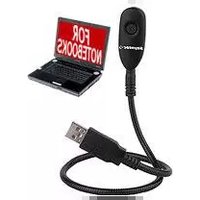
The following picture shows the main parts of the webcam:

flowchart
graph TD
    A["Camera Lense"] --> B["USB connector"]
    C["Flexible body"] --> B
    B --> D["Smart device"]
Figure A: Webcam main parts
Webcam installation
Please note that in order to install the Joinsee 100 webcam you need a free USB connector in your computer.
Follow these steps to install the webcam:
- Connect the webcam to an free USB connector.
- The operating system will detect the webcam and will show an installation wizard asking for drivers.
- Insert the provided drivers CD and indicate the folder with the appropriate drivers for the particular Operating System.
- Optionally you can install the eMedia video/photo capturing. Just execute the file named "Setup.exe" in the CD folder named "Software – eMEDIA".
- Reboot the computer to finish the installation.
Trademarks
All company, brand and product names are trademarks or registered trademarks of their respective companies.
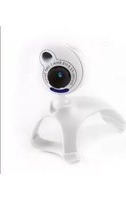
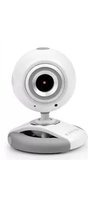
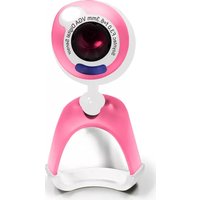

Brand : Soyntec
Model : Joinsee 100
Category : Webcam