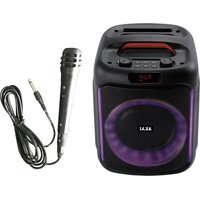
ABTS-V20 - Bluetooth speaker AKAI - Free user manual and instructions
Find the device manual for free ABTS-V20 AKAI in PDF.


| Product Type | Audio/Video Player |
| Brand | AKAI |
| Model | ABTS-V20 |
| Color | Black |
| Dimensions (W x D x H) | 430 x 250 x 80 mm |
| Weight | 3.5 kg |
| Power Supply | AC 220-240 V, 50 Hz |
| Power Consumption | 20 W |
| Playback Formats | DVD, CD, VCD, MP3, JPEG |
| Video Output | Composite, S-Video |
| Audio Output | Stereo RCA |
| Remote Control | Included |
| Timer Recording | Yes |
| Programmed Playback | Yes |
| Lens Cleaning | Use a soft cloth; do not use solvents |
| Moisture Protection | Avoid exposure to liquids |
| Safety Voltage | Use specified voltage only |
| Disassembly | Do not disassemble; refer to qualified service |
| Spare Parts Available | Remote control, power cord, AV cable |
| Reparability | Contact authorized service center |
Frequently Asked Questions - ABTS-V20 AKAI
User questions about ABTS-V20 AKAI
0 question about this device. Answer the ones you know or ask your own.
Ask a new question about this device
Download the instructions for your Bluetooth speaker in PDF format for free! Find your manual ABTS-V20 - AKAI and take your electronic device back in hand. On this page are published all the documents necessary for the use of your device. ABTS-V20 by AKAI.
USER MANUAL ABTS-V20 AKAI
AKAI
DEAR CUSTOMER
In order to achieve the best performance of your product, please read this instruction manual carefully before using, and keep it for future reference.
NOTE
This unit may be submitted to changes in specifications, characteristics, or operation without prior notice to the user, in order to continue improving and developing its technology.
Do not play music at excessive levels as damage to hearing and / or equipment may result.
Do not use outdoors in wet or in damp surroundings.
Box content:
1 x Speaker
1 x Instruction manual
1 x USB charging cable
1 x Wired microphone
Specifications:
Bluetooth version 5.0
Bluetooth channel emission power 2dbm
RMS Power: 20W
PMPO power: 150W
FM Radio frequency: 87.5-108MHZ
Frequency Response 55Hz-20KHz
Power Supply: 5V/1A
Battery: 7.4V, 1500mAh
Speakers no & size 6.5 inch *1
Charging time 3-4 hours
Playing time 2h
Power Source DC5V
Power Consumption 15W
Impedance 2ohm(speaker)
S/N Ratio 65dB
Distortion 10%
AKAI
Front & back panel
![graph TD A["MIC.VOL"] --> B["1"] B --> C["2"] C --> D["LED/M"] D --> E["6"] E --> F["PREV"] F --> G["7"] G --> H["PLAY"] H --> I["8"] I --> J["NEXT"] J --> K["5"] K --> L["VOLUME"] M["9"] --> N["DI"] N --> O["ST"] P["POWER"] --> Q["DCI"] Q --> R["MC1"] S["ACI.01"] --> T["14"] U["15"] --> V["16"] W["…](/content/2026/05/1064994/images/242b017b639aca09cc0a66b9379b1a63e30751b79bb6ae99e420ecb2ea43aebe.jpg)
- MICROPHONE VOLUME
- LED LIGHT/MODE
- MICROPHONE PRIOR
- REC
- VOLUME
- PREVIOUS TRACK
- PLAY/PAUSE
- NEXT TRACK
- ON/OFF SWITCH
- MICROPHONE INPUT 1
- LED INDICATION LIGHT
- DC5V CHARGING PORT
- TF CARD PORT
- USB PORT
- AUX-IN PORT
- MICROPHONE INPUT 2
MICROPHONE VOLUME
Twist the knob to adjust microphone volume
AKAI
LED LIGHT/MODE
Short press to switch mode among BT/FM/USB/TF/AUX. Long press to turn off the LED light. It can change the LED light to four display effects and off mode when long press this button)
Note: There is no LED light in FM mode.
MICROPHONE PRIOR
Press this button to turn on or off this feature. When this is on, it will be priority for the voice.
REC
It can only record the microphone sound. When the U disk or TF card are inserted, and press the REC button, it will start recording the microphone sound. Press REC button again to stop recording.
VOLUME
Rotate the knob in the front to control volume. (Turn left to decrease and turn right to increase.)
Previous track
Short press to play the previous music under BT/USB/TF, or previous station in FM mode.
Play / Pause
Short press for music play/pause. Short press "Play/Pause" button to auto-search all stations among frequency 87.5MHz-108MHz. After few minutes, the searching will be finished and you could press "next" or "previous" button to switch stations. The latest station you choose will be memorized. When enter mode next time, it will enter the station automatically.
Next track
Short press to play the next music under BT/USB/TF, or next station in FM mode.
AKAI
ON/OFF
Speaker power off/ Speaker power on.
DC 5V
Insert a Type-C charging cable to charge the machine.
TF Port
Insert a TF card to play music. (Ultimate 32GB, support MP3 format files)
USB Port
Insert an USB drive to play music.(Ultimate 32GB, support MP3 format files)
AUX IN
Connect an aux device with a 3.5 mm audio cable to enter aux mode.
FM Mode
Press the mode button to change to FM, then press the play/pause button to auto search all stations, after finishing auto search for all stations, press the next or previous button to select the desired station.
Bluetooth:
Turn on the speaker, simultaneously turn on the Bluetooth setting from your phone, tablet or any other Bluetooth enabled audio device and select "ABTS-V20" (no need to match code), the unit and device will then connect via Bluetooth.
Michrophone input 1/2
Insert a microphone(6.35mm) into the mic jack to start using karaoke. Available to connect to 2 wired microphones simultaneously. (One microphone included)
AKAI
DISPOSAL OF ELECTRICAL AND ELECTRONIC EQUIPMENT

This symbol on the product or packaging means that the product should not be treated as household waste. Do not throw garbage at the end of its life, but take it to a collection center for recycling. in this way you will help to protect the environment and be able to prevent any negative
consequences that it would have on the environment and human health.
To find your nearest collection center:
-Contact local authorities
- Access the website: www.mmediu.ro
- Request additional information from the store where you purchased the product.
IMPORTER: SC INTERVISION TRADING-RO SRL
Street I.C Bratianu, no. 48-52, building A, floor. 5, room 504-505, Pitesti City, Arges County, Romania
Postal code: 110121
AKAI
AKAI
STIMATE CLIENT
AKAI
AKAI
Уважаеми клиенти,
AKAI
TISZTELT VÁSÁRLÓ
AKAI
INSTRUKCJA OBSŁUGI
AKAI
VÁŽENÝ ZÁKAZNÍK
AKAI
VÁŽENÝ ZÁKAZNÍK
We, INTERVISION TRADING RO SRL, default importer (manufacturer), with registered office in Mosoaia Commune, Smeura Village, 8 Fagetului Alley, declare under sole responsibility that the following products:
Brand name: AKAI
Type: ABTS-V20
Descriptions: PORTABLE SPEAKER
Lot: V202023080XXX
to which this declaration related is in conformity with the essential requirements of the following directives of the Council of the European Communities:
EUROPEAN COMMUNITY DIRECTIVE 2014/53/EU
EUROPEAN COMMUNITY DIRECTIVE 2014/35/EU
EUROPEAN COMMUNITY DIRECTIVE 2011/65/EU Amd 2015/863/EU & Amd 2017/2102/EU
The products are compliant with the following standards:
EN 62368-1:2020 + A11:2020 EN 303 345-3 V1.1.1: (2021-06)
EN 50663:2017 IEC 62321-5:2013
EN 62479:2010 IEC 62321-7-1:2015
EN 301 489-1 V2.2.3 (2019-11) IEC 62321-6:2015
EN 301 489-17 V3.2.4: (2020-09) IEC 62321-4: 2017
EN 300 328 V2.2.2: (2019-07) IEC 62321-7-2:2017
EN 303 345-1 V1.1.1 (2019-06) IEC 62321-8:2017
Certificate of conformity issued based on the Certificates and Test reports TCT230727E022C; TCT230802S007C; TCT230727E042; TCT230802S007; TCT230727E024; TCT230727E022; TCT230727E023;
BSTDGX14231395101702CC and BTSDGX14231395101702CR of Shenzhen TCT Testing Technology Co., Ltd., 2101&2201, Zhenchang Factory, Renshan Industrial Zone, Fuhai Subdistrict, Bao'an District, Shenzhen, si Dongguan BST Testing Co., Ltd. A1201-1204 Xinsanqi of Dongbao Road, Dongcheng District, Dongguan, Guangdong, China.
Intervision Trading Ro SRL,
Signature:

Printed name and Position:
CIOBANU DORIN - GENERAL MANAGER
Date: 30 rd of October, 2023
Place: Pitesti, Romania
DECLARATIE DE CONFORMITATE UE
Nr.INT 316


- AKAI
- DEAR CUSTOMER
- NOTE
- BOX CONTENT
- SPECIFICATIONS
- FRONT & BACK PANEL
- MICROPHONE VOLUME
- LED LIGHT/MODE
- MICROPHONE PRIOR
- REC
- VOLUME
- PREVIOUS TRACK
- PLAY / PAUSE
- NEXT TRACK
- ON/OFF
- DC 5V
- TF PORT
- USB PORT
- AUX IN
- FM MODE
- BLUETOOTH
- MICHROPHONE INPUT 1/2
- DISPOSAL OF ELECTRICAL AND ELECTRONIC EQUIPMENT
- STIMATE CLIENT
- TISZTELT VÁSÁRLÓ
- INSTRUKCJA OBSŁUGI
- VÁŽENÝ ZÁKAZNÍK
- DECLARATIE DE CONFORMITATE UE
Brand : AKAI
Model : ABTS-V20
Category : Bluetooth speaker