
BK-HDDH - Computer accessory Sabrent - Free user manual and instructions
Find the device manual for free BK-HDDH Sabrent in PDF.


| Product Type | Hard Drive Docking Station |
| Brand | Sabrent |
| Model | BK-HDDH |
| Supported Drives | 2.5" and 3.5" SATA HDD/SSD |
| Interface | USB 3.0 (up to 5Gbps) |
| Dimensions (LxWxH) | 130 x 80 x 70 mm |
| Weight | 210 g |
| Power Supply | 12V/2A DC adapter (included) |
| Cooling | Passive (no fan) |
| Hot Swap | Yes, via power button |
| Operating System | Windows, macOS, Linux |
| Plug and Play | Yes, no driver needed |
| LED Indicator | Power and activity |
| Material | Plastic casing with metal base |
| Compatibility | SATA I/II/III (1.5/3/6 Gbps) |
| Maintenance | Clean with dry cloth; avoid liquids |
| Safety Precautions | Use only included power adapter; avoid overheating |
| Repairability | Not user-serviceable; contact support |
| Warranty | 1 year limited warranty |
Frequently Asked Questions - BK-HDDH Sabrent
User questions about BK-HDDH Sabrent
0 question about this device. Answer the ones you know or ask your own.
Ask a new question about this device
Download the instructions for your Computer accessory in PDF format for free! Find your manual BK-HDDH - Sabrent and take your electronic device back in hand. On this page are published all the documents necessary for the use of your device. BK-HDDH by Sabrent.
USER MANUAL BK-HDDH Sabrent
SABRENT Connect ng Different y
BK-HDDH
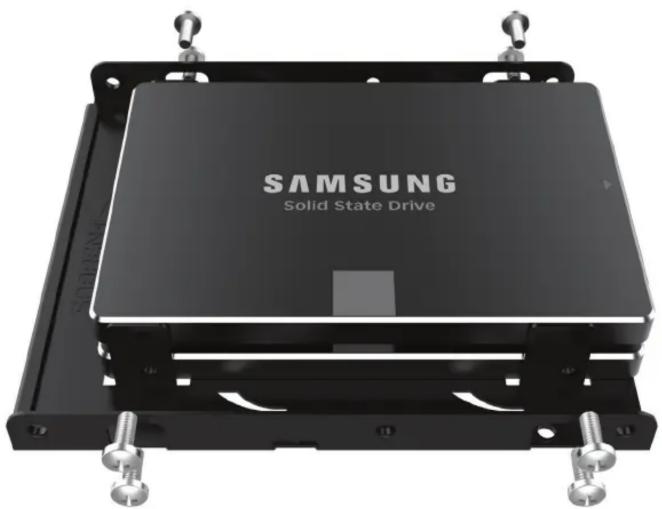
2.5" SSD & SATA HARD DRIVE TO DESKTOP 3.5" BAY BRACKET
natural_image
Exterior view of a Samsung Solid State Drive processor chassis (no signage or text beyond branding)
natural_image
Exterior view of a Samsung processor cooling unit (no text or symbols visible on the device body)INSTRUCTION
*Hard drives not included
Mount your hard drive accordingly
Please note, chassis are all different and installation to your chassis will depend on the model you have.



Brand : Sabrent
Model : BK-HDDH
Category : Computer accessory