PD-171AL - Uncategorized LUXMAN - Free user manual and instructions
Find the device manual for free PD-171AL LUXMAN in PDF.


| Product Type | Direct-drive turntable |
| Dimensions (W × D × H) | 450 mm × 350 mm × 150 mm |
| Weight | 10 kg |
| Power Supply | AC 100–240 V, 50/60 Hz |
| Power Consumption | 15 W |
| Speeds | 33⅓ and 45 rpm |
| Wow & Flutter | 0.03% WRMS |
| Signal-to-Noise Ratio | > 78 dB |
| Tonearm Type | Static balance S-shaped tonearm |
| Effective Tonearm Length | 230 mm |
| Overhang | 15 mm |
| Tracking Force Range | 0 – 4 g |
| Cartridge Type | MM or MC (replaceable headshell) |
| Platter Diameter | 300 mm |
| Platter Material | Die-cast aluminum with rubber mat |
| Drive System | Quartz-locked direct drive |
| Output | RCA (phono level) |
| Cleaning | Use a soft, dry cloth; avoid solvents |
| Safety | Disconnect power before cleaning; keep away from moisture |
| Spare Parts Availability | Contact authorized Luxman service centers |
Frequently Asked Questions - PD-171AL LUXMAN
User questions about PD-171AL LUXMAN
0 question about this device. Answer the ones you know or ask your own.
Ask a new question about this device
Download the instructions for your Uncategorized in PDF format for free! Find your manual PD-171AL - LUXMAN and take your electronic device back in hand. On this page are published all the documents necessary for the use of your device. PD-171AL by LUXMAN.
USER MANUAL PD-171AL LUXMAN
Precautions 1
Features of This Unit 2
Before Use 4
Names and Functions....6
How to Assemble 10
Connections 14
Operations....16
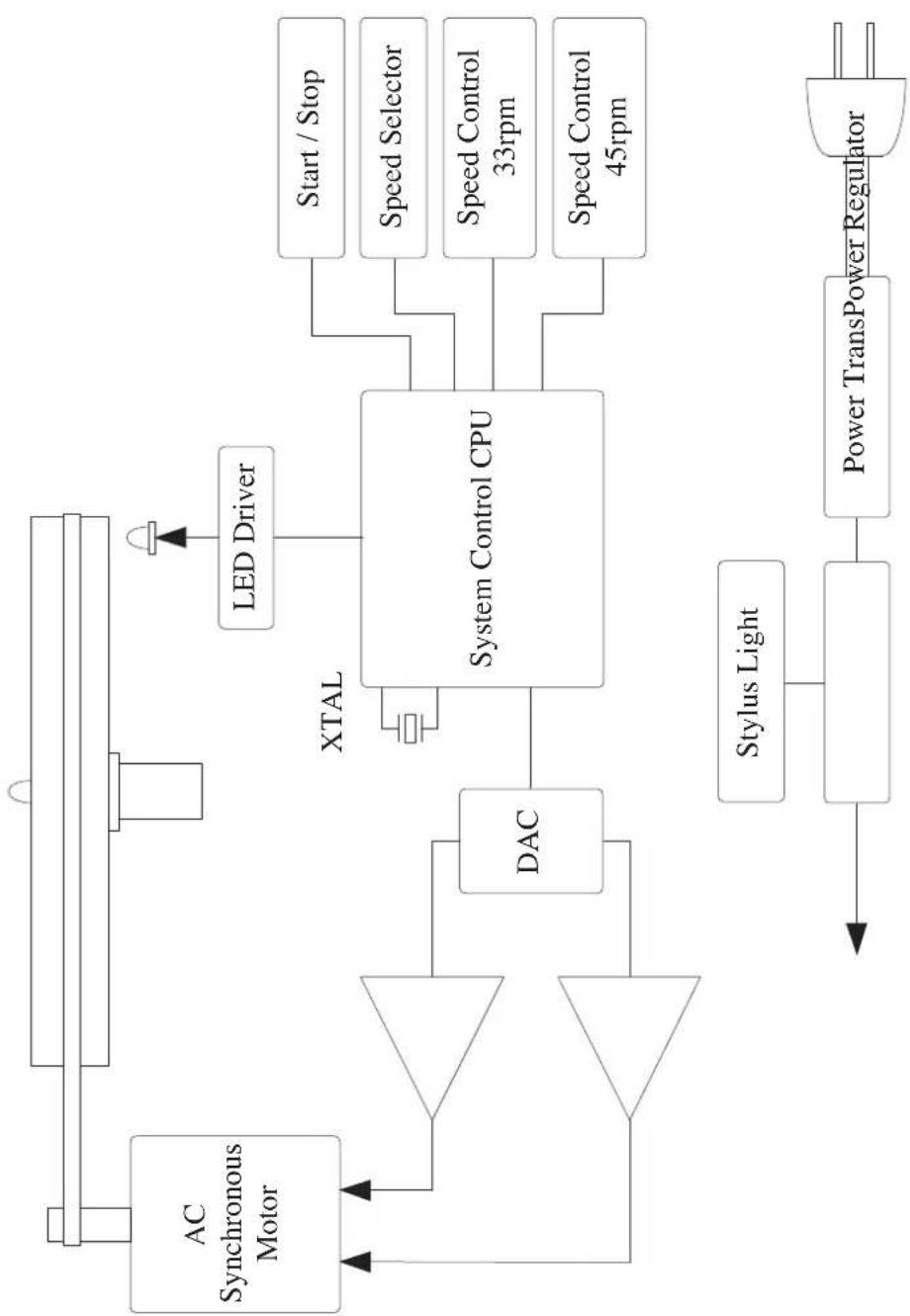
Block Diagram....17
Specifications 18
Before Asking for Repair 19
Installation place
- Install this unit in a horizontal and stable place where the unit is less subject to external vibration.
- Do not install this unit near a television or color monitor. Keep this unit away from such devices as cassette decks that are subject to magnetism.
Do not move this unit during playback.
Moving this unit during playback may cause needle jump, and damage the needle and record thereby.
When moving this unit
For moving this unit, be sure to turn off the power after stopping the platter and removing the record.
Next, unplug the power and phono cables and move this unit.
Avoid the following locations for installation.
- Locations exposed to direct sunlight
- Places subject to humidity and with less ventilation
- Places where are extremely hot or cold
- Places subject to vibration
- Places subject to dust
- Places subject to oil, steam, and heat (such as kitchens)
Do not put articles.
Do not put articles on this unit.
To avoid heat emission
Do not place this unit on such device as an amplifier that may emit heat. If the unit is installed on a rack, install the unit as distantly as possible from where the amplifier is installed so as to avoid heat emission from the amplifier and other audio devices.
Dew condensation
Be aware that condensation may occur when this unit is moved from a cold place to a warm place especially in winter or when the temperature of the room where this unit is installed is quickly raised with a heater or the like. It depends on the condensation state, however, this unit can be used after disappearance of water droplets by turning on the power and leaving the unit as it is for 1 to 2 hours to keep the unit at room temperature.
Even in summer, dew condensation can occur if this unit is directly exposed to cool air from an air conditioner. In such a case, the installation place should be changed.
Lubrication
Do not lubricate this unit yourself because special oil is used for the spindle.
Cleaning
• Usually, wipe the unit with a dry soft cloth.
When the dirt is hard to remove, dip soft cloth in detergent diluted 5 or 6 times with water, wring it well, and remove contaminants. Then, remove the moisture with dry cloth.
- Be aware that acrylic portions such as dust cover may be damaged if the portions are rubbed hard.
- Be aware that printed or painted portions may be damaged if the portions come into contact with alcohol, thinner, benzine, insecticide, or the like. In addition, do not let this unit contact a rubber or plastic form for a long time. That may damage the cabinet surface of the unit.
- When using a chemical cloth for cleaning, read the caution provided with the chemical cloth product.
- Be sure to unplug the power cable from the outlet before cleaning.
Repair and adjustment
When repair and adjustments are needed, please ask the dealer where you bought the unit.
Features of This Unit
Belt drive
We have introduced a drive system in which motor-derived noise is attenuated via a belt and smooth rotation is achieved.
Circuit configuration
AC synchronous motor is driven by sine waves coming from 32-bit microprocessor, which are DA converted and amplified by a high-power audio amplifier.
Stroboscope
This unit is equipped with a reflective view type LED stroboscope that is useful for adjusting the rotation speed in a precise manner.
High torque motor
An AC synchronous motor with high torque is adopted to achieve precise and quiet rotation.
Heavyweight platter
The platter weighs 5.0 kg, which is machined from aluminum metal to improve accuracy.
Approximately 0.7 t·cm ^2 of moment of inertia has been achieved.
High rigidity main chassis
This unit uses an underslung vibration-damping structure capable of hanging internal main parts using machined aluminum plate with 15 mm in thickness as a base.
Large-sized spindle
This large-diameter spindle is equipped with polyether ether ketone (PEEK) bearing of ball bearing specification that provides stable rotation.
Floating mount
The power transformer and motor are floated from the main chassis to isolate vibration to the top board.
Hybrid vibration damping
The bottom face of the cabinet has a hybrid vibration-damping structure made of wood and metal for resonance dispersion.
Large-sized insulator
This unit adopts a damper as an insulator that is a combination of rubber and spring, made from different materials to isolate unnecessary vibration coming from an audio rack or others.
Unnecessary vibration from the main chassis itself is also suppressed.
LED stylus light
The detachable high-intensity LED stylus light is supplied for operation in the dark.
AC inlet
Power-cable-detachable AC inlet.
Before Use
Check the accessories.
Make sure that all accessories shown below are in the package.
- Platter
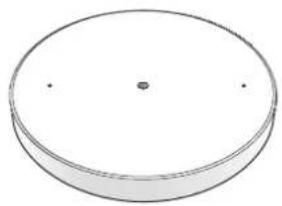
natural_image
Simple 3D diagram of a circular object with a central dot and two small dots on its surface (no text or symbols)- Rubber mat
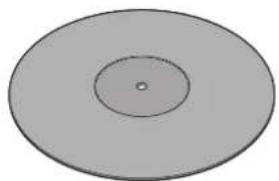
natural_image
Simple diagram of a circular ring with concentric rings and a central dot (no text or symbols)- Dust cover
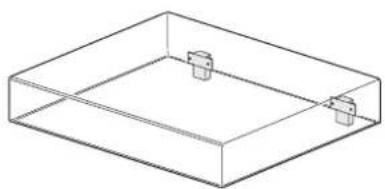
natural_image
Isometric line drawing of a rectangular container with two small protrusions on top (no text or symbols)- Stylus light
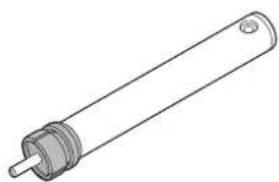
natural_image
Line drawing of a cylindrical mechanical component with a central shaft and flange (no text or symbols)- Pulley cover
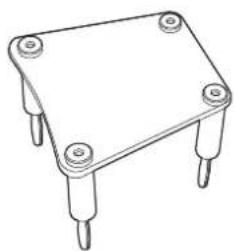
natural_image
Line drawing of a four-legged electronic component with four pins (no text or symbols)- Rubber belt
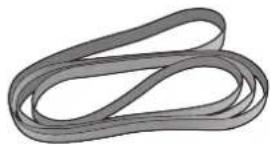
natural_image
Abstract 3D rendering of intertwined gray bands (no text or symbols)- EP adaptor
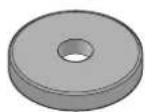
- Platter mount handle (2 pieces)

natural_image
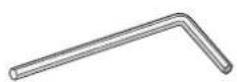
Two identical triangular metal tools with handles, no text or symbols visible- Arm base cover removal wrench (3.0 mm)
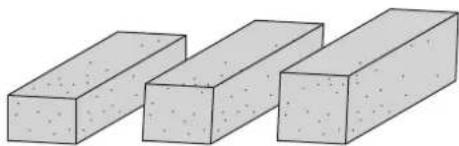
- Phono cable securing cushion
natural_image
Three identical 3D rectangular blocks with different surface textures, arranged horizontally (no text or symbols)t8 t10 t12
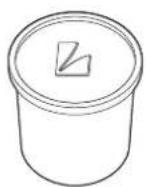
• Dustproof cap for stylus light connector
* This cap is mounted on the main unit at shipment.
- Power cable
- Printed matters
Safety cautions
Owner's Manual (this document)
Names and Functions
Top view
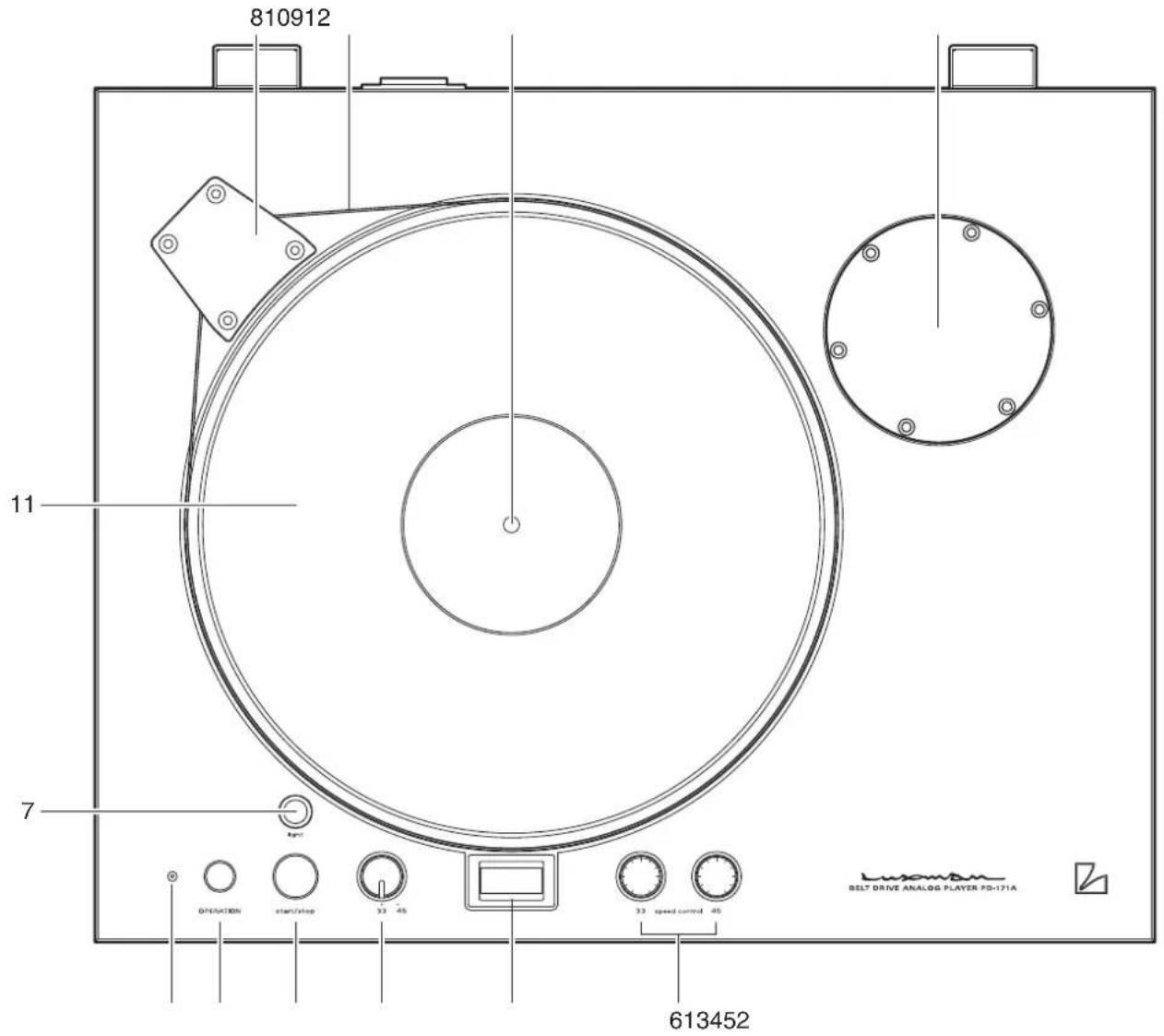
1. Operation switch (OPERATION)
This switch turns on and off the power.
2.Operationindicator
This indicator lights up when the power is turned on.
3. Start/stop switch (start/stop)
This switch starts rotating the platter at the selected rotation speed.
This switch also stops platter rotation while the platter is rotating because this switch serves as both start and stop switches.
4. Rotation speed selection switch (33/45)
This switch toggles the rotation speed of the platter between 33 rpm and 45 rpm.
Select a rotation speed in accordance with a record to listen to.
5. Stroboscope
Adjust the rotation speed fine tuning volume (speed control) so that the number (33 or 45) in the stroboscope seems to be motionless.
6. Rotation speed fine tuning volume (33/45 speed control)
33 rpm Adjusts so that the number (33) in the stroboscope seems to be motionless by setting the rotation speed selection switch to 33.
45 rpm Adjusts so that the number (45) in the stroboscope seems to be motionless by setting the rotation speed selection switch to 45.
7. Stylus light connector (light)
This light can illuminate stylus area in a dark room.
Remove the dustproof cap and mount the supplied stylus light.
8. Pulley cover
This cover protects the rotating pulley.
Be sure to mount the cover when the platter is rotated.
9. Center spindle
This spindle is a guide for mounting a record.
For playing an EP record, mount the supplied EP adaptor here.
10. Belt
This belt transfers motor rotation to the platter.
11. Rubber mat
This rubber mat suppresses platter squeaks and brings a record into intimate contact with the platter.
12. Arm base cover
Change to the optional arm base and mount a tone arm.
Refer to "4. Tone arm mounting" on page 11 for the optional arm bases and applicable tone arms.
Names and Functions
Bottom view
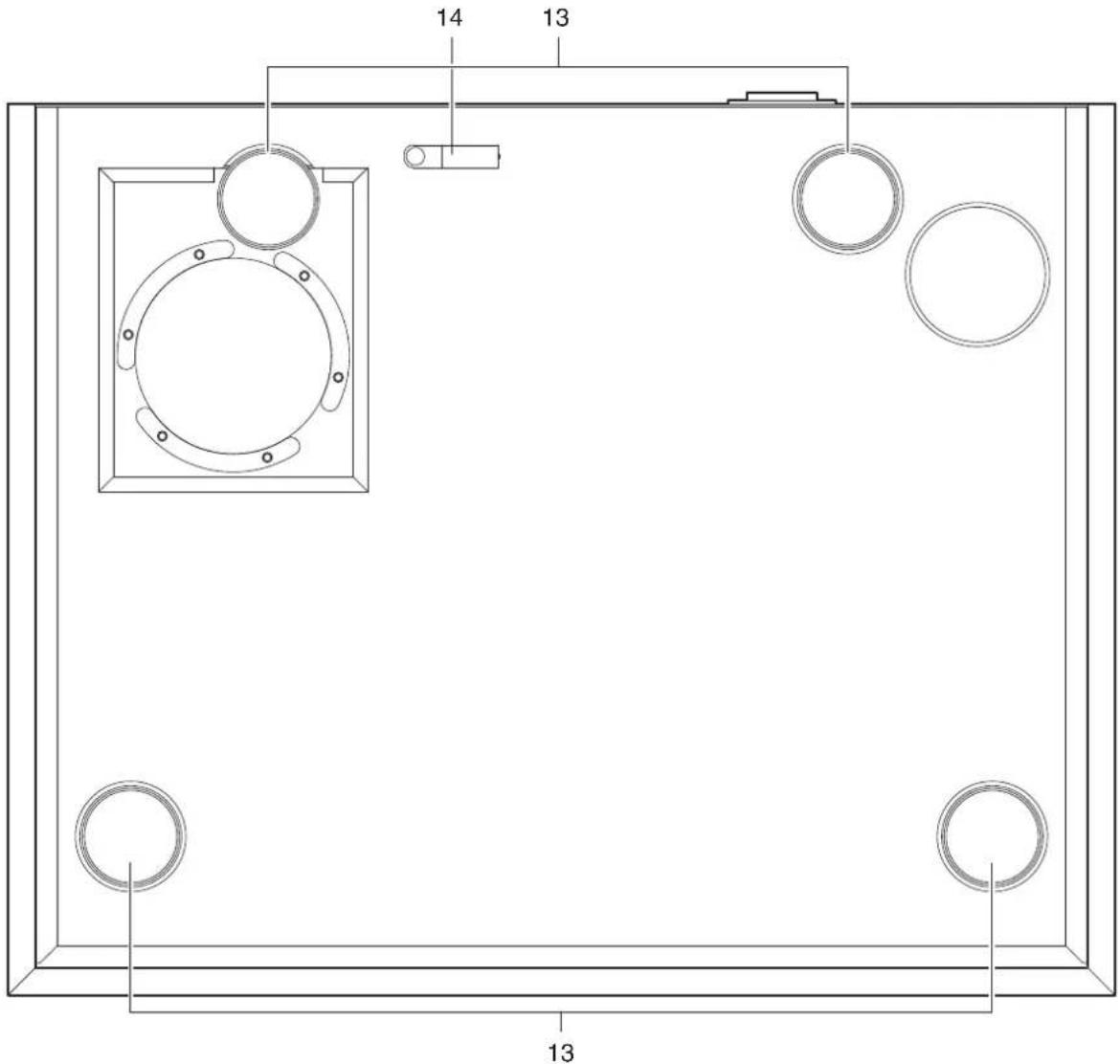
13. Insulator
These support the entire player and absorb howling and vibration from outside.
These insulators are set at the lowest point at shipment and can be raised by up to 10 mm.
Use these insulators for making this unit horizontal.
14.Cableholder
This holder secures the phono cable.
This product is supplied with 3 types of phono cable securing cushions. Select one cushion according to the size of the phono cable to be used, attach the cushion to the cable holder, and secure the phono cable.
Rear view
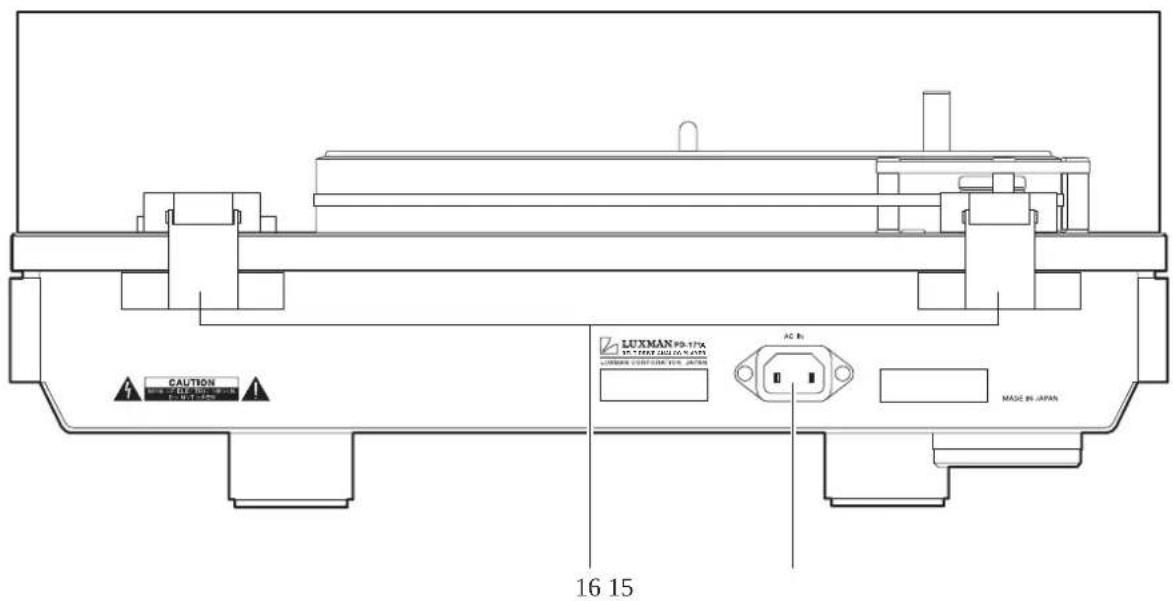
15. AC inlet (AC IN)
Connect the accessory power cable to supply the power from the AC outlet on the wall.
16.Hingereceiver
This receiver is used for mounting the dust cover. Insert the hinge attached to the dust cover into the hinge receiver attached to the rear side of the main unit.
Do not turn on the power until assembly is completed.
1. Installation of main body
Install the main body on a rack that is in a position as horizontal as possible.
If the mounting position is inclined, rotate the insulators on four corners of the bottom side to adjust the whole horizontal balance.
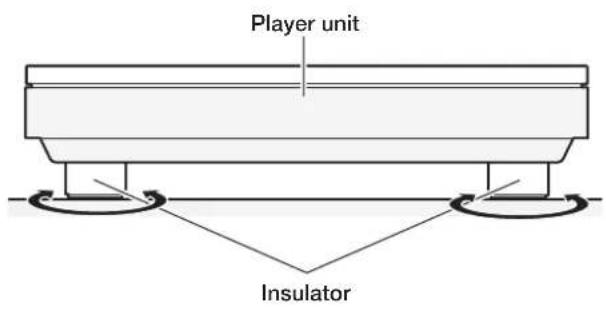
Counterclockwise for up, and clockwise for down.
2. Platter mounting
Engage the supplied platter mount handles in the platter, align the center of the platter with the center spindle while holding the handles, and engage them.
Be sure to use both hands to hold the platter and mount it while using caution not to apply any unreasonable force to the center spindle.
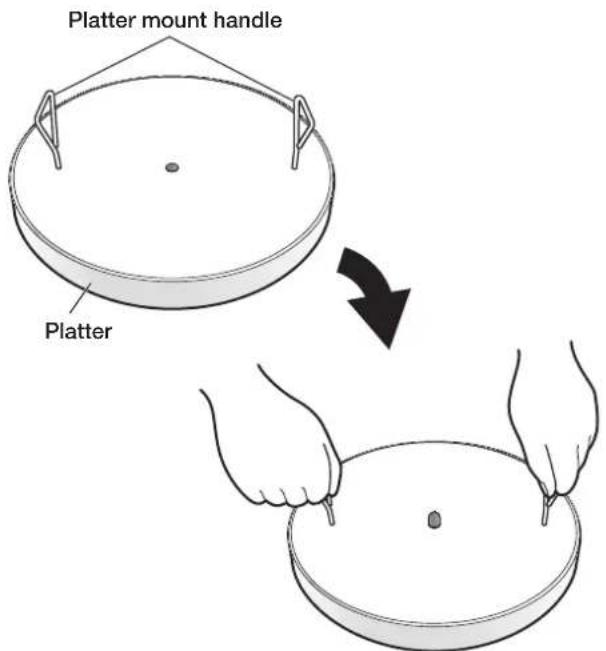
Exercise extra care to handle the platter because the platter is heavy.
3. Belt wrapping
Firstly, wrap the belt around the turntable. Secondly, wrap the belt that is wrapped around the turntable around the pulley. (There is no difference between inside and outside on belt.)
Rotate the turntable with your hand a few times, and check to see that the belt is wrapped around the correct position of the pulley.

4. Tone arm mounting
The arm bases listed below are optionally available for mounting the following tone arms:
Purchase an arm base according to the tone arm to be used.
List of optional arm bases
Arm base name Applicable tone arm Accessories
OPPD-AB1 SME 3009R / 3010R Arm base mounting wrench (3 mm) 1 pc.
OPPD-AB2 FR64/64S/64FX, IKEDA IT-345 Arm base mounting wrench (3 mm) 1 pc.
OPPD-AB3 SAEC WE-308 Arm base mounting wrench (3 mm) 1 pc.
OPPD-AB4 SAEC WE-407/23 Arm base mounting wrench (3 mm) 1 pc.
OPPD-AB5 ORTOFON AS-212S / RS-212D Arm base mounting wrench (3 mm) 1 pc.
OPPD-AB6 Universal
Note 1
Arm base mounting wrench (3 mm) 1 pc.
Note 1: OPPD-AB6 This arm base (universal) has no tone arm mounting hole. If your tone arm is not found in the list of optional arm bases, use this arm base after making a tone arm mounting hole for mounting. Make the mounting hold shape and decide its position by following the operating instructions of your tone arm.
- Remove the screws (6 pieces) that attach the arm base cover using the supplied hex wrench.
- Mount the tone arm on the optional arm base.
- Align the mounting holes between the tone arm-mounted arm base and this product.
Adjust the position relationship between the arm base and main unit according to the operating instructions of the optional arm base. - Insert the mounting screw into the hole of the arm base and tighten it using the hex wrench securely.
If the screw is not sufficiently tightened, the sound quality may be adversely affected. Thus tighten the screw securely. - Connect the supplied phono cable to the tone arm securely.
- Secure the phono cable using the supplied phono cable securing cushion.
Select a cushion whose thickness is best suited for placement.
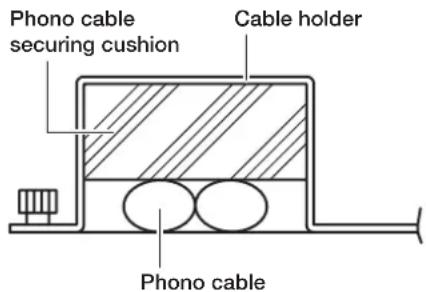
* Follow the operating instructions of the tone arm for how to mount the tone arm.
* Refer to the operation instructions of the tone arm for tone arm adjustments (overhang adjustment, lateral balance adjustment, anti-skating Note 2 adjustment, tone arm horizontal adjustment, stylus pressure adjustment, etc.).
Note 2: Anti-skating is also called as inside force canceler.
How to Assemble
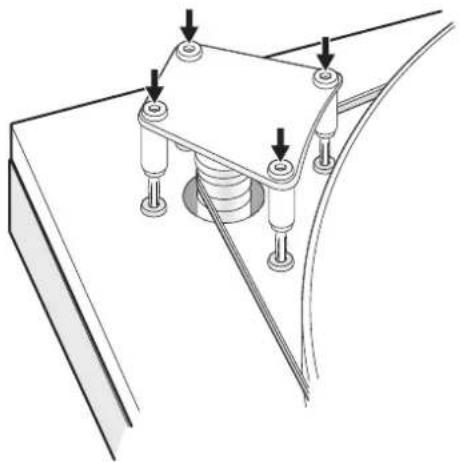
5. Pulley cover mounting
Insert four corners slowly and evenly as shown below.
natural_image
Technical line drawing of a mechanical clamp or bracket assembly with mounting holes and wiring (no text or symbols)6. Rubber mat mounting
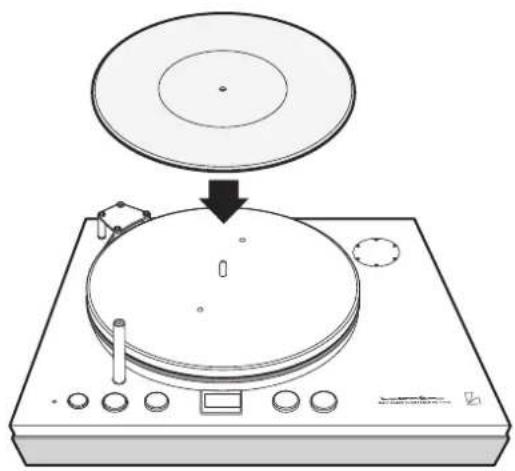
The face with a hollow in the center is the upper side. Put the rubber mat on the platter by aligning it with the center spindle.
natural_image
Diagram of a CD or DVD disc being placed on a baseplate, showing the disc and control panel (no text or symbols present)7. Dust cover mounting
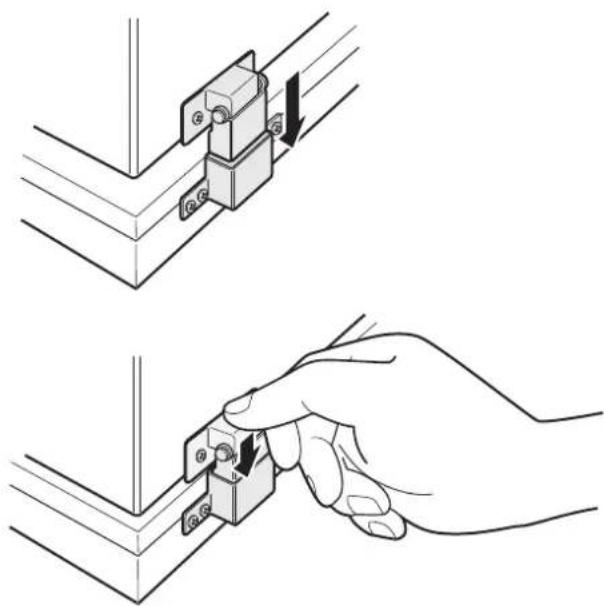
The dust cover has a plug-in type hinge. Insert the hinge attached to the dust cover into the hinge receiver attached to the rear side of the main unit all the way in a straight manner.
natural_image
Technical illustration showing two steps of a mechanical assembly: top view with a bracket and arrow indicating direction, bottom view with a hand holding a small component (no text or symbols)If the acrylic portion of the dust cover is pushed firmly, the portion may be cracked. Therefore, insert rather than push the hinge portions at the right and left sides at the same time.
Connections
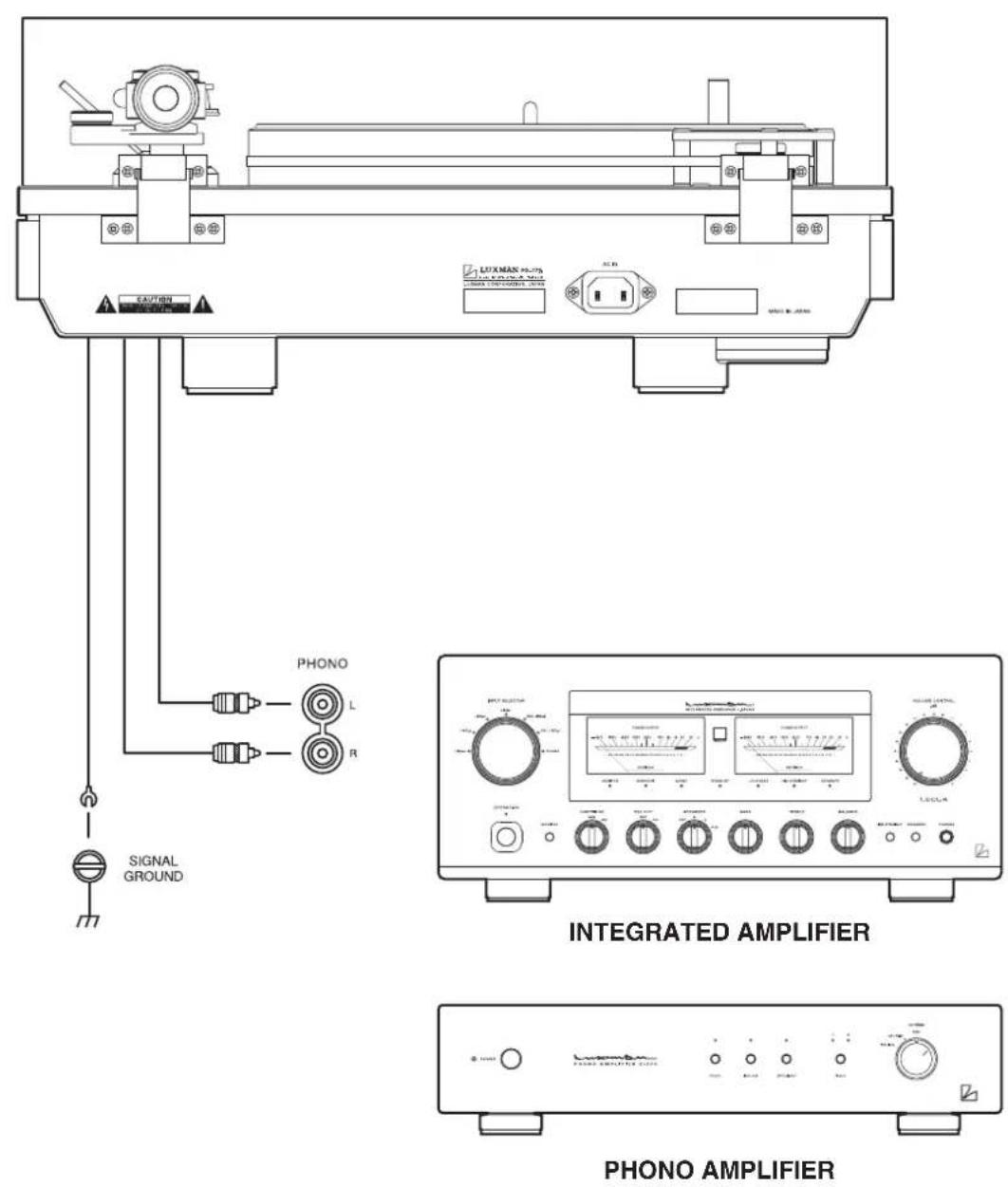
The tone arm in the illustration is an example.
Before Connecting
Before connecting other devices, connect the jack side of the accessory power cable to the AC inlet of this unit.
When connecting, turn off the power switch of this unit and the power supplies of auxiliary devices to prevent unexpected accidents that may be caused by noise.
How to connect power supply
Use the accessory power cable and insert the AC plug in an outlet on the wall in the room where the unit will be installed.
Connection to phono equalizer, integrated amplifier, or others
Connect the pin plug of the phono cable supplied with the tone arm to the phono terminal of a phono equalizer or an integrated amplifier.
Connection of grounding conductor
Connect the grounding conductor of the phone cable supplied with the tone arm to the signal ground terminal of a phono equalizer or an integrated amplifier to be used.
Failure to observe this may induce hum noise on music signals.
Operations
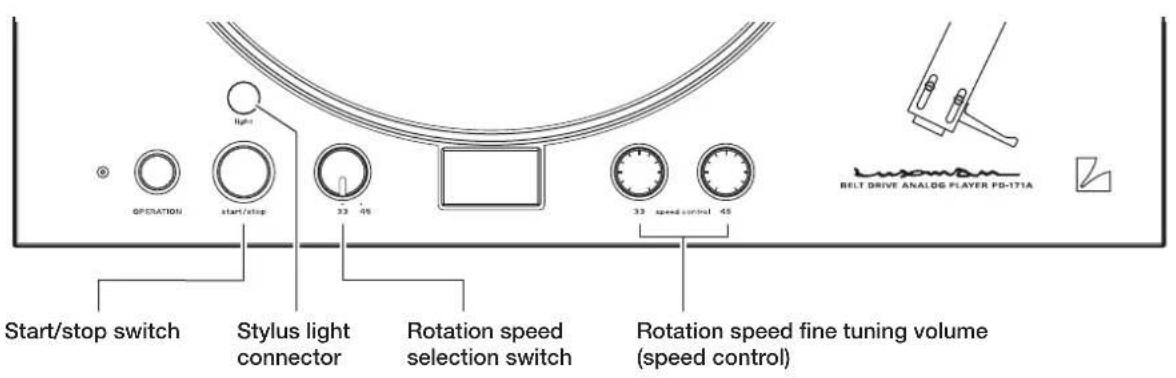
How to play
- Connect the stylus light to the stylus light connector to turn on the light for record playback in the dark.
- Put a record on the platter while aligning the center hole of the record with the center spindle. For an EP record, use the EP adaptor.
- Select a rotation speed (33 or 45) with the rotation speed selection switch in accordance with a record and press the start/stop switch.
- Raise the arm lifter, disengage the tone arm from the arm rest, and move the tone arm to a position where you like to play.
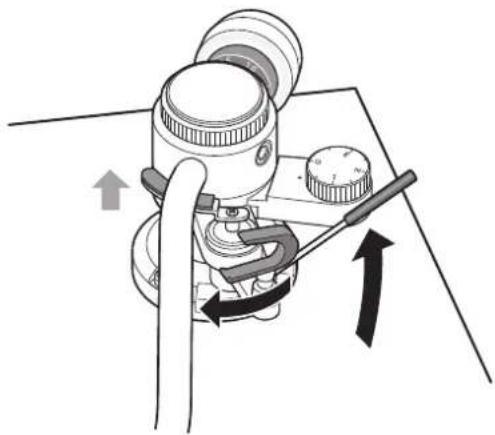
natural_image
Diagram of a mechanical device with directional arrows indicating motion or force (no text or symbols)- Lowering the arm lifter allows the tone arm to be lowered and playback to start.
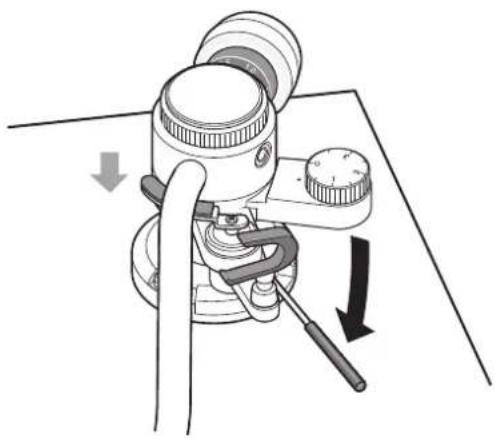
natural_image
Diagram of a sewing machine with directional arrows indicating movement (no text or symbols)- After playback ends, raise the arm lifter, put the tone arm back on the arm rest, and press the start/stop switch to stop the platter.
To prevent the stylus tip and records from being damaged, use the arm lifter for vertical movement of the tone arm if possible.
The tone arm in the illustration is an example.
flowchart
graph TD
    A["AC Synchronous Motor"] --> B["DAC"]
    B --> C["System Control CPU"]
    C --> D["XTAL"]
    D --> E["LED Driver"]
    E --> F["Start / Stop"]
    D --> G["Speed Selector"]
    D --> H["Speed Control 33rpm"]
    D --> I["Speed Control 45rpm"]
    J["Stylus Light"] --> K["Power TransPower Regulator"]
    K --> L["Output"]
Specifications
| Phono motor section | |
| Drive system Belt drive system | |
| Motor Reaction and AC synchronous motor | |
| Platter 30 cm machined aluminum plate (weight 5.0 kg) | |
| Revolution 33 1/3 rpm, 45 rpm (2 speeds selectable) | |
| Revolution adjustment range ±5% (each rotation speed adjustable independently) | |
| Wow and flutter 0.04% or less (W.R.M.S) | |
| Attached equipment and others | |
| Attached equipment | [Top panel section]Operation switch • Start/stop switchRotation speed selection switch • StroboscopeRotation speed fine tuning volume (speed control) (33 1/3 rpm, 45 rpm)Stylus light connector[Rear panel section]AC inlet[Bottom section]Insulator |
| Accessories | Platter • Power cableDust cover • Stylus light • Pulley coverRubber belt • EP adaptor • Rubber matPrinted matters • Platter mount handle (2 pieces)Arm base cover removal wrench (3.0 mm)Phono cable securing cushions (3 types)Dustproof cap for stylus light connector |
| Power source 230 V ~ (50 Hz) | |
| Power consumption | 38 W |
| Weight | 23.8 kg |
| Dimensions | 492 (W) × 140 (up to top face of platter), 195 (with dust cover mounted) (H) × 407 (10 mm of fittings on rear face included) (D) mm |
| Ambient operating temperature / Ambient operating humidity | -5 °C to +35 °C / 5% to 85% (non condensing) |
* Design and specifications are subject to change without notice.
While the unit is used, an unusual phenomenon may be confused as a malfunction for a certain reason. Prior to asking us for repair, please check the table below and read the instruction manual for the subsidiary devices. If the cause of malfunction cannot be identified, please contact your dealer. When we have once accepted your request for repair, inspection fees and traveling expenses may be claimed even though the unit is found to be normal.
Problem Cause Solution Ref. page
| No power is supplied even though the power switch is pressed ON. | ·The power plug is disconnected from the AC inlet or wall outlet, or it is not inserted firmly. | ·Insert the power plug in the AC inlet and wall outlet firmly. | 15 |
| The platter does not rotate. ·The belt is not wrapped correctly. ·Wrap the belt correctly. 10 | |||
| ·The power switch is not turned on. ·Turn on the power switch. | |||
| The number in the stroboscope moves. | ·The rotation speed is not adjusted. ·Adjust the rotation speed using the rotation speed fine tuning volume (speed control). | 7 | |
| No sound is generated. ·Connection between lead wires and the cartridge or between the headshell and tone arm is incomplete. | ·Make connections of lead wires firmly.Tighten the plug-in nut to secure the connection between the head-shell and tone arm.Mount the tone arm securely. | ||
| The sound volume is too low or too high. | ·The cartridge setting at the phono equalizer, integrated amplifier, and others are not correct. | ·Perform cartridge setting at the phono equalizer, integrated amplifier, and others in accordance with your cartridge (MC/MM). | |
| Sound images are shaky, or sound balance between right and left is not favorable. | ·The player body is inclined. | ·Install this unit in a horizontal and stable place. Use insulators to make this unit horizontal. | 8, 10 |
| ·Anti-skating adjustment is inappropriate. | ·Follow the operating instructions of the used tone arm to correctly adjust the anti-skating. | ||
| ·The cartridge is not mounted horizontally. | ·Follow the operating instructions of the used tone arm to adjust the horizontal balance. | ||
Problem Cause Solution Ref. page
| Playing speed is inappropriate. · The rotation speed is not adjusted appropriately. | · Select a rotation speed in accordance with a record on the platter, and adjust the speed with the rotation speed fine tuning volume (speed control). | 7 | |
| Hum noise (humm sound) is generated. | · The grounding conductor is not connected. | · Connect the ground wire of to the signal ground terminal. | 14, 15 |
| · Connection of the phono cable is not correct. | · Connect the phono cable correctly. | 14 | |
| · The cartridge is not mounted securely on the headshell. | · Mount the cartridge on the head-shell with screws and nuts securely. | ||
| Sound skip occurs, or noise (cracking sound) is induced. | · The stylus pressure is not adjusted appropriately. | · Adjust the stylus pressure gauge in accordance with your cartridge. | |
| · A scratch, a warp, or a stain is present on the record. The record is electrostatically charged. | · Do not play a record with a scratch or a warp on this unit. Clean the record with a commercially available cleaner. | ||
| · A stain is present on the stylus tip. | · Remove the stain from the stylus tip. | ||
| · This unit is installed in a vibrating place. | · Install this unit in a horizontal and stable place to avoid sound skip caused by external vibration. | ||
| The stylus light does not light. | · The stylus light is not inserted firmly. | · Remove the dustproof cap and insert the stylus light into the stylus light connector firmly. | 7, 16 |
This unit may not work normally when the unit is subject to external influence such as static electricity. In such a case, the unit can work normally by unplugging the power cable once and plugging it again. This unit does not work normally even after that, please contact your dealer.