
PERIBOARD-509 H PLUS - Keyboard Perixx - Free user manual and instructions
Find the device manual for free PERIBOARD-509 H PLUS Perixx in PDF.


| Product Type | Wireless Keyboard with Touchpad |
| Model | PERIBOARD-509 H PLUS |
| Brand | Perixx |
| Dimensions (L x W x H) | 17.7 x 6.3 x 0.9 inches (450 x 160 x 23 mm) |
| Weight | 1.2 lbs (544 g) |
| Power Source | 2x AAA batteries (not included) |
| Connection Type | 2.4 GHz wireless via USB receiver |
| Number of Keys | 104 (US layout) + multimedia keys |
| Touchpad | Built-in, supports multi-touch gestures |
| Key Switch Type | Scissor-switch, low profile |
| Compatible Operating Systems | Windows, macOS, Linux, Chrome OS |
| Wireless Range | Up to 33 feet (10 meters) |
| Battery Life | Up to 6 months (depending on usage) |
| Maintenance | Wipe with a dry, soft cloth. Do not use abrasive cleaners. |
| Safety | Keep away from liquids and extreme temperatures. Do not disassemble. |
| Repairability | Non-user serviceable. Contact Perixx support for issues. |
| Package Contents | Keyboard, USB receiver, user manual |
Frequently Asked Questions - PERIBOARD-509 H PLUS Perixx
User questions about PERIBOARD-509 H PLUS Perixx
0 question about this device. Answer the ones you know or ask your own.
Ask a new question about this device
Download the instructions for your Keyboard in PDF format for free! Find your manual PERIBOARD-509 H PLUS - Perixx and take your electronic device back in hand. On this page are published all the documents necessary for the use of your device. PERIBOARD-509 H PLUS by Perixx.
USER MANUAL PERIBOARD-509 H PLUS Perixx
PERIBOARD-509Plus / 510Plus
User Manual
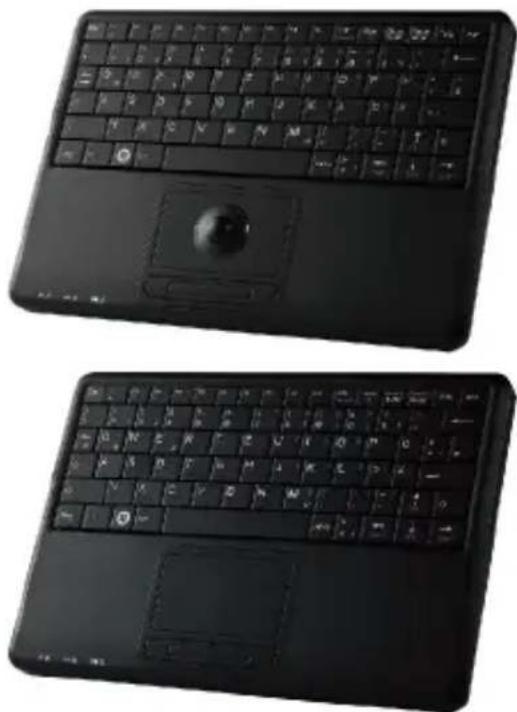
natural_image
Two black electronic keyboard devices with visible keys and a scroll wheel (no text or symbols)VALUE CREATOR
perixx
PERIBOARD-509PLUS
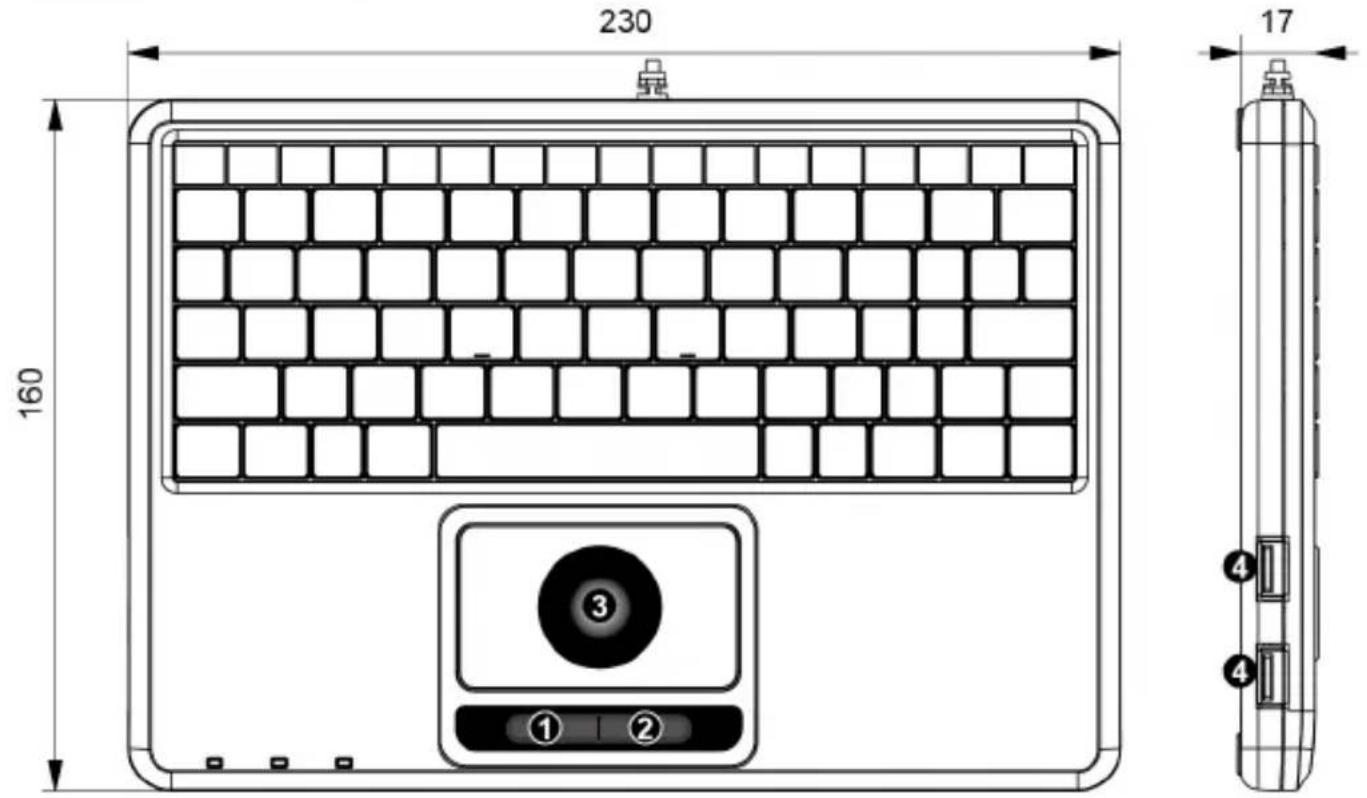
① Left Button
② Right Button
③ Trackball
④ USB Port
"Perixx recommend to use only mouse, keypad, or USB drive on the 2 USB 2.0 hubs. For those high-power required USB device (More than 200mA) like hard drive or DVD player, please do not use them on the keyboard hubs. With excess power consumption (Total 350mA/5V), all connected USB device may not work properly"
perixx
PERIBOARD-510PLUS
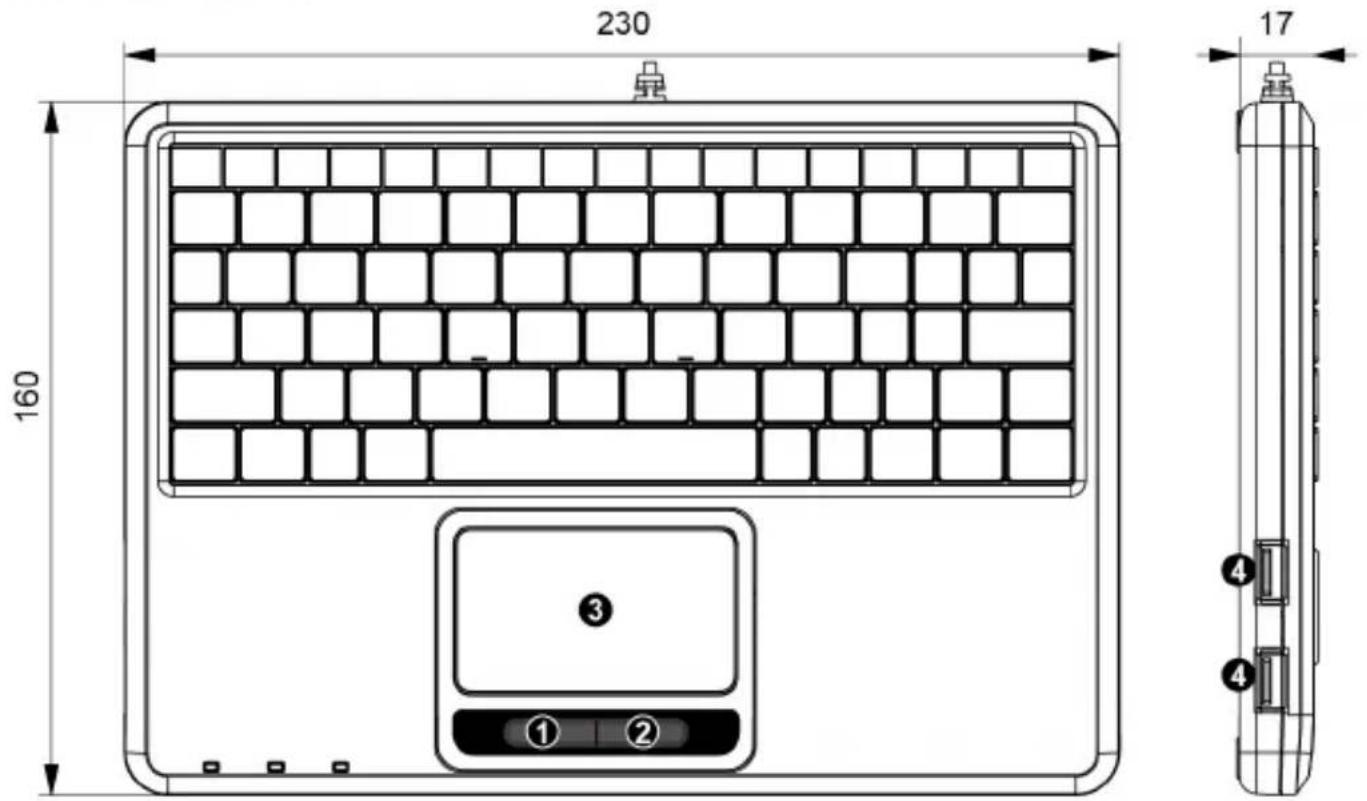
1 Left Button
② Right Button
③ Touchpad
4 USB Port
"Perixx recommend to use only mouse, keypad, or USB drive on the 2 USB 2.0 hubs. For those high-power required USB device (More than 200mA) like hard drive or DVD player, please do not use them on the keyboard hubs. With excess power consumption (Total 350mA/5V), all connected USB device may not work properly"
perixx
Product Specification
| Model | PERIBOARD-509 |
| Color | Black |
| Electrical Rating | 40mA |
| Operating Voltage | 4.4~5.25 VDC |
| Interface | meet with USB 2.0 and HID 1.1 specifications |
| Size | 230*160*17mm |
| Weight | 293g |
| Cable Length | 1.7M |
| Material | ABS, Silicon Rubber and High Impact Polystyrene |
| OS Requirement | Win XP and above |
perixx
Product Specification
| Model | PERIBOARD-510 |
| Color | Black |
| Electrical Rating | 40mA |
| Operating Voltage | 4.4~5.25 VDC |
| Interface | meet with USB 2.0 and HID 1.1 specifications |
| Size | 230*160*17mm |
| Weight | 289g |
| Cable Length | 1.7M |
| Material | ABS, Silicon Rubber and High Impact Polystyrene |
| OS Requirement | Win XP and above |
perixx
Perixx's warranty obligations are limited to the terms set forth below. Perixx warrants this hardware product against defects in materials and workmanship for a period of two (2) years from the date of original invoice.
If you discover a defect, Perixx will, at its option, repair or replace the product at no charge to you, provided you return it during the warranty period with shipping charges pre-paid to Perixx. You must contact Perixx for a Return Merchandise Authorization number (RMA) prior to returning any product. For each product returned for warranty service, please include your name, shipping address (no P.O. Box), telephone number, a copy of the bill of sale as proof of purchase and make sure that the package is clearly marked with your RMA number.
THE WARRANTY AND REMEDIES SET FORTH ABOVE ARE EXCLUSIVE AND IN LIEU OF ALL OTHERS, WHETHER WRITTEN, ORAL, EXPRESS OR IMPLIED. PERIXX SPECIFICALLY DISCLAIMS ANY AND ALL IMPLIED WARRANTIES, INCLUDING AND WITHOUT LIMITATION, WARRANTIES OF MERCHANTABILITY AND FITNESS FOR A PARTICULAR PURPOSE. NO PERIXX DEALER, AGENT, OR EMPLOYEE IS AUTHORIZED TO MAKE ANY MODIFICATION, EXTENTION OR ADDITION TO THIS WARRANTY.
PERIXX IS NOT RESPONSIBLE FOR SPECIAL, INCIDENTAL OR CONSEQUENTIAL DAMAGES RESULTING FROM ANY BREACH OF WARRANTY, OR UNDER ANY LEGAL THEORY, INCLUDING BUT NOT LIMITED TO LOST PROFITS, DOWNTIME, GOODWILL, DAMAGE TO OR REPLACEMENT OF EQUIPMENT OR PROPERTY AND ANY COST OF RECOVERING, REPROGRAMMING OR REPLRODUCING ANY PROGRAM OR DATA STORED IN OR USED WITH PERIXX PRODUCTS. PERIXX'S MAXIMUM LIABILITY FOR ANY AND ALL DAMAGES ARISING OUT OF USE OF THE PRODUCT SHALL BE LIMITED TO THE AMOUNTS PAID BY PURCHASER FOR SUCH PRODUCT.
Please Note: Long-term repetitive use of any keyboard could cause injury to user. Perixx recommends users avoid excessive use of this or any keyboard.
perixx
Table of Content
ENGLISH 8
DEUTSCH 11
perixx
English(US/UK)
Caution
- The manufacturer and re-resellers are not responsible for any technical malfunctions, damage, or personal injury incurred by:
▶Any attempt to dismantle, change or modify the product in any manner
- Malfunction or damage is due to misuse or improper alteration or repair.
- Malfunction or damage caused by external influence such as a fall
- Malfunction or damage is caused by a fire, salt, gas, earthquake, lighting, wind, water, or other natural calamities, or abnormal voltage.
- Malfunction or damage is caused by other devices connected to the products.
- Malfunction or damage is caused by high temperature, humid, greasy, dusty and hazardous environment.
- You are cautioned that changes or modifications not expressly approved by Perixx Computer GmbH could void your authority to operate the equipment.
- All brand names, trademarks and logos are the properties of their respective owners.
Please Note: Long-term repetitive use of any keyboard and mouse could cause injury to user. Perixx recommends users to avoid excessive use of this or any keyboard and mouse.
perixx
English(US/UK)
Thank you for purchasing a Perixx product. PERIBOARD is a user friendly full size keyboard with touchpad. It is the ideal solution for any professional and industrial application. It is easy to install and use with plug and play feature. There is no need to install any driver or software.
System Requirements
- Operating System: Microsoft Windows XP, Vista, 7, 8 and 10
- 1 x USB Port
Touchpad Multi-touch Functions(only available on PERIBOARD-510)
English(US/UK)
| Gesture | Function | Description | |
| 1 |  | One Finger Slide | Move mouse cursor |
| 2 |  | One Finger Touch | Tap the touchpad once as single-click |
| 3 |  | 3 Finger Tap | Mouse right button click |
| 4 |  | Double Click | Tap the touchpad twice as mouse left button double click |
| 5 |  | Tag and Drop | Tag the touchpad once to select the item and apply the 2nd click to perform the Drop function |
| 6 | 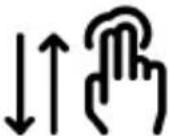 | Vertical scroll | Tag the touchpad up and down to perform the vertical scroll function |
Deutsch (DE)
Bitte beachten Sie:
Declaration of Conformity
Manufacturer's Name:
Manufacturer's Address:
Heerdter Landstrasse 189e, 40549 Düsseldorf, Germany
Declares that the product:
Product Name:
Wired Keyboard
Model Name:
PERIBOARD-509PLUS
Conforms to the following standards:
EN 55022: 2006 + A1 : 2007
EN 55024: 1998 + A1 : 2001 + A2 : 20
This applicant is authorized to use this certificate in connection with the EC declaration of conformity according to Annex 1 or the Directive.
Allen Liang
Technical Director
Date: 26.Sep.2011
Declaration of Conformity
Manufacturer's Name:
Manufacturer's Address:
Heerdter Landstrasse 189e, 40549 Düsseldorf, Germany
Declares that the product:
Product Name:
Wired Keyboard
Model Name:
PERIBOARD-510PLUS
Conforms to the following standards:
EN 55022: 2010
EN 55024: 2010
This applicant is authorized to use this certificate in connection with the EC declaration of conformity according to Annex 1 or the Directive.
Brand : Perixx
Model : PERIBOARD-509 H PLUS
Category : Keyboard