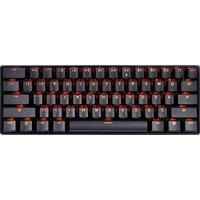
PERIBOARD-514 Plus - Keyboard Perixx - Free user manual and instructions
Find the device manual for free PERIBOARD-514 Plus Perixx in PDF.


Pick your language and provide your email: we'll send you a specifically translated version.
| Product Type | Keyboard with integrated touchpad |
| Dimensions (L x W x H) | 450 x 150 x 20 mm |
| Weight | 500 g |
| Connection | USB wired (detachable cable) |
| Power Supply | USB bus-powered (5V, 100mA) |
| Key Layout | 104 keys with numeric keypad |
| Key Switch Type | Membrane |
| Multimedia Keys | 12 dedicated hotkeys (volume, media, etc.) |
| Touchpad | Integrated multi-touch touchpad |
| Operating Systems | Windows 7/8/10/11, macOS, Linux |
| Cable Length | 1.5 m |
| Cleaning | Unplug and wipe with a soft, damp cloth; do not use solvents |
| Safety | Keep away from liquids; avoid excessive force on keys |
| Spare Parts | Not available (non-user-serviceable) |
| Repairability | Low; replacement recommended if malfunctioning |
| Warranty | 1 year limited |
| Package Contents | Keyboard, user manual |
Frequently Asked Questions - PERIBOARD-514 Plus Perixx
How do I connect the PERIBOARD-514 Plus to my computer?
Plug the detachable USB cable into the keyboard and then into an available USB port on your computer. The keyboard is plug-and-play; no drivers are required for basic functionality.
Does the keyboard work with Mac or Linux?
Yes, the PERIBOARD-514 Plus works with Windows, macOS, and Linux. Some multimedia keys may require additional configuration on non-Windows systems.
How do I clean the keyboard?
Unplug the keyboard first. Use a soft, lint-free cloth slightly dampened with water or mild soap. Wipe gently; do not let liquid enter the keys. Avoid alcohol or abrasive cleaners.
The touchpad is not working. What should I do?
Ensure the USB cable is securely connected. Try a different USB port. Restart your computer. If the issue persists, the touchpad may be disabled in your OS settings; enable it under mouse/touchpad settings.
Can I use the keyboard while charging a device?
The keyboard itself does not charge devices. It is powered via USB. Do not use the keyboard's USB port (if present) to charge high-power devices, as it may cause malfunction.
What are the multimedia keys?
The keyboard has 12 hotkeys for controlling volume, play/pause, next/previous track, mute, calculator, email, internet home, and sleep. These work with most media players and Windows.
Is the keyboard spill-proof?
The keyboard is not spill-proof. Avoid liquids near the device. If a spill occurs, unplug immediately, turn upside down to drain, and let dry for 24 hours before testing.
How to adjust the keyboard height?
The keyboard has adjustable tilt legs on the bottom. Flip them out to raise the rear of the keyboard for a more ergonomic typing angle.
Does the keyboard have a warranty?
Yes, the PERIBOARD-514 Plus comes with a 1-year limited warranty covering manufacturing defects. Contact Perixx support for warranty claims.
Where can I find the user manual?
The user manual is included in the package. You can also download a PDF version from the Perixx website or from notice-facile.com.
User questions about PERIBOARD-514 Plus Perixx
0 question about this device. Answer the ones you know or ask your own.
Ask a new question about this device
No questions yet. Be the first to ask one.
Download the instructions for your Keyboard in PDF format for free! Find your manual PERIBOARD-514 Plus - Perixx and take your electronic device back in hand. On this page are published all the documents necessary for the use of your device. PERIBOARD-514 Plus by Perixx.