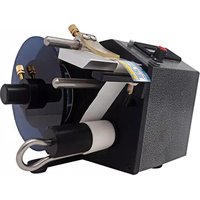
SH-402TR - Label printer Tach-It - Free user manual and instructions
Find the device manual for free SH-402TR Tach-It in PDF.


| Product Type | Label Printer |
| Brand | Tach-It |
| Model | SH-402TR |
| Dimensions | Approx. 210 x 120 x 60 mm |
| Weight | Approx. 0.4 kg (without batteries) |
| Power Source | 6 x AA batteries or AC adapter (6V DC, not included) |
| Print Technology | Thermal Transfer |
| Maximum Label Width | 12 mm |
| Compatible Tape Types | TZe series laminated tapes |
| Connectivity | Quick-Connect (no computer needed) |
| Functions | Multiple fonts, frames, symbols, auto-cut, mirror printing |
| Cleaning & Maintenance | Wipe with a soft dry cloth; clean print head periodically with alcohol swab |
| Safety Precautions | Keep away from water and extreme temperatures; do not disassemble; keep out of reach of children |
| Spare Parts & Repairability | Replacement cutter blade and AC adapter available from Tach-It |
| General Information | User manual available for free download at notice-facile.com |
Frequently Asked Questions - SH-402TR Tach-It
User questions about SH-402TR Tach-It
0 question about this device. Answer the ones you know or ask your own.
Ask a new question about this device
Download the instructions for your Label printer in PDF format for free! Find your manual SH-402TR - Tach-It and take your electronic device back in hand. On this page are published all the documents necessary for the use of your device. SH-402TR by Tach-It.
USER MANUAL SH-402TR Tach-It
natural_image
Technical line drawing of a mechanical device with a cylindrical component and mounting bracket (no text or symbols)USER MANUAL
OPERATION, MAINTENANCE AND TROUBLESHOOTING
Contents
A. External View----2
B. Specification----2
C. Electric Component----2
D.Label Setting Procedure----3
E. Trouble Shooting----4
F. Parts list----5
A. EXTERNAL VIEW

natural_image
Technical line drawing of a mechanical device with a spool and housing (no text or symbols)B. SPECIFICATION
· LABEL SIZE: MAX.WIDTH:60(W)
· LABEL ROLL: MAX. Φ160MM
· ELECTRIC POWER: 110,220,230VOLT
· DISMENSION: 215(W) × 130(L) × 165(H)MM
· WEIGHT: 4KGS
C. ELECTRIC COMPONENT
· 1 AC MOTOR:DC 220V
· 1 FIBER SENSOR:DC 12V
· 1 TIME DELAY VOLUME: VR 500K
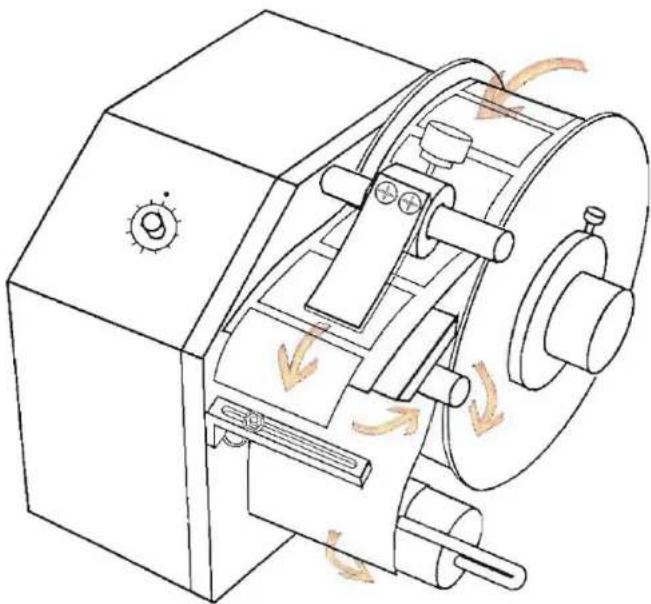
D. LABEL SETTING PROCEDURE
natural_image
Technical line drawing of a mechanical device with rotating components and directional arrows indicating motion (no text or symbols)NOTE:
•MOTOR WILL OVERHEAT IF RUN FOR A PROLONG PERIOD OF TIME WITHOUT INTERRUPTION.
MOTOR OVERHEAT PROTECTION WILL AUTOMATICALLY SHUT OFF THE MOTOR TO ALLOW IT TO COOL DOWN.
ONCE THE MOTOR COOL DOWN, IT WILL BE READY TO RUN AGAIN.
- PRESS URETHANE(6) CAN BE ADJUSTED TO ACHIEVED DESIRED LABEL TENSION.
E. Trouble shooting
| TROUBLE | SHOOTING |
| Machine does not start | ·Check if power cord is connected to the machine and power outlet.·Check if the fuse is blown.Remove fuse from back panel, replace if necessary. |
| Label does not advance or label does advance continually | ·Referring to the threading diagram, check if the label is properly threaded into the machine.·Check if sensor (9) is far from dispensing plate and it is sensing always the dispensing plate(7). |
| Label does not put on exact position | ·Check if label is setting correctly on label hanger.·Check press urethane is too push down. |
| Back paper is not rewinding | ·Check if the back paper comes out.·Check if back paper is fixed into the pin of rewinder roller(10). |
| The others | ·Ask to distributor or manufacturer. |
F. PARTS LIST
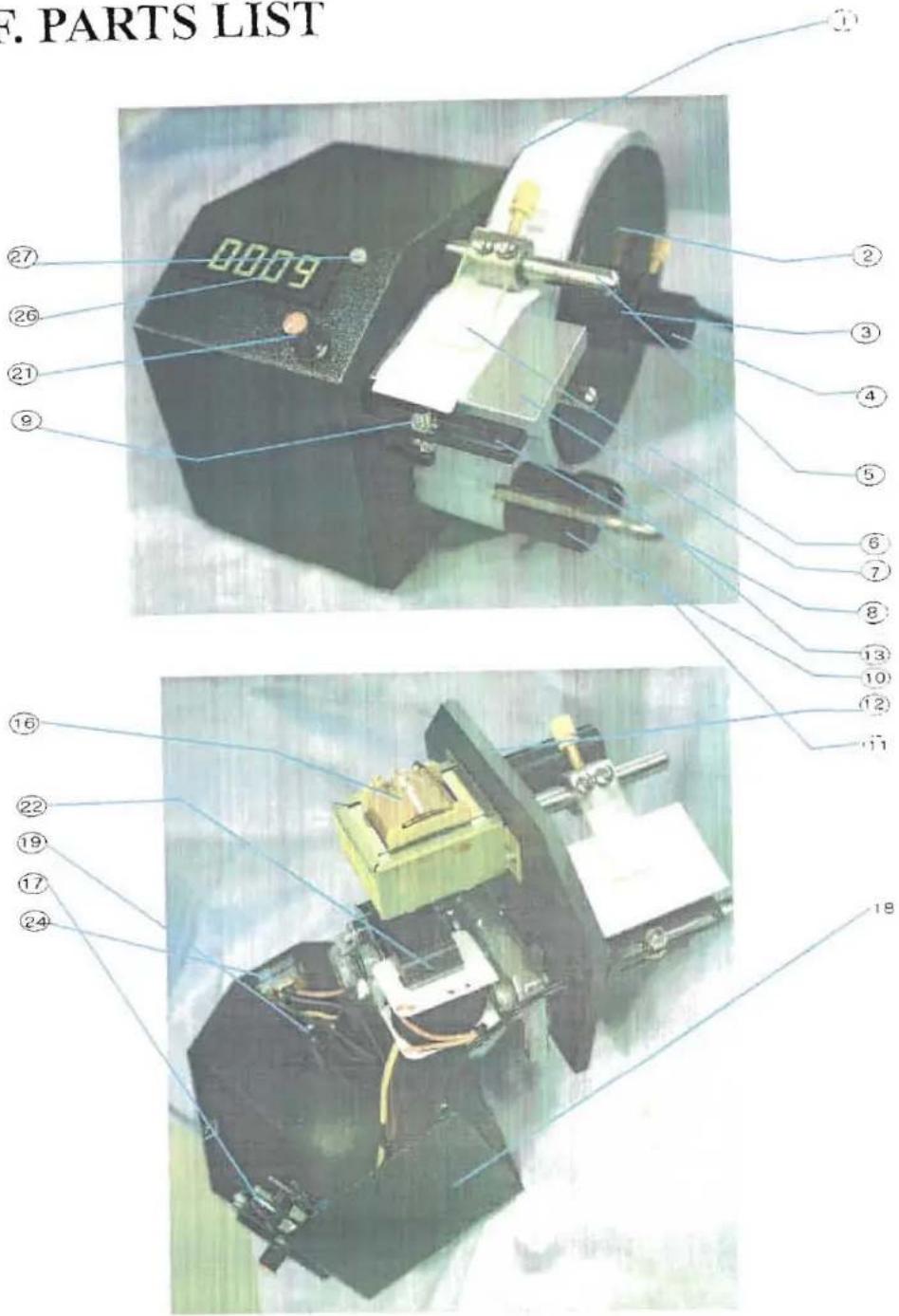
PARTS LIST FOR DISPENSER MODEL NEW SH-402TR
| PART NO. | PART NAME | MODEL NO. | REMARK |
| 1 | ROLL GUIDE INSIDE | ||
| 2 | ROLL GUIDE OUTSIDE | ||
| 3 | SCREW BOLT | ||
| 4 | HANGER SHAFT | ||
| 5 | SHAFT FOR PRESS | ||
| 6 | PRESS POLY-URETHAN | ||
| 7 | DISPENSING PLATE | ||
| 8 | SENSOR BRACKET | ||
| 9 | SENSOR | BR-6MPT | |
| 10 | REWINDER | ||
| 11 | U-PIN HOLDER | ||
| 12 | STAND PLATE(AL) | ||
| 13 | BASE PLATE(AL) | ||
| 14 | RUBBER CUSHION | ||
| 15 | STAND PLATE BAR | ||
| 16 | TRANSFORMER | ||
| 17 | P.C. BOARD | ||
| 18 | CONTROL BOX | ||
| 19 | POWER S/W | ||
| 20 | FUSE | 3A | |
| 21 | POSITION VOLUME | 500K | |
| 22 | MOTOR | KGB-086-6130BF | |
| 23 | AC IN CABLE | KKP-4819R/KKS-16A | |
| 24 | 110/220VOLT TRANSFER S/W | ||
| 25 | SENSOR PCB(AMP) | ||
| 26 | COUNTER | 4DIFIT FMD | |
| 27 | COUNTER RESET BUTTON |
Brand : Tach-It
Model : SH-402TR
Category : Label printer