PSW003M - Wall mount Mitsai - Free user manual and instructions
Find the device manual for free PSW003M Mitsai in PDF.


| Product Type | Wall Mount |
| Brand | Mitsai |
| Model | PSW003M |
| Material | Steel |
| Compatible VESA Patterns | 75x75mm, 100x100mm |
| Maximum Weight Capacity | 22 lbs (10 kg) |
| Dimensions (Width x Height x Depth) | 8.7 x 4.7 x 1.2 inches (220 x 120 x 30 mm) |
| Net Weight | 1.5 lbs (0.7 kg) |
| Color | Black |
| Tilt Adjustment | Yes, -5° to +10° |
| Swivel | No (fixed orientation) |
| Installation Type | Wall-mounted with screws and anchors |
| Included Hardware | Screws, spacers, bubble level, and manual |
| Compatible Panel Thickness | Up to 1.5 inches (38 mm) |
| Wall Material Compatibility | Wood stud, concrete, brick (anchors required) |
| Warranty | 1 year limited manufacturer warranty |
| Reparability | Non-repairable; replacement of mount if defective |
| Cleaning Instructions | Wipe with dry cloth; avoid abrasive cleaners |
Frequently Asked Questions - PSW003M Mitsai
User questions about PSW003M Mitsai
0 question about this device. Answer the ones you know or ask your own.
Ask a new question about this device
Download the instructions for your Wall mount in PDF format for free! Find your manual PSW003M - Mitsai and take your electronic device back in hand. On this page are published all the documents necessary for the use of your device. PSW003M by Mitsai.
USER MANUAL PSW003M Mitsai
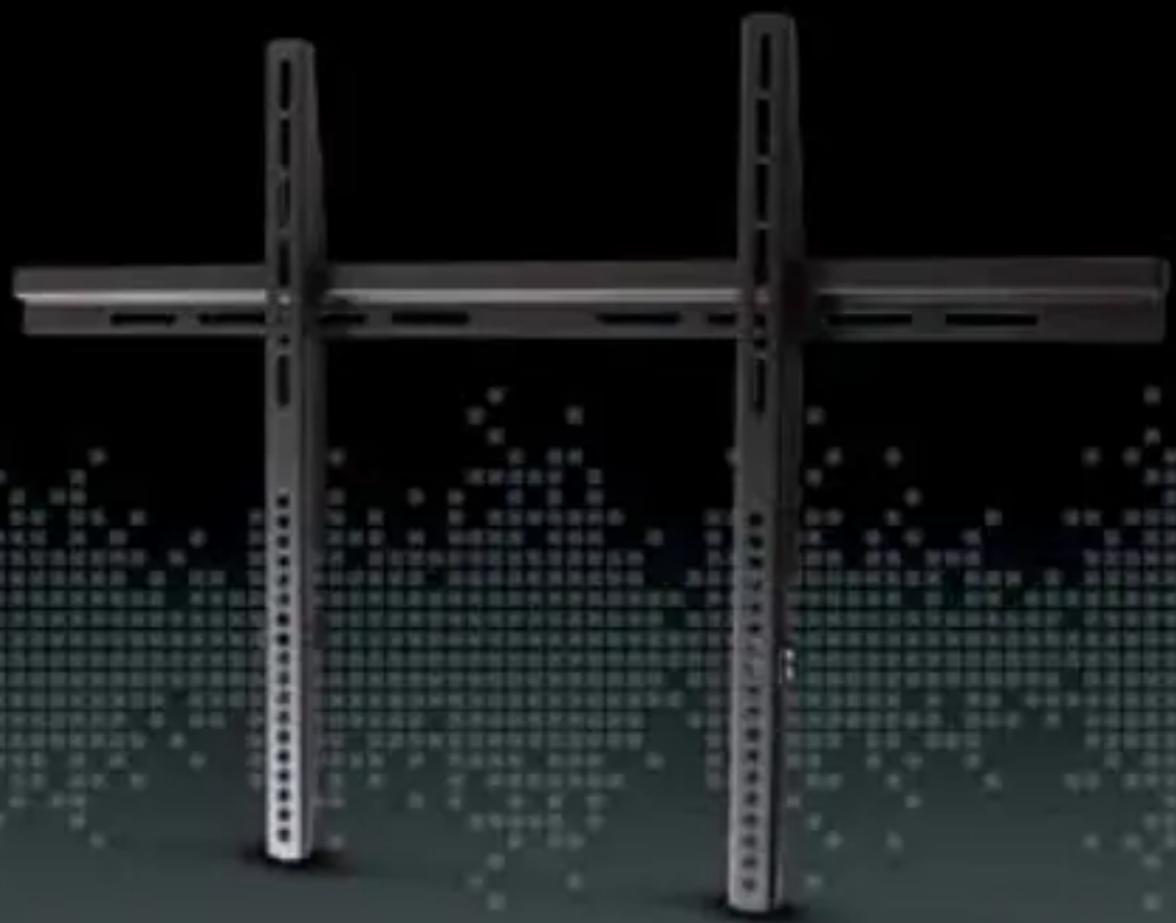
LCD/LED TV WALL MOUNT
SOPORTE DE PARED PARA LCD/TV LED
SUPORTE DE PAREDE PARA LCD/TV LED
natural_image
Exterior view of a modern office building (no signage)INSTRUCTIONS MANUAL
MANUAL DE INSTRUÇÕES
PSW003M
InStruction Manual
Dear client,
We thank you for purchasing this product.
This appliance was submitted to several laboratorial tests, which certify its quality. To simplify the use of this appliance, this instruction manual has been provided.
The instructions must ensure a quick and safe use.
Please read carefully the instructions and safety measures described in this manual.
We wish our clients great satisfaction in using their new appliance.
Index
- Safety Instructions 3
1.1. General Precautions 5 - Product Description 6
2.1. Hardware Kit 6
2.2. Mounting 7
2.2.1. Solid Concrete Mounting 7
2.2.1.1. Concrete Wall 7
2.2.2. Wood Stud Mounting 8
2.2.2.1. Wood Stud 8
2.2.3. Attaching the VESA Plate to the Screen 9
2.2.4. Attaching the TV onto the Wall Plate 11 - Technical Specifications 11
- Aftermarket 12
- Environment Conservation 13
1. SAFETY INSTRUCTIONS

ATTENTION RISK OF ELECTRIC SHOCK DO NOT OPEN

ATTENTION: TO AVOID THE RISK OF ELECTRIC SHOCK, DO NOT REMOVE THE COVER. THE INTERIOR DOES NOT CONTAIN ANY PARTS THAT MAY BE REPAIRED BY THE USER. ASK FOR ASSISTANCE TO QUALIFIED PERSONNEL.
Important Warnings
Before using your appliance, read carefully this instruction manual and keep it in a safe place, as you may need it for future consultations.
Before you start your appliance, and to ensure a correct use, do not use it if:
- It has fallen on the ground;
- You notice any evidence of damage;
- Any anomaly occurs during its operation;
To avoid hazards and deterioration of your appliance by an incorrect use, it is advisable to read the instructions carefully and attentively.
Your appliance must not be used to other ends than the ones foreseen in the instructions manual. Your safety is only guaranteed in a household use and not for commercial use. The incorrect use will not be covered and automatically cancels the right to warranty.
Assistance
Be sure that, in case of malfunction, you take your appliance to a qualified technician for assistance.
THIS APPLIANCE CAN BE USED BY CHILDREN FROM 8 YEARS OLD AND ABOVE AND PERSONS WITH REDUCED PHYSICAL, SENSORY OR MENTAL CAPABILITIES OR LACK OF EXPERIENCE AND KNOWL- EDGE IF THEY HAVE BEEN GIVEN INSTRUCTION CONCERNING USE OF THE APPLIANCE IN A SAFE WAY AND UNDERSTAND THE HAZ- ARDS INVOLVED. CHILDREN SHALL NOT PLAY WITH THE APPLIANCE. CLEANING AND MAINTENANCE SHALL NOT BE MADE BY CHIL- DREN WITHOUT SUPERVISION.
These instructions are also available on www.suporte-worten.pt
1.1. General Precautions
- Please read the instruction manual carefully before using this device.
- Please keep this instruction manual.
- This product was designed to be installed on wood stud walls and solid concrete walls.
- Before installing make sure the supporting surface will support the combined load of the equipment and hardware.
- Never exceed the maximum load capacity of 50kg or else it may result in product failure or personal injury.
- This product is intended for indoor use only. Use of this product outdoors could lead to product failure or personal injury.
- This product contains small items that could be a choking hazard if swallowed. Keep these items away from young children.
- Make sure these instructions are read and completely understood before attempting installation. If you are unsure of any part of this installation, contact a professional installer for assistance.
- The wall or mounting surface must be capable of supporting the combined weight of the mount and the display; otherwise the structure must be reinforced.
- Safety gear and proper tools must be used. A minimum of two people are required for this installation. Failure to use safety gear can result in property damage, serious injury or death.
- Please check the joint parts every two months, making sure if the screws are loosened or not.
EN
LCD/LED TV WaLL MounT
2. PRODUCT DESCRIPTION
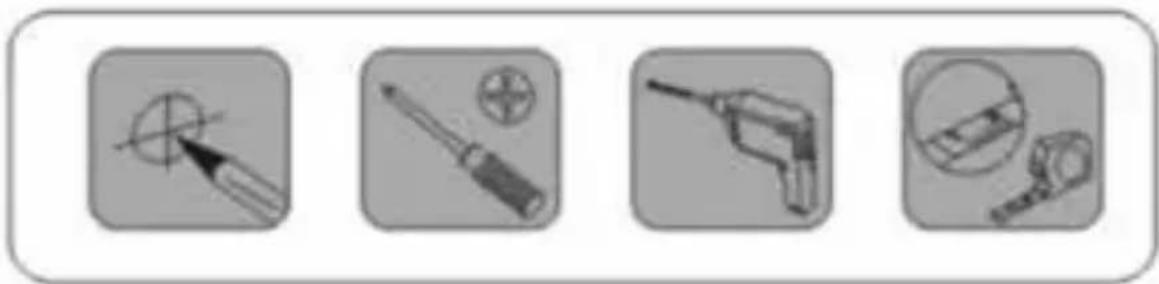
2.1. Hardware Kit

natural_image
Four grayscale icons showing different types of electrical tools or components, including a screwdriver, screwdriver with screw, a drill bit, and a remote control device (no text or symbols)2.2. Mounting
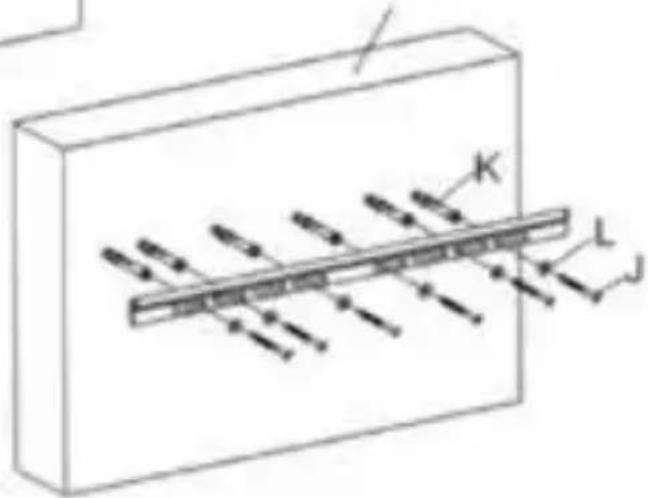
2.2.1. Solid Concrete Mounting
2.2.1.1. Concrete Wall

EN
LCD/LED TV WaLL MounT
2.2.2. Wood Stud Mounting
2.2.2.1. Wood Stud

2.2.3. Attaching the VESA Plate to the Screen
For TV's with flat back screen:

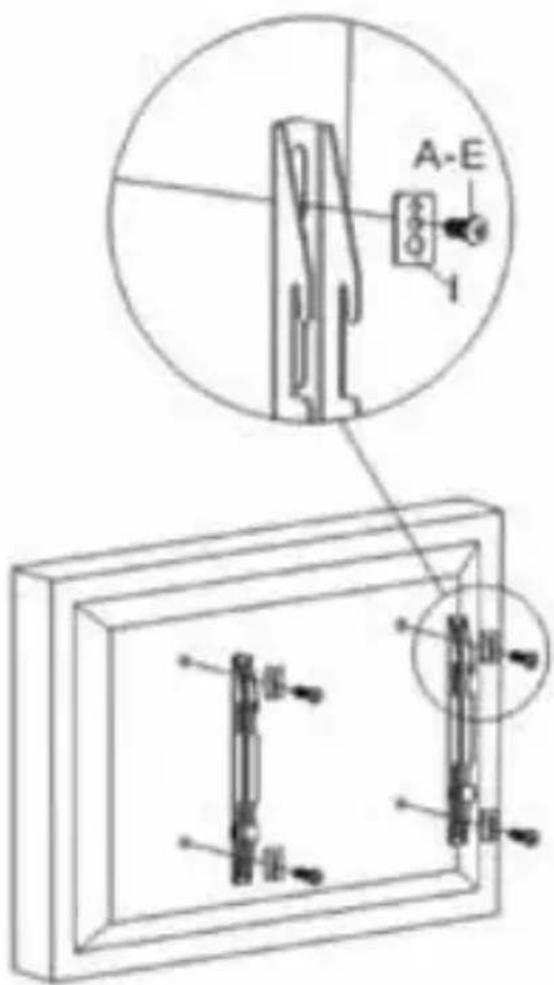
Square washer (I).
Large hole for M8 screws.
Medium hole for M5 and M6 screws.
Small hole for M4 screws.
EN
LCD/LED TV WaLL MounT
For TV's with a curved back or obstruction:

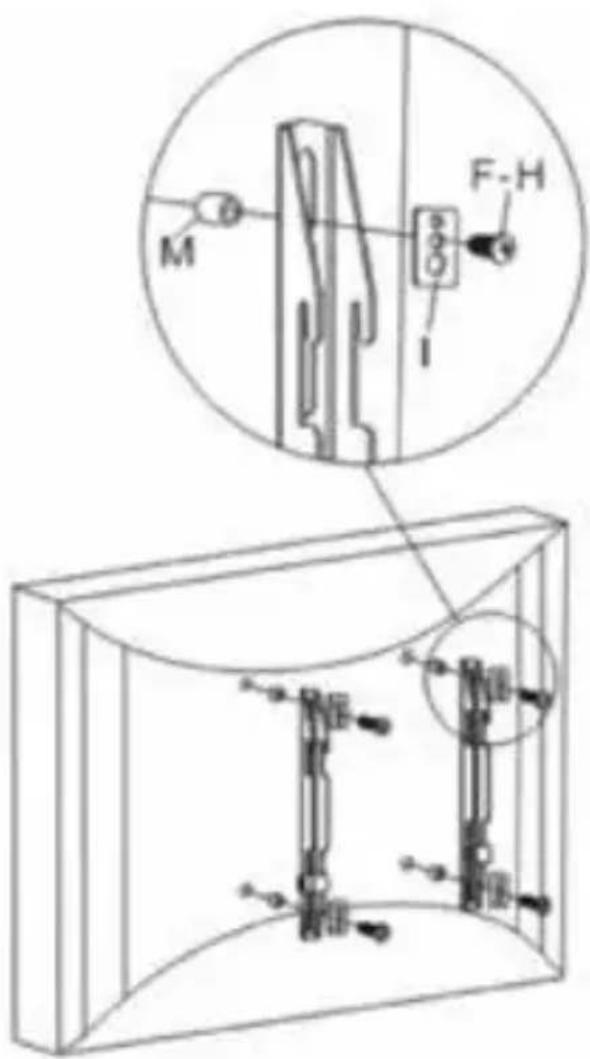
Square washer (I).
Large hole for M8 screws.
Medium hole for M5 and M6 screws.
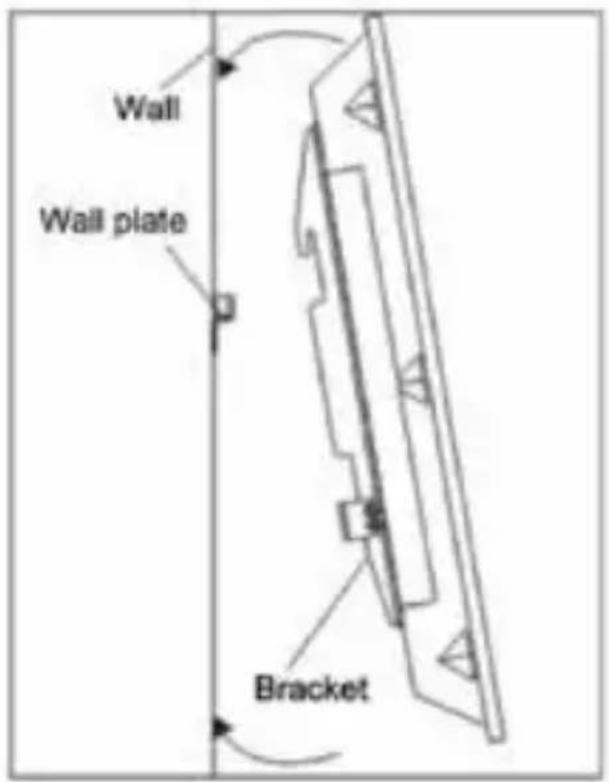
2.2.4. Attaching the TV onto the Wall Plate

3. TECHNICAL SPECIFICATIONS
TV Size Range: 32" to 60".
Maximum Weight Capacity: 50kg/110lbs.
Distance to the Wall: 29mm.
VESA: 700 x 400.
EN
LCD/LED TV WaLL MounT
4. aFterMarKet
Mitsai has designed this appliance in order to guarantee the maximum reliability. However, if a problem occurs, by following the procedures suggested in this section you may be able to determine its cause.
Do not attempt to open the appliance – there is a risk of electrical shock.
If you are not able to solve the problem, please contact your seller or manufacturer.
All users must be familiarized with this section. Knowing what could go wrong can help you avoid the occurrence of problems.
WARNING: any attempt of fixing the appliance without contacting the manufacturer will nullify the warranty.
In case the problem persists, take your appliance to an aftermarket section of any Worten, Modelo or Continente store in order to solve the problem.
Worten Equipamentos para o Lar ensures for a period of 2 years, counting from the date of purchase of this appliance, a warranty against any found manufacturing defect. The warranty supposes a correct use and maintenance of the appliance, namely according to the instructions expressed in this manual. In case otherwise identified, the malfunctions will not be under the warranty.
The repairing of electrical appliances must only be made by qualified technicians, as otherwise there may occur
future complications on the appliances.
To avoid unnecessary risks, in case there are any malfunctions on the wires or on another type of components, repairing must be made on the specialized locations of technical assistance, as appropriate tools are needed.
5. enVIronMent conSerVatlon
Aiming to protect the environment, we try to reduce to a maximum the volume of the packages which are confined to three easy separation materials: cardboard, paper and plastic.
The appliance is made of recyclable material, once disassembled by a specialized company. Follow the local legislation concerning recycling of all materials.

natural_image
Orange circular icon with white cross symbol resembling a trash bin or trash can (no text or numbers)ES
natural_image
Four grayscale icons showing different types of tools or components, including a pencil, screwdriver, drill bit, and magnifying glass (no text or symbols)Junta cuadrada (I).

natural_image
Orange circular icon with a white cross symbol resembling a trash bin or cart, no text or numbers present.PT
natural_image
Four grayscale icons showing different types of electrical tools or components, including a screwdriver, power tool, and mechanical device (no text or symbols)2.2. Montagem
natural_image
Simple line drawing of a rectangular box with a diagonal line extending from it, containing scattered dots (no text or symbols)
Pane de cimento
PT
Junta quadrada (I).
natural_image
Orange circular icon with white crossed-out trash bin and diagonal lines, no text or symbols present.- InStruction Manual
- Index
- SAFETY INSTRUCTIONS
- ATTENTION RISK OF ELECTRIC SHOCK DO NOT OPEN
- Important Warnings
- Assistance
- General Precautions
- EN
- LCD/LED TV WaLL MounT
- PRODUCT DESCRIPTION
- Hardware Kit
- Mounting
- Solid Concrete Mounting
- Concrete Wall
- Wood Stud Mounting
- Wood Stud
- Attaching the VESA Plate to the Screen
- Attaching the TV onto the Wall Plate
- TECHNICAL SPECIFICATIONS
- aFterMarKet
- enVIronMent conSerVatlon
- ES
- PT
- Montagem
Brand : Mitsai
Model : PSW003M
Category : Wall mount