Hypnosis - Effect pedal Dreadbox - Free user manual and instructions
Find the device manual for free Hypnosis Dreadbox in PDF.


User questions about Hypnosis Dreadbox
0 question about this device. Answer the ones you know or ask your own.
Ask a new question about this device
Download the instructions for your Effect pedal in PDF format for free! Find your manual Hypnosis - Dreadbox and take your electronic device back in hand. On this page are published all the documents necessary for the use of your device. Hypnosis by Dreadbox.
USER MANUAL Hypnosis Dreadbox
HYPNOSIS Time Effects Processor
CREATED BY
dre:adbox
USER'S MANUAL
CONTENTS
Quick Start Guide 3
Signal Flow Schematic 4
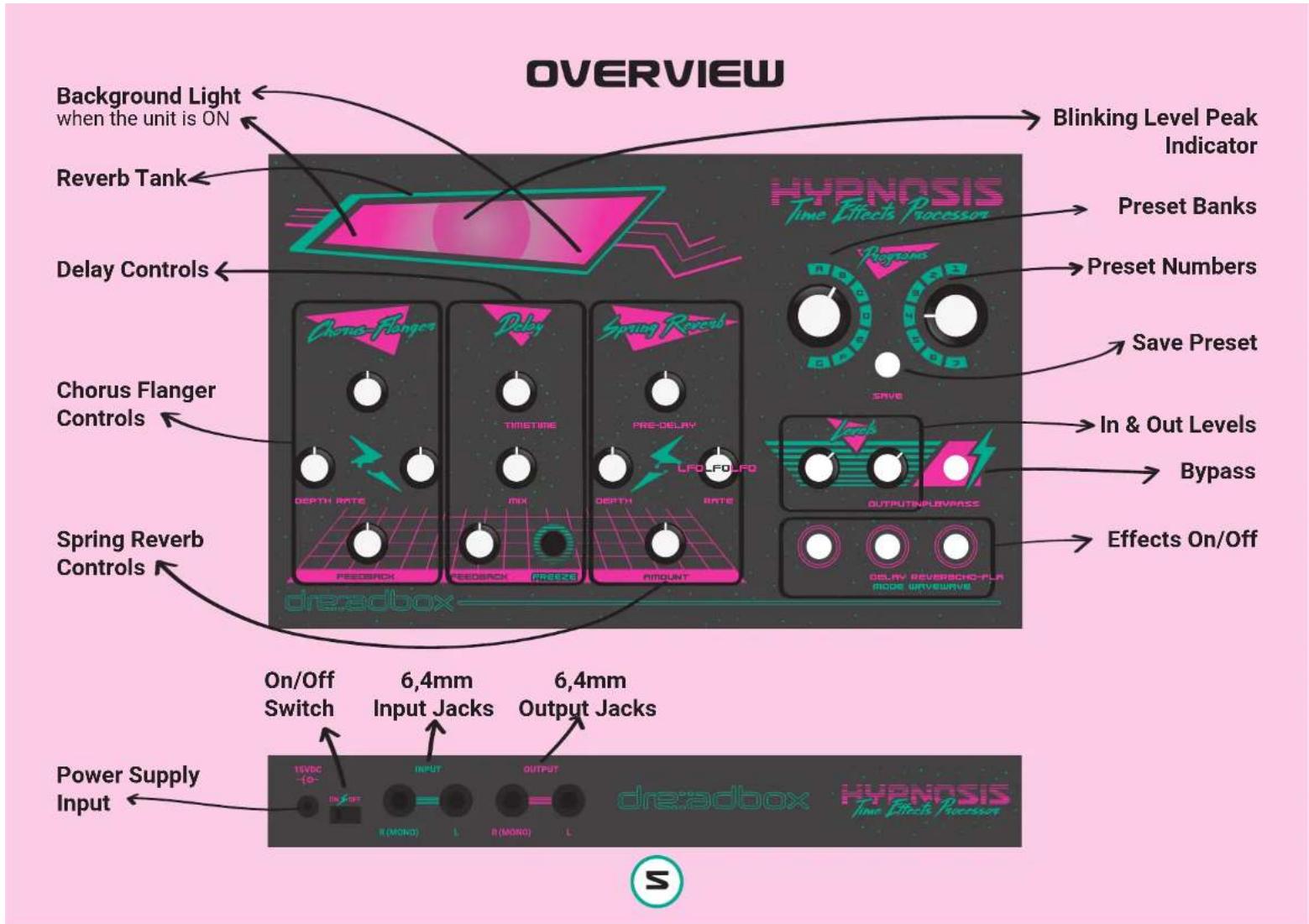
Overview 5
Connections 6
Mix, Save & Manage 7
The Flanger - Chorus 8
The Delay 9
The Spring Reverb 10
Warranty 11
Cautions 11

natural_image
Abstract pink lightning bolt symbol with 'RTFM' text (no additional symbols or text)QUICK START GUIDE
Power on your unit, wait for a couple of seconds until it boots and then go through the factory presets by switching between the A1-A7 Programs.
Set the Input level so that you can barely see the Spring light blinking to the input signal.
Turn each effect on and off by simply pressing the correspondent button. Mess up with each effects' controls.
Change the settings of each effect by holding down the effect's button for at least 2 sec. The 3 buttons will start to blink and you have to choose one.
Save your preset by pressing the SAVE button. When it starts blinking, choose where you would like to store it, by switching the Program knobs and then press SAVE.
Now have fun!

SIGNAL FLOW
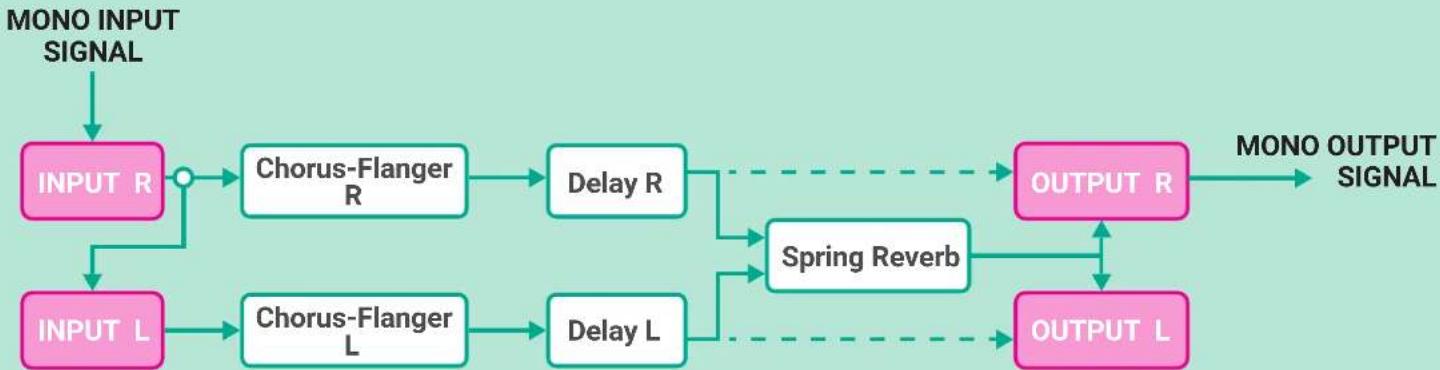
flowchart
graph TD
    A["MONO INPUT SIGNAL"] --> B["INPUT R"]
    B --> C["Chorus-Flanger R"]
    C --> D["Delay R"]
    D --> E["OUTPUT R"]
    E --> F["OUTPUT L"]
    G["INPUT L"] --> H["Chorus-Flanger L"]
    H --> I["Delay L"]
    I --> J["OUTPUT L"]
    J --> K["OUTPUT R"]
    K --> L["OUTPUT L"]
    C -.-> M["Spring Reverb"]
    D -.-> M
    E -.-> M
    F -.-> M
    G -.-> M
    H -.-> M
    I -.-> M
    J -.-> M

CONNECTIONS

MONO IN - MONO OUT

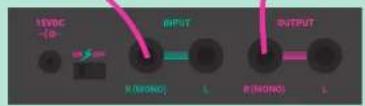

MONO IN - STEREO OUT

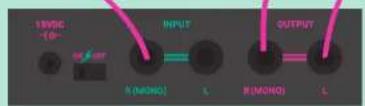
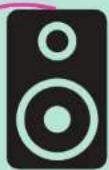
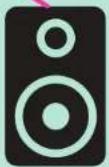

STEREO IN - STEREO OUT

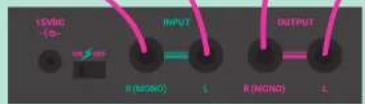
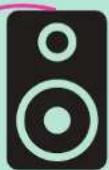
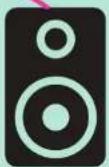
6

MONO IN - MONO OUT
WITH INTERNAL FEEDBACK
Warning! Use on your own responsibility. High feedback levels may damage your ears and speakers.

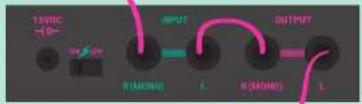
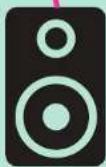

synthesizer instrument microphone
MIX, SAVE & MANAGE
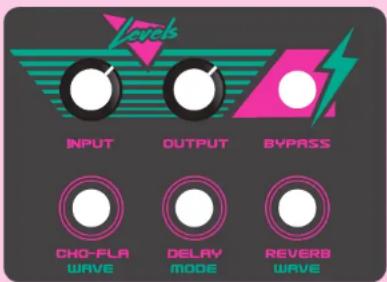
MIXING YOUR SIGNAL
INPUT LEVEL When an instrument / other signal generating device is inserted, the first thing you will need to do is to set its Input Level. With the Output Level all the way down play your most loud sound. The Input should be set so as the Peak Level Indicator, which is placed inside the unit, barely blinks here and there.
OUTPUT LEVEL With the Bypass button at the OFF stage (LED is off) and following the above procedure, set the Output Level at your desired amount.
BYPASS When the LED of the Bypass button is OFF, the unit is at a bypass stage, meaning that no matter what you do with the effect controls, no effect will be applied to your original sound. When by pushing the Bypass button lights up, the effect is ON.
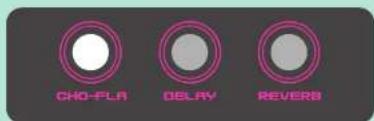
CHO-FLA When the button is lit, the Chorus-Flanger effect is engaged.
DELAY When the button is lit, the Delay effect is engaged.
REVERB When the button is lit, the Spring Reverb effect is engaged.
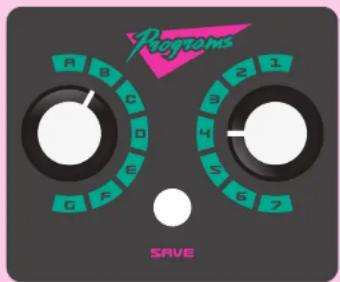
PRESETS
SAVE
A. Press the SAVE button once
B. The SAVE button is now blinking.
C. Choose your desired slot simply by turning the rotary switches. (on the picture we will save a preset in B4)
D. Press the SAVE button again and you are done.
COPY
A. Choose the Preset you want to copy
B. Press the SAVE button once
C. The SAVE button is now blinking.
D. Choose your desired slot simply by turning the rotary switches.
E. Press the SAVE button again and you are done.
RECALL
Just set the rotary switches to your desired slot.
IMPORTANT! Recalling a preset occurs instantly and that can be used for musical purposes, but if you do not care about where you save your presets, and you have to jump more than 2 presets while performing, unwanted results might occur.
THE FLANGER-CHORUS
Difference between Chorus and Flanger
Both Chorus and Flanger are actually the same effect: A Delay that its time is modulated by an LFO. To achieve the Flanger effect you will need Delay times up to 10ms. When the Delay time is set between 10ms and 30ms, then the effect you will hear is the Chorus. Traditionally, a Flanger effect needs its LFO Rate to be between 1 and 15sec, while a Chorus should be between 250ms and 2sec. Also, when you try to emulate the Flanger effect you need a decent amount of Feedback. Chorus doesn't really care about Feedback, but usually the best results can be achieved with a pinch of Feedback.
So what happens without the LFO?
The above delay times can create the "Comb" Filter effect if no LFO is applied to the delay time. But you need to have a very high amount of Feedback.
Now, by knowing all the above, you can go through the controls of Hypnosis Chorus-Flanger.
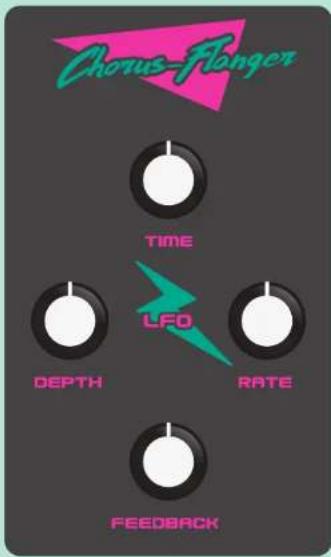
CONTROLS
TIME will control the delay time in its whole range - that is if depth knob is at 0%. As you add depth, time knob will have a shorter effect. When 100% depth is there, time knob does nothing. Delay time can be set from 2.5ms up to 50ms.
DEPTH this indicates the amount of LFO applied to the Delay time. As you turn up the knob, the time control will have a smaller range. And when it's at max, time control has no effect. In order to access the "Comb" Filter, keep this control at 0%.
RATE sets the speed of the LFO, from 10Hz up to 15sec. When on Stereo setup, each channel has a reverse movement, which gives the feeling that the LFO rate is half than the set one.
FEEDBACK this sets the delay feedback. Be careful as some volume boost is taking place as you go on high feedbacks, so take care not to peak the next effects in the order.
ACCESS DIFFERENT LFO WAVEFORMS
Press and hold the CHO-FLA button for 1 sec. The 3 buttons will start to blink.
Choose your desired LFO wave.
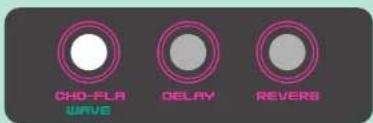
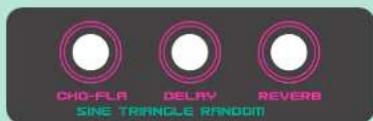
After you set the LFO wave, you will get back to the previous state.

THE DELAY
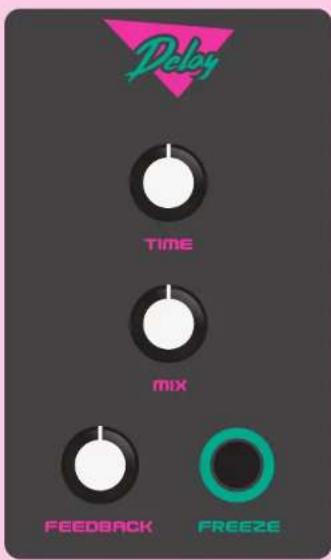
CONTROLS
TIME sets the Delay time from about 40ms up to 450ms
mIX sets the level of the Delayed signal
FEEDBACK sets the amount of repeats. When at max, repeats are infinite.
FREEZE is a method to loop your current delayed signal, meaning that if no repeats are audible or active, freeze will have no effect when pressed.
Freeze will actually do 2 simultaneous functions:
A. Feedback level is set to max
B. Any new incoming signal will not be delayed.
This will be active only while the button is pressed. Mix and Time controls, can still be used while holding down the Freeze button.
TIPS & USEFUL INFO
- If you do not want to hold down the Freeze button, while the Freeze button is pressed, deactivate the Delay effect, by pushing the Delay button. This will keep the Freeze function to be active without holding it down. To abort the Freeze function, just press the Delay button once.
2 When on Stereo setup, the Delay effect is always on Ping-Pong mode, which is cool but it gives the feeling that the allowed delay times 40ms-450ms are the half (20ms-225ms).
By setting a high amount of Feedback on the Chorus-Flanger effect and having a High Input Level, the delayed signal can be easily peaked. So we suggest you to always check with your highest desirable settings. If that occurs just lower your Input Level.
ACCESS DIFFERENT DELAY MODES
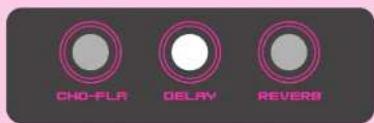
Press and hold the DELAY button for 1 sec. The 3 buttons will start to blink.
Choose your desired Delay Mode.
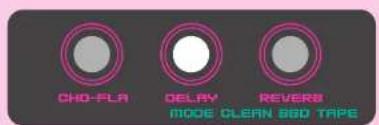
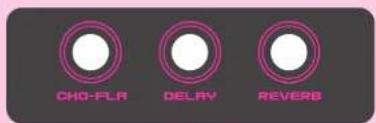
After you set the Delay mode, you will get back to the previous state.

THE SPRING REVERB
What is a Spring Reverb?
A Spring Reverb is the broadband resonance that is generated when vibrating a metal coil, which is held under tension. This effect is mechanical and can be affected by its environment. If you touch or hit the spring, sound will be generated.
Hypnosis has a short 3-spring reverb tank. You must be careful on where and how you place the unit, in order to avoid unwanted vibrations. For example, if you place Hypnosis and the speaker on the same surface, the tank will most likely pick up the vibrations that come from the speaker, regenerate them, send them back to the speaker and a circle will begin, resulting in an unwanted (or wanted??? feedback.
Be really careful on how you treat Hypnosis so as to have your springs working for years to come.
CONTROLS
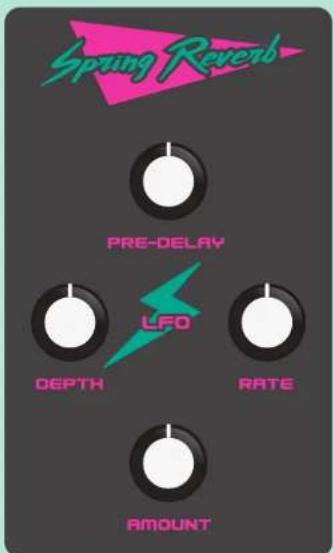
PRE-DELAY sets the Initial Delay time
DEPTH sets the level of the modulation applied to the initial Delay
RATE sets the speed of the LFO, from 10Hz up to 15sec.
AMOUNT blends the Dry and Wet signal.
ATTENTION! THE SPRING REVERB IS MONO
When on Stereo setup, the Reverberated signal will be applied to both Left and Right Outputs, meaning that if you send a Stereo signal Input, the Reverberated signal will blend both Left and Right Inputs and send them to both Outputs. But this will only happen for the Reverberated signal, the Dry signal will always be Stereo.
TIP: As the Spring Reverb is a mechanical device, it can still generate sound even without the speakers on. Drive Hypnosis really hard and turn the Reverb ON. In a quiet room you should be able to hear the springs generating sound.
ACCESS DIFFERENT LFO WAVES
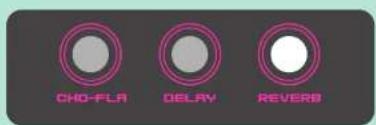
Press and hold the REVERB button for 1 sec. The 3 buttons will start to blink.
Choose your desired LFO wave.
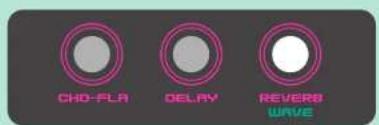
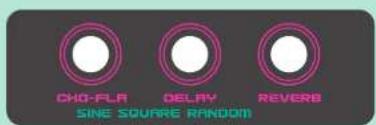
After you set the Reverb mode, you will get back to the previous state.

WARRANTY
Dreadbox warrants this product to be free of defects in materials or construction for one year from the date of purchase. Proof of purchase is necessary when the warranty claim is made.
Malfunctions resulting from improper power supply voltages, backward or faulty cable connection, abuse of the product or any other causes determined by Dreadbox to be the fault of the user, are not covered by this warranty (normal service rates will be applied).
All defective products will be replaced or repaired at the discretion of Dreadbox. Products must be returned directly to Dreadbox with the customer paying the shipping costs. Dreadbox implies and accepts no responsibility for harm to a person or apparatus through the operation of this product.
The power supply included in the box, enclosure, screen-printing, plexiglas window and the actual mechanism of the spring reverb, are not covered by the warranty.
Please contact support@dreadbox-fx.com for the return to manufacturer authorization, or for any other technical questions or concerns.
CAUTIONS
Do not use alcohol or any other kind of cleaning solutions, so as to clean the enclosure and specifically the plexiglas window. Use a slightly wet soft cloth for cleaning, if it is really needed.
Never store Hypnosis upside down or on its sides. Always place it with its feet on a surface, as the spring reverb is placed on a double-sided adhesive foam, which is necessary to minimize the external vibrations.
When using Hypnosis on stage or in a room with very loud music or noises, you should always make sure to place it to the most vibration-free spot.
Feedback can be generated from the spring. Dreadbox will not be held responsible if any damage occurs from issues caused by Hypnosis.
THANK YOU
dre::adbox
