
Hades - Synthesizer Dreadbox - Free user manual and instructions
Find the device manual for free Hades Dreadbox in PDF.


| Type | Analog Semi-Modular Synthesizer |
| Product Name | Dreadbox Hades |
| Brand | Dreadbox |
| Dimensions (approx.) | 40 cm x 20 cm x 10 cm |
| Weight | 2.5 kg |
| Power Supply | 12V DC, 500 mA center positive |
| Sound Engine | 2 VCOs, 1 VCF (4-pole low-pass), 1 VCA, 1 LFO, 1 Envelope Generator |
| Connectivity | MIDI In/Out/Thru, CV/Gate (multiple patch points), Audio Out, Headphones Out |
| Modulation | 32 patch points for semi-modular patching |
| Controls | Knobs for pitch, cutoff, resonance, envelope, LFO rate, mod depth, and more |
| Envelope Generator | ADSR with CV control over each stage |
| LFO | Waveforms: sine, triangle, saw, square, sample & hold; rate range 0.1 Hz to 100 Hz |
| Filter | 4-pole low-pass, self-oscillating, cutoff and resonance CV controllable |
| Output | 6.35 mm TS mono output; 3.5 mm stereo headphone output |
| Maintenance | Clean with a soft, dry cloth; avoid liquids and solvents |
| Safety Precautions | Do not expose to moisture or extreme temperatures; unplug when not in use |
| Spare Parts / Repair | Contact Dreadbox support; no user-serviceable parts inside |
| Warranty | 1 year limited warranty |
| Included Accessories | Power supply, user manual (PDF), patch cables (2x) |
Frequently Asked Questions - Hades Dreadbox
User questions about Hades Dreadbox
0 question about this device. Answer the ones you know or ask your own.
Ask a new question about this device
Download the instructions for your Synthesizer in PDF format for free! Find your manual Hades - Dreadbox and take your electronic device back in hand. On this page are published all the documents necessary for the use of your device. Hades by Dreadbox.
USER MANUAL Hades Dreadbox
1.1 Box Contents
1.2 Schematic Diagram
1.3 Connections
1.4 Powering up Hades
2. Operation
2.1 Midi Interface
2.2 Oscillator and Sub-Oscillators
2.3 Filter
2.4 Drive
2.5 Amplifier
2.6 Envelope
2.7 LFO
2.8 Patching
2.9 Eurorack
1. Quick Start
1.1 Box Contents
Hades Bass Synthesizer, 42HP case, 1x Midi DIN5 to 3.5mm adapter type A, 1x Ribbon cable Eurorack Connection.
1.2 Schematic Diagram
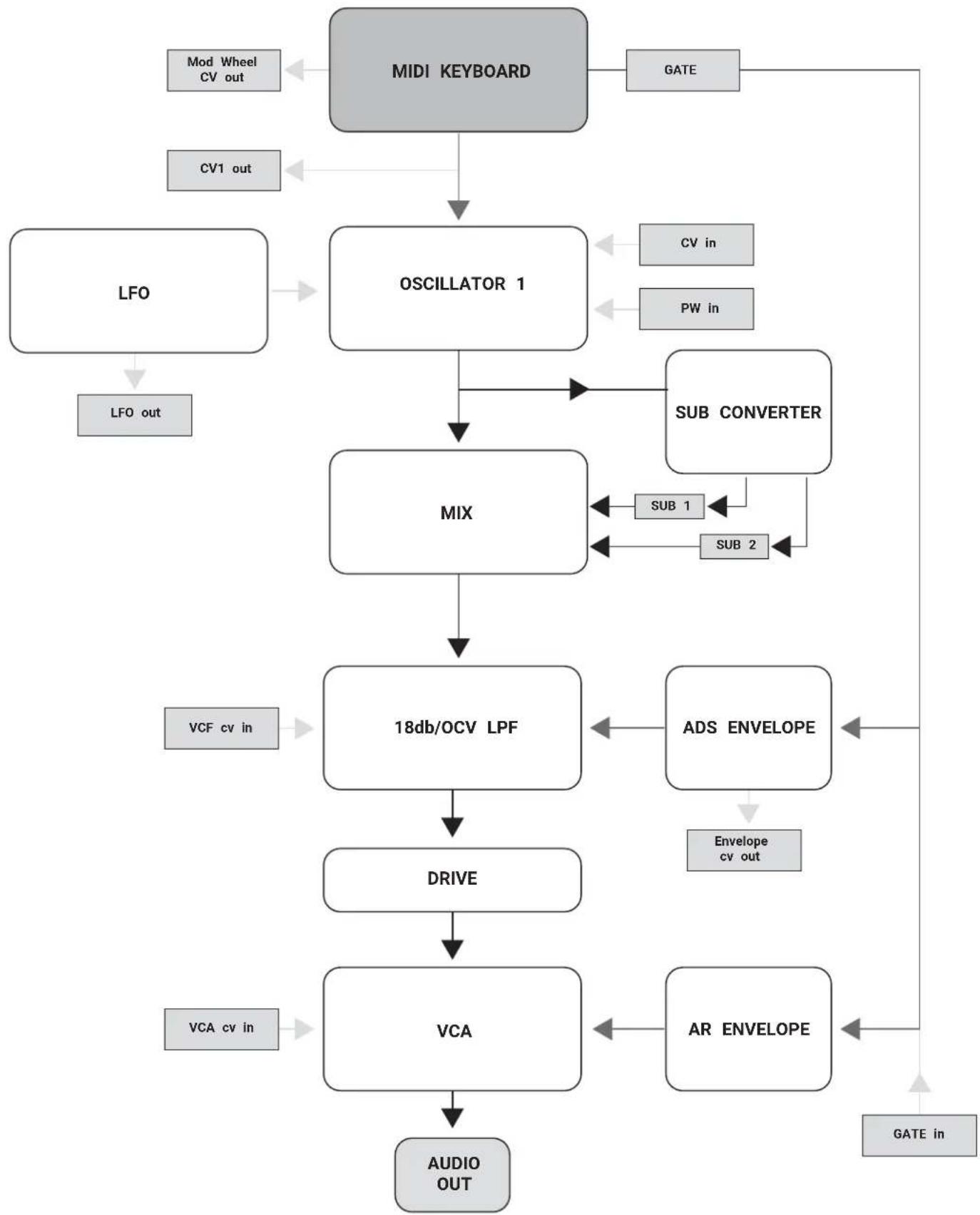
flowchart
graph TD
    A["MIDI KEYBOARD"] --> B["OSCILLATOR 1"]
    B --> C["MIX"]
    C --> D["18db/OCV LPF"]
    D --> E["DRIVE"]
    E --> F["VCA"]
    F --> G["AUDIO OUT"]

    H["Mod Wheel CV out"] --> A
    I["CV1 out"] --> A

    J["LV0"] --> B
    K["PW in"] --> B

    L["Sub CONVERTER"] --> C
    M["SUB 1"] --> C
    N["SUB 2"] --> C

    O["VCF cv in"] --> D
    P["ADS ENVELOPE"] --> D
    Q["Envelope cv out"] --> E

    R["GATE in"] --> G

    S["AR ENVELOPE"] --> F
    T["GATE"] --> A
1.3 Connections
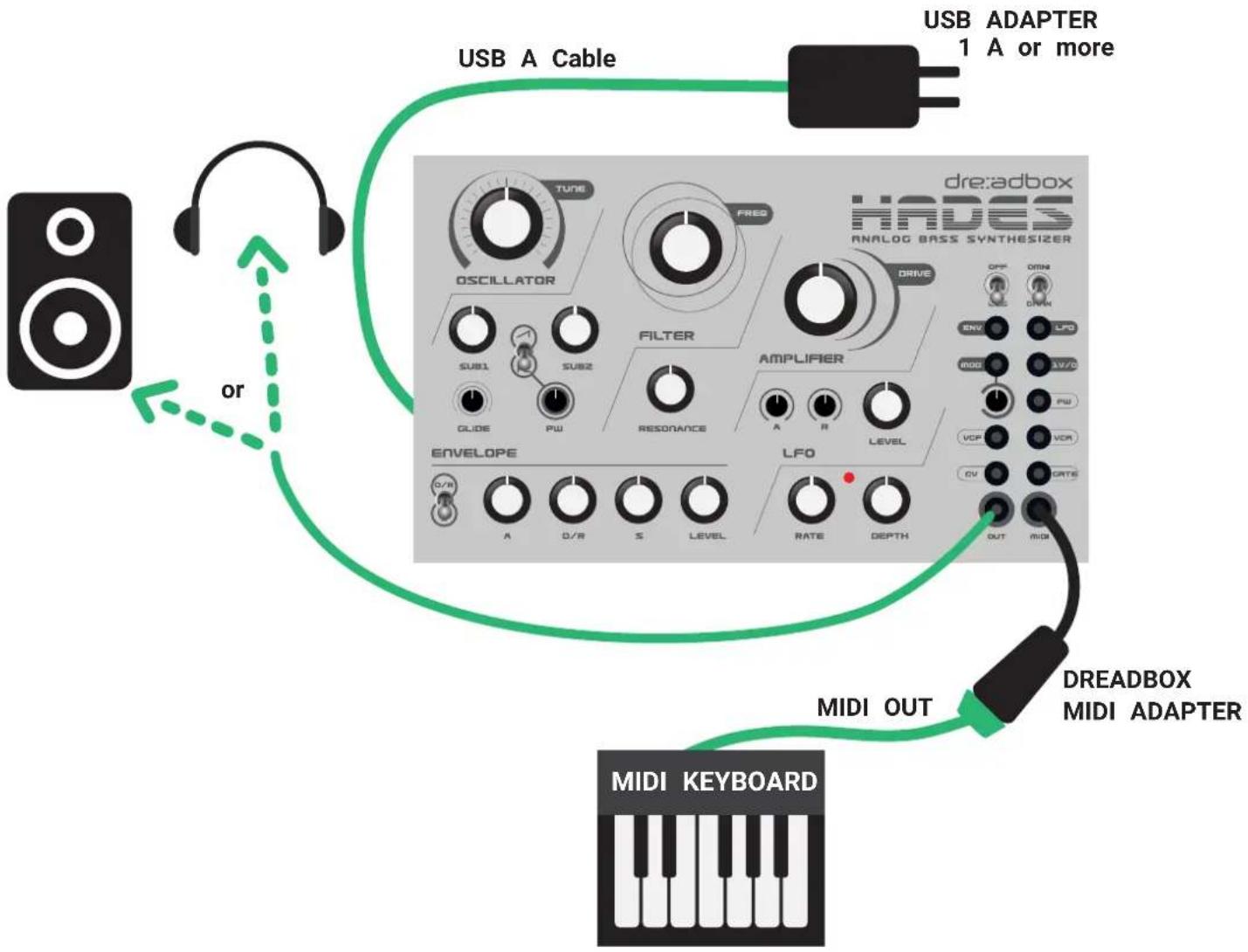
flowchart
graph TD
    A["MIDI KEYBOARD"] -->|USB A Cable| B["USB Adapter 1 A or more"]
    B --> C["DREADBOX MIDI Adapter"]
    C -->|USB A Cable| D["USB Adapter 1 A or more"]
    D --> E["MIDI OUT"]
    E --> F["DREADBOX MIDI Adapter"]
    F --> G["ENVELOPE"]
    G --> H["LFO"]
    H --> I["AMPLIFIER"]
    I --> J["FILTER"]
    J --> K["OSCILLATOR"]
    K --> L["TURIE"]
    L --> M["ORANGE"]
    M --> N["FLU"]
    N --> O["ORANGE"]
    O --> P["FLU"]
    P --> Q["ORANGE"]
    Q --> R["FRO"]
    R --> S["ORANGE"]
    S --> T["FRO"]
    T --> U["ORANGE"]
    U --> V["FRO"]
    V --> W["FRO"]
    W --> X["FRO"]
    X --> Y["FRO"]
    Y --> Z["FRO"]
    Z --> AA["FRO"]
    AA --> AB["FRO"]
    AB --> AC["FRO"]
    AC --> AD["FRO"]
    AD --> AE["FRO"]
    AE --> AF["FRO"]
    AF --> AG["FRO"]
    AG --> AH["FRO"]
    AH --> AI["FRO"]
    AI --> AJ["FRO"]
    AJ --> AK["FRO"]
    AK --> AL["FRO"]
    AL --> AM["FRO"]
    AM --> AN["FRO"]
    AN --> AO["FRO"]
    AO --> AP["FRO"]
    AP --> AQ["FRO"]
    AQ --> AR["FRO"]
    AR --> AS["FRO"]
    AS --> AT["FRO"]
    AT --> AU["FRO"]
    AU --> AV["FRO"]
    AV --> AW["FRO"]
    AW --> AX["FRO"]
    AX --> AY["FRO"]
    AY --> AZ["FRO"]
1.4 Powering up the Hades
In order to power Hades sufficiently, use a good quality USB power adapter with minimum 1/ good quality USB A cable. The USB adapter nor the USB A cable are included in the box.
2. Operation
2.1 MIDI Interface
Hades Midi interface will allow the following actions:
- Note(s) on / off (gate).
- Pitch tracking up to 9 octaves (C -1 up to C 10). The pitch is converted to 1v/oct which can be accessed via the dedicated patch.
- Pitch wheel for 3 semitones up/down. This is also transmitted by the 1v/oct output.
- Modulation wheel (accessible only via patch) 0-5v
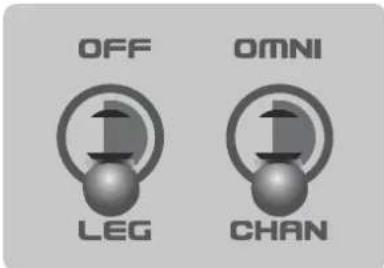
Keyboard re-trigger on the ADS Envelope
MIDI Channel Selection
When the switch is set to OMNI, all channels are active. When to CHAN, it will play the last channel received when the switch the OMNI mode.
For example, in order to set Hades to channel 2:
- Set the switch to OMNI mode
- Set your MIDI keyboard to Channel 2
- Play any note
- Then switch to CHAN
2.2 Oscillator and Sub-Oscillators
The Hades oscillator needs about 2 to 3 minutes to warm up. You can just turn on the syr but the tuning will change during that time. It work with the classic 1v/octave controllers or source. By default the tune knob should point at about 12.00 o'clock for a correct tuning.
- Oscillator Master Tune.
- Oscillator wave selection (Center position is OFF)
- Sub wave one octave below level
- Sub wave two octaves below level
- Pulse width
- Oscillator glide amount

2.3 Filter
The filter of the Hades is a 3-pole 18db/octave resonating OTA based low pass filter. Its frequency ranges from 20Hz up to 20KHz

flowchart
graph TD
    A["FREQ"] --> B["1"]
    B --> C["2"]
    style A fill:#f9f,stroke:#333
    style C fill:#bbf,stroke:#333
- Sets the Cutoff Frequency of the Filter
- Sets the Resonance Amount
2.4 Drive
Hades has an Opamp - OTA drive circuit that is able to drive - and works best at - low and rich harmonic frequencies . It is a fairly simple 1 knob function. Its action is not linear, but it has a logarithmic response.

2.5 Amplifier
Hades's amplifier has a build in AR envelope generator. Notice that when the output Level is at max you get 8 Volts p/p, so be careful not to hurt your ears or damage your speakers.
- Master Volume
- Attack Speed
- Release Speed

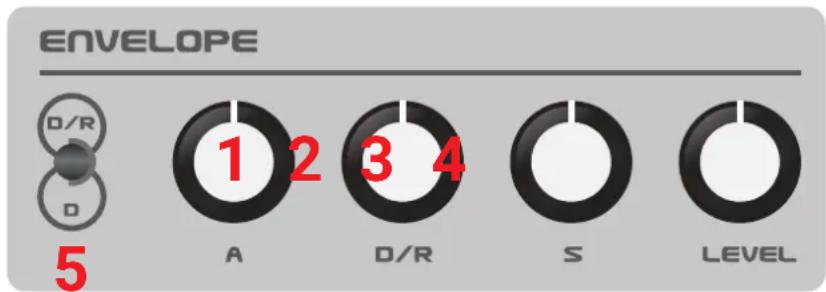
2.6 Envelope
Hades's AD/RS is dedicated to the Filter. It may deliver up to 5V of Envelope (also accessible patch).
- Attack speed
- Decay and Release speed
- Sustain point
- Envelope Level
- Decay or Decay and Release
2.7 LFO
The LFO needs to be patched in order to be used. It has a wide range of frequencies, from 10 minutes up to 3kHz (3000 Hz).
- Sets the Rate
- Sets the Depth

2.8 Patching
A. Outputs - Those patch points only send voltage. You can send their CV to other devices, but first be sure that the receiver can accept such a voltage.
ENV: Sends the envelope's voltage in a 0-5V level.
LFO: Sends the LFO's voltage in a +/- 5V level.
MOD: Sends the modulation wheel into a 0-5V format. The small is an attenuator for the total amount.
1V/OCT: Sends the Pitch's tracking
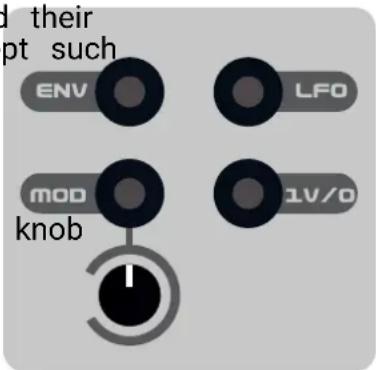
NEVER CONNECT AN OUTPUT WITH ANOTHER OUTPUT
This might cause serious damage to the unit and Dreadbox will not take any responsibility.
B. Inputs
Those patch points only receive voltage. It is safe to send more voltage than indicated (up to +/- 10V), but this does not mean that you get a result.
PW: Controls the oscillator's pulse width (+/- 5V)
VCF: Controls the filter's frequency (+/- 5V)
VCA: Controls the Amp's level. (0-5V)
By inserting a cable will deactivate the AR envelope.
CV: Controls the oscillator's pitch (+/- 10V)
GATE: Controls the gate's activation (0-5V)

C. Interface
OUT: Master Output of the synthesizer. It can also be connected with headphones.
MIDI: Midi Input. Always use the dedicated midi adapter, which is included in the box.

2.9 Eurorack
In order to use the Hades Reissue in a eurorack case, do the following:
A. Unscrew the 4 corner bolts, which keep the module attached to the case
B. Remove the module from the case. Afterwards, unscrew the 2 bolts that connect the sma the USB adapter and detach them.
C. Plug the provided ribbon cable and connect it to the power bus board of a eurorack case

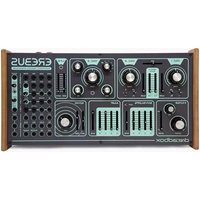
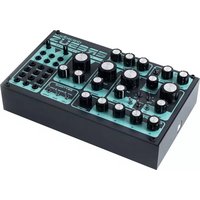
Brand : Dreadbox
Model : Hades
Category : Synthesizer