G427 - Rear Camera Gator - Free user manual and instructions
Find the device manual for free G427 Gator in PDF.


| Brand | Gator |
| Model | G427 |
| Product Type | Rear View Backup Camera |
| Image Sensor | CMOS |
| Resolution | 720 x 480 pixels |
| Viewing Angle | 120 degrees |
| Night Vision | Infrared LEDs, range up to 5m |
| Power Supply | 12V DC (vehicle battery) |
| Video Output | Composite video (RCA) |
| Waterproof Rating | IP68 |
| Operating Temperature | -20°C to 70°C |
| Dimensions (Camera) | 25 x 23 x 30 mm |
| Weight (Camera) | 50 g |
| Mounting Type | Surface mount or flush mount |
| Parking Guidelines | Adjustable overlay |
| Mirror Image | Switchable (normal/mirror) |
| Connection | Wired (RCA + power cable) |
| Cable Length | 6 m (20 ft) |
| Includes | Camera, mounting bracket, screws, power cable, manual |
| Maintenance | Clean lens with soft cloth; avoid abrasive cleaners |
| Safety | Install according to vehicle electrical system; disconnect battery before installation |
| Spare Parts | Contact Gator customer service for replacement |
Frequently Asked Questions - G427 Gator
User questions about G427 Gator
0 question about this device. Answer the ones you know or ask your own.
Ask a new question about this device
Download the instructions for your Rear Camera in PDF format for free! Find your manual G427 - Gator and take your electronic device back in hand. On this page are published all the documents necessary for the use of your device. G427 by Gator.
USER MANUAL G427 Gator
Thank you for purchasing the Gator G427 4.3" Monitor + Reverse Camera. Please ensure that you have read the product manual and instructions in full, prior to installation and use. Failure to do so may result in product failure/damage or incorrect operation and therefore impact the product performance.
PRODUCT FEATURES
- Monitor
• 4.3" 16:9 High-resolution LCD screen
• Resolution 480*272 - 12V Compatible
• Secondary Video RCA Input
• Dimensions 75(H) x 120(W) x 20mm(L) - Stealth Camera
• 120 Degree wide angle lens - Parking guide lines
• IP-67 Dust and water protection - Stealth number plate mount
- CMOS Sensors
- 0.2 Lux
- NTSC
- 6M Video extension cable
PACKAGE COMPONENTS
Parts supplied include:
- Monitor
- Stealth number plate mount camera
- 6M RCA extension cable
- Instruction manual
- Mirror monitor harness
- Camera harness
TABLE OF CONTENTS
INTRODUCTION......PAGE: 2
PRODUCT FEATURES......PAGE: 2
PACKAGE COMPONENTS......PAGE: 2
TABLE OF CONTENTS......PAGE: 3
INSTALLATION OF MONITOR......PAGE: 4
INSTALLING THE CAMERA....PAGE:5-6
TESTING THE REVERSE CAMERA FUNCTION......PAGE:6
MENU FUNCTIONS......PAGE:7
PRODUCT SPECIFICATIONS......PAGE:8
TECHNICAL ASSISTANCE......PAGE:8
INSTALLATION
Installation diagram
The video signal is transferred from the camera to the G427 monitor via an RCA cable that will need to be run through the boot, through the passenger compartment to the mirror monitors wired loom run under the dash. From there the power and video signals are sent directly to the monitor. At the rear of the car the camera is powered directly from the reversing tail light. Priority is the AV2 input.
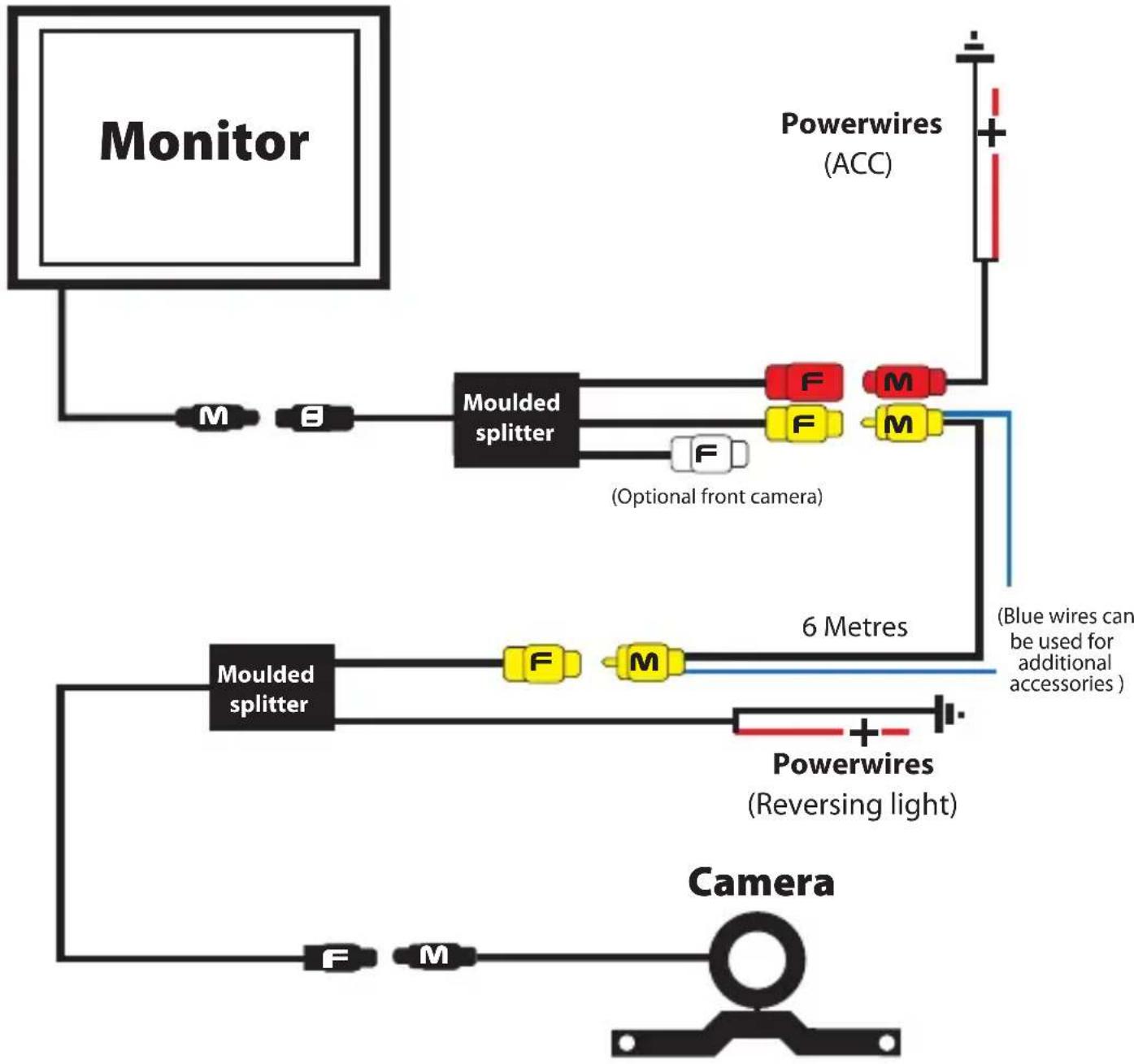
flowchart
graph TD
    A["Monitor"] --> B["M"]
    B --> C["Moulded splitter"]
    C --> D["F"]
    D --> E["M"]
    E --> F["F"]
    F --> G["M"]
    G --> H["Optional front camera"]
    I["Powerwires (ACC)"] --> J["+"]
    K["Moulded splitter"] --> L["F"]
    L --> M["M"]
    M --> N["F"]
    N --> O["6 Metres"]
    P["Powerwires (Reversing light)"] --> Q["Blue wires can be used for additional accessories"]
    R["Camera"] --> S["F"]
    S --> T["M"]
INSTALLATION
Installing the camera
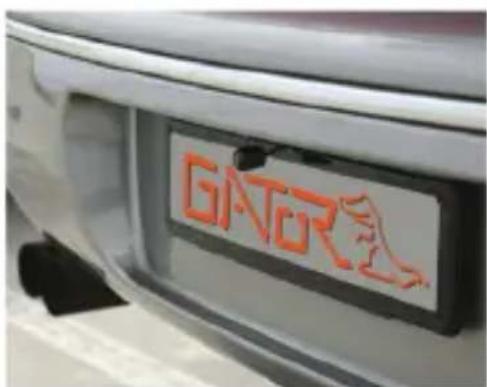
In most instances, the camera is best mounted above the vehicles license plate as shown here.

text_image
F102 Installation example of stealth camera. Note: Mounting bracket sits behind number plate, and is not visible.Where this is not possible there are other camera combinations that will suit your individual application. When mounting the camera, make sure that the camera does not cover any part of the license plate. Choose a position that does not impede the access/operation of the boot release or tailgate latch.
To install the reverse camera, take the following steps:
- Remove the rear license plate from the vehicle by undoing the bolts/screws.
- Remove the wax paper from the adhesive strip on the back of the camera mounting bracket to expose the adhesive surface. Carefully align the brackets arm so that the top edge of the arms align to the top edge of where the license plate would sit and stick it in place making sure that 2 holes in the mounting bracket align with the mounting holes of the license plate.
- With the license plate off, check if there are pre-existing holes through which the cables from the camera can be passed through to the boot of the vehicle as in Fig. 2. If there are no pre-existing holes carefully drill a hole of sufficient diameter to allow the cables to be passed into the interior of the vehicle (through a rubber grommet) and seal the hole with silicone to avoid water leakage.
- Refit the license plate over the camera bracket using the original bolts/screws.
text_image
GNORFig.1

text_image
0 0 0 Hole for cable.Fig. 2
INSTALLATION
Installing the camera....cont
-
Connect the RED wire of the Cameras Power Harness to the wire that supplies power to the reversing light globe (the wire that is energized only when the car is put into reverse). Before making the electrical connection, temporarily disconnect the camera from the power plug whilst making the connection to the reversing light globe. Use a suitable splicing/crimp connector (scotch lock type) or strip connector. This connection can also be soldered, making sure to insulate the joint with electrical insulation when done. The camera has only one wire to connect (positive (+). There is no need to hook up a ground earth wire as the camera gets its earth through the RCA cable. Hooking up the ground earth may cause a ground loop. In this case horizontal lines will appear in the image.
-
After you have insulated the join you can connect the power harness to the camera.
NOTE:
Some cars that run LED or computer controlled lighting systems may not deliver enough voltage to run the camera. If the voltage at the reversing wire light is less than +12 volts it may be necessary to use a relay to supply power to the transmitter harness from the wiring in the front of the car. In this case the reversing light only needs to trigger the relay. Make sure that you do not drill holes in the panels that have an opposite face that is visible outside the car for example guard panels. In fact, whenever drilling holes in the bodywork of a vehicle, always see what is on the other side.
-
Connect one end of the supplied RCA cable to the RCA socket from the camera, then run the RCA cable to the front under side of the driver side dash board. This is where the monitor's loom will be located. To do this you will need to remove the rear seat to pass the cable into the cabin area and you will need to remove the door scuff plates to run the wire along the side of the vehicle. The RCA cable will be hidden when you replace the scuff plates. When the cable is at the front of the vehicle the RCA cable needs to be run from the scuff plate area to the underside of the dash behind the kick trim (remove and run cable).
-
The monitor has two power wires to be connected. Connect the red wire (accessories +12V) to a wire that is energized when the vehicles accessories is turned on.
Connect the black wire to a ground earth wire or to the body of the car using the steel of the cars body behind the kick trim as an earth. In this case drill a small hole and connect the wire using a suitable ring terminal. Scrape off the cars paint around the hole to ensure good earth.
- Connect the RCA cable to the RCA socket from the monitors loom.
Testing the reverse camera function
-
Engage the park brake and turn the ignition key to the on position. DO NOT start the vehicle.
-
Select reverse gear with the gear shift. The monitor will sense the video signal from the camera automatically and will display the camera's image of the rear of the vehicle.
MENU FUNCTIONS
Menu options and settings
text_image
+ MENU -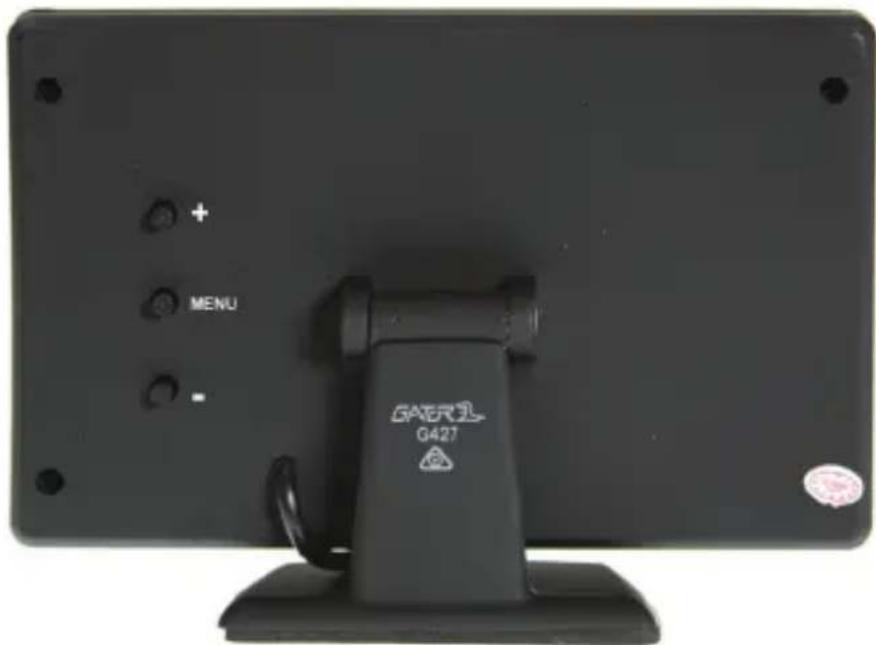
text_image
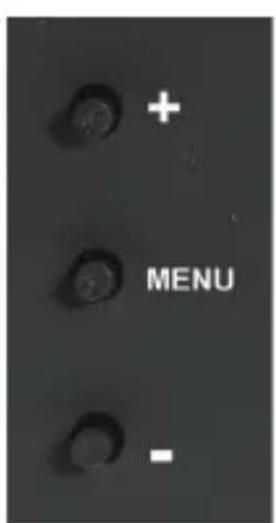
MENU GAERE G42T- Press the Menu button to access functions
-
Press the + or - button to confirm selection
-
Brightness: Adjusts screen brightness (0 - 40)
- Contrast: Adjusts screen contrast (0 - 40)
- Colour: Adjusts screen colour (0 - 40)
- Zoom: Changes display mode between 4:3 & 16:9 ratio
- Language: Select menu language
- Reset: Resets all menu setting back to factory configuration
PRODUCT SPECIFICATIONS
Monitor
- Size: 4.3 inch colour TFT LCD Screen
- Video Input : Yellow = Reverse Camera Input
- Supply Power: DC12V +/- 10%
Stealth Camera
- Aluminum case & waterproof for outdoor use.
- IP67 Standard
- Lense Angle 120 degree horizontal & 60 degree vertical
- Low-Lux CMOS camera
- NTSC
TECHNICAL ASSISTANCE
If you need assistance setting up or using your Gator product now or in the future, call Gator Support. Australia
TEL: 03-8587 8898
FAX: 03 - 8587 8866
Mon-Fri 9am – 5pm AEST

natural_image
Warning symbol with a triangle and checkmark inside (no text)Please retain this user guide for future reference.
If you would like to download a digital copy of this manual, or other Gator manuals/software, please visit the http://gatordriverassist.com website and click on 'Firmware & Manuals' for information on where to find the manuals/software.
This manual is considered correct at time of printing but is subject to change. For latest manuals and updates refer to the website.
Copyright © 2017 by TDJ Australia
All rights reserved. No part of this publication may be reproduced, distributed, or transmitted in any form or by any means, including photocopying, recording, copying or other electronic or mechanical methods, without the prior written permission of the author.