
SpinBase - Loudspeaker Andover - Free user manual and instructions
Find the device manual for free SpinBase Andover in PDF.


| Product Type | Wireless Speaker |
| Brand | Andover |
| Model | SpinBase |
| Dimensions (H x W x D) | 6.3 x 6.3 x 8.5 in (160 x 160 x 215 mm) |
| Weight | 2.2 lbs (1 kg) |
| Power Input | DC 5V 2A (USB-C) |
| Battery Type | Built-in rechargeable lithium-ion, 2200 mAh |
| Playtime | Up to 8 hours |
| Bluetooth Version | 5.0 |
| Wireless Range | 33 ft (10 m) |
| Frequency Response | 80 Hz - 20 kHz |
| Drivers | 2 x 40 mm full-range |
| Output Power | 10 W RMS |
| Impedance | 4 ohms |
| Connectivity | Bluetooth, AUX 3.5 mm, USB-C (charging) |
| Controls | Power, Volume, Play/Pause, Bluetooth Pairing |
| Microphone | Built-in for hands-free calling |
| Special Feature | Rotating base for 360-degree sound |
| Maintenance | Clean with a soft, dry cloth; avoid moisture |
| Safety | Do not expose to water or disassemble |
| Spare Parts | Not applicable (non-user-serviceable) |
| General Info | Full user manual available for download |
Frequently Asked Questions - SpinBase Andover
User questions about SpinBase Andover
0 question about this device. Answer the ones you know or ask your own.
Ask a new question about this device
Download the instructions for your Loudspeaker in PDF format for free! Find your manual SpinBase - Andover and take your electronic device back in hand. On this page are published all the documents necessary for the use of your device. SpinBase by Andover.
USER MANUAL SpinBase Andover
- Remove Spinbase from its box. Keep the packaging for returns or exchanges.
- Place Spinbase on a level surface. This is important for your turntable performance.
- Before turning it on, plug Spinbase into a power outlet using its power adapter.
natural_image
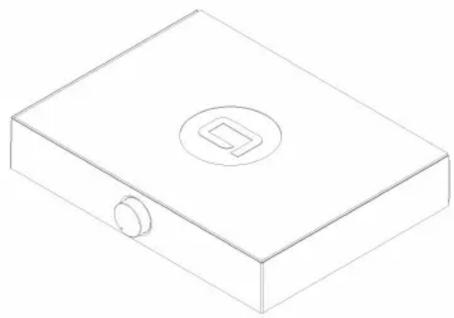
Isometric line drawing of a rectangular box with a circular top and a small circular button on the side (no text or symbols)Connect a Turntable or Record Player
- Place your turntable on top of Spinbase.
- Using a turntable with a Magnetic cartridge (most common): Connect your turntable to "Magnetic Phono". Ensure switch is set to "Line-In".
- Using a turntable with a Ceramic cartridge, or a record player with a line output: Connect it to the Line-In on Spinbase. Set switch to "Ceramic".
- Use the ground connector if your turntable supports it.
- Leave shorting plugs in the "Magnetic Phono" input when it's not being used.


Connect a Bluetooth Device
- Connect to "Spinbase" in your Bluetooth settings.
- Disconnect Bluetooth for another device to pair.

Notice: Some users may experience an unpleasant noise when powering Spinbase on/off while their headphones plugged in. Please be aware.
Two Year Warranty
Andover Audio warrants Spinbase against manufacturing defects and workmanship to the initial purchaser for a period of one (1) year from the date of delivery to customer. Andover Audio will repair or replace the unit as necessary to restore proper operation. This warranty covers both parts and labor for the warranty period. The warranty excludes physical damage caused by accident or abuse outside of our control. If you think you need warranty service, please contact us to obtain an RMA (Return Merchandise Authorization) by emailing support@andoveraudio.com or calling 978.775.3670. Please visit our website's support section for more information about returns and exchanges.
Thank you for purchasing Spinbase.
If you're new to vinyl, or returning to it after a few years, there are some important things to know:
The turntable Phono cartridge is the device on the end of the tonearm that converts record grooves to an electrical signal. The most commonly equipped cartridges are Magnetic and Ceramic. Spinbase is compatible with both, but the connections are different. (Note: Some high-end cartridges, called Moving-Coil, are not compatible with Spinbase.)
MAGNETIC CARTRIDGES - provide higher fidelity than their Ceramic siblings. They also track your records with less weight and are better at preventing record wear. They provide very little electrical output and require a circuit known as an RIAA preamplifier to boost and equalize the signal. Spinbase has this preamplifier built-in. If your turntable has a Magnetic cartridge, connect it to the “Magnetic Phono” input on Spinbase. Ensure the back switch is set to Line-In.
Some turntables also have their own preamplifiers built-in and do not require the use of the preamplifier in Spinbase. If your turntable has a switch on it marked "Line" and "Phono", your turntable has a built-in preamplifier. You have two choices:
- Switch your turntable to "Line" and plug it into the Line-In input on Spinbase; or,
- Switch your turntable to "Phono" and plug it into the "Magnetic Phono" input, utilizing the preamplifier in Spinbase.
In most cases, plugging your turntable into the Spinbase Phono input and ensuring back switch is set to Line-In will give the best sound. Try them both and use what sounds best to you.
CERAMIC CARTRIDGES - are generally found in lower priced turntables and record players. They do not perform as well as a good magnetic cartridge, but can still give satisfying performance with Spinbase thanks to its exclusive Ceramic Equalization feature. Ceramic cartridges have high output voltage, and turntables or record players equipped with one should be plugged into the Line-In input on Spinbase. The sound quality will be improved when setting the back switch to "ON". If you are NOT using a Ceramic cartridge, leave the back switch to the Line-In position.
SHORTING PLUGS - The shorting plugs supplied with Spinbase should remain plugged into the “Magnetic Phono” input whenever it is unused, such as when you are using the Spinbase Line-Input or a Bluetooth device. Failure to do this will result in excess electronic background noise.
STAYING GROUNDED - Because Magnetic Phono cartridges have such a low output, the Phono input is much more sensitive to any noise or ground hum than other inputs. Because of this, many turntables are equipped with a grounding wire or have a screw to attach one. If your turntable requires grounding, attach the grounding wire from the ground thumbscrew on Spinbase to the ground screw on your turntable. Some turntables are not equipped with ground wires, and instead have their ground supplied through the RCA plugs.
CONTACT SUPPORT - There are so many different turntables, record players and other sources available to use with Spinbase that it's impossible to cover all the possibilities here. If you have any operation, connection, or performance questions or concerns don't hesitate to reach out to us. We're ready to help!
support@andoveraudio.com | +1 978.775.3670
FCC STATEMENT: This equipment has been tested and found to comply with the limits for a Class B digital device, pursuant to part 15 of the FCC Rules. These limits are designed to provide reasonable protection against harmful interference in a residential installation. This equipment generates, uses and can radiate radio frequency energy and, if not installed and used in accordance with the instructions, may cause harmful interference to radio communications. However, there is no guarantee that interference will not occur in a particular installation. If this equipment does cause harmful interference to radio or television reception, which can be determined by turning the equipment off and on, the user is encouraged to try to correct the interference by one or more of the following measures:
—Reorient or relocate the receiving antenna.
—Increase the separation between the equipment and receiver.
-Connect the equipment into an outlet on a circuit different from that to which the receiver is connected.
—Consult the dealer or an experienced radio/TV technician for help.
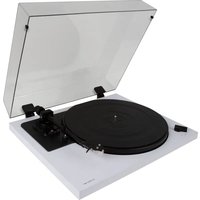

Brand : Andover
Model : SpinBase
Category : Loudspeaker