Tone Free HBS-F110 - Earphones LG - Free user manual and instructions
Find the device manual for free Tone Free HBS-F110 LG in PDF.


| Product Type | Bluetooth Wireless Earphones |
| Model | LG Tone Free HBS-F110 |
| Driver Size | 6 mm |
| Impedance | 16 Ω |
| Frequency Response | 20 Hz - 20 kHz |
| Bluetooth Version | 5.0 |
| Wireless Range | Up to 10 m (33 ft) |
| Battery Life (Earbuds) | Up to 6 hours (playback) |
| Battery Life (Charging Case) | Up to 18 hours additional |
| Charging Time | Earbuds: ~1 hour; Case: ~2 hours |
| Charging Port | USB-C |
| Water Resistance | IPX4 (splash proof) |
| Weight (Earbuds) | 5.2 g each |
| Weight (Charging Case) | 38 g |
| Dimensions (Earbuds) | 19.5 × 15.2 × 13.5 mm |
| Dimensions (Case) | 58 × 38 × 25 mm |
| Microphone | Built-in MEMS |
| Controls | Touch sensors on earbuds |
| Voice Assistant | Compatible with Siri, Google Assistant |
| Included Accessories | Charging case, USB-C cable, ear tips (S/M/L), user manual |
| Maintenance | Clean with soft dry cloth; keep away from liquids |
| Safety Warnings | Do not expose to extreme temperatures; avoid magnetic fields |
| Repairability | Battery not user-replaceable; contact LG service for repairs |
Frequently Asked Questions - Tone Free HBS-F110 LG
User questions about Tone Free HBS-F110 LG
0 question about this device. Answer the ones you know or ask your own.
Ask a new question about this device
Download the instructions for your Earphones in PDF format for free! Find your manual Tone Free HBS-F110 - LG and take your electronic device back in hand. On this page are published all the documents necessary for the use of your device. Tone Free HBS-F110 by LG.
USER MANUAL Tone Free HBS-F110 LG
All rights reserved.
© 2017 LG Electronics Inc.
Please read the Important Safety Information for the proper use of this product.
After reading, store this User Manual in an easily accessible place for all users.
NOTE: Please read all information carefully prior to using the HBS-F110 in order to enjoy the best performance and prevent damage to the product.
WARNING: This product contains chemicals known to the State of California to cause cancer and birth defects or other reproductive harm. Call (800) 243-0000 for more information.
Wash hands after handling.
HBS-F110 (SDT-F110) www.lg.com
Contents
Product Components....1
Safety Cautions 2
Precautions When Using the Product....3
HD Speaker....4
Product Description....4
Using Earbuds....6
HBS-F110 Pairing and Connecting....6
Earbud Indicator Lamp....9
Mobile Calling Functions....10
Playing Music 11
Battery Charging and Alerts....12
Out of Communication Range 14
Using LG Tone & Talk™ 14
Troubleshooting....15
Specifications and Features....16
Declaration of Confirmation....17
Additional Information....18
Limited Warranty....20
Important Safety Information....21
The LG TONE FREE (HBS-F110) is a lightweight wireless headset that uses Bluetooth technology.
This product can be used as an audio accessory for devices supporting either the A2DP or Hands-Free Bluetooth profile.
Product Components
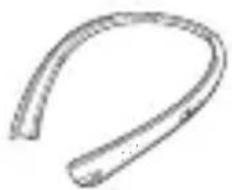
natural_image
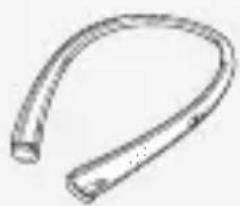
Simple line drawing of a curved, elongated object resembling a worm or larva (no text or symbols)LG TONE FREE HBS-F110 (Neckband)
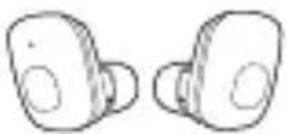
LG TONE FREE
HBS-F110 (Earbuds)
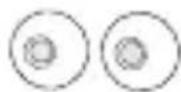
Extra ear gels (small)*
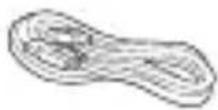
Micro USB Charging Cable
User Manual Warranty Card SDT-F110 (Cradle)
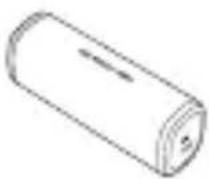
(optional part)
The actual product design may differ from the images shown in this manual.
The cradle is an optional part and is not included with this product.
*HBS-F110 is equipped with medium-sized ear gels.

CAUTION
Make sure authentic LG Electronics components are used. Using a non-authentic component may damage the product and thus void the warranty.
Safety Cautions

CAUTION
Do not disassemble, adjust, or repair the product arbitrarily.
Do not place the product near excessive heat or flammable material.
Do not arbitrarily replace the battery, as it may explode.
The product may be damaged if an incompatible recharger is used.
Make sure that an infant or a child does not swallow a magnet or a small component of the product.
Make sure that foreign objects do not enter the charger's connectors (charging port and power plug).
Failure to do so may result in fire or electric shock.
If you have a medical device implanted, contact your doctor before using this device.
For your safety, do not remove the battery installed in the product.
The lithium-ion polymer battery and the lithium-ion battery are hazardous components that can cause injury.
Battery replacement by an unqualified professional can cause damage to your device.
Do not let charging terminals touch metal objects. Doing so may result in malfunction.
In order to prevent unnecessary energy consumption, disconnect the device when fully charged.
Always use an easily accessible power-outlet for charging your device.

WARNING
Do not apply excessive force to, make holes in, or drop the product from a high place.
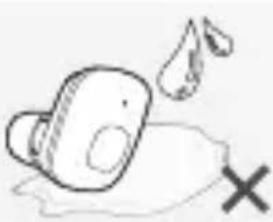
Keep the product away from water, alcohol, benzene, etc.
Do not store the product in a wet or a dusty place.
Do not place any heavy objects on the product.
This product is not waterproof. Avoid humidity and water.
Precautions When Using the Product
To use the product for a long time, please refer to the following:
 | Plug the earbuds into the neckband or cradle for storage so that they will not be lost. |
 | Clean the product if it is exposed to excessive sweat. |
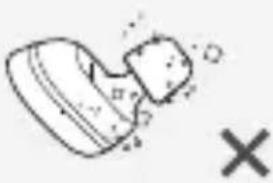 | Always keep the earbuds clean. |
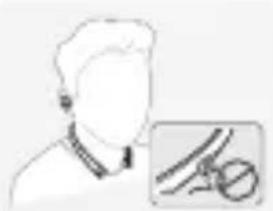 | For your safety, do not wear neckband products while they are being charged. |
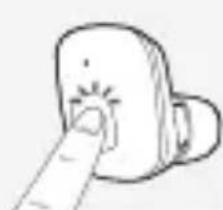 | The cradle / neckband battery can be discharged if the earbuds are plugged into the cradle / neckband for a long period of time.Press the MFB on the earbuds to turn on the earbuds for use if the cradle / neckband battery is discharged. |
HD Speaker
If the communication network of the device you are connecting to supports "HD Voice Calling," you can make voice calls in high definition.
Product Description
Neckband
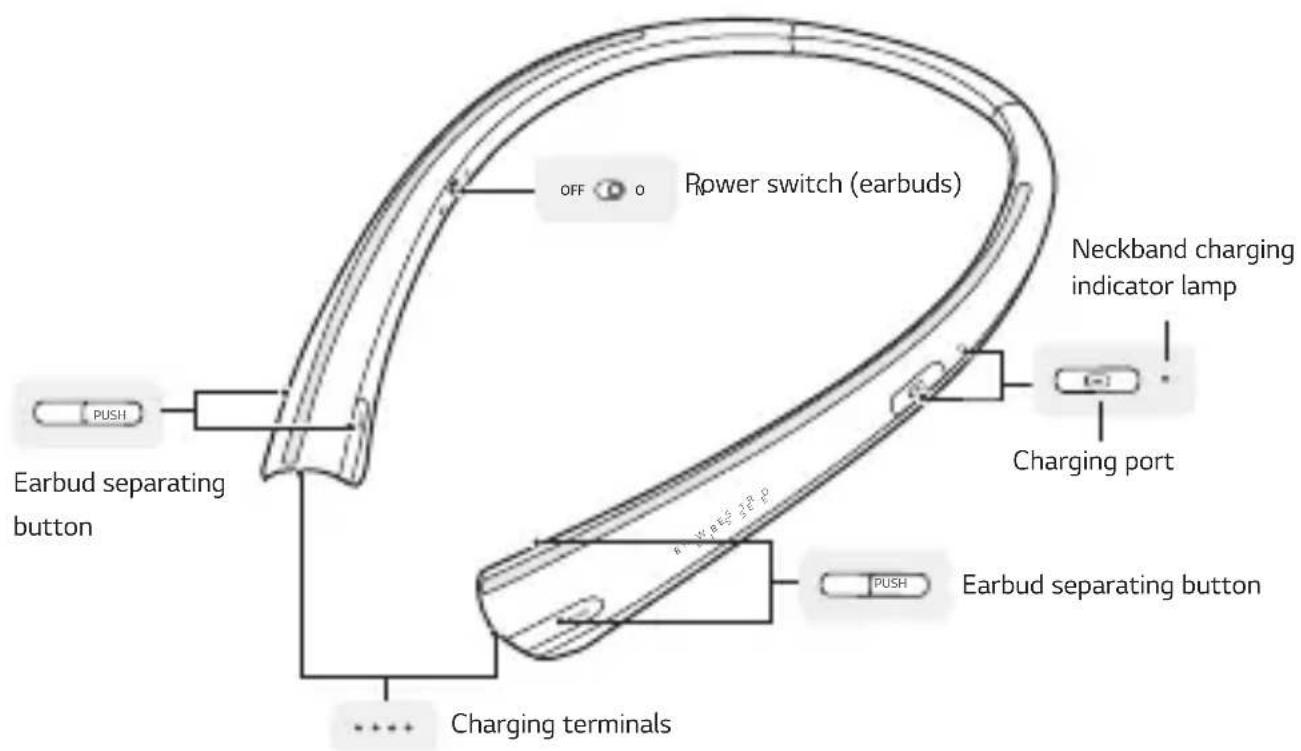
NOTE
The power switch of the neckband turns the power of the earbuds on or off. For example, if the earbuds are plugged into the neckband while its power is OFF, the power of the earbuds is turned off. The earbuds are charged regardless of whether the neckband power is on or off.
Earbuds
Charging terminals
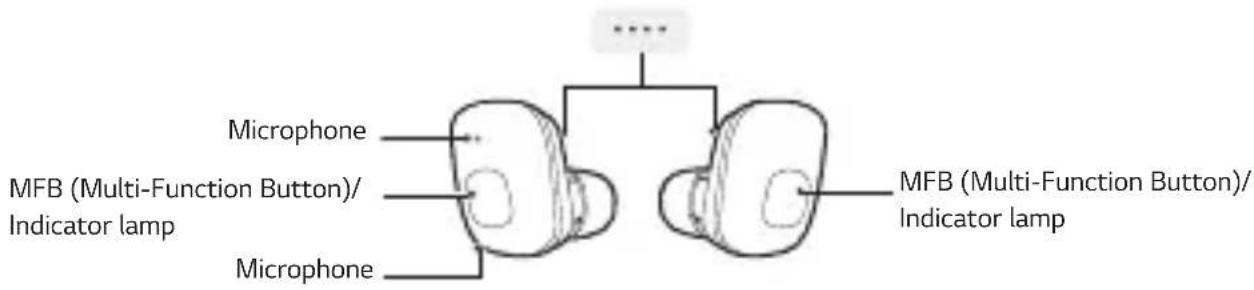
Main earbud (left) Sub earbud (right)

NOTE
The right earbud is the sub earbud that must be connected to the main earbud for use.
Cradle
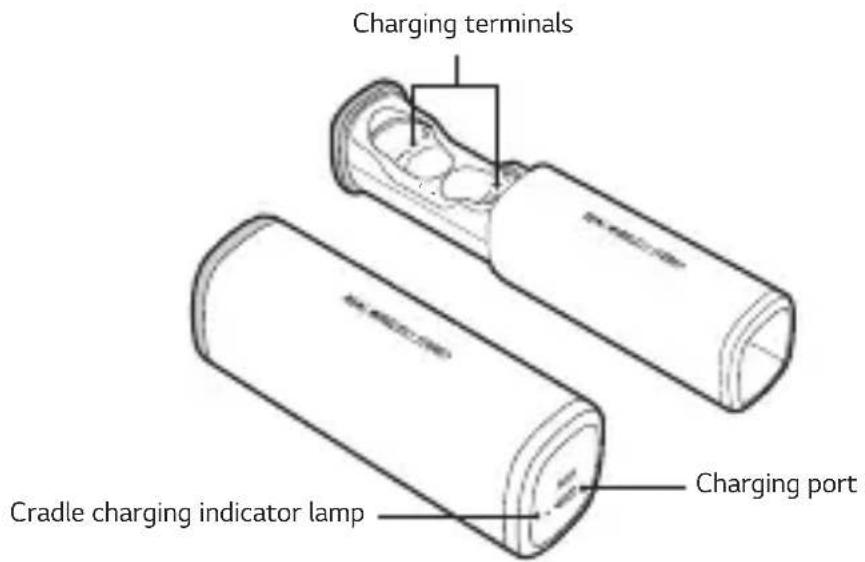

NOTE
The complete manual is available for download from the LG Electronics website.

www.lg.com > Support > Manuals & Documents > Browse by Product > Mobile Devices > LG Bluetooth Devices
Using Earbuds
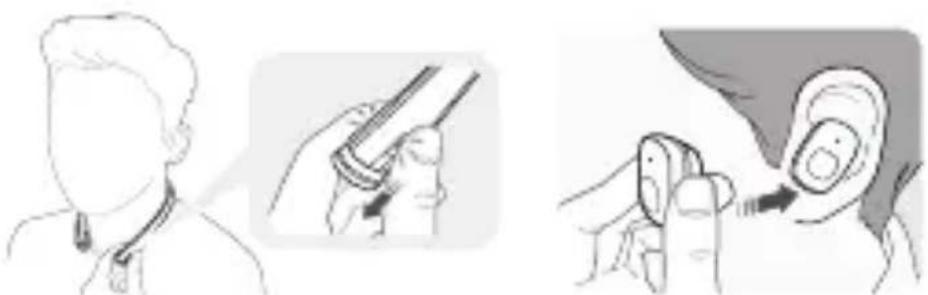
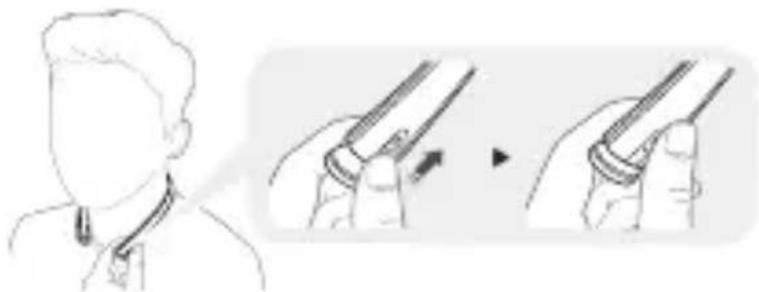
1 Press the PUSH Button on the neckband to separate the earbuds, and then wear them. NOTE: Check the right/left indications on the earbuds, then make sure the MFB is facing downwards and place the earbuds in your ears.
natural_image
Illustration showing ear anatomy procedure: before and after ear manipulation (no text or symbols)2 The earbuds are automatically fastened if you plug them into the neckband after use.
natural_image
Illustration showing a person applying a medical or surgical tool to another hand, with no visible text or symbols.HBS-F110 Pairing and Connecting
You can register/connect HBS-F110 using one of the following methods:
If you hear that the battery is insufficient, recharge the battery before proceeding. If pairing is not completed within three minutes, power automatically turns off.
If the power turned off automatically, plug the earbuds into the neckband or cradle and then remove them to turn the earbuds on.
Installing LG Tone & Talk™
Installing The LG Tone & Talk app allows you to access features such as voice alerts and earbud battery checking. To install LG Tone & Talk, download "LG Tone & Talk" from the Google Play™ store or the App Store® or use the QR code to install LG Tone & Talk.

Google Play App Store
Simple connection 1
natural_image
Illustration of two cylindrical objects with curved surfaces, no text or symbols present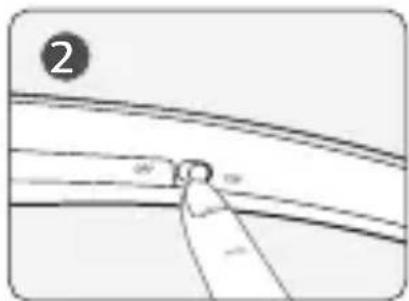
natural_image
Pure diagram of a curved pipe or pipe junction with a labeled section (no text or symbols)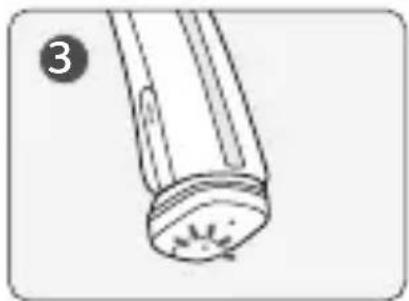
natural_image
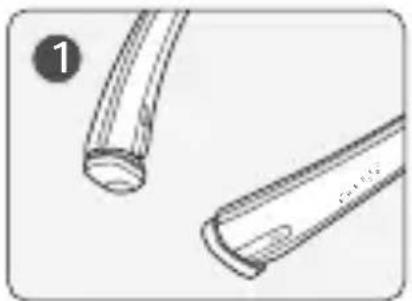
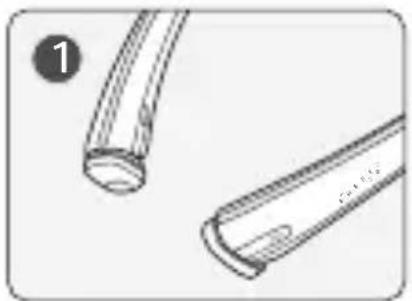
Simple line drawing of a cylindrical object with a textured base and a small protrusion, labeled with number 3 (no text or symbols on the object itself)1 Turn on the power of the neckband while the earbuds are plugged into the neckband.
2 The left Indicator lamp of the earbuds is lighted, and the status is automatically switched to Connection mode.
3 Turn Bluetooth on in the Settings menu of the device to be connected. (Or launch LG Tone & Talk on the device to be connected and select Connect.)
4 Select LG HBSF110 Master in the Bluetooth menu to connect the device.
5 The neckband vibrates when the connection is completed.
Simple connection 2
natural_image
Illustration of a dental procedure showing step 2: adding a tooth into a small tooth (no text or symbols)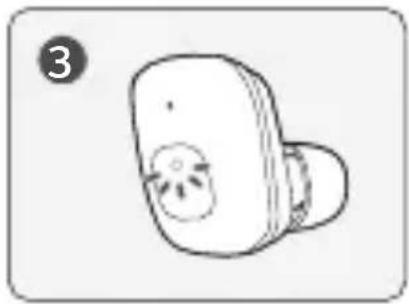
natural_image
Simple line drawing of a stylized object resembling a device or tool, with no text or symbols present.The voice prompt will help you in registration and connection if you proceed with connection after wearing the earbuds.
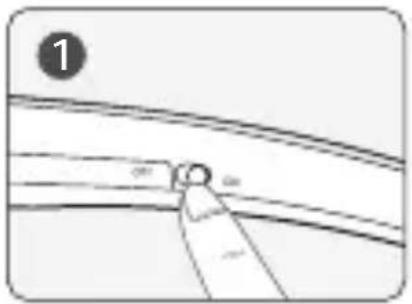
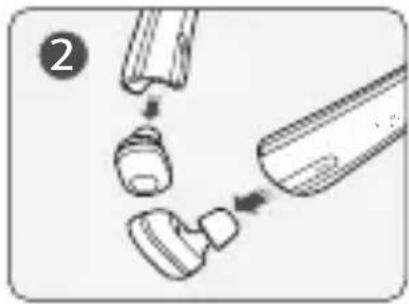
1 Turn on the power of the neckband and separate the earbuds from the neckband.
2 The left Indicator lamp of the earbuds is lighted, and the status is automatically switched to Connection mode.
3 Turn Bluetooth on in the Settings menu of the device to be connected. (Or launch LG Tone & Talk on the device to be connected and select Connect.)
4 Select LG HBSF110 Master in the Bluetooth menu to connect the device.
5 Once the device is connected, you will hear a voice prompt on the connection status.
Simple connection 3
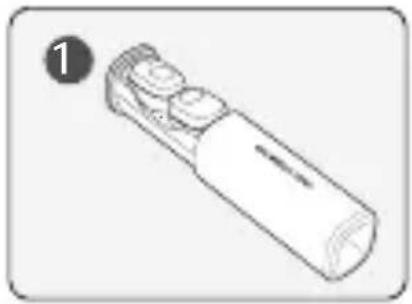
If you purchased the cradle with the product, you can register and connect HBS-F110 as follows:
natural_image
Line drawing of a handheld electronic device with ports and casing (no text or symbols)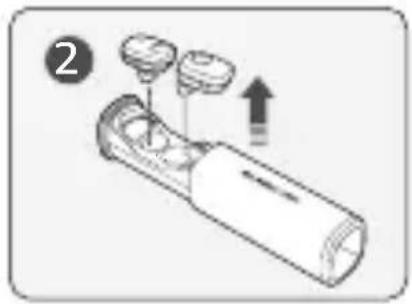
natural_image
Diagram of a handheld device with three circular components and an upward arrow indicating motion (no text or symbols)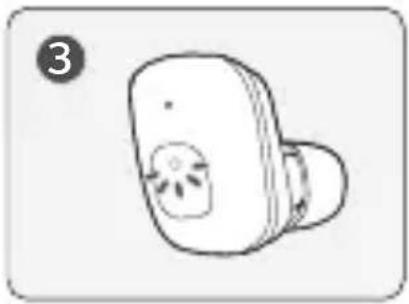
natural_image
Simple line drawing of a small electronic device with a bulb and internal components (no text or symbols)1 Plug in the earbuds on the cradle, and then separate them.
2 The left Indicator lamp of the earbuds is lighted, and the status is automatically switched to Connection mode.
3 Turn Bluetooth on in the Settings menu of the device to be connected. (Or launch LG Tone & Talk on the device to be connected and select Connect.)
4 Select LG HBSF110 Master in the Bluetooth menu to connect it.
5 Once the device is connected, you will hear a voice prompt on the connection status.
Connecting manually (connecting to other devices or reconnecting)
natural_image
Simple line drawing of a finger pressing a button on a device (no text or symbols)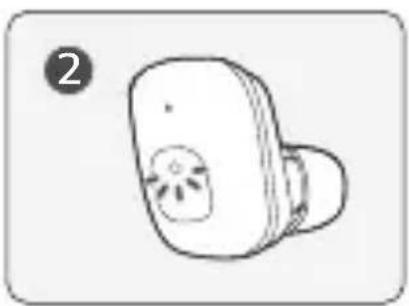
natural_image
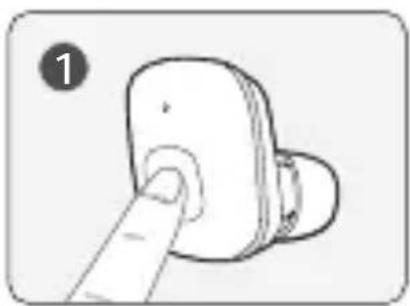
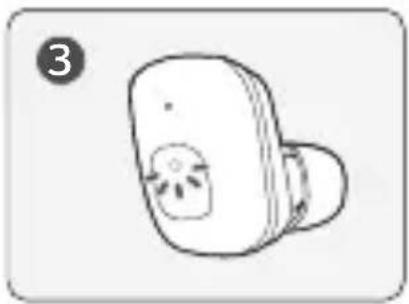
Simple line drawing of a small electronic device with a circular button and starburst pattern (no text or symbols)1 Press and hold the MFB of left main earbud for five seconds.
2 The left Indicator lamp of the earbuds is lighted, and the status is switched to Connection mode.
3 Turn Bluetooth on in the Settings menu of the device to be connected. (Or launch LG Tone & Talk on the device to be connected and select Connect.)
4 Select LG HBSF110 Master in the Bluetooth menu to connect the device.
5 Once the device is connected, you will hear a voice prompt on the connection status.
Note for Using Earbuds
1 The main (left) and sub (right) earbuds are automatically connected.
2 The connection between the earbuds is automatically cut if the device connected to the main earbud is disconnected.
3 Refer to "HBS-F110 Pairing and Connecting" if the main earbud is disconnected.
4 If the sub earbud does not operate,
- check the battery charging status, or
-if the battery is sufficiently charged, connect the earbuds again by referring to "HBS-F110 Pairing and Connecting."
5 If the earbuds have been properly plugged into the Neckband/Cradle, the earbuds' white Indicator Lamp will flash.
6 Contact an LG Electronics Service Center if you lost an earbud.
Automatic Reconnection
If the earbuds are separated from the neckband or cradle, power is turned on, with the last connected device automatically connected. (If a connected device is not found, it switches to Search mode.) If the device is not automatically connected, manually connect using LG HBSF110 Master in the device to be connected.
Earbud Indicator Lamp
| HBS-F110 Status Operation | |
| Power on The whiteIndicator lampwill flash four times. | |
| Search Mode The whiteIndicator lampis lighted. | |
| When plugged into the Neckband/Cradle | The whiteIndicator Lampflashes two times. |
Mobile Calling Functions
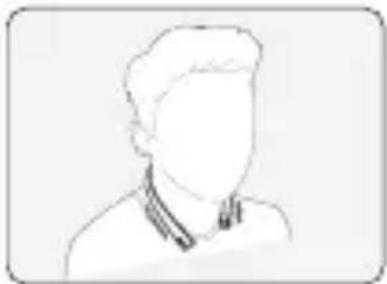
Only the left earbud operates during a voice call.
The neckband vibrates when there is an incoming call if the earbuds are plugged into the neckband. (If the neckband is low on battery, it may not vibrate when a call is received.)
natural_image
Simple line drawing of a person's head and shoulders (no text or symbols)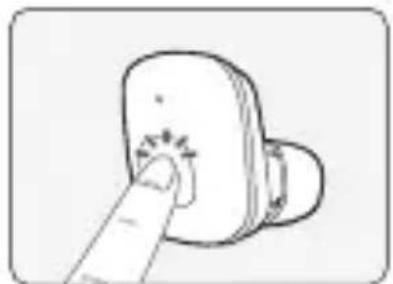
natural_image
Simple line drawing of a finger pressing a button on a device (no text or symbols)| Function Status Description | ||
| Answering Call Ringing Briefly press the MFB. | ||
| Ending a call Talking Briefly press the MFB. | ||
| Rejecting a call Ringing Press and hold the MFB for two seconds, and then release.* | ||
| Voice dial Standby mode Press and hold the MFB for two seconds, and then release.* | ||
| Switching Calls Talking | If you plug the earbuds into the neckband during a phone call, the call will switch to your mobile phone. If you remove the earbuds again, the call will switch to the earbuds. | |
*A sound alert will be generated if you press and hold the MFB for two seconds.
NOTE: You cannot adjust the volume on HBS-F110. Adjust in-call volume from the device connected to HBS-F110. The function of answering another incoming call during a call is not supported.
Playing Music
natural_image
Illustration of two hand press buttons with a starburst effect, no text or symbols present| Function Status Description | ||
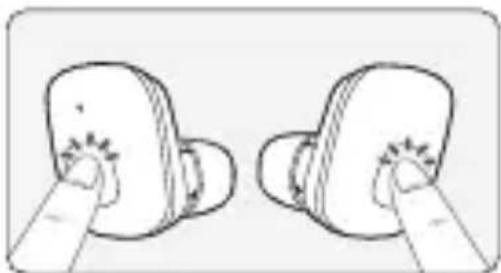
| Playing Music Standby mode Briefly press the MFB. | ||
| Pause Music in play | Briefly press the MFB.If you plug the earbuds into the neckband while music is playing, the music will stop. Press the MFB again to play music. | |
| Play Next Song Music in play Briefly press the MFB twice. | ||
| Equalizer Mode Change Music in play Change EQ using LG Tone & Talk. | ||
NOTE: Use the music player app in the connected device to play the previous or next music file or other play-related functions.
You can adjust the volume from the LG Tone & Talk app connected to HBS-F110.
To prevent hearing loss, a control sound is played twice or at length when controlling the volume at high volumes.
Battery Charging and Alerts
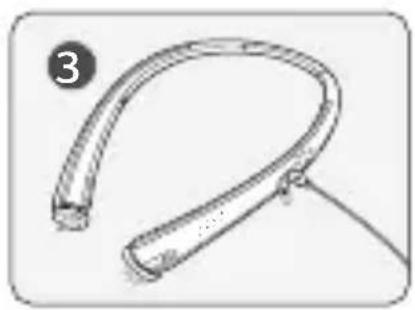
You can charge the earbuds and the neckband/cradle as follows:
NOTE: The main (left) earbud can be discharged faster than the sub (right) earbud.
The earbuds and the neckband/cradle may not be charged if there are foreign substances on the charging terminal.
The earbud Indicator lamp turns on during charging and turns off once complete.
Single Charging
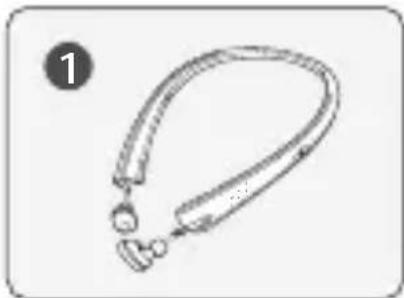
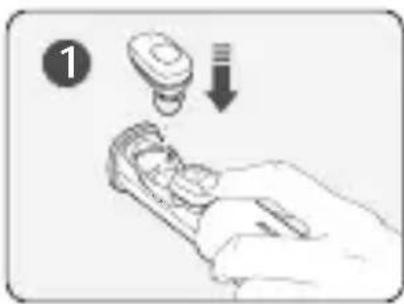
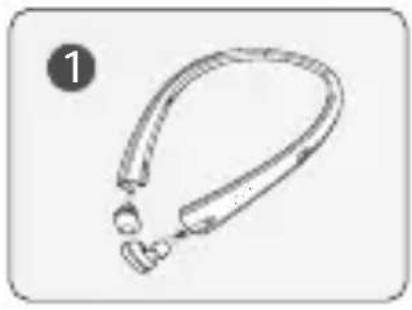
The earbuds can be plugged into the neckband or cradle for charging.
natural_image
Line drawing of a necklaces with two small accessories (no text or symbols)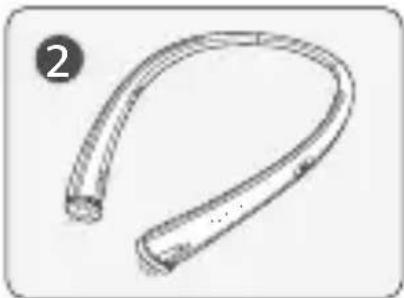
natural_image
Line drawing of a curved, segmented object resembling a flexible tube or bulb (no text or symbols)NOTE: If the neckband's power is on, the earbud charging Indicator Lamp does not turn on.
natural_image
Illustration of a hand holding a small electronic device with a circular component and a downward arrow, no text or symbols present.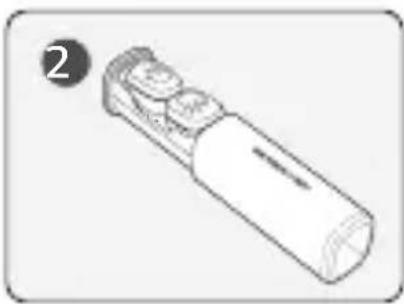
natural_image
Line drawing of a handheld electronic device with three buttons and a circular label (no text or symbols on the device itself)Charging Simultaneously
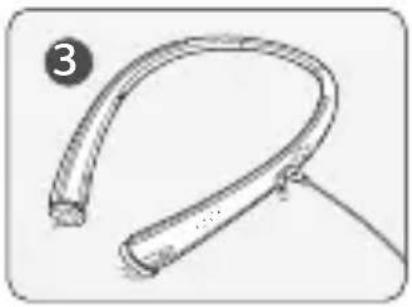
You can charge the earbuds and the neckband/cradle together as shown below.
NOTE: The charging speed can decrease because of low current when you charge the neckband cradle by connecting it to a PC.
The cradle case may open while connecting the charger. Fix the top of the cradle in place before connecting.
natural_image
Line drawing of a medical or laboratory device with a curved, looped structure and two small protrusions (no text or symbols)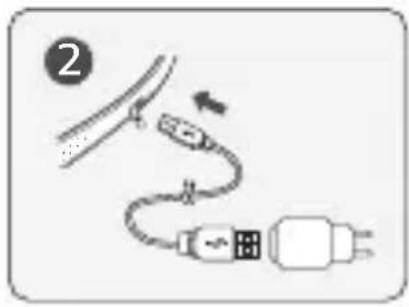
natural_image
Line drawing of a curved, flexible object with a handle, possibly a medical or laboratory device (no text or symbols)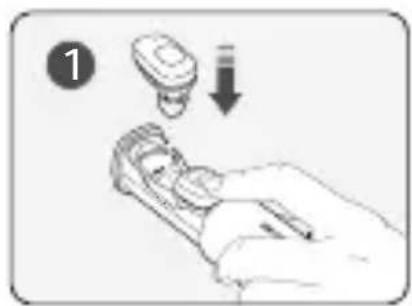
natural_image
Illustration of a hand holding a small electronic device with a magnified view showing a component (no text or symbols)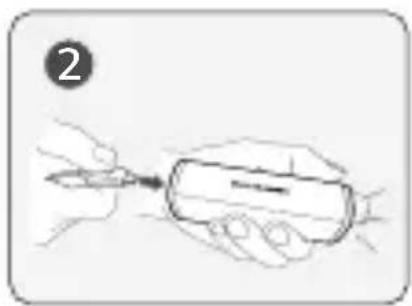
natural_image
Illustration of a hand holding a pen or tool, with no visible text or symbols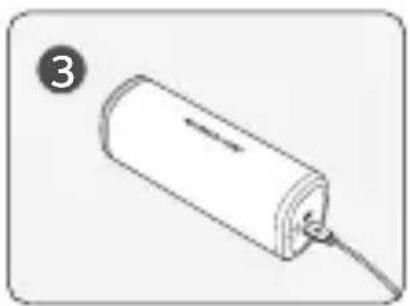
natural_image
Simple line drawing of a cylindrical device with a cable inserted, labeled with number 3 (no text or symbols on the device itself)NOTE: To properly plug the earbuds into the cradle, make sure you hear a "click" as you press on the top of the earbuds.
Charging/Battery Status Indication and Alert
The charging status is indicated when the charger is connected to the Charging port of the neckband/cradle.
| Indicator Lamp Red | Blue | |
| Battery Status Charging Completed | ||
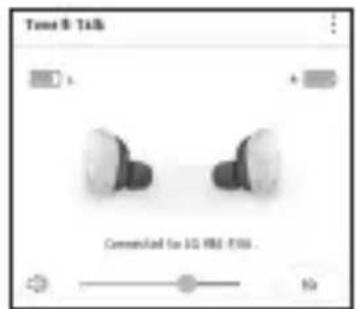
If the earbud battery level is 5% or lower, you will hear a voice alert that the battery is low. You can check the battery level in LG Tone & Talk. The red indicator lamp will blink if the neckband is low on battery.
Voice Commands
You can say "Answer" or "Ignore" to answer or reject an incoming call. The voice command function can be turned on or off from LG Tone & Talk.
Out of Communication Range
If the device connected to HBS-F110 is out of effective communication range (approximately 10 meters), the communication signal will weaken, causing disconnection. If the device comes back within the effective communication range, the product will automatically reconnect to HBS-F110.
If the device is not automatically reconnected, press the MFB on HBS-F110 to connect manually.
Using LG Tone & Talk™
| Function Button and Description | |
| Voice Notification | You can set the voice notification to ON/OFF in Notification Setting.The function reads the text in the SMS, MMS, and SNS message through the earbuds. |
| Vibration Notification | You can set the vibration notification to ON/OFF in Notification Setting.The neckband vibrates when a new message is received if the earbuds are plugged into the neckband. |
| Equalizer Mode Change | You can change the equalizer mode in the EQ menu:Bass (default), Normal (general), Treble (emphasis on high notes). |
| Earbud Battery Checking | You can check the battery level of both earbuds via the app screen. |
| Changing the Voice Prompt Language | You can change the language of voice prompt in Headset Setting. |
| Changing Voice Command Setting | You can set the voice notification to ON/OFF in Headset Setting. |
| Last location of connection information | The last connection position to headset is recorded in the map using GPS in the mobile phone.The GPS (location data) function must be activated in the connected device, and there can be a position error according to the GPS performance. |
| Caller ID Notification | Android^TM : Set caller ID notification to ON in the headset settings to receive caller ID information via voice prompts from your earbuds. iOS: This feature is supported on iOS v. 10.0 or above if set up in Settings > Phone > Announce Calls. |
Troubleshooting
| Problem Solution | |
| Power is not turned on Check | the battery level and charge it. |
| Cannot make a call with the HBS-F110 | If the mobile phone does not support the headset and hands-free function, you cannot use the calling features. Check the battery level and charge it. |
| HBS-F110 is not registered in the mobile phone | Check whether HBS-F110 is turned on.Check if the left main earbud of HBS-F110 is in Search mode.Press and hold the MFB in the left main earbud for five seconds to switch the earbuds to Connection mode. |
| The sound is low | Adjust the volume of the device connected to HBS-F110 or check the headset volume in the Tone & Talk app. |
| Sub earbud is not operable | Check the battery charging status.If the battery is sufficiently charged, connect the earbuds again by referring to “HBS-F110 Pairing and Connecting.” |
| When the earbuds have been disconnected from each other | Plug both earbuds into the cradle or neckband, and then remove them again. |
Specifications and Features
Neckband/Earbuds
| Item Description | |
| Bluetooth Specifications V 4.2 | (Headset / Hands-Free / A2DP / AVRCP) |
| Battery | Neckband: 3.7 V / 120 mAh* 2, lithium-ion polymerEarbuds: 3.7 V / 58 mAh, lithium-ion |
| Neckband Standby Time Up to | 240 hours* |
| Earbuds Standby Time Max. 82 | hours* |
| Earbuds Talk Time Max. 3 hours / 7.2 hours (Using with Neckband)* | |
| Earbud Music Play Time Max. 3 hours / 7.2 hours (Using with Neckband)* | |
| Charging Time Neckband / Earbuds: About 2 hours | |
| Rated Input Voltage DC 4.75 ~ | 5.3 V, 400 mA |
| Operating Temperature -10°C (+14°F) ~ +50°C (+122°F) | |
| Dimension / Weight | Neckband: 6.90 "(W) X 6.30" (L) X 1.12" (H) / 1.62 ozEarbuds: 1.03" (W) X 0.66" (L) X 1.09" (H) / 0.20 oz |
| Frequency 2402 MHz to 2480 MHz | |
Cradle
| Item Description | |
| Battery 3.7 V / 410 mAh lithium-ion polymer | |
| Standby Time Up to 410 hours* | |
| Charging time About 2 hours | |
| Rated Input Voltage DC 4.75 ~ 5.3 V, 600 mA | |
| Operating Temperature -10°C (+14°F) ~ +50°C (+122°F) | |
| Dimension / Weight 3.80" (W) X 1.13" (L) X 1.35" (H) / 1.76 oz | |
*Duration of use may vary depending on the connected mobile device, features being used, settings, signal strength, operating temperature, frequency band, and other methods of use.
Declaration of Confirmation
FCC NOTICE TO USERS:
This device complies with part 15 of the FCC Rules.
Operation is subject to the following two conditions:
(1) This device may not cause harmful interference, and
(2) This device must accept any interference received, including interference that may cause undesired operation.
Changes or modifications not expressly approved by the manufacturer (or party responsible) for compliance could void the user's authority to operate the equipment.
FCC Part 15.105 statement
This equipment has been tested and found to comply with the limits for a Class B digital device, pursuant to Part 15 of the FCC Rules.
These limits are designed to provide reasonable protection against harmful interference in a residential installation. This equipment generates, uses and can radiate radio frequency energy and, if not installed and used in accordance with the instructions, may cause harmful interference to radio communications.
However, there is no guarantee that interference will not occur in a particular installation. If this equipment does cause harmful interference to radio or television reception, which can be determined by turning the equipment off and on, the user is encouraged to try to correct the interference by one or more of the following measures:
- Reorient or relocate the receiving antenna.
- Increase the separation between the equipment and receiver.
- Connect the equipment into an outlet on a circuit different from that to which the receiver is connected.
- Consult the dealer or an experienced radio / TV technician for help.
IMPORTANT NOTE:
To comply with the FCC RF exposure compliance requirements, no change to the antenna or the device is permitted. Any change to the antenna or the device could result in the device exceeding the RF exposure requirements and void the user's authority to operate the device.
Bluetooth ^® is a registered trademark of Bluetooth SIG, Inc. worldwide.
Bluetooth®
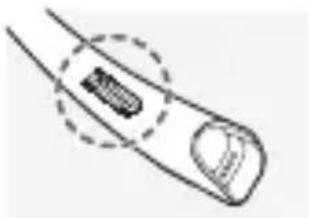
FCC ID: ZNFHBSF110
natural_image
Diagram of a finger with a circular arrow pointing to a small object on the finger (no text or symbols present)The earbuds' FCC ID is marked on the back of the neckband provided with the earbuds.
Additional Information
1. Radio frequency exposure
This Bluetooth Wireless Stereo Headset HBS-F110 is a radio transmitter and receiver.
When in operation, it communicates with a Bluetooth-equipped mobile device by receiving and transmitting radio frequency (RF) electromagnetic fields (microwaves) in the frequency range 2.4 to 2.4835 GHz. Your Bluetooth headset is designed to operate in compliance with the RF exposure guidelines and limits set by national authorities and international health agencies when used with any compatible LG Electronics mobile phone.
2. Bluetooth Connection Precautions
The following environments affect the range and reception of Bluetooth signals:
- When walls, metal, human bodies, or other obstacles exist between the Bluetooth device and the connected device.
- When equipment that uses 2.4 GHz frequency signals (wireless LANs, wireless phones, microwave ovens, etc.) is placed near the devices being used.
3. Potentially explosive atmosphere
Turn off your electronic device when in any area with a potentially explosive atmosphere. Although this is uncommon, your electronic device could generate sparks. Sparks in such areas could cause an explosion or fire resulting in bodily injury or even death. Areas with a potentially explosive atmosphere are often but not always clearly marked.
4. Emergency calls
IMPORTANT!
This Bluetooth headset and the electronic device connected to the headset operate using radio signals and mobile and landline networks as well as user-programmed functions, which cannot guarantee connection under all conditions. Therefore, you should never rely solely upon any electronic device for essential communications (e.g., medical emergencies). Remember, in order to make or receive calls, the headset and the electronic device connected to the headset must be switched on and in a service area with adequate mobile signal strength. Emergency calls may not be possible on all mobile phone networks or when certain network services and/or phone features are in use. Check with your local service provider.
5. Battery information
A rechargeable battery has a long service life if treated properly. A new battery or one that has not been used for a long period of time could have reduced capacity the first few times it is used. Do not expose the battery to extreme temperatures, never above +50°C (+122°F) or below -10°C (+14°F). For maximum battery capacity, use the battery at room temperature. If the battery is used in low temperatures, the battery capacity will be reduced. The battery can only be charged in temperatures between +10°C (+50°F) and +45°C (+113°F).
6. Recycling the battery in your Bluetooth headset
The battery in your Bluetooth headset must be disposed of properly and should never be placed in municipal waste. The LG Electronics service partner that removes the battery will dispose of it according to local regulations.
7. Conditions
- The warranty is valid only if the original receipt issued to the original purchaser by the dealer, specifying the date of purchase and serial number, is presented with the product to be repaired or replaced. LG Electronics reserves the right to refuse warranty service if this information has been removed or changed after the original purchase of the product from the dealer.
- If LG Electronics repairs or replaces the product, the repaired or replaced product shall be warranted for the remaining time of the original warranty period or for ninety (90) days from the date of repair, whichever is longer. Repair or replacement may involve the use of functionally equivalent reconditioned units. Replaced parts or components will become the property of LG Electronics.
- This warranty does not cover any failure of the product due to normal wear and tear, or due to misuse, including but not limited to use in other than the normal and customary manner, in accordance with instructions for use and maintenance of the product. Nor does this warranty cover any failure of the product due to accident, modification or adjustment, acts of God, or damage resulting from liquid.
- This warranty does not cover product failures due to improper repair installations, modifications, or service performed by a non-LG Electronics authorized person. Tampering with any of the seals on the product will void the warranty.
- THERE ARE NO EXPRESS WARRANTIES, WHETHER WRITTEN OR ORAL, OTHER THAN THIS PRINTED INCLUDING WITHOUT LIMITATION THE IMPLIED WARRANTIES OF MERCHANTABILITY OR FITNESS FOR A PARTICULAR PURPOSE, ARE LIMITED TO THE DURATION OF THIS LIMITED WARRANTY. IN NO EVENT SHALL LG ELECTRONICS OR ITS VENDORS BE LIABLE FOR INCIDENTAL OR CONSEQUENTIAL DAMAGES OF ANY NATURE WHATSOEVER, INCLUDING BUT NOT LIMITED TO LOST PROFITS OR COMMERCIAL LOSS, TO THE FULL EXTENT THOSE DAMAGES CAN BE DISCLAIMED BY LAW.
- Some countries / states do not allow the exclusion or limitation of incidental or consequential damages, or limitation of the duration of implied warranties, so the preceding limitations or exclusions may not apply to you. The warranty provided does not affect the consumer's statutory rights under applicable national legislation in force, nor the consumer's rights against the dealer arising from their sales / purchase contract.
Limited Warranty
Subject to the conditions of this Limited Warranty, LG Electronics warrants this product to be free from defects in design, material, and workmanship at the time of its original purchase by a consumer, and for a subsequent period of one (1) year. Should your product need warranty service, please return it to the dealer from whom it was purchased or contact your local LG Electronics contact center to get further information.
Important Safety Information
Avoiding hearing damage
Permanent hearing loss may occur if you use your headset at a high volume.
Set the volume to a safe level. Over time you can become accustomed to a higher volume that may sound normal but can be damaging to your hearing.
If you experience ringing in your ears or muffled speech, stop listening and have your hearing checked. The louder the volume, the less time that is required before your hearing could be affected.
Hearing experts suggest that to protect your hearing:
- Limit the amount of time you use the headset at high volume.
- Avoid turning up the volume to block out noisy surroundings.
- Turn the volume down if you can't hear people speaking near you.
Using headsets safely
Use of headsets to listen to music while operating a vehicle is not recommended and is illegal in some areas. Be careful and attentive while driving. Stop using this device if you find it disruptive or distracting while operating any type of vehicle or performing any other activity that requires your full attention.

natural_image
Blank white image with no visible content, text, or symbols
LG
Life's Good
© 2017 LG Electronics Inc.
natural_image
Simple line drawing of a curved, elongated object resembling a loop or tube (no text or symbols)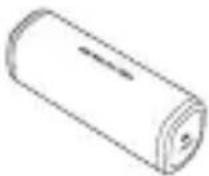
(parte opcional)
natural_image
Illustration showing ear anatomy procedure: before ear, after ear with magnified detail (no text or symbols)natural_image
Illustration of a person holding a pen, showing a step-by-step change (no text or symbols present)Google Play App Store
Conexión simple 1
natural_image
Illustration of two cylindrical objects with curved surfaces, no text or symbols present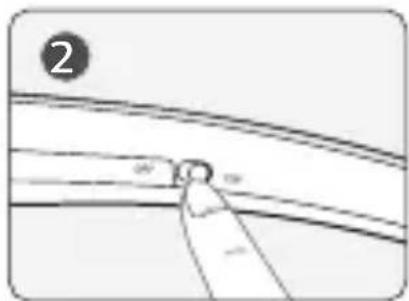
natural_image
Pure diagram of a curved pipe or channel with a labeled point (no text or symbols)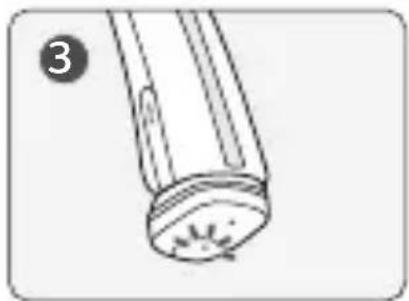
natural_image
Simple line drawing of a cylindrical object with a textured base and a small protrusion, labeled with number 3 (no text or symbols on the object itself)natural_image
Illustration of a dental procedure showing step 2: adding a tooth into a dental implant (no text or symbols)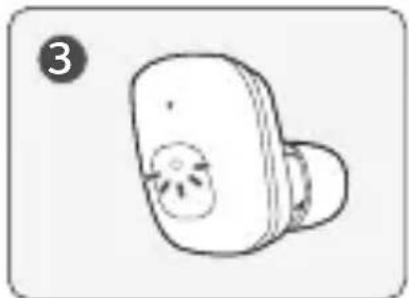
natural_image
Simple line drawing of a stylized object resembling a device or tool, with no text or symbols present.natural_image
Line drawing of a handheld electronic device with three buttons and a label '1' (no text or symbols on the device itself)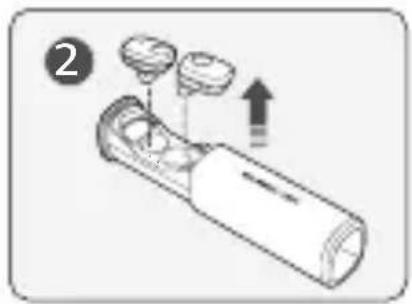
natural_image
Simple line drawing of a small electronic device with a bulb and internal components (no text or symbols)natural_image
Line drawing of a finger pressing down on a button-like device (no text or symbols)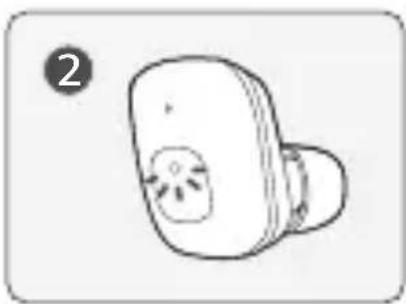
natural_image
Simple line drawing of a handheld electronic device with a circular button and starburst pattern (no text or symbols)natural_image
Simple line drawing of a person's head and shoulders (no text or symbols)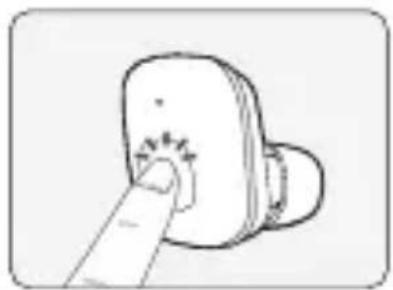
natural_image
Simple line drawing of a finger pressing a button on a device (no text or symbols)natural_image
Illustration of two hand press buttons with a starburst effect, no text or symbols presentnatural_image
Line drawing of a medical or laboratory device with a curved handle and connector (no text or symbols)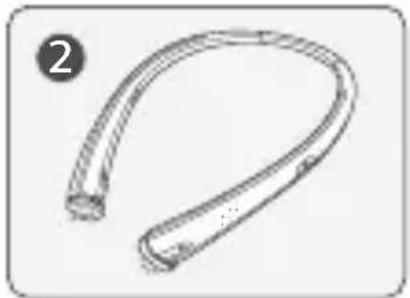
natural_image
Simple line drawing of a curved, flexible object with a circular end (no text or symbols)natural_image
Illustration of a hand holding a small electronic device with a switch and a downward arrow indicating action (no text or symbols)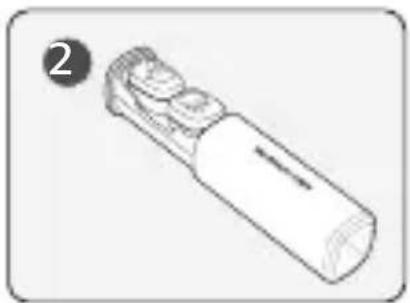
natural_image
Line drawing of a handheld electronic device with a cylindrical body and two ports (no text or symbols)Carga simultánea
natural_image
Line drawing of a medical or laboratory device with a curved neck and connector (no text or symbols)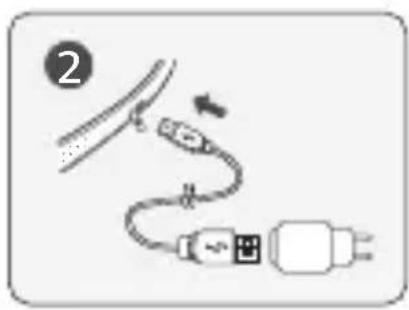
natural_image
Simple line drawing of a curved pipe or tube with a handle, no text or symbols present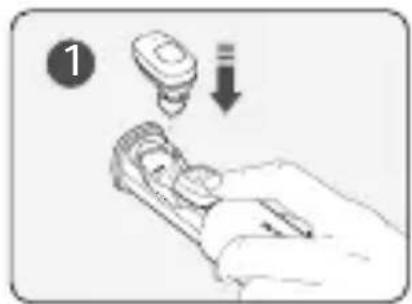
natural_image
Illustration of a hand holding a computer mouse with a small electronic device above it, no text or symbols present.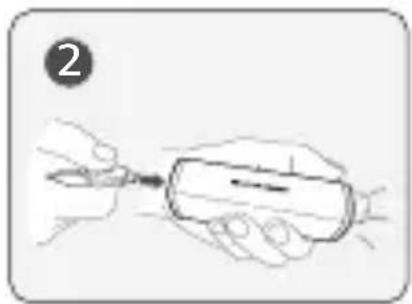
natural_image
Illustration of a hand holding a pen, with no visible text or symbols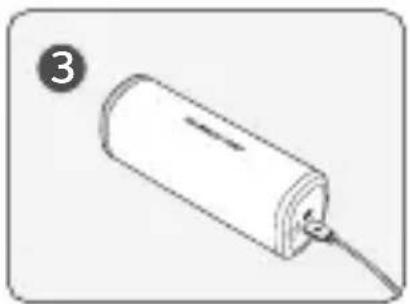
natural_image
Simple line drawing of a cylindrical device with a cable inserted, labeled with number 3 (no text or symbols on the device itself)Comandos de voz
DECLARATION OF CONFORMITY
Par FCC §2.1077 Compliance information.
Trade Name : LG
Model Number : LG SDT-F110
This device complies with Part 15 of the FCC Rules. Operation is subject to the following two conditions: (1) this device may not cause harmful interference, and (2) this device must accept any interference received, including interference that may cause undesired operation.
Responsible Party : LG Electronics USA, Inc.
Address : 1000 Sylvan Ave Englewood Cliffs, NJ 07632
Contact Person : Kyungsu Han
Telephone : (201) 472 - 2623
We hereby declare that the equipment bearing the trade and model number specified above was tested conforming to the applicable FCC Rules under the most accurate measurement standards possible, and that all the necessary steps have been taken and are in force to assure that production units of the same equipment will continue to comply with the Commission's requirements.
natural_image
Blank white image with no visible content, text, or symbols
natural_image
Blank white image with no visible content, text, or symbols
Any modifications or changes to this manual due to typographical errors or inaccuracies of stated information shall only be made by LG Electronics Inc.
